A smart monitor can play video from its own apps while your laptop is away. The built-in apps are the key difference from an ordinary display with a streaming stick attached. You still need power, a network connection, an account or subscription where the app requires one, and a supported app in your country.
The right model also has to work as a desk display when you reconnect a computer. These six exact Amazon US listings had active New offers when selected. The six run Samsung’s TV-app platform, Google TV or LG webOS, in 27- and 32-inch sizes. Picture quality, app speed and speaker output were not measured for this comparison.
Choose the built-in streaming platform first, then check whether the screen still suits your computer work.Smart Monitors Compared
| Image | Product | Details | Check Price |
|---|---|---|---|
 | Samsung M8 M80D | Screen: 32-inch 4K Smart platform: Samsung Smart TV Apps Distinct extra: SlimFit camera listed Main catch: Confirm camera app compatibility | Check Price on Amazon |
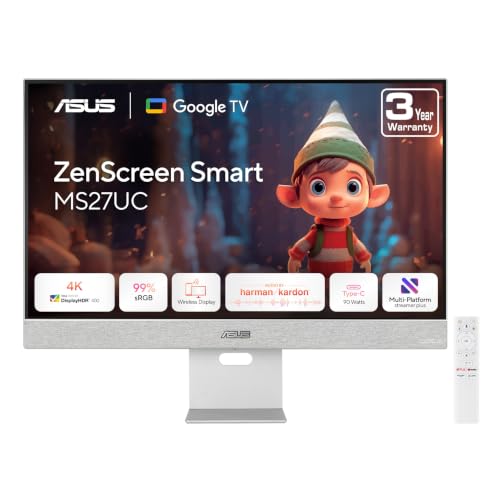 | ASUS MS27UC | Screen: 27-inch 4K Smart platform: Google TV Distinct extra: USB-C 90W listed Main catch: Confirm chosen app availability | Check Price on Amazon |
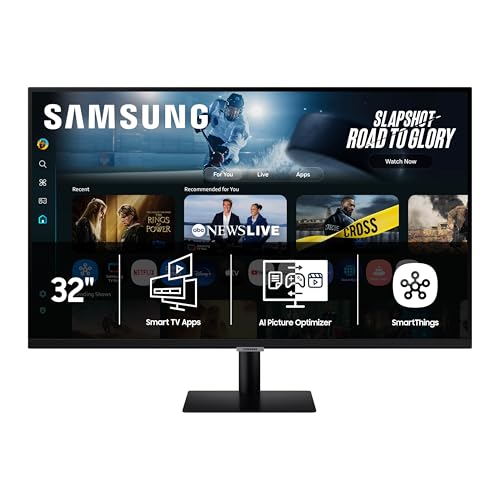 | Samsung M7 M70F | Screen: 32-inch 4K Smart platform: Samsung Smart TV Apps Distinct extra: Samsung TV Plus listed Main catch: Less camera emphasis than M8 | Check Price on Amazon |
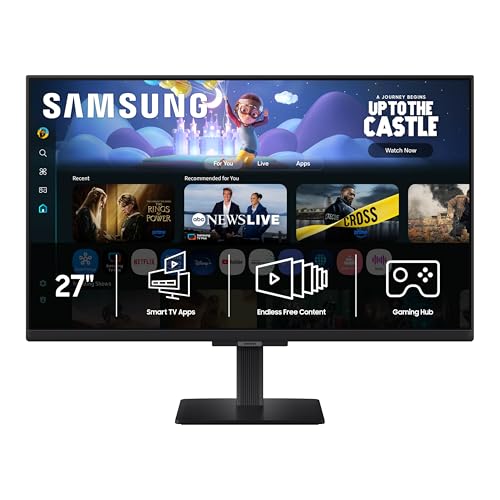 | Samsung M5 M50F | Screen: 27-inch FHD Smart platform: Samsung Smart TV Apps Distinct extra: Compact entry size Main catch: FHD desktop sharpness at 27 inches | Check Price on Amazon |
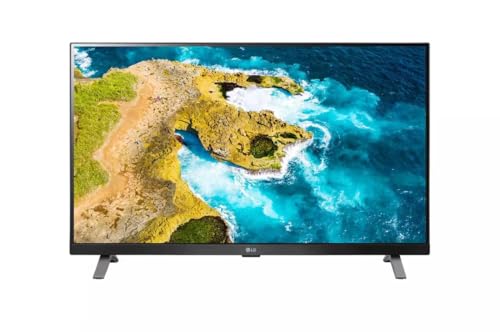 | LG 27LQ625S-PU | Screen: 27-inch FHD IPS Smart platform: LG webOS Smart TV Distinct extra: TV-monitor design Main catch: Check PC port and tuner needs | Check Price on Amazon |
 | Acer GA271U P | Screen: 27-inch QHD Smart platform: Google TV Distinct extra: 180Hz PC refresh listed Main catch: Smart and PC modes differ | Check Price on Amazon |
1. Samsung Smart Monitor M8 M80D — Best 4K Desk and Camera Hybrid
Samsung’s M80D is a 32-inch 4K smart monitor with its own TV-app environment. It makes sense if one screen must serve as a roomy laptop display during work and a standalone streaming screen afterward. The listed SlimFit camera is the difference between this exact M8 and the M7 below, which puts less focus on a camera. It does not mean every video-calling service will work without a computer. Check the supported app and account before making the camera the reason to buy.
At 32 inches, the screen needs enough viewing distance. The 4K pixel count is a benefit for desktop sharpness, but usable space depends on scaling. Verify the connectors, power delivery and mount of the exact M80D offer if you use a one-cable laptop setup.
If you also want a separate display for computer work, our USB-C monitor guide covers the ordinary monitor tradeoff. An ordinary monitor is a different buying job because it normally needs an external playback device.
Buy the M8 for its large 4K workspace and built-in streaming, not on an unverified promise that a particular calling app works alone.Our Take Choose this M8 if you want one 32-inch desk screen to double as a standalone video screen and would use its listed camera. Check the exact calling app separately.
- 32-inch 4K panel serves desk and video use.
- Built-in smart platform does not need a connected PC to stream.
- SlimFit camera is listed for this M80D offer.
- Large screen may crowd a shallow desk.
- Camera hardware does not guarantee support for your calling service.
2. ASUS ZenScreen Smart MS27UC — Best Compact 4K Google TV Desk
The MS27UC is a 27-inch 4K screen with Google TV. It is the most direct choice here for a buyer who prefers Google TV but still wants a sharp desktop panel for text and editing. ASUS documents the Google TV interface and USB-C connectivity in its manual. The exact listing also states 90W USB-C power delivery, which may make a compatible laptop desk simpler, but check your laptop’s charging requirement.
An operating-system name is not an app guarantee. Check your streaming service and region. When reconnecting a laptop, test resolution, refresh rate, cable and USB-C power separately. For a longer cable run, our USB-C cable guide addresses the link rather than the TV apps.
Our Take Pick the MS27UC when 27-inch 4K text clarity and Google TV are more important than a larger screen. Verify the app catalog and one-cable laptop requirements independently.
- 27-inch 4K resolution suits a compact desk.
- Google TV runs without a computer attached.
- Exact listing names 90W USB-C power delivery.
- Chosen apps may vary by country and account.
- USB-C charging fit depends on the laptop.
3. Samsung Smart Monitor M7 M70F — Best 32-Inch 4K Without M8 Extras
The M70F is another 32-inch 4K Samsung smart monitor, with streaming apps built into the display. It is the simpler option next to the M8. Choose it when the large UHD screen and Samsung app environment are the point, not a setup built around a camera. Samsung also lists TV Plus, but channels, availability and service terms may differ by region.
It shares its 32-inch size with the M8, so the two are practical to compare. Check its stand, ports and accessories instead of transferring M8 details to M7. Set computer scaling for comfort rather than assuming 4K makes text easier to read. Our monitor-arm roundup is useful only if the screen supports the mount and weight.
M7 and M8 share a size and pixel count here, not an identical camera or accessory package.Our Take Choose the M7 if you want a 32-inch Samsung 4K smart screen and do not need the M8’s camera emphasis. Compare the exact offers before paying for extras.
- 32-inch 4K workspace and native streaming in one unit.
- Samsung TV Plus is listed.
- Needs enough desk distance for 32 inches.
- Do not assume M8 camera features are included.
- Regional channel catalogs can change.
4. Samsung Smart Monitor M5 M50F — Best Compact FHD Samsung Entry
The 27-inch M50F has Samsung’s built-in smart-app route in a smaller full-HD screen. The M50F is a reasonable match when the desk is short and streaming is a higher priority than dense computer text. It can also act as a conventional laptop display when connected. The Amazon offer checked here is the 27-inch M50F, not a different M5 size or generation.
At 27 inches, Samsung’s listed 1920 by 1080 pixels give less desktop detail than the 4K ASUS, M7 or M8, and less than the Acer QHD. If you edit timelines, large spreadsheets or dense documents, that tradeoff may outweigh the compact size. If your laptop needs multiple external displays, our dual-monitor adapter guide covers a separate problem of connecting the computer. The M5’s standalone apps do not add laptop display outputs.
Our Take Buy this M5 when a compact Samsung streaming screen is the main job and full-HD computer space is enough. Move up in resolution if the desktop role is equally important.
- 27-inch size fits smaller desks.
- Native smart apps work without a PC attached.
- FHD gives less desktop detail than the 4K choices.
- Exact M50F size and generation matter when comparing listings.
5. LG 27LQ625S-PU — Best 27-Inch webOS TV-Monitor
LG presents the 27LQ625S-PU as a 27-inch full-HD IPS smart TV-monitor with webOS. The LG is the option on a different platform if you already use LG’s TV interface and want a compact screen that can also accept a computer connection. Unlike a plain display, it has its own streaming environment. It still needs a network and any service account required by a selected app.
The Amazon title is abbreviated and does not spell out 27LQ625S-PU, although product metadata associates the listing with that model. Verify the seller’s model field before ordering. Check the ports and any tuner or remote requirements. A TV-monitor differs from a display designed first for computers. Our portable monitor roundup is for travel, not a replacement for webOS at a fixed desk.
Our Take Choose the LG if you want a 27-inch webOS TV-monitor and can verify the model in the offer. It is less compelling if sharp PC text is the priority.
- Native webOS offers a non-Samsung app route.
- 27-inch size and IPS panel are maker-listed.
- Abbreviated Amazon title needs a model check.
- FHD is less detailed for computer work than QHD or 4K.
- Verify the ports and tuner fit for your desk.
6. Acer Nitro GA271U P — Best QHD Gaming and Google TV Crossover
Acer’s GA271U P family has 27-inch QHD computer resolution and Google TV. The exact Amazon listing identifies GA271U Pwmipruxw and lists 180Hz for PC use. The Acer differs from the full-HD LG and M5, which put TV use first. You can choose it for a sharper desktop and a faster supported computer connection while still opening native streaming apps without a computer.
Do not read the PC refresh number as a promise that a streaming app outputs at 180 frames per second. Check which input and mode deliver the computer refresh rate, and confirm the exact regional variant’s ports rather than borrowing every detail from Acer’s family page. The built-in apps have their own availability and update questions. If gaming is your main use, our USB-C gaming-monitor guide addresses PC performance. This Acer is included because it also has a native smart platform.
The 180Hz listing describes a computer-display mode, not the frame rate of a video-streaming service.Our Take Choose this Acer when you want both QHD PC use and Google TV. Verify the exact GA271U P variant’s ports and refresh mode before treating it as a gaming upgrade.
- QHD gives more desk detail than 27-inch FHD.
- Google TV provides independent streaming.
- Exact Amazon offer lists a 180Hz PC mode.
- PC refresh rate is not streaming playback rate.
- Exact variant connection details require checking.
Buying Guide
1. Confirm the apps you use run on the screen itself
A smart platform is the essential feature. Samsung’s TV apps, Google TV and LG webOS all let their respective screens run software without a connected laptop. A standard HDMI monitor plus a separate streaming stick is a valid alternative, but it is not the same single-device setup. Check the exact model page for the built-in platform, not only the word smart in a reseller title.
App availability is not universal. The service catalog depends on country, device generation, subscriptions, network access and future software support. Search for your two or three must-have services on the manufacturer’s support pages or on the device before discarding the box. Do not assume casting from a phone and a native streaming app are equivalent workflows.
2. Decide how much computer-display detail you need
Screen size and resolution are separate decisions. M8 and M7 offer 32-inch 4K, while ASUS has 27-inch 4K and Acer has 27-inch QHD. The 27-inch Samsung M5 and LG are full HD. A larger display gives more physical area, but a 27-inch FHD screen has fewer pixels for text and side-by-side windows than a QHD or 4K one.
Scaling and distance change what feels comfortable. Sit at your normal desk distance and consider your eyesight, font settings and available depth. Higher resolution does not mean you must use tiny text. If the monitor will mostly play video from across a room, the PC-work tradeoff may be less important. For an editing desk, our desktop speaker roundup covers sound separately from picture.
3. Check the laptop connection as a second workflow
A native app does not guarantee a convenient laptop dock. Look at exact HDMI, USB-C, power-delivery and peripheral connections for the model and region you will buy. ASUS lists a rated 90W USB-C for this MS27UC offer, but the power delivery is useful only if your laptop accepts the connection and power level. An external USB-C dock may still be needed for other devices.
Refresh-rate claims need a matching source. Acer’s exact listing names a rated 180Hz, which applies to a compatible computer signal. HDMI or USB-C path, cable, graphics hardware and mode settings can limit the result. Smart TV menus and streaming services are separate from this PC-display capability. Do not buy on a refresh figure if the screen will only run video apps.
4. Budget for sound, controls and desk space
Built-in speakers and remotes vary by model. Check the listing and manufacturer sheet for included controls and audio outputs. This article did not test any speaker by listening. For private listening, consider whether your headphones can connect to the screen’s supported output, or whether the streaming app has its own audio route.
Physical fit can decide the purchase. A 32-inch screen may place the edges too far apart on a shallow desk. A 27-inch screen may make more sense beside a laptop. Confirm stand footprint, height adjustment and mount compatibility for the exact model. Our monitor arm guide can help with the mounting question, but an arm cannot fix a platform or app mismatch.
FAQ
Can I watch streaming services without connecting a laptop?
Yes, these six models have smart platforms documented by their makers, so a computer does not have to provide the video stream. Connect the screen to power and a suitable network, then sign in to any required service. Check that your chosen service is available on the exact device in your region.
Streaming without a connected computer does not mean streaming without internet or an account. Streaming resolution and features can also depend on the service plan and app version. A generic monitor with a separate streaming stick can achieve a similar viewing result, but it adds another device.
Is 27-inch full HD enough for a work monitor?
It can be enough if you mostly watch video and use the computer for light tasks. The Samsung M5 and LG offer 27-inch full HD, while ASUS provides 4K and Acer QHD at the same size. Those higher pixel counts offer more potential desktop detail.
Try your normal viewing distance and font scaling before deciding. Someone editing dense documents or timelines may prefer QHD or 4K. Someone watching video from farther away may value platform and controls more than pixel density.
Does the M8 camera make it a standalone video-call station?
Not by itself. The exact M8 listing includes a SlimFit camera, but a video call also needs a compatible app, account, microphone route and network. Check the calling service’s support for this model and region rather than assuming a monitor with a webcam behaves like a laptop.
If video calls are the primary job, confirm the complete call workflow before buying. The M7, M5 and other products here should not inherit the M8 camera claim just because they are also smart monitors.
Bottom Line
Choose Samsung M8 for a 32-inch 4K desk screen with a listed camera, ASUS MS27UC for 27-inch 4K Google TV, or Acer GA271U P if QHD computer use and Google TV need to coexist. Verify your must-have app and exact model variant before ordering.