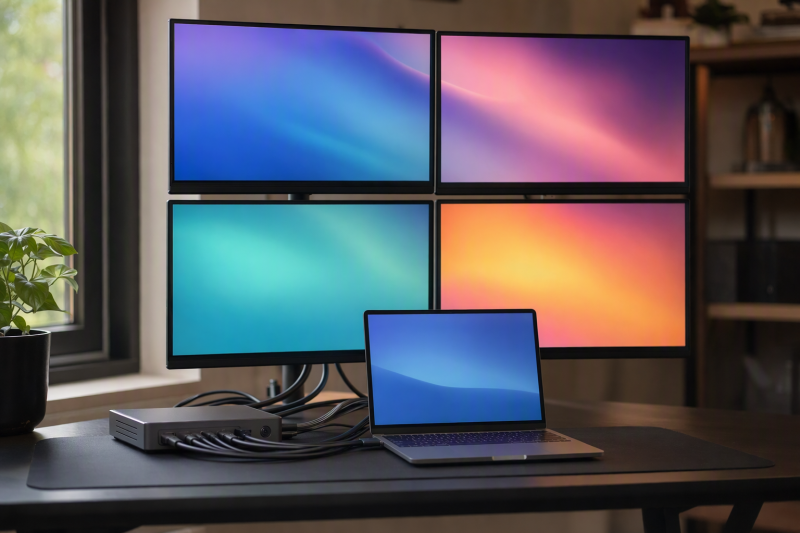
Our best DisplayLink dock for four monitors is the Targus QV4K DOCK570USZ, because Targus documents four active outputs through two DisplayLink DL-6910 chips and provides both HDMI and DisplayPort socket groups. Next comes the Plugable TBT-6950PD, for cases where a hybrid of native Thunderbolt display paths and DisplayLink HDMI paths fits the exact host matrix. The two StarTech picks are compact workstation adapters rather than full docks, which makes them the better answer for display-only expansion. Our main DisplayLink dock guide covers lower display counts and broader desks.
Four sockets are not enough. The manufacturer has to document four external display paths, and the exact OS, driver, host, output group, cable, monitor, and simultaneous mode all have to agree. DisplayLink is software-driven USB graphics, not four extra native GPU outputs. On managed systems, administrator approval can be part of deployment. On macOS, compatible DisplayLink software requires Screen Recording permission to send pixels to the peripheral.
Quick picks
- Targus QV4K DOCK570USZ: Best full enterprise dock with a documented four-display path.
- Plugable TBT-6950PD: Best hybrid dock when native Thunderbolt and DisplayLink HDMI paths both qualify.
- StarTech QUAD-USB-DP-ADAPT: Best compact adapter for four DisplayPort monitors.
- StarTech QUAD-USB-HDMI-ADAPT: Best compact adapter for four HDMI monitors.
- TobenONE UDS050A: Best full-dock alternative when its host matrix qualifies and the base-M1 three-display exception does not apply.
Compare DisplayLink docks for four monitors
| Image | Product | Details | Check Price |
|---|---|---|---|
 | Targus QV4K DOCK570USZ | Product form: Full enterprise dock Four-display topology: Dual DL-6910; 4 DP or 4 HDMI outputs Exact output condition: 4 DP 4K60 or conservative 4 HDMI 4K50 Host/software check: USB-C or included USB-A adapter; DisplayLink Docking tradeoff: Full USB, Gigabit Ethernet, audio, power | Check Price on Amazon |
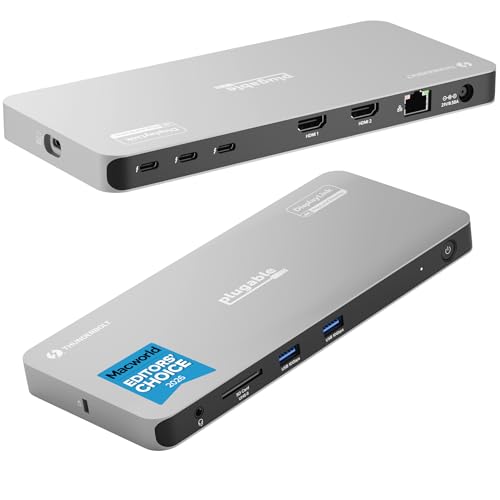 | Plugable TBT-6950PD | Product form: Full hybrid Thunderbolt dock Four-display topology: Native Thunderbolt paths + DisplayLink HDMI paths Exact output condition: Match Plugable's exact four-display host matrix Host/software check: Native streams and DisplayLink driver both matter Docking tradeoff: Hybrid complexity in exchange for dock functions | Check Price on Amazon |
 | StarTech QUAD-USB-DP-ADAPT | Product form: Compact workstation adapter Four-display topology: 4 manufacturer-documented DisplayPort paths Exact output condition: Use exact StarTech simultaneous matrix Host/software check: DisplayLink software and OS policy required Docking tradeoff: Adapter, not a full peripheral dock | Check Price on Amazon |
 | StarTech QUAD-USB-HDMI-ADAPT | Product form: Compact workstation adapter Four-display topology: 4 manufacturer-documented HDMI paths Exact output condition: Use exact StarTech simultaneous matrix Host/software check: DisplayLink software and OS policy required Docking tradeoff: Adapter, not a full peripheral dock | Check Price on Amazon |
 | TobenONE UDS050A | Product form: Full 20-in-1 DisplayLink dock Four-display topology: 4 manufacturer-documented external paths Exact output condition: Match exact TobenONE host/output matrix Host/software check: Base M1 MacBooks stop at 3 Docking tradeoff: Full dock; host exception remains | Check Price on Amazon |
1. Targus QV4K DOCK570USZ — best full quad-display enterprise dock
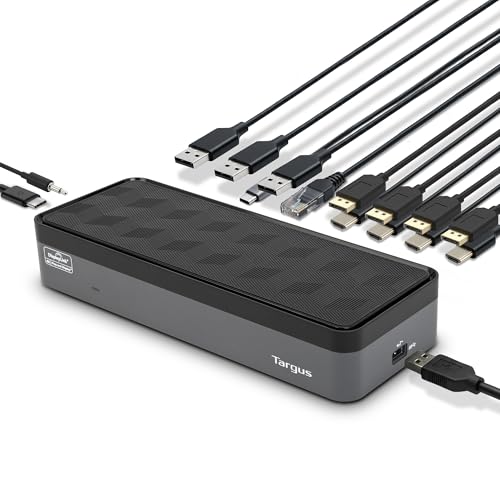
Targus documents two DisplayLink DL-6910 chips, four active video outputs, four DisplayPort sockets, and four HDMI sockets. Its conservative exact modes are four DisplayPort displays at 3840 x 2160 60Hz or four HDMI displays at 3840 x 2160 50Hz, including mixed connector combinations. Around the video, Targus adds four USB-A ports, one USB-C port, Gigabit Ethernet, audio, and a 180W dock adapter.
One wording conflict needs handling. Targus publishes a later marketing line saying 4K60, while the earlier exact mode lists 4K50, so use 4K50 until Targus clarifies. The USB 3.2 Gen 1 host path supports USB-C and an included USB-A adapter, though only a compatible USB-C host can receive up to 100W PD 2.0. USB-A cannot charge the laptop. DisplayLink software and the exact OS policy remain required.
Our Take
Choose Targus for a full four-monitor enterprise desk that also wants USB, Ethernet, audio, and charging. Keep its conservative HDMI ceiling in the plan.
- Four documented active DisplayLink outputs
- HDMI and DisplayPort connector choices
- Full dock I/O and USB-C charging role
- Conflicting HDMI refresh wording
- USB-A hosts receive no laptop charging
2. Plugable TBT-6950PD — best hybrid Thunderbolt and DisplayLink dock
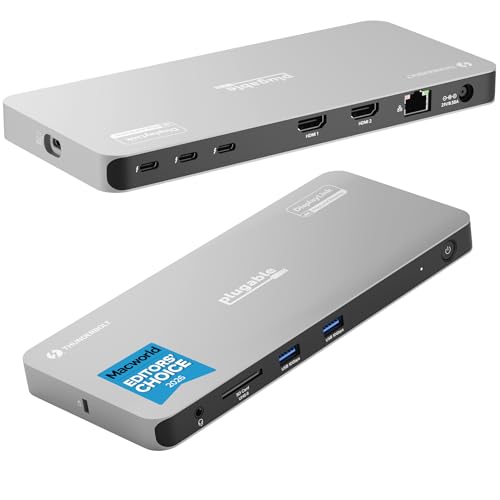
Plugable documents four external display paths by combining native Thunderbolt display routes with DisplayLink HDMI routes. Where a host’s native display engines cover part of the desk, that hybrid lets DisplayLink supply the remaining virtual screens. It is not an all-native four-monitor dock and should not be described as one.
The frozen gate does not preserve the complete chip, OS, native-stream count, port assignment, cable or adapter, charging, or simultaneous-resolution matrix, so match every field on Plugable’s exact TBT-6950PD host table before ordering. Should the host supply fewer native streams than the selected row expects, the visible connectors cannot repair the mismatch. DisplayLink software and administrator policy still control the virtual outputs.
Our Take
Pick TBT-6950PD only when Plugable’s exact hybrid row matches both the host and all four monitors. Where an all-DisplayLink enterprise route is preferred, Targus is easier to explain.
- Four manufacturer-documented external paths
- Native Thunderbolt plus DisplayLink HDMI design
- Full-dock form rather than adapter-only
- Complete host/output matrix is not frozen
- Native and virtual paths add qualification work
3. StarTech QUAD-USB-DP-ADAPT — best compact four-DisplayPort adapter
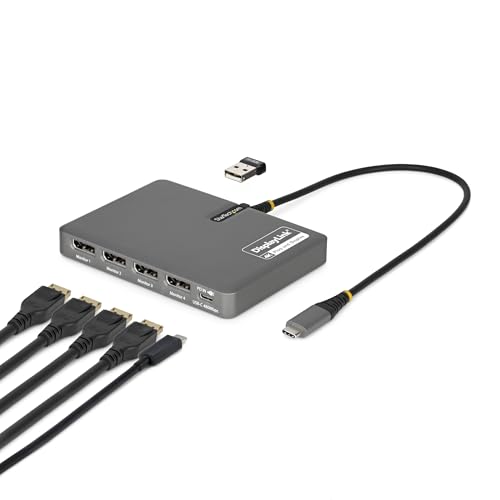
StarTech’s manufacturer record establishes four external DisplayPort paths on the QUAD-USB-DP-ADAPT. This is a compact workstation adapter, not a full peripheral dock, and the distinction decides who should buy it: reach for it when display fan-out is the entire purchase and existing USB, Ethernet, audio, or card-reader arrangements should stay separate.
The frozen gate does not retain the exact simultaneous resolution/refresh table, complete OS list, driver version, host-connection variants, included charger, or peripheral inventory, so use StarTech’s exact data sheet for those fields. This model also appears in the 140W-class cohort under StarTech’s stated conditions, though a charging label does not turn it into a general-purpose dock or guarantee power through USB-A.
Our Take
Choose the DisplayPort adapter for a qualified four-DP workstation with no need for a full dock. Treat the missing mode and power details as pre-purchase blockers.
- Four manufacturer-documented DisplayPort paths
- Compact workstation-adapter form
- Display fan-out without full-dock duplication
- Not a full peripheral dock
- Exact simultaneous mode is not retained
4. StarTech QUAD-USB-HDMI-ADAPT — best compact four-HDMI adapter
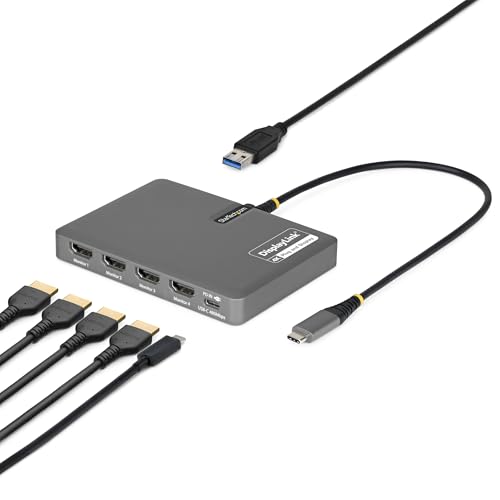
The QUAD-USB-HDMI-ADAPT has manufacturer evidence for four external HDMI paths. Like its DisplayPort sibling, it is a compact workstation adapter rather than a complete docking station. When all four monitors already use HDMI and a separate hub or the laptop’s own ports handle the rest of the desk, it is the simpler physical match.
Do not copy the DisplayPort model’s charging or mode details onto this HDMI model. The frozen gate does not retain this adapter’s exact simultaneous resolution/refresh matrix, charging path, OS list, cable requirements, or extra ports, and DisplayLink software and host policy remain required. Four HDMI connectors establish the physical family only because the manager gate also froze the manufacturer four-display record.
Our Take
Buy the HDMI adapter for a four-HDMI workstation once the StarTech matrix qualifies every monitor. Where Ethernet, laptop charging, or broad peripheral I/O is part of the requirement, it is no substitute for a full dock.
- Four manufacturer-documented HDMI paths
- Compact display-adapter role
- Avoids four separate video adapters
- Not a full peripheral dock
- Mode and charging details remain unknown here
5. TobenONE UDS050A — best full-dock alternative with a host exception
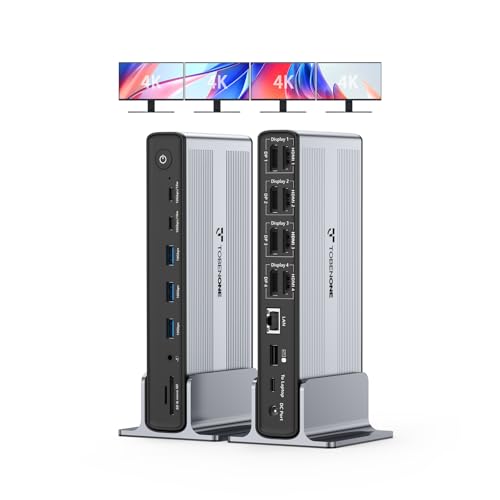
TobenONE documents four external display paths on the UDS050A and positions it as a 20-in-1 full DisplayLink dock. Want one box handling display expansion and the other desk connections instead of a StarTech workstation adapter? This is that alternative.
The base M1 MacBook exception is explicit: TobenONE says those Macs stop at three displays. Do not erase that limitation because an installed macOS version has a broader virtual-display ceiling or because four sockets are present. The frozen gate does not retain the complete Windows/Mac output matrix, per-mode refresh, charging, network, or USB detail, so match each of those on TobenONE’s exact page. Windows deployment still requires compatible DisplayLink software and policy approval.
Our Take
Choose the UDS050A when its full host matrix supports four screens and the base-M1 exception does not apply to your Mac. A 20-in-1 label cannot fill in missing topology details.
- Four manufacturer-documented external paths
- Full 20-in-1 dock form
- Alternative to adapter-only display fan-out
- Base M1 MacBooks stop at three
- Complete output and power matrix is not frozen
Choose four-monitor topology before dock extras
Confirm four independent paths
Count manufacturer-documented active paths rather than sockets. Targus explicitly publishes four. Plugable mixes native and DisplayLink paths. StarTech documents four paths on each exact adapter. TobenONE qualifies four with a named host exception. Where the exact host row stops below four, the dock fails this purchase outright.
Map every monitor connector to a documented output group before buying adapters. Changing the plug shape is all an adapter does. It cannot create another active display stream or raise the published simultaneous mode.
Choose all-DisplayLink or hybrid
An all-DisplayLink design sends the virtual displays through USB graphics software. A hybrid also consumes the host’s native video streams. Hybrid earns its place in the right setup, at the cost of adding native-display-count, port-group, cable, and adapter checks. Our dual-monitor dock guide explains native stream limits.
Deploy the software
Windows normally needs a compatible DisplayLink driver, and a managed machine may need administrator approval on top of that. macOS requires DisplayLink Manager and Screen Recording permission; DisplayLink says the app uses that permission to send screen pixels and does not store or record content. The frozen parent evidence also records a macOS virtual-display ceiling, though product and host exceptions such as TobenONE’s base-M1 limit still control.
Do not infer workload behavior
Four office desktops are no evidence of gaming, video-editing, color-calibration, protected-content, or capture suitability. Product-specific HDCP and workload warnings stay attached to the paths they describe. Where a workflow requires properties the selected DisplayLink maker does not support, use native GPU outputs.
Decide between adapter and dock
The StarTech products focus on four DisplayPort or four HDMI paths, while Targus, Plugable, and TobenONE are full-dock choices. Leave the comparison of required USB, Ethernet, audio, charging, cable, and desk-power features until after four screens qualify. See our docks versus hubs guide for the form-factor decision and our USB-C dock roundup for native alternatives.
Final recommendation
Targus is the best full quad-display choice and uses the conservative retained 4K50 HDMI ceiling. Plugable is the hybrid native-plus-DisplayLink pick. Reach for StarTech DisplayPort or HDMI when a compact workstation adapter is enough, and TobenONE when its full host table qualifies and the base-M1 three-display exception does not apply. Settle four independent paths, exact simultaneous modes, software deployment, host policy, and workload limits before buying anything.