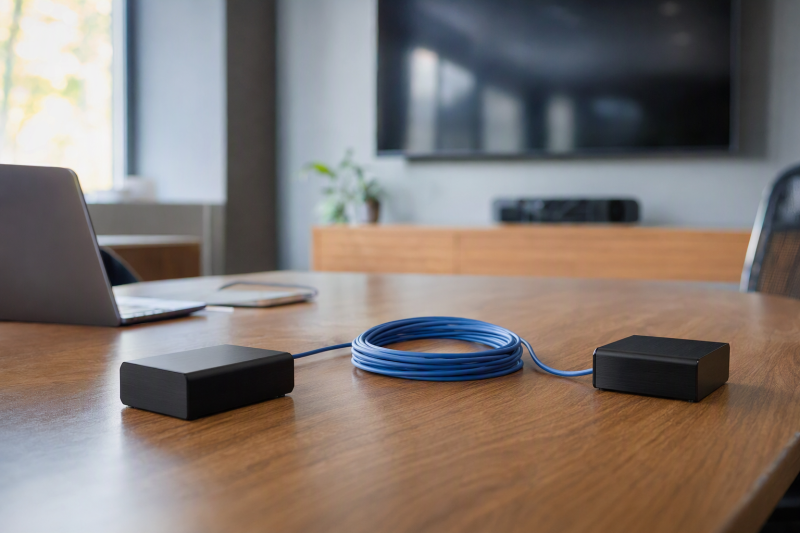
A meeting-room laptop may sit at a table while the display is across the room or above a ceiling. A paired HDMI transmitter and receiver can carry that one existing HDMI signal over a dedicated Cat5e, Cat6 or Cat7 run, then turn it back into HDMI at the far end. It is a wiring solution, not a way to turn a network switch into a video matrix or to create another independent laptop desktop.
Two of these kits list 4K30 paths. The rest concentrate on 1080p60 at longer distances. The important differences are resolution-specific reach, whether one end can power the other, local HDMI loop-out, IR return control and how the run is installed. Plan the complete wall-to-wall run before selecting a kit.
A “230-foot” headline may describe 1080p, while the same kit reaches much less at 4K30. Read the resolution and distance as a pair, and treat point-to-point Cat cabling as separate from an ordinary LAN port.HDMI-over-Cat Extenders Compared
| Image | Product | Details | Check Price |
|---|---|---|---|
 | OREI 4K30 Kit | Video: 4K30 stated Reach: Format-dependent Power: PoC stated Best fit: Local loop + IR | Check Price on Amazon |
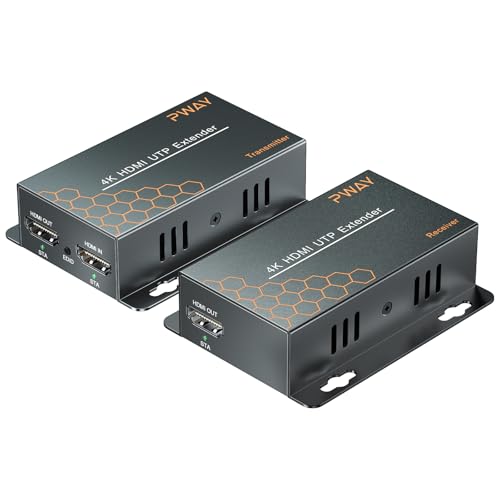 | PWAY HT275 | Video: 4K30 / 1080p Reach: 130 / 230 ft stated Power: PoC stated Best fit: Long 4K30 route | Check Price on Amazon |
 | Steetek HT202P | Video: 1080p60 Reach: 164 ft stated Power: One adapter, PoC Best fit: Simple 1080p room | Check Price on Amazon |
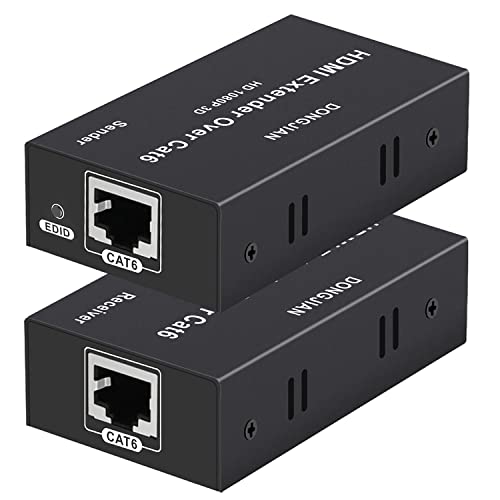 | 196-Foot 1080p Kit | Video: 1080p60 Reach: 196 ft stated Power: PoC in title Best fit: Longer basic run | Check Price on Amazon |
 | VPFET 200-Foot Kit | Video: 1080p stated Reach: 200 ft stated Power: One adapter, PoC Best fit: EDID-copy route | Check Price on Amazon |
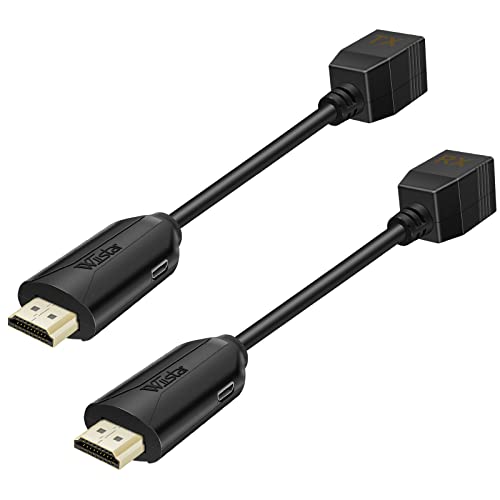 | Wiistar 1080p | Video: 1080p stated Reach: 196 ft Cat6 Power: Two adapters Best fit: Powered at both ends | Check Price on Amazon |
1. OREI 4K30 Kit — Best Local Loop and IR Option
This OREI transmitter/receiver listing states 4K at 30 Hz, a local HDMI loop-out, IR control and Power over Cable (PoC). The loop-out can show the same source on a monitor near the presenter while a remote display receives it through the Cat run. The listing includes transmitter, receiver, IR cables and adapter. It explicitly excludes 4K60, ARC and ordinary IP/network operation. Its RJ45-style connectors do not make it an Ethernet streaming device, so the IP exclusion rules out running it through a network switch.
The Amazon title says 165 feet, while its feature bullets mix 50 meters for 4K and 70 meters for 1080p. A similar OREI maker model specifies about 131 feet for 4K30 and 230 feet for 1080p on Cat6. The exact maker-model mapping to this Amazon offer is not established. Do not commit to the longest number for a 4K run. Ask for the exact kit manual and verify the cable length and format in the actual room before pulling permanent cable.
Our Take Buy this OREI for a preview at the presenter and a far display, with IR control. Because its distance language conflicts, test a conservative Cat6 run before committing.
- Local HDMI loop-out and IR.
- 4K30 and PoC stated.
- Adapter and IR cables listed.
- No 4K60 or ARC.
- Distance claims need exact-model confirmation.
- Not a LAN/IP extender.
2. PWAY HT275 — Best Longer Listed 4K30 Run
PWAY’s HT275 listing separates its two distance claims, up to 130 feet at 4K30 and up to 230 feet at 1080p, over one Cat6 cable. Two separate distances are more useful than a single large headline distance. It offers transmitter-side HDMI loop-out, IR passback and PoC so the receiver can run from the transmitter-side adapter. For a room where the laptop and a local confidence monitor stay at the lectern, the loop-out is the practical feature.
The seller also mentions “extended display mode.” The extender can carry whichever HDMI output the laptop already produces, but one transmitter input cannot create a new independent operating-system display. If the laptop produces an extended image on a separate HDMI port, this kit can relay that particular feed. If it produces a mirror, the far display sees the mirror. No claim of zero latency or perfect signal over a given in-wall cable was tested here. Check cable category, copper quality and endpoint power before installation.
Our Take Buy this PWAY for the clearest stated 4K30 and 1080p distance split here. Treat its “extend” language as source-display behavior, not a new laptop output.
- 130-foot 4K30 and 230-foot 1080p claims separated.
- Local loop-out, IR and PoC.
- No 4K60 claim.
- “Extended mode” wording can mislead.
- Long-run reliability not verified here.
3. Steetek HT202P — Best 1080p Single-Power Kit
Steetek’s HT202P is a 1080p60 point-to-point kit stated for 164 feet/50 meters over Cat5e, Cat6 or Cat7. It includes PoC, so the transmitter-side adapter can power the receiver over the same dedicated cable. One adapter simplifies a wall-mounted display where another outlet near the receiver would be inconvenient. Its listing also describes EDID copy, which stores display information to help the source negotiate a mode.
There is no 4K claim in the checked title or features. Buy it for a room already standardized on 1080p60 slides, not as a “future-proof 4K” part. The product copy calls the medium Ethernet cable, but it also says the kit is uncompressed, point-to-point HDMI conversion, not video streaming over a network switch. Confirm the cable is a direct run with the correct pinout and test the monitor after a cold power cycle.
Our Take Buy this Steetek for a 1080p room where one power supply and a 50-meter maximum claim match the install.
- 1080p60 at 164 feet stated.
- One adapter via PoC.
- EDID copy described.
- No 4K support stated.
- Requires a dedicated cable path.
4. 196-Foot 1080p Kit — Best Stated 60-Meter Reach
This transmitter/receiver kit lists 1080p60 over up to 196 feet of oxygen-free copper Cat6. Its title mentions PoC and its bullets describe EDID copy. The extra stated reach may help in a larger room or a cable path that must detour around doors and ceiling trays. The seller also uses “zero latency” and “lossless” language, but neither claim is independently measured in an installed signal chain.
The exact brand/model documentation is less clear than for the named kits, and the feature copy does not detail which endpoint needs the power supply. Treat the title’s PoC as a seller claim to confirm from the package manual before a wall installation. Do not route it through a managed Ethernet switch merely because the cable is Cat6. Verify the exact HDMI source mode, display resolution and run length with a temporary cable before finalizing the path.
Our Take Buy this kit for a larger room that needs the longer stated 1080p Cat6 reach. Its power documentation is sparse, so check the power arrangement before installing.
- 196-foot 1080p60 claim.
- EDID copy listed.
- No 4K claim.
- Power-end details are thin.
- No independently measured delay.
5. VPFET 200-Foot Kit — Best 1080p EDID Copy Alternative
VPFET’s kit is listed for 1080p over up to 200 feet of Cat6 and describes EDID copy from the far display. It also states one power supply on the transmitter with PoC powering the receiver. The main distinction from two-adapter kits is that the remote display can be mounted without adding an outlet just for the receiver, provided the direct Cat cable supports the kit’s power path.
The product details do not establish 4K, 4K60 or operation through an office LAN. Its wording about no delay and no quality loss is marketing, not a timing measurement. For live meetings, verify that the presenter can read fine text at the selected 1080p mode and that the signal returns after a laptop sleeps or changes resolution. Cat6 construction and termination still affect the run, even though the product is marketed as plug-and-play.
Our Take Buy this VPFET for a 200-foot 1080p run where the receiver takes power from the transmitter. Keep it in a direct, tested Cat6 run.
- 200-foot 1080p claim.
- PoC and EDID copy stated.
- No 4K support stated.
- Long-run performance unmeasured.
6. Wiistar 1080p — Best Two-Power Simple Pair
Wiistar’s small transmitter and receiver claim 1080p at up to 60 meters/196 feet on Cat6, or 50 meters on Cat5e. The package lists two US power adapters, one for each endpoint. Two adapters are less convenient than PoC when the display is high on a wall, but they remove ambiguity if both ends already have accessible power. The listing describes a direct TX-to-RX Cat link and makes clear it cannot be used to connect a TV to the internet.
The small endpoints may be easier to place behind a display than a larger metal box, though actual fit depends on cable strain and available clearance. The product data do not establish 4K or EDID controls. It is a basic 1080p extension path that shows the same picture at both ends, suited to a room where the adapter and receiver can both be powered and the run can be tested before use.
Our Take Buy this Wiistar only when outlets exist at both ends and 1080p is the goal. Its two-adapter layout is the simplest here.
- Cat6/Cat5e reach stated separately.
- Two adapters included.
- Compact endpoints.
- Power needed at both ends.
- No 4K or EDID control established.
Buying Guide: Treat the Cable Run as Part of the Product
Set resolution and distance together
4K30 and 1080p60 are different installation targets. PWAY states up to 130 feet for 4K30 but 230 feet for 1080p. OREI’s exact listing is less clear and a similar maker model has different numbers by format. The four kits focused on 1080p list roughly 164 to 200 feet under their stated cable conditions. A 4K monitor can display a 1080p feed, but a 1080p-only extender cannot preserve a 4K source mode.
Measure the installed path, not the straight-line room width. Ceiling trays, wall drops, service loops and patch points add length. Use quality solid-copper Cat6 where the maker calls for it, label both ends and test the longest intended run with the actual laptop and display before closing a wall. A spec-sheet maximum is not proof that a particular old cable or connector will carry the same signal.
Keep point-to-point AV separate from the office LAN
Most kits here use Cat cable as a physical medium, not Ethernet packets. OREI explicitly excludes IP/network use, and Steetek describes a direct transmitter-to-receiver path. Plugging a point-to-point kit into a regular Ethernet switch or router is not supported just because the connector is RJ45. A true HDMI-over-IP product is a different architecture with its own network requirements.
PoC is not a promise of PoE compatibility. Steetek, PWAY and VPFET state that the receiver can draw power over the dedicated cable from the transmitter side. Wiistar instead includes two adapters, and the generic 196-foot model needs exact-manual confirmation. Plan where AC outlets exist, and do not inject power from an unrelated network PoE switch unless the exact AV kit says to do so.
Decide whether loop-out, IR or another laptop output matters
A local HDMI loop-out repeats the source near the transmitter. OREI and PWAY list this port, useful for a confidence screen at the meeting table while the far projector gets the same feed. IR passback can operate a source from the far end. Neither feature gives the laptop a new independent graphics output, and neither replaces a dual-HDMI adapter when different screens are required.
Check the complete source-to-screen format before buying more cable. A laptop using a USB-C-to-HDMI adapter has its own video ceiling. Our USB-C to HDMI 2.1 adapter guide covers that upstream decision. The extender passes on the source’s picture and does not upgrade a weak source. Test picture, audio and sleep/wake with the exact adapter and display settings, then document the working mode for the room.
Frequently Asked Questions
Can I run one of these through my office Ethernet switch?
No, the evidence for these point-to-point kits does not support it. Cat6 is the cable type, not proof of an IP video stream. OREI says its listed kit is not an IP or network device. Steetek describes dedicated transmitter-to-receiver conversion. A regular LAN switch expects Ethernet packets and should not be assumed to pass a proprietary HDMI extender signal.
If a facility already has a shared network and cannot reserve a direct Cat run, research a purpose-built HDMI-over-IP product and its bandwidth and management requirements. Do not test an unknown AV power feed against live network equipment.
Does an extender give my laptop a second extended display?
No. It relays one existing HDMI output to a distant receiver. If your laptop is already generating an independent extended image on that HDMI port, that image can be relayed. If the port is mirroring the built-in screen, the far projector gets the mirror. PWAY’s “extended display” wording should be read as describing the laptop’s output, not as a new display engine inside the extender.
For separate external images, confirm the laptop and adapter can drive the number of distinct HDMI signals required. A local loop-out on the transmitter is another view of the same source, not a separate operating-system desktop.
Is Power over Cable the same as network PoE?
No. PoC in these kits is their own transmitter-to-receiver power arrangement. Steetek and VPFET state that one adapter at the transmitter side powers the remote unit through the dedicated cable. PWAY also lists this function. Wiistar includes two adapters and needs power at both ends.
Do not substitute a PoE switch or injector unless the exact product manual explicitly supports it. Confirm the package supply, power polarity and where the outlet will be before mounting the receiver. A missing or weak supply may appear to be an HDMI handshake problem.
Bottom Line
Choose PWAY HT275 for the clearest stated 4K30-versus-1080p distances, plus loop-out and IR. OREI 4K30 kit offers similar room features, but its exact maximum run needs model-specific confirmation. For a known 1080p room, Steetek HT202P keeps the receiver power arrangement simple. Measure the Cat route and test the exact source/display combination before permanent installation.