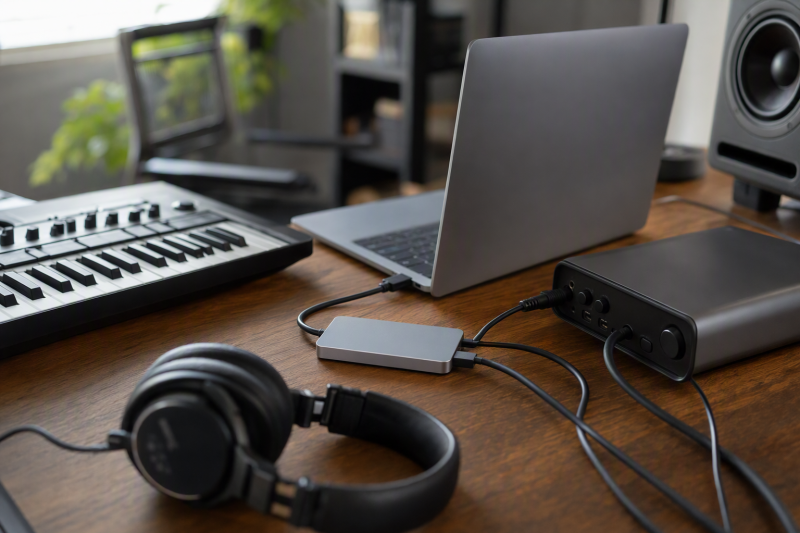
Our best USB-C dock for a music-production desk is the Sonnet Echo 20, whose manufacturer-documented layout gives keyboards, controllers, storage, networking, and several analog-audio connections defined places around a Thunderbolt 4 host. For a USB-heavy setup, the CalDigit TS4 is the premium alternative. And when an integrated power supply matters more than the largest port count, the OWC Thunderbolt Go Dock earns the spot. Note what this article is doing: it selects the dock around an interface. It does not replace our Thunderbolt audio interface guide, and the interface manufacturer’s direct-connection instructions remain the authority.
Set expectations on what a dock recommendation can honestly cover. No retained source establishes DAW latency, noise-floor behavior, drop-out resistance, or the reliability of a particular audio interface through any dock. What we can rank is documented host connections, USB and Thunderbolt branches, audio jacks where specified, Ethernet, display routes, and laptop power. So if an interface maker requires a direct computer connection, use it and put lower-risk peripherals on the dock.
Quick picks
- Sonnet Echo 20: Best overall for a fixed studio desk with many USB devices and several documented audio routes.
- CalDigit TS4: Best premium pick for a peripheral-heavy Thunderbolt 4 setup.
- Plugable TBT4-UDZ: Best when a studio computer also needs mixed HDMI and DisplayPort monitor options.
- OWC Thunderbolt Go Dock: Best clean-desk choice with a built-in power supply.
- UGREEN Revodok Max 213: Best balanced Thunderbolt 4 alternative with downstream expansion and an included supply.
Compare the best USB-C docks for music production
| Image | Product | Details | Check Price |
|---|---|---|---|
 | Sonnet Echo 20 Thunderbolt 4 SuperDock | Required host path: Thunderbolt 4 Peripheral layout: Four USB-A and four USB-C 10Gbps ports Retained audio route: Combo audio, mic input, RCA line outputs Laptop charging: Unknown in frozen evidence Buyer check: Follow interface maker's connection guidance | Check Price on Amazon |
 | CalDigit TS4 | Required host path: Thunderbolt 4 Peripheral layout: 18-port layout with numerous 10Gbps USB ports Retained audio route: Front and rear audio connections Laptop charging: 98W Buyer check: Host controls display and shared-link behavior | Check Price on Amazon |
 | Plugable TBT4-UDZ | Required host path: Thunderbolt 4 or qualified USB4 Peripheral layout: USB expansion plus 2.5GbE Retained audio route: Unknown in frozen evidence Laptop charging: 98W Buyer check: Connector count is not an active-display promise | Check Price on Amazon |
 | OWC Thunderbolt Go Dock | Required host path: Thunderbolt 4 Peripheral layout: USB-A, USB-C, downstream Thunderbolt, 2.5GbE Retained audio route: Analog audio Laptop charging: 90W; built-in supply Buyer check: Native displays remain host controlled | Check Price on Amazon |
 | UGREEN Revodok Max 213 | Required host path: Thunderbolt 4 Peripheral layout: USB-A, USB-C, two downstream TB4, 2.5GbE Retained audio route: Audio connection documented Laptop charging: Up to 90W; supply included Buyer check: No retained DAW or interface-through-dock proof | Check Price on Amazon |
1. Sonnet Echo 20 Thunderbolt 4 SuperDock — best overall studio peripheral layout
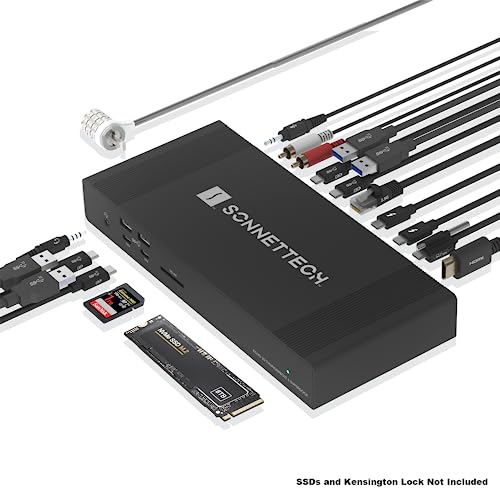
For a busy music desk, the Echo 20 brings the most directly relevant retained port layout here. Sonnet documents four USB-A and four USB-C 10Gbps ports, downstream Thunderbolt 4, a combo audio connection, a separate microphone input, RCA line outputs, an internal M.2 slot, and 2.5GbE. Controllers, license keys, external drives, network access, and ordinary monitoring connections each get their own distinct route rather than competing for the same three sockets.
None of that is proof that a particular audio interface will behave correctly through the dock. Follow the interface maker’s host-port guidance, especially when it calls for a direct Thunderbolt or USB connection. Two more things to plan around: the buyer supplies the M.2 SSD, and every active device shares the dock’s upstream Thunderbolt path. The frozen source package also does not establish Sonnet’s laptop-charging figure, so confirm that separately for the production laptop.
Our Take
For a permanent Thunderbolt 4 desk carrying many non-interface peripherals and useful analog routing, the Echo 20 is the one to buy. Be clear about why: it wins on documented connections, not on a latency claim.
- Eight documented 10Gbps USB ports
- Combo audio, mic input, and RCA outputs
- Internal M.2 slot and 2.5GbE
- No retained interface-through-dock behavior
- Laptop-charging figure is unknown here
2. CalDigit TS4 — best premium USB-heavy desk
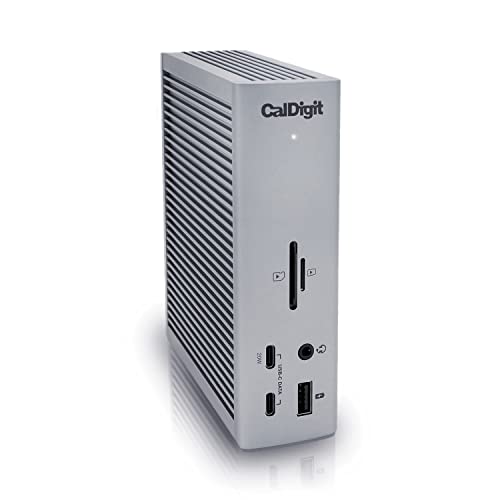
CalDigit documents an 18-port Thunderbolt 4 layout with numerous 10Gbps USB ports, downstream Thunderbolt, front and rear audio routes, 2.5GbE, UHS-II card readers, and 98W host charging. When several USB controllers, storage devices, and other accessories should stay plugged in between sessions, this is the logical step up.
Watch the video side. CalDigit gives the TS4 DisplayPort 1.4 and downstream Thunderbolt display routes, but the retained specification lists no HDMI output, so an HDMI-only monitor needs an appropriate adapter or a different dock. Active display count still answers to the computer, GPU, operating system, cable, adapter, and monitor. More important for this page: the port count does not establish low latency or compatibility with an audio interface. Keep the interface on the connection its maker supports.
Our Take
Buy the TS4 when USB expansion, networking, card media, and charging all earn daily use. A laptop, one controller, and a directly connected interface do not need this much dock.
- Many 10Gbps USB connections
- Front and rear audio routes
- 2.5GbE and 98W host charging
- No native HDMI output
- No retained DAW or interface latency result
3. Plugable TBT4-UDZ — best mixed-monitor studio desk
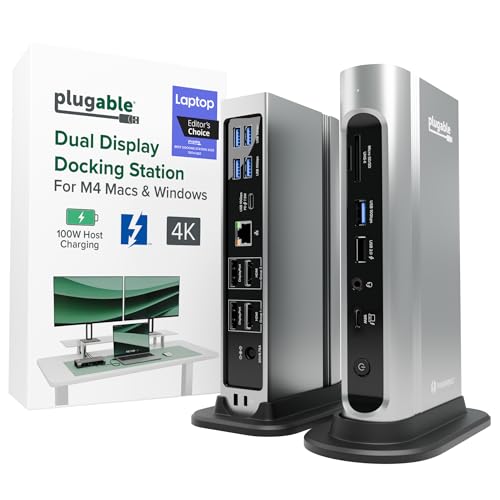
Plenty of production desks do double duty for video work, scoring, lessons, or a large mixer view spread across several displays. Plugable documents two HDMI and two DisplayPort groups on a Thunderbolt 4 or qualified USB4 host path, plus USB peripheral expansion, 2.5GbE, and 98W charging. Where the monitor connectors already on the desk are a mixed bag, this is the most flexible frozen choice.
Four video sockets do not mean four active screens on every computer. Plugable’s higher Windows ceilings apply only to qualified hosts, and Mac branches depend on the Apple processor’s native display support. On the audio side, the frozen music-production evidence does not establish a specific analog-audio connection on this model, so do not buy it for a jack that has not been verified. Its case is display flexibility and ordinary peripheral connectivity, with the audio interface following its own maker’s instructions.
Our Take
Pick the TBT4-UDZ when one desk has to accommodate both HDMI and DisplayPort monitors. Running a single screen and a pile of USB devices instead? Sonnet or CalDigit is the clearer fit.
- Mixed HDMI and DisplayPort groups
- Thunderbolt 4 and qualified USB4 path
- 2.5GbE and 98W charging
- Host controls active monitor count
- Audio-jack detail is unknown in frozen evidence
4. OWC Thunderbolt Go Dock — best built-in-power studio desk
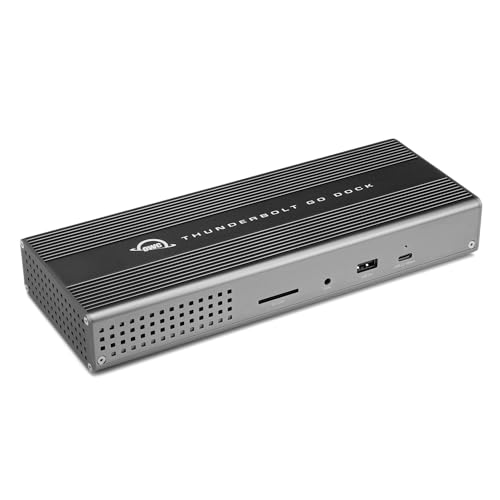
The power supply lives inside the Thunderbolt Go Dock, which on a studio desk means one fewer external brick in the cable tray. OWC documents Thunderbolt 4, downstream Thunderbolt, USB-A and USB-C, analog audio, 2.5GbE, HDMI, and 90W host charging. That is a compact way to gather ordinary peripherals, a network cable, a display, and laptop power behind one permanent connection.
An integrated supply is still not proof that 90W covers every production laptop under sustained load, so check the computer’s power requirement, because a demanding system may still need its own adapter. OWC’s display ceiling remains conditional on the host. And treat the analog audio connection as convenience, not a substitute for an interface when microphone preamps, instrument input, or a supported low-latency driver path is required.
Our Take
When a cleaner powered desk is the priority, the Go Dock is the right choice. It is not our first pick for the largest controller collection, or for a laptop that needs more than its documented charging output.
- Built-in power supply
- USB, downstream Thunderbolt, and analog audio
- 2.5GbE and 90W charging
- 90W may not cover demanding laptops
- Analog audio does not replace an interface
5. UGREEN Revodok Max 213 — best balanced TB4 alternative

UGREEN documents a Thunderbolt 4 host connection, two downstream Thunderbolt 4 ports, USB-A and USB-C, an audio connection, 2.5GbE, SD and TF readers, an included power supply, and up to 90W host charging. For a music computer that wants a mix of USB peripherals, network access, one documented audio route, and room left over for another Thunderbolt device, that is a well-balanced alternative.
One naming note before you shop: the stable official product is Revodok Max 213 with SKU 25054, and Amazon’s accepted listing may retain a marketplace suffix, which does not make it a different dock. As with the rest of this group, the retained sources do not prove interface behavior or DAW latency through this product, and they do not turn the SD and TF slots into a simultaneous-throughput claim. Confirm the exact host and display branch, and keep the interface on its prescribed route.
Our Take
Choose the Revodok Max 213 when its included supply, two downstream Thunderbolt 4 ports, and balanced desk I/O line up with the setup you actually have. On documented audio routes and sheer USB count, Sonnet remains the stronger choice.
- Two downstream Thunderbolt 4 ports
- 2.5GbE, USB, audio, and card readers
- Included supply and up to 90W charging
- No retained interface or DAW behavior
- 90W may not cover a high-power laptop
Build the connection plan before buying
Put the audio interface first
Before assigning a single dock port, read the interface maker’s host requirements. If the manual requires a direct computer connection, reserve that port and plan around it. Everything else can ride the dock: controllers, keyboards, license devices, ordinary storage, Ethernet, and displays. A free downstream Thunderbolt socket is not permission to ignore the interface’s compatibility instructions.
Count USB devices by connection type
Write down every USB-A and USB-C device that stays connected through a session: controllers, control surfaces, external storage, cameras used for lessons, receivers. Then leave headroom rather than filling every port on day one. Sonnet and CalDigit lead this list for dense peripheral desks, though on any of them all traffic ultimately shares the upstream host path.
Keep display needs separate from audio needs
A second screen for a mixer or notation view earns its keep, but no dock can create native GPU streams the host lacks. Among these picks, Plugable carries the most mixed video connectors, while CalDigit has no native HDMI. Check that branch with our dual-monitor dock guide instead of selecting by socket count.
Check power and networking
Line the dock’s delivered host power up against what the laptop asks for. CalDigit and Plugable document 98W, while OWC and UGREEN document 90W. Sonnet charging remains unknown in the frozen package, so that one stays an open question until you check it. For networked storage, all five retained layouts except where the frozen summary is silent include 2.5GbE. Our 2.5GbE dock guide covers that purchase in depth.
Which one should you buy?
For the broadest retained studio-peripheral and analog-audio layout, buy the Sonnet Echo 20. Choose the CalDigit TS4 when many USB connections and 98W charging matter more than HDMI. After that, each remaining pick answers one specific need: Plugable for a mixed-monitor desk, OWC for built-in power, UGREEN for a balanced Thunderbolt 4 layout with an included supply. What none of them carries is a latency promise. The safest setup follows the audio-interface manufacturer’s connection guidance first, then uses the dock for the rest of the desk.