A 1440p monitor has 2560 by 1440 pixels, but not every QHD screen suits the same desk. Panel size, refresh rate, inputs, stand movement and USB-C support differ across the six monitors below, and each Amazon listing states them in its own way.
According to their Amazon listings, the six cover a basic 100Hz office screen, two 144Hz work screens, a 32-inch screen at 180Hz, a 32-inch screen with USB-C at up to 210Hz, and a 27-inch screen at 240Hz. Pick the screen size and desk position first, then confirm that the computer, dock and cable can send the refresh rate you want.
Choose the QHD screen that fits the desk and the connection plan, then pay for a higher refresh rate only when the games or video you use can take advantage of it.1440p Monitors Compared
| Image | Product | Details | Check Price |
|---|---|---|---|
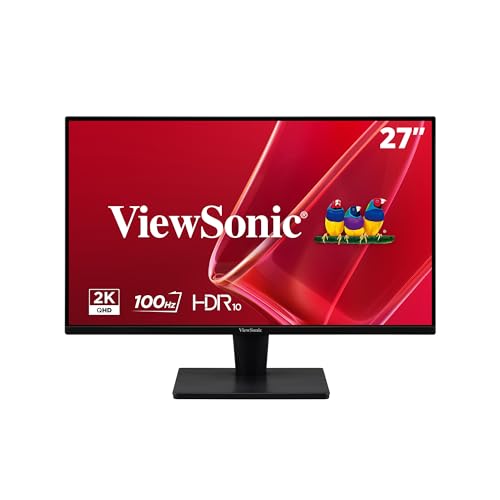 | ViewSonic VS2725-2K | Best fit: Simple 27-inch work QHD Panel: 27-inch IPS, 2560 by 1440 Refresh rate: 100Hz Ports: Two HDMI and DisplayPort Stand and audio: No stand adjustment or speakers listed | Check Price on Amazon |
 | MSI PRO MP273QP E14 | Best fit: Height-adjustable work QHD Panel: 27-inch IPS, 2560 by 1440 Refresh rate: 144Hz Ports: HDMI and DisplayPort Stand and audio: Height and tilt, VESA mount, speaker | Check Price on Amazon |
 | Dell 27 Plus S2725DSM | Best fit: Fully adjustable 27-inch QHD Panel: 27-inch IPS, 2560 by 1440 Refresh rate: 144Hz Ports: HDMI and DisplayPort 1.4, no USB-C or USB Stand and audio: Height, tilt, swivel, pivot, two 3W speakers | Check Price on Amazon |
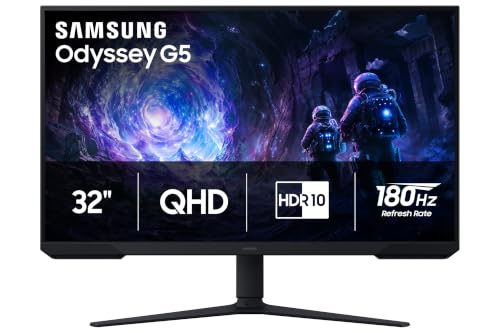 | Samsung Odyssey G5 G51F | Best fit: 32-inch QHD gaming Panel: 32-inch, 2560 by 1440 Refresh rate: 180Hz Ports: Not stated in the listing Stand and audio: Height and tilt, speakers not listed | Check Price on Amazon |
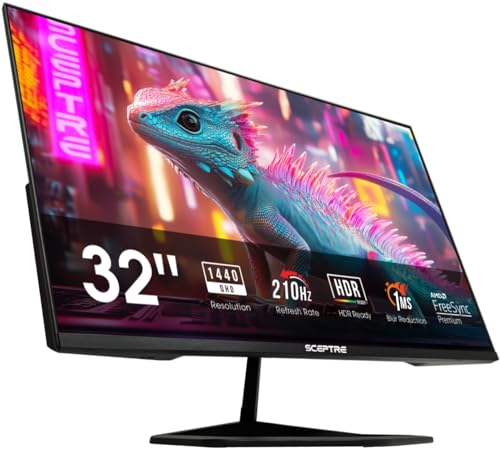 | Sceptre Prime E325B-QW200D | Best fit: 32-inch QHD with USB-C Panel: 32-inch VA, 2560 by 1440 Refresh rate: Up to 210Hz Ports: USB-C, DisplayPort, 2 HDMI Stand and audio: VESA pattern, speakers and audio out, no stand adjustment listed | Check Price on Amazon |
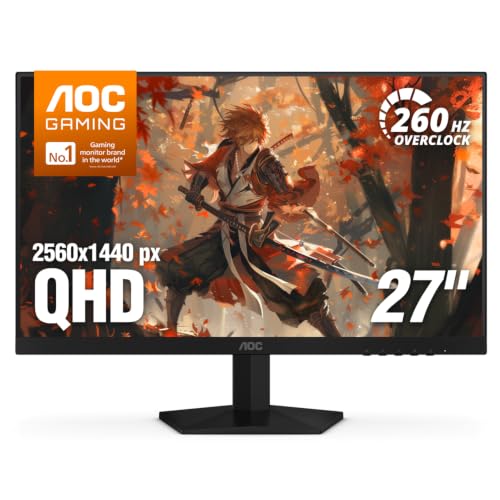 | AOC Q27G41ZE | Best fit: 27-inch 240Hz gaming Panel: 27-inch IPS, 2560 by 1440 Refresh rate: 240Hz native, 260Hz overclocked Ports: DisplayPort 1.4, 2 HDMI 2.0 Stand and audio: Tilt only, VESA mount, audio out | Check Price on Amazon |
1. ViewSonic VS2725-2K — Best Simple 27-Inch Work QHD
ViewSonic VS2725-2K is the basic 27-inch QHD screen in this group. The Amazon listing gives a 27-inch IPS panel at 2560 by 1440 and 100Hz, and its title names HDMI as the input, with anti-glare treatment, 1ms and 1.07 billion colors. The bullets describe ultra-thin bezels for multi-monitor desks, Flicker-Free and a Blue Light Filter for long workdays, and ViewMode presets for Game, Movie, Web, Text and Mono. Amazon gives the item weight as 7.9 pounds.
One bullet ties VESA Adaptive Sync to a 75Hz refresh rate while the title and first bullet say 100Hz, and the listing does not say whether adaptive sync runs at 100Hz. The bullets name two HDMI ports and a DisplayPort input, and the listing does not name a USB-C input and no height range, so the monitor suits a laptop with an HDMI or DisplayPort output at a desk where the screen can stay at one height.
Amazon’s listing for the ViewSonic gives a 27-inch IPS QHD panel at 100Hz with two HDMI ports and a DisplayPort input.Our Take Choose the VS2725-2K for a 27-inch QHD screen at 100Hz. Pick the MSI or the Dell instead when the desk needs a stand that moves.
- ViewSonic’s listing gives a 27-inch IPS panel at 2560 by 1440, the basic QHD option in this group.
- ViewSonic’s bullets name Flicker-Free and a Blue Light Filter for long workdays, plus ViewMode presets for Game, Movie, Web, Text and Mono.
- Amazon lists the ViewSonic at 7.9 pounds and the Sceptre at 10.08 pounds.
- Amazon’s listing for the ViewSonic does not name a USB-C input and gives no stand height range.
- One ViewSonic bullet ties VESA Adaptive Sync to 75Hz while the headline figure is 100Hz.
2. MSI PRO MP273QP E14 — Best Height-Adjustable Work QHD
The Amazon listing for MSI PRO MP273QP E14 gives a 27-inch IPS panel at 2560 by 1440 and 144Hz on a stand that the title calls height adjustable, with tilt. The title also names HDMI, DisplayPort, a speaker, VESA mounting, Adaptive-Sync, VESA DisplayHDR 400 and a 1ms figure. The bullets add TUV certification, EyesErgo with Anti-Flicker, and Eye-Q Check, which the listing says reminds you to rest during long sessions.
Amazon gives the item width as 24.15 inches, close to the 24.07 and 24.17 inches the Dell and AOC listings give. The title does not name pivot or swivel, and no USB-C input appears in the title or bullets, so a laptop with only USB-C video needs a dock or adapter that outputs HDMI or DisplayPort.
Our Take Choose the MSI when height adjustment and a DisplayPort input are as important as QHD pixels. The MSI is a 144Hz work screen, and its listing does not name a USB-C input.
- MSI’s title lists height adjustment and tilt, while ViewSonic’s listing does not name a stand height range.
- MSI’s title names both HDMI and DisplayPort, so a dock or adapter can output to either.
- MSI’s title names a speaker and VESA mounting, and its bullets add Eye-Q Check, which the listing says reminds you to rest during long sessions.
- MSI’s listing does not name a USB-C video input, so a laptop with only USB-C video needs a dock or adapter that outputs HDMI or DisplayPort.
- MSI’s title names VESA DisplayHDR 400, and the listing gives no brightness figure.
3. Dell 27 Plus S2725DSM — Best Fully Adjustable 27-Inch QHD
Dell 27 Plus S2725DSM is the 27-inch screen with the most stand movement. Dell’s page lists an IPS panel at 2560 by 1440 and 144Hz with 1ms MPRT, 350 nits, 99% sRGB, AMD FreeSync and two 3W speakers. The stand has a maximum height adjustment of 4.33 inches, tilt from minus 5 to plus 21 degrees, 30 degrees of swivel, and pivot of 90 degrees in either direction. MSI’s title names height adjustment and tilt without figures or pivot.
Dell’s page lists one HDMI input that supports 2560 by 1440 at 144Hz and one DisplayPort 1.4 input, and it does not list a USB-C port and no USB ports. The S2725DSM therefore does not charge a laptop or add USB ports. Amazon gives its item weight as 14.09 pounds.
Dell’s page lists height, tilt, swivel and pivot on the S2725DSM, the only stand on this page with all four.Our Take Choose the S2725DSM for a 144Hz QHD screen that has to move, whether beside a laptop, next to a second display or turned to portrait. Pair it with a desktop or a dock that handles USB and charging, because the monitor has neither.
- Dell’s page lists 4.33 inches of height, tilt, swivel and 90 degrees of pivot either way, for portrait use or a second screen.
- Dell lists one DisplayPort 1.4 and one HDMI input that supports 2560 by 1440 at 144Hz.
- Dell’s page lists two 3W speakers, and ViewSonic’s listing names two 2W speakers.
- Dell’s page does not list a USB-C port and no USB ports, so a laptop needs its own charger or a dock.
- Dell lists 144Hz, below the 180Hz Samsung lists, the up-to-210Hz Sceptre lists and the 240Hz AOC lists.
- Dell’s page lists a 27-inch 16:9 screen, smaller than the 32-inch Samsung and Sceptre.
4. Samsung Odyssey G5 G51F — Best 32-Inch QHD Gaming
Samsung Odyssey G5 G51F, model LS32FG510ENXZA, is the large gaming screen of the six. The Amazon listing gives a 32-inch panel at 2560 by 1440 and 180Hz with a 1ms response time that the title calls MPRT. The bullets name HDR10, AMD FreeSync, Black Equalizer for dark scenes, Virtual Aim Point, and Auto Source Switch+, which moves to a newly connected source. The stand tilts and adjusts in height. Every Samsung figure here comes from the Amazon listing.
The listing does not name an HDMI, DisplayPort or USB-C input, so check the ports before pairing it with a dock. Amazon gives the width as 28.31 inches, about four inches wider than the 24.07, 24.15 and 24.17 inches that the Dell, MSI and AOC listings give for their 27-inch models.
Our Take Choose the Odyssey G5 for a 32-inch QHD screen at 180Hz on a deep desk. Confirm its video inputs against the computer or dock first, because the Amazon listing gives none.
- Samsung’s listing gives a 32-inch panel at 2560 by 1440, a larger screen than the 27-inch monitors here.
- Samsung lists 180Hz, above the 100Hz and 144Hz that ViewSonic, MSI and Dell list.
- Samsung’s listing names a stand that tilts and adjusts in height.
- Samsung’s bullets name AMD FreeSync, HDR10 and Black Equalizer for dark scenes.
- Samsung’s Amazon listing does not name an HDMI, DisplayPort or USB-C input.
- Samsung lists 180Hz, below the up-to-210Hz Sceptre lists and the 240Hz native AOC lists.
5. Sceptre Prime E325B-QW200D — Best 32-Inch QHD With USB-C
Sceptre Prime E325B-QW200D is the only monitor here whose listing names a USB-C input. The Amazon listing gives a 32-inch VA panel at 2560 by 1440 and up to 210Hz, with a 1ms blur-reduction figure, 115% sRGB, AMD FreeSync Premium, built-in speakers and an audio out jack. Sceptre’s bullets also name Blue-Light Shift, FPS and RTS game modes, a minimal bezel, and a VESA wall mount pattern.
According to the listing, the two HDMI ports run at up to 144Hz while the USB-C input and the DisplayPort provide up to 210Hz, so which mode you get depends on the port you use. The listing gives no power delivery wattage for USB-C, so do not count on one cable charging the laptop. Amazon lists 28.16 inches wide and 10.08 pounds, and does not name a height or tilt adjustment.
Sceptre’s listing names USB-C, DisplayPort and two HDMI ports with a stated up-to-210Hz ceiling, the most inputs among the six.Our Take Choose the Prime when a 32-inch QHD screen needs a USB-C input next to HDMI and DisplayPort. It suits a desk that needs several inputs better than the Samsung, whose listing does not name its ports.
- Sceptre’s listing names USB-C, DisplayPort and two HDMI ports, and no other listing here names a USB-C input.
- Sceptre lists up to 210Hz, above the 180Hz that Samsung lists.
- Sceptre’s listing names a VESA wall mount pattern for an arm or wall mount.
- Sceptre’s listing limits its two HDMI ports to up to 144Hz, below the USB-C and DisplayPort ceiling.
- Sceptre’s listing gives no USB-C power delivery wattage, so a laptop may need its own charger.
- Amazon lists the Sceptre at 28.16 inches wide, about four inches more than the 24.07 inches Dell lists for its 27-inch model.
6. AOC Q27G41ZE — Best 27-Inch 240Hz Competitive Gaming
AOC Q27G41ZE is the fast 27-inch QHD screen. The Amazon listing gives a 27-inch IPS panel at 2560 by 1440 with 240Hz over DisplayPort and 0.3ms MPRT, and the title adds 260Hz overclocked. The bullets name Adaptive-Sync for AMD and NVIDIA graphics, Shadow Control, Game Mode presets, one DisplayPort 1.4 and two HDMI 2.0 ports, and audio out. The title names VESA mounting and HDR.
The listing attaches 240Hz to DisplayPort and gives no refresh rate for the HDMI ports. The stand’s listed tilt is minus 3 to plus 21 degrees, with no height, pivot or swivel named. AOC’s listing gives 300 nits and 1000:1 contrast, lower than the 350 nits and 1,500:1 that Dell lists for the S2725DSM.
AOC’s listing gives 240Hz native over DisplayPort 1.4 on a 27-inch IPS QHD panel, the highest native rate among the six.Our Take Choose the Q27G41ZE for a 27-inch QHD gaming screen built around 240Hz native over DisplayPort. Dell and MSI list more stand adjustment for a desk that mixes work and games.
- AOC’s listing gives 240Hz over DisplayPort, the highest native figure on this page.
- AOC lists one DisplayPort 1.4 and two HDMI 2.0 ports.
- AOC’s bullets name Adaptive-Sync for both AMD and NVIDIA graphics.
- AOC’s listing gives a tilt range of minus 3 to plus 21 degrees and its title names VESA mounting.
- AOC’s title gives 260Hz overclocked, while the listing ties 240Hz to DisplayPort.
- AOC lists 300 nits and 1000:1 contrast, below the 350 nits and 1,500:1 Dell lists for the S2725DSM.
- AOC’s listing names tilt only, with no height, pivot or swivel adjustment.
Buying Guide
Choose screen size around the desk and task
Four of the six monitors have a 27-inch QHD panel. The Amazon listings give 27 inches for the ViewSonic, MSI and AOC, and Dell’s page and listing give 27 inches for the S2725DSM. Amazon lists the MSI, Dell and AOC at 24.07 to 24.17 inches wide, so measure the desk for a laptop or second display beside it. Dell and MSI list more stand adjustment than the ViewSonic or AOC.
A 32-inch QHD panel needs more desk space. Samsung’s and Sceptre’s listings give 32 inches at the same 2560 by 1440, so the pixel count is the same as on a 27-inch screen but spread across a larger panel. Amazon lists them at 28.31 and 28.16 inches wide, about four inches more than the 27-inch MSI, Dell and AOC, so choose 32 inches only when the desk has the width and depth.
Treat refresh rate as a connection-dependent setting
The listings cover 100Hz, 144Hz, 180Hz, up to 210Hz and 240Hz. Amazon gives 100Hz for the ViewSonic and 144Hz for the MSI. Dell’s page and Amazon both give 144Hz for the Dell. Amazon gives 180Hz for the Samsung, up to 210Hz for the Sceptre and 240Hz native for the AOC.
What you can use depends on the whole video path. Sceptre’s listing gives up to 144Hz over HDMI and up to 210Hz over USB-C or DisplayPort, and AOC’s listing attaches 240Hz to DisplayPort. A dock, cable or adapter can hold the display below the monitor’s listed ceiling. Our USB-C dock guide covers that separate connection decision.
Match inputs to the computer before buying
Five of the six listings name both HDMI and DisplayPort. The ViewSonic, MSI, Dell, Sceptre and AOC listings do, and Samsung’s listing names neither. Dell’s page and AOC’s bullets both give DisplayPort 1.4, and AOC adds two HDMI 2.0 ports.
A USB-C input does not tell you how a laptop will charge. Sceptre’s listing names a USB Type C input but gives no power delivery wattage, and no other listing names a USB-C input. Dell’s page states that the S2725DSM has no USB-C or USB ports. Keep the laptop’s charging, data and display needs separate, and plan for a charger or dock until a listing states a wattage.
Use stand adjustment as a work specification
Dell lists the widest stand movement. Dell’s page gives 4.33 inches of height, tilt, 30 degrees of swivel and 90 degrees of pivot either way. MSI’s title lists height adjustment and tilt, and Samsung’s listing names tilt and height adjustment on a 32-inch screen.
AOC and Sceptre need more desk planning. AOC’s listing gives a tilt range only, and Sceptre’s listing does not name a height or tilt adjustment. Both listings name a VESA pattern, in AOC’s title and in Sceptre’s bullets, so an arm can fix the position problem.
Avoid turning listing features into universal results
Adaptive sync, HDR, response time and color figures belong to each product. Samsung’s listing names AMD FreeSync and HDR10, MSI’s title names DisplayHDR 400, Dell’s page names AMD FreeSync, Sceptre’s listing names FreeSync Premium and 115% sRGB, and AOC’s listing names Adaptive-Sync and HDR. They are each maker’s or seller’s statements, not one measurement across different panels.
Compare the figure your decision depends on. AOC’s listing gives the highest native refresh rate, Dell’s page gives the widest stand adjustment, Sceptre’s listing names the only USB-C input, and ViewSonic’s listing gives the simple 100Hz QHD option. Our 240Hz monitor guide covers the narrower high-refresh category.
FAQ
Is 1440p the same as 2K or QHD?
Each Amazon listing here gives 2560 by 1440 for its monitor, and the titles call it 1440p, QHD or 2K. Dell’s page for the S2725DSM gives 2560 x 1440 as its maximum resolution. The label says nothing about panel type, size, refresh rate or ports. For panel type, ViewSonic, MSI and AOC list IPS, Sceptre lists VA, and Dell’s page lists IPS for the S2725DSM.
Size and refresh rate separate these monitors. ViewSonic’s 27-inch IPS panel at 100Hz and Sceptre’s 32-inch VA panel at up to 210Hz share a resolution but suit different desks.
Can a laptop use a 240Hz 1440p monitor?
AOC’s listing gives 240Hz over DisplayPort, with one DisplayPort 1.4 and two HDMI 2.0 ports, and its title adds 260Hz overclocked. The listing gives no refresh rate for the HDMI ports, so use DisplayPort for 240Hz. The laptop’s graphics output, dock and cable must all send a signal at that rate.
Check the output, not the connector shape. A USB-C port can carry different display modes depending on the computer and dock, and AOC’s listing does not name a USB-C input. Compare the laptop’s display output specification with the mode you want, such as 180Hz, 210Hz or 240Hz at 2560 by 1440.
Which 1440p model is better for office work?
MSI and Dell are the choices for office work. The Amazon listings give each 27-inch QHD at 144Hz with HDMI, DisplayPort, speakers and height adjustment. Dell’s page adds tilt, swivel and pivot figures and a 4.33-inch height range, while MSI’s listing names EyesErgo and DisplayHDR 400. ViewSonic’s listing gives 100Hz and two 2W speakers and does not name height adjustment.
Stand movement can count for more than refresh rate at a work desk. Dell’s page lists 90 degrees of pivot either way and 30 degrees of swivel, so the S2725DSM can sit beside a laptop or turn to portrait.
Does USB-C on the Sceptre monitor charge a laptop?
Sceptre’s listing does not say whether it does. The listing names one USB Type C input that provides up to 210Hz and gives no charging wattage or power delivery.
Plan power separately unless a listing states power delivery. Keep the laptop’s own charger or a dock that supplies power until Sceptre states a wattage.
Is a 32-inch 1440p monitor always better for games?
No. Samsung’s and Sceptre’s listings give 32-inch panels at 2560 by 1440 with 180Hz and up to 210Hz, while AOC’s listing gives a 27-inch panel at 240Hz native. Amazon lists the Samsung and Sceptre at 28.31 and 28.16 inches wide, against 24.17 for the AOC.
Choose the size by desk depth and the games you play. The same 2560 by 1440 pixels are spread across a larger panel at 32 inches. AOC’s listing gives its panel the highest native refresh rate here.
Bottom Line
According to the Amazon listings, choose the ViewSonic for simple 27-inch 100Hz QHD, and the MSI or the Dell for an adjustable 144Hz work screen. By the same listings, choose the Samsung for a 32-inch 180Hz screen, the Sceptre for 32-inch QHD with USB-C and up to 210Hz, or the AOC for 27-inch 240Hz native gaming over DisplayPort. The right pick depends on desk width, connection path, stand movement, and the refresh rate the computer can send.