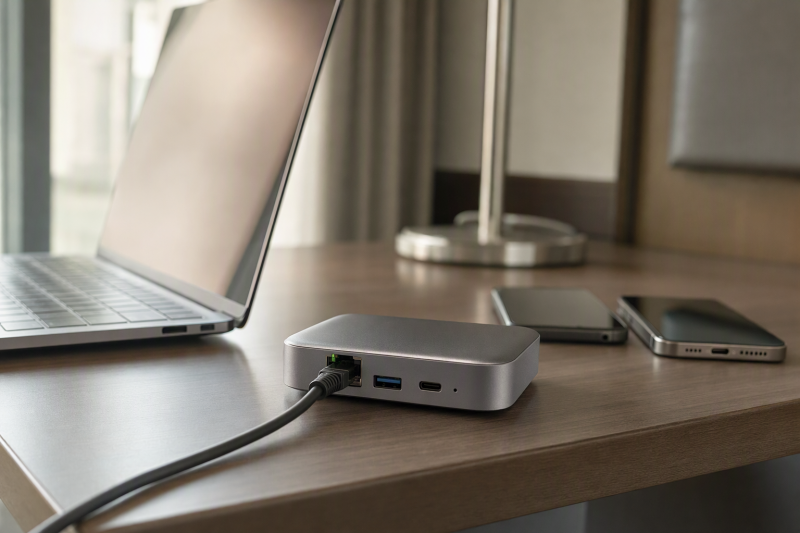
A hotel Wi-Fi login is manageable on one laptop. Add a work phone, personal phone, tablet, and perhaps a wired device, and repeating the sign-in on all of them gets tedious. A travel router can take a hotel Ethernet or Wi-Fi connection and create a private network for your devices. The important question is how it reaches the hotel network. The router’s own Wi-Fi standard does not guarantee the hotel’s sign-in page will appear or accept the router.
These six compact routers cover basic repeater use, documented captive-portal setup, wired uplinks, phone tethering, and more advanced VPN controls. None supplies Internet on its own. Hotel login rules, per-device limits, signal quality, and VPN policy still apply. Compatibility with any particular hotel’s network was not independently tested.
Check your hotel’s permitted connection method first. A travel router can organize your devices, but it cannot promise to bypass a login page, device limit, or network policy.Travel Routers Compared
| Image | Product | Details | Check Price |
|---|---|---|---|
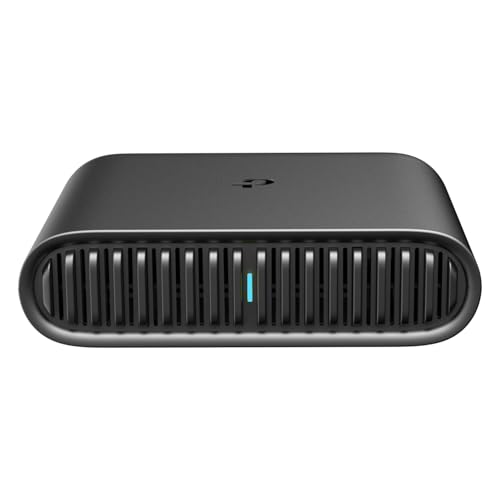 | TP-Link Roam 6 | Local Wi-Fi: Wi-Fi 6 AX1500 Hotel uplink: Wi-Fi or Ethernet Extra path: Phone tethering Best fit: Documented portal setup | Check Price on Amazon |
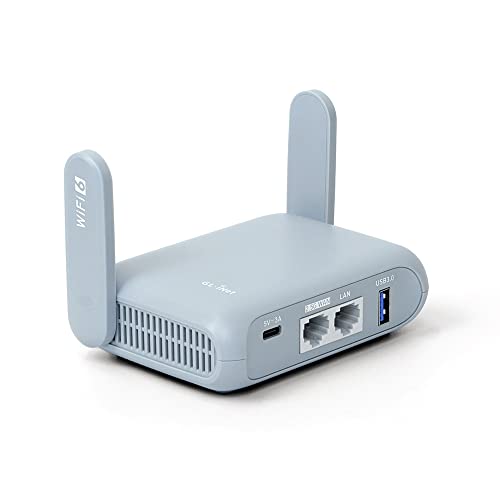 | GL.iNet Beryl AX | Local Wi-Fi: Wi-Fi 6 Hotel uplink: Wi-Fi or 2.5G WAN Extra path: VPN controls Best fit: Flexible work VPN | Check Price on Amazon |
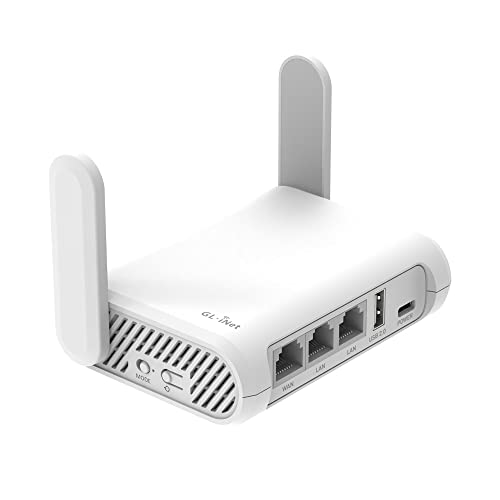 | GL.iNet Opal | Local Wi-Fi: Wi-Fi 5 AC1200 Hotel uplink: Wi-Fi or Gigabit WAN Extra path: 2 Gigabit LAN Best fit: Two wired clients | Check Price on Amazon |
 | GL.iNet GL-BE3600 | Local Wi-Fi: Wi-Fi 7 Hotel uplink: Wi-Fi or 2.5G WAN Extra path: Touchscreen; 2.5G LAN Best fit: On-device status | Check Price on Amazon |
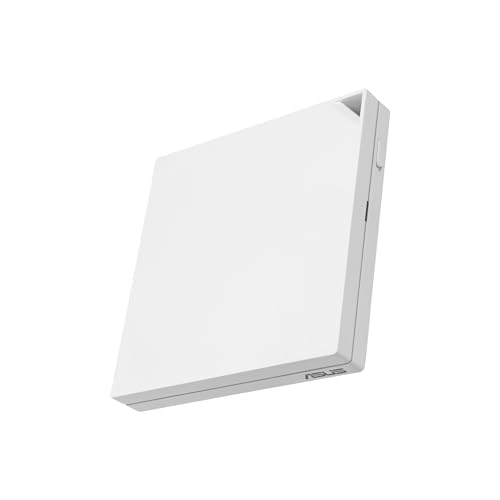 | ASUS RT-AX57 Go | Local Wi-Fi: Wi-Fi 6 Hotel uplink: WISP public Wi-Fi Extra path: Phone tethering Best fit: Mobile fallback | Check Price on Amazon |
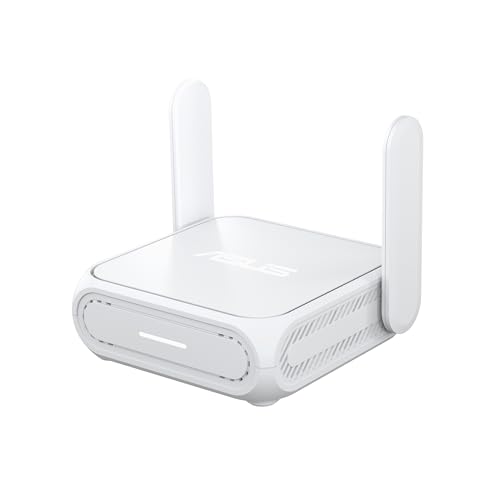 | ASUS RT-BE58 Go | Local Wi-Fi: Wi-Fi 7 Hotel uplink: WISP public Wi-Fi Extra path: Phone tethering Best fit: Newer local clients | Check Price on Amazon |
1. TP-Link Roam 6 — Best Documented Hotel Login
The Roam 6, model TL-WR1502X, can use hotel Wi-Fi as a hotspot-mode uplink, or connect through Ethernet or a tethered phone, according to TP-Link’s listing. Its Wi-Fi 6 AX1500 radio is for the local network you create, and it does not raise a slow hotel’s Internet speed. Power comes through USB-C from the supplied adapter or a suitable 5V/3A source. USB-C power makes it easier to pack with other desk gear, though the required power source still needs to be available.
TP-Link publishes a specific captive-portal setup guide for this model, which has you join the hotel network through Quick Setup and then complete the portal authentication. The guide is a setup path, not a universal compatibility promise. Hotel policies, login expiry, or a portal that binds access to a device may still interrupt use. The checked listing explicitly says the router is not a Mi-Fi device or standalone mobile hotspot and says it does not support OpenWrt. Confirm the hotel’s terms before attaching multiple clients.
Our Take Choose Roam 6 when the hotel login procedure counts for more than router customization. Its published portal instructions give you a concrete first step, with no guarantee for every network.
- Manufacturer publishes captive-portal setup for this model.
- Wi-Fi, Ethernet, and phone-tethered uplink modes listed.
- USB-C power with stated 5V/3A requirement.
- Not a cellular hotspot on its own.
- No OpenWrt support stated for this model.
2. GL.iNet Beryl AX — Best Wi-Fi 6 VPN Control
Beryl AX, model GL-MT3000, combines a 2.5G WAN port, 1G LAN port, and USB 3.0 port with dual-band Wi-Fi 6. Its listing describes OpenVPN and WireGuard client/server features, a configurable physical switch, and a customized OpenWrt interface. The port mix is useful when a room has Ethernet and one device needs a wired connection. A 2.5G port is headroom for a fast source, not evidence that a hotel network will run at that rate.
GL.iNet documents repeater connections to public Wi-Fi and captive portals, but its support page also says some portals can fail. One workaround can temporarily affect DNS or VPN protections while signing in. Authenticate first, then confirm your chosen VPN and DNS settings are restored before handling sensitive work. The speeds in the listing are lab figures, not measured hotel or VPN throughput. Any VPN service subscription is separate. The router is a flexible tool for someone willing to manage those settings.
Our Take Choose Beryl AX if you want Wi-Fi 6 with explicit VPN controls and a wired client port. Treat portal authentication and VPN activation as separate checks.
- 2.5G WAN and 1G LAN ports stated.
- WireGuard/OpenVPN controls and configurable switch.
- Captive-portal workarounds may need security-setting review.
- One wired LAN client port.
- VPN service and setup are separate.
3. GL.iNet Opal — Best Basic Wired Layout
The GL-SFT1200 Opal lists one Gigabit WAN and two Gigabit LAN ports, more direct wired client connections than the single-LAN designs here. It can also repeat a public Wi-Fi connection into a private local network. The retractable antennas make it straightforward to position the router on a cramped desk. Its AC1200 dual-band wireless rating is an advertised figure for the local link, and the hotel uplink and signal path remain the speed limits.
The listing describes OpenVPN and WireGuard support and says the side switch needs configuration in the admin panel before it controls either one. It also warns that a public hotspot’s time limit may require reconnection. Do not assume automatic reauthentication after a hotel portal expires. Opal lacks the newer Wi-Fi 6 or 7 radios of several alternatives, but the extra LAN socket can help if the work laptop and another device need cable connections without adding a switch.
Our Take Choose Opal for a small wired hotel desk with simple repeater needs. Its two LAN ports are a clearer benefit than its headline AC1200 rating.
- Two Gigabit LAN sockets plus WAN.
- Public-Wi-Fi repeater and VPN features listed.
- Retractable antennas.
- Older Wi-Fi 5 radio.
- Switch must be configured; portal expiry may require reconnection.
4. GL.iNet GL-BE3600 — Best On-Device Controls
GL-BE3600 has two 2.5G Ethernet ports, one designated WAN and one LAN, plus USB 3.0 and dual-band Wi-Fi 7. Its touchscreen can show connection status, scan a Wi-Fi QR code, and control configured VPN settings without opening a laptop browser for every status check. The screen can be convenient when moving between conference rooms and hotels. The router does not eliminate the hotel sign-in step or create a faster uplink than the network provides.
The listing describes VPN client and server modes and OpenWrt-based software. Its quoted OpenVPN and WireGuard speeds are seller lab measurements, not a promised hotel result. Verify the power plug version before travel because the listing mentions regional plug options. As with the other GL.iNet routers, a public network’s captive portal may need manual authentication and a review of the VPN and DNS state afterward. If a screen and 2.5G LAN are not useful to you, a simpler model covers the core job.
Our Take Choose GL-BE3600 for visible router controls and two Ethernet ports faster than Gigabit. The controls and ports do not solve a restrictive hotel’s network policy.
- WAN and LAN both listed at 2.5G.
- Touchscreen shows connection and VPN controls.
- Only one wired LAN socket.
- Regional plug and portal behavior need checking.
5. ASUS RT-AX57 Go — Best Wi-Fi 6 Phone-Tethering Option
ASUS describes the RT-AX57 Go as a portable Wi-Fi 6 router with public-Wi-Fi WISP mode and phone tethering. The pairing gives a traveler two uplink routes. One uses the hotel’s network when it works, and the other shares a compatible phone’s existing mobile connection if it does not. The mobile data plan and coverage are outside the router. ASUS also lists an easy switch between connection modes and VPN features. Configure the mode and VPN before depending on them during a work call.
The listing advertises a high wireless device count, but that number is not a hotel-access allowance. A hotel may restrict devices, require login renewal, or prohibit sharing. Check its terms and the tethering rules of your mobile plan. The listing also mentions AiMesh and a guest portal, features more relevant to an existing ASUS setup than a short hotel stay. For hotel work, WISP and tethering flexibility count for more than the largest device-count claim.
Our Take Choose RT-AX57 Go for someone who wants a phone connection as a fallback to hotel Wi-Fi. Confirm phone-plan and hotel rules before treating that fallback as dependable.
- Public-Wi-Fi WISP and phone tethering modes listed.
- Wi-Fi 6 and VPN controls.
- Mobile fallback needs a compatible phone and data plan.
- Device-count claim does not override hotel limits.
6. ASUS RT-BE58 Go — Best Wi-Fi 7 Phone-Tethering Option
The RT-BE58 Go brings dual-band Wi-Fi 7, public-Wi-Fi WISP mode, and mobile tethering to ASUS’s travel format. The listing says it can share a compatible phone or mobile dongle’s connection, and it is not itself a cellular modem with its own service. Its USB-C power requirement is stated as 18W Power Delivery, so check the charger you intend to pack rather than assuming any USB-C socket is enough. An easy toggle is listed for connection and VPN functions, but setup is still required.
Compared with RT-AX57 Go, the newer radio may help local devices that support it, but it cannot improve a congested hotel uplink. ASUS also promotes security and AiMesh features, but the features are not a substitute for validating a captive portal or your work VPN. The RT-BE58 Go is a useful option when you already own newer clients and want one portable router for hotel, phone, and occasional home use.
Our Take Choose RT-BE58 Go if you can use its Wi-Fi 7 local network and phone fallback. Buy it for those modes, not the promise of faster hotel Internet.
- WISP and phone-tethered uplinks listed.
- USB-C power requirement stated.
- Wi-Fi 7 for compatible local clients.
- 18W PD source needed.
- Wi-Fi 7 will not speed up the hotel’s Internet.
Buying Guide: Build a Dependable Hotel Desk Network
Start with the permitted uplink and login method
Ask whether the hotel offers Ethernet, Wi-Fi with a web portal, or both. A wired room connection can avoid repeater setup, but it may still require a login or be disabled. Roam 6 lists both Ethernet and hotel Wi-Fi modes and has TP-Link’s captive-portal instructions. The GL.iNet models support public-Wi-Fi repeater use, while the ASUS Go models list WISP mode. None guarantees that an unusual portal or device-binding scheme will accept the router.
Connect and authenticate before opening work accounts. Some portal workarounds change DNS or VPN behavior temporarily, as GL.iNet’s own guidance explains. Restore your intended protection and test it after login. If the hotel restricts sharing or device count, follow its policy or use a permitted independent connection instead. A router is a network organizer, not a license to evade access terms.
Match local ports and power to the devices you carry
List the devices that need a cable. Opal has two LAN ports in the checked listing. Beryl AX and GL-BE3600 list one each, with faster WAN sockets. A 2.5G port helps only when the upstream equipment and cable path can use it. For a work laptop with limited ports, our USB-C hub guide covers local connections, while the docking station guide covers a permanent home desk. Neither changes hotel access rules.
Power needs planning too. Roam 6 specifies a 5V/3A USB-C source, and RT-BE58 Go specifies 18W PD. Check each router’s actual adapter and cable before travel, especially if you plan to power it from a hub or battery. A laptop’s USB-C port is not automatically a suitable stable source. Also consider whether the router and power brick can sit where the hotel signal is strongest without blocking your work surface.
Treat the VPN as a separate connection to verify
Many of these listings describe VPN client features, but a VPN service, account, configuration, and company policy are separate. A hotel captive portal often needs completion before the tunnel can start. GL.iNet lists OpenVPN and WireGuard controls and ASUS lists VPN functions, but the presence of a switch or touchscreen does not prove the encrypted tunnel is active. Check the router’s status after every hotel reconnect.
If your employer uses its own VPN, confirm whether putting another VPN on the travel router is allowed and whether the two can coexist. A private Wi-Fi name and password protect your local link, not the integrity of every upstream connection. Avoid relying on seller speed figures measured on local test networks. Test the exact work call or cloud upload you need, and have a permitted phone connection ready when the hotel’s service is unstable.
Frequently Asked Questions
Can one hotel Wi-Fi login cover all my devices?
Sometimes one login is enough, but the hotel’s policy and portal decide. A travel router can create one local network for your laptop, phone, and tablet while it connects upstream through hotel Wi-Fi. TP-Link documents a portal-authentication path for Roam 6, and GL.iNet documents repeater setup, but neither can promise every hotel will accept a shared connection.
Check the property’s device limits and terms first. If the portal expires, the router may need another login. If a specific device or hardware address is required, use the hotel’s supported method rather than assuming a router will solve it.
Does a travel router provide mobile Internet by itself?
No, the six routers here do not provide mobile Internet by themselves. Phone tethering uses the phone’s own mobile service, and it is not a cellular subscription included with a router. ASUS RT-AX57 Go and RT-BE58 Go list mobile tethering, and Roam 6 lists a phone-tethered connection mode. Compatibility with your phone and data plan still needs checking.
A router’s Wi-Fi 6 or Wi-Fi 7 label describes the local wireless link, not the Internet source. If a room has neither working hotel service nor usable phone coverage, none of these boxes can create outside connectivity.
Should I turn on my VPN before the hotel login page?
Usually complete the portal first. The login page may not load through an active VPN or custom DNS setting, and GL.iNet’s support guidance notes that troubleshooting a portal can affect those protections. Use only the hotel’s legitimate sign-in flow and confirm your tunnel and DNS state afterward.
Company VPN requirements vary. If work access fails, check with your IT team before adding a personal router VPN on top of its client. A router with VPN support is not proof that your employer’s authentication or split-tunnel configuration will work.
Bottom Line
Choose TP-Link Roam 6 for the clearest published hotel login procedure, GL.iNet Beryl AX for more VPN control and a faster WAN port, or Opal for two LAN ports. Confirm the uplink and setup path your hotel permits before paying for a faster local radio.