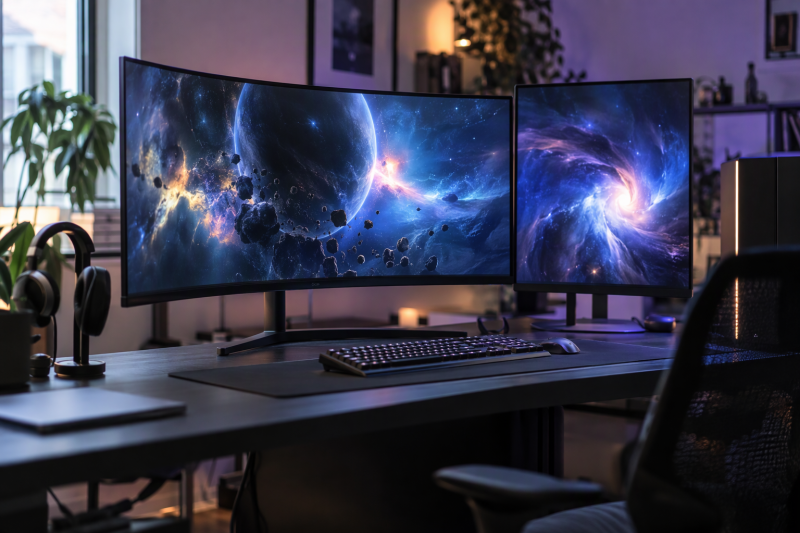
Alienware’s gaming monitors split into 27-inch 16:9 screens and 34-inch 21:9 ultrawides. Dell lists the AW3426DW, AW3425DW, AW3423DWF, and AW2725DF as QD-OLED, the AW2726DL as IPS, and the AW3425DWM as VA.
Pick the screen shape first, then the refresh rate and the ports. Dell lists refresh rates from 165 Hz on the AW3423DWF to 360 Hz on the AW2725DF, and the 34-inch models need more desk width than the 27-inch pair.
Dell’s port lists show no USB-C video input on any of these six monitors, so each one connects to a computer through HDMI or DisplayPort.Alienware Gaming Monitors Compared
| Image | Product | Best fit | Display | Connections | Color and HDR | Watch-outs | Check Price |
|---|---|---|---|---|---|---|---|
 | Alienware AW2726DL | Flat 27-inch IPS play at 280 Hz without OLED | 27-inch 2560 by 1440 IPS, 280 Hz, 1 ms | 1 HDMI 2.1, 1 DisplayPort 1.4, no USB | 93% DCI-P3, 400 nits | No USB or USB-C ports on Dell's list | Check Price on Amazon |
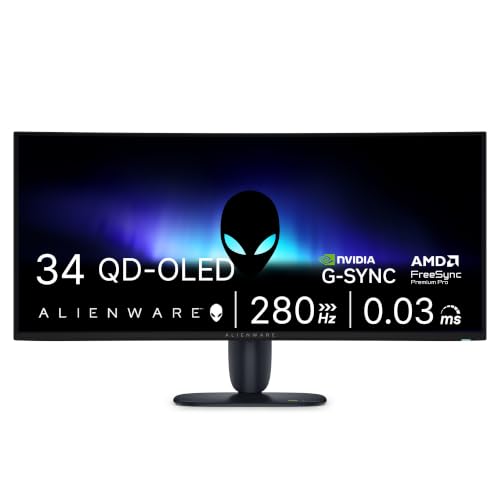 | Alienware AW3426DW | 34-inch QD-OLED ultrawide at 280 Hz | 34-inch 3440 by 1440 QD-OLED, 280 Hz, 0.03 ms, 1800R | 2 HDMI 2.1, 1 DisplayPort 1.4, USB-C 15 W downstream | 99% DCI-P3, True Black 500 | 32.05 inches wide with the stand | Check Price on Amazon |
 | Alienware AW3425DW | Curved 34-inch QD-OLED at 240 Hz | 34.2-inch 3440 by 1440 QD-OLED, 240 Hz, 0.03 ms, 1800R | 2 HDMI 2.1, 1 DisplayPort 1.4, USB-C 15 W downstream | 99.3% DCI-P3, True Black 400 | 240 Hz, below the AW3426DW's 280 Hz | Check Price on Amazon |
 | Alienware AW3425DWM | 34-inch curved ultrawide without OLED | 34-inch 3440 by 1440 VA, 180 Hz, 1 ms, 1500R | 2 HDMI, 1 DisplayPort 1.4, 2 USB-A downstream | 95% DCI-P3, DisplayHDR 400 | No USB-C port on Dell's list | Check Price on Amazon |
 | Alienware AW3423DWF | QD-OLED ultrawide with a USB hub and headphone port | 34.18-inch 3440 by 1440 QD-OLED, 165 Hz over DisplayPort, 0.1 ms, 1800R | 1 HDMI 2.0, 2 DisplayPort 1.4, USB 3.2 Gen 1 hub | 99.3% DCI-P3, DisplayHDR 400 True Black | 100 Hz over HDMI | Check Price on Amazon |
 | Alienware AW2725DF | 27-inch QD-OLED play at 360 Hz | 26.7-inch 2560 by 1440 QD-OLED, 360 Hz, 0.03 ms | 2 DisplayPort 1.4, 1 HDMI 2.1, USB hub with USB-C | 99.3% DCI-P3, True Black 400 | HDMI 2.1 port listed at up to 144 Hz | Check Price on Amazon |
1. Alienware AW2726DL — Best 27-Inch IPS Speed Pick
Dell lists the AW2726DL as a 27-inch 2560 by 1440 IPS monitor at 280 Hz with a flat 16:9 panel. Dell gives a 1 ms gray-to-gray response time in Extreme Mode, 93% DCI-P3 coverage, 400 nits of brightness, a 1000:1 contrast ratio, and AMD FreeSync Premium with VESA AdaptiveSync. The Amazon listing gives the same 280 Hz and 1 ms figures plus a 109 PPI pixel density.
Dell’s port list has one HDMI 2.1 port and one DisplayPort 1.4 port, with no USB or USB-C ports. The stand adjusts for height, tilt, swivel, and pivot, and Dell lists a 100 by 100 mm VESA mount and a 24.15-inch width with the stand.
Decision point: the AW2726DL is a flat 27-inch 1440p IPS screen at 280 Hz for a desk where one HDMI cable and one DisplayPort cable cover every connection. Our TakeDell lists the AW2726DL with a 280 Hz refresh rate, a flat IPS panel, and a stand with height, tilt, swivel, and pivot adjustment, and lists no USB or USB-C ports on it. It suits a PC that connects by cable with no other device plugged into the monitor.
- A buyer who wants IPS gets 280 Hz at 2560 by 1440, as Dell lists it.
- Dell lists height, tilt, swivel, and pivot adjustment on the AW2726DL stand.
- Dell lists one HDMI 2.1 port and one DisplayPort 1.4 port, enough for a desk that uses one cable of each type.
- Color coverage is lower, because Dell lists 93% DCI-P3 against 99% to 99.3% for the QD-OLED models.
- The AW2726DL has no USB hub for accessories, because Dell lists no USB or USB-C ports.
2. Alienware AW3426DW — Best 280 Hz QD-OLED Ultrawide
Dell lists the AW3426DW as a 34-inch 3440 by 1440 QD-OLED monitor at 280 Hz, the highest refresh rate among the 34-inch models here. The panel is curved at 1800R, with a 0.03 ms gray-to-gray response time in Extreme Mode, 99% DCI-P3 coverage, VESA DisplayHDR True Black 500, and Dolby Vision HDR. Dell lists 300 nits of brightness and 1300 nits of peak brightness, and describes a Penta Tandem QD-OLED panel with RGB stripe subpixels.
Dell’s port list has one DisplayPort 1.4 port and two HDMI 2.1 ports, both listed at 3440 by 1440 and 280 Hz. USB is one 5Gbps Type-B upstream port, one 5Gbps Type-A downstream port, and one 5Gbps USB-C downstream port with up to 15 W charging. Dell lists the USB-C port as downstream, so the computer’s video goes in by DisplayPort or HDMI. The stand adjusts for height, slant, swivel, and tilt, and Dell lists no pivot.
Choose the AW3426DW over the AW3425DW for the higher refresh rate, 280 Hz against 240 Hz, and the True Black 500 certification against True Black 400, as Dell lists them. Dell lists the same port types on both, so the port list does not separate them.
- Dell lists the AW3426DW at 280 Hz and 0.03 ms gray-to-gray on a 3440 by 1440 QD-OLED panel, the highest refresh rate among the ultrawides here.
- Dell lists DisplayHDR True Black 500 and 1300 nits of peak brightness, higher than Dell lists for the AW3425DW.
- Dell lists two HDMI 2.1 ports, one DisplayPort 1.4 port, and a USB-C downstream port with 15 W charging, enough inputs for several devices.
- Dell lists a 3-year warranty for the AW3426DW with Advanced Exchange and Premium Panel Exchange, including OLED burn-in coverage.
- The AW3426DW needs more desk width than the AW2726DL, because Dell lists a 32.05-inch width with the stand against 24.15 inches.
- Video goes in by DisplayPort or HDMI, because Dell lists the USB-C port as a 5Gbps downstream port.
3. Alienware AW3425DW — Best 240 Hz Curved QD-OLED
Dell lists the AW3425DW as a 34.2-inch viewable 3440 by 1440 QD-OLED monitor at 240 Hz with an 1800R curve and a 0.03 ms gray-to-gray response time. Dell’s color and HDR figures are 99.3% DCI-P3 and VESA DisplayHDR True Black 400, with 250 nits of brightness and 1000 nits at peak. Dell lists G-SYNC Compatible, AMD FreeSync Premium Pro, and VESA AdaptiveSync, and the Amazon listing repeats the 34.2-inch size, the curve, and the 99.3% figure.
Dell’s port list has one DisplayPort 1.4 port, two HDMI ports listed at 240 Hz under HDMI 2.1, one 5Gbps Type-B upstream port, one 5Gbps Type-A downstream port, and one USB-C downstream port with 15 W charging. The stand adjusts for height, slant, swivel, and tilt, and Dell lists a 3-year warranty with Advanced Exchange Service.
Decision point: the AW3425DW is the 240 Hz, 1800R QD-OLED ultrawide, with the same port types Dell lists for the AW3426DW. Our TakeThe AW3425DW is the 34-inch QD-OLED to pick when 240 Hz is enough and the AW3426DW’s 280 Hz is not needed. Against the AW2725DF, it swaps 360 Hz and a flat 16:9 panel for 3440 by 1440 on a curved 21:9 panel, and Dell lists no pivot on its stand.
- Dell lists the AW3425DW at 240 Hz and 0.03 ms gray-to-gray on a 3440 by 1440 QD-OLED panel, a fit when the AW3426DW’s higher rate is not needed.
- Dell lists an 1800R curve and 99.3% DCI-P3 coverage, and the Amazon listing repeats both.
- Dell lists two HDMI 2.1 ports, one DisplayPort 1.4 port, a USB-A port, and a USB-C downstream port with 15 W charging, the same port types as the AW3426DW.
- The AW3425DW is slower than the AW3426DW, at 240 Hz against the 280 Hz Dell lists.
- The AW3425DW is dimmer than the AW3426DW on Dell’s figures, at 250 nits and 1000 nits at peak against 300 and 1300.
4. Alienware AW3425DWM — Best Non-OLED 34-Inch Ultrawide
Dell lists the AW3425DWM as a 34-inch 3440 by 1440 VA monitor at 180 Hz with a 1500R curve. Dell gives a 1 ms gray-to-gray response time in Extreme Mode, 95% DCI-P3 coverage, 400 cd/m2 brightness, a 3000:1 contrast ratio, VESA DisplayHDR 400, AMD FreeSync Premium, and VESA AdaptiveSync. The Amazon listing repeats the 180 Hz, 1500R, 95% DCI-P3, and DisplayHDR 400 figures and adds a console mode and a hardware low blue light setting.
Dell’s port list has two HDMI ports and one DisplayPort 1.4 port, with 3440 by 1440 at 180 Hz listed for both kinds, plus two 5Gbps Type-A downstream ports (one with Battery Charging 1.2) and one Type-B upstream port. The stand adjusts for height, tilt, and a pivot of plus or minus 5 degrees, with no swivel listed.
Decision point: the AW3425DWM is the non-OLED 34-inch choice, a VA panel at 180 Hz with two USB-A downstream ports. Our TakeChoose the AW3425DWM when a 34-inch curved ultrawide is the goal and a QD-OLED panel is not. It keeps the 3440 by 1440 size and the two HDMI ports Dell lists for the AW3426DW and AW3425DW, and gives up their USB-C port and their 99% to 99.3% DCI-P3 coverage.
- Dell lists the AW3425DWM at 180 Hz at 3440 by 1440 with FreeSync Premium and VESA AdaptiveSync, the speed and sync for a non-OLED ultrawide.
- Dell lists two HDMI ports, one DisplayPort 1.4 port, and two USB-A downstream ports for accessories.
- The Amazon listing for the AW3425DWM lists a console mode and a hardware low blue light setting.
- Dell lists 95% DCI-P3 and DisplayHDR 400 for the AW3425DWM, lower than the 99% to 99.3% DCI-P3 and True Black ratings for the QD-OLED ultrawides.
- The AW3425DWM has no USB-C port, because Dell lists none, while it lists one on the AW3426DW and AW3425DW.
5. Alienware AW3423DWF — Best 165 Hz QD-OLED With a Headphone Port
Dell lists the AW3423DWF as a 34.18-inch 3440 by 1440 QD-OLED monitor at 165 Hz over DisplayPort and 100 Hz over HDMI, with an 1800R curve and a 0.1 ms gray-to-gray response time. Dell’s figures are 99.3% DCI-P3, 149% sRGB, VESA DisplayHDR 400 True Black, 250 nits of typical brightness, and 1000 nits at peak. The Amazon listing adds a Creator Mode in the on-screen menu that switches between the DCI-P3 and sRGB color spaces and adjusts gamma.
Dell’s port list has one HDMI 2.0 port and two DisplayPort 1.4 ports, a USB 3.2 Gen 1 hub with one upstream and four downstream ports, a rear audio line-out, and a headphone-out port on the bottom. The stand adjusts for height, tilt, and swivel, and Dell lists a USB Type-C to DisplayPort cable among the included cables. Dell’s 3-year warranty includes Advanced Exchange and Premium Panel Exchange, with OLED burn-in coverage.
Choose the AW3423DWF for a QD-OLED ultrawide with a USB hub and a headphone-out port. No other monitor in this group lists a headphone-out port on Dell’s page. Connect it by DisplayPort to use the 165 Hz mode.
- Dell lists 99.3% DCI-P3 and 149% sRGB for wide color coverage, plus DisplayHDR 400 True Black.
- Dell lists a USB 3.2 Gen 1 hub and a headphone-out port, and no other monitor here lists a headphone-out port.
- Dell lists a 3-year warranty with OLED burn-in coverage through Premium Panel Exchange.
- A buyer on HDMI gets the lowest rate in this group, because Dell lists 165 Hz over DisplayPort and 100 Hz over HDMI.
- The AW3423DWF tops out below the other 34-inch models, at 165 Hz against the 180 Hz to 280 Hz Dell lists for them.
6. Alienware AW2725DF — Best 360 Hz Competitive QD-OLED
Dell lists the AW2725DF as a 26.7-inch 2560 by 1440 QD-OLED monitor at 360 Hz, a flat 16:9 panel with a 0.03 ms gray-to-gray response time. Dell’s figures are 99.3% DCI-P3, VESA DisplayHDR True Black 400, 400 nits of brightness, 1000 nits at peak, and AMD FreeSync Premium Pro with VESA AdaptiveSync. The Amazon listing gives the same 360 Hz, 0.03 ms, and 99.3% figures, plus a Delta E under 2 color accuracy.
Dell’s port list has two DisplayPort 1.4 ports listed at 360 Hz and one HDMI 2.1 port listed at up to 144 Hz. USB is one 5Gbps Type-B upstream port, three Type-A downstream ports, and one Type-C downstream port with Battery Charging 1.2. The stand adjusts for height, tilt, swivel, and pivot, and Dell’s 3-year warranty includes Premium Panel Exchange with OLED burn-in coverage.
Choose the AW2725DF for 16:9 play where the PC connects by DisplayPort, the input Dell lists at 360 Hz. It trades the width of the 34-inch models for a stand with height, tilt, swivel, and pivot adjustment and the highest refresh rate Dell lists in this group.
- A buyer who wants the fastest refresh rate here gets it, because Dell lists 360 Hz for the AW2725DF.
- Dell lists a stand with height, tilt, swivel, and pivot adjustment on the AW2725DF, and lists no pivot on the AW3426DW or AW3425DW.
- Dell lists two DisplayPort 1.4 ports at the top refresh rate, a USB hub with three Type-A ports, and a USB-C downstream port.
- Dell lists a 3-year warranty for the AW2725DF that carries Premium Panel Exchange and OLED burn-in coverage.
- A buyer needs DisplayPort for the 360 Hz mode, because Dell lists the single HDMI 2.1 port at up to 144 Hz.
- The AW2725DF is narrower than the four ultrawides, because Dell lists 2560 by 1440 against their 3440 by 1440.
Buying Guide: Choose an Alienware Gaming Monitor
Start with 16:9 versus 21:9
Dell lists the AW2726DL and AW2725DF at 2560 by 1440 in 16:9 on flat panels, and the AW3426DW, AW3425DW, AW3425DWM, and AW3423DWF at 3440 by 1440 in 21:9 on curved panels. The curve is 1800R on the three QD-OLED ultrawides and 1500R on the AW3425DWM.
Dell lists widths with the stand of 24.15 inches for the AW2726DL and 23.98 inches for the AW2725DF, against 31.71 to 32.1 inches for the 34-inch models. Check that the games you play support 21:9 before choosing a 34-inch screen.
Separate refresh rate from panel type
Dell lists 360 Hz for the AW2725DF, 280 Hz for the AW3426DW and AW2726DL, 240 Hz for the AW3425DW, 180 Hz for the AW3425DWM, and 165 Hz for the AW3423DWF. Refresh rates are display ceilings. The frame rate that reaches the panel depends on the graphics card, game settings, cable, and input mode.
Dell lists QD-OLED on four models, IPS on the AW2726DL, and VA on the AW3425DWM. Dell’s response times are 0.03 ms gray-to-gray for the AW3426DW, AW3425DW, and AW2725DF, 0.1 ms for the AW3423DWF, and 1 ms in Extreme Mode for the AW2726DL and AW3425DWM. Choose panel type and screen shape first, then decide whether a higher refresh rate suits your games.
Check the connection mode for each input
Dell lists two HDMI 2.1 ports and one DisplayPort 1.4 port on the AW3426DW and AW3425DW, two HDMI ports and one DisplayPort 1.4 port on the AW3425DWM, and one HDMI 2.1 port and one DisplayPort 1.4 port on the AW2726DL. Dell lists one HDMI 2.0 port and two DisplayPort 1.4 ports on the AW3423DWF, and one HDMI 2.1 port and two DisplayPort 1.4 ports on the AW2725DF.
The refresh rate depends on the input. Dell lists the AW3423DWF at 165 Hz over DisplayPort and 100 Hz over HDMI, and the AW2725DF at 360 Hz over DisplayPort and up to 144 Hz over HDMI 2.1. Check each model’s input list before connecting a console or a second PC.
Dell lists USB-C only as a 5Gbps downstream port on the AW3426DW, AW3425DW, and AW2725DF, and lists no USB-C port on the other three. A laptop without HDMI or DisplayPort output needs a USB-C hub that provides one, or a monitor that takes USB-C video, such as the ultrawide gaming monitors with USB-C on this site.
Plan desk space and ergonomics
Dell lists height, tilt, swivel, and pivot on the AW2726DL and AW2725DF, and height, slant, swivel, and tilt on the AW3426DW and AW3425DW. Dell lists height, tilt, and swivel on the AW3423DWF, and height, tilt, and a pivot of plus or minus 5 degrees on the AW3425DWM.
Dell lists a 100 by 100 mm VESA mount on all six monitors, so a monitor arm is an option when the stand’s range does not fit the desk. A 34-inch screen also needs a graphics card that can drive 3440 by 1440 at the refresh rate you want.
FAQ
Is AW3425DW better than AW2725DF?
Neither is better overall, because they differ in shape and speed. Dell lists the AW3425DW as a 34.2-inch viewable 3440 by 1440 curved QD-OLED at 240 Hz and the AW2725DF as a 26.7-inch 2560 by 1440 flat QD-OLED at 360 Hz.
Choose the AW3425DW for the wider 21:9 view and the two HDMI 2.1 ports Dell lists. Choose the AW2725DF for the 360 Hz DisplayPort mode and a stand that Dell lists with pivot.
Which Alienware monitor has the fastest refresh rate here?
Dell lists the AW2725DF at 360 Hz, the highest in this group. Dell lists the AW3426DW and AW2726DL at 280 Hz, the AW3425DW at 240 Hz, the AW3425DWM at 180 Hz, and the AW3423DWF at 165 Hz.
Dell lists the AW2725DF’s 360 Hz over DisplayPort and up to 144 Hz over its HDMI 2.1 port.
Do the USB-C ports provide laptop video?
Dell lists the USB-C port on the AW3426DW and AW3425DW as a 5Gbps downstream port with up to 15 W charging, and on the AW2725DF as a 5Gbps downstream port with Battery Charging 1.2. None of the three is listed as a video input.
For a laptop, use the monitor’s HDMI or DisplayPort input. Dell lists a USB Type-C to DisplayPort cable among the AW3423DWF’s included cables, and the laptop’s own USB-C port has to support video output.
Which model is best for a console and PC desk?
Dell lists two HDMI 2.1 ports and one DisplayPort 1.4 port on the AW3426DW and AW3425DW, so a PC and two HDMI devices each get a port. Dell lists one HDMI 2.1 port and two DisplayPort 1.4 ports on the AW2725DF, and one HDMI 2.1 port and one DisplayPort 1.4 port on the AW2726DL.
The Amazon listing for the AW3425DWM lists a console mode, and Dell lists two HDMI ports on it. Check the refresh rate Dell lists for the input you plan to use, since the AW2725DF lists up to 144 Hz over HDMI 2.1 and the AW3423DWF lists 100 Hz over HDMI.
Is an ultrawide always better for gaming?
No. Dell lists 3440 by 1440 on the 34-inch models, which is wider than the 2560 by 1440 Dell lists on the 27-inch pair, and the 34-inch models list widths near 32 inches with the stand.
A 27-inch 16:9 screen fits a smaller desk, and Dell lists the 360 Hz maximum only on the 27-inch AW2725DF. Choose by the games, the desk, and the devices you already use.
Bottom Line
For most buyers choosing between the two named models, the AW2725DF fits fast 16:9 play with a 360 Hz DisplayPort connection, and the AW3425DW fits a curved 21:9 QD-OLED with two HDMI 2.1 ports at 240 Hz. The AW3426DW adds 280 Hz, the AW3425DWM is the non-OLED 34-inch option, the AW3423DWF is the one with a headphone-out port, and the AW2726DL is the flat IPS option at 280 Hz.