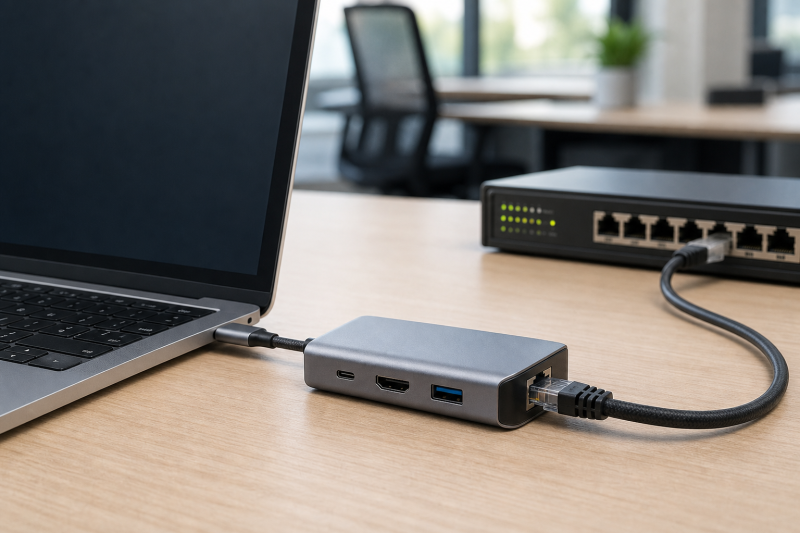
If dock Ethernet already carries traffic but the network sees the dock’s address instead of the laptop’s intended address, verify support before changing anything in Windows. MAC address passthrough depends on the exact computer, its BIOS or firmware, the dock, the dock NIC, and the OEM driver. A live Ethernet link proves that the NIC works. It does not prove that the platform can replace that NIC’s address.
Begin with the address your IT policy expects and the reason it expects it. Without that reference, a different physical address may be normal dock behavior rather than a fault.
Capture the two identities without changing either
Keep the dock connected and confirm normal network access. Open Command Prompt and run:
getmac
ipconfig /all
Dell documents both commands for finding a passthrough address while a USB-C dock or network adapter is attached. In the output, match the active Ethernet adapter by its description and connection state. Record:
- adapter name and description;
- physical address;
- driver provider and version;
- dock model and dock firmware;
- computer model and BIOS version;
- whether the cable has an active link and Windows has normal network access.
Next, find the system-unique or auxiliary MAC in the exact computer’s BIOS or OEM management record. Do not use the Wi-Fi address, a Bluetooth address, or the address printed on a dock label as a substitute. Dell explicitly distinguishes its system BIOS address from the MAC built into a dock chipset.
You now have a direct comparison: expected system address versus active dock adapter address.
Fill the capability matrix before opening BIOS
Use official records for the complete combination, not just a dock product page.
| Required cell | Documented | Not documented | What the cell decides |
|---|---|---|---|
| Exact computer supports system-unique MAC passthrough | Record OEM page and option name | Mark unknown |
The address originates with the supported platform |
| Exact BIOS/UEFI exposes the feature | Record current setting | Do not invent a menu | Firmware decides whether an override is available |
| Exact dock or dongle is covered | Record model and revision | Mark not established |
A dock feature label may cover only named hosts or firmware |
| Dock NIC driver participates | Record official package/version | Avoid generic driver sites | Dell’s implementation requires the network driver |
| Active Windows adapter shows expected address | Copy physical address | Keep dock address visible | Compare it against the expected system address |
Each combination ends as supported, unsupported, or not established. “USB-C compatible” is not a fourth answer.
Dell’s current explanation shows why the cells cannot be collapsed. On covered Dell systems, a system-unique address stored in BIOS can override the address built into a supported Dell Type-C network adapter or dock after the network driver loads. Dell also states that a covered Dell adapter on a non-Dell system does not receive that override and uses its own adapter address.
Lenovo’s ThinkPad Universal USB-C Dock 40AY datasheet lists MAC Address Pass Through among its enterprise features. That statement supports the dock feature label. The datasheet does not establish every host, firmware, and NIC combination. The exact ThinkPad or other host record still has to fill the platform cell.
Use the OEM’s exact firmware option
On a supported Dell system, Dell calls the feature MAC Address Pass-Through or MAC Address Override and documents a System Unique MAC Address selection in BIOS. Menu placement differs across generations, so use the support page for the full service tag or model rather than copying a nearby machine’s screenshots.
If the option is disabled, record the original state, enable only the documented selection, save, restart, and compare ipconfig /all again. If the option is absent, stop. Its absence is not repaired by creating a random address in Windows.
Dell has a narrower 2025-era incident for listed Dell Pro systems and WD25TB4, SD25TB4, WD25TB5, and SD25TB5 docks. In that affected set, the dock falls back to its own MAC address. Dell’s recovery toggles the exact BIOS setting from System Unique MAC Address to Disable, saves and restarts, then returns it to System Unique MAC Address and verifies the physical address with ipconfig /all.
Do not apply that toggle sequence to an unlisted computer or dock. Its value is the model matrix, not a general fix.
Update only a combination that is already supported
When official records say the computer and dock support passthrough but Windows still exposes the dock address, collect current packages from the computer’s own support page. Dell’s current procedure names the computer BIOS and the dock network driver for its covered implementation.
Record the old versions, apply one exact update, restart as instructed, and compare the same active adapter again. Do not install a generic Realtek package merely because one Dell dock happens to use a Realtek controller. Another dock can use a different NIC, and the passthrough contract can involve platform firmware as well as the Windows driver.
Keep ordinary Ethernet repair separate. If the dock has no link or cannot carry traffic, use the USB-C dock Ethernet troubleshooting guide. Passthrough cannot be meaningfully verified through a dead network path.
Do not use spoofing as proof
A manually assigned address is not proof that OEM MAC passthrough works. Do not paste the laptop’s address into a registry value, a third-party spoofing tool, or an adapter property, because that destroys the identity comparison this diagnosis depends on. getmac and ipconfig /all read the adapter’s physical address without changing it, which is what keeps that comparison meaningful.
The clean test is observational:
- Ethernet works with the dock attached.
- The active dock adapter is identified.
- Its physical address is recorded.
- The system-unique address is taken from the OEM record.
- The exact support matrix and firmware option are confirmed.
- The two addresses are compared again after one documented change.
Classify the deployment
| Final state | Deployment consequence |
|---|---|
| Exact host and dock are supported; active adapter shows system address | Register that stable system address in the managed network |
| Exact host and dock are supported; dock address persists after exact firmware/driver guidance | Escalate with the full matrix and before/after addresses |
| Dock advertises passthrough but host support is not documented | Treat passthrough as unproven for this combination |
| OEM states the mixed-vendor host cannot override this dock | Use the dock NIC identity or an IT-approved supported combination |
| Ethernet itself stops working | Return to link and adapter repair |
For Dell-scoped hardware selection after the compatibility record is known, the Dell docking station guide provides the family context. It cannot replace the exact host/dock support matrix.
The useful deliverable to IT is one row containing computer model, BIOS version and setting, dock model and firmware, NIC driver, expected system MAC, observed adapter MAC, and link state.
Sources
Dell implementation contract
Dell’s MAC Address Pass-Through explanation defines its system-unique BIOS override, driver dependency, dock NIC identity, and non-Dell-host boundary. Dell’s address-determination procedure supplies the docked command-line comparison and exact-update route. The Dell Pro Thunderbolt Dock incident is retained only for its listed computers and WD25 dock family.
Another OEM’s product claim
Lenovo’s ThinkPad Universal USB-C Dock 40AY datasheet lists MAC Address Pass Through, but the datasheet does not establish every host and firmware combination. The exact host record still has to confirm platform support.