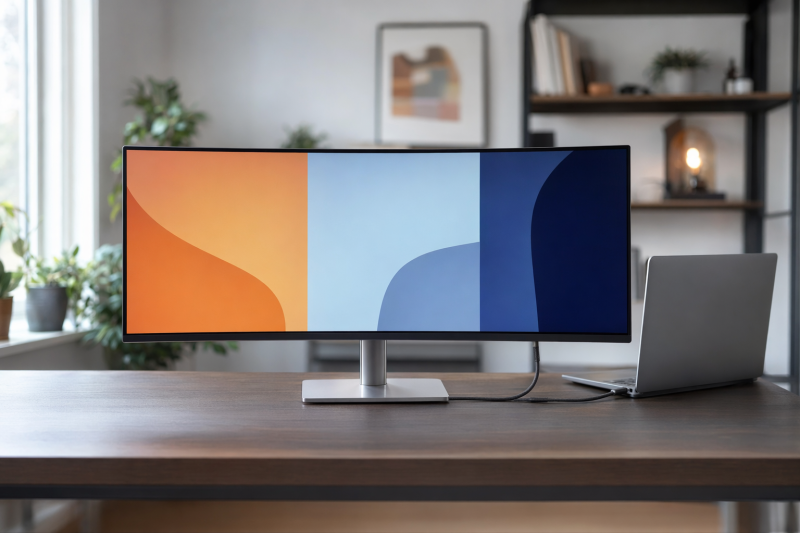
The LG UltraFine evo 40U990A-W is the best 5K2K ultrawide monitor for most buyers who want a high-resolution productivity display with modern connectivity. LG specifies a 39.7-inch 5120 x 2160 Nano IPS Black panel, 120Hz refresh, Thunderbolt 5, 96W charging, Ethernet, KVM switching, and a substantial USB hub. The Dell UltraSharp U4025QW is our Thunderbolt 4 hub alternative, while LG’s 39GX950B-B and 45GX950A-B serve buyers who want OLED and gaming-focused modes.
This is a deliberately narrow guide. Every main pick has a manufacturer-stated native resolution of exactly 5120 x 2160 and an ultrawide shape. Standard 5120 x 2880 5K displays, 5120 x 1440 super-ultrawides, and 7680 x 2160 dual-4K screens are different categories. Only five products passed the frozen identity, active Amazon offer, and exact manufacturer-page gates, so five is the complete defensible market in this evidence set rather than an abbreviated roundup.
This post includes affiliate links, for which we may earn a commission at no extra cost to you should you make a purchase using our links. As an Amazon Associate, we can earn from qualifying purchases. Learn more.Recent Updates
July 16, 2026: We checked the exact manufacturer specifications and US Amazon Creators identity and offer data used for all five selections. We added a strict 5120 x 2160 definition, separated native 5K2K at 165Hz from the two OLED models’ WFHD 330Hz modes, and documented direct-store versus Amazon availability differences. Samsung S85TH and Dell U4021QW remain excluded because they did not pass every evidence gate.
Quick Picks
- Best overall 5K2K ultrawide: LG UltraFine evo 40U990A-W, with 120Hz, Thunderbolt 5, 96W charging, KVM, Ethernet, and a broad USB hub.
- Best Thunderbolt 4 hub monitor: Dell UltraSharp U4025QW, with 120Hz, up to 140W EPR, KVM, 2.5GbE, and IPS Black.
- Best OLED for mixed work and gaming: LG UltraGear evo 39GX950B-B, with 143 PPI, native 5K2K at 165Hz, and a separate WFHD 330Hz mode.
- Best immersive 5K2K gaming monitor: LG UltraGear evo 45GX950A-B, with a 44.5-inch OLED panel and deep 800R curve.
- Best older Thunderbolt 4 value: LG UltraWide 40WP95C-W, when its exact standalone New offer remains available.
5K2K Ultrawide Monitor Comparison
| Image | Product | Details | Check Price |
|---|---|---|---|
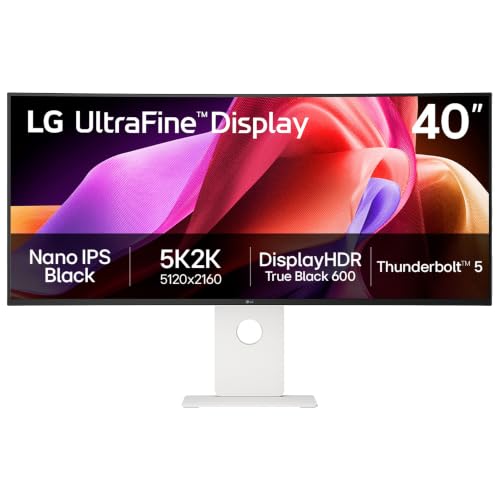 | LG UltraFine evo 40U990A-W | Size/resolution: 39.7-inch 21:9, 5120 x 2160 Panel/curve: Nano IPS Black, 2500R Max mode: Up to 5120 x 2160 at 120Hz with LG's stated host and cable conditions Host ports: Thunderbolt 5, DP 2.1 UHBR 13.5, 2 x HDMI 2.1 Charging/hub: Up to 96W; KVM, LAN, USB, PIP/PBP, daisy chain Best for: Overall 5K2K productivity | Check Price on Amazon |
 | Dell UltraSharp U4025QW | Size/resolution: 40-inch class, 5120 x 2160 Panel/curve: IPS Black, curved Max mode: Up to 5120 x 2160 at 120Hz on a supported input path Host ports: Thunderbolt 4, DP 1.4 with DSC, HDMI 2.1 Charging/hub: Up to 140W EPR; KVM, USB hub, 2.5GbE Best for: Thunderbolt 4 hub features | Check Price on Amazon |
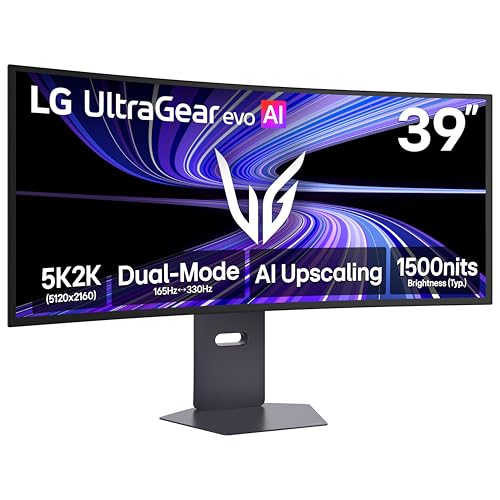 | LG UltraGear evo 39GX950B-B | Size/resolution: 39-inch 21:9, 5120 x 2160 Panel/curve: OLED, 1500R Max mode: 5K2K at 165Hz or WFHD at 330Hz Host ports: DP 2.1, 2 x HDMI 2.1, USB-C Charging/hub: Up to 90W; 2 x USB 3.2 Gen 2, speakers Best for: Mixed work and gaming | Check Price on Amazon |
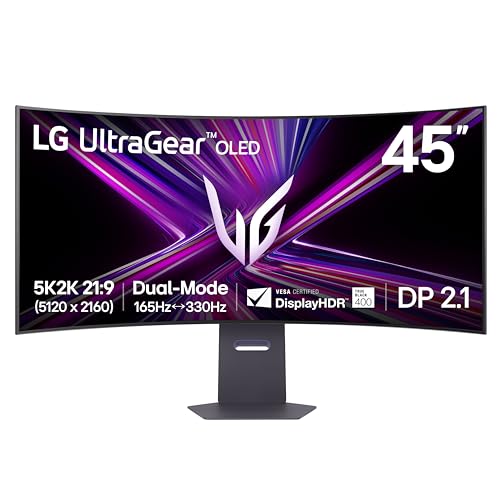 | LG UltraGear evo 45GX950A-B | Size/resolution: 44.5-inch 21:9, 5120 x 2160 Panel/curve: OLED, 800R Max mode: 5K2K at 165Hz or WFHD at 330Hz Host ports: DP 2.1 with DSC, 2 x HDMI 2.1, USB-C Charging/hub: Up to 90W; KVM, 2 x USB, speakers Best for: Immersive 5K2K gaming | Check Price on Amazon |
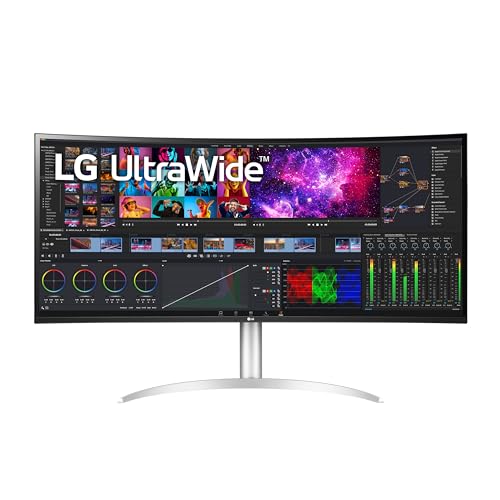 | LG UltraWide 40WP95C-W | Size/resolution: 39.7-inch 21:9, 5120 x 2160 Panel/curve: Nano IPS, 2500R Max mode: Up to 5120 x 2160 at 72Hz Host ports: Thunderbolt 4/USB-C DP Alt Mode, DP 1.4, 2 x HDMI 2.0 Charging/hub: Up to 96W; 2 x USB, daisy chain, speakers Best for: Older Thunderbolt 4 value | Check Price on Amazon |
4K vs 5K2K Ultrawide vs Standard 5K
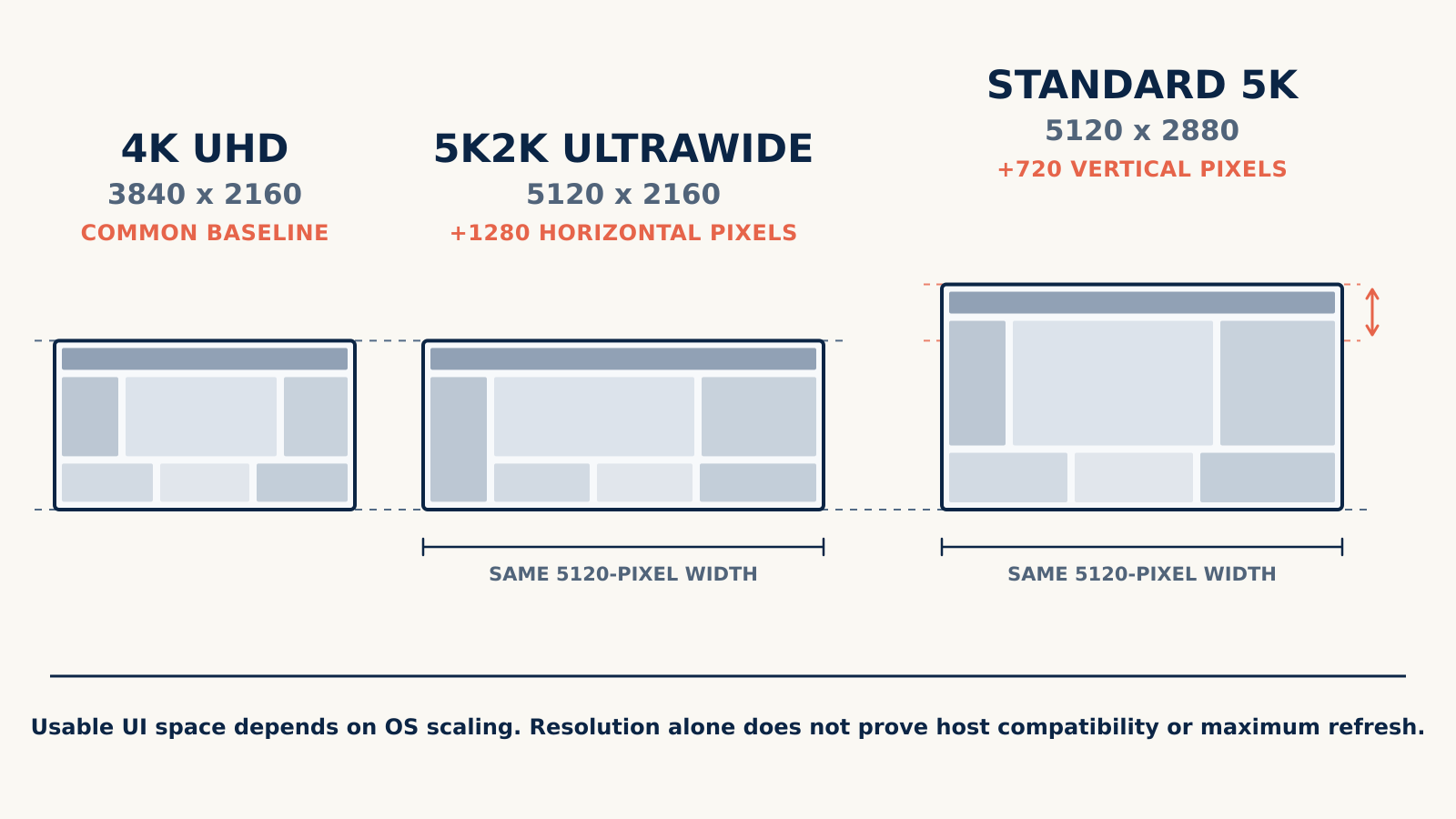
The diagram uses one proportional pixel scale. A 3840 x 2160 4K canvas and a 5120 x 2160 5K2K canvas have the same pixel height, but the 5K2K canvas adds 1280 horizontal pixels. A standard 5120 x 2880 5K canvas has the same pixel width as 5K2K and adds 720 vertical pixels. Those are geometric comparisons, not promises about usable interface size, because operating-system scaling affects how much content appears on screen.
5K2K expands a 4K-height desktop sideways; it does not add the vertical pixels of standard 5K. That is why a 5K2K ultrawide can make two-window or three-window layouts feel natural while still behaving differently from a 27-inch 5120 x 2880 display. Our ultrawide aspect-ratio guide explains how these wider shapes change window placement.
The diagram also carries a second boundary: resolution alone does not prove host compatibility or maximum refresh. The same 5120 x 2160 monitor can expose different modes over Thunderbolt, USB-C, DisplayPort, or HDMI depending on the source device and cable.
Table of Contents
- LG UltraFine evo 40U990A-W, best overall
- Dell UltraSharp U4025QW, best Thunderbolt 4 hub monitor
- LG UltraGear evo 39GX950B-B, best OLED for mixed work and gaming
- LG UltraGear evo 45GX950A-B, best immersive gaming monitor
- LG UltraWide 40WP95C-W, best older Thunderbolt 4 value
- How to choose a 5K2K ultrawide
- Frequently asked questions
- Research methodology
- Exclusions and honorable mentions
1. LG UltraFine evo 40U990A-W — Best Overall 5K2K Ultrawide
The LG UltraFine evo 40U990A-W is our first choice because it brings the core productivity features of this category together without dropping refresh to a conventional office rate. LG specifies a 39.7-inch 21:9 Nano IPS Black panel with 5120 x 2160 resolution, a 2500R curve, 120Hz refresh, and 139 pixels per inch. That combination gives text and interface work more pixel density than a typical large ultrawide while keeping motion smoother than a 60Hz or 72Hz desktop.
LG rates typical DCI-P3 coverage at 99 percent and typical contrast at 2000:1, and it lists DisplayHDR 600. These are manufacturer specifications rather than independent measurements. They make the 40U990A-W the strongest on-paper fit here for someone who prioritizes documents, timelines, large spreadsheets, code, and several application windows but still wants 120Hz. Buyers who need measured color accuracy or a specific calibration workflow should validate those requirements separately.
Connectivity is the other reason it leads. LG lists Thunderbolt 5 with up to 96W Power Delivery, DisplayPort 2.1 at UHBR 13.5, and two HDMI 2.1 inputs. The hub includes four USB-C ports and two 10Gbps USB-A ports in LG’s specification table, plus LAN, a headphone connection, speakers, KVM switching, PIP/PBP, and daisy-chain support. The stand supports tilt, height, and swivel adjustments, and the chassis accepts a 100 x 100 mm VESA mount.
The headline mode has a strict host boundary. LG says the included Thunderbolt 5 cable is required for the Thunderbolt 5 connection. It also says access to all features, including 96W charging and 5120 x 2160 at 120Hz, requires a device that supports Thunderbolt 5 or DisplayPort 2.1. A laptop with a USB-C socket but no suitable display path does not inherit those capabilities from the monitor.
Availability needs equally careful language. At the July 16 evidence cutoff, Amazon Creators returned an exact active New offer. LG’s product object marked the model ACTIVE and in stock, but the page’s top-level structured Product data said out of stock. That is a direct-store data inconsistency, not a product-identity problem. Check the exact Amazon listing and the seller’s offer state when buying rather than treating either stock label as permanent.
Our Take
Choose the 40U990A-W when you want the most complete productivity specification in this five-model market and already have, or plan to use, a host that satisfies LG’s Thunderbolt 5 or DisplayPort 2.1 condition. Its 120Hz panel and integrated hub make it more than a wide display, but the full benefit depends on the source path. A buyer with a Thunderbolt 4-only system should compare the Dell below instead of assuming the ports are interchangeable.
- LG specifies native 5120 x 2160 at up to 120Hz
- Thunderbolt 5, DP 2.1, and two HDMI 2.1 inputs
- KVM, LAN, PIP/PBP, daisy chain, and broad USB hub
- Adjustable stand and standard VESA mounting
- Full mode and 96W charging require LG’s stated host and cable conditions
- Structured LG stock fields conflicted at the evidence cutoff
- Independent display measurements were not included in this guide
2. Dell UltraSharp U4025QW — Best Thunderbolt 4 Hub Monitor
The Dell UltraSharp U4025QW is the practical alternative for a desk built around Thunderbolt 4 rather than Thunderbolt 5. Dell specifies 5120 x 2160 at 120Hz on its 40-inch-class curved IPS Black panel. It also lists DisplayHDR 600, typical DCI-P3 and Display P3 coverage of 99 percent, full sRGB and BT.709 coverage, and an average Delta E below 2 for those spaces. Those are Dell specifications, not independent measurements.
Dell’s connectivity turns the monitor into a substantial desk hub. The upstream Thunderbolt 4 connection carries DisplayPort Alt Mode and is rated for up to 140W EPR. Dell also lists DisplayPort 1.4 with DSC and an HDMI 2.1 input under its stated conditions, along with a USB hub, downstream USB-C charging, KVM switching, and 2.5Gb Ethernet. The stand adjusts for height, tilt, and swivel, and the monitor supports a 100 x 100 mm VESA mount.
The 140W figure is a monitor-side ceiling, not a promise to every notebook. The host and cable must support and negotiate a compatible EPR profile. The same caution applies to 120Hz: Dell documents the monitor mode and supported input conditions, but a socket label by itself cannot prove that a specific host GPU, port, cable, and operating system will deliver it. DisplayPort 1.4 depends on DSC for the documented high-bandwidth path.
The frozen sources also contain a brightness-scope conflict that should not be flattened into a single number. Amazon’s sparse catalog data included a 300 cd/m2 bullet, while Dell’s exact product page retained the broader HDR and display specifications. We therefore do not use 300 cd/m2 as an unqualified brightness rating or compare it numerically with the other monitors. If brightness for a controlled viewing environment is decisive, consult Dell’s current labeled typical and HDR fields before ordering.
Amazon Creators had an exact active New offer at the July 16 cutoff. A prior direct Dell availability record had shown the monitor sold out. Those channels can change independently, so this guide does not promise Dell direct stock. The useful buying claim is that the exact Amazon identity and offer passed the freeze, not that every retailer had inventory.
Our Take
The U4025QW is our pick for a Thunderbolt 4 laptop desk that needs 5K2K at up to 120Hz plus serious hub functions. Its 2.5GbE, KVM, USB connectivity, and high charging ceiling can replace several separate desktop devices. It is also the more conservative choice when you do not have a Thunderbolt 5 host. Confirm the exact video mode and charging negotiation for the computer you will connect.
- Dell specifies 5120 x 2160 at 120Hz
- Thunderbolt 4 hub with up to 140W EPR
- KVM, 2.5GbE, USB hub, and downstream charging
- IPS Black panel with Dell-stated wide-gamut coverage
- Host and cable must support the required video and EPR paths
- Amazon and manufacturer brightness fields differed in scope
- Direct Dell availability was not consistent with Amazon availability
For more displays that combine video, laptop charging, and peripheral connections, compare monitors with built-in docking stations. If Thunderbolt itself is the main requirement, our best Thunderbolt monitors guide covers a wider range of resolutions.
3. LG UltraGear evo 39GX950B-B — Best OLED for Mixed Work and Gaming
The LG UltraGear evo 39GX950B-B is the better of the two OLED picks for a mixed desk. LG specifies a 39-inch 21:9 OLED panel with native 5120 x 2160 resolution, a 1500R curve, and 143 pixels per inch. That is a higher listed pixel density than the larger 45GX950A-B’s 125 PPI, so the 39-inch model is the more sensible starting point when text, application interfaces, and gaming all share the same screen.
LG describes two distinct operating modes. The native 5K2K mode reaches up to 165Hz. The 330Hz option uses WFHD instead. The OLED models do not run native 5120 x 2160 at 330Hz; that headline rate belongs to their lower-resolution WFHD mode. LG also states that actual refresh depends on the computer’s graphics specifications and configuration. A capable monitor cannot supply missing GPU bandwidth or driver support.
The manufacturer lists a fourth-generation Primary RGB Tandem OLED panel, a 0.03ms GtG response specification, typical DCI-P3 coverage of 99.5 percent, typical contrast of 1,850,000:1, and DisplayHDR True Black 500. These are LG ratings. Independent response, latency, brightness, and color measurements were not included, so the section does not turn those figures into comparative benchmark results.
Inputs include DisplayPort 2.1, two HDMI 2.1 ports, and USB-C with data and up to 90W Power Delivery. LG also lists two USB 3.2 Gen 2 downstream ports, speakers, and a headphone output. No exact Thunderbolt or Ethernet claim was captured. The stand supports tilt, height, and swivel, and the monitor uses a 100 x 100 mm VESA pattern.
LG says its AI Upscaling function requires at least a Wide Full HD input and that the result can vary with source quality. That feature should not be mistaken for native 5K2K source detail. For the cleanest desktop result, feed the monitor a mode that the host, cable, and chosen input all support directly.
Direct-store status was inconsistent in the captured LG page. The top-level Product structured data said out of stock, while LG’s active product object said ACTIVE and in stock, and Amazon Creators returned an exact active New offer. Those transient labels are not used as a permanent availability promise.
Our Take
Choose the 39GX950B-B when you want OLED contrast and motion performance without giving up the sharper of the two large LG gaming options. It is the better mixed-use fit for a desk that alternates between productivity and games. Keep the resolution tradeoff visible: 165Hz is the native 5K2K ceiling in LG’s matrix, while 330Hz means switching to WFHD.
- LG specifies native 5K2K at up to 165Hz
- 143 PPI is higher than the selected 45-inch OLED’s listed density
- DP 2.1, two HDMI 2.1 inputs, and USB-C with up to 90W
- Adjustable stand, speakers, and fast downstream USB ports
- 330Hz requires the lower-resolution WFHD mode
- No Thunderbolt or Ethernet support is proved by the exact page
- LG structured stock fields conflicted at the cutoff
4. LG UltraGear evo 45GX950A-B — Best Immersive 5K2K Gaming Monitor
The LG UltraGear evo 45GX950A-B is the scale-and-curve choice. LG lists a 44.5-inch 21:9 OLED panel with 5120 x 2160 resolution and an aggressive 800R curve. It is built for a more enveloping single-screen view than the 39-inch model. That makes it our immersive gaming pick, but it also asks for more desk depth and a seating position that suits the curve.
LG specifies native 5K2K at up to 165Hz or WFHD at up to 330Hz, with the same essential dual-mode boundary as the 39-inch display. The company warns that an appropriate graphics card and current driver support are required for high-refresh operation. We do not turn that into a generic GPU recommendation because the exact supported mode depends on the system, input, cable, DSC path, driver, and game.
At 125 PPI, the 45-inch model has lower listed pixel density than the 39-inch model’s 143 PPI. It is therefore not the sharper choice. Its advantage is physical scale and the 800R curve. LG also rates the panel for a 0.03ms GtG response, typical DCI-P3 coverage of 98.5 percent, typical 1.5M:1 contrast, anti-glare and low-reflection treatment, and DisplayHDR True Black 400. These are manufacturer specifications, not independent measurements.
The input set includes DisplayPort 2.1 with DSC, two HDMI 2.1 ports, and USB-C with data and up to 90W charging. LG lists two downstream USB ports, KVM switching, speakers, and a headphone output. The stand adjusts for tilt, height, and swivel, and the monitor supports 100 x 100 mm VESA mounting.
DP 2.1 on the label still does not settle compatibility. The monitor’s DisplayPort path uses DSC for the documented mode, and LG places the high-refresh burden on suitable graphics hardware and driver support. HDMI and USB-C modes need the same end-to-end check. If the computer cannot provide the selected timing, the monitor will operate at a lower supported combination rather than creating bandwidth.
The exact Amazon listing had an active New offer at the July 16 cutoff, while LG’s product object marked the exact SKU ACTIVE and in stock. Those were dated observations. For a product in a changing retail channel, verify the exact model suffix and offer when ordering.
Our Take
Pick the 45GX950A-B for an immersive gaming desk where the 44.5-inch canvas and 800R curve are deliberate choices. The 39GX950B-B remains better for higher pixel density and a more balanced mixed-work role. Both deliver their 330Hz option only at WFHD, so choose the 45-inch model for size and curvature, not because it offers a higher native 5K2K refresh rate.
- Large 44.5-inch OLED panel with deep 800R curve
- LG specifies native 5K2K at up to 165Hz
- DP 2.1 with DSC, HDMI 2.1, and USB-C with up to 90W
- KVM, speakers, downstream USB, and adjustable stand
- Lower listed pixel density than the 39-inch OLED
- 330Hz is limited to WFHD
- Deep curve and large panel require a suitable desk position
For gaming setups that prioritize field of view and physical immersion, our racing and flight-sim monitor guide covers the wider decision. The 45GX950A-B belongs here only because its exact manufacturer page proves native 5120 x 2160.
5. LG UltraWide 40WP95C-W — Best Older Thunderbolt 4 Value
The LG UltraWide 40WP95C-W is the older productivity option in the selected market. LG specifies a 39.7-inch 21:9 Nano IPS panel with native 5120 x 2160 resolution, a 2500R curve, and 72Hz refresh. It lacks the 120Hz mode and expanded hub of the newer 40U990A-W, but it remains relevant when the exact standalone New offer is active and its current cost makes sense for a Thunderbolt 4 desk.
LG rates typical DCI-P3 coverage at 98 percent and typical contrast at 1000:1. It also lists anti-glare treatment, HDR10, and AMD FreeSync. These are manufacturer claims rather than independent measurements. The 72Hz ceiling places the monitor firmly in productivity territory compared with the 120Hz IPS models and the 165Hz OLED models.
The host connection is Thunderbolt 4 or USB-C with DisplayPort Alt Mode and up to 96W Power Delivery. LG also lists DisplayPort 1.4, two HDMI 2.0 inputs, two downstream USB ports, daisy-chain support, speakers, and a headphone output. The exact page does not support a KVM or Ethernet claim. The stand adjusts for tilt, height, and swivel, and a 100 x 100 mm VESA mount is supported.
LG’s exact compatibility footnote is narrow. It says the relevant Thunderbolt feature is not compatible with 2015 through 2017 MacBook products that lack Thunderbolt or with any iPad. That does not prove a universal Mac matrix, and it should not be expanded to every MacBook, Mac desktop, or Apple-chip generation. A supported connector still leaves scaling, refresh, cable, and graphics capabilities to check on the exact host.
Availability is the main caution. The exact LG product object marked the model ACTIVE, but LG direct showed out of stock and a retailer call to action. Amazon Creators returned the exact standalone ASIN with a New offer that was in scarce stock at the July 16 cutoff. The separate in-stock Amazon bundle used a different bundle model and is not this selected configuration. Check the exact ASIN rather than assuming any 40WP95C-W package is equivalent.
Our Take
The 40WP95C-W earns its place as the older Thunderbolt 4 value option, not as the highest-specification monitor. Choose it only after confirming the standalone New offer and comparing its current cost with the newer Dell and LG alternatives. It suits a 72Hz productivity workflow that values one-cable video, charging, and daisy chaining more than KVM, Ethernet, or high-refresh gaming.
- Exact native 5120 x 2160 Nano IPS panel
- Thunderbolt 4/USB-C path with up to 96W charging
- Daisy chain, speakers, and adjustable stand
- Manufacturer model status remained active at the cutoff
- 72Hz maximum is lower than the other selected models
- No KVM or Ethernet claim is supported
- LG direct was out of stock and Amazon New stock was scarce
How to Choose a 5K2K Ultrawide Monitor
Start With the Exact Resolution
In this guide, 5K2K means 5120 x 2160 and an ultrawide format. The name is informal enough that a product title can create confusion. A standard 5K monitor is usually 5120 x 2880. A DQHD super-ultrawide is 5120 x 1440. A dual-4K display may be 7680 x 2160. None is interchangeable with the 5120 x 2160 products ranked here.
The pixel layout matters more than the marketing label. A 5K2K panel keeps 2160 vertical pixels, matching 4K’s pixel height, and adds 1280 pixels across the width. That extra horizontal room is useful for a large timeline, two generous documents, or several narrower utility panes. It does not give the additional 720 vertical pixels of standard 5K.
Usable workspace also depends on operating-system scaling. Two computers can drive the same native resolution while presenting different effective interface sizes. Before buying, look at how your operating system handles 5120 x 2160 on the selected screen size and how much scaling you find comfortable. Our computer monitor buying guide covers size, distance, and panel fundamentals without treating resolution as the only variable.
Choose 39 or 40 Inches for Work, or 45 Inches for Immersion
The 39-inch and 39.7-inch choices balance width with pixel density. LG lists 143 PPI for the 39GX950B-B and 139 PPI for the 40U990A-W. Those values support sharper text than the larger 45GX950A-B’s listed 125 PPI at the same 5120 x 2160 resolution. The Dell remains a 40-inch-class productivity screen in the same general size band.
The 44.5-inch LG trades density for scale. Its 800R curve also wraps much more aggressively than the 1500R or 2500R alternatives. That can be attractive for a centered gaming position, but for spreadsheets and shared viewing it is a deliberate ergonomic choice. Measure desk depth, consider where speakers and a laptop will sit, and check whether the stand footprint leaves enough working room.
If you want an even wider class, our 49-inch and 43-inch ultrawide guide covers different large-format and super-ultrawide intent. It should not be used as a substitute for comparing the exact 5120 x 2160 models here.
Compare IPS Black, Nano IPS, and OLED by Workload
Nano IPS and IPS Black are the safer starting points for a productivity-first desk with persistent application interfaces. The 40U990A-W, U4025QW, and 40WP95C-W differ in refresh, contrast claims, connectivity, and generation, but all avoid making OLED the center of the buying decision. Dell and LG provide their own gamut, contrast, and HDR specifications; none is an independent measurement.
OLED is compelling for dark-scene contrast and gaming-oriented response, and the two UltraGear models add dual refresh modes. It also deserves more careful thought for static desktop work. The evidence freeze does not contain a defensible burn-in timeline, usage threshold, or exact warranty conclusion. Buyers should read the manufacturer’s current care and warranty terms for the exact regional model instead of relying on a universal OLED promise.
For a deeper overview of how panel families differ, see our LCD panel type guide. It provides category context, while the manufacturer specifications in each product section control the claims for these exact models.
Treat Refresh as an End-to-End Signal Path
The maximum refresh in a monitor specification is a ceiling under supported conditions. The computer’s GPU, port controller, output standard, DSC support, operating system, driver, cable, input selection, and monitor mode all contribute. A Thunderbolt 5 monitor does not turn a Thunderbolt 4 host into Thunderbolt 5, and an HDMI 2.1 label does not prove every source implements the same maximum timing.
The two OLED models make mode selection especially important. LG documents 5120 x 2160 at 165Hz and WFHD at 330Hz as separate modes. If you prioritize native detail, compare them at 165Hz. If you choose 330Hz, accept the lower WFHD resolution. The 40U990A-W has its own condition: LG requires a Thunderbolt 5 or DisplayPort 2.1 device and the included Thunderbolt 5 cable for access to all features, including 5120 x 2160 at 120Hz and 96W charging.
Dell documents DisplayPort 1.4 with DSC and an HDMI 2.1 path under stated conditions. The 45GX950A-B also names DSC on DisplayPort 2.1. Compression support must exist across the required path. If a mode is important, check the exact computer specification and use a cable rated for the intended data and display standard. Our guide to cables for high-refresh monitors explains why connector shape is not enough.
Match Thunderbolt, USB-C, and Hub Features to the Desk
Thunderbolt is most useful when you want the monitor to act as a dock. The 40U990A-W provides the broadest captured hub, including LAN, KVM, USB-C, USB-A, PIP/PBP, and daisy chaining. The Dell pairs Thunderbolt 4 with KVM, 2.5GbE, a USB hub, and downstream charging. The 40WP95C-W provides Thunderbolt 4, two downstream USB ports, and daisy chaining but no supported KVM or Ethernet claim.
The OLED models use USB-C rather than a captured Thunderbolt claim. Both provide up to 90W Power Delivery and downstream USB. The 45-inch model adds KVM, while the exact 39-inch page does not support that claim. If you need a one-cable work desk, count the keyboard, mouse, storage, network, audio, and charging connections you will actually use rather than comparing total port numbers.
Broader category guides can help when 5K2K is optional. Our best USB-C monitors guide covers one-cable displays at other resolutions, and our best Thunderbolt 4 monitors guide focuses on that host path.
Read Charging as a Negotiated Ceiling
A monitor rated for 90W, 96W, or 140W does not force that wattage into every laptop. USB Power Delivery negotiation, supported profiles, the cable, the host’s accepted input, and the monitor’s own power design determine the result. Dell’s 140W figure is an EPR ceiling. LG’s 96W and 90W figures are also maximum manufacturer outputs under supported conditions.
A laptop that accepts less power can still use the display correctly while charging below the monitor’s ceiling. A cable that lacks the required power profile can also reduce the result. Compare the computer’s charging requirement with the exact monitor and cable rather than assuming a larger number is automatically better.
Check Mac Compatibility by Exact Model
No universal macOS compatibility or scaling matrix was captured for these five monitors. Do not infer that every Mac with USB-C or Thunderbolt reaches every 5K2K timing. Check the exact Mac model’s external-display specification, port generation, supported resolution and refresh, and cable requirements against the monitor input you plan to use.
The evidence contains only two narrow Mac-related boundaries. LG conditions the 40U990A-W’s full feature set on a Thunderbolt 5 or DisplayPort 2.1 device and the included cable. LG’s 40WP95C-W footnote says the relevant Thunderbolt feature is incompatible with 2015 through 2017 MacBook products that lack Thunderbolt and with all iPads. Neither statement is a general rule for every other Mac.
If the computer supports the panel but macOS presents an uncomfortable interface scale, a different scaling choice may trade effective workspace for readability. That is an operating-system and host decision, not evidence that the monitor has a different native resolution.
Plan the Stand, Curve, and Mount
All five selected manufacturers list height, tilt, and swivel adjustment plus 100 x 100 mm VESA support. That common baseline does not make their physical experience identical. A 2500R curve is gentler than 1500R, and 800R is substantially more enclosing. Panel width and stand depth also affect where the keyboard, laptop, speakers, and other devices fit.
For office work, sit close enough to read the scaled interface but far enough that the edges do not demand repeated head movement. For the 45-inch 800R OLED, a centered position is especially important. If you plan to use a monitor arm, verify the arm’s load rating and mounting clearances against the exact manufacturer dimensions and weight before removing the supplied stand. This evidence freeze did not capture those dimensions or weights, so this guide does not invent them.
Frequently Asked Questions
Is 5K2K the Same as 5K?
No. In this guide, 5K2K is 5120 x 2160 in an ultrawide shape. Standard 5K is 5120 x 2880 at 16:9. Both have 5120 horizontal pixels, but standard 5K has 720 more vertical pixels. A product should not enter this roundup merely because its name contains 5K.
Is 5K2K Sharper Than 4K?
It has more total pixels and 1280 more horizontal pixels than 3840 x 2160 4K, while keeping the same 2160-pixel height. Perceived sharpness also depends on screen size, pixel density, viewing distance, and operating-system scaling. The 39-inch LG OLED is listed at 143 PPI, the 40-inch LG UltraFine at 139 PPI, and the 45-inch LG OLED at 125 PPI, showing why resolution alone does not settle sharpness.
Can a Mac Run a 5K2K Monitor?
Some Macs can run supported 5120 x 2160 modes, but this frozen evidence does not support a universal Mac promise. Check the exact Mac model, GPU, port, supported external-display mode, operating system, cable, and monitor input. Do not generalize LG’s 40U990A-W or 40WP95C-W notes to every Mac family.
Does 5K2K Require Thunderbolt 5 or DisplayPort 2.1?
Not as a category rule. The Dell U4025QW documents a Thunderbolt 4 and DisplayPort 1.4 with DSC path, while the older 40WP95C-W uses Thunderbolt 4/USB-C DP Alt Mode and DisplayPort 1.4 at up to 72Hz. The newer 40U990A-W specifically requires a Thunderbolt 5 or DisplayPort 2.1 device for access to all features, including 5120 x 2160 at 120Hz and 96W charging. Follow the exact product and mode, not a universal connector rule.
Is OLED or IPS Better for Static Productivity Work?
IPS Black or Nano IPS is the more conservative choice for a desk dominated by persistent toolbars, spreadsheets, code editors, and other static interfaces. OLED offers strong manufacturer-stated contrast and gaming-oriented response, but static-content risk should remain part of the purchase decision. The evidence freeze does not prove a burn-in timeline or warranty outcome, so consult the exact manufacturer’s current care and warranty terms.
Can 5K2K Replace Two Monitors?
It can replace a two-screen layout for buyers who prefer one continuous 5120-pixel-wide desktop, but it does not create two separate physical displays. Window management, screen sharing, full-screen applications, and task separation behave differently. Decide whether a single uninterrupted canvas or two independently positioned panels better fits the workflow.
Is 330Hz Available at Native 5K2K on the LG OLED Models?
No. LG lists native 5120 x 2160 at up to 165Hz and the 330Hz option at WFHD on both selected OLED models. The host GPU, connection, cable, configuration, and driver still determine which supported modes appear.
How We Research and Select 5K2K Monitors
We began with a strict resolution boundary: only manufacturer-verified 5120 x 2160 ultrawides could qualify. Standard 5120 x 2880 5K, 5120 x 1440 DQHD, 7680 x 2160 dual-4K, and vague 5K-class listings were excluded before ranking. That keeps the buying intent tied to one real display format.
Every main pick then had to pass three evidence gates by the July 16, 2026 cutoff. The exact US Amazon Creators identity and ASIN had to match the model. At least one active New offer had to exist. An exact current US manufacturer page had to prove the product identity and native resolution while supplying the specifications used in this article. We did not promote marketplace-only specifications when the official-page gate failed.
Five products passed. This is an approved complete-market exception to the normal seven-to-ten-pick house range. The five roles are materially distinct: next-generation Thunderbolt 5 productivity, Thunderbolt 4 hub productivity, a denser 39-inch OLED for mixed use, a larger 45-inch OLED for immersion, and an older 72Hz Thunderbolt 4 option whose exact New offer was still active.
Manufacturer pages control resolution, panel, curve, refresh modes, ports, charging ceilings, hub features, stand support, and compatibility notes. Amazon Creators data controls exact listing identity, ASIN, and offer state at the cutoff. Where sources or structured fields conflict, the article keeps the conflict visible or uses the narrower statement. No hardcoded prices or independent performance measurements are used.
The production-day US Bing top-ten attempt did not return a usable ranked result set before broad research closed, and a later challenged result page was rejected. We did not reconstruct ranks or competitor URLs. The five-product slate comes from the completed product evidence gates, not an invented SERP account.
Exclusions and Honorable Mentions
The Samsung 40-inch ViewFinity S8 S85TH, model LS40H850TANXZA and ASIN B0GWG73Z95, had an exact Amazon identity and active New offer. It was excluded because the attempted Samsung US product URL returned a 404 and the exact model did not resolve through the captured Samsung US sitemap path. Amazon-only claims could not satisfy the manufacturer-page gate.
The Dell UltraSharp U4021QW, ASIN B091BJ4CKX, returned the exact Amazon model but was currently unavailable at the evidence cutoff, with no active New condition. It also overlaps the newer U4025QW’s role, so it is not an honorable recommendation.
The LG 40WP95C-W bundle, ASIN B0CZSK2X26, had an active New offer but used the bundle model 40WP95C-W_EDI_1 and included third-party accessories. We selected the exact standalone ASIN B09P1VLCQ4 instead. A bundle should not silently replace a manufacturer configuration in an article or comparison table.
LG 34WK95U-W, Lenovo P40w variants, older Dell variants, and other enterprise listings did not reach both the exact current Amazon and exact current US manufacturer gates in the frozen evidence. They were excluded rather than padded into the list. Samsung S85TH may become eligible if a clean exact US manufacturer page appears, but adding it would require a manager-authorized research reopening.
The existing standard 5K monitor guide should own 5120 x 2880 intent, while this page owns 5120 x 2160 comparisons. The OLED roundup may retain the 45GX950A-B for panel-technology intent, but it should not become a second ranked 5K2K guide.
About the Author
The ThunderboltLaptop editorial team covers monitors, docking displays, cables, USB-C, USB4, and Thunderbolt hardware. Our buying guides start with exact signal paths and manufacturer specifications so that a connector label or marketing resolution never replaces the host, cable, mode, and compatibility checks that decide what works.