We researched over 30 super-ultrawide and large-format monitors, comparing manufacturer specifications, display panel types, connectivity, and professional benchmark data from RTINGS and DisplayNinja, to find the best 49-inch and 43-inch ultrawide monitors for gaming and productivity in 2026.
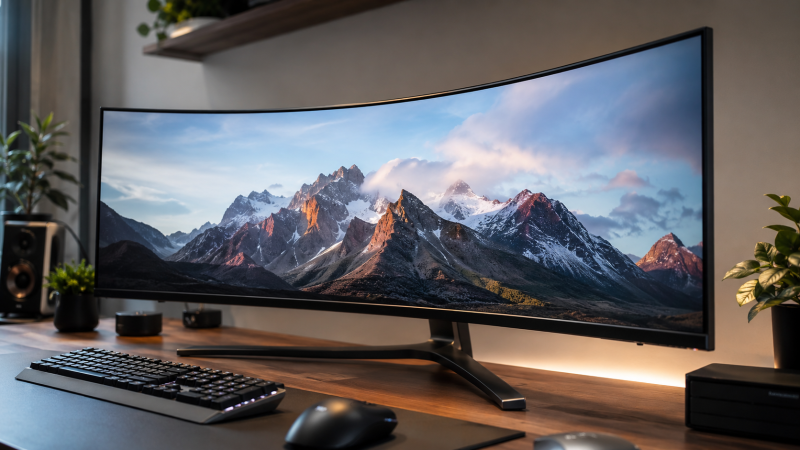
A 49-inch ultrawide monitor uses a 32:9 aspect ratio at Dual QHD (DQHD) resolution — that is 5120×1440 pixels stretched across a canvas roughly equivalent to two 27-inch QHD monitors placed side by side. You get a single bezel-free display with perfect color matching across the full width, and a USB-C cable that carries video, data, and laptop power all at once. Whether you are chasing frame rates in competitive games or managing multi-panel financial dashboards, this category has matured enough that you no longer have to choose between picture quality and productivity features.
The 43-inch format follows a different philosophy: it uses a 4K (3840×2160) panel in a wider chassis, or a 43-inch 32:10 ultrawide (3840×1200) that splits the difference. Both make sense when a true 49-inch super-ultrawide is too wide for your desk.
Below are the nine best picks for 2026, followed by a buying guide that covers every spec that matters.
Last updated: May 2026. Added the Samsung Odyssey OLED G9 (G95SC) as best overall pick; updated pricing notes for the Dell U4025QW following its 2024 launch; confirmed Dell U4924DW pricing and availability for 2026.
Quick Picks
- Best overall: Samsung Odyssey OLED G9 G95SC — QD-OLED brilliance with 240Hz and smart TV features
- Best for productivity: Dell UltraSharp U4924DW — IPS Black, 90W USB-C PD, built-in KVM
- Best for gaming: LG UltraGear 49GR85DC — 240Hz, VESA DisplayHDR 1000, 1ms response
- Best OLED value: Philips Evnia 49M2C8900AM — 240Hz QD-OLED with 90W USB-C and KVM
- Best Thunderbolt hub monitor: Dell UltraSharp U4025QW — 5K2K, 140W Thunderbolt 4 upstream
- Best 43-inch: LG 43SQ700S — 4K IPS smart monitor with USB-C and webOS
- Best budget 49-inch: Deco Gear 49-inch 5K Curved — DQHD at a fraction of premium prices
- Best nano IPS 49-inch: LG 49WQ95C-W — 144Hz Nano IPS with 90W USB-C and built-in speakers
| Image | Product | Details | Check Price |
|---|---|---|---|
 | Samsung Odyssey OLED G9 G95SC | Size: 49" DQHD (5120x1440) curved Panel: QD-OLED, True Black 400 Refresh Rate: 240Hz, 0.03ms GtG Connectivity: HDMI 2.1, DP 1.4a, webOS | Check Price on Amazon |
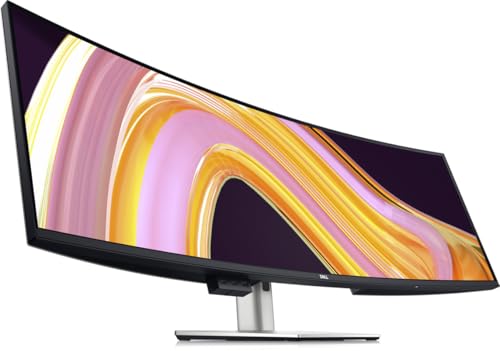 | Dell UltraSharp U4924DW | Size: 49" DQHD (5120x1440) Panel: IPS Black, 60Hz Power Delivery: 90W USB-C Connectivity: Auto KVM, USB hub, DP 1.4 | Check Price on Amazon |
 | LG UltraGear 49GR85DC | Size: 49" DQHD (5120x1440) 1000R Panel: VA, DisplayHDR 1000 Refresh Rate: 240Hz, 1ms GtG Connectivity: HDMI 2.1, DP 1.4 | Check Price on Amazon |
 | Philips Evnia 49M2C8900AM | Size: 49" DQHD (5120x1440) curved Panel: QD-OLED, 240Hz, 0.03ms Power Delivery: 90W USB-C, KVM Connectivity: HDMI 2.1, DP 1.4 | Check Price on Amazon |
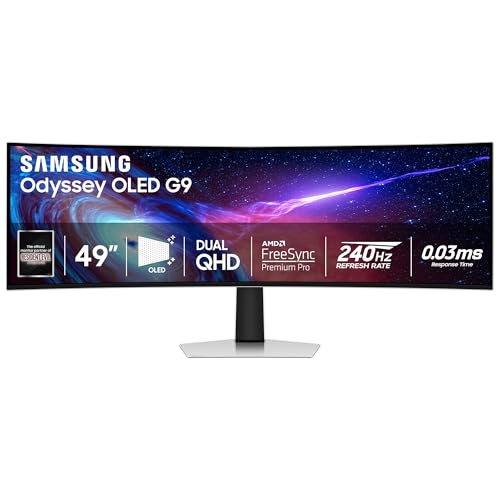 | Samsung Odyssey G93SC | Size: 49" DQHD (5120x1440) curved Panel: QD-OLED, True Black 400 Refresh Rate: 240Hz, 0.03ms GtG Connectivity: HDMI 2.1, DP 1.4 | Check Price on Amazon |
 | Dell UltraSharp U4025QW | Size: 40" 5K2K (5120x2160) curved Panel: IPS Black, 2000:1, 120Hz Power Delivery: 140W Thunderbolt 4 EPR Connectivity: TB4 daisy chain, KVM, HDMI 2.1 | Check Price on Amazon |
 | LG 49WQ95C-W | Size: 49" DQHD (5120x1440) curved Panel: Nano IPS, 98% DCI-P3 Refresh Rate: 144Hz, 90W USB-C Connectivity: KVM, HDMI 2.1, speakers | Check Price on Amazon |
 | LG 43SQ700S | Size: 43" 4K UHD (3840x2160) flat Panel: IPS, DCI-P3 80% Power Delivery: 65W USB-C Connectivity: webOS, AirPlay 2, speakers | Check Price on Amazon |
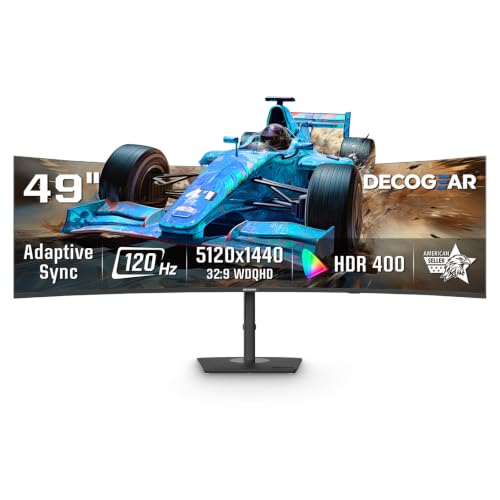 | Deco Gear 49" 5K Curved | Size: 49" DQHD (5120x1440) curved Panel: VA, HDR400, 120Hz Power Delivery: 65W USB-C, KVM Connectivity: 100% sRGB, PiP/PbP | Check Price on Amazon |
1. Samsung Odyssey OLED G9 G95SC — Best Overall
The Samsung Odyssey OLED G9 G95SC is the monitor that makes every other 49-inch display feel like a compromise. Samsung rates the QD-OLED panel at 5120×1440 DQHD resolution with a 240Hz refresh rate and 0.03ms GtG response time — numbers that put it firmly in the enthusiast tier. The 1800R curvature wraps comfortably around a wide desk without feeling extreme, and the DisplayHDR True Black 400 certification means you get true pixel-level blacks rather than the local-dimming approximation you see on VA and IPS panels.
The G95SC differentiates itself from the base G93SC model with Samsung’s Neo Quantum Processor Pro and a full webOS smart TV platform built into the monitor itself. You can stream Netflix, Disney+, and YouTube without a connected PC — useful for conference room installations or secondary home theater setups. AMD FreeSync Premium Pro and G-Sync Compatibility are both on board, so it works cleanly with AMD and NVIDIA cards. Samsung states HDMI 2.1 and DisplayPort 1.4a for video inputs, plus a USB hub. The one gap here: no USB-C with Power Delivery, which means MacBook Pro users will need a separate dock to charge over one cable. If single-cable laptop connectivity is a dealbreaker, the Dell U4924DW or Dell U4025QW cover that need.
Our Take
The G95SC earns the top spot because no other 49-inch display combines QD-OLED image quality, 240Hz gaming performance, and a full smart TV operating system at this price point. If you can live without USB-C Power Delivery, this is the one to buy.
- QD-OLED delivers true blacks and exceptional color volume
- 240Hz with 0.03ms GtG — among the fastest 49-inch panels available
- Built-in webOS smart TV platform for streaming without a PC
- 1800R curvature works well at a standard desk depth
- AMD FreeSync Premium Pro and G-Sync Compatible certified
- No USB-C with Power Delivery — requires a dock for single-cable laptop use
- OLED burn-in risk over years of static content (screensavers help)
- Price is steep compared to VA alternatives
OLED burn-in protection: Samsung’s panel includes pixel-shift and logo-detection algorithms that reduce static burn-in risk. For productivity users who leave task bars and static UI elements on screen all day, enable the pixel-shift features in the OSD.
2. Dell UltraSharp U4924DW — Best for Productivity
Dell built the U4924DW as the definitive office monitor for power users who need a single-cable setup. Dell rates its USB-C upstream port at 90W Power Delivery — enough to charge most 13-inch to 15-inch business laptops, including the Dell XPS 14 and MacBook Pro 14, without a wall adapter in sight. The 5120×1440 DQHD IPS Black panel offers 60Hz refresh, which is the only real concession compared to gaming-focused alternatives; for spreadsheet work, video editing, and development workflows, 60Hz is entirely sufficient.
What sets this monitor apart from any 49-inch gaming display is its built-in KVM switch with Auto KVM. Connect a desktop and a laptop simultaneously, and the monitor automatically redirects keyboard and mouse control to whichever machine is currently sending a video signal. Dell provides extensive downstream connectivity: two HDMI 2.0 ports, DisplayPort 1.4, USB-C 3.2 Gen 2 upstream at 90W, four USB-A 3.2 Gen 2 downstream ports, and two additional USB-C downstream ports at 15W each. For a monitor that functions as a full docking station, the U4924DW is as complete as it gets in the 49-inch category.
Our Take
If you are buying a 49-inch ultrawide for work rather than gaming, the U4924DW is the standard against which every other monitor in this category is measured. The IPS Black panel, 90W PD, and Auto KVM combination justify its price for productivity-focused buyers.
- 90W USB-C Power Delivery for single-cable laptop connectivity
- Auto KVM switch handles two-PC setups automatically
- IPS Black panel with deeper blacks than standard IPS
- Extensive downstream connectivity: 4x USB-A + 2x USB-C
- Dell UltraSharp build quality and color factory calibration
- 60Hz only — not suited for gaming or fast-motion content
- No HDMI 2.1 — limits future-proofing for high-refresh inputs
- Premium price for a non-gaming, non-OLED panel
If you need a dedicated KVM switch for more complex multi-PC setups, the built-in KVM here handles two sources well but is not a full four-port solution.
3. LG UltraGear 49GR85DC — Best for Gaming
The LG 49GR85DC is LG’s flagship VA-based 49-inch gaming panel, and it lands among the strongest all-round gaming monitors in the super-ultrawide category. LG rates the DQHD 5120×1440 panel at 240Hz with a 1ms GtG response time, and the VESA DisplayHDR 1000 certification backs up a legitimately high peak brightness that makes HDR gaming worth enabling. The 1000R curvature is more aggressive than the 1800R found on Samsung’s OLED panels — you will feel fully immersed in driving sims and open-world games, though some users find 1000R tighter than they prefer at normal desk distances.
LG includes HDMI 2.1 inputs alongside DisplayPort, meaning a PlayStation 5 or Xbox Series X can drive this display at its maximum bandwidth. DTS HP:X spatial audio processing works through the built-in headphone jack, a small but useful addition for desk setups without dedicated speakers. The one notable omission is USB-C connectivity — this is a pure display and gaming hub, not a laptop docking solution.
Our Take
For pure gaming performance on a 49-inch VA panel, the 49GR85DC is the pick. VESA DisplayHDR 1000, 240Hz, and 1ms combine into a genuinely impressive spec sheet. If you need USB-C laptop charging, look at the LG 49WQ95C-W instead.
- VESA DisplayHDR 1000 with high peak brightness
- 240Hz with 1ms GtG response time
- HDMI 2.1 supports console gaming at full bandwidth
- 1000R curvature maximizes immersion in racing and flight sims
- AMD FreeSync Premium Pro certified
- No USB-C — not usable as a laptop docking display
- 1000R curvature may feel too aggressive for productivity work
- VA panel has lower color gamut than QD-OLED alternatives
For racing sim and flight sim monitors, the 1000R curve on the 49GR85DC creates a more cockpit-like field of view than any flat or 1800R alternative.
4. Philips Evnia 49M2C8900AM — Best OLED Value
The Philips Evnia 49M2C8900AM brings QD-OLED to a more accessible price bracket than Samsung’s flagship panels. Philips rates the 5120×1440 panel at 240Hz with a 0.03ms GtG response time — matching the Samsung G95SC on raw performance specs. DisplayHDR True Black 400 certification confirms the panel’s pixel-level contrast capability.
Where Philips differentiates itself is connectivity. The 49M2C8900AM includes USB-C with 90W Power Delivery alongside its HDMI 2.1 and DisplayPort 1.4 inputs — giving you the single-cable laptop capability that Samsung’s gaming OLEDs skip. A built-in KVM switch lets you control two connected PCs from one keyboard and mouse setup. Philips also ships this monitor with a four-year advance replacement warranty, which is meaningfully better than the typical one-year coverage on competitors.
The Ambiglow ambient lighting system projects colors matching the on-screen content onto the wall behind the display — a divisive feature that some users love and others disable immediately. It does not affect picture quality either way.
Our Take
The 49M2C8900AM is the answer for buyers who want QD-OLED quality, gaming performance, and USB-C laptop connectivity without choosing between them. The four-year warranty is the cherry on top.
- QD-OLED with 240Hz and 0.03ms at a lower price than Samsung’s flagships
- USB-C with 90W PD and built-in KVM — rare in QD-OLED 49-inch monitors
- Four-year advance replacement warranty
- 1800R curvature suits both gaming and productivity orientations
- Ambiglow RGB system is polarizing and adds to the price
- Less brand recognition than Samsung or LG in the monitor segment
- Peak brightness lower than Samsung’s Neo G9 mini-LED options
5. Samsung Odyssey G93SC — Best QD-OLED Value
The Samsung Odyssey G93SC is the G95SC’s sibling at a lower price point: it uses the same QD-OLED 5120×1440 panel running at 240Hz with 0.03ms response, but drops the smart TV platform and Neo Quantum Processor Pro. For buyers who care about picture quality and gaming performance but have no use for webOS or built-in streaming apps, the G93SC frequently appears at competitive prices on Amazon — remarkable territory for QD-OLED at this size.
Samsung rates the curvature at 1800R, matching the G95SC. DisplayHDR True Black 400 certification is present. The connectivity loadout includes HDMI 2.1, DisplayPort 1.4, and a USB hub, but again — no USB-C Power Delivery. If that is acceptable for your setup, the G93SC is the most affordable path to QD-OLED quality in a 49-inch super-ultrawide.
Our Take
The G93SC makes QD-OLED accessible without asking you to pay for smart TV features you may never use. It is the right pick for pure gaming or desktop PC users who want the best possible image at this price.
- Same QD-OLED panel as the G95SC at a meaningfully lower price
- 240Hz and 0.03ms GtG — top-tier gaming performance
- AMD FreeSync Premium Pro and G-Sync Compatible
- 1800R curvature suits wide desk setups
- No USB-C Power Delivery
- No smart TV platform (upgrade to G95SC if you want that)
- OLED panel requires burn-in awareness for static content
6. Dell UltraSharp U4025QW — Best Thunderbolt Hub Monitor
The Dell U4025QW is a 40-inch curved monitor with a 21:9 aspect ratio and 5K2K (5120×2160) resolution — not technically a 49-inch 32:9 super-ultrawide, but it deserves a place here because it is the most complete Thunderbolt hub monitor on the market and its 40-inch footprint appeals to many buyers who find 49-inch panels too wide. Dell rates the IPS Black panel at 120Hz, 450 nits typical brightness, and 600 nits HDR peak, with a static contrast ratio of 2000:1 — genuinely impressive for a non-OLED display.
The connectivity is where the U4025QW separates itself from every competitor in this list. Dell equipped it with Thunderbolt 4 upstream at 140W EPR (Extended Power Range) — the highest wattage USB-C/Thunderbolt power delivery found on any monitor as of 2026. That 140W number is enough to charge a 16-inch MacBook Pro, a Dell XPS 15, or virtually any laptop on the market, including high-performance laptops designed for Thunderbolt displays. A Thunderbolt 4 downstream port supports daisy chaining. You also get HDMI 2.1, DisplayPort 1.4, USB-A and USB-C hubs, and an integrated KVM switch.
Our Take
The U4025QW is the monitor to buy when you want a true Thunderbolt 4 hub with maximum wattage Power Delivery. The 5K2K resolution on a 40-inch IPS Black panel delivers exceptional pixel density for text and detailed work.
- 140W Thunderbolt 4 EPR — highest laptop charging wattage of any monitor
- 5K2K IPS Black panel: 2000:1 contrast and 120Hz refresh
- Thunderbolt 4 daisy chaining support
- Built-in KVM for two-PC setups
- 99% DCI-P3 and 100% sRGB color gamut
- 40-inch 21:9 is narrower than 49-inch 32:9 alternatives
- 120Hz cap — not suited for high-refresh gaming
- Premium price for non-OLED technology
The U4025QW’s 140W Thunderbolt 4 EPR charging requires a cable that supports EPR. Dell includes one in the box. Third-party Thunderbolt cables rated at 100W will work but cap charging at 100W EPR instead of 140W.
For a deeper look at how Thunderbolt monitors compare to traditional docking stations, see our best Thunderbolt docking stations guide.
7. LG 49WQ95C-W — Best Nano IPS 49-Inch
The LG 49WQ95C-W sits between the Dell U4924DW’s productivity focus and the gaming OLEDs in the list above. LG rates its Nano IPS panel at 5120×1440 with a 144Hz refresh rate — fast enough for smooth gaming while retaining the wide viewing angles and color accuracy that productivity users need. LG states USB-C Power Delivery at 90W, which covers most 14-inch and 15-inch business laptops from a single cable.
The Nano IPS technology extends the color gamut beyond standard IPS, with LG specifying 98% DCI-P3 coverage. The integrated KVM switch is included, as are built-in 10W stereo speakers on each side — a thoughtful inclusion for meeting-heavy desk setups that eliminates the need for external speakers. LG adds HDMI 2.1 and DisplayPort 1.4, plus 2x USB-A 3.0 downstream ports.
This is the pick for buyers who need USB-C laptop charging and want a faster refresh rate than the Dell U4924DW’s 60Hz without moving to an OLED panel they may not need. It is a more balanced monitor than any pure-gaming 49-inch alternative when your workload is split between productivity and casual gaming.
Our Take
The 49WQ95C-W earns a recommendation for users who want a productivity-capable 49-inch with USB-C charging but also play games occasionally. 144Hz Nano IPS is the sweet spot between office and gaming requirements.
- 144Hz Nano IPS: balanced for gaming and productivity use
- 90W USB-C Power Delivery for single-cable laptop connectivity
- Built-in 10W stereo speakers on both sides
- KVM switch included for two-PC setups
- HDMI 2.1 supports consoles at full bandwidth
- IPS panel cannot match OLED contrast or black levels
- 144Hz is outpaced by 240Hz alternatives for competitive gaming
- Less distinctive than OLED options at a similar price
8. LG 43SQ700S — Best 43-Inch Monitor
Not every buyer has a desk wide enough for a 49-inch panel, and not everyone needs 32:9 super-ultrawide proportions. The LG 43SQ700S solves this with a 43-inch flat 4K UHD (3840×2160) IPS display that brings significantly more vertical screen space than any 49-inch ultrawide — useful for long documents, code, and vertical workflows. LG rates the USB-C port at 65W Power Delivery, sufficient for most productivity laptops.
The 43SQ700S runs LG’s webOS smart platform, giving you AirPlay 2, Bluetooth, screen mirroring from iOS and macOS devices, and access to streaming apps without a connected PC. A Magic Remote is included. LG states 2x10W stereo speakers built in, which is adequate for desk use and video calls. The 4K IPS panel covers the DCI-P3 80% color gamut (LG’s specification), which is honest performance for IPS at this size and price point.
For buyers who work with multiple application windows stacked vertically — legal document review, long-form writing, data science notebooks — a 43-inch 4K flat panel gives you far more usable vertical space than a 49-inch ultrawide at 1440p.
Our Take
The 43SQ700S is the sensible pick for buyers who want a large monitor with smart TV capability and USB-C laptop charging but find 49-inch ultrawides too wide for their desk or workflow.
- 4K UHD IPS provides excellent pixel density for text and documents
- webOS smart platform with AirPlay 2 and screen sharing
- USB-C with 65W PD for laptop charging
- Flat panel suits document-heavy productivity better than curved ultrawides
- No high refresh rate — not suitable for gaming
- 65W USB-C limits charging speed for power-hungry laptops
- DCI-P3 80% coverage falls short of professional-grade monitors
9. Deco Gear 49-Inch 5K Curved — Best Budget 49-Inch
The Deco Gear 49-inch positions itself as the entry point to 5120×1440 DQHD resolution for buyers looking for an affordable entry point. The VA panel runs at 120Hz with 1ms MPRT response time and HDR400 certification — respectable specifications for the price bracket. Deco Gear specifies USB-C with 65W Power Delivery and a built-in KVM switch, features that many monitors in this price range omit entirely.
The 1800R curved panel covers 100% sRGB and 101% NTSC, and Deco Gear includes built-in 2.0 speakers alongside PiP and PbP modes for side-by-side multi-source use. This is not a monitor that will satisfy OLED enthusiasts or frame-rate-obsessed gamers. VA panels have slower pixel response than IPS or OLED at equivalent specs, which can produce some ghosting in fast motion. But for the user who wants a massive immersive workspace at DQHD resolution without the price tag of a Samsung or LG flagship, the Deco Gear delivers.
Our Take
Buy the Deco Gear 49-inch if you want DQHD resolution and USB-C charging at a price well below the major brands. Do not expect OLED image quality, but for everyday office use and casual gaming, this panel is hard to fault at its price.
- DQHD 5120×1440 at a budget price point
- USB-C 65W PD and KVM switch included
- 1800R VA panel with 120Hz and HDR400
- 100% sRGB coverage for accurate color
- VA panel shows visible ghosting in fast motion vs. IPS or OLED
- 120Hz cap limits gaming performance vs. 144Hz or 240Hz alternatives
- Deco Gear is a less established brand with limited long-term support data
VA panels and ghosting: the Deco Gear 49-inch is not recommended for competitive online gaming or first-person shooters where pixel response time significantly affects performance. For those use cases, step up to the LG 49GR85DC or the Samsung OLED options.
Buying Guide: What to Know Before You Buy a 49-Inch Ultrawide Monitor
49-Inch Ultrawide vs. Dual Monitor Setup: Which Is Better?
A 49-inch super-ultrawide monitor with a 32:9 aspect ratio delivers screen real estate comparable to two 27-inch QHD monitors placed side by side — but without the physical gap between panels, the mismatched color calibration, and the cable clutter that comes with running two separate displays.
The single-panel approach wins on several practical fronts. Window management is simpler: you can snap two or three application windows side by side without any content disappearing into a center bezel. Curved models at 1800R or 1000R wrap the display around your peripheral vision, creating a more natural field of view. Color consistency is guaranteed across the full width.
Dual monitors have their advantages too. If you already own two matching displays, the cost comparison is irrelevant. Two monitors also allow you to tilt each screen at different angles, which is useful if one seat position would benefit from a slight rotation. And if one monitor fails, you still have the other.
For most professional setups — especially where USB-C single-cable connectivity is important — we recommend the 49-inch single-panel approach. For dedicated gaming rigs where one screen is for the game and one is for streaming or Discord, dual monitors remain the more flexible configuration.
If you are uncertain about aspect ratios, see our ultrawide aspect ratio guide covering 32:9, 21:9, 16:9, and the newer 32:10 formats.
What Resolution and Aspect Ratio Should Your Super-Ultrawide Have?
The standard for 49-inch super-ultrawides is Dual QHD (DQHD), which is 5120×1440 pixels at a 32:9 aspect ratio. This delivers the same pixel density as two 27-inch QHD (2560×1440) panels side by side.
If you need more vertical resolution, the Dell U4025QW offers 5K2K (5120×2160) in a 40-inch 21:9 chassis — a fundamentally different shape but a higher total pixel count. For pure horizontal immersion in games, 5120×1440 on 49 inches is the sweet spot.
Avoid 49-inch monitors at 3840×1080 (full-HD doubled) — that resolution across 49 inches results in a pixel density too low for comfortable text work. The DQHD minimum (5120×1440) is the lowest resolution we recommend for a 49-inch purchase.
OLED vs. IPS vs. VA for 49-Inch Monitors: Which Panel Type Is Best?
Each panel type involves meaningful trade-offs at the 49-inch level.
QD-OLED offers the best contrast ratio (effectively infinite, with per-pixel light control), the fastest pixel response times (0.03ms GtG), and the widest color gamut. The downsides are risk of burn-in from prolonged static content, lower peak brightness compared to mini-LED solutions, and higher cost. Samsung’s QD-OLED offerings (G95SC and G93SC) are the top choices here.
IPS Black (used in the Dell U4924DW and Dell U4025QW) improves on standard IPS with higher contrast ratios — Dell rates the U4025QW at 2000:1. Color accuracy and viewing angles are excellent, and there is no burn-in risk. Peak brightness can reach 600 nits for HDR. Refresh rates in productivity-oriented IPS Black panels top out at 120Hz.
Nano IPS (used in the LG 49WQ95C-W) extends standard IPS color gamut closer to DCI-P3 coverage while maintaining fast pixel response. LG rates the 49WQ95C-W at 144Hz and 1ms GtG — a meaningful upgrade over IPS Black for gaming without moving to OLED.
VA (used in the Deco Gear and earlier gaming panels) offers the highest static contrast ratio of non-OLED panels (typically 3000:1 to 5000:1) but tends to show pixel response artifacts (ghosting or smearing) in fast-motion content. For productivity use, VA contrast is excellent. For high-speed gaming, prefer IPS or OLED.
For a deeper comparison of panel technologies, our LCD panel types explained article covers VA, IPS, TN, and OLED in full detail.
What GPU Do You Need to Drive a 49-Inch Monitor?
Driving 5120×1440 at 240Hz requires substantial GPU bandwidth. For QD-OLED gaming, you will want a GPU with DisplayPort 1.4 DSC support (virtually all cards from NVIDIA RTX 3000 series and AMD RX 6000 series onward).
At 120Hz to 144Hz, mid-range GPUs such as the NVIDIA RTX 4060 Ti or AMD RX 7700 XT handle 5120×1440 competently in most modern titles at medium-to-high settings. To sustain 240Hz in demanding AAA games at maximum settings, you need a current-generation flagship — NVIDIA RTX 4080, RTX 4090, or AMD RX 7900 XTX territory.
For productivity-only use at 60Hz to 120Hz, almost any modern discrete GPU handles 5120×1440 without difficulty. Even integrated graphics on Intel Core Ultra and AMD Ryzen 8000 series processors can drive DQHD at 60Hz via USB-C DisplayPort Alt Mode.
Check the Thunderbolt 5 specifications article if you are evaluating next-generation GPU bandwidth for ultra-high-resolution monitors.
Flat vs. Curved: Does 1000R or 1800R Matter at 49 Inches?
At 49 inches wide, a flat panel would extend significantly beyond comfortable peripheral angles at typical sitting distances (60 to 90cm). Every 49-inch super-ultrawide on the market ships curved, and the practical question is how tight the curve should be.
1800R (radius of curvature: 1800mm) is the gentler option. It is visible and comfortable without feeling aggressive, and most users sitting 70 to 90cm from the screen report that 1800R feels natural. Samsung’s QD-OLED panels use 1800R.
1000R (radius of curvature: 1000mm) is significantly tighter — LG designed this curvature to match the natural curvature of the human eye. At 49 inches, 1000R creates a genuinely immersive experience for gaming and sim setups. For everyday spreadsheet work, some users find it more distracting. The LG 49GR85DC uses 1000R.
For a dedicated gaming rig where immersion is the goal, 1000R is rewarding. For a mixed productivity-gaming setup or a primary work monitor, 1800R is the more universally comfortable choice.
Can You Split a 49-Inch Monitor Into Two Virtual Screens?
Yes, and most 49-inch monitors at this tier include Picture-by-Picture (PbP) mode that splits the panel cleanly into two virtual 27-inch QHD-equivalent halves. You can connect two separate source devices and view each on one half of the screen simultaneously.
More advanced KVM implementations (present in the Dell U4924DW, Philips Evnia 49M2C8900AM, and Dell U4025QW) go further: they split the screen and share keyboard and mouse inputs between both connected computers without requiring a separate KVM hardware box. This is genuinely useful for desk setups where you run a Windows desktop alongside a MacBook, for example.
Samsung’s Smart Monitor models (G95SC) also support Gaming Hub mode, which lets you stream cloud gaming services to one half of the screen while your PC runs on the other.
FAQ
How far should you sit from a 49-inch monitor?
Most ergonomics guidance for 49-inch displays targets a sitting distance of 80 to 120 centimeters (roughly 30 to 45 inches). At 80cm with 1800R curvature, the edges of the display fall within a comfortable peripheral angle. If you sit closer than 70cm, the extremes of a 49-inch panel begin to require active head turning. At 120cm, the display feels more like a large-screen TV than an immersive workstation monitor. The ideal distance varies by personal preference and room depth — most desk setups land comfortably around 90 to 100cm.
Is a 49-inch monitor equivalent to two 27-inch monitors?
In horizontal screen real estate, yes. A 49-inch 32:9 at 5120×1440 gives you exactly the same pixel count as two 27-inch QHD (2560×1440) panels placed side by side. The difference is that a single 49-inch panel eliminates the center bezel, guarantees color consistency across the full width, and reduces cable and power complexity. The trade-off is that you cannot independently tilt or angle each half. For content creators and developers who regularly run full-screen tools on each half of their workspace, the single-panel experience is generally better. For users who regularly need one screen in portrait orientation, two separate monitors remain more flexible.
Are 49-inch monitors good for productivity?
They are excellent for productivity when your workflow benefits from horizontal screen space — video editing timelines, financial trading dashboards, spreadsheet comparisons, development environments with multiple split terminals, and multi-source collaboration tools. The key requirement is that your applications need to run side by side horizontally. If most of your work involves scrolling vertically through long documents, a 34-inch ultrawide or a tall 4K display (such as the LG 43SQ700S in this list) gives you more usable vertical pixels.
For budget-conscious buyers prioritizing USB-C productivity, the Deco Gear 49-inch and LG 49WQ95C-W both offer DQHD resolution with 65W and 90W Power Delivery respectively.
What is the best 49-inch monitor for gaming in 2026?
For pure gaming performance, the Samsung Odyssey OLED G9 G95SC and the LG UltraGear 49GR85DC are the top two picks, targeting different buyer profiles. The G95SC wins on image quality with its QD-OLED panel, true pixel-level contrast, and 240Hz at 0.03ms response — but it lacks USB-C Power Delivery. The LG 49GR85DC wins on peak brightness (VESA DisplayHDR 1000) and console compatibility (HDMI 2.1) while offering a 1000R curve for maximum immersion.
If you want OLED quality with USB-C charging at a slightly more accessible price, the Philips Evnia 49M2C8900AM is a strong third option.
Is a 49-inch ultrawide worth it, or is 34-inch enough?
A 34-inch ultrawide at 3440×1440 covers the sweet spot between standard 16:9 and full super-ultrawide, and it is a more practical size for compact desks or small rooms. If your desk is narrower than 120cm, a 34-inch ultrawide is the safer choice — a 49-inch panel needs a wide desk and adequate depth to be viewed comfortably. The step up to 49 inches makes the most sense when you actively use both virtual halves of the display simultaneously (two applications running side by side at full QHD resolution each) and when your GPU has enough headroom to push 5120×1440 at your target frame rate.
Our best cheap ultrawide monitors guide covers 34-inch options starting at significantly lower prices if you are testing the ultrawide format for the first time.
How We Research and Select Monitors
Our editorial process for monitor roundups combines four sources of data to arrive at ranked recommendations that hold up under real-world use.
First, we build a manufacturer specification database for every candidate monitor, pulling from official product pages and published datasheets. This gives us the authoritative baseline for resolution, refresh rate, response time, panel technology, power delivery wattage, and connectivity. We do not claim to have measured these figures ourselves; they come from the manufacturers.
Second, we cross-reference third-party benchmark data from trusted sources including RTINGS.com, DisplayNinja, and TechSpot, focusing on measured color accuracy, actual response time curves, and HDR performance under controlled conditions. Where benchmark data conflicts with manufacturer specs, we note the discrepancy in our analysis.
Third, we survey user reviews across Amazon, B&H Photo, and Newegg, looking for consistent patterns — both positive (build quality, software reliability, panel uniformity) and negative (recurring defects, firmware issues, stand stability complaints).
Fourth, we apply editorial judgment based on how well each monitor’s strengths align with its stated use case and who is likely to buy it. A monitor that scores well on paper but has a known ergonomic weakness (an overly tight curve for productivity use, a stand with limited height adjustment, no USB-C at a price that implies single-cable use) gets marked down accordingly.
We update our roundups when meaningful new products enter the market, when significant price changes shift the value proposition of existing picks, and when firmware updates materially change a monitor’s behavior.
Honorable Mentions
Samsung Odyssey Neo G9 (G95NA) — The original Mini LED flagship from Samsung. This 49-inch model (ASIN: B096YNP6ZR) uses mini-LED rather than OLED, with peak brightness significantly higher than any QD-OLED panel and VESA DisplayHDR 2000 certification. The trade-off is local dimming halos visible in high-contrast scenes. For buyers who prioritize peak brightness in HDR gaming over infinite contrast ratio, the Neo G9 remains a compelling option.
LG 49WL95C-W — The older Nano IPS flagship from LG (ASIN: B07PJQKLTW) with USB-C and HDR10. Now available at reduced prices on Amazon, it remains a solid productivity 49-inch with 5120×1440 and ambient light sensor, though its 60Hz cap puts it below the 49WQ95C-W in our rankings.
Deco Gear 49-inch QD-OLED 240Hz — Deco Gear also makes a 49-inch QD-OLED model (ASIN: B0FZM3PJSL) at 240Hz with 90W USB-C, positioned as a budget OLED alternative to Samsung. Worth watching if the price undercuts the Philips Evnia 49M2C8900AM significantly.
Looking for a broader super-ultrawide monitor comparison covering 34-inch, 38-inch, and 49-inch panels in one place? Our super-ultrawide roundup covers the full size spectrum.
For buyers who need a monitor mount that handles the weight and width of a 49-inch panel, our ultrawide monitor mounts guide covers arms and stands rated for large-format displays. Most standard monitor arms max out at 100×100 VESA — the 49-inch panels in this list use 100×100 VESA universally, but check the weight capacity, as 49-inch monitors typically weigh 12 to 20kg including the stand head.