Thunderbolt 5 laptops are available in form factors beyond oversized gaming systems. Manufacturer product families include compact MacBook Pro models, mobile workstations, premium gaming laptops, and large desktop replacements. Thunderbolt 4 supports mature docks, displays, storage, and charging accessories across business, travel, and convertible laptops.
All port counts, display specifications, weights, and battery figures are provided by the manufacturers. Verify model and seller details before ordering.
This breadth-first inventory helps readers compare product categories. For a shorter, verdict-driven roundup, see the best Thunderbolt laptops guide.
Recent Updates
2026
- July: Updated the list with shipping Thunderbolt 5 and Thunderbolt 4 configurations. Added systems from Apple, ASUS, Gigabyte, MSI, Razer, Dell, Lenovo, and HP; added business, creator, ultralight, and convertible models; and removed unavailable prior recommendations.
2025
- October: Published the original Thunderbolt 5 laptop list with gaming, workstation, and protocol coverage.
Quick Picks
- Portable Thunderbolt 5 gaming pick: Razer Blade 16. Razer’s manufacturer specifications list one Thunderbolt 5 port and one Thunderbolt 4 port.
- Best 18-inch desktop replacement: MSI Titan 18 HX AI A2WJ-1258US, with a dual-port TB5 design documented by MSI.
- Best large-screen gaming alternative: ASUS ROG Strix SCAR 18 G835LWG-DB96, with a high-resolution Mini LED panel documented by ASUS.
- Best lightweight mobile workstation: Lenovo ThinkPad P1 Gen 8, with professional graphics and multi-port expansion documented by Lenovo.
- Best full-size mobile workstation: Lenovo ThinkPad P16 Gen 3, with a large-battery workstation design documented by Lenovo.
- Best compact Thunderbolt 5 laptop: Apple 14-inch MacBook Pro with M5 Pro, which Apple rates as having a multi-port TB5 layout.
- Best premium Thunderbolt 4 laptop: Dell 16 Premium / XPS 16 DA16250, with a multi-port TB4 layout documented by Dell.
- Best 17-inch ultralight: LG gram Pro 17, with its low-weight design documented by LG.
- Best compact business laptop: HP EliteBook 8 G1i 14, with a compact dual-port design documented by HP.
- Best convertible: Lenovo’s 14IPH11 Yoga 9i 2-in-1 model, with an OLED touch configuration documented by Lenovo.
| Image | Product | Details | Check Price |
|---|---|---|---|
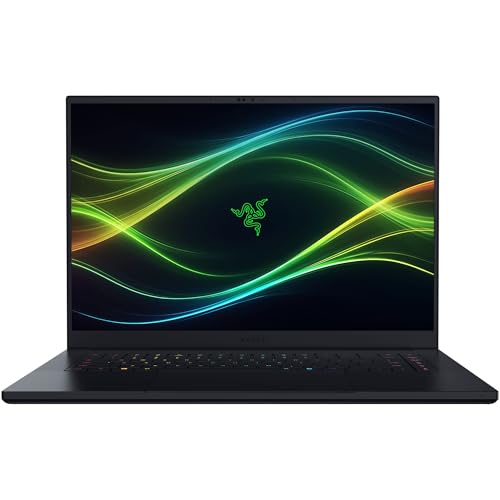 | Razer Blade 16 RZ09-05819EN9-R3U1 | Configuration: Intel Core Ultra 9 386H, GeForce RTX 5090, 64GB RAM, 2TB SSD Display: 16-inch QHD+ 240Hz OLED Thunderbolt: 1x Thunderbolt 5, 1x Thunderbolt 4 Weight: 4.6 lb | Check Price on Amazon |
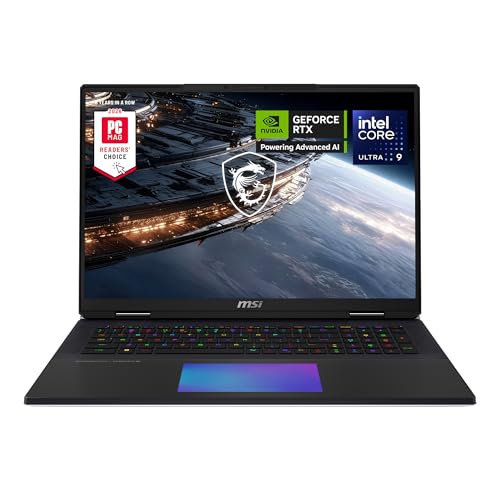 | MSI Titan 18 HX AI A2WJ-1258US | Configuration: Intel Core Ultra 9 290HX, GeForce RTX 5090, 64GB RAM, 4TB SSD Display: 18-inch 3840x2400 MiniLED, 240Hz Thunderbolt: 2x Thunderbolt 5 Battery: 99.9Wh Weight: 7.94 lb | Check Price on Amazon |
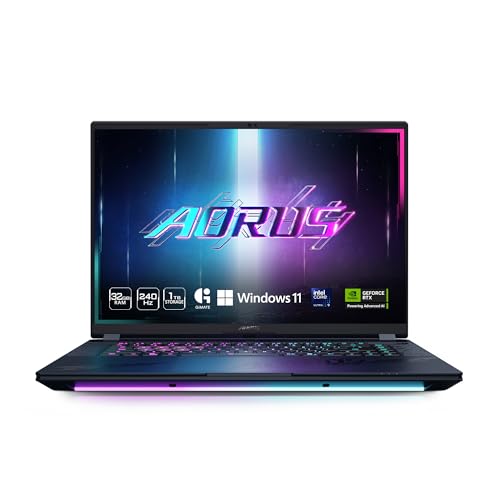 | Gigabyte AORUS MASTER 16 BXH | Configuration: Intel Core Ultra 9 275HX, GeForce RTX 5070 Ti, 32GB RAM, 1TB SSD Display: 16-inch 2560x1600 OLED, 240Hz Thunderbolt: 1x Thunderbolt 5, 1x Thunderbolt 4 Battery: 99Wh Weight: Approx. 5.51 lb | Check Price on Amazon |
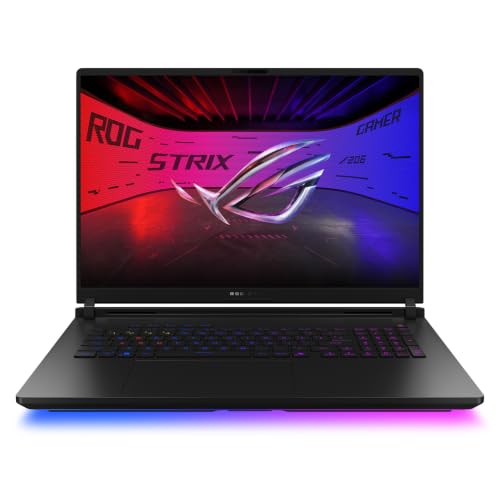 | ASUS ROG Strix SCAR 18 G835LWG-DB96 | Configuration: Intel Core Ultra 9 290HX Plus, GeForce RTX 5080, 32GB RAM, 1TB SSD Display: 18-inch 3840x2400 Mini LED, 240Hz Thunderbolt: 2x Thunderbolt 5 Battery: 90Wh Weight: 8.16 lb | Check Price on Amazon |
 | MSI Vector 16 HX AI A2XWHG-212US | Configuration: Intel Core Ultra 7 255HX, GeForce RTX 5070 Ti, 16GB RAM, 512GB SSD Display: 16-inch 1920x1200 IPS-level, 144Hz Thunderbolt: 2x Thunderbolt 5 Battery: 90Wh Weight: 5.95 lb | Check Price on Amazon |
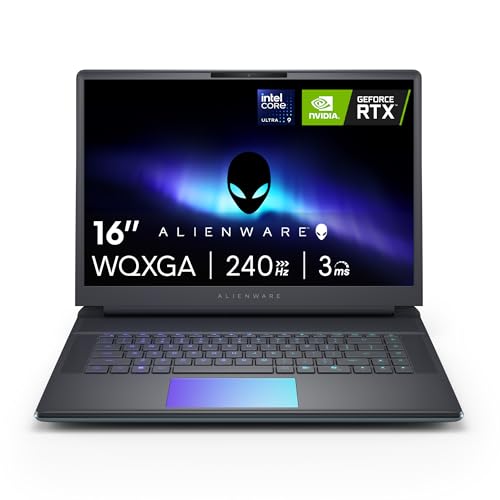 | Alienware 16 Area-51 AA16250 LAA16250-9475BLU-PUS | Configuration: Intel Core Ultra 9 275HX, GeForce RTX 5070 Ti, 32GB RAM, 1TB SSD Display: 16-inch 2560x1600, 240Hz Thunderbolt: 2x Thunderbolt 5 on this RTX 5070 Ti configuration Battery: 96Wh Weight: 6.94 to 7.49 lb, configuration-dependent | Check Price on Amazon |
 | Lenovo ThinkPad P1 Gen 8 | Configuration: Intel Core Ultra 9 285H vPro, RTX Pro 2000, 64GB RAM, 2TB SSD Display: 16-inch 3840x2400 IPS, 800 nits Thunderbolt: 2x Thunderbolt 5, 1x Thunderbolt 4 Battery: 90Wh Weight: Starts at 4.06 lb | Check Price on Amazon |
 | Lenovo ThinkPad P16 Gen 3 21RQ001TUS | Configuration: Intel Core Ultra 7 255HX, RTX Pro 2000, 32GB RAM, 1TB SSD Display: 16-inch 3840x2400 IPS, 800 nits Thunderbolt: 2x Thunderbolt 5, 1x Thunderbolt 4 Battery: 99.9Wh Weight: 5.33 lb for the selected ASIN | Check Price on Amazon |
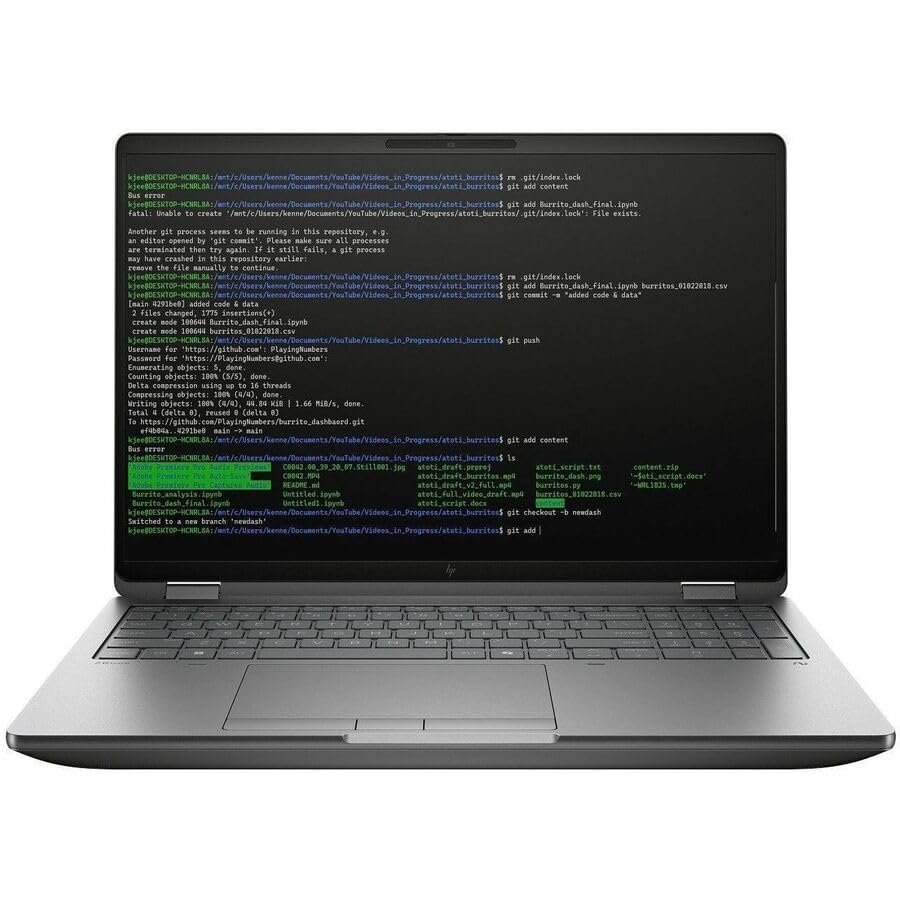 | HP ZBook Fury G1i 16 C94F9UT#ABA | Configuration: Intel Core Ultra 7 255HX, RTX Pro 2000, 32GB RAM, 1TB SSD Display: 16-inch 2560x1600 IPS Thunderbolt: 2x Thunderbolt 5, 1x Thunderbolt 4 Battery: 99Wh Weight: Starts at 5.36 lb | Check Price on Amazon |
 | Apple 14-inch MacBook Pro M5 Pro MGDR4LL/A | Configuration: Apple M5 Pro, 24GB unified memory, 1TB SSD Display: 14.2-inch 3024x1964 Liquid Retina XDR Thunderbolt: 3x Thunderbolt 5 Battery: 72.4Wh Weight: 3.5 lb | Check Price on Amazon |
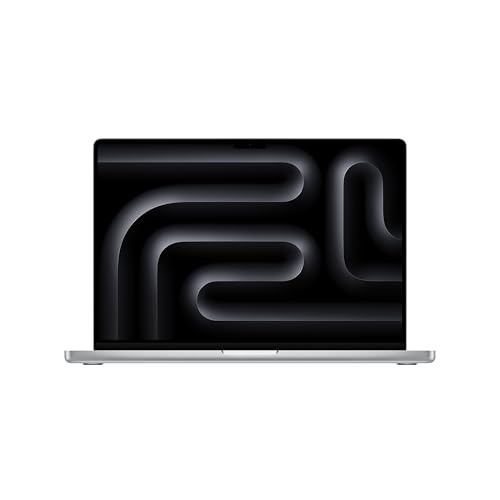 | Apple 16-inch MacBook Pro M5 Max | Configuration: Apple M5 Max, 48GB unified memory, 2TB SSD Display: 16.2-inch 3456x2234 Liquid Retina XDR Thunderbolt: 3x Thunderbolt 5 Battery: 100Wh Weight: 4.7 lb | Check Price on Amazon |
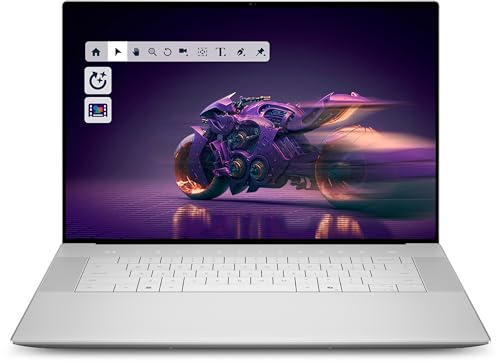 | Dell 16 Premium / XPS 16 DA16250 | Configuration: Intel Core Ultra 7 255H, GeForce RTX 5050, 32GB RAM, 1TB SSD Display: 16.3-inch 2K display Thunderbolt: 3x Thunderbolt 4 Battery: 99.5Wh Weight: OLED minimum 4.65 lb; discrete-GPU configuration may weigh more | Check Price on Amazon |
 | Lenovo ThinkPad X1 Carbon Gen 12 21KC000MUS | Configuration: Intel Core Ultra 7 165U vPro, 32GB RAM, 1TB SSD Display: 14-inch 1920x1200 touchscreen Thunderbolt: 2x Thunderbolt 4 Battery: 57Wh Weight: Family starts at 2.37 to 2.40 lb | Check Price on Amazon |
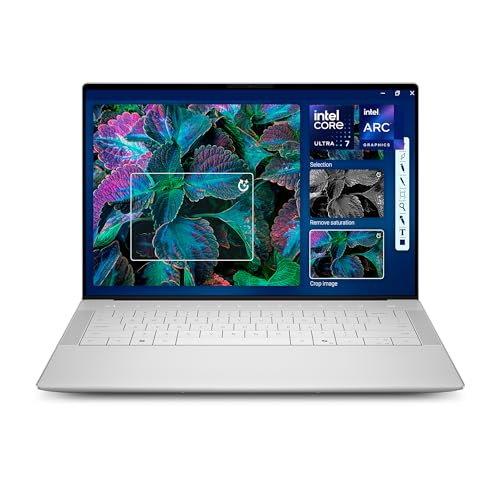 | Dell 14 Premium / XPS 14 DA14250 | Configuration: Intel Core Ultra 7 255H, 32GB RAM, 1TB SSD Display: 14.5-inch 3.2K OLED touch, 48 to 120Hz Thunderbolt: 3x Thunderbolt 4 Battery: 69.5Wh Weight: OLED minimum 3.79 lb | Check Price on Amazon |
 | ASUS Vivobook S 16 OLED S5606MA-DS96 | Configuration: Intel Core Ultra 9 185H, 16GB RAM, 1TB SSD Display: 16-inch 3200x2000 OLED, 120Hz Thunderbolt: 2x Thunderbolt 4 Battery: 75Wh Weight: 3.31 lb | Check Price on Amazon |
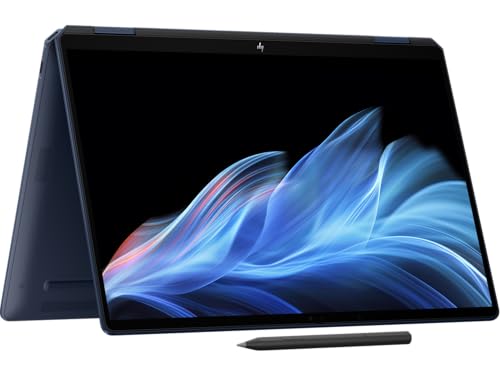 | HP OmniBook Ultra Flip 14 14t-fh | Configuration: Intel Core Ultra 7 258V, 32GB RAM, 1TB SSD Display: 14-inch 2880x1800 OLED touch, 48 to 120Hz Thunderbolt: 2x Thunderbolt 4 Battery: 64Wh Weight: Starts at 2.97 lb | Check Price on Amazon |
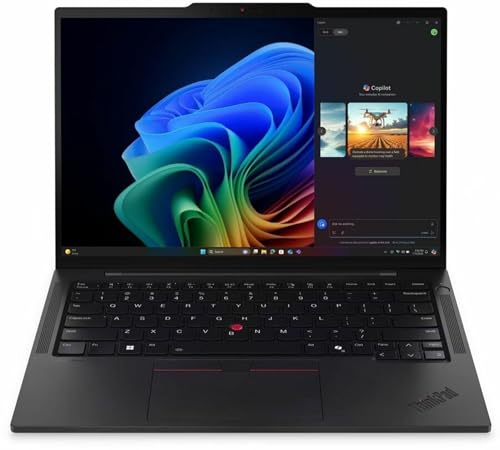 | Lenovo ThinkPad T14s Gen 6 Intel 21QX00LBUS | Configuration: Intel Core Ultra 7 268V vPro, 32GB RAM, 512GB SSD Display: 14-inch 1920x1200 touchscreen Thunderbolt: 2x Thunderbolt 4 Battery: 58Wh Weight: Starts at 2.82 lb | Check Price on Amazon |
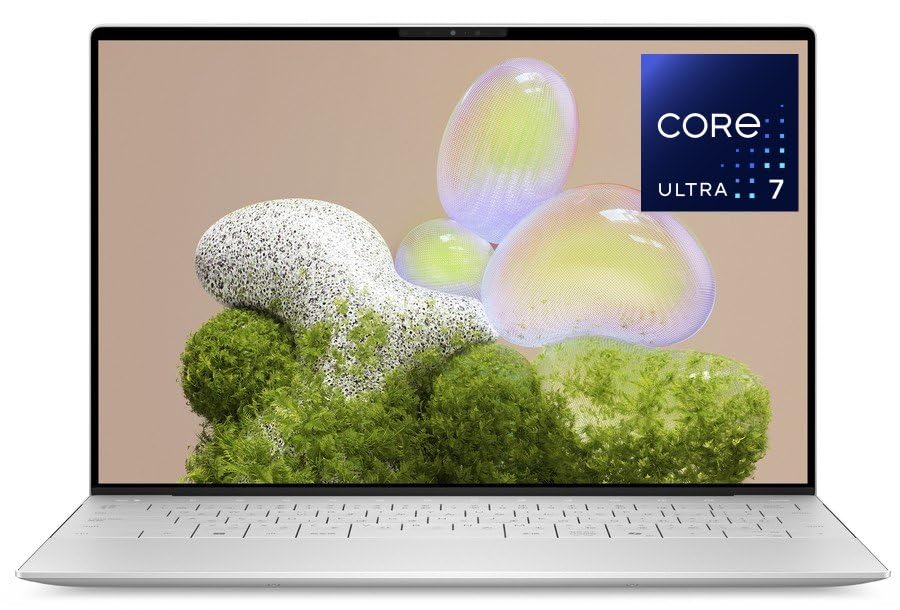 | Dell XPS 13 9350 Intel | Configuration: Intel Core Ultra 7 256V, 16GB RAM, 512GB SSD Display: 13.4-inch 1920x1200, up to 120Hz Thunderbolt: 2x Thunderbolt 4 Battery: 55Wh Weight: 2.62 lb for FHD+ and QHD+ models | Check Price on Amazon |
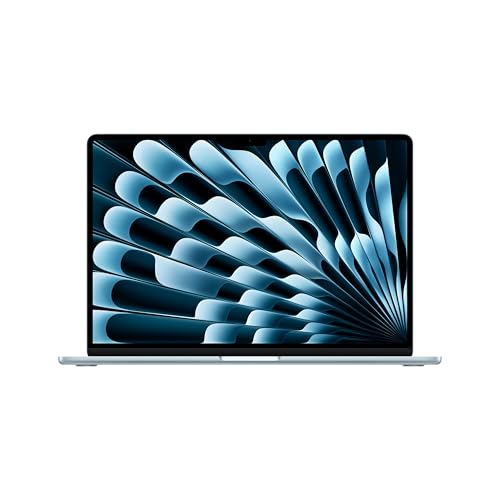 | Apple 15-inch MacBook Air M5 MDVQ4LL/A | Configuration: Apple M5, 16GB unified memory, 512GB SSD Display: 15.3-inch 2880x1864 IPS Thunderbolt: 2x Thunderbolt 4 Battery: 66.5Wh Weight: 3.3 lb | Check Price on Amazon |
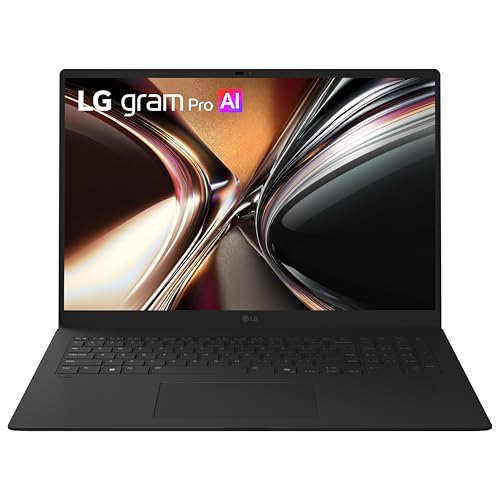 | LG gram Pro 17 17Z90U-G.AU87U1 | Configuration: Intel Core Ultra 7 355, 32GB RAM, 1TB SSD Display: 17-inch 2560x1600 IPS Thunderbolt: 2x Thunderbolt 4 Battery: 77Wh Weight: 3.04 lb | Check Price on Amazon |
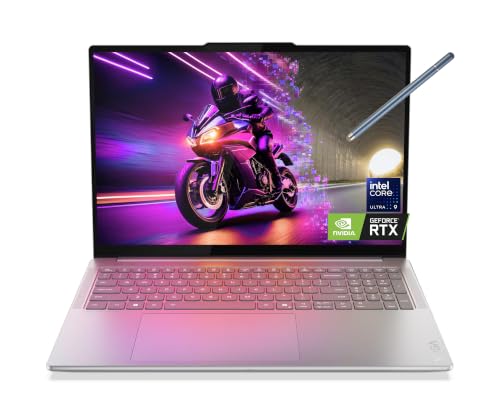 | Lenovo Yoga Pro 9i Aura Edition 16 | Configuration: Intel Core Ultra 9 285H, GeForce RTX 5060, 32GB RAM, 2TB SSD Display: 16-inch 3200x2000 OLED touch, 120Hz Thunderbolt: 2x Thunderbolt 4 Battery: 84Wh Weight: Non-touch models start at 4.23 lb | Check Price on Amazon |
 | HP EliteBook 8 G1i 14 BG7N7UT#ABA | Configuration: Intel Core Ultra 5 228V, 32GB RAM, 512GB SSD Display: 14-inch 1920x1200 touchscreen Thunderbolt: 2x Thunderbolt 4 Battery: 62Wh Weight: Starts at 3.06 lb | Check Price on Amazon |
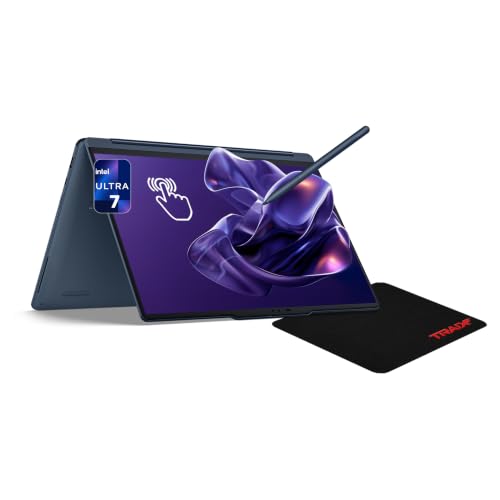 | Lenovo Yoga 9i 2-in-1 Aura Edition 14IPH11 | Configuration: Intel Core Ultra 7 355, 32GB RAM, 1TB SSD Display: 14-inch 2880x1800 OLED touch, up to 120Hz Thunderbolt: 2x Thunderbolt 4 Battery: 70Wh Weight: Starts at 2.84 lb | Check Price on Amazon |
How to Read This List
Intel defines Thunderbolt 5 as a high-bandwidth connection standard. Laptops using it make the most sense for high-bandwidth storage, TB5 docks, several high-resolution displays, and workflows that move large files through external devices. The Thunderbolt 5 docks guide explains what this dock generation adds.
The Thunderbolt 4 category includes models using a mature connection standard suitable for most office and creative environments. These entries broaden the range of categories available, including gaming, business, creator, 2-in-1, compact, and ultraportable laptops.
| Choose this category | When it fits |
|---|---|
| Thunderbolt 5 gaming | You want high-end graphics plus next-generation external I/O |
| Thunderbolt 5 workstation | You use certified professional graphics, fast storage, or several displays |
| Thunderbolt 5 Mac | You want macOS with three high-bandwidth ports |
| Thunderbolt 4 premium | You value a refined display and dock support more than peak link bandwidth |
| Thunderbolt 4 business | You need manageable Intel configurations, low weight, and established docks |
| Thunderbolt 4 convertible | You want touch or pen modes without giving up a one-cable desk connection |
Thunderbolt 5 Laptops With Verified New Offers
The numbered group uses exact-ASIN product records. Verify availability through the provided retail links. Use the exact model codes where provided because related configurations can differ in display, graphics, memory, storage, and port capability.
1. Razer Blade 16 — Portable Thunderbolt 5 Gaming Laptop
According to Razer’s official technical specifications, model RZ09-05819EN9-R3U1 is rated to include an Intel Core Ultra 9 386H, an NVIDIA GeForce RTX 5090, and a 2TB SSD. Amazon product data confirms Thunderbolt 5 support for the selected ASIN. According to Razer’s manufacturer port diagram, the family has the complete layout cited in the quick picks.
According to Razer’s official documentation, the laptop family features a 16-inch QHD+ 240Hz OLED display and the chassis weight is 4.6 lb. According to the Amazon product listing, the weight is approximately 4.72 lb. The documented port layout supports high-bandwidth accessories. For more gaming configurations at different performance levels, compare the gaming laptops with Thunderbolt roundup.
Editorial Take Choose the Blade 16 when you want high-end gaming hardware and Thunderbolt 5 without moving to a much heavier desktop replacement.
- Thunderbolt 5 support
- High-refresh OLED panel
- Exact manufacturer model mapping
- Razer positions the RTX 5090 configuration for high-end gaming rather than typical office workflows
- Memory and storage are tied to the selected ASIN configuration
2. MSI Titan 18 HX AI A2WJ-1258US — 18-Inch Desktop Replacement
According to MSI, the A2WJ-1258US is rated with a Core Ultra 9 290HX, GeForce RTX 5090, 64GB of memory, and 4TB of storage. MSI specifies two Thunderbolt 5 ports, so a dock and a direct high-speed device do not have to share one connection.
MSI specifies a manufacturer weight of 3.6 kg / 7.94 lb. MSI rates the system with an 18-inch 3840×2400 MiniLED display at 240Hz and a 99.9Wh battery. Amazon lists the weight for this exact ASIN as 7.93 lb. Those figures make its role clear: this is a transportable workstation or gaming system for moving between desks, not a light daily commuter.
Editorial Take The Titan suits readers who need the two Thunderbolt 5 ports specified by MSI, a very large display, and top-tier graphics in one chassis.
- MSI documents a dual-port TB5 layout
- MSI documents a UHD+ MiniLED display
- MSI identifies the exact A2WJ-1258US configuration
- MSI and Amazon both document desktop-replacement weight
- The large chassis favors outlet-centered desk use
3. Gigabyte AORUS MASTER 16 BXH — Dual-Generation Thunderbolt Gaming
The selected model is AORUS MASTER 16 BXHC4USE64SH. Gigabyte specifies one Thunderbolt 5 port on the right and one Thunderbolt 4 port on the left, which gives useful cable placement and backward compatibility.
Gigabyte rates the display specifications at 16 inches, 2560×1600, and 240Hz. Gigabyte rates the manufacturer weight at approximately 2.5 kg / 5.5 lb. According to Gigabyte’s manufacturer specifications, the battery capacity is rated at 99Wh.
Editorial Take The AORUS MASTER 16 is a strong middle-size option when one TB5 connection is enough and a second TB4 port is useful for an existing device.
- Gigabyte documents a mixed TB5 and TB4 layout
- Gigabyte documents a high-refresh OLED panel
- Gigabyte publishes the battery capacity
- Gigabyte’s design includes only one port supporting Thunderbolt 5 bandwidth
- Gigabyte states that the published weight is approximate
4. ASUS ROG Strix SCAR 18 G835LWG-DB96 — 4K-Class Thunderbolt 5 Gaming
The G835LWG-DB96 is the RTX 5080 configuration and succeeds the prior SCAR 18 generation from the list. According to ASUS, this configuration is rated with a Core Ultra 9 290HX Plus, 32GB of memory, and a 1TB SSD. According to ASUS, the model has two Thunderbolt 5 ports.
According to ASUS, this RTX 5080 configuration is rated with an 18-inch 3840×2400 Mini LED display at 240Hz. ASUS specifies a 90Wh battery and lists the weight at 3.70 kg / 8.16 lb. The display and port layout favor gaming, media work, and a multi-device desk, while the weight limits its appeal for commuting.
Editorial Take Pick the SCAR 18 when the 4K-class 240Hz panel matters more than portability and you want both TB5 ports on the G835LWG-DB96 configuration.
- ASUS documents a dual-port Thunderbolt 5 layout
- ASUS documents a 3840×2400 Mini LED panel at 240Hz
- According to ASUS product information, the ASIN maps to G835LWG-DB96
- ASUS classifies the configuration as an 8.16 lb desktop replacement
- The 18-inch footprint is awkward for frequent travel
5. MSI Vector 16 HX AI A2XWHG-212US — Practical RTX 5070 Ti TB5 Laptop
This ASIN maps to MSI’s A2XWHG-212US rather than a seller-created memory bundle. According to Amazon product information, the configuration includes a Core Ultra 7 255HX, GeForce RTX 5070 Ti, 16GB of memory, and 512GB of storage. According to MSI, the laptop features two Thunderbolt 5 ports.
MSI rates the panel at 16 inches, 1920×1200, and 144Hz. MSI rates the battery at 90Wh and lists the weight at 2.7 kg / 5.95 lb. The lower-resolution panel is less ambitious than the OLED and Mini LED options above, but it gives readers another exact TB5 gaming SKU without moving to an 18-inch system.
Editorial Take The Vector is a practical TB5 gaming entry when exact model identification and two next-generation ports matter more than a premium internal panel.
- MSI specifies two Thunderbolt 5 ports
- Amazon product information maps the ASIN to an exact MSI factory SKU
- MSI rates the battery capacity at 90Wh
- The MSI-rated 1920×1200 panel trails higher-resolution alternatives
- According to Amazon product information, the 512GB SSD is modest for a gaming library
6. Alienware 16 Area-51 AA16250 — Dell Thunderbolt 5 Gaming Laptop
According to the Amazon listing, the LAA16250-9475BLU-PUS configuration is listed as including a Core Ultra 9 275HX, GeForce RTX 5070 Ti, 32GB of memory, and a 1TB SSD. Dell specifies two Thunderbolt 5 ports on AA16250 configurations equipped with RTX 5070 Ti graphics or higher, so the exact GPU matters here.
Dell rates the laptop with a 16-inch 2560×1600 240Hz display and specifies a 96Wh battery. According to Dell’s official specifications, weight ranges from a 6.94 lb minimum to a 7.49 lb maximum, depending on configuration. This is a desk-focused gaming system in a smaller footprint than the 18-inch Titan and SCAR.
Editorial Take Choose the Alienware when you want a Dell gaming platform with two TB5 ports and can accept desktop-replacement weight.
- According to Dell, the RTX 5070 Ti model has two TB5 ports
- According to Dell, the 2560×1600 display runs at 240Hz
- The Amazon product listing specifies the manufacturer model code
- Dell rates the weight range starting at 6.94 lb
- Lower GPU configurations do not share the same TB5 claim
7. Lenovo ThinkPad P1 Gen 8 — Lightweight Thunderbolt 5 Workstation
According to the manufacturer’s Amazon listing, this configuration features an Intel Core Ultra 9 285H vPro processor, NVIDIA RTX Pro 2000 graphics, 64GB of RAM, a 2TB SSD, and a 16-inch WQUXGA IPS display. Lenovo’s product documentation lists the port selection as including two Thunderbolt 5 ports and one Thunderbolt 4 port.
According to Lenovo, this laptop family is rated for a 16-inch 3840×2400 IPS 800-nit display, a 90Wh battery capacity, and a starting weight of 1.84 kg / 4.06 lb. The combination targets mobile workstation users who prioritize expansion without moving to the heaviest chassis class. A fixed desk can pair it with the Dell SD25TB5 dock reviewed here, subject to the dock’s cross-brand charging limits.
Editorial Take The P1 is a mobile workstation option for readers who need professional graphics without accepting a six-pound chassis.
- Lenovo documentation lists two TB5 ports and one TB4 port
- Lenovo rates the family starting weight at 4.06 lb
- The Amazon listing specifies RTX Pro 2000 graphics
- Lenovo’s published weight is a family starting figure
- The professional graphics configuration may exceed ordinary office needs
8. Lenovo ThinkPad P16 Gen 3 21RQ001TUS — Full-Size TB5 Workstation
Amazon identifies exact model 21RQ001TUS with a Core Ultra 7 255HX, RTX Pro 2000 graphics, 32GB of memory, 1TB of storage, and a WQUXGA non-touch display. Lenovo specifies two Thunderbolt 5 ports and one Thunderbolt 4 port.
According to Lenovo, the family offers the matching 16-inch 3840×2400 IPS 800-nit panel, a 99.9Wh battery, and a 2.54 kg / 5.6 lb starting weight. According to the Amazon product listing, the exact 21RQ001TUS weighs 5.33 lb. It gives engineering and media workflows more expansion and thermal headroom than the P1, but it asks the buyer to carry more weight.
Editorial Take The P16 fits a workstation-first desk where three certified Thunderbolt ports and a large battery matter more than low carry weight.
- Lenovo specifies two TB5 ports and one TB4 port
- The exact ASIN maps to model 21RQ001TUS
- Lenovo rates the battery at 99.9Wh
- Lenovo lists a 5.6 lb family start weight; Amazon specifies this ASIN at 5.33 lb
- The workstation format favors a backpack over light travel
9. HP ZBook Fury G1i 16 C94F9UT#ABA — HP Thunderbolt 5 Workstation
Amazon lists C94F9UT#ABA with a Core Ultra 7 255HX, RTX Pro 2000 graphics, 32GB of memory, 1TB of storage, and a WQXGA display. HP specifies two Thunderbolt 5 ports on the left and one Thunderbolt 4 port on the right.
HP specifies a 16-inch 2560×1600 IPS configuration, rates the battery at 99Wh, and lists a 2.43 kg / 5.36 lb starting weight. The mixed TB5 and TB4 layout gives useful cable placement, while the professional GPU makes the selected model easier to distinguish from consumer gaming systems.
Editorial Take The ZBook is an HP option for readers who need professional graphics, two TB5 ports, and a third certified port on the opposite side.
- HP specifies two TB5 ports and one TB4 port
- HP rates the battery at 99Wh
- Amazon identifies the exact C94F9UT#ABA model
- HP lists a 5.36 lb starting weight
- Only two of the three certified ports are TB5
10. Apple 14-Inch MacBook Pro M5 Pro MGDR4LL/A — Compact TB5 Mac
The Amazon product record identifies MGDR4LL/A with an M5 Pro chip, 24GB of unified memory, and a 1TB SSD. Apple’s manufacturer specifications list three Thunderbolt 5 ports.
Apple’s manufacturer specifications rate the device with a 14.2-inch 3024×1964 Liquid Retina XDR display. Apple rates the M5 Pro model at 3.5 lb.
Editorial Take The 14-inch MacBook Pro is a compact TB5 pick when macOS, low carry weight, and three same-generation ports are the priorities.
- Apple specifies three Thunderbolt 5 ports
- Apple provides a specific weight rating for the M5 Pro model
- Apple publishes configuration-specific technical documentation
- macOS may not support Windows-only professional tools
- Battery results change with workload and display settings
11. Apple 16-Inch MacBook Pro M5 Max — 16-Inch TB5 Mac
Amazon identifies this M5 Max configuration with a 40-core GPU, 48GB of unified memory, and a 2TB SSD. Apple’s manufacturer specifications list three Thunderbolt 5 ports.
Apple specifies a 16.2-inch 3456×2234 Liquid Retina XDR display, a 100Wh battery, and a 4.7 lb M5 Max weight.
Editorial Take Choose the 16-inch M5 Max when macOS, a larger display, and three TB5 ports are the priorities.
- Apple specifies three Thunderbolt 5 ports
- 16.2-inch Liquid Retina XDR display, larger than the 14-inch model’s
- 4.7 lb chassis is heavier than the 14-inch model
- macOS may not support Windows-only professional tools
Thunderbolt 4 Laptops With Verified New Offers
Thunderbolt 4 remains a good fit for docks, one or two external displays, office peripherals, and fast external storage. It also has a broader selection of compact business laptops and convertibles. Readers building a desk around these models can compare the best Thunderbolt 4 docking stations before choosing a dock.
12. Dell 16 Premium / XPS 16 DA16250 — Premium 16-Inch Laptop
Amazon identifies the selected DA16250 configuration with a 16.3-inch 2K display, GeForce RTX 5050 graphics, 32GB of memory, and a 1TB SSD. According to Dell’s specifications, the system features three Thunderbolt 4 ports with DisplayPort 2.1 and Power Delivery and a 99.5Wh battery. Dell gives a 4.65 lb minimum weight for an OLED system with integrated graphics, and a discrete-GPU configuration may weigh more. The three-port layout is useful for readers comparing the best Thunderbolt docking stations for a large-screen desk.
List Verdict Pick the DA16250 for a large Windows screen with GeForce RTX 5050 graphics and three-port docking.
13. Lenovo ThinkPad X1 Carbon Gen 12 21KC000MUS — Business Ultrabook
Amazon identifies 21KC000MUS with a Core Ultra 7 165U vPro processor, 32GB of memory, a 1TB SSD, and a 14-inch WUXGA touchscreen. According to Lenovo, the model features two Thunderbolt 4 ports and a 57Wh battery, with family starting weights of 2.37 or 2.40 lb depending on the touchpad type. Those are starting figures rather than the exact touchscreen weight.
List Verdict The X1 Carbon is an established business option when low carry weight and two dock-ready ports matter most.
14. Dell 14 Premium / XPS 14 DA14250 — Premium 14-Inch Windows Laptop
Amazon maps this ASIN to LDA14250-7667SLV-PUS with a Core Ultra 7 255H, 32GB of memory, a 1TB SSD, and a 14.5-inch 3.2K OLED touch display. According to Dell, the system features three Thunderbolt 4 ports, a 69.5Wh battery, and a 3.79 lb OLED minimum. Dell’s longer runtime headlines apply to lower-resolution configurations, not this OLED ASIN.
List Verdict Choose the DA14250 when three ports and an OLED panel matter more than moving to TB5.
15. ASUS Vivobook S 16 OLED S5606MA-DS96 — Accessible 16-Inch Office Laptop
Amazon identifies S5606MA-DS96 with a Core Ultra 9 185H, 16GB of memory, a 1TB SSD, and a 16-inch 3.2K OLED display. According to ASUS’s specifications, the model has two Thunderbolt 4 ports, a 75Wh battery, and a 3.31 lb weight.
List Verdict The Vivobook is a large-screen office laptop for desks that need two Thunderbolt ports and an OLED panel.
16. HP OmniBook Ultra Flip 14 14t-fh — OLED Convertible
Amazon identifies a Core Ultra 7 258V, 32GB of memory, a 1TB SSD, and a 14-inch OLED touchscreen. HP specifies that the device features two Thunderbolt 4 ports, a 14-inch 2880×1800 OLED touch panel with a 48Hz to 120Hz range, a 64Wh battery, and a 2.97 lb family starting weight. HP’s battery-hour results cover a tested family configuration rather than every seller variation.
List Verdict The OmniBook Ultra Flip is a light 2-in-1 for readers who want OLED touch and two certified ports.
17. Lenovo ThinkPad T14s Gen 6 Intel 21QX00LBUS — Managed Business Laptop
Amazon identifies 21QX00LBUS with a Core Ultra 7 268V vPro processor, 32GB of memory, a 512GB SSD, and a WUXGA touchscreen. Lenovo lists two Thunderbolt 4 ports, a 58Wh battery, and a 2.82 lb starting weight for the Lunar Lake family. Lenovo’s longest battery results use a different non-touch processor configuration, so they should not be assigned to this ASIN.
List Verdict The T14s is a precise Intel vPro option for a managed fleet or a light business carry.
18. Dell XPS 13 9350 Intel — Compact Windows Laptop
The Intel name is essential because the related Snapdragon XPS 13 uses USB4 rather than certified Thunderbolt. Amazon identifies this 9350 with a Core Ultra 7 256V, 16GB of memory, a 512GB SSD, and a 13.4-inch FHD+ display. According to Dell, the model features two Thunderbolt 4 ports with Power Delivery. Dell lists a 55Wh battery and a 2.62 lb weight for FHD+ and QHD+ models.
List Verdict The Intel 9350 is the smallest Windows option here with genuine Thunderbolt certification.
19. Apple 15-Inch MacBook Air M5 MDVQ4LL/A — Mainstream Large-Screen Mac
Amazon identifies MDVQ4LL/A with an M5 chip, 16GB of unified memory, and a 512GB SSD. Apple specifies two Thunderbolt 4 ports, a 15.3-inch 2880×1864 display, a 66.5Wh battery, and a 3.3 lb weight. Apple claims up to 18 hours of video streaming or 15 hours of wireless web under its stated test conditions.
List Verdict The 15-inch Air is a mainstream macOS option when a large display and low weight matter more than TB5.
20. LG gram Pro 17 17Z90U-G.AU87U1 — 17-Inch Ultralight
Amazon identifies the exact AU87U1 model with a Core Ultra 7 355, 32GB of memory, and a 1TB SSD. LG lists two Thunderbolt 4 ports, a 17-inch 2560×1600 IPS display, a 77Wh battery, and a 3.04 lb weight for this configuration. LG notes that its 27.5-hour video playback figure is based on local 1080p playback with wireless off at 150-nit brightness.
List Verdict The gram Pro 17 offers a very large screen without six-pound workstation weight.
21. Lenovo Yoga Pro 9i Aura Edition 16 — Creator Laptop
Amazon identifies this Yoga Pro 9i configuration with a Core Ultra 9 285H, GeForce RTX 5060, 32GB of memory, a 2TB SSD, and a 16-inch 3.2K OLED touchscreen. According to Lenovo’s product specifications, the model features two Thunderbolt 4 ports, an 84Wh battery, and a 4.23 lb starting weight for non-touch models. Panel choice changes the published starting weight, and this configuration has a touchscreen.
List Verdict The Yoga Pro 9i is the creator pick below the weight of the heavier certified mobile workstations.
22. HP EliteBook 8 G1i 14 BG7N7UT#ABA — Compact Business Alternative
Amazon identifies BG7N7UT#ABA with a Core Ultra 5 228V, 32GB of memory, a 512GB SSD, and a WUXGA touchscreen. HP lists two Thunderbolt 4 ports, 14-inch WUXGA display options, a 62Wh battery, and a 3.06 lb family starting weight. The exact ASIN title supplies the touchscreen detail.
List Verdict The EliteBook is a compact non-ThinkPad business option with two mature dock connections.
23. Lenovo Yoga 9i 2-in-1 Aura Edition 14IPH11 — Premium Convertible
Amazon identifies this configuration with a Core Ultra 7 355, 32GB of memory, a 1TB SSD, and a 14-inch 2.8K OLED touchscreen. According to Lenovo, the device includes two Thunderbolt 4 ports, a 2880×1800 OLED touch panel at up to 120Hz, a 70Wh battery, and a 2.84 lb starting weight.
List Verdict The Yoga 9i is the premium convertible pick for OLED touch, pen-friendly modes, and two Thunderbolt ports.
How to Choose a Thunderbolt Laptop
Thunderbolt 5, Thunderbolt 4, and Thunderbolt 3
Thunderbolt 4 and Thunderbolt 3 share a 40Gbps headline, but Thunderbolt 4 raises minimum requirements around PCIe data and display support. Thunderbolt 5 increases the bidirectional link to 80Gbps and can use Bandwidth Boost for display-heavy traffic. The practical value depends on the laptop, dock, cable, display, and storage device, not only the logo. The Thunderbolt 3 vs 4 vs 5 comparison explains the standard differences in more detail.
Choose TB5 for newer high-bandwidth docks, fast external SSDs, several high-resolution displays, or a longer runway for demanding peripherals. Choose TB4 when a mature dock, one or two displays, Ethernet, audio, and ordinary external storage cover the job. A TB4 laptop is not obsolete simply because TB5 exists.
Which Laptop Category Fits Your Work?
Gaming laptops combine certified ports with high-power graphics, but they are usually heavier and may require their bundled charger for full performance. Mobile workstations use professional GPUs and business support options. Creator laptops balance display quality, graphics, and weight. Business ultraportables put low mass, manageability, and battery capacity ahead of maximum GPU performance.
Convertibles add touch and pen modes, while 16-inch and 17-inch ultralights provide more screen area without workstation mass. This taxonomy is more useful than ranking every model on one scale. A three-pound office laptop and an eight-pound gaming system solve different problems.
How Many Thunderbolt Ports Do You Need?
One port can run a complete desk through a dock. It becomes limiting when you want to charge, dock, and attach a direct high-speed SSD at the same time. Two ports let a dock and a direct device stay connected separately. Three ports give more cable placement choices and reduce the need to share bandwidth through one upstream dock link.
Port generation can differ within the same laptop. Gigabyte lists one TB5 and one TB4 port on the AORUS MASTER 16, while Lenovo and HP mix two TB5 ports with one TB4 port on several workstations. Read the manufacturer diagram rather than assuming every USB-C connector is identical.
Display Support Is Configuration-Specific
Thunderbolt certification does not promise the same external-display count on every laptop. GPU routing, operating system, dock design, port version, resolution, refresh rate, and Display Stream Compression all affect the result. Apple, Dell, Lenovo, HP, and gaming-laptop vendors publish different support matrices for their models.
Check the exact laptop manual and the dock’s display table before buying a multi-monitor setup. The Thunderbolt 4 monitor guide covers displays with integrated high-speed connectivity, but the laptop still determines the final supported layout.
Charging Through Thunderbolt Has Limits
A Thunderbolt port can support USB Power Delivery, but that does not mean every charger or dock can run the laptop at full performance. Thin business laptops often work well from a dock’s USB-C power output. High-power gaming laptops and workstations may use a proprietary adapter because their peak demand exceeds what the dock provides.
Check the laptop’s accepted USB-C input, the dock’s host charging output, and the cable rating. A dock can handle data and displays while the original power adapter remains connected. If you need a replacement cable, compare certified options in the Thunderbolt 4 cable guide.
External Storage and Other High-Bandwidth Devices
Thunderbolt 5 matters most when the peripheral can use its extra bandwidth. Fast external SSDs, capture hardware, and some external graphics devices can put more pressure on a link than a keyboard, Ethernet adapter, or ordinary USB drive. A TB5 laptop remains backward compatible with TB4 accessories, subject to the slower device’s limits.
For a concrete storage example, the OWC Envoy Ultra Thunderbolt 5 SSD review explains what a TB5 drive adds and where the rest of the system can become the limit.
Frequently Asked Questions
What is the highest monitor resolution a Thunderbolt laptop can output?
There is no universal answer for every Thunderbolt laptop. The port generation sets a capability range, but the laptop GPU, firmware, operating system, dock, cable, refresh rate, and compression support determine the final output. A manufacturer may support one high-resolution display while limiting a multi-display arrangement. Use the exact laptop manual and dock display table rather than a generic maximum.
Is Thunderbolt 4 faster than Thunderbolt 3?
Both use a 40Gbps headline link rate. Thunderbolt 4 raises minimum requirements and standardizes capabilities that varied across Thunderbolt 3 computers, including minimum PCIe data and display support. A well-equipped TB3 laptop can still be useful, but its exact implementation needs more checking. TB4 is easier to plan around because certified systems meet a tighter baseline.
Can Thunderbolt 4 or Thunderbolt 5 charge a laptop?
Yes, when the laptop and connected charger or dock support compatible USB Power Delivery. Charging wattage varies by model. A thin business laptop may accept enough power from a dock, while a gaming laptop may need its original adapter for full CPU and GPU performance. Thunderbolt certification alone does not guarantee that one dock can replace every power brick.
Does every USB-C laptop support Thunderbolt?
No. USB-C describes the connector shape. A USB-C port may support USB data, DisplayPort, charging, USB4, Thunderbolt, or only some of those functions. The old Snapdragon XPS 13 is a useful warning: it has USB-C and USB4 but not certified Thunderbolt. Look for the manufacturer’s explicit Thunderbolt version and exact model documentation.
Is Thunderbolt 5 worth choosing over Thunderbolt 4?
TB5 is worth prioritizing for very fast external storage, newer high-bandwidth docks, demanding display arrangements, and buyers who keep a laptop for several peripheral generations. TB4 remains enough for many one-cable office desks, and its accessory market is mature. The better laptop is the one whose display, weight, battery, software platform, and ports match your work.
Research and Selection Method
The research methodology relies on exact model codes rather than family names. A laptop family can contain different processors, GPUs, panels, batteries, and port layouts. Amazon Product API SearchItems finds candidate ASINs, then GetItems with New offer data confirms product identity and offer state. An ASIN that resolves but has no qualifying New offer does not enter the shipping group.
Manufacturer specifications are the source for Thunderbolt generation and count, display resolution, published weight, and battery capacity or runtime claims. Battery-hour figures stay attached to the manufacturer’s test conditions. Starting weights are labeled as starting figures, and seller-configured listings are called out when the exact factory battery or component set is uncertain.
Availability changes, so this article does not promise stock or delivery timing. The comparison table uses the same exact model records as the numbered entries.
Final Recommendation
Start with the connection problem you need to solve. The Razer Blade 16 provides a portable TB5 gaming option, the MSI Titan and ASUS SCAR cover large desktop replacements, the ThinkPad P1 balances workstation graphics with lower weight, and the 14-inch MacBook Pro provides three TB5 ports in a compact shipping system.
Thunderbolt 4 remains the better value for many office and travel setups. The Dell DA16250 and DA14250 provide three-port premium Windows options, the LG gram Pro 17 offers unusual screen size for its weight, and the Yoga 9i and OmniBook Ultra Flip cover convertible work. Match the exact model code, then verify the dock, monitor, cable, and charging requirements before ordering.