The best Thunderbolt RAID system depends first on whether you want an empty enclosure or a ready-to-use array. The OWC ThunderBay 4 0TB is our strongest fit if you want to choose four SATA drives and manage the RAID setup yourself. The LaCie 2big Dock 32TB is easier to buy as one complete package because it includes two hard drives, hardware RAID, card readers, and display connectivity. Buyers who need more bays should compare the diskless OWC ThunderBay 8 with the populated SanDisk Professional G-RAID Shuttle 8 and Promise Pegasus32 R8.
Every main pick here is a multi-drive direct-attached storage system. A direct-attached system, or DAS, connects to one computer over Thunderbolt or USB. It is not a network server. If several people need to reach the same storage through Ethernet or Wi-Fi, start with a Thunderbolt and NAS storage guide instead.
The most important buying detail is easy to miss. A diskless enclosure can look less expensive because the drives are a separate purchase. A populated array includes drives, but its factory RAID mode changes how much space you can use and how much drive failure protection you get. Compare the full system, including drives, RAID software, backup storage, cables, and any needed adapters.
Table of Contents
Quick picks
- Best flexible four-bay diskless system: OWC ThunderBay 4 0TB
- Best turnkey two-bay RAID and ingest dock: LaCie 2big Dock 32TB
- Best simple populated hardware RAID: Glyph Blackbox Pro RAID 32TB
- Best high capacity two-bay performance array: SanDisk Professional G-RAID Project 2 52TB
- Best eight-bay diskless system: OWC ThunderBay 8 0TB
- Best transportable eight-bay hardware RAID: SanDisk Professional G-RAID Shuttle 8 48TB
- Best for maximum raw capacity: Promise Pegasus32 R8 144TB
Best Thunderbolt RAID Storage Systems Compared
| Image | Product | Best for | Bays and included media | RAID and documented speed | Check price |
|---|---|---|---|---|---|
 | OWC ThunderBay 4 0TB | Flexible four-bay diskless system | 4 bays; no drives included; accepts SATA HDDs or SSDs | Host-managed RAID; OWC lists RAID 0, 1, 4, 5 and 10; up to 1,527MB/s with four SATA SSDs in RAID 0 | Check Price on Amazon |
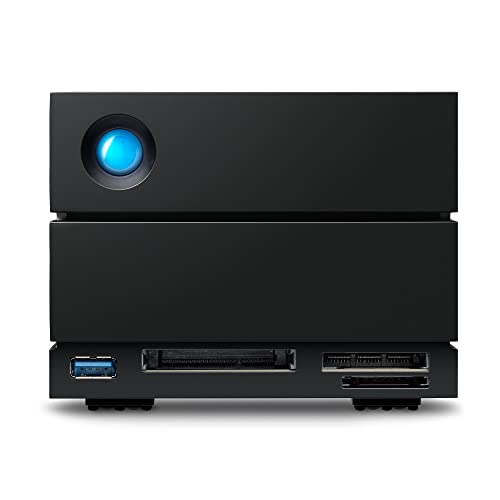 | LaCie 2big Dock 32TB | Turnkey two-bay RAID and media ingest | 2 bays; two hot-swappable IronWolf Pro HDDs; 32TB raw capacity | Hardware RAID 0 or 1; LaCie states up to 550MB/s | Check Price on Amazon |
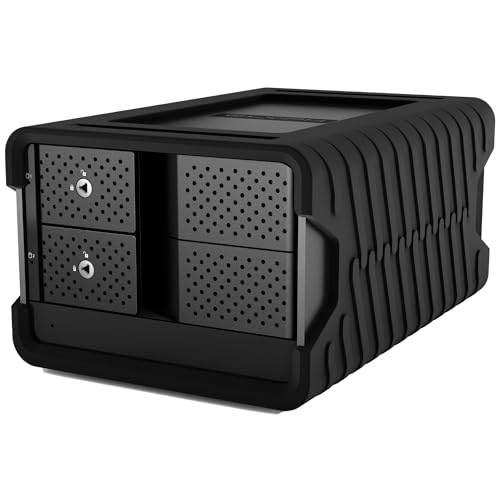 | Glyph Blackbox Pro RAID 32TB | Simple populated hardware RAID | 2 bays; two 7,200RPM enterprise HDDs; 32TB raw capacity | Hardware RAID 0, 1, JBOD or SPAN; Glyph states up to 550MB/s | Check Price on Amazon |
 | SanDisk Professional G-RAID Project 2 52TB | High capacity two-bay performance array | 2 bays; two 7,200RPM Ultrastar HDDs; 52TB raw capacity | Hardware RAID 0, 1 or JBOD; up to 520MB/s read and 510MB/s write for the 52TB model | Check Price on Amazon |
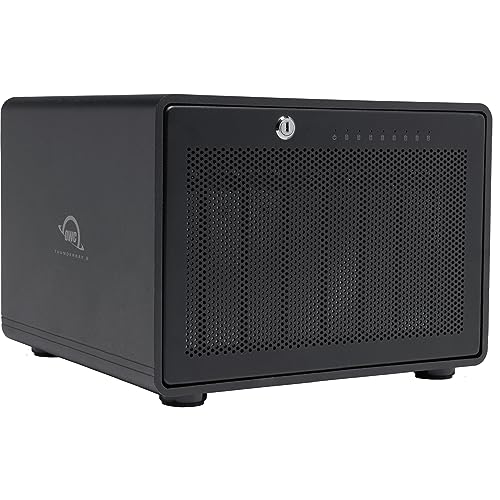 | OWC ThunderBay 8 0TB | Flexible eight-bay diskless system | 8 bays; no drives included; accepts SATA HDDs or SSDs | Host-managed RAID; OWC lists RAID 0, 1, 4, 5 and 10; up to 2,586MB/s with eight SATA SSDs in RAID 0 | Check Price on Amazon |
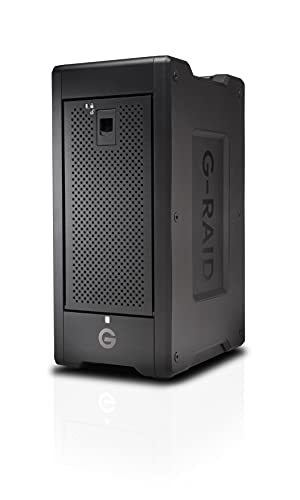 | SanDisk Professional G-RAID Shuttle 8 48TB | Transportable eight-bay hardware RAID | 8 bays; eight removable 7,200RPM Ultrastar HDDs; 48TB raw capacity | Hardware RAID 0, 1, 5, 6, 10, 50 or 60; WD's 48TB block lists 1,900/2,000MB/s, while its 208TB RAID 5 section lists 1,700/1,500MB/s | Check Price on Amazon |
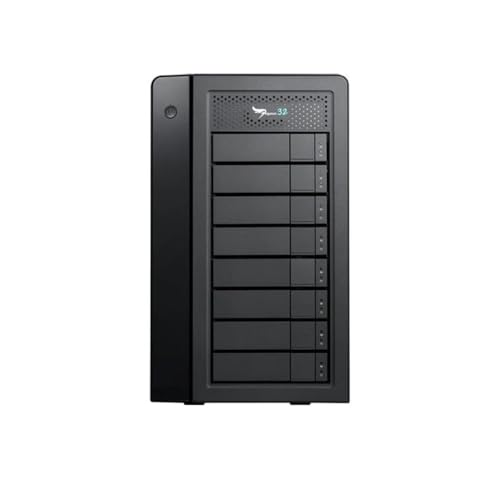 | Promise Pegasus32 R8 144TB | Highest raw capacity hardware RAID | 8 bays; eight 18TB HDDs; 144TB raw capacity | Hardware RAID 0, 1, 5, 6, 10, 50, 60 or JBOD; exact HDD speed not stated; 2,800MB/s ceiling applies to SSD builds | Check Price on Amazon |
Manufacturer speed figures help you compare the systems, but they are not interchangeable. A result from an SSD array in RAID 0 does not tell you how fast an HDD array in RAID 5 will be. For each number below, we note the media, RAID mode, and capacity it depends on.
1. OWC ThunderBay 4 0TB: Best flexible four-bay diskless system
Who should buy it: Choose the OWC ThunderBay 4 0TB if you already know which SATA drives you want and prefer to control the balance between speed, usable capacity, and drive failure protection. Four bays give you more RAID choices than a two-bay system without moving to a much larger eight-bay chassis.
Who should skip it: Skip it if you want one box with drives installed and a hardware RAID controller ready to manage the array. The selected 0TB product is an enclosure. Drives are not included, and OWC describes its RAID layer as SoftRAID or another host-managed RAID tool.
The ThunderBay 4 accepts four 2.5-inch or 3.5-inch SATA HDDs or SSDs. OWC lists RAID 0, 1, 4, 5, and 10 through SoftRAID. RAID 0 gives all four drives to capacity and performance but provides no redundancy. RAID 5 uses one drive’s worth of capacity for parity and can continue after one drive fails. RAID 10 mirrors and stripes pairs, so it uses half of equal-size raw capacity.
OWC states a top figure of 1,527MB/s, but that number carries a footnote. The result used four 4TB SATA SSDs in RAID 0. It is a ceiling for that fast configuration, not a promise for a diskless enclosure filled with hard drives. OWC’s own configuration table places four HDDs in RAID 5 much lower. Your drive models, RAID level, computer, file size, and software all affect the result.
The enclosure has a second Thunderbolt port for a display or a chain of more Thunderbolt devices. OWC states that SoftRAID 8 supports Mac and Windows. Driver-free Mac use requires macOS 14 or newer, while Windows users need the current SoftRAID download. A buyer using another RAID tool must check that tool’s operating system and file system support separately.
What you trade for that flexibility is setup work. You must buy compatible drives, install them, choose a RAID mode, format the volume, and plan a backup. You should also check whether the exact bundle includes the SoftRAID license you want. OWC lists a one-year limited warranty for the enclosure-only version, which is shorter than its warranty for models with built-in storage.
Our TakeThe OWC ThunderBay 4 0TB is the best fit for a buyer who wants four bays and full control over the drives. Its value comes from choice, not from arriving ready to store files. Budget for four matched drives, the RAID software you plan to use, and a separate backup.
- Four SATA drive bays
- Accepts HDDs or SSDs
- RAID 0, 1, 4, 5, and 10 support through SoftRAID
- Second Thunderbolt port
- No drives included
- Host-managed RAID requires setup
- Top speed claim uses four SATA SSDs in RAID 0
2. LaCie 2big Dock 32TB: Best turnkey two-bay RAID and ingest dock
Who should buy it: The LaCie 2big Dock 32TB is a strong choice for photographers, camera crews, and editors who want storage and media ingest in one unit. It includes two hot-swappable IronWolf Pro hard drives and adds CFexpress Type B, CFast 2.0, and SD card slots.
Who should skip it: Skip it if you want more than two drives, need RAID 5, or already own suitable disks. A two-bay system can offer the full capacity of RAID 0 or the mirror of RAID 1, but it cannot give you RAID 5 capacity efficiency.
Model STLG32000400 is the exact 32TB configuration. LaCie’s data sheet describes it as dual-disk hardware RAID and supports RAID 0 and RAID 1. RAID 0 combines the two drives for maximum raw capacity and performance, but one failed drive can make the full volume unavailable. RAID 1 keeps the same data on both drives, so usable capacity is about half of the 32TB raw total before formatting and system overhead.
LaCie states speeds up to 550MB/s. Treat that number as a manufacturer ceiling, not a fixed result. The RAID mode, workload, host, and state of the disks all change performance. The 40Gbps Thunderbolt link has far more bandwidth than two hard drives can use, so the drives set the real limit here, not the port.
The dock also works as a desktop hub. It has two Thunderbolt ports, a front USB Type A hub port, DisplayPort 1.4, and three media card slots. LaCie says the second Thunderbolt port can connect up to five more Thunderbolt devices. The current data sheet lists support for most Windows and macOS systems, plus USB-C iPads. Check the current operating system support page before relying on an older workstation or a managed office computer.
Two bays set the main limit. RAID 1 gives simple mirroring but loses half the raw capacity. RAID 0 keeps the capacity but removes drive failure tolerance. The hot-swappable drives make replacement easier, but hot swap does not turn RAID into a backup. LaCie lists a five-year limited warranty with Rescue Data Recovery Services, though the recovery service is not offered in every country.
Our TakeThe LaCie 2big Dock 32TB is the easiest recommendation for a buyer who wants two included drives, hardware RAID, and camera card readers. Pick RAID 1 when continued access after one drive failure is more important than using all 32TB as one volume. Keep a separate backup in either mode.
- Two included IronWolf Pro HDDs
- Hardware RAID 0 and RAID 1
- CFexpress Type B, CFast 2.0, and SD readers
- USB hub and DisplayPort
- Only two drive bays
- RAID 1 halves equal-size raw capacity
- Recovery service has regional limits
3. Glyph Blackbox Pro RAID 32TB: Best simple populated hardware RAID
Who should buy it: Choose the Glyph Blackbox Pro RAID 32TB if you want a plain two-drive hardware RAID array and do not need the LaCie dock’s card readers. The exact model includes two enterprise HDDs and controls RAID without a host RAID application.
Who should skip it: Skip it if you need RAID 5, more than two drives, or a diskless chassis. The exact BBPR32RDTB3 model is the 32TB version without Glyph’s optional ingest hub. It is a complete storage product rather than a bring-your-own-drive enclosure.
Glyph lists hardware RAID 0, RAID 1, JBOD, and SPAN. It ships in RAID 0. RAID 1 is the clear option when you want the array to remain available after one of its two drives fails, though it reduces usable capacity to one drive’s worth of space. JBOD exposes separate disks, while SPAN joins disk space without the striped performance model of RAID 0. Neither mode adds redundancy by itself.
Glyph states speeds up to 550MB/s for the Blackbox Pro RAID family. Treat 550MB/s as Glyph’s manufacturer ceiling, not a fixed result. Small files, a fuller volume, a different RAID mode, and background work can reduce transfer speed. The Thunderbolt 3 interface remains a link ceiling, not a drive result.
Two Thunderbolt 3 ports allow a device chain, and DisplayPort can connect a monitor. Glyph ships the drive formatted for macOS and says Windows users can reformat it. Reformatting erases the volume, so a mixed Mac and Windows workflow needs a file system plan before data is copied. Time Machine support on the factory Mac format does not remove the need for another backup destination.
The two-bay design is the catch here. The Glyph is easy to understand, but it cannot provide parity RAID or grow into a four-drive set. Glyph lists three years of hardware coverage, two years of Level-1 data recovery, and one year of advanced replacement. Review the current service terms for your region before treating recovery coverage as part of a backup plan.
Our TakeThe Glyph Blackbox Pro RAID 32TB is a solid middle option when you want two included enterprise hard drives and hardware RAID without a large dock or eight-bay chassis. Run it in RAID 0 for temporary performance work, or RAID 1 for simple drive redundancy.
- Two included enterprise HDDs
- Hardware RAID 0, 1, JBOD, and SPAN
- Two Thunderbolt 3 ports
- Can be reformatted for Windows
- No parity RAID
- Optional ingest hub is not part of this exact model
- Ships in RAID 0 with no redundancy
4. SanDisk Professional G-RAID Project 2 52TB: Best high capacity two-bay performance array
Who should buy it: The G-RAID Project 2 52TB fits a buyer who needs a large two-drive workspace for video, audio, or other sequential files and wants hardware RAID controls on the device. It gives you more raw capacity than the other two-bay picks while keeping the setup simple.
Who should skip it: Skip it if you plan to keep the factory RAID 0 mode but cannot tolerate the loss of the volume after one drive fails. Also skip it if your workload needs RAID 5 or RAID 6. Two drives cannot provide either parity layout.
Model SDPHK2H-052T-NBAAD is the exact 52TB product. Western Digital states that it contains two 7,200RPM Ultrastar enterprise hard drives. It arrives in RAID 0, and a physical control can switch the system to RAID 1 or JBOD without installing a RAID application. Changing RAID mode can destroy existing data, so choose and verify the mode before loading the array.
The manufacturer states up to 520MB/s sequential read and 510MB/s sequential write for the 52TB model. The figures apply to this exact capacity, which makes them more useful than a family maximum borrowed from another version. They are still controlled test claims. File type, free space, RAID mode, host, and background activity can change actual transfers.
The system has Thunderbolt 3 and USB 3.2 Gen 2×1 connectivity. Western Digital lists macOS 11 or newer and says it is Time Machine compatible. Windows 10 or newer is supported after reformatting. A reformat erases the drive, so Windows buyers should reformat before copying any data to the array.
The factory RAID 0 mode is the thing to plan around. RAID 0 uses both drives for speed and capacity but has no redundancy. If either disk fails, the striped volume may be lost. RAID 1 is safer against one disk failure but reduces usable capacity to about 26TB before formatting. Neither choice protects you from accidental deletion, file corruption, theft, fire, or failure of the enclosure itself.
Our TakeThe G-RAID Project 2 52TB offers a large and fast two-drive workspace with an exact manufacturer speed claim for this capacity. Change it to RAID 1 if single-drive failure protection is more important than using the full raw capacity, and keep another copy outside the array.
- Exact 52TB configuration
- Two included 7,200RPM Ultrastar HDDs
- Hardware switch for RAID 0, RAID 1, or JBOD
- Read and write claims for this exact capacity
- Ships in RAID 0
- RAID 1 cuts usable capacity in half
- No parity RAID option
5. OWC ThunderBay 8 0TB: Best eight-bay diskless system
Who should buy it: Choose the OWC ThunderBay 8 0TB when you want eight SATA bays and plan to select every drive yourself. It suits a growing local archive, a large media workspace, or a mixed HDD and SSD plan where a populated bundle would force the wrong drives on you.
Who should skip it: Skip it if you need a complete array on arrival or want hardware RAID inside the chassis. The selected enclosure contains no drives and relies on SoftRAID or another host-managed RAID system.
The chassis accepts up to eight 2.5-inch or 3.5-inch SATA HDDs or SSDs. OWC lists RAID 0, 1, 4, 5, and 10 through SoftRAID. Eight bays make RAID 5 and RAID 10 more flexible because you can spread capacity and workload across more drives. You still need matched drive planning, a spare strategy, and a separate backup.
OWC advertises configurations up to 192TB. The exact pick is 0TB, so none of that capacity is included. The company also states up to 2,586MB/s, but its footnote ties that result to eight 2TB SATA SSDs in RAID 0. An eight-HDD RAID 5 build should not be expected to reach the SSD RAID 0 figure.
The second Thunderbolt port can connect another Thunderbolt device or display. OWC states Mac and Windows support through SoftRAID 8. Mac systems need macOS 14 or newer for the driver-free path, while Windows workstations need the current SoftRAID download. If you plan to move the same volume between systems, verify the file system and SoftRAID version on both before depending on it.
The biggest drawback is total system cost and setup time. Eight reliable drives can cost far more than the empty enclosure. You also need to choose the RAID level, initialize the volume, test drive failure alerts, and create a backup. OWC lists a one-year limited warranty for the enclosure-only version. The warranty for a populated OWC configuration does not transfer to drives bought elsewhere.
Our TakeThe ThunderBay 8 0TB is the flexible choice for an eight-drive build. It can become a large HDD archive or a fast SATA SSD workspace, but the enclosure alone is not a working array. Price the drives, software, spare media, and backup before comparing it with a populated hardware RAID.
- Eight SATA drive bays
- Accepts HDDs or SSDs
- RAID 0, 1, 4, 5, and 10 support through SoftRAID
- Second Thunderbolt port
- No drives included
- Host-managed RAID requires setup
- Top speed uses eight SATA SSDs in RAID 0
6. SanDisk Professional G-RAID Shuttle 8 48TB: Best transportable eight-bay hardware RAID
Who should buy it: Choose the G-RAID Shuttle 8 48TB when a production team needs to move one complete eight-drive array between a studio and another work location. Its handle and hardware RAID design make more sense for scheduled transport than a standard desktop enclosure.
Who should skip it: Skip it if you want a light portable drive or a diskless build. Eight 7,200RPM hard drives, a power cable, and the chassis make it transportable equipment, not a bus-powered portable SSD.
Model SDPH48H-048T-NBAAB is the exact 48TB version. It includes eight removable Ultrastar enterprise hard drives and a Thunderbolt 3 cable. Western Digital lists hardware RAID 0, 1, 5, 6, 10, 50, and 60. It ships in RAID 5, which uses one drive’s worth of capacity for parity and can continue after one drive fails.
Western Digital publishes two different speed sets on the same page. The block for the exact 48TB model lists up to 1,900MB/s sequential read and 2,000MB/s sequential write. A separate family section lists up to 1,700MB/s read and 1,500MB/s write, but limits that second set to the 208TB model in default RAID 5. The two sets do not agree, and neither is an observed result for the unit you buy. Check the exact listing and current manual for the capacity and RAID setup you purchase.
Western Digital lists macOS 11 or newer and Windows 10 or newer after reformatting. The array can connect over Thunderbolt 3, and the family page also describes USB-C compatibility at 10Gbps. A workflow that alternates between Mac and Windows needs a deliberate file system choice. Hardware RAID handles the array, but the computer still needs a supported connection and file system.
The hard limit here is physical scale. The current specification lists a weight of 12.3kg before you add a case and accessories. A handle makes relocation possible but does not protect the drives from shock, moisture, or poor packing. Shut the array down correctly, use a fitted transport case, and confirm the RAID health after every move. Western Digital lists a five-year limited warranty.
Our TakeThe G-RAID Shuttle 8 48TB is the best fit here for a crew that must move an eight-drive hardware RAID as one unit. Its factory RAID 5 setup gives a useful balance of capacity and one-drive failure protection, but transport risk and backup planning remain separate jobs.
- Eight included Ultrastar HDDs
- Hardware RAID with several parity and mirror choices
- Factory RAID 5 setup
- Official page has conflicting speed sections
- Large and heavy
- Needs external power
- Transport still requires a protective case and careful shutdown
7. Promise Pegasus32 R8 144TB: Best for maximum raw capacity
Who should buy it: The Promise Pegasus32 R8 144TB is the pick for a buyer who needs the largest raw capacity in this group and wants an eight-bay hardware RAID system with several parity choices. It fits large local media libraries and workstations that need one direct-attached array.
Who should skip it: Skip it if you only need a few terabytes, want to choose the drives yourself, or expect 144TB of usable protected capacity. The raw total comes from eight 18TB hard drives. RAID 5, RAID 6, and RAID 10 all reduce usable capacity.
Promise identifies the Pegasus32 R8 as an eight-bay hardware RAID enclosure. The 144TB configuration contains eight 18TB HDDs. The R8 supports RAID 0, 1, 5, 6, 10, 50, 60, and JBOD. RAID 6 is useful for a large eight-drive set because it can continue after two drive failures, though it uses two drives’ worth of capacity for parity and can take a long time to rebuild.
The product connects to a host through Thunderbolt 3 at 40Gbps or USB 3.2 Gen 2 at 10Gbps. Promise states read and write speeds up to 2,800MB/s with SSDs. The chosen 144TB system contains HDDs, and Promise does not publish an exact transfer figure for that hard drive configuration. So we do not apply the SSD ceiling to it.
Promise lists support for macOS 10.14 or newer and Windows 10 x64. The dual Thunderbolt ports support a device chain, and the product can supply up to 85W to a compatible host. The Promise utility manages and monitors the hardware RAID. Check the current software release against your operating system before updating a production workstation.
Raw capacity and usable protected capacity are not the same number. In a same-size eight-drive set, RAID 5 uses one drive for parity, RAID 6 uses two, and RAID 10 uses half the drives for mirrors. Formatting also takes a smaller amount. Promise lists a three-year hardware warranty, which is shorter than the five-year coverage listed for both SanDisk populated arrays above.
Our TakeThe Pegasus32 R8 144TB is the capacity leader in this group and offers the widest hardware RAID choice. Buy it for protected local capacity, not for the 2,800MB/s SSD headline. Choose the RAID level from the failure tolerance and usable capacity you need.
- Eight included 18TB HDDs
- 144TB raw capacity
- Hardware RAID 0, 1, 5, 6, 10, 50, and 60
- Thunderbolt 3 or USB 3.2 Gen 2 host connection
- Exact HDD throughput is not published by Promise
- Protected usable capacity is lower than 144TB
- Three-year hardware warranty
Thunderbolt 5 RAID in 2026
Thunderbolt 5 raises the link rate to 80Gb/s, but the faster link still does not guarantee a matching storage transfer. Media, controller design, RAID mode, workload, and host support set the result. Two current OWC products show where fast multi-drive NVMe storage is going, but neither is a main pick in this guide.
OWC Express 4M2 Ultra
The Express 4M2 Ultra is a four-slot NVMe RAID system with Thunderbolt 5. OWC offers populated 4TB, 8TB, 16TB, and 32TB configurations as well as a bare enclosure. The company states up to 6,622MB/s and uses SoftRAID for configured arrays. A second Thunderbolt 5 port can connect more devices.
The bare version and populated versions have different total costs and setup work. The performance claim is a manufacturer result for a fast NVMe configuration, not a general Thunderbolt 5 guarantee. We did not add a product box or buy link because we could not confirm an exact Amazon listing for it during research.
OWC ThunderBlade X12
The ThunderBlade X12 contains 12 NVMe M.2 SSDs and supports RAID 5 through SoftRAID. OWC offers capacity up to 96TB and states up to 6,600MB/s peak plus 5,990MB/s sustained write. Its footnote ties those figures to a 12TB unit connected to a named MacBook Pro test system.
The X12 shows the market moving beyond SATA arrays, but it is not one of the seven picks. It has no buy link here, so verify the exact capacity, host compatibility, RAID mode, and current sales channel directly with OWC before buying.
How to choose a Thunderbolt RAID system
DAS and NAS solve different jobs
A Thunderbolt RAID system is usually DAS. You connect it directly to one computer, and that computer controls access to the files. Direct attachment gives the host a clear, fast path to the array, which works well for editing and other large local workloads.
A NAS connects to a network. Several people or computers can access it through Ethernet or Wi-Fi, subject to accounts and permissions. Network speed, switches, cables, and concurrent users affect a NAS. If the primary need is shared office storage, buy for the network rather than treating a Thunderbolt DAS as a small server.
Single-drive external storage is another separate choice. A Thunderbolt external hard drive or SSD is easier to carry and manage, but it does not offer the capacity, drive replacement options, or RAID layouts of a multi-bay array.
Hardware RAID and host-managed RAID
Hardware RAID uses a controller in the storage system to organize the drives. The LaCie, Glyph, SanDisk, and Promise picks use hardware RAID. You still need management software for monitoring or configuration on some systems, but the array logic belongs to the enclosure controller.
Host-managed RAID uses software on the connected computer. The two OWC ThunderBay picks use SoftRAID or another supported RAID tool. Host-managed RAID is not automatically slow. Modern computers can manage it well, and OWC publishes fast results for suitable SSD arrays. The tradeoff is that operating system, driver, license, and file system support become part of the storage plan.
Internal RAID cards are another category. A workstation that needs PCIe control inside the case should use the NVMe RAID controller guide. A general Thunderbolt chassis that accepts PCIe cards belongs in the Thunderbolt PCIe expansion chassis guide. Neither one fits a direct-attached storage roundup like this one.
RAID levels and usable capacity
RAID 0 stripes data across drives. It can increase sequential performance and uses the full raw capacity, but it has no redundancy. One failed member can make the full striped volume unavailable. Use RAID 0 only when speed or temporary workspace is more important than drive failure tolerance and another copy exists.
RAID 1 mirrors the same data across two drives. In a two-drive system with equal-size media, usable capacity is one drive. The array can continue after one member fails, but the mirror immediately needs repair and verification. Mirroring does not protect you from deleting the wrong folder or copying damaged data over a good file.
RAID 5 needs at least three drives. It spreads data and parity across the set, uses one drive’s worth of capacity for parity, and can continue after one drive fails. RAID 6 needs at least four drives, uses two drives’ worth for parity, and can continue after two drive failures. Large HDD arrays can take a long time to rebuild, and performance is reduced during that work.
RAID 10 needs at least four drives. It mirrors pairs and stripes across them, so half of equal-size raw capacity is usable. It can provide strong performance and fast recovery from some failures, but survival depends on which drives fail. RAID 50 and RAID 60 combine striped groups with RAID 5 or RAID 6 parity and need more drives.
Do the capacity math before ordering. Start with equal-size raw drive capacity, subtract the drives consumed by mirror or parity, and allow for formatting. A 32TB two-drive product in RAID 1 does not provide 32TB of usable space. A 144TB eight-drive product in RAID 6 does not provide 144TB of usable protected space.
Redundancy is not backup
RAID can keep work available after a defined number of drive failures. It cannot replace an independent backup. Accidental deletion, ransomware, file corruption, theft, fire, liquid damage, a failed enclosure, and a bad power event can affect every disk in the array.
Keep at least one separate copy that is not the RAID volume. Important work should also have a copy stored in another physical location. Test recovery instead of assuming that a backup job produced usable files. A healthy RAID status tells you about the array, not whether another recoverable copy exists.
Diskless and populated systems
A diskless enclosure lets you choose drive brand, capacity, and media type. It can be the right choice when you already own matched drives or have a clear drive standard. It also shifts the work to you. You must check the compatibility list, install drives, choose RAID software, initialize the array, and keep track of separate warranties.
A populated system is faster to deploy because the manufacturer chooses and installs the media. Check the factory RAID mode before writing data. Several systems here ship in RAID 0 or RAID 5. A factory setup is not proof that the mode matches your risk and capacity needs.
HDD, SATA SSD, and NVMe behavior
HDDs offer the most capacity for the total system cost, which is why the largest populated picks use them. Mechanical drives have moving parts and perform best on large sequential transfers. They are slower with many small files and random access.
SATA SSDs remove the mechanical delay and can make an OWC ThunderBay much faster, though each drive is limited by SATA. Filling four or eight bays with SSDs raises the full system cost. OWC’s top ThunderBay results use SATA SSDs in RAID 0, so do not apply them to hard-drive builds.
NVMe SSDs are the media behind the fastest Thunderbolt 5 products in the market update. A single-drive enclosure has a different capacity and failure model from a four-slot or 12-drive RAID. Compare those simpler products in the USB4 NVMe enclosure guide.
Interface ceiling and array throughput
A Thunderbolt 3 connection may be labeled 40Gbps, and Thunderbolt 5 may be labeled 80Gb/s. Both are interface rates, not storage results. A real transfer carries protocol overhead and must also pass through the RAID layer, controller, drives, computer, and file system. You cannot get the MB/s figure by copying the connector headline.
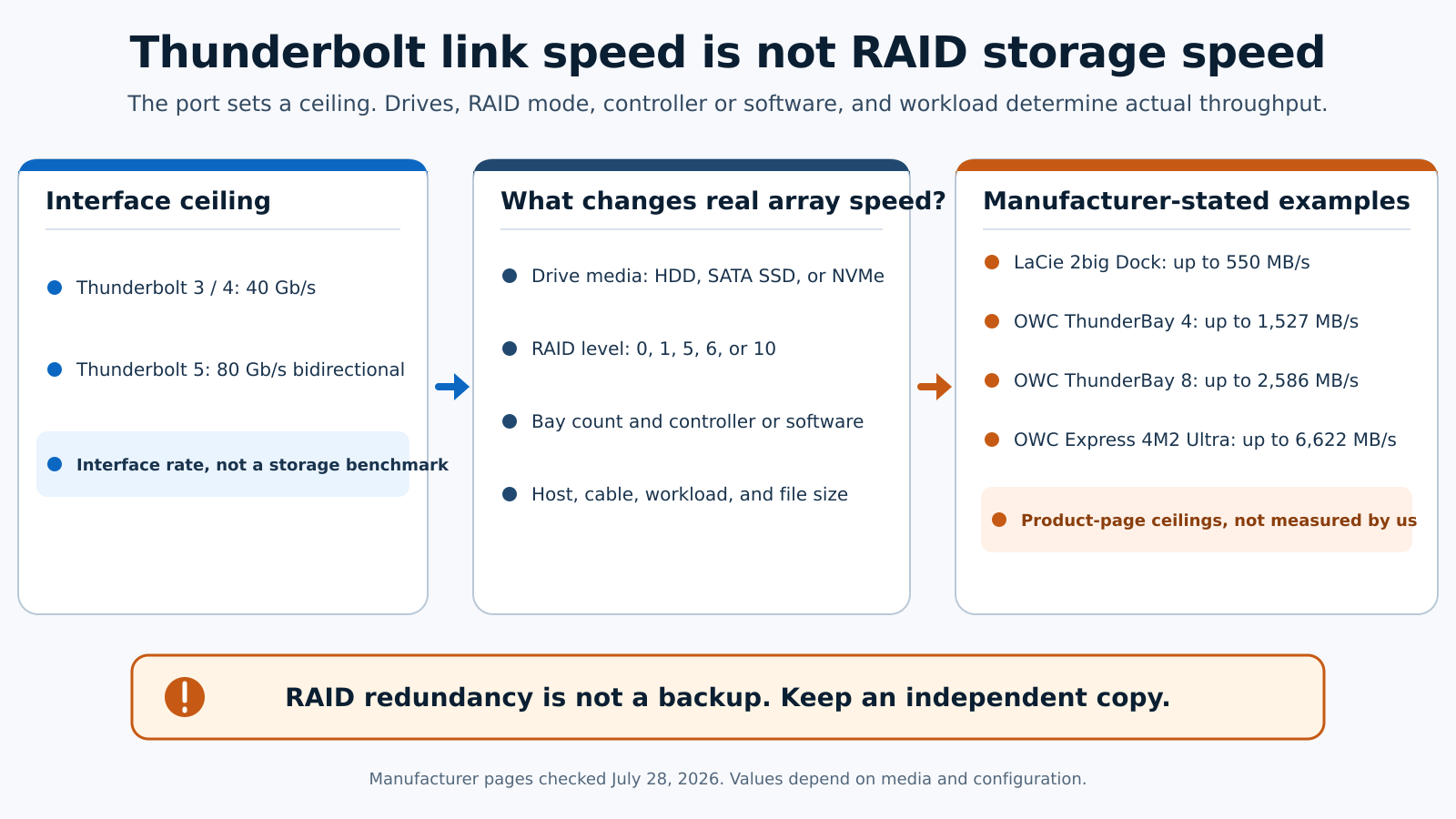
Look for a speed figure tied to the exact model, capacity, media, and RAID mode. The G-RAID Project 2 page gives one clear set for the exact 52TB model. The G-RAID Shuttle 8 page has two conflicting speed sections, so check the exact listing and current manual for the capacity you buy. Promise does not publish an exact HDD figure for the 144TB Pegasus32, so the correct answer is to leave that value unstated.
Operating system and software requirements
Check four layers before buying: the computer’s port, supported operating system version, RAID management software, and file system. A USB-C connector does not prove Thunderbolt support. A device that works on both Mac and Windows may still need reformatting or a driver.
Reformatting deletes the current volume. Make the operating system choice before storing data. A shared Mac and Windows workflow also needs a file system both sides can use and a RAID software version supported on each computer. Managed company computers may block the driver or utility installation even when the hardware is compatible.
Total system cost
Do not compare only the enclosure price. A diskless system needs drives, and an eight-bay build multiplies that cost. Add any RAID software license, spare drive, transport case, adapter, cable, power protection, and separate backup storage.
Also count the cost of usable capacity. RAID 1, RAID 5, RAID 6, and RAID 10 give up raw space to provide defined drive failure tolerance. Paying for 144TB of raw disks does not mean the protected volume will show 144TB. The right comparison is cost per usable backed-up terabyte for the RAID mode you will run.
Frequently asked questions
What is the best Thunderbolt RAID system for most buyers?
The OWC ThunderBay 4 0TB is the best flexible choice if you want to select four drives and control the RAID plan. The LaCie 2big Dock 32TB is better if you want a complete two-drive hardware RAID with media card readers. Buyers who need more protected capacity should compare the SanDisk G-RAID Shuttle 8 and Promise Pegasus32 R8.
What is the best Thunderbolt RAID enclosure?
The OWC ThunderBay 4 is the better diskless enclosure for a four-drive desktop build. The OWC ThunderBay 8 gives you twice the bays for a larger archive or SSD set. Both use host-managed RAID and require drives, setup, and a separate backup.
Is Thunderbolt RAID storage the same as NAS?
No. Thunderbolt RAID storage is usually direct-attached to one host. A NAS is reached through a network and is designed around shared access. Some computers can share a DAS volume over a network, but doing that does not turn the enclosure into a NAS.
Does RAID protect all my data?
No. RAID can protect access after a defined number of drive failures, depending on the RAID level. It does not protect every file from deletion, corruption, theft, fire, malware, enclosure failure, or a bad power event. Keep an independent backup and test recovery.
Is RAID 0 safe?
RAID 0 has no redundancy. It can improve capacity and sequential performance, but one failed drive can make the entire striped volume unavailable. Use it for data that already exists elsewhere or for a temporary workspace that can be rebuilt.
Is hardware RAID always faster than software RAID?
No. Performance depends on the controller, media, RAID mode, workload, host, and software. Hardware RAID keeps array control in the enclosure. Host-managed RAID adds operating system and software requirements, but it can still be fast on a suitable computer.
Can I use a Thunderbolt RAID system with Windows?
Several picks support Windows, but the setup differs. The SanDisk and Glyph products may require reformatting. OWC says Windows systems need the current SoftRAID version. Promise lists Windows 10 x64. Check the exact operating system and utility version before buying.
How much usable space will I get?
RAID 0 uses almost all equal-size raw capacity before formatting. RAID 1 and RAID 10 use about half. RAID 5 uses one drive’s worth for parity, and RAID 6 uses two. The operating system shows slightly less again after formatting.
Should I wait for Thunderbolt 5 RAID?
Wait only if you need multi-gigabyte NVMe transfers and have a Thunderbolt 5 host that can use them. Current Thunderbolt 3 HDD arrays remain suitable for large local capacity. Thunderbolt 5 products cost more and do not remove the need to choose a RAID level and backup plan.
How We Research and Select
We build each pick from the manufacturer’s current product page and manual. The page and manual set the bays, included drives, RAID type, supported modes, compatibility, and speed claims. We also confirm that the linked Amazon product is the exact model we describe, down to the capacity and model number.
We do not test the drives ourselves. Every performance figure stays attached to its manufacturer, media, RAID mode, and capacity, and we leave a number out when the source only proves it for a different configuration. We checked the seven main products in the same order they appear in the article and the comparison table.