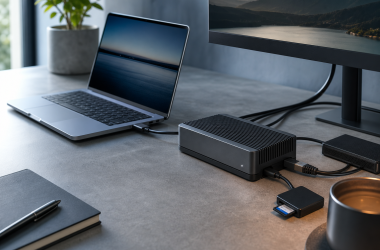
A docking monitor puts the display, laptop charger, USB hub, and sometimes Ethernet into one screen. Connect a compatible laptop with one USB-C or Thunderbolt cable and that cable can carry the picture, data for a keyboard and drive, network access, and charging power. It is a cleaner answer for one-laptop desks than a separate dock, although a dedicated dock usually offers more display outputs.
The best choice starts with the laptop, not the panel. Its USB-C port must support video and USB data, while its charging behavior must fit the monitor’s offered power. For a 27-inch 4K desk, the Dell U2725QE is the all-round choice; the Dell U4025QW is the wide-workspace alternative, the ASUS PA32QCV is for a 6K creator screen, and the ASUS BE249CGN is the lower-cost 24-inch option.
A docking monitor simplifies one laptop desk when its power, display path, network port, and peripheral connections match the work you actually do.Docking Monitors Compared
| Image | Product | Details | Check Price |
|---|---|---|---|
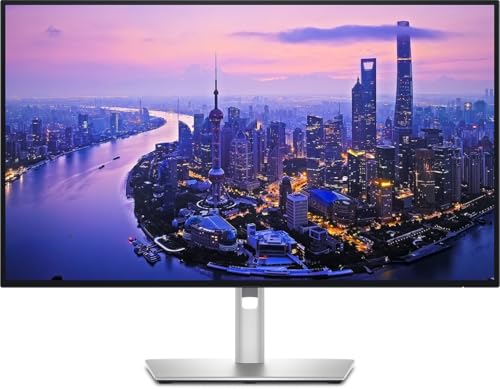 | Dell UltraSharp U2725QE | Best fit: Compact high-power 4K desk Screen: 27-inch, 3840 x 2160 Upstream and charging: Thunderbolt 4, up to 140W EPR Dock connections: Ethernet up to 2.5GbE and USB hub Expansion: Thunderbolt and DisplayPort downstream | Check Price on Amazon |
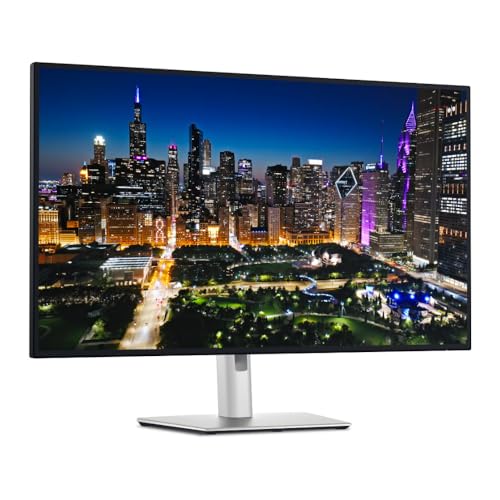 | Dell UltraSharp U3225QE | Best fit: Large 4K desk with KVM Screen: 31.5-inch, 3840 x 2160 Upstream and charging: Thunderbolt 4, up to 140W EPR Dock connections: Ethernet up to 2.5GbE, USB hub, and KVM Expansion: Thunderbolt and DisplayPort downstream | Check Price on Amazon |
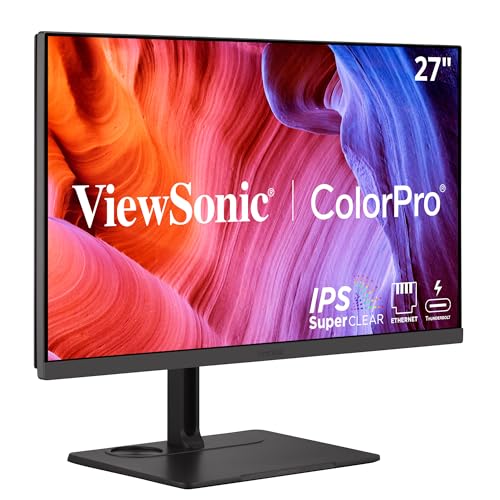 | ViewSonic ColorPro VP2776T-4K | Best fit: 27-inch 4K with 100W Thunderbolt Screen: 27-inch, 3840 x 2160 Upstream and charging: Thunderbolt 4, up to 100W Dock connections: Ethernet up to 2.5GbE and USB hub Expansion: Thunderbolt output; maker documents two 4K 60Hz displays | Check Price on Amazon |
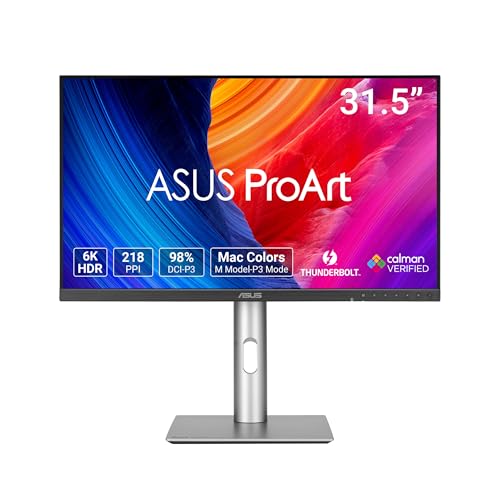 | ASUS ProArt PA32QCV | Best fit: 6K creator desk Screen: 31.5-inch, 6016 x 3384 Upstream and charging: Thunderbolt 4, up to 96W Dock connections: USB 3.2 hub and Auto KVM Expansion: Second Thunderbolt 4 port for supported chains | Check Price on Amazon |
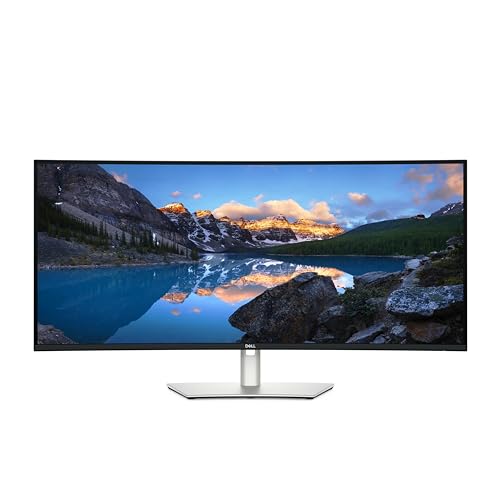 | Dell UltraSharp U4025QW | Best fit: 40-inch 5K2K office hub Screen: 39.7-inch, 5120 x 2160 Upstream and charging: Thunderbolt 4, up to 140W EPR Dock connections: Ethernet up to 2.5GbE, USB hub, and KVM Expansion: Thunderbolt 4 downstream for daisy chaining | Check Price on Amazon |
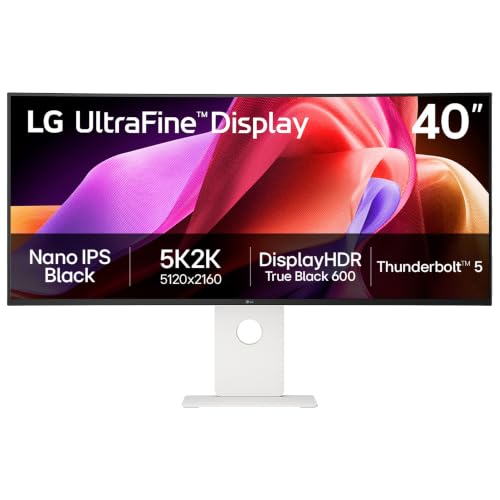 | LG UltraFine evo 40U990A-W | Best fit: Thunderbolt 5 5K2K workspace Screen: 40-inch, 5120 x 2160 Upstream and charging: Thunderbolt 5, up to 96W Dock connections: HDMI 2.1, DisplayPort 2.1 and USB-C per the Amazon listing; LG does not list Ethernet or KVM Expansion: LG lists daisy-chain support; mode depends on host path | Check Price on Amazon |
 | BenQ PD2725U | Best fit: Thunderbolt 3 design workflow Screen: 27-inch, 3840 x 2160 Upstream and charging: Thunderbolt 3, up to 65W Dock connections: USB hub and KVM Expansion: Thunderbolt 3 daisy chain for supported dual 4K setup | Check Price on Amazon |
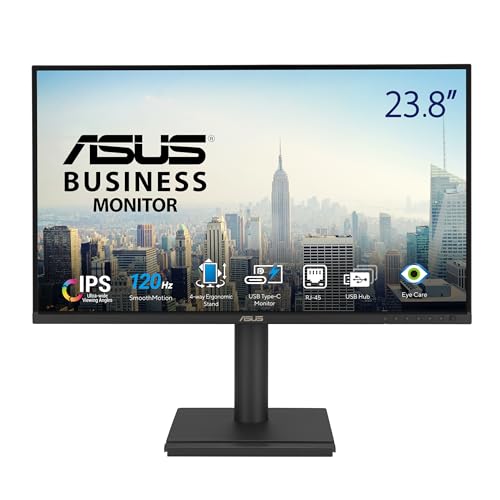 | ASUS BE249CGN | Best fit: Lower-cost 24-inch dock Screen: 23.8-inch, 1920 x 1080 Upstream and charging: USB-C DisplayPort Alt Mode, up to 96W Dock connections: RJ45 Ethernet and four USB-A ports Expansion: Two DisplayPort 1.4 connections for daisy chaining | Check Price on Amazon |
1. Dell UltraSharp U2725QE — Best Compact 4K Dock
The U2725QE is the straightforward answer for a laptop desk that needs a sharp 27-inch 3840 x 2160 panel without giving up dock functions. Dell specifies that panel alongside Thunderbolt 4, an integrated USB hub, Ethernet up to 2.5GbE, and downstream Thunderbolt and DisplayPort routes.
Dell rates the host connection for up to 140W EPR. The offered power is a ceiling, not a promise that every laptop will draw 140W. Choose the 32-inch Dell below when a larger physical screen takes priority.
Our Take Buy the U2725QE for a compact laptop desk that needs network, peripherals, and charging from the screen. Skip it when a 31.5-inch panel, a 6K canvas, or a wide timeline is the first requirement.
- Thunderbolt 4 carries laptop video, data, and up to 140W of offered charging through one connection.
- Dell lists Ethernet up to 2.5GbE and an integrated USB hub for desk peripherals.
- Dell lists downstream Thunderbolt and DisplayPort ports for supported display expansion.
- A laptop without the matching EPR support can charge below Dell’s 140W ceiling.
- The 27-inch panel offers less physical workspace than the U3225QE or either 40-inch choice.
2. Dell UltraSharp U3225QE — Best Large 4K Dock
Dell specifies a 31.5-inch 3840 x 2160 panel for the U3225QE, making it the larger physical 4K option beside the U2725QE. Dell gives it the same Thunderbolt 4, up-to-140W EPR, Ethernet up to 2.5GbE, USB hub, KVM, and downstream display approach as the smaller U2725QE.
Dell describes its KVM function for working across multiple USB- or network-connected PCs with one keyboard and mouse. The extra inches do not add pixels over the U2725QE, so the decision is screen size rather than a resolution upgrade. A 40-inch ultrawide has a different 5120 x 2160 layout when side-by-side windows are the goal.
Choose this one when 31.5-inch 4K is comfortable at your desk and the monitor must also organize Ethernet, USB devices, and input switching across multiple computers.Our Take Buy the U3225QE for a large 4K desk where a laptop and other computers share the same peripherals. Skip it if tighter text density on a smaller panel, a standard 6K canvas, or a wider 21:9 workspace fits better.
- Dell specifies a 31.5-inch 3840 x 2160 panel for buyers choosing a larger physical 4K screen.
- Thunderbolt 4 offers video, data, and up to 140W EPR charging through the laptop connection.
- Dell lists KVM, Ethernet up to 2.5GbE, and a USB hub for a desk with several computers.
- Downstream Thunderbolt and DisplayPort provide Dell-listed expansion routes for another display.
- The larger 4K panel has the same 3840 x 2160 pixel count as the smaller U2725QE.
- Dell lists one USB-C KVM upstream port for the monitor’s KVM function.
3. ViewSonic ColorPro VP2776T-4K — Best 100W Thunderbolt Dock
ViewSonic built the VP2776T-4K around a 27-inch 3840 x 2160 display, Thunderbolt 4, and an RJ45 network port rated up to 2.5GbE. Its upstream Thunderbolt connection carries display data and offers up to 100W, while the monitor also provides a USB hub for desk accessories.
ViewSonic describes connecting and powering up to two 4K monitors at 60Hz from a compatible host using Thunderbolt 4. Dell’s U2725QE and U3225QE and BenQ’s PD2725U also document dual-4K chains, so the ViewSonic’s role rests on its own 100W Thunderbolt 4 connection, RJ45 networking, and USB hub. Buyers who need more offered charging power should look at the Dell U2725QE instead.
Confirm the exact laptop’s display support before planning a two-screen chain from the VP2776T-4K.Our Take Buy the VP2776T-4K when a 27-inch 4K creator display needs Thunderbolt 4, up to 100W of offered power, RJ45, and a USB hub. Skip it if your laptop needs more than 100W of offered monitor power or if a larger panel is more useful.
- Thunderbolt 4 combines video, data, and up to 100W of charging for a compatible laptop.
- RJ45 networking is rated up to 2.5GbE for a wired desk connection.
- ViewSonic documents a two-monitor 4K 60Hz Thunderbolt chain for compatible systems.
- Its 100W offered power ceiling trails the 140W ceilings on the Dell U2725QE and U3225QE.
4. ASUS ProArt PA32QCV — Best 6K Creator Dock
ASUS specifies a 31.5-inch 6016 x 3384 6K panel for professional content creators, along with dual Thunderbolt 4 ports, up to 96W Power Delivery, a USB 3.2 hub, and Auto KVM. The listed combination suits a creator desk that needs a high-density panel alongside laptop peripherals at the display.
Its second Thunderbolt port creates a daisy-chain route, and ASUS says MacBook daisy-chaining capability may vary by model. The ASUS suits a desk where visual workspace is more important than a wired network jack in the monitor.
Our Take Buy the PA32QCV for a creator desk where a 6K panel, Thunderbolt 4, USB hub, and KVM belong together. Skip it if built-in Ethernet or Dell’s higher offered charging ceiling is more important than resolution.
- The 31.5-inch 6016 x 3384 panel offers a denser workspace than 31.5-inch 4K alternatives.
- Dual Thunderbolt 4 ports provide laptop video, data, up to 96W charging, and a supported chain route.
- The USB 3.2 hub and Auto KVM support peripherals shared by two connected computers.
- HDMI 2.1 and DisplayPort 1.4 DSC add non-Thunderbolt input options for a mixed desk.
- The monitor has a USB hub but no manufacturer-listed Ethernet port for a wired network at the screen.
- Its 96W charging ceiling trails the 140W EPR ceiling on Dell’s U2725QE and U3225QE.
- ASUS says MacBook daisy-chaining capability may vary by model, so check the exact MacBook.
5. Dell UltraSharp U4025QW — Best 5K2K Wide Dock
The U4025QW is for buyers who would rather spread work across one continuous canvas than manage two separate screens. Dell specifies a 39.7-inch 5120 x 2160 5K2K curved panel together with Thunderbolt 4, up to 140W EPR, Ethernet up to 2.5GbE, KVM, a USB hub, and a downstream Thunderbolt 4 connection.
5K2K means 5120 pixels across and 2160 pixels high, not the 5120 x 2880 shape of standard 5K. It suits wide timelines, large spreadsheets, and several side-by-side applications. Buyers who mainly want sharp small text in a conventional aspect ratio should compare the 6K ASUS before committing desk space to this width.
Our Take Buy the U4025QW for one wide laptop workspace that also needs Ethernet and shared USB accessories. Skip it if standard 5K or 6K pixel density, a smaller desk, or Thunderbolt 5 is the deciding factor.
- The 39.7-inch 5120 x 2160 panel accommodates wide timelines and multiple application columns.
- Thunderbolt 4 offers video, data, and up to 140W EPR charging through one host cable.
- Dell lists Ethernet up to 2.5GbE, KVM, and USB hub functions for a desk with several computers.
- Dell lists a downstream Thunderbolt 4 port for daisy chaining in a supported setup.
- 5120 x 2160 is a wide 5K2K format rather than standard 5120 x 2880 5K.
- The 40-inch curved panel takes considerably more desk width than the 27-inch monitors.
6. LG UltraFine evo 40U990A-W — Best Thunderbolt 5 Dock
LG’s 40U990A-W brings Thunderbolt 5 and 96W charging to a 40-inch 5120 x 2160 5K2K workspace. LG lists a single-cable daisy-chain setup, and the Amazon listing names HDMI 2.1, DisplayPort 2.1, and USB-C connections. LG does not list Ethernet, KVM, or a complete set of hub ports.
The maker specifies that 96W charging and 5120 x 2160 at 120Hz require Thunderbolt 5 or DisplayPort 2.1 support in the host path. A Thunderbolt 4 laptop can connect through a compatible route, but it should not be assumed to expose every Thunderbolt 5 mode. Choose the Dell U4025QW when Dell’s listed Ethernet and KVM are requirements, since LG does not list either.
The 40U990A-W is a Thunderbolt 5 choice first, so check the laptop’s port generation and DisplayPort capability before paying for its highest mode.Our Take Buy the 40U990A-W for a 5K2K laptop workspace built around Thunderbolt 5 and a 96W charging ceiling. Skip it when documented Ethernet, KVM, or complete hub-port details are purchase requirements.
- LG lists Thunderbolt 5 alongside a 5120 x 2160 workspace and up to 96W laptop charging.
- LG lists a single-cable daisy-chain setup for connecting two monitors and a laptop.
- LG does not list Ethernet, KVM, or a complete set of hub ports.
- Its 120Hz 5K2K path and 96W charging depend on a Thunderbolt 5 or DisplayPort 2.1 host route.
- The 40-inch 5120 x 2160 panel is a different size and shape from the 27-inch and 31.5-inch models.
7. BenQ PD2725U — Best Thunderbolt 3 Design Dock
The PD2725U is the design alternative for a 27-inch 3840 x 2160 Thunderbolt 3 desk, and BenQ specifies 65W charging, a USB hub, KVM, and Thunderbolt daisy chaining for up to dual 4K monitors in a supported setup. It also includes its Hotkey Puck G2 for quick monitor-control access.
Its 65W ceiling is much lower than the 96W, 100W, and 140W options above, which is the central tradeoff for a laptop with a high-power adapter. It fits buyers who value the 27-inch 4K design workflow and Thunderbolt 3 expansion, rather than buyers trying to consolidate a power-hungry workstation into the display.
Our Take Buy the PD2725U for a 27-inch 4K design desk that uses Thunderbolt 3, KVM, and a USB hub. Skip it if laptop charging above 65W, Ethernet at the monitor, or Thunderbolt 4 or 5 is required.
- Thunderbolt 3 carries display data and up to 65W charging over one laptop cable.
- The USB hub and KVM help one keyboard and mouse follow two connected systems.
- BenQ documents a supported Thunderbolt 3 path for up to dual 4K displays.
- Its 65W charging ceiling is lower than every other monitor selected on this page.
- The maker does not list an Ethernet port, so a wired network needs another connection.
8. ASUS BE249CGN — Best Lower-Cost 24-Inch Dock
The BE249CGN is the lower-cost choice for a smaller one-cable desk. ASUS specifies a 23.8-inch 1920 x 1080 IPS panel, one USB-C port with DisplayPort Alt Mode and 96W Power Delivery, RJ45 Ethernet, and a four-port USB 3.2 Gen 1 Type-A hub. The Amazon listing also describes laptop video, data, and 96W charging through that USB-C connection.
ASUS also lists two DisplayPort 1.4 connections for daisy chaining and one HDMI connection. The Full HD screen is smaller and lower in resolution than the 27-inch 4K options, and ASUS does not list an Ethernet speed for its RJ45 port.
Our Take Buy the BE249CGN for a lower-cost 24-inch desk that needs USB-C charging, wired networking, and several USB-A connections. Skip it when 4K resolution, Thunderbolt, or a manufacturer-stated Ethernet speed is required.
- USB-C with DisplayPort Alt Mode carries laptop video and data while offering up to 96W Power Delivery.
- ASUS lists RJ45 Ethernet and four USB 3.2 Gen 1 Type-A ports for desk peripherals.
- Two DisplayPort 1.4 connections support the monitor’s listed daisy-chain arrangement.
- The 23.8-inch 1920 x 1080 screen has fewer pixels than every 27-inch 4K option here.
- ASUS lists RJ45 Ethernet but does not state its speed on the US specification page.
Buying Guide
1. Confirm the laptop can send video and USB data
A USB-C-shaped port does not automatically make a docking monitor work as a dock. The laptop needs a display-capable USB-C or Thunderbolt path plus USB data for the monitor’s Ethernet adapter and hub, which is why a charge-only port may power the computer without supplying a picture or peripherals.
Thunderbolt 4 and 5 provide the host path for the Dell, ViewSonic, ASUS PA32QCV, and LG models here, while the BenQ uses Thunderbolt 3 and the ASUS BE249CGN uses USB-C DisplayPort Alt Mode. Check the computer manual for Thunderbolt or DisplayPort Alt Mode support before choosing a monitor solely for one-cable convenience. Our USB-C monitor guide covers this connection distinction in more depth.
2. Match monitor power to the laptop’s power needs
Monitor charging is an offered maximum rather than the amount every laptop receives. Dell lists up to 140W EPR for the U2725QE, U3225QE, and U4025QW, ViewSonic lists up to 100W, ASUS and LG list up to 96W for the PA32QCV, BE249CGN, and 40U990A-W, and BenQ lists up to 65W. Compare that figure with the computer’s supplied adapter and supported USB Power Delivery modes.
Cable capability, battery state, system policy, and monitor settings shape the negotiated result. A 65W monitor can suit a laptop with a smaller adapter but may not match a larger performance laptop under load, while 140W EPR needs compatible host support. Read our Thunderbolt 3, 4, and 5 guide when the connection generation is part of the purchase, or compare the higher-power options in our USB-C monitor charging guide.
3. Choose the panel shape before choosing the hub
Dock features do not settle whether a display feels spacious. By the makers’ specifications, the Dell U2725QE, ViewSonic, and BenQ 27-inch options are 4K, the Dell U3225QE is 31.5-inch 4K, the ASUS PA32QCV is 31.5-inch 6K, and the ASUS BE249CGN is 23.8-inch Full HD, so size and pixel count create different reading and layout experiences even when the hub function looks similar.
Dell and LG list the U4025QW and 40U990A-W as 5120 x 2160 5K2K ultrawides, built to keep several windows on one uninterrupted screen. The extra width helps with timelines and side-by-side work, but it is not the same as 5120 x 2880 standard 5K. Our best 4K monitors page is useful when conventional 16:9 4K is the desired shape, while our 5K2K ultrawide guide covers that wider format.
4. Treat Ethernet, USB, KVM, and display expansion separately
One monitor can be a strong dock without doing every dock job. The three Dell picks, the ViewSonic, and the ASUS BE249CGN list Ethernet, while LG does not list Ethernet or a complete set of ports. The Dell models, ASUS PA32QCV, and BenQ PD2725U also list KVM functions for sharing a keyboard and mouse between computers. Our USB-C monitors with Ethernet guide compares that network-first requirement.
Daisy-chaining plans need a separate check because the Dell U2725QE and U3225QE, ViewSonic VP2776T-4K, and BenQ PD2725U document dual-4K setups, while the ASUS models and LG publish their own downstream or daisy-chain routes. A second connector does not overrule host display limits, so use the exact computer’s support documentation before planning a chain. Our best Thunderbolt monitors article compares the broader category.
5. Decide when a separate dock is better
A docking monitor is elegant when one laptop, one screen, keyboard, mouse, and network cable stay in one place. The U2725QE and U3225QE combine Ethernet, high offered power, USB hub functions, and both Thunderbolt and DisplayPort downstream routes in conventional 4K sizes, while the U4025QW offers a similar dock feature set with a wide 5K2K panel and Thunderbolt downstream.
A dedicated dock wins when the desk needs several independent display outputs, a portable docking box, or ports positioned away from the screen. The monitor itself should be the screen you want even with no laptop attached, because its hub cannot make the panel size, resolution, or aspect ratio suit a different workflow. See our docking station guide for the separate-dock branch.
FAQ
Can a monitor replace a docking station?
Yes, a monitor can replace a docking station for a one-laptop desk when it carries video, USB data, charging, and the peripheral connections you need through one host cable. The Dell U2725QE, U3225QE, and U4025QW combine Ethernet, USB hub functions, and high offered charging power.
It cannot replace every dock for every desk, because a separate dock can offer more display outputs or sit closer to devices that do not belong behind the monitor. The right comparison is the needed ports and display layout, not the number of boxes on the desk.
Do docking monitors charge every laptop?
No, docking monitors do not charge every laptop at the same rate. The monitor offers a maximum and the laptop, cable, and USB Power Delivery profile negotiate the accepted input, so a 140W Dell ceiling does not mean every connected computer takes 140W.
Use the laptop’s supplied adapter as a starting point. The BenQ PD2725U offers up to 65W, while the Dell U2725QE, U3225QE, and U4025QW offer up to 140W EPR. A laptop that needs more power than the monitor can provide may charge slowly or use its own adapter for demanding work.
Does USB-C automatically support a docking monitor?
No, USB-C by itself names the connector rather than the complete capability. The computer must support a display path such as DisplayPort Alt Mode or Thunderbolt and must also carry USB data if the monitor’s network and peripheral hub are meant to work.
The same connector can charge a laptop while failing to show an image, or show an image while a USB hub does not function as expected. The host manual identifies the port’s video and data capabilities more reliably than its shape.
Can a docking monitor run two displays from one laptop cable?
Some can, but the answer is specific to the monitor and laptop. The Dell U2725QE and U3225QE, ViewSonic VP2776T-4K, and BenQ PD2725U document dual-4K Thunderbolt setups, while the ASUS models and LG list their own downstream or daisy-chain routes.
Host graphics hardware, operating system support, cable rating, the laptop’s internal display, and the total active display count can change the result. A downstream port is not a universal promise of a second screen at a chosen resolution or refresh rate.
Is a 5K2K ultrawide the same as a 5K monitor?
No, 5K2K describes a 5120 x 2160 ultrawide panel, while standard 5K is 5120 x 2880. The Dell U4025QW and LG 40U990A-W add width for multi-window work but have fewer vertical pixels than a standard 5K panel.
Choose 5K2K for a wide spreadsheet, editing timeline, or several applications beside each other. Choose the ASUS PA32QCV when a conventional 31.5-inch shape with 6016 x 3384 resolution better fits detailed visual work.
Bottom Line
The Dell U2725QE is the all-round docking monitor for laptop desks because it combines a 27-inch 4K panel, Thunderbolt 4, high offered power, Ethernet up to 2.5GbE, and USB hub functions. Move to the U3225QE for a larger 4K screen, the U4025QW for wide 5K2K work, the LG for Thunderbolt 5, the ASUS PA32QCV for 6K creator work, or the ASUS BE249CGN for a lower-cost 24-inch one-cable desk.