A WWAN card is an internal cellular modem. It lets a laptop use a SIM or eSIM and a carrier data plan rather than relying on nearby Wi-Fi, but it is not interchangeable with the laptop’s Wi-Fi card.
Start with the notebook, not the modem. You need a documented WWAN-ready M.2 slot, the right key and physical space, connected antennas, a SIM path, approved firmware and a carrier-supported band set. A card can fit mechanically yet fail because the BIOS or the carrier does not directly accept it.
The correct WWAN card is the one your exact laptop and carrier approve, not the one with the highest cellular category on its label.Table of Contents
Best WWAN Cards Compared
| Image | Product | Details | Check Price |
|---|---|---|---|
 | Quectel RM520N-GL | Best fit: 5G Sub-6 upgrade where the laptop is qualified Cellular: 5G NR Sub-6, LTE-A and 3G Module: M.2 Key B; 30 x 52 x 2.3 mm Bands: 5G NR n1/n2/n3 through n79; LTE FDD/TDD and WCDMA bands listed by Quectel | Check Price on Amazon |
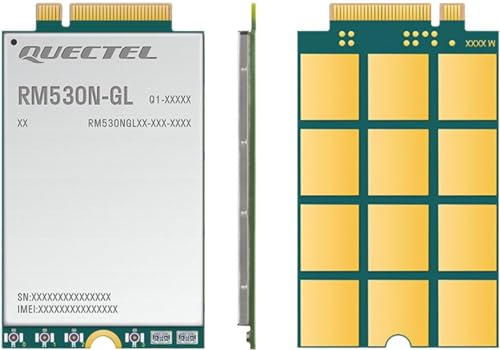 | Quectel RM530N-GL | Best fit: 5G design needing a Sub-6 and mmWave path Cellular: 5G, LTE-A and 3G; NSA and SA Module: M.2 Key B; 30 x 52 x 2.3 mm Bands: 5G NR Sub-6 and mmWave n257/n258/n260/n261; LTE FDD/TDD and WCDMA listed by Quectel | Check Price on Amazon |
 | Quectel EM060K-GL | Best fit: Cat 6 LTE laptop conversion Cellular: LTE-A Cat 6 plus UMTS/HSPA+ Module: M.2 Key B; 30 x 42 x 2.3 mm Bands: LTE FDD/TDD and WCDMA bands listed for the GL variant by Quectel | Check Price on Amazon |
 | Quectel EM160R-GL | Best fit: Higher-category LTE without moving to 5G Cellular: LTE-A Cat 16 Module: M.2 Key B; 42 x 30 x 2.3 mm Bands: LTE FDD/TDD and WCDMA bands listed by Quectel | Check Price on Amazon |
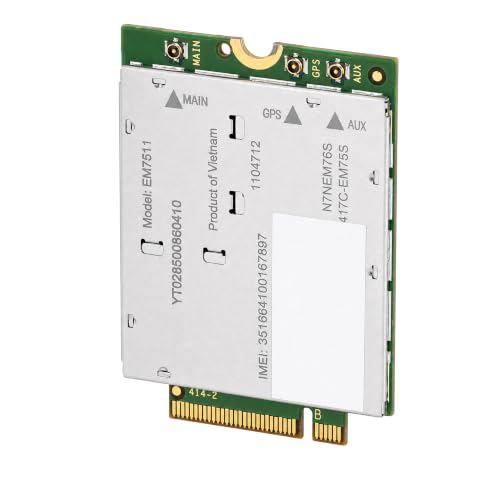 | Sierra Wireless EM7511 | Best fit: North American public-safety LTE qualification Cellular: LTE-Advanced Pro Cat 12 with 3G fallback Module: M.2 Slot B, 3042; 42 x 30 x 2.3 mm Bands: B1/B2/B3/B4/B5/B7/B8/B9/B12/B13/B14/B18/B19/B20/B26/B29/B30/B32/B41/B42/B43/B46/B48/B66 | Check Price on Amazon |
 | Dell DW5932e (Foxconn T99W373) | Best fit: Documented Dell Latitude DW5932e replacement Cellular: 5G NR FR1 (Sub6), LTE and WCDMA/HSPA+ Module: M.2 3042 Key-B; PCIe Gen3 GNSS: GPS/GLONASS/Galileo/BeiDou | Check Price on Amazon |
 | Sierra Wireless EM7455 | Best fit: Established North America or EMEA LTE replacement Cellular: LTE-Advanced and UMTS Module: M.2 Slot B, 3042; 42 x 30 x 2.3 mm Bands: Sierra identifies LTE coverage targeted at North America and EMEA | Check Price on Amazon |
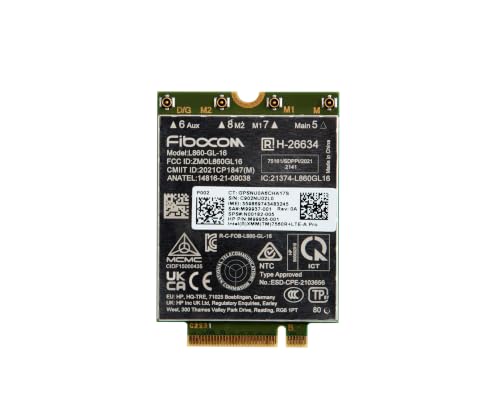 | HP XMM 7560 R+ LTE-Advanced Pro WWAN | Best fit: HP WWAN-ready Cat 16 LTE deployment Cellular: LTE-Advanced Pro Cat 16 with HSPA+ fallback Module: M.2 3042 Key B; 30 x 42 x 2.3 mm Bands: LTE FDD B1/B2/B3/B4/B5/B7/B8/B12/B13/B14/B17/B18/B19/B20/B25/B26/B28/B29/B30/B32/B66/B71; TDD B34/B38/B39/B40/B41/B42/B43/B48 | Check Price on Amazon |
What Is a WWAN Card?
A wireless wide-area network card is a cellular modem installed inside a notebook. It uses LTE or 5G radio bands and a carrier subscription, while the laptop’s Wi-Fi card connects to local wireless networks. The distinction is useful when a work laptop needs its own connection away from trusted Wi-Fi.
The card itself is only one part of the connection. The host needs antenna leads, a SIM reader or eSIM provisioning path, an M.2 slot wired for WWAN, firmware and operating-system support. What a WWAN card is is a useful starting point before opening a notebook.
1. Quectel RM520N-GL — Best 5G Sub-6 Starting Point
Choose the RM520N-GL when a laptop maker documents this family or an equivalent M.2 5G module for the exact WWAN configuration. Quectel describes it as a 5G NR Sub-6GHz M.2 module with 5G, 4G and 3G modes, plus both standalone and non-standalone 5G operation.
Quectel gives the module a 30mm x 52mm x 2.3mm outline, so it belongs in a 3052-sized WWAN space rather than a short 3042 bay. Quectel’s global coverage description does not remove the need for a carrier band check or an OEM firmware check, and you should settle both before an upgrade. Buyers who need external cellular hardware instead can compare USB-C 5G cellular modems for laptops.
Our Take Buy the RM520N-GL for a qualified 5G Sub-6 notebook conversion. Skip it when the computer lacks a 3052 WWAN bay, antenna leads or an approved carrier path.
- Quectel identifies 5G, 4G and 3G modes for a staged cellular upgrade.
- Standalone and non-standalone 5G support gives the carrier network room to decide the mode.
- The 3052 outline gives a concrete fit check before a laptop is opened.
- Sub-6 support does not establish a mmWave path for a laptop or carrier plan.
- A physical M.2 fit does not override an OEM BIOS allowlist.
2. Quectel RM530N-GL — Best 5G Expansion Path
The RM530N-GL is for an integrator or laptop owner whose documented platform calls for this model and needs the broader Quectel 5G design path. Quectel describes an M.2 5G, 4G and 3G module with both standalone and non-standalone operation.
Its main difference is the radio design, not a promised speed. Quectel positions the RM530N-GL alongside Sub-6-only RM520N designs and Sub-6 plus mmWave devices. The notebook, antenna assembly, firmware and carrier must support that path before mmWave is relevant.
mmWave needs the whole laptop and the carrier to be qualified, not only the card.Our Take Buy the RM530N-GL only when an approved system build calls for it and the wider 5G radio path is documented. The RM520N-GL is the simpler choice when the host is Sub-6 only.
- Quectel states 5G, LTE-A and 3G support in the M.2 module family.
- Standalone and non-standalone support suits carrier networks using either 5G deployment method.
- The broader radio design does not make an unqualified laptop mmWave-ready.
- Industrial and commercial positioning makes it a poor choice for an undocumented consumer retrofit.
- Carrier bands and certification need confirmation for the exact region.
3. Quectel EM060K-GL — Best Cat 6 LTE
The EM060K-GL suits a WWAN-ready laptop that needs LTE rather than a 5G radio. Quectel identifies the family as an LTE Cat 6 M.2 module, with theoretical maxima of 300Mbps downlink and 50Mbps uplink, plus UMTS/HSPA+ support.
At 42.0mm x 30.0mm x 2.3mm, it is a 3042-sized module. The size helps with the physical fit check, but connector keying, antenna count, OEM firmware and carrier bands are separate checks. It is a stronger fit than an old EM7345 replacement when the host calls for this newer Quectel family.
Do not substitute a Cat 6 card for a laptop’s named OEM module without checking the supported parts list.Our Take Buy the EM060K-GL for a documented Cat 6 LTE replacement path. Skip it if the laptop has only a 3052 space or needs a maker-approved 5G module.
- Quectel specifies LTE Cat 6 with stated 300Mbps downlink and 50Mbps uplink ceilings.
- The stated 3042 module size allows a direct check of the physical space.
- UMTS and HSPA+ support gives a fallback to older cellular networks where the carrier permits it.
- Quectel describes worldwide LTE-A coverage for the GL variant family.
- Cat 6 LTE is not a 5G option for a buyer seeking NR service.
- The stated throughput is theoretical and depends on the carrier’s spectrum and aggregation.
4. Quectel EM160R-GL — Best High-Category LTE
The EM160R-GL is the LTE pick for a laptop that explicitly supports its higher modem class. Quectel labels it an LTE-A Cat 16 M.2 module and states maximum LTE rates of 1Gbps downlink and 150Mbps uplink, along with a global-market positioning.
Like the EM060K-GL, it measures 42.0mm x 30.0mm x 2.3mm. The size makes it a possible fit for a 3042 space, but size does not prove compatibility. PCIe or USB wiring, approved firmware and the exact carrier’s supported LTE bands determine whether the host can use the module.
Our Take Buy the EM160R-GL for an approved 3042 Cat 16 LTE upgrade. Choose the RM520N-GL instead if the notebook and carrier both qualify for 5G Sub-6.
- Quectel specifies LTE Cat 16 rather than the EM060K-GL’s Cat 6 class.
- The stated 1Gbps downlink and 150Mbps uplink ceilings suit a higher-category LTE design.
- Integrated GNSS support is named by Quectel for positioning-capable designs.
- It does not add 5G NR to a qualified LTE laptop.
- Carrier aggregation and peak-rate claims depend on a compatible carrier deployment.
- OEM approval and antenna routing can rule out an otherwise correct 3042 card.
5. Sierra Wireless EM7511 — Best Public-Safety LTE Fit
The EM7511 has a narrower job than the Quectel global modules. Sierra identifies it as a PCI Express M.2 LTE-Advanced Pro module for North America, with LTE-LAA, CBRS and FirstNet Band 14 in its stated radio focus. The Amazon listing sells the EM7511 under the Aumotop brand, so check the module label against the Sierra part number on arrival.
It is relevant only when the organization, carrier and laptop configuration require those capabilities. The module uses PCI Express M.2 with USB 2.0 and USB 3.0 interfaces, but the required host route and certified firmware are specific to the laptop.
Our Take Buy the EM7511 for an approved North American public-safety or CBRS-oriented LTE build. Skip it for a generic laptop conversion that lacks the required carrier and organization qualification.
- Sierra names FirstNet Band 14, CBRS and LTE-LAA in the module’s radio focus.
- PCI Express M.2 with USB interfaces gives OEMs two documented ways to connect to the host.
- North American focus is less suitable for an international LTE deployment.
- Public-safety service requires a qualifying carrier account and device approval.
6. Dell DW5932e (Foxconn T99W373) — Best Dell Latitude 5G Replacement
Choose this card only where the exact Latitude configuration lists the Dell DW5932e. Dell identifies the DW5932e as a Qualcomm Snapdragon X62 Global 5G Modem, and the Amazon listing names it T99W373 DW5932e. Dell and the listing use the same DW5932e code. The card is a named replacement part, not a generic M.2 upgrade.
Dell specifies an M.2 3042 Key-B module with PCIe Gen3 for NR FR1 (Sub6) FDD/TDD, LTE FDD/TDD and WCDMA/HSPA+. Dell also lists GPS, GLONASS and Galileo. The 5G radio path depends on the configured Latitude, its antennas, firmware and carrier approval.
A 3042 Key-B fit does not mean the Latitude configuration supports the card or that the carrier will activate it.Our Take Buy this card when Dell lists the DW5932e for the exact Latitude configuration. Skip it for a notebook without that documented WWAN path.
- Dell identifies the DW5932e as a Qualcomm Snapdragon X62 Global 5G Modem.
- Dell specifies an M.2 3042 Key-B module with PCIe Gen3.
- Dell names NR FR1 (Sub6), LTE and WCDMA/HSPA+ as the radio modes.
- Dell lists GPS, GLONASS and Galileo alongside the cellular radio modes.
- It needs an exact Latitude configuration that lists the DW5932e.
- The 3042 Key-B size is not enough without the right antennas, firmware and carrier approval.
7. Sierra Wireless EM7455 — Best Established Regional LTE Replacement
The B07FK7NPVT listing identifies this module as Lenovo FRU 00JT547 and names the ThinkPad T460, T460P, T460S, L460, L560 and Yoga 260. Sierra describes the EM7455 as a PCI Express M.2 LTE-Advanced and UMTS modem whose LTE bands target North America and EMEA, with USB 2.0 and USB 3.0 interfaces.
The Lenovo part name in the listing gives it a clearer replacement role than the HP XMM 7560 below when the host’s approved part list specifies the EM7455. It is not a safe universal substitute for every M.2 socket, particularly across TrackPoint-equipped ThinkPad options, HP and Dell systems with model-specific approval lists.
Match the notebook’s approved WWAN part number before treating an M.2 socket as an upgrade invitation.Our Take Buy this listing when the laptop’s records call for Lenovo FRU 00JT547 or explicitly approve this EM7455 configuration. Do not replace a named Lenovo part with a different M.2 module solely because the connector looks compatible.
- Sierra documents LTE-Advanced, UMTS and GNSS in the PCI Express M.2 module.
- North America and EMEA band targeting provides a defined regional qualification starting point.
- Sierra describes its LTE bands as targeting North America and EMEA.
- The listing names Lenovo FRU 00JT547 and ThinkPad T460, T460P, T460S, L460, L560 and Yoga 260, so it is not a generic M.2 upgrade.
- It does not supply 5G service for a notebook that needs NR.
8. HP XMM 7560 R+ LTE-Advanced Pro WWAN — Best HP-Qualified Cat 16 LTE Pick
The HP XMM 7560 R+ is an LTE-Advanced Pro Cat 16 WWAN module for an HP system that is configured with a WWAN panel. HP gives it an M.2 3042 Key B form factor and a 30mm x 42mm x 2.3mm outline, so the host must provide that exact key, length and antenna path.
HP lists broad LTE FDD and TDD coverage, HSPA+ fallback and GPS, BDS, GLONASS and Galileo. The listed capabilities make it a defined LTE option, but they do not turn it into a cross-brand upgrade. HP says the laptop requires WWAN-panel configuration, and carrier activation is separate.
Our Take Buy the HP XMM 7560 R+ when an HP service record or configured-parts list calls for it. Choose a different row only when the exact laptop maker documents that module and radio path instead.
- HP specifies M.2 3042 Key B and a 30mm x 42mm x 2.3mm physical outline.
- Cat 16 LTE-Advanced Pro gives it a modern LTE role without claiming 5G.
- HP lists LTE FDD/TDD, HSPA+ and four GNSS constellations.
- It is not a 5G option for a new cellular plan.
- HP requires the laptop’s WWAN-panel configuration, so a matching socket is insufficient.
Buying Guide
1. Confirm the laptop has a WWAN path
Start with the service manual and the machine’s configured parts list. A spare M.2 slot is not enough because many storage and Wi-Fi sockets lack the WWAN wiring, antenna routes or SIM connection that a cellular modem needs. A support page for the exact model is stronger evidence than a photo of an empty slot.
Open the bottom cover only after confirming the module length, key and retention point. A 3042 or 3052 space is a physical check, while antenna leads, a Nano-SIM reader or eSIM route, power and PCIe or USB wiring are electrical checks. If any one is missing, use a supported external modem instead of forcing an internal card.
2. Treat OEM allowlists as a purchase check
Business laptops often tie WWAN activation to an approved part number, firmware image or original factory configuration. A BIOS allowlist can block a physically correct card, leaving a buyer with a modem that fits but never appears as a cellular device. Check the laptop maker’s service documentation and parts catalogue before selecting a model.
The check is especially important for OEM-specific choices. The HP XMM 7560 R+ and Sierra EM7455 are replacement picks, not generic add-ons, because their usefulness depends on the laptop’s established radio and firmware path. A ThinkPad, Latitude or EliteBook family name is not precise enough. Validate the generation and configuration.
3. Choose 5G only when the host and carrier support it
The RM520N-GL is the logical first 5G choice where the laptop and carrier support Sub-6 NR. Sub-6 5G is not the same as mmWave, so the RM530N-GL should be considered only when the complete system documentation calls for its wider 5G design path and antenna assembly.
LTE can be the more appropriate route for an existing laptop. EM160R-GL is Cat 16 LTE and EM060K-GL is Cat 6 LTE, while the Sierra cards fit specific regional or legacy roles. Carrier aggregation, congestion, local spectrum and the service plan affect the usable connection, so theoretical module ceilings are not a speed promise.
4. Match the carrier bands and certification
Compare the maker’s band list to the carrier’s certified-device requirements in the country where the laptop will run. Band coverage and carrier approval are separate checks, because a module can list a radio band and not be accepted by a particular carrier account or firmware variant. For that reason, global descriptions do not settle activation.
The EM7511 is the clearest example. FirstNet Band 14 and public-safety service require the relevant carrier and organization qualification, while a Dell DW5932e installation also needs its documented Latitude configuration. Ask the carrier about the exact model and IMEI path before a deployment, rather than after fitting hardware.
5. Plan the whole cellular installation
A usable internal setup includes a module, antennas, a SIM or eSIM activation route, drivers and an approved data plan. Antenna leads are required hardware, not optional accessories, and missing or mismatched leads can make an internal installation unusable. Keep the original antenna routing and follow the service manual.
If the computer is not WWAN-ready, do not confuse the internal-card task with a general connectivity problem. An external cellular solution can be the cleaner option for a laptop that lacks antennas or OEM approval, while a supported internal configuration keeps the notebook portable. Related laptop connection choices are covered in our ThinkPad docking guide, HP laptop docking guide, Thunderbolt laptop list, Thunderbolt laptop picks and Thunderbolt 4 docking stations.
FAQ
Can I put any M.2 WWAN card in my laptop?
No. An M.2 WWAN card needs the right slot wiring, key, physical length, antennas, SIM path and firmware support. Physical fit alone is not compatibility, so a card can seat correctly but fail to initialize or connect.
Use the exact laptop service manual, parts list and carrier guidance as the decision chain. If the notebook was not configured for WWAN, the missing antennas or BIOS support can stop the project before the carrier is involved.
Is a WWAN card the same as a Wi-Fi card?
No. A WWAN card is a cellular modem that uses a carrier plan, while a Wi-Fi card joins local wireless networks. Cellular bands and carrier certification are therefore central to a WWAN purchase and irrelevant to an ordinary Wi-Fi upgrade.
The cards on this page use M.2 form factors, but that common physical family does not make them interchangeable with M.2 Wi-Fi hardware. Check the host’s documented WWAN connector and radio configuration.
Do I need antennas and a SIM card?
Usually, yes. An internal WWAN module normally needs the laptop’s dedicated cellular antenna leads and a SIM reader or eSIM provisioning arrangement. The host’s antenna and SIM design determine whether a module can function as an internal modem.
Some business notebooks were sold in WWAN-ready configurations, while other units of the same model family were not. Confirm the exact unit’s hardware before buying a card or a data plan.
Should I buy 5G or LTE for a laptop?
Buy the generation your laptop and carrier support. A qualified 5G path can point to the RM520N-GL, RM530N-GL or Dell DW5932e for its documented Latitude configuration, while a documented LTE laptop can fit the EM060K-GL, EM160R-GL or one of the Sierra models.
Do not select 5G solely for the label. A compatible LTE card with approved firmware and the required bands is more useful than a 5G module that the notebook BIOS or carrier will not accept.
Why is carrier certification a separate check?
Carrier certification determines whether the network will provision and support a module or its firmware variant. Band support does not guarantee activation, particularly for public-safety service, regional carrier profiles and imported modem variants.
Ask the carrier about the exact model, device class and plan before installing it. That step is also where a buyer can confirm whether a physical SIM, eSIM profile or an OEM-branded module is required.
Bottom Line
The Quectel RM520N-GL is the best first choice for an approved Sub-6 5G laptop, while the EM160R-GL is the high-category LTE option for a documented 3042 installation. The Dell DW5932e fits a documented Latitude configuration, and the HP XMM 7560 R+ fits a documented HP WWAN configuration.