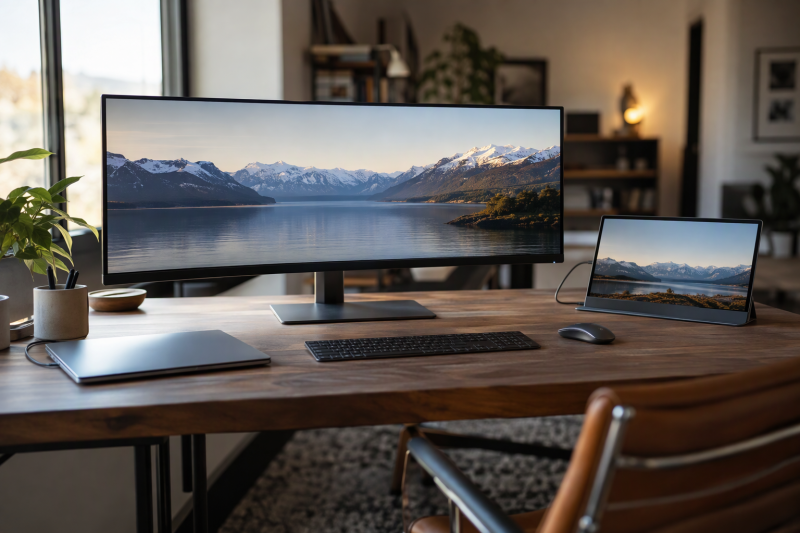
A desktop ultrawide and a portable laptop screen solve different space problems. The ultrawide gives a desk a wide, fixed display. The portable screen is a second display that can travel. The comparison covers both kinds from INNOCN and Cocopar, so start with where you will use the monitor.
The five models range from a 40-inch ultrawide to 15.6-inch portable screens. Inputs and refresh limits affect the choice as much as size does. The Cocopar listings say a laptop’s USB-C port needs Thunderbolt or DisplayPort Alt Mode support for single-cable use, and INNOCN’s page ties the 40C1R’s refresh rate to the input you use.
INNOCN and Cocopar Monitors Compared
| Image | Product | Best fit | Screen | Refresh rate | Connections | Watch-outs | Check Price |
|---|---|---|---|---|---|---|---|
 | INNOCN 40C1R | Ultrawide desktop productivity | 40-inch 3440 x 1440 | 144Hz DP; 100Hz HDMI | USB-C, DP, 2 x HDMI, audio | USB-C video is limited to 60Hz on INNOCN's page | Check Price on Amazon |
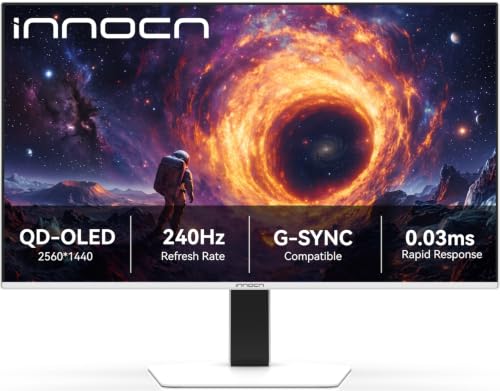 | INNOCN 2780S | 27-inch QD-OLED gaming | 27-inch 2560 x 1440 | Up to 240Hz | 2 x HDMI 2.1, 2 x DP 1.4, audio | INNOCN's page lists no USB-C input | Check Price on Amazon |
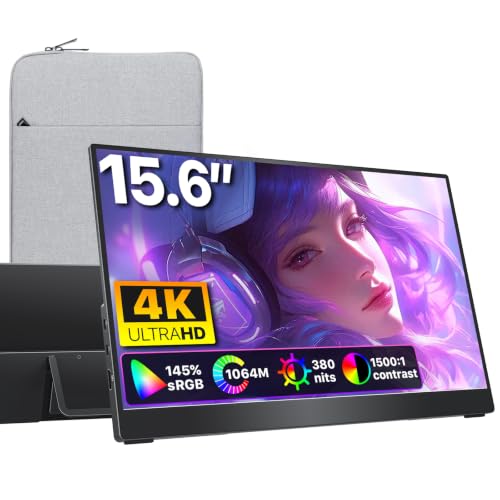 | Cocopar Y156ULH | Portable 4K screen | 15.6-inch 4K UHD | Up to 60Hz | 2 x USB-C, HDMI | USB-C video requires a compatible host | Check Price on Amazon |
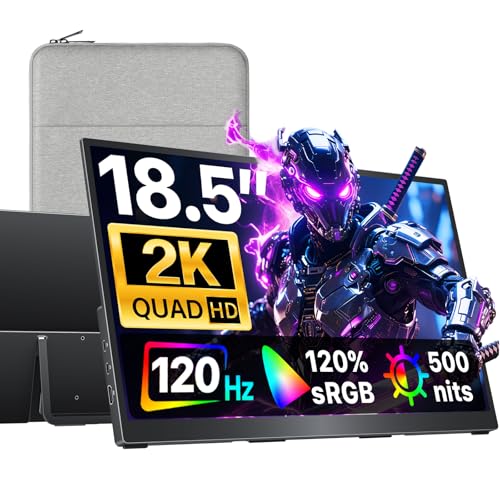 | Cocopar Y185QLH | Larger portable QHD screen | 18.5-inch 2560 x 1440 | Up to 120Hz | 2 x USB-C, HDMI | USB-C video requires a compatible host | Check Price on Amazon |
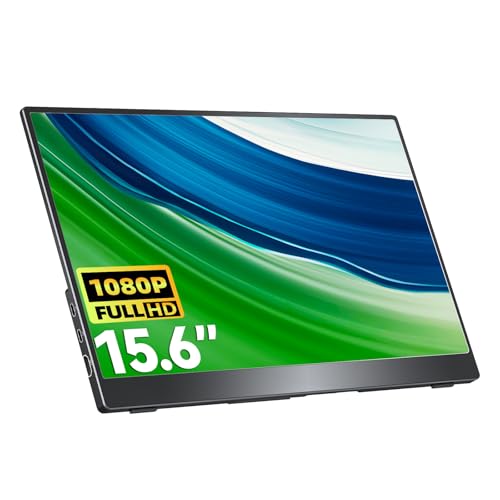 | Cocopar Y156FH7LH | Portable Full HD screen | 15.6-inch 1080p | Up to 60Hz | 2 x USB-C, full-size HDMI | USB-C video requires a compatible host | Check Price on Amazon |
1. INNOCN 40C1R — Best 40-Inch Ultrawide for a Desk
The INNOCN 40C1R is a 40-inch ultrawide with 3440 x 1440 resolution and a 21:9 aspect ratio. INNOCN’s product page lists an IPS (ADS) panel, and both that page and the Amazon listing give 144Hz over DisplayPort and 100Hz over HDMI. INNOCN’s page lists one DisplayPort 1.4 port at 144Hz, two HDMI 2.0 ports at a 100Hz maximum, one 3.5 mm audio output and built-in speakers.
The USB-C port needs a closer read. INNOCN’s page describes it as a video input with 90W power delivery and a 60Hz maximum. The Amazon listing says laptops, phones, tablets and consoles can connect to it directly and does not give a refresh figure for that port. Both sources list PIP and PBP split-screen modes.
The two sources disagree on brightness. The Amazon title says 500 nits, while INNOCN’s page gives 370 cd/m² typical and 570 cd/m² maximum. For color, the Amazon title says 95% DCI-P3 and INNOCN’s page gives 94.2% DCI-P3 and 99.6% sRGB, with HDR400 and FreeSync Premium on both. INNOCN’s page lists 120 mm of height adjustment, 30 degrees of swivel either way, tilt from 5 degrees forward to 15 degrees back and a 100 x 100 mm VESA pattern.
Decision point: choose the 40C1R for a wide desk display and plan around its 144Hz DisplayPort, 100Hz HDMI and 60Hz USB-C limits. Our TakeThe 40C1R suits a desk with room for an ultrawide and a laptop or console that needs several video inputs. INNOCN lists 100Hz as the maximum for a source on HDMI and 60Hz for a laptop on USB-C.
- INNOCN lists a 40-inch IPS (ADS) panel at 3440 x 1440 and a 21:9 aspect ratio for a desk with room for an ultrawide.
- INNOCN lists 144Hz over its DisplayPort 1.4 port, while its two HDMI 2.0 ports have a 100Hz maximum.
- INNOCN’s page lists a USB-C video input with 90W power delivery alongside the DisplayPort and HDMI inputs, and the Amazon listing says laptops can connect to it directly.
- INNOCN’s page lists 120 mm of height adjustment, 30 degrees of swivel either way and a 5 to 15 degree tilt range.
- INNOCN’s page limits the USB-C video input to 60Hz and the HDMI ports to 100Hz, below its 144Hz DisplayPort figure.
- The Amazon title says 500 nits and INNOCN’s page gives 370 cd/m² typical and 570 cd/m² maximum, so the two sources disagree on brightness.
2. INNOCN 2780S — Best QD-OLED Gaming Display
The INNOCN 2780S is a 27-inch QD-OLED monitor with 2560 x 1440 resolution and a 240Hz refresh rate. INNOCN’s page lists a 0.03 ms (GtG) response time, and the Amazon listing describes it as a gaming monitor that works with PS5, Xbox and Switch consoles.
INNOCN’s page lists two HDMI 2.1 ports, two DisplayPort 1.4 ports and one audio output. It does not list a USB-C input, and the Amazon listing names HDMI 2.1 and DisplayPort inputs but no USB-C input, so check that the laptop has an HDMI or DisplayPort output before buying. INNOCN’s page also lists two 3W speakers and a 100 x 100 mm VESA pattern.
For the panel, INNOCN’s page lists 10-bit color depth, 99% DCI-P3 coverage, 99% sRGB coverage and HDR400 True Black, with a 1,500,000:1 contrast ratio and Adaptive-Sync. The two sources differ on the stand. The Amazon listing names height, tilt and pivot, while INNOCN’s page adds swivel and gives 150 mm of height adjustment. INNOCN’s page gives a weight of 5.7 kg.
The 2780S is the gaming-focused desktop choice for a laptop or console with an HDMI 2.1 or DisplayPort output. It is the only OLED panel on this page.
- INNOCN lists a 27-inch QD-OLED panel at 2560 x 1440 and 240Hz with a 0.03 ms GtG response time.
- INNOCN’s page lists 99% DCI-P3 coverage, 10-bit color depth and HDR400 True Black.
- INNOCN lists two HDMI 2.1 ports, two DisplayPort 1.4 ports and an audio output, matching a laptop or console with an HDMI or DisplayPort output.
- INNOCN lists tilt, swivel, pivot and 150 mm of height adjustment on the stand.
- INNOCN’s page does not list a USB-C video input, so a laptop needs an HDMI or DisplayPort output.
- The 2780S is a 27-inch desktop monitor, and INNOCN’s page gives its weight as 5.7 kg.
3. Cocopar Y156ULH — Best Portable 4K Display
The Amazon listing describes the Cocopar Y156ULH as a 15.6-inch 4K UHD portable monitor with a 60Hz refresh rate, 145% sRGB, a 1500:1 contrast ratio and a metal body. The listing gives a weight of 1.54 lb and a thickness of 0.24 inch at the thinnest point.
The listing names two USB-C ports, one HDMI port and dual built-in speakers. It also describes a built-in kickstand, VESA compatibility, a matte screen and a protective fabric sleeve. For USB-C plug-and-play, the listing says the host must support Thunderbolt 3, 4 or 5, or DisplayPort Alt Mode, so check the laptop’s port before relying on one cable.
The listing says 4K UHD but does not give a pixel count. The Y156FH7LH below has the same 15.6-inch size, and its Amazon listing gives 1080p, so the two differ in resolution rather than screen size.
Decision point: choose the Y156ULH for the portable 4K listing, and confirm the laptop’s USB-C video support. Our TakeThe Y156ULH is the portable 4K option for a laptop with a Thunderbolt or DisplayPort Alt Mode USB-C port, or for a device with HDMI output. The Amazon listing gives it a metal body and a 1.54 lb weight.
- The Amazon listing gives the Y156ULH a 15.6-inch 4K UHD screen at 60Hz with 145% sRGB.
- The Amazon listing names two USB-C ports and one HDMI port, covering a laptop with USB-C video or a device with HDMI output.
- The Y156ULH listing describes a built-in kickstand and VESA compatibility.
- The Amazon listing says a protective fabric sleeve comes with the Y156ULH.
- The Amazon listing for the Y156ULH does not give a pixel count for its 4K UHD screen.
- The Y156ULH listing gives 60Hz, below the 120Hz in the Y185QLH listing and the 240Hz INNOCN lists for the 2780S.
4. Cocopar Y185QLH — Best Large Portable QHD Display
The Amazon listing describes the Cocopar Y185QLH as an 18.5-inch IPS portable monitor with 2560 x 1440 resolution, a 120Hz refresh rate, 120% sRGB and 500 nits of brightness. It is the largest portable screen here. The listing’s bullet gives a weight of 2.48 lb, while its details field gives about 2.43 lb and dimensions of 16.69 by 9.88 by 0.24 inches.
The listing names two USB-C ports and a standard HDMI port, plus a built-in kickstand and 75 x 75 mm VESA support. For USB-C plug-and-play, it says the host must support Thunderbolt 3, 4 or 5, or DisplayPort Alt Mode. Check the laptop’s video output before choosing the larger screen for travel.
The two 15.6-inch Cocopar listings are smaller panels at 1080p and 4K. Against them, the Y185QLH listing gives a larger diagonal and a 120Hz figure, and its details field gives a wider and taller body than the roughly 14 by 8.7 inches in the details fields of those listings.
Decision point: choose the Y185QLH for a larger portable QHD display with a 120Hz figure on its Amazon listing. Our TakeThe Y185QLH fits someone who wants more portable screen area and has room for an 18.5-inch panel. The 120Hz and 500 nit figures come from the Amazon listing.
- The Amazon listing gives the Y185QLH an 18.5-inch panel, larger than the 15.6-inch Cocopar listings.
- The Amazon listing gives 2560 x 1440 resolution, 120Hz and 500 nits of brightness.
- The Y185QLH listing names two USB-C ports and a standard HDMI port.
- The Amazon listing describes a built-in kickstand and 75 x 75 mm VESA support.
- The Y185QLH listing gives two weights, 2.48 lb in its bullet and about 2.43 lb in its details field.
- The Y185QLH listing says single-cable USB-C use needs a Thunderbolt or DisplayPort Alt Mode host, so check the laptop’s video output first.
5. Cocopar Y156FH7LH — Best Portable Full HD Screen
The Amazon listing describes the Cocopar Y156FH7LH as a 15.6-inch Full HD portable monitor with 1080p at 60Hz. It gives a Super Clear IPS screen, 85% color gamut, a 178-degree viewing angle, HDR and low blue light. The listing also describes extend and mirror modes for use as a second screen.
For connections, the listing names two full-featured USB-C ports and a full-size HDMI port. It says one USB-C cable carries both power and display and supports power pass-through reverse charging, and its note says the device should support Thunderbolt 3 or 4 or USB 3.1 Type-C DP Alt Mode. The stand is a 90-degree adjustable kickstand, and the listing names two VESA holes.
The listing’s weight figures disagree. Its bullet says 700 g (1.5 lb) and 6 mm (0.24 inch) at the slimmest point, while its details field gives 1.8 pounds. Confirm the weight with the seller if carry weight is a concern.
The Y156FH7LH is the Full HD travel choice for adding a second screen to a compatible laptop. Its two USB-C ports and full-size HDMI port give two ways to connect, and the listing’s USB-C note says what the laptop must support.
- The Amazon listing gives the Y156FH7LH a 15.6-inch 1080p screen at 60Hz with an IPS panel.
- The Y156FH7LH listing names two full-featured USB-C ports and a full-size HDMI port, which gives two ways to connect.
- The Amazon listing describes a 90-degree adjustable kickstand and two VESA holes.
- The Amazon listing says one USB-C cable can carry power and display with a compatible host.
- The Y156FH7LH listing gives 1.5 lb in its bullet and 1.8 pounds in its details field, so confirm the weight with the seller if carry weight is a concern.
- The Y156FH7LH listing says single-cable USB-C use needs a host with Thunderbolt or USB-C DP Alt Mode.
Buying Guide: Choose a Desktop or Portable Monitor
Decide where the screen will live
The INNOCN 40C1R is a 40-inch ultrawide desktop monitor, and INNOCN’s page lists 120 mm of height adjustment. The 2780S is a 27-inch desktop display with a QD-OLED panel and a 5.7 kg weight on INNOCN’s page. Both need a place on the desk and a video connection from the computer.
The three Cocopar choices are portable monitors whose Amazon listings describe built-in kickstands. The Y185QLH is 18.5 inches, while the Y156ULH and Y156FH7LH are 15.6 inches. Compare bag space and working-surface area before choosing the largest screen that fits your resolution preference.
Match resolution to the screen size
The 40C1R has 3440 x 1440 across a 21:9 panel on INNOCN’s page, and the 2780S has 2560 x 1440 on a 27-inch screen. The ultrawide is the wider shape, while the 2780S is the QD-OLED option at 240Hz.
Among the portable models, the Y156ULH listing says 4K UHD, the Y185QLH listing gives 2560 x 1440, and the Y156FH7LH listing gives Full HD 1080p. Choose the resolution that fits your laptop’s output and your need for screen space, since a shared brand name does not mean a shared panel.
Check USB-C video support
The Cocopar listings say single-cable USB-C display use needs a Thunderbolt or DisplayPort Alt Mode host. A laptop can have a USB-C connector without video output on every port, so check the laptop’s specifications and the port you plan to use before relying on one cable for the portable screen.
The three Cocopar listings each name an HDMI port as a second way to connect a video source. The 40C1R is the desktop model here with a USB-C input. INNOCN’s page lists the port as a video input with 90W power delivery and a 60Hz maximum. The USB-C portable monitor guide covers this connection decision in more detail.
Compare refresh rates by input
The 40C1R page and listing give 144Hz over DisplayPort and 100Hz over HDMI, and INNOCN’s page adds 60Hz over USB-C, so its headline rate applies to one input only. The 2780S page gives 240Hz with HDMI 2.1 and DisplayPort 1.4 inputs. The computer, cable and monitor mode all need to support the combination you want.
The Y185QLH listing gives 120Hz, while the Y156ULH and Y156FH7LH listings give 60Hz. A higher published refresh rate helps with motion only when the source supports the setting. For document work, the portable size and connection may be the more decisive constraints.
Plan the stand and mounting arrangement
INNOCN’s page lists height, tilt and swivel for the 40C1R and tilt, swivel, pivot and height for the 2780S, with a 100 x 100 mm VESA pattern on both. Measure the desk before choosing the 40-inch ultrawide, particularly if another device or speaker has to fit beside it.
The three Cocopar listings describe a kickstand and VESA mounting, and the Y185QLH listing gives a 75 x 75 mm pattern. Confirm mount compatibility before buying an arm. For another look at portable resolution and connection choices, see the 4K portable monitor comparison.
Frequently Asked Questions
Which monitor is easiest to carry?
The three Cocopar listings describe portable screens with kickstands, while INNOCN’s pages list stand adjustments for the 40C1R and 2780S. The Y156ULH and Y156FH7LH listings give a 15.6-inch screen, and the Y185QLH listing gives 18.5 inches and 2.48 lb in its bullet.
Choose based on both screen area and bag space. The 18.5-inch option gives a larger portable panel, but the 15.6-inch models take less space beside a laptop.
Can any USB-C laptop drive the Cocopar screens?
No. The Cocopar listings say single-cable USB-C video needs a Thunderbolt or DisplayPort Alt Mode host. Check the laptop port in its documentation instead of assuming every USB-C port carries display video.
The Cocopar listings also name HDMI ports for a compatible source. Check the product instructions for the power and cable arrangement of the connection you choose.
Is the 40C1R 144Hz over HDMI?
No. INNOCN’s page and the Amazon listing give 144Hz over DisplayPort, and INNOCN’s page gives a 100Hz maximum for each HDMI 2.0 port and 60Hz for USB-C. The input therefore sets the refresh rate if the computer has only one of those video paths.
The Amazon listing also names a second HDMI port. Confirm the computer and cable support the mode you want before buying.
Which portable Cocopar has the highest stated resolution?
The Y156ULH listing describes its 15.6-inch panel as 4K UHD. The Y185QLH listing gives 2560 x 1440, and the Y156FH7LH listing gives 1080p. The Y156ULH and Y156FH7LH share a screen size but not a resolution.
Also compare the refresh rate. The Y156ULH listing gives 60Hz, while the Y185QLH listing gives 120Hz. The right choice depends on the host’s output and the size that fits your workspace.
Does the 2780S connect directly over USB-C?
INNOCN’s page for the 2780S lists two HDMI 2.1 ports, two DisplayPort 1.4 ports and an audio output, and does not list a USB-C video input. A USB-C-only laptop therefore needs another way to reach HDMI or DisplayPort.
INNOCN’s page lists a USB-C video input for the 40C1R, at a 60Hz maximum. Check the laptop’s capabilities, cable and the refresh mode you want before choosing either desktop monitor.