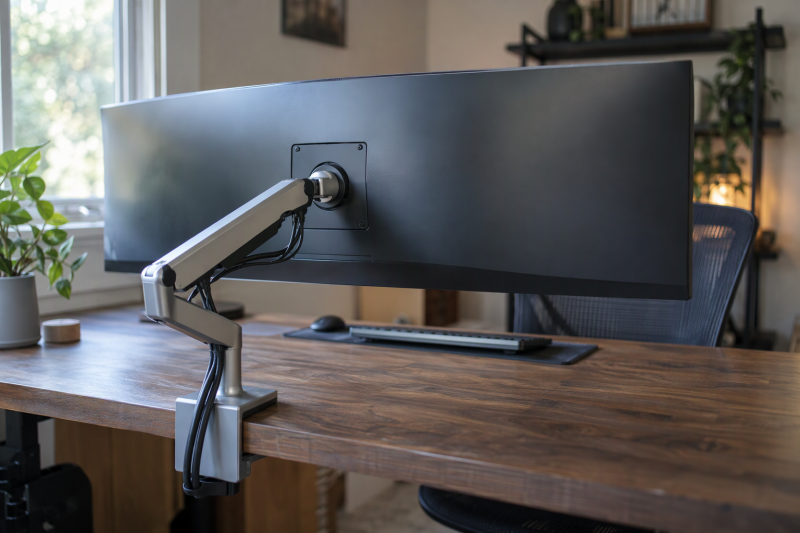
A monitor arm has to support the screen’s weight and size, fit its VESA mounting pattern, and attach to the desk. Curved displays can have different load limits from flat ones. For example, Amazon’s listing for the WALI GSM001XLN gives 26.4 lb for curved screens and 33 lb for flat ones. The five single-screen arms below are listed by their makers or on Amazon for ultrawide displays, so check the monitor’s weight without its original stand and the thickness of your desk before choosing.
| Image | Product | Best fit | Screen fit | VESA | Desk attachment | Watch-outs | Check Price |
|---|---|---|---|---|---|---|---|
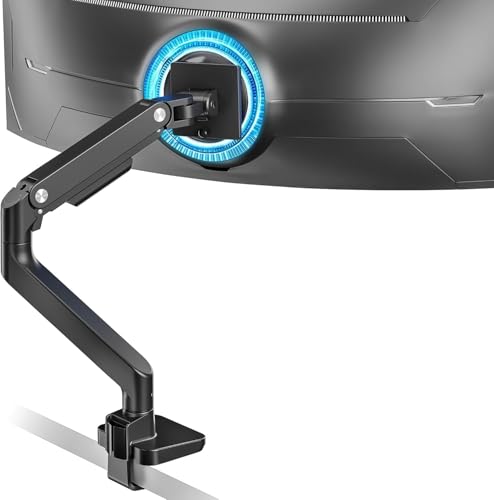 | ARES WING GDT1004BK | 44 lb monitor with top installation | 17–49 in; 4.4–44 lb | 75/100 mm | Clamp 0.5–1.8 in; grommet 0.5–2 in | Adapter required for non-VESA monitor | Check Price on Amazon |
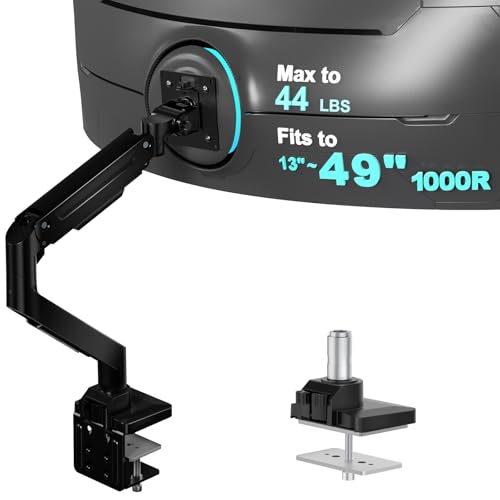 | WALI GSM001XL | 1000R curved screen | 13–49 in; 44 lb on Amazon, 33 lb in WALI text | 75/100 mm | Clamp 0.39–3.15 in (Amazon) or 1.77 in (WALI); grommet 0.39–1.77 in | WALI page and Amazon differ on weight; wood desk recommended | Check Price on Amazon |
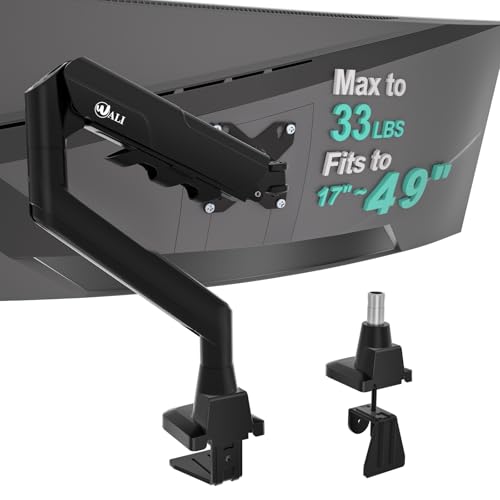 | WALI GSM001XLN | Lighter screen up to 33 lb | 17–49 in; 33 lb; curved 26.4 lb on Amazon | 75/100 mm | Clamp or grommet 0.39–1.96 in | Not for Odyssey G9 or Neo G9 per WALI; wood or composite desk recommended | Check Price on Amazon |
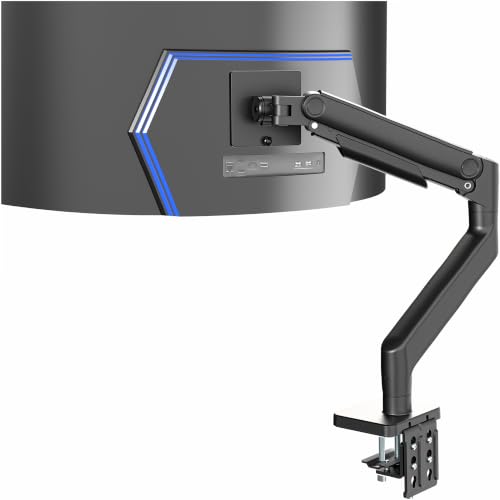 | VIVO STAND-V101V | 44 lb screen on a thick desktop | 17–49 in; 4.4–44 lb | 75/100 mm | Clamp 0.4–3.2 in; grommet 0.4–1.4 in | Grommet suits thinner desks than the clamp | Check Price on Amazon |
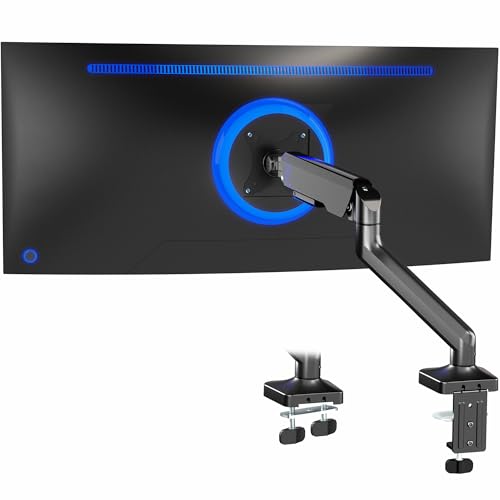 | VIVO STAND-V100O | Up to 40-inch ultrawide | 17–40 in; 4.4–26.4 lb | 75/100 mm | Clamp 0.4–3.15 in; grommet 0.4–1.7 in | Lower size and load limit than V101V | Check Price on Amazon |
1. ARES WING GDT1004BK — Best for a 44 lb Monitor With Top Installation
The Amazon listing for the ARES WING GDT1004BK states that the arm fits flat and curved screens from 17 to 49 inches that weigh 4.4 to 44 lb, with 75 x 75 mm or 100 x 100 mm VESA holes. It names the Samsung Odyssey G9 and LG 49-inch ultrawides as compatible, and it says a monitor without VESA holes needs a VESA mount adapter.
The same listing gives the gas-spring arm a 22.4-inch maximum extension and a height range of 8.7 to 18.7 inches. It lists +50 to -20 degrees of tilt, 180 degrees of swivel and 360 degrees of rotation. For desks, the listing states a clamp range of 0.5 to 1.8 inches and a grommet base range of 0.5 to 2 inches. It also describes top-side installation with a detachable VESA plate and built-in cable management.
Limit: The Amazon listing gives the ARES WING clamp a 1.8-inch desk limit, thinner than the 3.2 inches VIVO states for the STAND-V101V clamp.Our Take Pick the ARES WING for a 49-inch ultrawide up to 44 lb, such as the Odyssey G9 its listing names, when the desk is no thicker than 1.8 inches at the clamp.
- Amazon’s listing for the ARES WING states a 4.4 to 44 lb range for flat or curved screens from 17 to 49 inches.
- Amazon’s listing names the Samsung Odyssey G9 and LG 49-inch ultrawides as compatible, which makes the ARES WING a fit for an ultrawide of that kind.
- Amazon’s listing gives the ARES WING a 22.4-inch maximum extension and an 8.7 to 18.7 inch height range.
- Amazon’s listing describes top-side installation for the ARES WING with both clamp and grommet mounting.
- Amazon’s listing limits the ARES WING clamp to desks 0.5 to 1.8 inches thick and the grommet base to 0.5 to 2 inches, so a thicker desktop rules out the clamp.
- Amazon’s listing for the ARES WING says a monitor without VESA holes needs a VESA mount adapter.
2. WALI GSM001XL — Best for a 1000R Curved Screen
Amazon’s listing for the WALI GSM001XL says it fits flat or 1000R curved screens up to 49 inches with a 44 lb maximum load and 75 x 75 or 100 x 100 mm VESA holes. WALI’s own product page gives 44 lb in its title but 33 lb in its description. The description lists curved monitors up to 35 inches and ultrawides up to 49 inches. Confirm the weight limit with WALI before mounting a monitor heavier than 33 lb.
Amazon’s listing gives 21.57 inches of extension, a raise of up to 20.35 inches above the desk, and +45 to -45 degrees of tilt. For desks, Amazon lists 0.39 to 3.15 inches for the clamp and 0.39 to 1.77 inches for the grommet, while WALI’s page gives 0.39 to 1.77 inches for both mounts. Amazon’s listing cites more than 20,000 test cycles, and WALI’s page cites more than 20,000 fatigue tests. Amazon’s listing also recommends a wooden desk with no crossbeam under it.
Limit: WALI’s page and Amazon’s listing disagree on the weight limit, 33 lb against 44 lb, and on the clamp range.Our Take Pick the GSM001XL for a 1000R curved screen after WALI confirms the weight limit for your monitor, since its own page gives both 44 lb and 33 lb.
- Amazon’s listing for the GSM001XL names 1000R curved screens up to 49 inches, which is the basis for picking this arm for a curved screen.
- Amazon’s listing gives a 44 lb maximum load, the same figure WALI’s page shows in its title, though the description on that page gives a lower one.
- Amazon’s listing cites more than 20,000 test cycles, and WALI’s page cites more than 20,000 fatigue tests.
- WALI’s page gives 33 lb in its description, below the 44 lb in Amazon’s listing, so WALI should confirm the limit before a heavier monitor goes on the arm.
- WALI’s page gives 0.39 to 1.77 inches for the clamp, narrower than the 3.15 inches in Amazon’s listing, so the two sources disagree on the clamp range.
- Amazon’s listing recommends mounting the GSM001XL on a wooden desk with no crossbeam under the desktop.
3. WALI GSM001XLN — Best for a Lighter Screen up to 33 lb
WALI’s page for the GSM001XLN says the arm fits flat, curved and ultrawide monitors from 17 to 49 inches with a 33 lb maximum load and 75 x 75 or 100 x 100 mm VESA holes. Amazon’s listing agrees on 33 lb for flat screens but gives 26.4 lb for curved screens and names 1800R curves, while WALI’s page does not list a separate curved limit or a curve rating. Use the 26.4 lb figure for a curved monitor until WALI confirms the higher one.
WALI’s page names the Samsung Odyssey G9 (G95T and G95C) and Odyssey Neo G9 (G95NC) as not compatible, citing non-standard VESA, extreme curvature or excessive weight. Both sources give 0.39 to 1.96 inches for the clamp, and WALI recommends solid wood or composite desktops with no crossbeam underneath. WALI’s page states a 3-year warranty and a raise of up to 20.79 inches. Amazon’s listing gives 21.14 inches of extension and +75 to -75 degrees of tilt, against the +35 to -50 degrees on WALI’s page.
Limit: WALI’s page and Amazon’s listing disagree on the curved-screen weight limit, 33 lb against 26.4 lb.Our Take Choose the GSM001XLN for a flat screen up to 33 lb, and for a curved one use the 26.4 lb figure from Amazon’s listing until WALI confirms a higher limit.
- WALI’s page states a 33 lb maximum load for flat, curved and ultrawide monitors from 17 to 49 inches and does not list a separate curved limit.
- WALI’s page and Amazon’s listing agree on a 0.39 to 1.96 inch clamp range.
- WALI’s page states a 3-year warranty for the GSM001XLN.
- Amazon’s listing gives the GSM001XLN 21.14 inches of extension.
- Amazon’s listing limits curved screens on the GSM001XLN to 26.4 lb, below the 33 lb on WALI’s page, so a curved monitor should use the lower figure until WALI confirms the higher one.
- WALI’s page names the Samsung Odyssey G9 and Odyssey Neo G9 as not compatible with the GSM001XLN, citing non-standard VESA, extreme curvature or excessive weight.
- WALI’s page recommends solid wood or composite desktops with no crossbeam underneath the GSM001XLN.
4. VIVO STAND-V101V — Best for a 44 lb Screen on a Thick Desktop
VIVO’s page for the STAND-V101V gives 17 to 49 inches, curved and flat, with a weight range of 4.4 to 44 lb and 75 x 75 or 100 x 100 mm VESA holes. VIVO’s page calls it a pneumatic arm and a tension spring arm. Amazon’s listing says it was designed for the Samsung Odyssey G9 and describes a spring-assist arm with a detachable VESA plate and integrated cable covers.
VIVO’s page gives a 23-inch maximum extension and 8.7 to 19.7 inches of screen-center height, which Amazon’s listing calls 11 inches of adjustment. It also lists +50 to -20 degrees of tilt, 180 degrees of swivel and 360 degrees of rotation. VIVO recommends 0.4 to 3.2 inches of desktop thickness for the clamp and 0.4 to 1.4 inches for the grommet. Its page also states a 3-year warranty.
Limit: VIVO’s page limits the grommet mount to desktops 1.4 inches thick, against 3.2 inches for the clamp.Our Take Pick the STAND-V101V for a 44 lb screen of up to 49 inches when a clamp will hold on a desktop as thick as 3.2 inches, which is thicker than the 1.8 inches Amazon’s listing gives for the ARES WING clamp.
- VIVO’s page gives a 4.4 to 44 lb range for curved and flat screens from 17 to 49 inches.
- VIVO’s page recommends 0.4 to 3.2 inches of desktop thickness for the clamp, which is the basis for picking this arm for a thick desktop.
- VIVO’s page gives the STAND-V101V a 23-inch maximum extension.
- VIVO’s page states a 3-year warranty for the STAND-V101V.
- VIVO’s page recommends 0.4 to 1.4 inches of desktop thickness for the grommet mount, a narrower range than the clamp.
- Amazon’s title for the STAND-V101V gives a maximum VESA pattern of 100 x 100 mm.
5. VIVO STAND-V100O — Best for a 40-Inch Ultrawide
VIVO’s page for the STAND-V100O gives 17 to 40 inches for ultrawides, a weight range of 4.4 to 26.4 lb and 75 x 75 or 100 x 100 mm VESA holes. It lists a 20.5-inch maximum extension and 10.8 inches of height adjustment, or 6.7 to 17.5 inches at screen center. It also lists +90 to -90 degrees of tilt, 180 degrees of swivel and 360 degrees of rotation. Amazon’s listing adds a detachable VESA plate and integrated cable covers.
VIVO recommends 0.4 to 3.15 inches of desktop thickness for the clamp and 0.4 to 1.7 inches for the grommet. Its page also states a 3-year warranty. The 20.5-inch extension is shorter than the 23 inches VIVO gives for the STAND-V101V, so measure the screen without its stand, and the distance you need, before buying.
Limit: VIVO’s page limits this arm to 40-inch screens and 26.4 lb, below the 49 inches and 44 lb it gives for the STAND-V101V.Our Take Pick the STAND-V100O for an ultrawide of up to 40 inches and 26.4 lb when you want the +90 to -90 degrees of tilt VIVO lists, against +50 to -20 degrees for the STAND-V101V.
- VIVO’s page gives a 4.4 to 26.4 lb range for ultrawides from 17 to 40 inches.
- VIVO’s page lists +90 to -90 degrees of tilt for the STAND-V100O, a wider range than it gives the STAND-V101V.
- VIVO’s page recommends 0.4 to 3.15 inches of desktop thickness for the clamp.
- VIVO’s page states a 3-year warranty for the STAND-V100O.
- VIVO’s page limits the STAND-V100O to 40 inches and 26.4 lb, below the 49 inches and 44 lb it gives for the STAND-V101V.
- VIVO’s page recommends 0.4 to 1.7 inches of desktop thickness for the grommet mount, a narrower range than the clamp.
Buying Guide: Choosing an Ultrawide Monitor Arm
Check both weight and screen size
A monitor’s diagonal and weight are separate limits, and the screen must fall inside both. Amazon’s listing for the ARES WING states 17 to 49 inches and 4.4 to 44 lb, and VIVO’s page gives the same ranges for the STAND-V101V. Amazon’s listing for the WALI GSM001XL gives 44 lb, but WALI’s own description gives 33 lb.
Use the monitor maker’s weight without the original stand and add the weight of any adapter. For the WALI GSM001XLN, WALI’s page states 33 lb for flat, curved and ultrawide screens while Amazon’s listing gives 26.4 lb for curved ones, so screen shape may change which number applies.
Check the curve, tilt and compatibility notes
Amazon’s listing for the WALI GSM001XL names 1000R curved screens, and Amazon’s listing for the GSM001XLN names 1800R. WALI’s page for the GSM001XLN gives no curve rating, and the ARES WING listing and VIVO’s STAND-V101V page say curved and flat without naming one.
WALI’s page names the Samsung Odyssey G9 and Odyssey Neo G9 as not compatible with the GSM001XLN, while the ARES WING listing and Amazon’s STAND-V101V listing name the Odyssey G9 as a fit. Tilt ranges also differ, from +50 to -20 degrees on VIVO’s page for the STAND-V101V to +90 to -90 degrees for the STAND-V100O.
Match VESA and adapters
The ARES WING listing, both WALI pages and both VIVO pages name 75 x 75 mm and 100 x 100 mm VESA patterns. Measure the hole spacing or check the monitor manual, and confirm that recessed holes or the shape of the rear panel leave room for the mounting plate.
Amazon’s listing for the ARES WING says a monitor without VESA holes needs a VESA mount adapter. When a monitor needs one, check that the adapter fits both the monitor and the arm, and add its weight to the load.
Measure the desk for the chosen mounting method
Amazon’s listing for the ARES WING gives a 0.5 to 1.8 inch clamp range and a 0.5 to 2 inch grommet range. Amazon’s listing for the WALI GSM001XL gives 0.39 to 3.15 inches for the clamp and 0.39 to 1.77 inches for the grommet, while WALI’s page gives 0.39 to 1.77 inches for both.
VIVO’s page gives 0.4 to 3.2 inches for the clamp and 0.4 to 1.4 inches for the grommet on the STAND-V101V. Measure the mounting point, including any lip or frame beneath it, and follow the maker’s desk-material advice.
Compare movement with your workspace
Amazon’s listing for the ARES WING gives a 22.4-inch maximum extension, and Amazon’s listing for the GSM001XL gives 21.57 inches. VIVO’s page gives 23 inches for the STAND-V101V and 20.5 inches for the STAND-V100O. Check that the screen can move where you need it without striking a wall or another display.
A large screen can need substantial clearance when rotated, even when the ARES WING listing and VIVO’s pages give 360 degrees of rotation. WALI’s page gives 180 degrees of rotation for the GSM001XL and 90 degrees each way for the GSM001XLN, so rotation limits differ between sources.
Frequently Asked Questions
Can a 44 lb arm hold any 49-inch monitor?
No. Amazon’s listing for the ARES WING and VIVO’s page for the STAND-V101V both give a 44 lb maximum for screens up to 49 inches, but the screen must also meet the arm’s VESA, minimum-weight, curve and desk requirements.
Check the monitor’s weight without its stand, its mounting holes and any required adapter. Ask the arm maker when the listing does not cover your monitor model.
Which weight limit applies to the WALI GSM001XLN with a curved screen?
Amazon’s listing for the GSM001XLN gives 33 lb for flat screens and 26.4 lb for curved screens. WALI’s own page gives 33 lb for flat, curved and ultrawide monitors.
Until WALI confirms the higher figure for curved screens, use 26.4 lb. Do not carry the 44 lb that Amazon’s listing gives for the GSM001XL over to the GSM001XLN, because they are different models.
Do I need a VESA adapter?
You may, if the monitor lacks exposed 75 x 75 or 100 x 100 mm holes or has a recessed mounting area that blocks the plate. Check the monitor manual and the arm’s plate dimensions before buying an adapter.
Amazon’s listing for the ARES WING says a monitor without VESA holes needs an adapter. The adapter must fit both parts and count toward the total load on the arm. The detachable plates that Amazon’s listings describe for the ARES WING and both VIVO arms ease assembly, and they do not change the mounting patterns each arm accepts.
Is a clamp or grommet better?
Either can work when the arm and desk support it. A C-clamp grips an accessible desk edge, while a grommet mount uses an opening in the desk, so the clearance and desktop thickness often decide which method is possible.
VIVO’s page for the STAND-V101V recommends up to 3.2 inches for the clamp but 1.4 inches for the grommet. WALI and ARES WING give their own ranges, so measure the mounting point and follow that product’s instructions.
Can I rotate a large ultrawide into portrait orientation?
Movement depends on the arm and the size of the screen. VIVO’s page gives 360 degrees of rotation for the STAND-V100O, whose limit is 40 inches, and lists a portrait screen orientation for the STAND-V101V.
Check each product’s rotation limit and clearance before assuming a 49-inch panel can turn. The width of a large display and nearby wall or desk surfaces can prevent a full rotation even when the joint itself moves.
For related setups, see our dual monitor arm comparison and dual ultrawide monitor mounts.
Bottom Line
Start with the monitor’s weight, VESA pattern and any curved-screen restriction, then check the desk and mounting method. WALI’s own pages for the GSM001XL and GSM001XLN give weight limits that differ from Amazon’s listings, so confirm those two with WALI before buying.