SanDisk and Amazon Basics state in their Amazon listings that their cards use PCIe-NVMe interfaces and perform at UHS-I speeds in microSD UHS-I and UHS-II devices. Your first decision is the host. Each headline speed below is an “up to” figure from an Amazon listing for a microSD Express setup, not for an older UHS-I device.
All six listings name Nintendo Switch 2. The cards run from 256GB to 1TB, and they differ in stated write speed, reader requirements and how clearly each listing describes UHS-I fallback.
microSD Express Cards Compared
| Image | Product | Best fit | Capacity and class | Express performance | Compatibility | Watch-outs | Check Price |
|---|---|---|---|---|---|---|---|
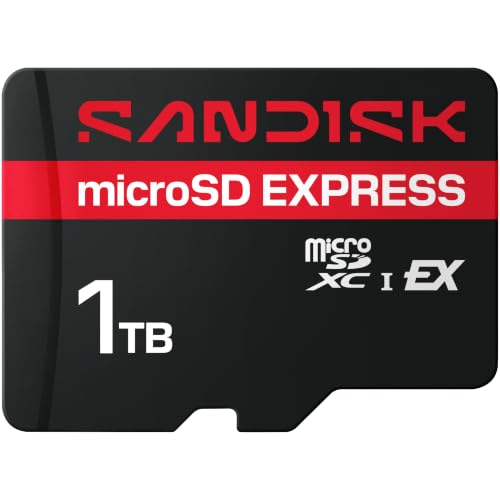 | SanDisk 1TB microSD Express | 1TB Express storage with the fastest stated SanDisk write speed | 1TB, U3, C10 | Up to 880 MB/s read and 800 MB/s write | Switch 2 and UHS-I/UHS-II at UHS-I speeds | SanDisk's 4K transfer example uses a separately sold PRO-READER | Check Price on Amazon |
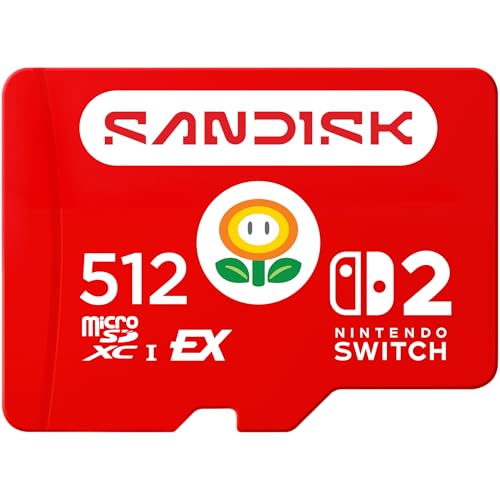 | SanDisk 512GB Licensed microSD Express | 512GB officially licensed Switch 2 storage | 512GB, U3, C10 | Up to 880 MB/s read and 650 MB/s write | Officially licensed for Nintendo Switch 2 | SanDisk's listing for this card does not mention UHS-I fallback | Check Price on Amazon |
 | Samsung P9 Express 512GB | 512GB card with Dynamic Thermal Guard and Magician software | 512GB microSDXC | Up to 800 MB/s sequential read | Switch 2 and UHS-I devices | Samsung's Amazon listing gives no write-speed figure | Check Price on Amazon |
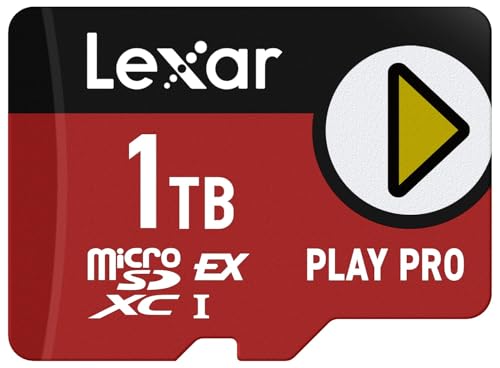 | Lexar PLAY PRO 1TB | 1TB Express gaming storage with 900 MB/s stated read | 1TB, V30 | Up to 900 MB/s read and 600 MB/s write with Lexar reader | Switch 2 plus UHS-I/UHS-II at UHS-I speeds | Lexar states its 600 MB/s write figure with its own Express reader | Check Price on Amazon |
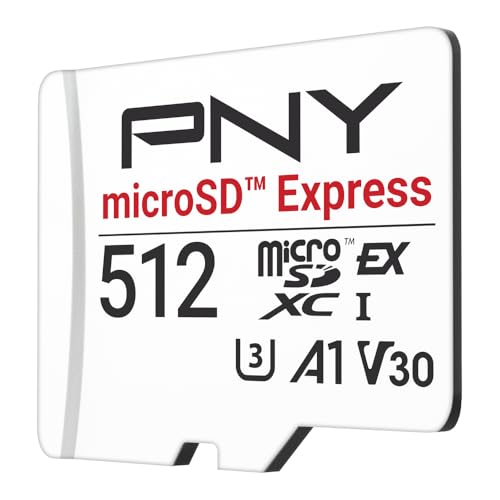 | PNY microSD Express 512GB | 512GB Express card with high stated read and write speeds | 512GB, U3, V30, A1 | Up to 890 MB/s read and 810 MB/s write | Express hosts, Switch 2, UHS-I/UHS-II | PNY gives its speeds as up to figures for microSD Express hosts | Check Price on Amazon |
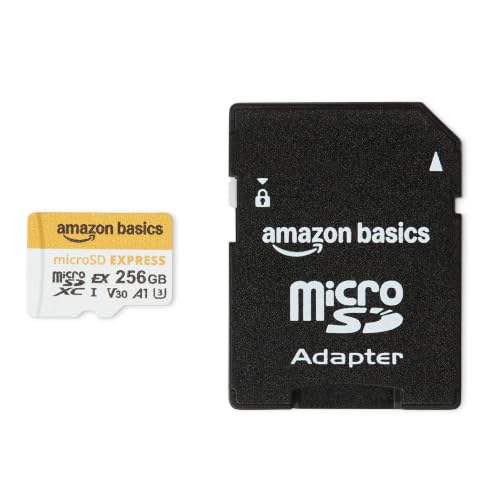 | Amazon Basics microSD Express 256GB | 256GB Express storage with clear UHS-I fallback | 256GB | Up to 880 MB/s read and 650 MB/s write | Switch 2 and UHS-I hosts at UHS-I speeds | Amazon warns that a 64GB-limited host may not recognize 256GB | Check Price on Amazon |
1. SanDisk 1TB microSD Express — 1TB With 800 MB/s Stated Write
The Amazon listing for SanDisk’s 1TB card (SDSQXF8-1T00-GNCNN) states up to 880 MB/s read and 800 MB/s write, along with U3 and C10 marks. SanDisk says the card works with Nintendo Switch 2 and performs at UHS-I speeds in microSD UHS-I and UHS-II devices. SanDisk also calls it up to 3.5 times faster in read speed than SanDisk’s fastest microSD UHS-I cards.
SanDisk’s transfer example comes with a condition. SanDisk says up to 60 minutes of 4K UHD video at 30 fps copies in under 15 seconds, and up to 1,000 10MP RAW photos in under 50 seconds, when the 1TB card is paired with a SanDisk PRO-READER SD Express Dual Card sold separately. The listing also calls the card waterproof, temperature-proof, humidity-proof, drop-proof, shock-proof, magnetic-proof, x-ray proof and wear-out proof.
Decision point: choose this card for 1TB capacity and SanDisk’s stated 880 MB/s read and 800 MB/s write in a microSD Express setup. Our TakePick SanDisk’s 1TB card when you want the larger of SanDisk’s two capacities and the higher of its two write figures. SanDisk’s transfer example names a reader sold separately, so budget for one if you plan to copy files to a computer.
- SanDisk’s card is the larger of its two, at 1TB against 512GB on the licensed card.
- SanDisk states up to 800 MB/s write, above the 650 MB/s that SanDisk gives its 512GB licensed card.
- SanDisk describes the fallback in older hosts, saying the card performs at UHS-I speeds in UHS-I and UHS-II devices.
- SanDisk’s 4K and RAW transfer example applies when the card is paired with a PRO-READER sold separately.
- SanDisk says the card performs at UHS-I speeds, not Express speeds, in UHS-I and UHS-II devices.
2. SanDisk 512GB Licensed microSD Express — Officially Licensed for Switch 2
SanDisk’s Amazon listing for this 512GB card (SDSQXFN-512G-GR6ZN) says it is officially licensed for Nintendo Switch 2. The listing specifies up to 880 MB/s read and 650 MB/s write, U3 and C10 classes, and storage for games, screenshots and short Full HD gameplay clips.
SanDisk’s licensed card has half the capacity of the 1TB SanDisk card and a lower stated write figure. SanDisk’s listing for the licensed card gives no UHS-I or UHS-II fallback wording, which the 1TB SanDisk listing does include, so this guide does not assume the same behavior. The license is the reason to pick it, and it is the only listing here that uses the word licensed.
Pick the licensed SanDisk when you want a card SanDisk lists as officially licensed for Switch 2 and 512GB is enough for your game library. Move up to the 1TB SanDisk for the extra capacity or its 800 MB/s write figure.
- SanDisk’s listing calls the card officially licensed for Nintendo Switch 2.
- SanDisk lists 512GB for storing games, screenshots and short Full HD gameplay clips.
- SanDisk specifies up to 880 MB/s read and 650 MB/s write.
- SanDisk’s licensed card holds 512GB, half the capacity of the 1TB SanDisk card.
- SanDisk’s listing for the licensed card says nothing about UHS-I fallback, which the other SanDisk listing does state.
3. Samsung P9 Express 512GB — Thermal Guard and Magician Software
Samsung’s Amazon listing for the P9 Express (MB-MK512T/AM) states 512GB and sequential read up to 800 MB/s, which Samsung calls up to 4 times faster than its standard UHS-I microSD cards. Samsung lists Dynamic Thermal Guard, which it says helps reduce overheating, and six types of protection. Samsung names Nintendo Switch 2 and microSD UHS-I devices, including tablets, drones and cameras, as compatible.
Samsung’s listing says Magician software adds product authenticity verification and drive health monitoring. The listing gives no write-speed figure, so the P9 cannot be ranked against the SanDisk, PNY, Lexar or Amazon Basics write numbers. The P9’s 800 MB/s read is also the lowest read figure in this group.
Decision point: Samsung’s listing states 512GB, up to 800 MB/s read, Dynamic Thermal Guard and UHS-I compatibility, and it gives no write speed. Our TakePick the P9 for Samsung’s Dynamic Thermal Guard and Magician software on a 512GB card. Choose a card with a stated write figure if write speed decides your purchase.
- Samsung states up to 800 MB/s sequential read for the P9 Express.
- Samsung names Nintendo Switch 2 and microSD UHS-I devices, including tablets, drones and cameras, as compatible.
- Samsung lists Dynamic Thermal Guard for overheating and Magician software for drive health monitoring.
- Samsung’s listing gives no write-speed figure, so the P9 cannot be ranked on write speed.
- Samsung’s P9 holds 512GB, half the 1TB that the SanDisk and Lexar listings give for their cards.
4. Lexar PLAY PRO 1TB — Highest Stated Read Speed at 900 MB/s
Lexar’s Amazon listing for the PLAY PRO 1TB (LMSXPS0001T-BNNNU) states up to 900 MB/s read, the highest read figure in this group, and V30 classification. Lexar says write speeds reach up to 600 MB/s with the Lexar microSD Express card reader. Lexar also states backward compatibility with UHS-I and UHS-II devices at UHS-I speeds.
Lexar lists Switch 2 compatibility and backward compatibility with the original Nintendo Switch. Lexar rates the card IPX7 waterproof and resistant to shock, vibration, extreme temperatures and X-ray. The listing adds free lifetime access to the Lexar Recovery Tool for files and game saves deleted by accident.
Decision point: Lexar’s listing states up to 900 MB/s read, the highest here, on a 1TB card with UHS-I and UHS-II fallback. Our TakePick the PLAY PRO for the highest stated read speed on a 1TB card, or when one card has to serve a Switch 2 and an original Switch. Lexar attaches its 600 MB/s write figure to its own microSD Express reader.
- Lexar states up to 900 MB/s read, the highest in this group.
- Lexar lists backward compatibility with the original Nintendo Switch, for one card that serves both consoles.
- Lexar rates the card IPX7 waterproof and lists V30 classification.
- Lexar ties its 600 MB/s write speed to the Lexar microSD Express card reader.
- Lexar says UHS-I and UHS-II devices run the card at UHS-I speeds.
5. PNY microSD Express 512GB — Highest Stated Write Speed at 810 MB/s
PNY’s Amazon listing for this 512GB card (P-SDU512P31EXP-GE) states up to 890 MB/s read and 810 MB/s write, with U3, V30 and A1 ratings. PNY says the card uses PCIe Gen 3×1 microSD Express technology and is compatible with microSD Express host devices, including Nintendo Switch 2. PNY also says it is backward compatible with microSD UHS-I and UHS-II devices.
PNY also lists a heat-dissipating design with adaptive thermal technology. PNY’s durability list covers shock, temperature, water, drop, X-ray, wear-out, vibration, ESD and humidity, and PNY Photo Recovery software is available. PNY says the A1 rating lets users run gaming apps directly from the card with faster app launch.
Pick PNY when 512GB is enough and you want the highest stated write speed together with the second-highest read figure. PNY words its compatibility around microSD Express host devices.
- PNY states up to 890 MB/s read and 810 MB/s write, the highest write figure in this group.
- PNY lists U3, V30 and A1 ratings, and says the A1 rating lets users run gaming apps directly from the card.
- PNY says the card is backward compatible with microSD UHS-I and UHS-II devices.
- PNY’s card holds 512GB, half the 1TB that the SanDisk and Lexar listings give for their cards.
- PNY states its speeds as up to figures and words its compatibility around microSD Express host devices.
6. Amazon Basics microSD Express 256GB — 256GB for a Smaller Library
Amazon’s listing for the Amazon Basics card (LSMICRO256GU3-E) gives the smallest capacity here, 256GB, with up to 880 MB/s read and 650 MB/s write. The listing says the card works with Nintendo Switch 2 and is backward compatible with UHS-I host devices, including tablets, drones and cameras. It also says the card performs at UHS-I speeds in microSD UHS-I and UHS-II devices.
The listing warns that a device supporting a maximum of 64GB may not recognize a 256GB card. The listing also names waterproof, humidity-proof, drop-proof, shock-proof, magnetic-proof, x-ray proof and wear-out proof protection. Check an older device’s capacity limit as well as its interface before buying.
Pick the Amazon Basics card for a Switch 2 and a smaller 256GB library. Amazon’s listing warns that an older device may not recognize the card.
- Amazon’s listing gives 256GB and up to 880 MB/s read for the Amazon Basics card.
- Amazon’s listing states up to 650 MB/s write for the Amazon Basics card.
- Amazon says the card is backward compatible with UHS-I hosts, including tablets, drones and cameras.
- Amazon’s listing gives 256GB, the lowest capacity in this group, so it suits a smaller library.
- Amazon’s listing warns that a host limited to 64GB may not recognize a 256GB card.
Buying Guide: Choose a microSD Express Card
Confirm that the host supports microSD Express
SanDisk 1TB, Lexar and Amazon Basics state that UHS-I and UHS-II devices run their cards at UHS-I speeds. Samsung and PNY state backward compatibility without naming a speed, and the SanDisk 512GB listing does not mention fallback. All six listings name Nintendo Switch 2.
Read the fallback wording for each card you consider. A listing that says a card is compatible with an older device is not the same as a listing that promises its Express speed there.
Choose capacity before chasing the highest number
The cards here span 256GB, 512GB and 1TB. Amazon Basics is the 256GB choice. SanDisk’s licensed card, Samsung and PNY are 512GB, and SanDisk’s 1TB card and Lexar are 1TB. Choose a capacity that holds the games and media that must stay on the card.
Larger capacity also needs host support. Amazon’s listing warns that a device limited to 64GB may not recognize a 256GB card. Check an older device’s storage limit before treating a bigger card as an upgrade.
Compare write figures with their conditions
On their Amazon listings, PNY states 810 MB/s write, SanDisk 1TB states 800 MB/s, SanDisk 512GB and Amazon Basics state 650 MB/s, and Lexar states 600 MB/s with its Lexar microSD Express card reader. Samsung’s listing gives no write figure, so the P9 is not a direct write-speed comparison.
SanDisk’s transfer example names its PRO-READER SD Express Dual Card, and Lexar ties its write figure to its own Express reader. None of the six listings ties an Express figure to a UHS-I reader. For ordinary microSD readers, see our guide to USB-C microSD card readers. The reader’s own connector and any USB-C cable between the reader and the computer are separate parts of the path.
FAQ
Do microSD Express cards work in older devices?
Samsung, PNY and Amazon Basics state UHS-I compatibility. SanDisk 1TB, Lexar and Amazon Basics add that UHS-I and UHS-II devices run the card at UHS-I speeds. SanDisk’s listing for the 512GB licensed card does not say either way.
Amazon’s listing for the Amazon Basics card also warns that a device limited to 64GB may not recognize a 256GB card. For UHS-I handhelds, see our guide to microSD cards for handheld gaming PCs.
Which card has the fastest stated read speed?
Lexar PLAY PRO lists up to 900 MB/s read, followed by PNY at 890 MB/s, SanDisk and Amazon Basics at 880 MB/s, and Samsung P9 at 800 MB/s. Each is an “up to” figure from that card’s Amazon listing.
For write speed the order differs. PNY states 810 MB/s, SanDisk 1TB 800 MB/s, SanDisk 512GB and Amazon Basics 650 MB/s, and Lexar 600 MB/s with its reader. Samsung gives no write figure.
Which is best for Nintendo Switch 2?
SanDisk’s 512GB card is the one listing that says officially licensed for Switch 2. The other five listings also name Switch 2, so capacity is the clearer difference. Amazon Basics has 256GB, SanDisk’s licensed card, Samsung and PNY have 512GB, and SanDisk’s larger card and Lexar have 1TB.
Lexar’s listing adds backward compatibility with the original Nintendo Switch. SanDisk’s 512GB listing says its capacity lets you store digital games in one place.
Do I need a special reader?
SanDisk’s transfer example names a separately sold PRO-READER SD Express Dual Card, and Lexar’s write figure names the Lexar microSD Express card reader. SanDisk and Lexar are the only listings that name a reader.
Samsung, PNY and Amazon Basics name no reader. Check the reader’s own listing for the interfaces it supports before assuming it matches a card’s headline speed.