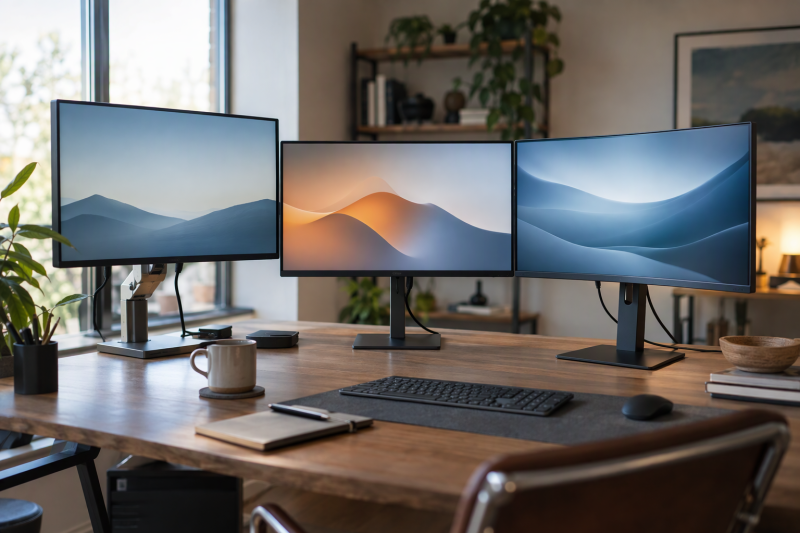
A 24-inch office or school monitor comes down to what plugs into the back and how the stand moves. Dell, ViewSonic, Sceptre, Samsung and Acer each list Full HD on all six monitors here, so the differences are ports, speakers, stand adjustment, panel type and one curved model.
Dell lists two HDMI inputs on both of its monitors, and Sceptre lists two HDMI and one DisplayPort. ViewSonic lists HDMI, DisplayPort and VGA. Acer lists HDMI and VGA, and Samsung lists HDMI and D-sub. Find out which video output the computer has first, then compare stands and speakers.
Match the monitor’s inputs to the computer’s output first, then decide how much the stand needs to move and whether the desk needs speakers.24-Inch Monitors Compared
| Image | Product | Best fit | Panel and refresh | Connections | Stand and audio | Watch-outs | Check Price |
|---|---|---|---|---|---|---|---|
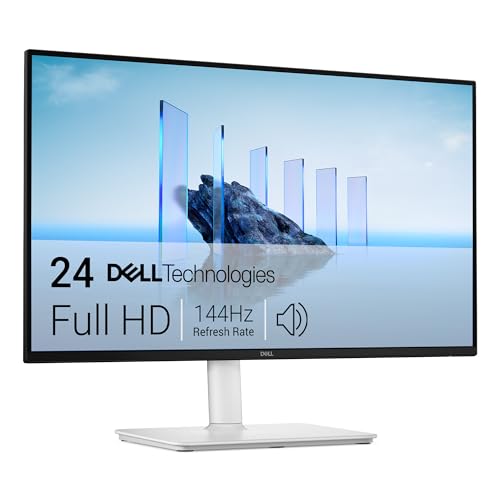 | Dell 24 Plus S2425HSM | Desks that need a stand with height and pivot adjustment plus speakers | 23.8-inch FHD IPS, 144 Hz, 1 ms MPRT | Two HDMI 1.4 | Height, tilt, swivel and pivot; two 3W speakers | No DisplayPort, VGA or USB-C listed | Check Price on Amazon |
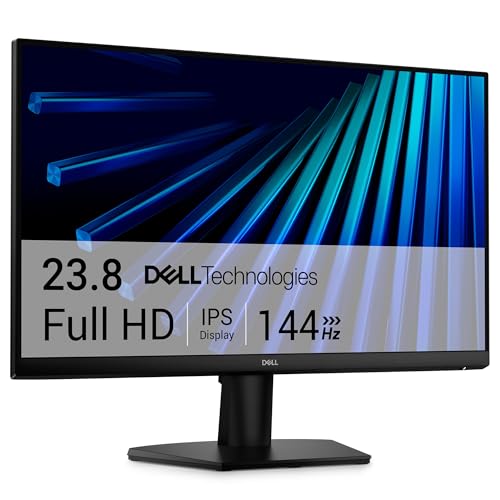 | Dell SE2426H | Fixed desks where two HDMI devices share one IPS screen | 23.8-inch FHD IPS, 144 Hz, 1 ms MPRT | Two HDMI 1.4 | Tilt only; no speakers listed | No DisplayPort or VGA listed | Check Price on Amazon |
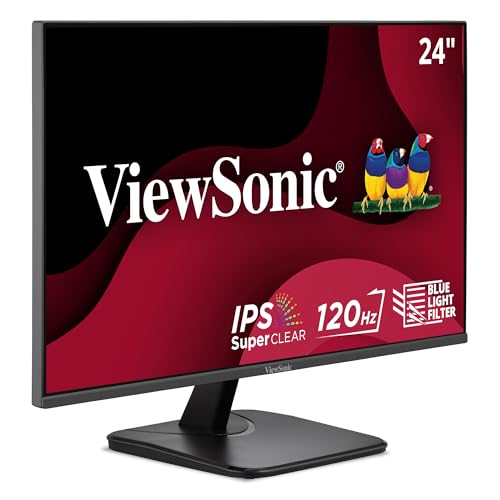 | ViewSonic VA2456A-MHD | Mixed computers that use HDMI, DisplayPort or VGA | 24-inch FHD IPS, 120 Hz, 4 ms | HDMI 1.4, DisplayPort, VGA | Tilt only; two 2W speakers | No height or pivot adjustment listed | Check Price on Amazon |
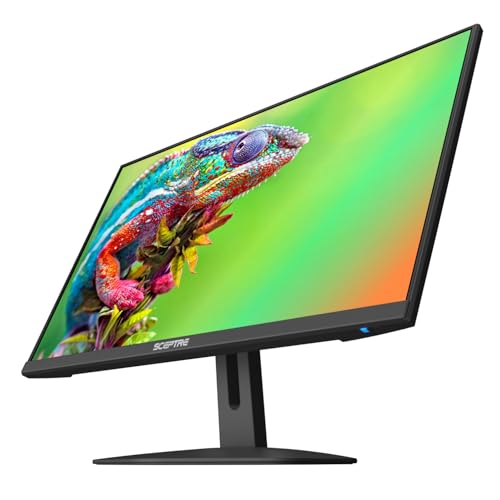 | Sceptre E248W-FW100T | Desks that need speakers and three digital inputs | 23.8-inch FHD VA, up to 100 Hz | Two HDMI 2.0, one DisplayPort 1.2 | Tilt only; two 2W speakers; headphone jack | VA panel; 75 by 75 mm VESA pattern | Check Price on Amazon |
 | Samsung Essential S3 S36GD | Buyers who want an 1800R curved screen with a D-sub input | 24-inch FHD VA, 1800R curve, 100 Hz | HDMI 1.4 and D-sub | Tilt only; no speaker output listed | Defaults to 60 Hz until set to 100 Hz | Check Price on Amazon |
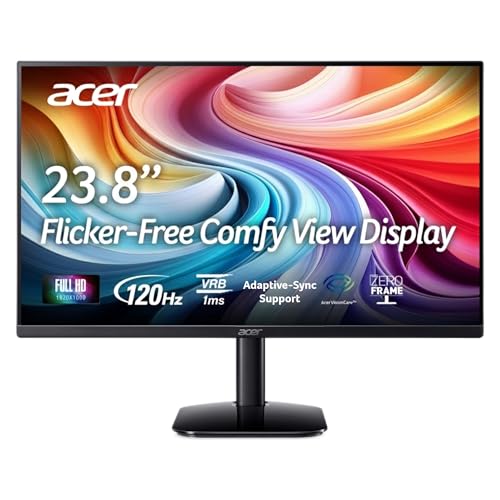 | Acer KA242Y G0bi | IPS screen with HDMI, VGA and a 100 by 100 mm mount | 23.8-inch FHD IPS, 120 Hz, 1 ms VRB | HDMI 1.4 and VGA | Tilt only; 4 W speakers on Acer's page | No DisplayPort listed; Amazon listing does not mention speakers | Check Price on Amazon |
1. Dell 24 Plus S2425HSM — Best Adjustable Monitor with Speakers
Dell lists the S2425HSM as a 23.8-inch Full HD IPS monitor at 144Hz with 1 ms MPRT and two 3W speakers. Its stand sets it apart. Dell lists height adjustment of up to 4.33 inches, tilt from -5 to 21 degrees, a 30-degree swivel and a pivot of plus or minus 90 degrees. The pivot lets the screen turn upright for reading documents.
Dell lists two HDMI 1.4 inputs and no USB-C, USB or DisplayPort connections, so the computer needs an HDMI output. Dell also lists 1,500:1 contrast, 300 nits, 99% sRGB, 178-degree viewing angles and a TÜV four-star eye-comfort rating. It lists a 100 by 100 mm VESA mount as well. The Amazon listing is for the Ash White finish.
Decision point: Dell lists height and pivot adjustment on the S2425HSM, and none of the other five monitors here list either one. Our TakeChoose the S2425HSM for a desk where screen height or angle changes through the day, or where documents read better upright. Look at the ViewSonic instead if the computer outputs only DisplayPort, or the ViewSonic or Acer if it outputs only VGA.
- Dell lists height, tilt, swivel and pivot adjustment on the S2425HSM stand, for a desk where screen height or angle changes through the day.
- The S2425HSM has two 3W speakers, according to Dell.
- Dell lists an IPS panel at 144Hz with 1 ms MPRT for the S2425HSM.
- Dell lists only two HDMI 1.4 inputs on the S2425HSM and no DisplayPort, USB-C or VGA connection, so the computer needs an HDMI output.
- Dell lists the S2425HSM at Full HD, the same resolution as the other five monitors here, so resolution does not set it apart.
2. Dell SE2426H — Best Basic IPS Monitor with Two HDMI Inputs
Dell lists the SE2426H as a 23.8-inch Full HD IPS monitor at 144Hz with 1 ms MPRT, AMD FreeSync and two HDMI 1.4 inputs. Dell’s page gives 178-degree viewing angles, 300 nits, 1,000:1 contrast and a TÜV three-star eye-comfort rating. It also gives a 100 by 100 mm VESA mount and a stand tilt from -5 to 21 degrees.
Dell’s page and the Amazon listing do not list speakers, and neither names a height, swivel or pivot range or a DisplayPort or VGA connection. Dell lists 72% NTSC color on this model and 99% sRGB on the S2425HSM. The two are different measures. The S2425HSM adds speakers and a stand that moves, so the SE2426H is the plainer Dell. Add speakers or headphones if the room needs sound.
Choose the SE2426H when two devices connect over HDMI and Dell lists only a tilt range for the stand. Choose the S2425HSM when the desk needs speakers or a stand that moves in height.
- Dell lists two HDMI 1.4 inputs on the SE2426H, enough for two devices that connect over HDMI.
- Dell’s page gives the SE2426H an IPS panel with 178-degree viewing angles.
- Dell lists the SE2426H at 144Hz with 1 ms MPRT and AMD FreeSync.
- Dell lists only a tilt range for the SE2426H stand, and neither Dell’s page nor the Amazon listing names a height, swivel or pivot range.
- Dell’s page and the Amazon listing for the SE2426H do not list speakers, so a desk that needs sound would add speakers or headphones.
- The SE2426H has no DisplayPort or VGA input in Dell’s list.
3. ViewSonic VA2456A-MHD — Best for Older and Newer Device Ports
ViewSonic lists the VA2456A-MHD as a 24-inch Full HD IPS monitor with a 23.8-inch viewable area, 120Hz, a 4 ms response time and HDMI 1.4, DisplayPort and VGA inputs. ViewSonic is the only one of the six that lists all three inputs. ViewSonic also lists two 2W speakers, a 3.5 mm audio input and output, and an anti-glare surface. It lists Flicker-Free technology and a blue light filter as well.
ViewSonic lists a tilt of 4 degrees forward and 20 degrees back and a 100 by 100 mm VESA mount, and does not list height or pivot adjustment. A newer laptop can use HDMI or DisplayPort while an older computer with only VGA output uses the analog input, which ViewSonic describes as a connection for analog devices.
Decision point: ViewSonic lists HDMI, DisplayPort and VGA on one monitor, which none of the other five monitors here do. Our TakeChoose the VA2456A-MHD for a classroom, lab or office where computers of different ages share one monitor model. ViewSonic lists tilt only, so a desk that needs a height change calls for the Dell S2425HSM or a separate arm.
- ViewSonic lists HDMI, DisplayPort and VGA inputs on the VA2456A-MHD, for computers of different ages that share one monitor.
- ViewSonic lists the VA2456A-MHD with an IPS panel at 120Hz and an anti-glare surface.
- ViewSonic lists two 2W speakers on the VA2456A-MHD, plus a 3.5 mm audio output.
- ViewSonic lists only a tilt range for the VA2456A-MHD stand, and no height or pivot adjustment.
- ViewSonic lists 120Hz for the VA2456A-MHD, lower than the 144Hz Dell lists on its two monitors.
4. Sceptre E248W-FW100T — Best Simple 100 Hz Monitor with Speakers
Sceptre lists the E248W-FW100T as a 23.8-inch Full HD monitor with a VA panel, up to 100Hz, two HDMI 2.0 inputs and one DisplayPort 1.2 input. Its page also lists two 2W speakers, a 3.5 mm headphone jack, 280 nits and 100% sRGB. Sceptre and the Amazon listing both call it a gaming monitor, so the facts for desk use are the three digital inputs, the speakers and the mount.
Sceptre lists tilt from -5 degrees forward to about 15 degrees back and a detachable stand neck. Its VESA pattern is 75 by 75 mm, smaller than the 100 by 100 mm that Dell, ViewSonic and Acer list, so compare an arm’s listed pattern with it before buying one.
Decision point: Sceptre lists three digital video inputs and built-in speakers on the E248W-FW100T, the most digital inputs of the six. Our TakeChoose this Sceptre when a desk needs speakers and several digital inputs and the stand only has to tilt. Pick a Dell or ViewSonic with a 100 by 100 mm mount if an arm with that pattern is already on hand.
- Sceptre lists two HDMI 2.0 inputs and one DisplayPort 1.2 input on the E248W-FW100T, three digital inputs in all.
- Sceptre lists two 2W speakers and a 3.5 mm headphone jack on the E248W-FW100T, for a desk that needs speakers.
- The E248W-FW100T has a detachable stand neck and a 75 by 75 mm VESA pattern, both listed by Sceptre.
- Sceptre lists a VA panel for the E248W-FW100T, while Dell, ViewSonic and Acer list IPS panels.
- Sceptre lists the E248W-FW100T at up to 100Hz, below the 120Hz and 144Hz that Acer, ViewSonic and Dell list.
- Sceptre lists only a tilt range for the E248W-FW100T stand, so it suits a desk where the stand only has to tilt.
5. Samsung Essential S3 S36GD — Best Curved 24-Inch Option
The Amazon listing identifies the Samsung S36GD (LS24D366GANXZA) as a 24-inch Full HD 1800R curved monitor with 100Hz, HDMI and D-sub inputs and TÜV-certified eye comfort. Samsung’s 24-inch page, on its Caribbean site, adds a VA panel, 250 nits, 3,000:1 contrast, 95% sRGB and a 4 ms response time. The page also lists one HDMI 1.4 input, one D-sub input and a headphone jack. Samsung does not list speaker output.
Samsung’s page says the refresh rate defaults to 60Hz and can be set to 100Hz in the monitor’s settings. The page lists a tilt range of -2 to 22 degrees, a 75 by 75 mm wall-mount pattern, Eye Saver Mode and Flicker Free. The D-sub input suits an older computer with analog VGA output.
Choose the S36GD when a curved screen suits the desk and an older computer needs the D-sub input. Choose a flat model when the desk needs speakers or a stand that does more than tilt.
- Amazon lists the S36GD with an 1800R curve, and none of the other five monitors here are listed as curved.
- Samsung lists one HDMI 1.4 input and one D-sub input on the S36GD, and the D-sub input suits an older computer with analog VGA output.
- Samsung’s page lists Eye Saver Mode and Flicker Free for the S36GD.
- Samsung does not list speaker output on the S36GD, so a desk that needs speakers calls for a different model.
- Samsung says the refresh rate of the S36GD defaults to 60Hz until it is set to 100Hz in the monitor’s settings.
- Samsung lists only a tilt range for the S36GD stand, so a desk that needs more than tilt calls for a different monitor.
6. Acer KA242Y G0bi — Best 120 Hz IPS Monitor with VGA
Acer’s US page lists the KA242Y G0bi (part UM.QX2AA.010) as a 23.8-inch Full HD IPS monitor with 120Hz, a 1 ms VRB response time, VESA Adaptive Sync, 99% sRGB and 250 nits. It lists one HDMI 1.4 input and one VGA input, and the Amazon listing says an HDMI cable is included. Acer lists tilt from -5 to 25 degrees, a 100 by 100 mm VESA mount, and no height or pivot adjustment.
Acer’s page lists speakers with 4 W output, but the Amazon listing does not mention speakers. Acer’s port list shows only HDMI and VGA, so a computer with only DisplayPort output needs a different monitor.
Choose the KA242Y G0bi when an older VGA computer and a newer HDMI computer share the desk and an arm may be added later. Check the speakers before counting on them, since Acer’s page lists them and the Amazon listing does not.
- Acer lists the KA242Y G0bi with an IPS panel, 99% sRGB and 120Hz.
- Acer lists HDMI and VGA inputs on the KA242Y G0bi for a desk shared by an older VGA computer and a newer HDMI computer, and the Amazon listing says an HDMI cable is included.
- Acer lists a 100 by 100 mm VESA mount on the KA242Y G0bi for adding an arm later, along with a -5 to 25 degree tilt.
- Acer does not list height or pivot adjustment on the KA242Y G0bi stand.
- Acer’s port list for the KA242Y G0bi shows one HDMI input and no DisplayPort, so a computer with only DisplayPort output needs a different monitor.
- Acer’s page lists 4 W speakers for the KA242Y G0bi that the Amazon listing does not mention, so check the speakers before counting on them.
Buying Guide: Choose a 24-Inch Office or School Monitor
Match the video inputs to the computer
HDMI is the one input all six list. Dell lists two HDMI 1.4 inputs on each of its monitors, Sceptre lists two HDMI 2.0 inputs, and ViewSonic, Acer and Samsung list one HDMI input each. A monitor can only use the output the computer has, so check the computer’s video output before comparing anything else.
DisplayPort is listed on two of the six, the ViewSonic and the Sceptre. VGA or D-sub, the analog input older computers use, is listed on the ViewSonic, the Acer and the Samsung. ViewSonic is the only one listing HDMI, DisplayPort and VGA together, and Sceptre lists the most digital inputs at three. A USB-C hub can give a laptop an HDMI or DisplayPort output, but it cannot add an input the monitor does not list.
Choose the stand before the refresh rate
Dell lists the S2425HSM stand with height, tilt, swivel and pivot adjustment, and it is the only one of the six listed with height or pivot. The other five list a tilt range only. Dell lists -5 to 21 degrees on the SE2426H, ViewSonic lists 4 degrees forward and 20 back, Sceptre lists -5 forward and about 15 back, Samsung lists -2 to 22, and Acer lists -5 to 25.
Four of the six list a 100 by 100 mm VESA mount: both Dells, the ViewSonic and the Acer. Sceptre and Samsung list 75 by 75 mm, so check an arm’s listed pattern against the monitor before buying one for either.
Decide whether the desk needs built-in speakers
Dell lists two 3W speakers on the S2425HSM, and ViewSonic and Sceptre each list two 2W speakers. Acer’s page lists speakers with 4 W output. Dell’s page and the Amazon listing for the SE2426H do not list speakers, and Samsung’s page does not list speaker output.
For private listening, Sceptre and Samsung list a headphone jack and ViewSonic lists a 3.5 mm audio output. Dell’s pages and Acer’s page do not list a headphone or audio output among the ports they name.
Use panel and curve choices for the work you do
Dell lists IPS panels on both of its monitors, and ViewSonic and Acer list IPS as well. Sceptre and Samsung list VA panels. All six pages list 178 degrees horizontal and vertical, so the listed viewing angles do not tell the panel types apart.
Samsung is the only one of the six listed as curved, at 1800R. All six list a 1920 by 1080 resolution, so the curve changes the look of the screen and adds no desktop space.
Treat 100 to 144Hz as smoothness, not a requirement
Both Dells list 144Hz, ViewSonic and Acer list 120Hz, and Sceptre and Samsung list 100Hz. Samsung says the S36GD defaults to 60Hz until the setting is changed, and Dell says its HDMI 1.4 inputs support 1920 by 1080 at up to 144Hz.
None of the six lists a USB-C video input among its ports, so a laptop with only USB-C output needs a USB-C cable that converts to HDMI or DisplayPort, or a hub. Settle the input and the stand first, then use refresh rate to break a tie.
FAQ
Is 24 inches large enough for office work?
It depends on the work. Dell, ViewSonic, Sceptre and Acer list a 23.8-inch viewable area, and Samsung lists a 24-inch screen class. All six list 1920 by 1080, so the same amount of desktop fits on each.
A buyer who keeps many windows open may want a larger or higher-resolution screen than any of these six.
Which monitor has the most connection options?
ViewSonic lists HDMI, DisplayPort and VGA, the only monitor here with all three, and Sceptre lists two HDMI and one DisplayPort. Both give three video inputs.
Acer lists HDMI and VGA, Samsung lists HDMI and D-sub, and both Dells list two HDMI inputs.
Do I need 144Hz for school?
None of the makers’ pages for these six says schoolwork needs it. Dell lists 144Hz on its two monitors, ViewSonic and Acer list 120Hz, and Sceptre and Samsung list 100Hz.
Dell’s page says its HDMI 1.4 inputs support 1920 by 1080 at up to 144Hz. Samsung’s page says its default is 60Hz until the setting is changed.
Which option is best for a monitor arm?
The Dell SE2426H and S2425HSM, the ViewSonic and the Acer list a 100 by 100 mm VESA mount, and the Sceptre and Samsung list a 75 by 75 mm pattern. Match the pattern to the arm’s listed pattern.
Check the arm maker’s weight limit against the monitor’s listed weight. Dell lists 6.68 lb for the S2425HSM and 6.08 lb for the SE2426H. ViewSonic lists 6 lb, Acer lists 5.03 lb, Sceptre lists 5.07 lb and Samsung lists 2.6 kg.
Which of these monitors list built-in speakers?
Dell lists two 3W speakers on the S2425HSM, ViewSonic and Sceptre list two 2W speakers, and Acer’s page lists 4 W speakers that the Amazon listing does not mention. Dell’s page for the SE2426H does not list speakers and Samsung’s page does not list speaker output.
For private listening, ViewSonic lists a 3.5 mm audio output, and Sceptre and Samsung list a headphone jack.
Bottom Line
Choose the Dell S2425HSM when the stand needs height or pivot movement, and the ViewSonic VA2456A-MHD when HDMI, DisplayPort and VGA computers share one monitor. The Dell SE2426H suits a desk with two HDMI sources and a stand for which Dell lists only a tilt range, and the Sceptre E248W-FW100T lists three digital inputs. The Acer KA242Y G0bi pairs IPS with HDMI and VGA, and the Samsung S36GD is the curved choice.