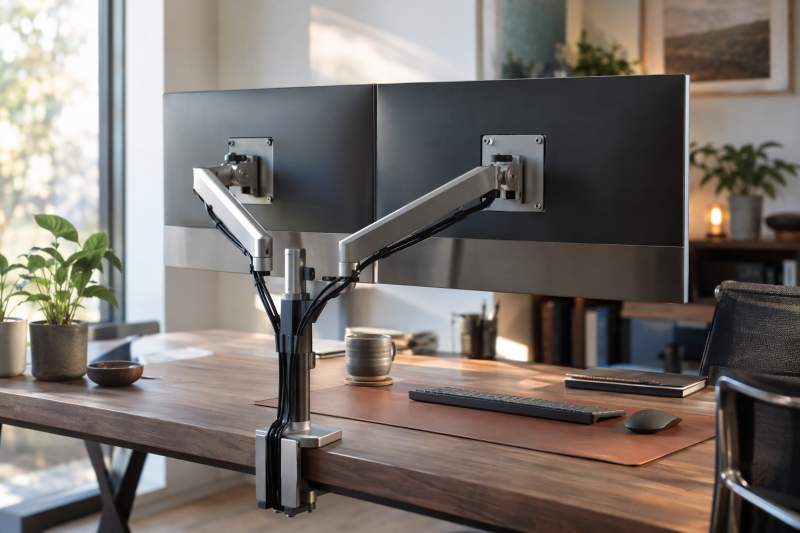
Two monitors on one mount mean two separate fits. Each display has to meet the arm’s own weight, size and VESA limits, and the desk has to suit the clamp or grommet base. A large rating on one product does not show that two monitors will fit together.
The seven mounts are two MSI arms, side-by-side arms from Amazon Basics and WALI, a Mount-It! pole mount, a stacked HUANUO stand and a VIVO spring arm. For hole spacing, see the VESA explainer. For two ultrawides, see the dual ultrawide monitor mounts guide.
Check each monitor’s weight without its stand, its VESA pattern, whether it is flat or curved, and the desk thickness against the limits of the mount you pick.Dual Monitor Arms and Stands Compared
| Image | Product | Details | Check Price |
|---|---|---|---|
 | MSI MAG MT101DG | Best fit: Two 17 to 32 inch screens with quick-release plates Screen compatibility: 17 to 32 inches; 2.2 to 22 lb per screen (MSI) VESA: 75 by 75 or 100 by 100 mm Motion: Tilt +80/-45; swivel +/-90; rotation +/-180 Desk mount: Clamp 10 to 75 mm; grommet 10 to 45 mm | Check Price on Amazon |
 | Amazon Basics Adjustable Dual Monitor Desk Mount | Best fit: Two VESA screens up to 22 lb per arm on thick desks Screen compatibility: 22 lb per arm; title says up to 32 inches VESA: 75 by 75 or 100 by 100 mm Motion: Tilt -45/+90; swivel +/-90; 360 rotation Desk mount: Clamp or grommet for 0.39 to 4.25 inch desks | Check Price on Amazon |
 | MSI MAG MT201D | Best fit: Two heavy 17 to 45 inch screens Screen compatibility: 17 to 45 inches; 4.4 to 44 lb per screen VESA: 75 by 75 or 100 by 100 mm Motion: Tilt +50/-20; swivel +/-90; rotation +/-180 Desk mount: Clamp 10 to 80 mm (MSI; Amazon says 85); grommet 10 to 35 mm | Check Price on Amazon |
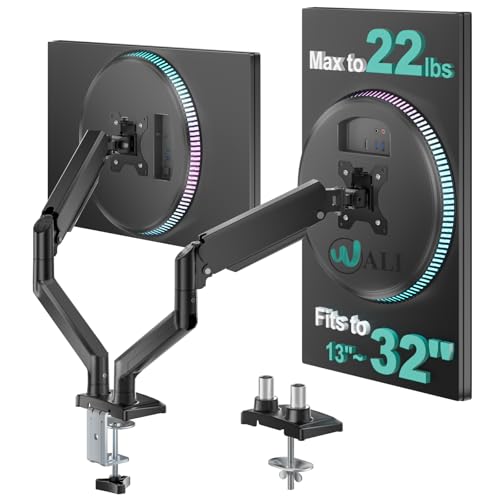 | WALI GSMP002N | Best fit: Two flat or curved screens up to 32 inches Screen compatibility: 13 to 32 inches (title); 22 lb per arm VESA: 75 by 75 or 100 by 100 mm Motion: 19.3 inch extension; 17.3 inch lift; tilt +70/-45; swivel +/-90; 360 rotation Desk mount: Clamp or grommet for 0.39 to 2.76 inch desks; wooden desk recommended | Check Price on Amazon |
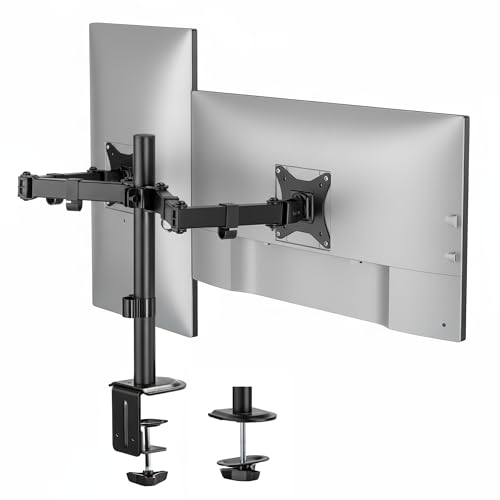 | Mount-It! Dual Monitor Arm | Best fit: Two 13 to 32 inch displays with a 16 inch pole Screen compatibility: 13 to 32 inches; 19.8 lb each VESA: 75 by 75 or 100 by 100 mm Motion: 17.1 inch extension; tilt +90/-45; 180 swivel; 360 rotation Desk mount: Clamp 0.39 to 3.3 inches; grommet 0.39 to 1.6 inches | Check Price on Amazon |
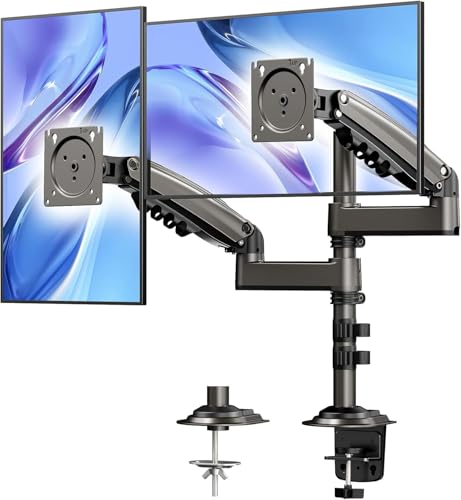 | HUANUO Stacked Dual Monitor Stand | Best fit: Vertically stacked 17 to 32 inch screens Screen compatibility: Up to 32 inches (title: 17 to 32); 4.4 to 19.8 lb each VESA: 75 by 75 or 100 by 100 mm Motion: 17 inch extension; up to 25.19 inch elevation; 90 tilt; 180 swivel; 360 rotation Desk mount: Clamp or grommet for 0.39 to 3.54 inch desks; not for glass | Check Price on Amazon |
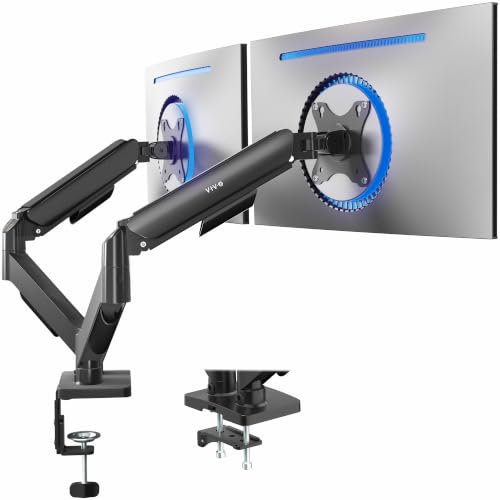 | VIVO AeroPoise STAND-V002O | Best fit: Two 17 to 32 inch screens needing toolless counterbalance Screen compatibility: 17 to 32 inches; 4.4 to 19.8 lb each VESA: 75 by 75 or 100 by 100 mm Motion: Tilt +/-90; 180 swivel; 360 rotation; 19.75 inch extension (VIVO) Desk mount: Clamp 0.4 to 3.1 inches; grommet 0.4 to 1.9 inches (VIVO) | Check Price on Amazon |
1. MSI MAG MT101DG — Best Quick-Release Dual Arm for 17 to 32 Inch Screens
MSI’s product page lists the MAG MT101DG for flat or curved screens from 17 to 32 inches, with 2.2 to 22 lb per screen and VESA 75 by 75 mm or 100 by 100 mm, and describes it as a gas-spring arm. The Amazon listing gives the same size and 22 lb limit and adds a quick-release VESA plate.
MSI lists -45 to +80 degrees of tilt, +/-90 degrees of swivel, +/-180 degrees of rotation, 16.6 inches of vertical extension and 18.7 inches of horizontal extension. Desk thickness is 10 to 75 mm for the clamp and 10 to 45 mm for the grommet base.
MSI gives the MT101DG a minimum as well as a maximum weight, 2.2 to 22 lb for each screen.Our Take Choose the MT101DG for two 17 to 32 inch screens of 22 lb or less each that come on and off the arm often, since the Amazon listing names a quick-release plate. Pass when either screen is above 32 inches or 22 lb, or when the desk is thicker than 75 mm at the clamp or 45 mm at the grommet.
- MSI’s page lists the MT101DG at 2.2 to 22 lb for each screen from 17 to 32 inches, and both monitors have to sit inside that range.
- MSI’s page lists 16.6 inches of vertical and 18.7 inches of horizontal extension.
- The Amazon listing names a quick-release VESA plate, which suits screens that are swapped on and off the arm.
- MSI’s grommet range stops at 45 mm while its clamp range reaches 75 mm, so the clamp fits a thicker desk than the grommet base does.
- MSI’s 22 lb limit applies to each screen, not to the pair.
2. Amazon Basics Adjustable Dual Monitor Desk Mount — Best 22 lb Per-Arm Mount for Thick Desks
The Amazon Basics listing gives 22 lb for each arm and says each arm needs its own tension adjustment for the monitor on it. It lists VESA 75 by 75 mm or 100 by 100 mm and advises choosing screw length and spacers to suit the monitor’s mounting depth.
Listed motion is -45 to +90 degrees of tilt, +/-90 degrees of swivel and 360 degrees of rotation, and the listing says the joints may be pre-tightened and need adjusting before use. A C-clamp and a grommet option cover desks 0.39 to 4.25 inches thick. The listing says stability varies with monitor size, weight distribution and arm extension. Only its title mentions a screen size, up to 32 inches.
Our Take Pick it for two VESA monitors of 22 lb or less each when the desk is thick, up to the 4.25 inch limit. Pass if you need a quick-release plate, which the listing does not mention.
- The Amazon listing gives 22 lb per arm and says each arm needs its own tension adjustment.
- Amazon Basics lists 0.39 to 4.25 inches for the clamp or grommet, the widest range in this comparison, which suits a thick desk.
- The Amazon listing advises screw length and spacers to suit the monitor’s mounting depth.
- The Amazon Basics bullets state no screen-size limit, and only the listing title says up to 32 inches.
- The Amazon Basics listing says stability varies with monitor size, weight distribution and arm extension, so weight is one of several checks.
3. MSI MAG MT201D — Best Heavy-Duty Dual Arm for 17 to 45 Inch Screens
MSI’s product page lists the MAG MT201D for flat or curved screens from 17 to 45 inches, with a capacity of 44 lb (20 kg) per screen and VESA 75 by 75 mm or 100 by 100 mm, and describes a built-in spring tension arm. The Amazon listing gives the range as 4.4 to 44 lb per screen, a floor MSI’s page does not state, and names a quick-release VESA plate.
MSI lists -20 to +50 degrees of tilt, +/-90 degrees of swivel, +/-180 degrees of rotation, 20 inches of vertical extension and 21.46 inches of horizontal extension. Both sources give the grommet range as 10 to 35 mm. For the clamp, MSI’s page says 10 to 80 mm and the Amazon bullets say 10 to 85 mm, so measure the desk against 80 mm.
MSI lists the highest capacity here, 44 lb per screen, and also the smallest tilt range of the seven mounts, -20 to +50 degrees.Our Take Choose the MT201D for two heavy or large screens inside 17 to 45 inches and 44 lb each. Pass when you need more than +50 degrees of upward tilt or a stacked layout.
- MSI’s page lists the MT201D for 17 to 45 inches and 44 lb per screen, the highest capacity of the seven, which suits two heavy or large screens.
- MSI lists 20 inches of vertical and 21.46 inches of horizontal extension, more than the 16.6 and 18.7 inches it lists for the MT101DG.
- The Amazon listing names a quick-release VESA plate.
- MSI lists a 35 mm grommet range, narrower than the 45 mm it lists for the MT101DG.
- MSI’s page and the Amazon listing disagree on the clamp limit, 80 mm against 85 mm, so measure the desk against the lower figure.
4. WALI GSMP002N — Best Dual Arm for Compatible Flat or Curved 32 Inch Screens
WALI’s Amazon listing says the GSMP002N is designed to fit most flat or curved screens up to 32 inches, and its title gives 13 to 32 inches. It lists a maximum of 22 lb per arm and VESA 75 by 75 mm or 100 by 100 mm, and tells buyers to verify the monitor’s VESA pattern, size and weight.
The listing gives 19.3 inches of extension, 17.3 inches of lift, +70/-45 degrees of tilt, +/-90 degrees of swivel and 360 degrees of rotation. Clamp and grommet bases are both listed for desks 0.39 to 2.76 inches thick, and WALI says it only recommends installing the mount on a wooden desk, preferably with no crossbeam under it.
Our Take Choose the GSMP002N for flat or curved screens of 32 inches or less and 22 lb or less each, on a wooden desk. Pass when the desk is thicker than WALI’s range or is not wood, since WALI recommends only wooden desks.
- WALI’s listing states 22 lb per arm for flat or curved screens up to 32 inches.
- WALI lists 19.3 inches of extension and 17.3 inches of lift.
- WALI lists the same 0.39 to 2.76 inch range for the clamp and the grommet base, so either base fits the same desk thickness.
- WALI recommends installing the mount only on a wooden desk, preferably without a crossbeam, so other desk materials are outside its advice.
- WALI’s 2.76 inch clamp limit is lower than the 3.3 inches Mount-It! lists and the 4.25 inches Amazon Basics lists.
5. Mount-It! Dual Monitor Arm — Best Two-Screen Pole Mount With 17.1 Inch Extension
Mount-It!’s Amazon listing gives two 13 to 32 inch displays at up to 19.8 lb each and VESA 75 by 75 mm or 100 by 100 mm, for most flat and curved monitors. It describes sliding the monitors along a 16 inch pole to line them up side by side.
Listed motion is +90/-45 degrees of tilt, 180 degrees of swivel, 360 degrees of rotation and 17.1 inches of arm extension. The C-clamp covers desks 0.39 to 3.3 inches thick and the grommet base 0.39 to 1.6 inches. The listing says the mount is designed for single-stud or solid wood or concrete surfaces, not drywall alone.
Mount-It! lists a 16 inch pole for height and 17.1 inches of extension for lining up two 13 to 32 inch screens.Our Take Pick Mount-It! for two 13 to 32 inch screens of 19.8 lb or less each when a pole-based side-by-side layout and a clamp for desks up to 3.3 inches suit the setup. Pass for heavier screens or a desk thicker than 1.6 inches at the grommet.
- Mount-It!’s listing gives two 13 to 32 inch screens at up to 19.8 lb each for most flat and curved monitors.
- Mount-It! lists a 16 inch pole for lining up the two screens, 17.1 inches of extension and cable clips.
- Mount-It!’s grommet range ends at 1.6 inches, so a thicker desk needs the clamp.
- Mount-It! lists 19.8 lb per screen, below the 22 lb that MSI MT101DG, Amazon Basics and WALI list.
6. HUANUO Stacked Dual Monitor Stand — Best Vertical Stack for 17 to 32 Inch Screens
HUANUO’s Amazon listing sells a stacked dual mount and says a monitor must meet three conditions: up to 32 inches, VESA 75 by 75 mm or 100 by 100 mm, and a weight of 4.4 to 19.8 lb. The title gives 17 to 32 inches, and curved screens are not mentioned.
The listing adds a 17 inch extension that raises monitors up to 25.19 inches, with 90 degrees of tilt, 180 degrees of swivel, 360 degrees of rotation and integrated cable management. The C-clamp or grommet base is listed for desks 0.39 to 3.54 inches thick, and HUANUO describes it as suited to solid wood or metal desks and not to glass desks.
Our Take Choose HUANUO when a stacked arrangement suits the workspace and both screens weigh 4.4 to 19.8 lb with VESA 75 or 100. Pass for a glass desk, a pair that has to sit side by side, or a screen above 32 inches.
- HUANUO’s listing describes a stacked mount with a 17 inch extension that raises monitors up to 25.19 inches.
- HUANUO lists one thickness range, 0.39 to 3.54 inches, for either the clamp or the grommet base.
- HUANUO lists integrated cable management.
- HUANUO’s listing says the stand is not for glass desks and suits solid wood or metal.
- HUANUO’s 19.8 lb limit per screen is below the 22 lb that WALI and Amazon Basics list and the 44 lb MSI lists for the MT201D.
7. VIVO AeroPoise STAND-V002O — Best Toolless Counterbalance Dual Arm
VIVO’s product page calls the STAND-V002O a mechanical arm dual mount for 17 to 32 inch screens and lists 4.4 to 19.8 lb per arm with VESA 75 by 75 mm or 100 by 100 mm. The Amazon listing, sold under the AeroPoise name, adds that it fits most flat and curved screens in that range and describes toolless placement with a spring counterbalance.
VIVO lists +90/-90 degrees of tilt, 180 degrees of swivel, 360 degrees of rotation, 19.75 inches of maximum extension and a 16 inch maximum screen height. VIVO’s spec list gives clamp thickness as 0.4 to 3.1 inches and grommet thickness as 0.4 to 1.9 inches, though another line says up to 3.3 inches, so measure against 3.1. The Amazon listing warns that the back of the arms extends past the desk edge.
VIVO lists a 4.4 to 19.8 lb range per arm, a 16 inch maximum screen height and a toolless spring counterbalance.Our Take Choose VIVO for two flat or curved screens of 4.4 to 19.8 lb each when toolless spring counterbalance suits the job and there is room behind the desk edge. Pass when the desk is thicker than 3.1 inches at the clamp or 1.9 inches at the grommet.
- VIVO lists 4.4 to 19.8 lb per arm for 17 to 32 inch screens.
- VIVO lists 19.75 inches of maximum extension and +90/-90 degrees of tilt.
- The Amazon listing says the arm fits most flat and curved screens, with toolless spring counterbalance.
- The Amazon listing says the back of the arms extends past the desk edge, so the desk needs room behind it.
- VIVO’s 19.8 lb limit per arm is below the 22 lb that WALI and Amazon Basics list and the 44 lb MSI lists for the MT201D.
Buying Guide
Treat capacity as a per-screen limit
Each rating applies to one monitor. MSI lists 22 lb per screen for the MT101DG and 44 lb per screen for the MT201D, and WALI and Amazon Basics list 22 lb per arm.
Both monitors have to sit inside the range. HUANUO and VIVO list 4.4 to 19.8 lb for each screen, and MSI lists a 2.2 lb floor for the MT101DG. Weigh each monitor without its stand and compare it with the range of the arm it will sit on.
Pick a layout before comparing motion
Side-by-side and stacked mounts use desk space differently. HUANUO lists a stacked mount that raises screens to 25.19 inches, and Mount-It! lists a 16 inch pole for lining two screens up side by side.
Choose the arrangement first, then compare extension. MSI lists 18.7 inches (MT101DG) and 21.46 inches (MT201D) of horizontal extension, WALI lists 19.3 inches, Mount-It! lists 17.1 inches and VIVO lists 19.75 inches.
Check VESA and screen shape together
All seven listings state VESA 75 by 75 mm and 100 by 100 mm. MSI for both models, WALI, Mount-It! and VIVO also name flat or curved screens, while the HUANUO and Amazon Basics listings do not mention curvature.
Matching VESA holes does not settle weight. A 32 inch monitor of 21 lb is inside the 22 lb that MSI MT101DG, WALI and Amazon Basics list, but above the 19.8 lb that HUANUO, Mount-It! and VIVO list.
Inspect the desk underside and rear clearance
Clamp and grommet limits differ by model. Amazon Basics lists 0.39 to 4.25 inches, HUANUO lists 0.39 to 3.54 inches, and Mount-It! lists 3.3 inches for the clamp and 1.6 inches for the grommet. MSI’s page lists the MT201D clamp at 80 mm while the Amazon bullets say 85 mm. Measure the desk at the mounting point.
Check the desk material and the space behind it. WALI recommends a wooden desk without a crossbeam beneath it, HUANUO describes solid wood or metal desks and not glass, and Mount-It! names single-stud or solid wood or concrete surfaces. VIVO’s Amazon listing says the back of the arms extends past the desk edge.
Adjust tension only within range
The spring systems are described differently. MSI describes a gas spring for the MT101DG and a spring tension arm for the MT201D, and VIVO’s Amazon listing describes toolless spring counterbalance.
Set tension after loading each arm. Amazon Basics says larger or extended setups may need more tension. Use the weight range listed for that arm.
FAQ
Can one dual arm hold two heavy displays?
MSI lists the MT201D at 44 lb per screen, the highest capacity in this comparison.
Weight is one of several checks. MSI lists the clamp at 80 mm and the grommet at 35 mm, so the desk needs measuring as well.
Which option works for stacked monitors?
HUANUO is the only stacked mount in this comparison. Its Amazon listing says up to 32 inches, 4.4 to 19.8 lb per screen and up to 25.19 inches of elevation.
HUANUO’s desk guidance is specific. The listing describes solid wood or metal desks and not glass. ### Do all seven mounts support curved displays?
No, not every listing mentions them. MSI’s pages for both models, WALI’s listing, Mount-It!’s listing and VIVO’s listing name flat or curved screens. The HUANUO and Amazon Basics listings do not mention curvature.
For those two, check the monitor’s weight, size and VESA pattern against the listing. ### How thick can the desk be for a grommet base?
Four mounts list a separate grommet range. MSI lists 10 to 45 mm for the MT101DG and 10 to 35 mm for the MT201D, Mount-It! lists 0.39 to 1.6 inches, and VIVO lists 0.4 to 1.9 inches. Amazon Basics, WALI and HUANUO list one thickness range for both bases.
A clamp can fit where a grommet cannot. MSI lists 75 mm for the MT101DG clamp against 45 mm for its grommet, and Mount-It! lists 3.3 inches against 1.6 inches.
Does 360-degree rotation mean every layout works?
No. Amazon Basics, WALI, Mount-It!, HUANUO and VIVO list 360 degrees of rotation, while MSI lists +/-180 degrees for both of its arms.
Screen width, cable routing and desk depth decide the layout. VIVO’s Amazon listing says the arms extend past the desk edge and MSI lists 16.6 and 20 inches of vertical extension for its two arms.
Bottom Line
MSI MAG MT101DG suits two 17 to 32 inch screens of up to 22 lb each, with a quick-release plate named on its Amazon listing. Choose Amazon Basics Adjustable Dual Monitor Desk Mount for 22 lb per arm and a 4.25 inch desk range, MSI MAG MT201D for screens up to 44 lb, WALI GSMP002N for flat or curved screens up to 32 inches on a wooden desk, Mount-It! Dual Monitor Arm for a 16 inch pole and 19.8 lb per screen, HUANUO Stacked Dual Monitor Stand for a stacked pair of up to 19.8 lb each, or VIVO AeroPoise STAND-V002O for spring counterbalance.