16GB USB Flash Drives Compared
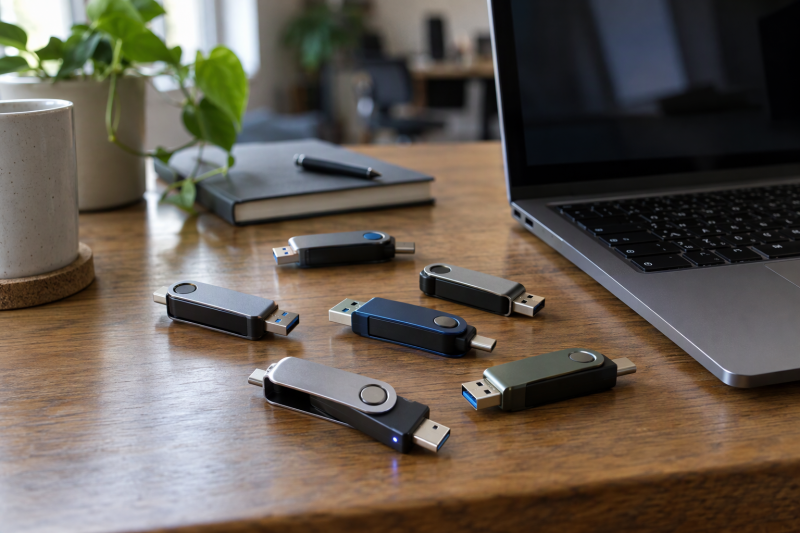
Buyers use a 16GB flash drive to carry documents, installers, music, and a modest photo set between computers. All six drives below are single drives, not multipacks. They differ in whether the Amazon listing gives any speed figure, whether the drive has one connector or two, and how the plug is covered.
Only the TEAMGROUP C175 and the Aiibe give a numerical speed on Amazon. The Xinglinking is the one drive with both USB-C and USB-A connectors, and SamData’s bullets name an LED. For other capacities and connectors, see our USB-C flash drive guide and 1TB flash drive guide.
| Image | Product | Best fit | Connection | Protection and carry | Status feedback | Watch-outs | Check Price |
|---|---|---|---|---|---|---|---|
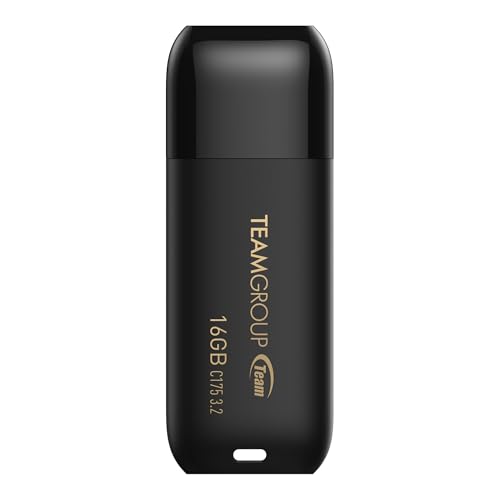 | TEAMGROUP C175 16GB | A USB 3.2 Gen 1 drive with a read figure in its title | USB 3.2 Gen 1, also named USB 3.1 and USB 3.0 | Cap-loss free design, rounded body | Not named | Read 75MB/s only, no write speed | Check Price on Amazon |
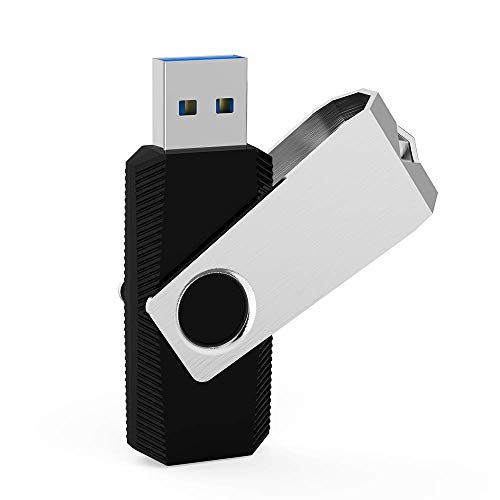 | Aiibe 16GB USB 3.0 | USB 3.0 drive with stated read and write figures | USB 3.0, backward compatible with USB 2.0 and 1.1 | 360-degree metal swivel cover and keychain loop | Not named | Bullet says 20MB/s write, graphic says 25MB/s; Xiao Digital is the seller | Check Price on Amazon |
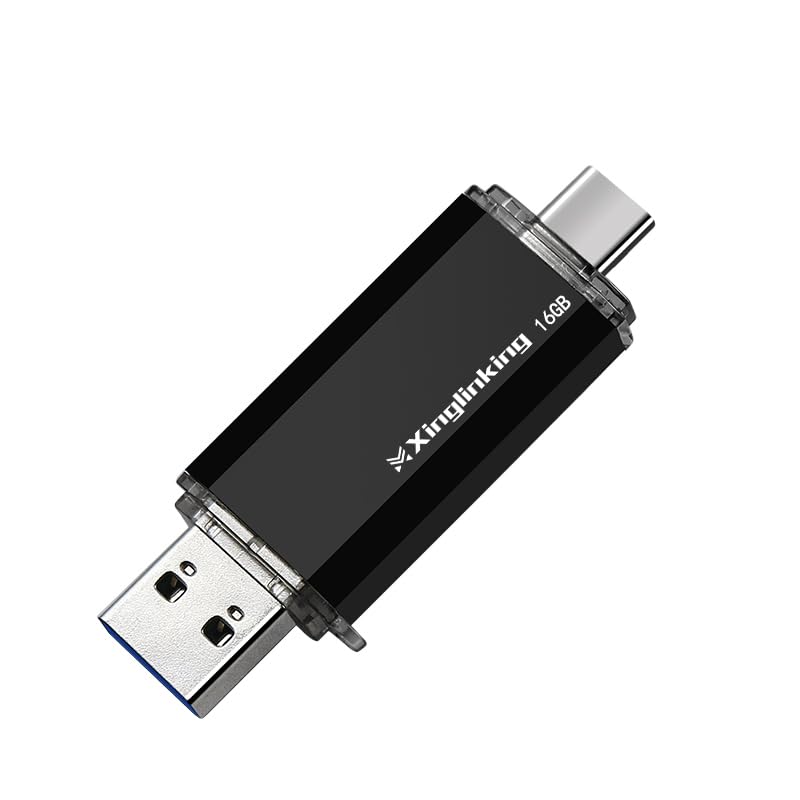 | Xinglinking 16GB Dual USB-C and USB-A | Moving files between USB-C and USB-A devices without an adapter | USB-C and USB-A, USB 2.0 performance | Compact ABS body with keychain carry option | Not named | No read or write number | Check Price on Amazon |
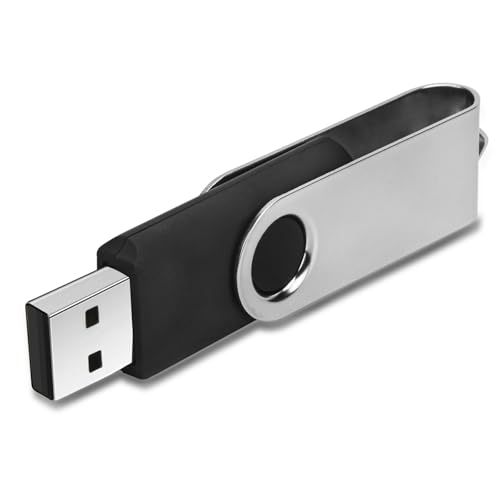 | IMEASON 16GB Swivel Drive | Capless USB-A storage with FAT32 stated as the default format | USB 2.0, supports USB 1.1 | Metal swivel cover and keychain design | Not named | USB 2.0 and no read or write number | Check Price on Amazon |
 | ENUODA 16GB Swivel Drive | A 1-pack drive with a rotating cover | USB 2.0, backward compatible with USB 1.1 | 360-degree metal cover, capless design, and key-ring hole | Labeled in one photo, not in the bullets | No read or write number | Check Price on Amazon |
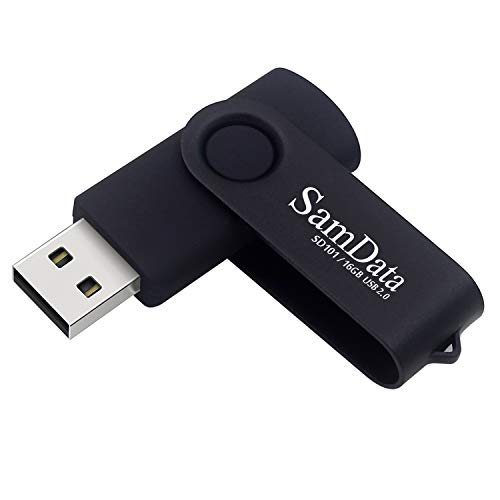 | SamData 16GB LED Swivel Drive | USB-A drive with an LED for transfer status | USB 2.0 and below | 360-degree metal clip over an ABS body | LED transfer indicator | USB 2.0 and no default format named | Check Price on Amazon |
1. TEAMGROUP C175 16GB — Best for a Stated Read Speed
TEAMGROUP’s Amazon title calls the C175 a USB 3.2 Gen 1 drive, also labeled USB 3.1 and USB 3.0, with Read 75MB/s. The listing names no write speed. TEAMGROUP is both the brand and the seller of the New offer, and the part number is TC175316GB01.
The listing’s photos show a capped body with a standard rectangular plug, and its bullets describe a rounded, streamlined shape and a “cap-loss free design for easy storage.” The bullets also list plug-and-play use, hot-swap support, and a power-saving mode. TEAMGROUP’s own product page was not reachable, so every figure here comes from the Amazon listing.
Read 75MB/s is the only speed figure in TEAMGROUP’s title, and no write speed is given for copying onto the drive. Our TakeThe C175 suits a buyer who wants a capped USB 3.2 Gen 1 drive with a read figure on the listing and is not planning to copy large files onto it.
- A buyer comparing listings gets a stated USB 3.2 Gen 1 label and a 75MB/s read figure from TEAMGROUP’s Amazon title.
- TEAMGROUP’s bullets describe a cap-loss free design for easy storage, and the listing photos show a capped body.
- TEAMGROUP is both the brand and the seller of the New offer on Amazon.
- TEAMGROUP’s Amazon listing gives no write speed for copying files onto the drive.
- TEAMGROUP’s listing photos show one standard rectangular plug, and the listing names no USB-C connector.
2. Aiibe 16GB USB 3.0 — Best for a Stated Read and Write Pair
Aiibe’s first bullet gives read speeds up to 80MB/s and write speeds up to 20MB/s for this USB 3.0 drive, and says it is backward compatible with USB 2.0 and 1.1. No other drive here gives a write figure. The listing’s own speed graphic shows write as 25MB/s, so the two Aiibe figures disagree and the 20MB/s bullet is the one used here.
A 360-degree metal swivel cover protects the plug, and a loop at the end takes a key chain or lanyard. Aiibe’s bullets name Windows support and list PC, laptop, TV, car, and audio devices. The listing photos show one standard plug, and the listing names no USB-C connector. Amazon lists Xiao Digital as the seller of the New offer, and the Amazon model field gives a product code and no model name.
Aiibe’s bullet says 20MB/s write while its speed graphic says 25MB/s, so confirm the figure on the product page before relying on it. Our TakeChoose the Aiibe when a listing with both a read and a write figure counts for more than a second connector, and treat its write number as approximate.
- Aiibe’s first bullet gives up to 80MB/s read and up to 20MB/s write for the USB 3.0 drive, the only read and write pair on these listings.
- Aiibe says the drive is backward compatible with USB 2.0 and 1.1.
- Aiibe lists a 360-degree metal swivel cover that protects the plug.
- Aiibe’s listing includes a loop at the end that takes a key chain or lanyard.
- Aiibe gives two write figures, 25MB/s in its speed graphic and 20MB/s in its bullet.
- Aiibe’s listing photos show one standard plug, and the listing names no USB-C connector.
- Amazon lists Xiao Digital, not Aiibe or Amazon, as the seller of the New offer.
3. Xinglinking 16GB Dual USB-C and USB-A — Best for USB-C and USB-A Devices
Xinglinking’s bullets describe a dual-port design that works with USB-C and USB-A laptops, PCs, and tablets with no adapter needed. It is the only drive on this page with two connectors, and its photos show the USB-C plug at one end and the USB-A plug at the other.
Xinglinking calls the performance “USB 2.0” and describes it as steady speeds for documents, photos, and music, with no read or write number. The body is an ABS shockproof casing that takes a keychain, and the bullets name Windows, macOS, and other operating systems with no software or drivers. The listing says one drive is included, and Xinglinking International is the seller. The listing text names no LED.
Xinglinking gives the second connector but no speed figure, so choose it for the plugs. Our TakePick the Xinglinking when one 16GB drive has to plug directly into both a USB-C laptop or tablet and a USB-A computer.
- A buyer with both USB-C and USB-A devices gets a dual-port design that Xinglinking’s bullets say works with no adapter needed.
- Xinglinking’s listing says one drive is included.
- Xinglinking describes an ABS shockproof casing that takes a keychain.
- A buyer who wants a speed figure gets Xinglinking’s USB 2.0 label and no read or write number.
- Xinglinking’s listing text names no LED.
4. IMEASON 16GB Swivel Drive — Best for a Stated FAT32 Default Format
IMEASON’s title names a USB 2.0 drive, and its bullets say it supports USB 2.0 and 1.1 ports. It is the only drive here whose text names a default format. The “What You Get” bullet says FAT32 is the default. The part number is YMSFD01, and imeason is the seller of the New offer.
IMEASON’s bullets name Windows, Unix, Linux, and Mac OS, and say the drive supports TV, desktop, notebook, car, and audio devices. A metal swivel cover protects the plug with no cap to lose, and the body has a keychain design. Amazon lists dimensions of 2.25 by 0.75 inches. The listing photos show one standard plug, and the listing names no USB-C connector. IMEASON gives no read or write number.
Choose IMEASON when a stated FAT32 default format and a long device list in the bullets count for more than any speed figure.
- IMEASON’s “What You Get” bullet says FAT32 is the default format, the only default format named on these listings.
- IMEASON’s metal swivel cover protects the plug with no cap to lose.
- IMEASON’s bullets name Windows, Unix, Linux, and Mac OS, and say the drive supports TV, desktop, notebook, car, and audio devices.
- IMEASON’s title names USB 2.0, and IMEASON gives no read or write number.
- IMEASON’s listing photos show one standard plug, and the listing names no USB-C connector.
5. ENUODA 16GB Swivel Drive — Best for a One-Pack Drive with a Rotating Cover
ENUODA’s title and first bullet describe a 1-pack 16GB drive on a USB 2.0 interface that is backward compatible with USB 1.1. Its compatibility bullet lists Windows 11 down to 2000, Linux, and Mac OS, plus laptops, desktops, smart TVs, and car audio systems.
The cover is a 360-degree rotating metal cover, and ENUODA says the capless design prevents lost covers. A key-ring hole takes keychains, backpacks, briefcases, or lanyards. ENUODA’s bullets name no LED, but one listing photo labels an LED indicator, and no read or write number appears. The seller is shenzhen innoda Technology Co., Ltd., and the model field reads XZLS-16GB-1PK.
ENUODA’s bullets name no LED, while one of its photos labels an LED indicator, so check before buying if you want the light. Our TakeENUODA fits a buyer who wants a plain one-pack drive with a rotating metal cover and a key-ring hole.
- A buyer gets a single drive, since ENUODA’s title and first bullet describe a 1-pack 16GB drive.
- ENUODA describes a 360-degree rotating metal cover and says the capless design prevents lost covers.
- ENUODA’s key-ring hole takes keychains, backpacks, briefcases, or lanyards.
- ENUODA’s listing names USB 2.0 and gives no read or write number.
- ENUODA’s bullets name no LED, though one listing photo labels an LED indicator.
6. SamData 16GB LED Swivel Drive — Best for Transfer-Status Feedback
SamData’s title says LED Indicator, and its compatibility bullet says “Transfer status at a glance.” The bullet also says “Compatible with USB 2.0 and below” and names Windows, Linux, and Mac OS. The title and package bullet describe a 1-pack 16GB drive.
A metal clip rotates 360 degrees around an ABS plastic body, and SamData says the capless design avoids losing the cap. Amazon lists Sosun Tech as the manufacturer, and SamData Official Store is the seller. SamData gives no read or write number and no default format.
SamData’s title and bullet are the clearest statement of an LED on this page. Our TakeChoose SamData when a status light is part of the purchase and a USB 2.0 swivel drive suits the devices you own.
- SamData’s title names an LED Indicator, and its bullet describes transfer status at a glance.
- SamData’s title and package bullet both describe a 1-pack 16GB drive.
- SamData says the capless design avoids losing the cap, and its metal clip rotates 360 degrees around an ABS plastic body.
- SamData’s bullet says “Compatible with USB 2.0 and below,” and the listing gives no read or write number.
- SamData’s listing states no default format.
Buying Guide: Choose a 16GB USB Flash Drive
Pick the connector before the capacity
Xinglinking’s listing is the only one of the six that names its connectors in text: USB-C and USB-A on one drive. The other five listings name an interface version, and their photos show one standard rectangular plug, so they need a USB-A port or an adapter on a laptop with only USB-C.
If every device you own has a USB-C port, the second connector adds nothing, and a dedicated drive from our USB-C flash drive guide is the cleaner single-connector choice.
Read the USB label and the speed figure as two facts
TEAMGROUP’s title gives USB 3.2 Gen 1 with a 75MB/s read figure, and Aiibe’s bullet gives USB 3.0 with up to 80MB/s read and up to 20MB/s write. No other Amazon listing here gives a numerical speed.
IMEASON, ENUODA, SamData, and Xinglinking name USB 2.0 and give no read or write number. A version label is not a speed, so treat the missing figure as unknown, and note that Aiibe’s own graphic shows a different write number than its bullet.
Compare how each drive covers its plug
Aiibe, IMEASON, and ENUODA describe a metal swivel or rotating cover, with ENUODA and Aiibe naming 360-degree rotation. SamData describes a metal clip that rotates 360 degrees, and its listing calls the design capless.
TEAMGROUP’s bullets name a cap-loss free design and its photos show a capped body, while Xinglinking describes an ABS shockproof casing with no cover. Pick the arrangement you will keep closed in a bag or on a key ring.
Check the format only when the device is picky
IMEASON’s “What You Get” bullet is the only place on these listings that names a default format: FAT32. The device you plan to use decides which file formats it can read, so check its manual.
The other five listings name no default format. For a TV or car stereo, look up the supported file system before buying, because a connector and a capacity do not settle it.
Decide whether you want a status light
SamData’s title and bullet name an LED indicator, with the bullet describing transfer status at a glance. One ENUODA photo also labels an LED indicator, although ENUODA’s bullets say nothing about it.
TEAMGROUP, Aiibe, IMEASON, and Xinglinking name no LED in their text. If a visible signal is the goal, SamData is the plainest statement, and a speed rating is a separate question.
FAQ
Is 16GB enough for a USB flash drive?
16GB suits documents, installers, music, and a limited set of photos. Every drive here is a single 16GB drive, so the choice is about connectors, speed figures, and the plug cover.
Large video libraries and full computer backups need more room. Our 1TB USB flash drive comparison covers a larger size.
Which of these drives works with a USB-C laptop?
The Xinglinking Dual is the one whose listing names USB-C and USB-A connectors, and its bullets say it works with USB-C laptops with no adapter needed.
TEAMGROUP, Aiibe, IMEASON, ENUODA, and SamData show one standard plug in their photos. A USB-C-only laptop needs an adapter for them, and none of the listings says one is included.
Which model gives the clearest speed information?
Aiibe’s bullet gives up to 80MB/s read and up to 20MB/s write, the only read and write pair on these six listings. Its own speed graphic shows 25MB/s write, so the write figure is approximate.
TEAMGROUP’s title gives a 75MB/s read figure and no write speed. The other four listings give an interface label and no number.
Which drive has an LED?
SamData’s title and bullet name an LED indicator for transfer status, and its metal clip rotates around the ABS body in place of a cap.
ENUODA’s bullets do not mention one, though a photo on its listing labels an LED indicator. TEAMGROUP, Aiibe, IMEASON, and Xinglinking name none in their text.
Bottom Line
Pick the Xinglinking for a drive that plugs into both USB-C and USB-A, and the Aiibe for the one listing with read and write figures. Pick the TEAMGROUP C175 for a USB 3.2 Gen 1 title with a read figure, and SamData for an LED named in its bullets. IMEASON and ENUODA suit a plain USB 2.0 swivel drive, with IMEASON the one that states FAT32.