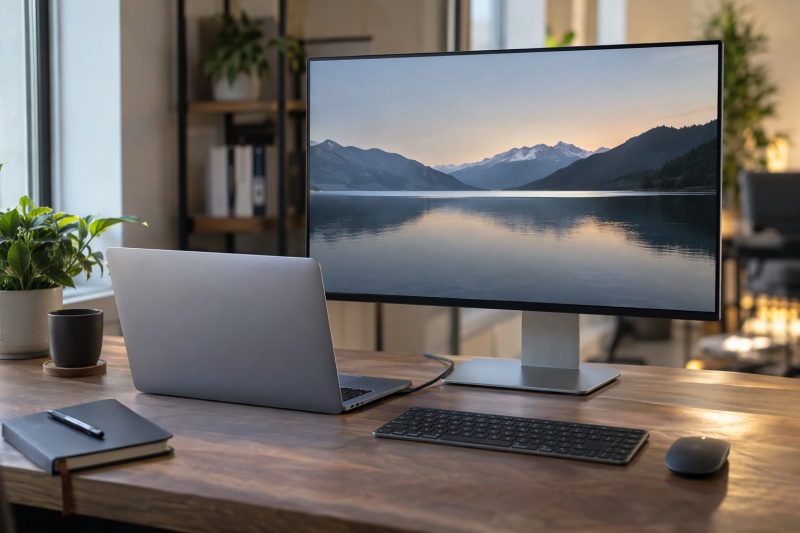
Apple’s Studio Display is the monitor these five are compared with. It has no product box on this page because Amazon returned no new-condition offer for it from a normal seller on November 13. Apple’s own page states a 27-inch 5K panel at 5120 x 2880 and 218 pixels per inch, so the closest alternatives are the 27-inch 5K models below. The other three trade 5K density for a larger 4K screen or a 4K color monitor.
| Image | Product | Details | Check Price |
|---|---|---|---|
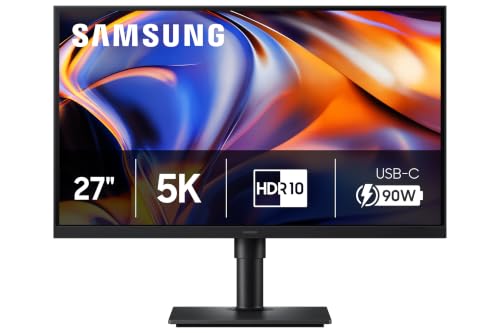 | Samsung ViewFinity S8 S80HF 27-inch 5K | Best fit: 27-inch 5K MacBook desk with LAN and KVM Panel: 27-inch 5120 x 2880, 218 PPI Connection: USB-C with 90W charging and data Desk features: LAN, KVM, PIP and PBP Check first: MacBook video over USB-C; 1 Year warranty field | Check Price on Amazon |
 | BenQ PD2730S 27-inch 5K | Best fit: Thunderbolt 4 5K color desk Panel: 27-inch 5120 x 2880, 218 PPI, 98% P3 Connection: Thunderbolt 4, 40Gbps, 90W Desk features: KVM and daisy chaining Check first: Daisy chaining not available on M1 and M2 Macs | Check Price on Amazon |
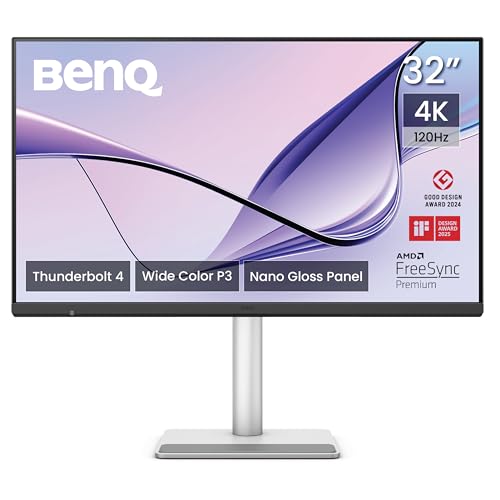 | BenQ MA320UG 32-inch 4K | Best fit: Large 4K screen with Thunderbolt 4 and 96W Panel: 31.5-inch 3840 x 2160, 120Hz, 140 PPI Connection: Thunderbolt 4 host port 96W, output port 15W Desk features: KVM and 3W x 2 speakers Check first: Plug the MacBook into the 96W host port | Check Price on Amazon |
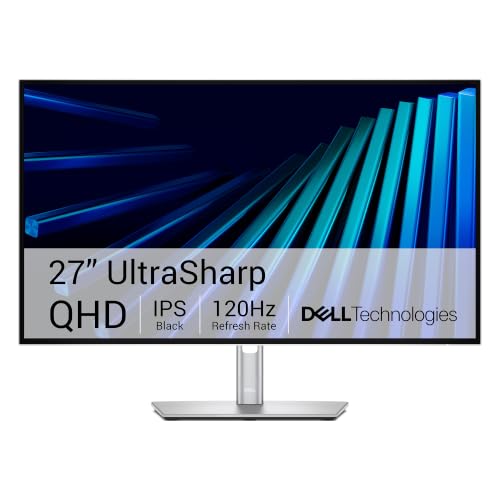 | Dell UltraSharp U3226QER 32-inch 4K | Best fit: Large 4K Mac desk with Ethernet Panel: 32-inch 3840 x 2160 IPS Black, 120Hz Connection: Thunderbolt hub monitor; no wattage stated Desk features: KVM and Ethernet Check first: Thunderbolt port and power output on Dell's page | Check Price on Amazon |
 | ASUS ProArt PA279CRV 27-inch 4K | Best fit: 27-inch 4K USB-C color desk Panel: 27-inch 3840 x 2160 IPS, 60Hz, 99% DCI-P3 Connection: USB-C with 96W; DisplayPort daisy chain Desk features: USB hub and 2W x 2 speakers Check first: USB-C video from the MacBook, not Thunderbolt | Check Price on Amazon |
The first choice is size and sharpness, meaning 27-inch 5K, 32-inch 4K or 27-inch 4K. The second is the cable, because Samsung and ASUS list USB-C, the two BenQ models list Thunderbolt 4, and Dell’s listing calls its monitor a Thunderbolt hub monitor without naming a port count.
1. Samsung ViewFinity S8 S80HF 27-inch 5K — Best for 5K with LAN and KVM
Samsung’s Amazon listing for the S80HF, model LS27H800EFAXZA, gives a 27-inch panel at 5120 x 2880 and 218 PPI. It names one USB-C port that carries 90W charging and data at the same time, plus a built-in LAN port, a KVM switch, picture-in-picture and picture-by-picture. Of the two 27-inch 5K monitors here, the S80HF is the one with a built-in LAN port.
Samsung’s title says HDR10 and one bullet says HDR10+, so confirm the HDR level before buying if HDR is a requirement. Samsung’s warranty field reads 1 Year Manufacturer, the shortest of the five. The S80HF suits a MacBook that connects over USB-C and needs wired Ethernet or a second-computer switch built into the monitor.
Our Take Choose the Samsung when the MacBook desk needs 5K sharpness, a wired network connection and keyboard-and-mouse sharing from one monitor. Pick a BenQ instead when a Thunderbolt 4 connection is the requirement.
- Samsung’s listing gives the S80HF a 27-inch panel at 5120 x 2880 and 218 PPI, so it fits a MacBook desk that needs sharpness.
- Samsung’s listing states that the S80HF carries 90W charging and data at the same time over its one USB-C port, which suits a MacBook that connects over USB-C.
- Samsung’s listing includes a LAN port, a KVM switch, picture-in-picture and picture-by-picture, so wired Ethernet and a second-computer switch are built into the S80HF.
- Samsung’s listing names a USB-C port and no Thunderbolt port, so a buyer who needs a Thunderbolt connection should look at a BenQ instead.
- Of the five monitors here, Samsung’s listing shows the shortest warranty, a 1 Year Manufacturer term.
- Samsung’s listing gives HDR10 in the title and HDR10+ in a bullet, so a buyer who needs HDR should confirm the level before buying.
2. BenQ PD2730S 27-inch 5K — Best for a Thunderbolt 4 5K color desk
BenQ’s page for the PD2730S states a 27-inch 5K panel at 218 PPI, 98% P3 color, 2000:1 contrast and a nano matte panel. The same page states Thunderbolt 4 at 40Gbps with 90W power delivery. The Amazon listing says up to 90W and adds a height-adjustable stand and a wireless Hotkey Puck for switching the built-in KVM between two computers. BenQ’s warranty field on Amazon reads 3 Years Manufacturer.
BenQ’s page names Macs for one limit. Daisy chaining a second monitor cannot be used with M1 and M2 Macs, and it can be used with Apple silicon Pro, Max and Ultra chips, according to BenQ’s footnote. The footnote applies to M1 and M2 MacBooks and not to Pro, Max or Ultra models.
BenQ states 27-inch 5K, Thunderbolt 4 with 90W, 98% P3, KVM and daisy chaining on its PD2730S page.Our Take Pick the PD2730S for a 5K desk built on one Thunderbolt 4 cable, where color coverage and a second monitor on a Pro or Max MacBook are both wanted. Neither the listing nor BenQ’s page names a LAN port.
- BenQ states on the PD2730S page that the panel is 27-inch 5K at 218 PPI, which gives a color desk its sharpness.
- BenQ’s page states Thunderbolt 4 at 40Gbps with 90W power delivery, which a MacBook desk built on one Thunderbolt cable relies on.
- BenQ lists 98% P3 color coverage, 2000:1 contrast and a nano matte panel for a desk where color coverage is wanted.
- BenQ’s Amazon listing includes a height-adjustable stand and a wireless Hotkey Puck, which switches the built-in KVM between two computers.
- BenQ’s page says daisy chaining cannot be used with M1 and M2 Macs, so those MacBooks cannot add a second monitor by daisy chain.
- BenQ’s PD2730S page names Thunderbolt 4 and no LAN port, unlike the Samsung listing, so wired Ethernet is not something the page states.
3. BenQ MA320UG 32-inch 4K — Best for a large 4K screen with Thunderbolt 4 and 96W
Amazon’s title calls the MA320UG a 32-inch monitor. BenQ’s spec page gives 31.5 inches at 3840 x 2160, 120Hz and 140 PPI, against 218 PPI on the 5K models. BenQ’s page states 98% P3, 2000:1 contrast, a Nano Gloss coating and 450 nits of brightness. BenQ’s page also lists built-in 3W x 2 speakers.
The two Thunderbolt 4 ports have different roles. BenQ’s page lists one Thunderbolt 4 host port with 96W power delivery and one Thunderbolt 4 output port with 15W for a second device. The page also lists a separate USB-C port at 35W, HDMI 2.1, a KVM switch and 150mm of stand height adjustment. Plug the MacBook into the 96W Thunderbolt 4 host port. BenQ’s footnote says daisy chaining cannot be used with M1 and M2 Macs.
BenQ states a 31.5-inch 4K panel at 120Hz, 96W on the Thunderbolt 4 host port and 15W on the output port.Our Take Choose the MA320UG for a larger 4K MacBook screen at 120Hz with a Thunderbolt 4 host port rated at 96W. Its size and lower pixel density are the tradeoff against the 27-inch 5K models.
- BenQ’s spec page lists a 31.5-inch 4K panel at 120Hz, a larger screen for a MacBook desk.
- BenQ’s spec page lists a Thunderbolt 4 host port with 96W and an output port with 15W, so the MacBook plugs into the host port and a second device uses the output port.
- BenQ’s MA320UG spec page lists a KVM switch, HDMI 2.1 and built-in 3W x 2 speakers, so the monitor has its own computer switch and speakers.
- BenQ’s spec page lists 150mm of stand height adjustment for positioning the screen at the desk.
- BenQ’s spec page gives the MA320UG 140 PPI, lower than the 218 PPI of the 27-inch 5K models, the tradeoff for the larger screen.
- BenQ’s footnote on the MA320UG page says daisy chaining cannot be used with M1 and M2 Macs, so an M1 or M2 MacBook cannot chain a second monitor from it.
4. Dell UltraSharp U3226QER 32-inch 4K — Best for a large 4K Mac desk with Ethernet
Dell’s Amazon listing titles this monitor a 32-inch Thunderbolt hub monitor at 3840 x 2160 and 120Hz with an IPS Black panel, 100% sRGB, 99% Display P3 and 3000:1 contrast. Dell’s listing says IPS Black gives 47% deeper blacks than conventional IPS and that the panel is factory calibrated to Delta E below 1.5. Dell’s listing also names built-in KVM for two computers on one keyboard and mouse, plus Ethernet.
For Mac buyers, Dell’s listing says the monitor was tested with devices on macOS and points to the Dell Display and Peripheral Manager app for settings. The listing states no charging wattage and no port count, so check the Thunderbolt port and its power output on Dell’s own page before relying on one-cable charging. Dell’s warranty field reads 3-Year Advanced Exchange Service and Premium Panel Exchange.
Our Take Pick the Dell for a large 4K Mac desk where Ethernet and keyboard-and-mouse sharing are built into the monitor and the screen’s contrast figure is a priority. Choose the BenQ MA320UG instead when a stated 96W Thunderbolt 4 host port is the requirement.
- Dell’s listing gives the U3226QER a 32-inch 4K IPS Black panel at 120Hz, a large screen for a Mac desk.
- Dell’s listing states 100% sRGB, 99% Display P3 and 3000:1 contrast, so a buyer who ranks contrast first has a stated figure to look at.
- Dell’s listing names built-in KVM and Ethernet, so one keyboard and mouse control two computers and the desk gets a wired network connection from the monitor.
- Dell’s listing states factory calibration below Delta E 1.5 and says the monitor was tested with devices on macOS, a point aimed at Mac buyers.
- Dell’s listing states no charging wattage and no port count, so a buyer needs Dell’s own page to check the Thunderbolt port and its power output before relying on one-cable charging.
- Dell’s listing gives the U3226QER 3840 x 2160 at 32 inches, a lower resolution than the 5120 x 2880 that Apple and Samsung list for their 5K models.
5. ASUS ProArt PA279CRV 27-inch 4K — Best for 4K USB-C color work with 96W power
ASUS’s spec page lists a 27-inch 4K IPS panel at 3840 x 2160, 163 PPI and 60Hz, with 100% sRGB, 99% Adobe RGB and 99% DCI-P3. For connections, the page lists one USB-C port with DisplayPort Alt Mode and 96W power delivery, two DisplayPort 1.4 ports marked for daisy chaining, two HDMI 2.0 ports and a USB hub with one USB-C and three USB-A ports. The page also lists 2W x 2 speakers and a headphone jack.
The Amazon listing adds Calman verification, factory calibration to Delta E below 2 and a 5-year warranty (3 years plus 2 with online registration). The PA279CRV uses USB-C, not Thunderbolt, so confirm the MacBook sends video over USB-C before treating it as a one-cable desk. ASUS’s daisy chain runs over DisplayPort, not Thunderbolt.
Our Take Choose the PA279CRV for a 27-inch 4K desk where color coverage, a 96W USB-C port and the longest warranty of the five come first. Pick a BenQ instead when Thunderbolt 4 is the requirement.
- ASUS’s spec page lists 99% DCI-P3 and 99% Adobe RGB on a 27-inch 4K IPS panel, for a desk that puts color coverage first.
- ASUS’s spec page lists a USB-C port with 96W power delivery on the PA279CRV, plus DisplayPort, HDMI and a USB hub for other connections.
- ASUS’s Amazon listing states Calman verification and factory calibration below Delta E 2, the PA279CRV’s stated color-accuracy checks.
- ASUS’s Amazon listing gives the PA279CRV a 5-year warranty, 3 years plus 2 with online registration, the longest of the five.
- ASUS’s spec page lists USB-C with DisplayPort Alt Mode and no Thunderbolt port, so a buyer who needs Thunderbolt should pick a BenQ instead.
- ASUS’s spec page lists 60Hz for the PA279CRV, against the 120Hz that BenQ and Dell’s listing give for the MA320UG and the U3226QER.
Buying Guide
Choose 5K density or a larger 4K canvas
Apple’s page and Samsung’s listing both give 5120 x 2880 at 218 PPI on a 27-inch screen, and BenQ’s page gives the same figures for the PD2730S. BenQ’s spec page gives 140 PPI for its 31.5-inch MA320UG, and Dell’s listing gives a 32-inch 4K panel.
Choose 5K when the 218 PPI figure is the priority. Choose a 32-inch 4K screen when desk depth and viewing distance leave room for the larger screen.
Match monitor power to the MacBook
Samsung’s listing states 90W, BenQ’s page states 90W for the PD2730S and 96W for the MA320UG host port, and ASUS’s page states 96W. Dell’s listing states no wattage. The MacBook charger guide covers the separate charger choice.
A monitor’s power figure is one part of a one-cable desk. Compare the rating of the MacBook’s own charger with the monitor’s power figure.
Use Thunderbolt only when the MacBook supports it
BenQ states Thunderbolt 4 on the PD2730S and MA320UG, and Apple states Thunderbolt 5 on the Studio Display. Samsung and ASUS list USB-C. BenQ’s footnote says daisy chaining is unavailable on M1 and M2 Macs. The Thunderbolt monitor guide covers more 5K choices.
A USB-C connector shape does not tell you whether a port is Thunderbolt. Read the port label on the MacBook and the monitor’s spec page.
Add KVM and Ethernet only for a shared desk
Samsung’s listing names LAN and KVM, Dell’s listing names Ethernet and KVM, and BenQ names KVM on both of its monitors. KVM helps when one keyboard and mouse switch between two computers, and Ethernet helps when the desk needs a wired network.
A single-MacBook desk can spend its budget on panel size, color coverage or charging power instead.
Compare color claims one monitor at a time
Dell states 99% Display P3, BenQ states 98% P3, and ASUS states 99% DCI-P3 and 99% Adobe RGB. The three figures use different color standards, so they do not rank the monitors against one another. The MacBook monitor guide gives wider brand comparisons.
Pick the color standard that fits the photo, video or design work the monitor will show.
FAQ
Why is the Studio Display not a product section?
Amazon returned no new-condition Studio Display offer from a normal seller on November 13, so it has no buy box on this page.
The Studio Display figures on this page come from Apple’s own page. Each of the five monitors above had a new-condition offer from Amazon.com or from the seller BenQ INFTY Lab on that date.
How do the stated specs compare with the Studio Display?
Apple states a 27-inch 5K panel at 5120 x 2880 and 218 PPI, Thunderbolt 5 with 96W host charging, a 12MP Center Stage camera and a six-speaker system. Samsung’s listing and BenQ’s page give the same 27-inch size, resolution and density for the S80HF and PD2730S. Every figure in this comparison is a stated spec, and none is a claim about picture quality.
Connections differ. Samsung lists USB-C at 90W, the PD2730S states Thunderbolt 4 at 90W, the MA320UG states Thunderbolt 4 at 96W and ASUS states USB-C at 96W. BenQ’s page lists 3W x 2 speakers for the MA320UG and ASUS’s page lists 2W x 2. The Amazon listings and the BenQ and ASUS pages do not mention a built-in camera on any of the five.
Which Macs does Apple say the Studio Display works with?
Apple’s page lists Apple silicon Macs running macOS Tahoe 26.3.1 or later: the 16-inch and 14-inch MacBook Pro (2021 and later), the 13-inch MacBook Pro (M1, 2020 and later), the 15-inch MacBook Air (2023 and later) and the 13-inch MacBook Air (M1, 2020 and later).
The five monitors above come from other makers, so check each maker’s page for its own Mac list. BenQ’s pages name M1 and M2 chips only in the daisy-chain footnote.
Can one cable charge a MacBook and drive these monitors?
It can when the MacBook sends video over that port and accepts the monitor’s power figure. Samsung’s listing states 90W, BenQ states 90W for the PD2730S and 96W for the MA320UG, and ASUS states 96W. Dell’s listing states no wattage.
Check the MacBook’s charger rating, the cable and the monitor port before buying. A stated power figure is a ceiling for that port.
Which of these monitors include KVM?
Samsung’s listing, both BenQ listings and Dell’s listing include a KVM switch. A KVM lets one keyboard and mouse control two computers.
ASUS’s page lists a USB hub and picture-by-picture mode and does not list a KVM switch.
Is 32-inch 4K better than 27-inch 5K?
Not on pixel density. Apple, Samsung and BenQ’s PD2730S state 218 PPI on a 27-inch 5K panel, while BenQ’s page gives 140 PPI for the 31.5-inch MA320UG. The larger 4K screens give more physical workspace.
The 5K screens give a higher pixel density at 27 inches. Choose by desk space and how close you sit.
Bottom Line
Choose the Samsung ViewFinity S8 S80HF for a 27-inch 5K MacBook desk with LAN and KVM, or the BenQ PD2730S for a 27-inch 5K Thunderbolt 4 desk with 98% P3 color. The BenQ MA320UG and Dell UltraSharp U3226QER are the 32-inch 4K choices, and the ASUS ProArt PA279CRV is a 27-inch 4K USB-C color monitor with a 96W port.