We compare five ViewSonic monitors with a USB-C input: one 27-inch 1440p model, three 27-inch 4K models and one 24-inch 4K model. Amazon.com is the seller on all five listings. Amazon lists 90W of USB-C power on the VP2756A-2K, VP2766-4K and VG2756-4K, and 100W on the VP2776T-4K and VP2488-4K. ViewSonic’s own pages give the same 90W and 100W figures for the VP2756A-2K, VP2776T-4K and VP2488-4K.
Choose the screen size and the port you need at the desk first, then compare ViewSonic’s power figure with your laptop’s own charger.| Image | Product | Details | Check Price |
|---|---|---|---|
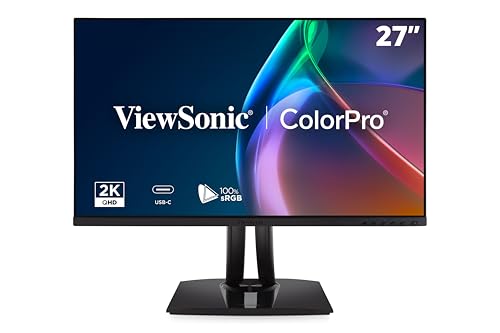 | ViewSonic VP2756A-2K | Best fit: 27-inch 1440p at 120Hz Panel: 27-inch 2560x1440, 120Hz USB-C power: 90W Ports: HDMI, DisplayPort, USB-A hub Check first: Laptop USB-C video output | Check Price on Amazon |
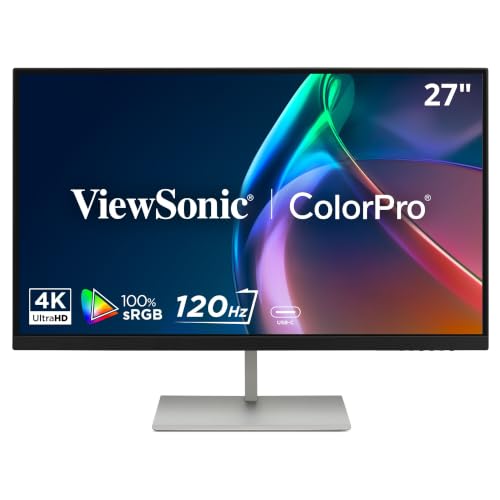 | ViewSonic VP2766-4K | Best fit: 27-inch 4K at 120Hz Panel: 27-inch 3840x2160, 120Hz USB-C power: 90W Ports: Four USB-C, USB-A, HDMI 2.1 Check first: Laptop USB-C video output | Check Price on Amazon |
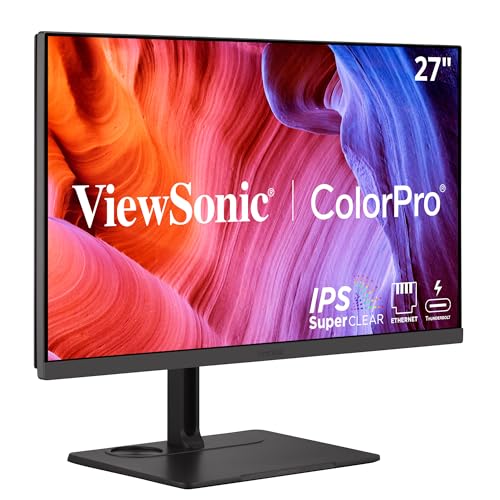 | ViewSonic VP2776T-4K | Best fit: Thunderbolt 4 with Ethernet Panel: 27-inch 3840x2160, 60Hz USB-C power: 100W Thunderbolt 4 Ports: RJ45, two HDMI, DisplayPort, USB-A Check first: Laptop Thunderbolt port | Check Price on Amazon |
 | ViewSonic VG2756-4K | Best fit: USB-C docking with Ethernet Panel: 27-inch 3840x2160 USB-C power: 90W Ports: RJ45, HDMI, DisplayPort, USB hub Check first: Laptop USB-C video output | Check Price on Amazon |
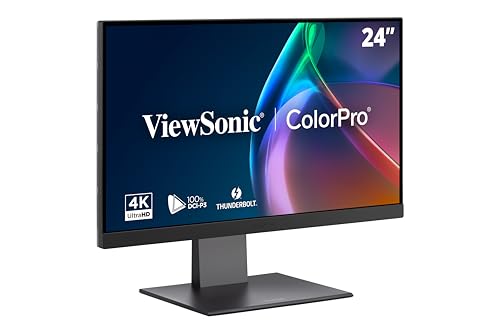 | ViewSonic VP2488-4K | Best fit: 24-inch 4K Thunderbolt 4 Panel: 24-inch 3840x2160, 60Hz USB-C power: 100W Thunderbolt 4 Ports: HDMI 2.1, DisplayPort, USB-A Check first: Laptop Thunderbolt port | Check Price on Amazon |
1. ViewSonic VP2756A-2K — Best 27-inch 1440p screen at 120Hz
ViewSonic’s page lists the VP2756A-2K as a 27-inch IPS monitor at 2560×1440 and 120Hz, with 350 cd/m2 brightness. It lists a 90W USB-C port that carries video, audio and data, a second USB-C port at 15W, three USB-A ports, HDMI 2.0 and DisplayPort. ViewSonic’s port list has no Ethernet port. Amazon’s listing adds 100% sRGB, Rec.709 and Pantone validation, and ViewSonic says the panel is factory calibrated to Delta E under 2.
Amazon’s title calls the VP2756A-2K Mac Ready, and ViewSonic lists 2560×1440 as the maximum resolution for both PC and Mac. Neither source names a MacBook model. The 90W figure is the most the monitor sends out, so compare it with the charger that came with the laptop.
Our Take Choose the VP2756A-2K for a 27-inch desk where a 120Hz refresh rate and 100% sRGB count for more than 4K sharpness. Choose the VP2766-4K when you want 120Hz at 4K on the same screen size.
- For a desk that values refresh rate over sharpness, ViewSonic lists the VP2756A-2K at 120Hz on a 27-inch 2560×1440 panel.
- ViewSonic lists a 90W USB-C port on this monitor that carries video, audio and data over one cable, and that figure is the one to compare with the laptop’s charger.
- Beyond the laptop connection, ViewSonic lists three USB-A ports, HDMI 2.0 and DisplayPort on the VP2756A-2K for accessories and other video sources.
- Amazon lists 100% sRGB, Rec.709 and Pantone validation for the VP2756A-2K, the color figures to check when the work depends on a color space.
- For a buyer who wants more pixels, ViewSonic lists 2560×1440 as the VP2756A-2K’s maximum, below the 3840×2160 that the other four monitors list.
- Buyers who need Ethernet at the monitor will not find it in ViewSonic’s port list for the VP2756A-2K.
2. ViewSonic VP2766-4K — Best 27-inch 4K screen at 120Hz
Amazon’s listing describes the VP2766-4K as a 27-inch 4K (3840×2160) IPS monitor with a 120Hz refresh rate and 5ms response time, built for video editing, graphic design and animation. It lists 100% sRGB with Pantone validation and factory hardware calibration. The listed ports are four USB-C ports (one 90W upstream, one 15W and two 4.5W downstream), one USB-A, HDMI 2.1 for a second device at up to 120Hz and audio out, with no Ethernet port.
Amazon says the 90W USB-C cable is enough to charge and run most USB-C laptops including MacBook Air and MacBook Pro. The listing names no MacBook model or chip, and 90W is 10W below the 100W that ViewSonic lists for the VP2776T-4K and VP2488-4K.
Amazon lists the VP2766-4K as the one monitor here that pairs a 4K panel with 120Hz.Our Take Choose the VP2766-4K for 4K work where smoother motion at 120Hz counts and Thunderbolt 4 is not needed. Choose the VP2776T-4K when Thunderbolt 4 and a wired network port count for more, at the 60Hz that ViewSonic lists.
- Amazon lists the VP2766-4K as a 27-inch 3840×2160 IPS panel at 120Hz, the pairing to look at when smoother motion counts.
- Amazon lists four USB-C ports on the VP2766-4K, one 90W upstream port for the laptop and three downstream ports for other devices.
- For editing and design work, Amazon lists 100% sRGB, Pantone validation and factory hardware calibration for the VP2766-4K.
- Amazon lists an HDMI 2.1 port on the VP2766-4K for a second device, at up to 120Hz.
- Amazon’s port list for the VP2766-4K runs from USB-C and USB-A to HDMI and audio out, and names no Ethernet port.
- Amazon lists 90W for the VP2766-4K, 10W below the 100W that ViewSonic lists for the VP2776T-4K and VP2488-4K.
3. ViewSonic VP2776T-4K — Best Thunderbolt 4 screen with Ethernet
ViewSonic calls the VP2776T-4K a docking monitor, with a 27-inch 4K IPS panel at 60Hz and 100W Thunderbolt 4. ViewSonic’s table lists two Thunderbolt 4 ports, one upstream at 100W and one downstream at 15W, plus an RJ45 port that ViewSonic rates up to 2.5GbE, three USB-A ports, two HDMI 2.1 inputs and DisplayPort.
ViewSonic lists 100% sRGB, 98% DCI-P3, HDR400 and Pantone validation, and says Thunderbolt 4 can daisy chain two 4K monitors at 60Hz. ViewSonic says the monitor supports laptops, PCs and Macs, and that adjusting brightness and volume from a Mac’s function keys needs a MacBook with physical function keys or a Magic Keyboard. ViewSonic names no MacBook model. Check that the laptop’s port is Thunderbolt before choosing this monitor for its Thunderbolt 4 cable.
ViewSonic lists the VP2776T-4K as the only monitor here with both Thunderbolt 4 and an RJ45 network port.Our Take Choose the VP2776T-4K for a Thunderbolt laptop desk that needs 100W, a wired network and USB-A ports from one cable. Choose the VP2488-4K when the desk is better suited to a 24-inch screen and a network port is not needed.
- ViewSonic lists two Thunderbolt 4 ports on the VP2776T-4K, with the upstream port at 100W for a Thunderbolt laptop.
- ViewSonic lists an RJ45 port rated up to 2.5GbE and three USB-A ports on the VP2776T-4K, for a wired network and accessories from one cable.
- For work tied to a color space, ViewSonic names 100% sRGB and 98% DCI-P3 for the VP2776T-4K, along with HDR400.
- ViewSonic lists Thunderbolt 4 daisy chaining at 60Hz for this model, with two 4K monitors on the chain.
- A buyer who wants smoother motion will find 60Hz in ViewSonic’s page for the VP2776T-4K, half the 120Hz listed for the VP2756A-2K and VP2766-4K.
4. ViewSonic VG2756-4K — Best USB-C docking monitor with Ethernet
Amazon’s title calls the VG2756-4K a 27-inch 4K docking monitor with 90W USB-C, RJ45 Ethernet, USB-C 3.2, HDMI, DisplayPort and a USB hub. Amazon’s bullets describe a 3840×2160 IPS panel and 90W passthrough power over one USB-C cable, with flicker-free technology and a blue light filter for long workdays.
Amazon lists a quick-release stand with a built-in carrying handle, a 40-degree tilt, swivel, rotate and height adjustment, and a three-year warranty on parts, labor and backlight. Amazon’s title says Mac Ready but names no MacBook model, and it lists neither Thunderbolt nor the 100W that ViewSonic lists for the VP2776T-4K. A laptop needs USB-C video output for this monitor to work as a one-cable desk.
Our Take Choose the VG2756-4K for a USB-C laptop desk that needs Ethernet and a USB hub at 4K. Choose the VP2776T-4K when the laptop has Thunderbolt and you want the 100W figure that ViewSonic lists.
- Amazon lists RJ45 Ethernet and a USB hub on the VG2756-4K, with USB-C, HDMI and DisplayPort, for a USB-C laptop that needs a wired network.
- For a laptop with USB-C video output, Amazon lists 90W passthrough power over one USB-C cable for the VG2756-4K.
- Amazon lists a quick-release stand with a carrying handle for the VG2756-4K, plus tilt, swivel, rotate and height adjustment.
- Amazon lists a three-year warranty on parts, labor and backlight for the VG2756-4K.
- Amazon’s listing for the VG2756-4K gives no refresh rate or color coverage figure to check against the work.
- Amazon lists USB-C 3.2 on the VG2756-4K, where ViewSonic lists Thunderbolt 4 for the VP2776T-4K.
5. ViewSonic VP2488-4K — Best 24-inch 4K Thunderbolt 4 screen
ViewSonic lists the VP2488-4K as a 24-inch 4K IPS monitor at 60Hz and 500 cd/m2, with 100% sRGB and 98% DCI-P3. Its port list shows two Thunderbolt 4 ports (100W and 15W), HDMI 2.1, DisplayPort and two USB-A ports. Amazon adds VESA HDR400 and Delta E under 2.
ViewSonic says Thunderbolt 4 can daisy chain two 4K monitors, and it names MacBook Pro, MacBook Air, Mac Pro, Mac mini and PC as pairings, without giving a model or chip. ViewSonic’s brightness and volume control from a Mac needs a MacBook with physical function keys or a Magic Keyboard. Confirm the MacBook’s Thunderbolt or USB-C video support before relying on the 100W cable.
Our Take Choose the VP2488-4K for a small desk that needs 4K and a Thunderbolt 4 cable. Choose the VP2776T-4K when a 27-inch screen and a network port are wanted.
- ViewSonic lists Thunderbolt 4 on the VP2488-4K, with a 100W port and a 15W port.
- For a small desk, ViewSonic lists the VP2488-4K as a 24-inch 3840×2160 panel at 500 cd/m2.
- ViewSonic lists 100% sRGB and 98% DCI-P3 for the VP2488-4K.
- ViewSonic lists Thunderbolt 4 daisy chaining of two 4K monitors for the VP2488-4K.
- ViewSonic names MacBook Pro and MacBook Air among the VP2488-4K’s pairings, though it gives no model or chip.
- A desk that wants wired Ethernet at the monitor needs a model other than the VP2488-4K, whose ViewSonic port list has no Ethernet port.
- ViewSonic lists 60Hz for the VP2488-4K, half the 120Hz listed for the VP2756A-2K and VP2766-4K.
Buying Guide
Pick the size and resolution first
ViewSonic lists the VP2488-4K at 24 inches, and Amazon and ViewSonic list the other four at 27 inches. Amazon lists 3840×2160 for the VP2766-4K and VG2756-4K, ViewSonic lists it for the VP2776T-4K and VP2488-4K, and ViewSonic lists 2560×1440 for the VP2756A-2K.
ViewSonic lists 120Hz for the VP2756A-2K and Amazon lists it for the VP2766-4K, while ViewSonic lists 60Hz for the VP2776T-4K and VP2488-4K. Amazon’s VG2756-4K listing gives no refresh rate. Choose 120Hz for smoother motion, and expect 60Hz on the two Thunderbolt 4 models. The USB-C monitor guide compares other brands.
Read the USB-C power figure as a ceiling
ViewSonic lists 90W for the VP2756A-2K, Amazon lists 90W for the VP2766-4K and VG2756-4K, and ViewSonic lists 100W on the Thunderbolt 4 upstream port of the VP2776T-4K and VP2488-4K. Each figure is the most the monitor sends to the laptop.
Compare it with the charger rating from the laptop’s maker. A one-cable desk needs the video connection and the power figure to both fit the laptop. The laptop charger guide covers separate chargers.
Choose between Ethernet, Thunderbolt and plain USB-C
ViewSonic lists an RJ45 port rated up to 2.5GbE on the VP2776T-4K, and Amazon lists RJ45 Ethernet on the VG2756-4K. ViewSonic’s pages for the VP2756A-2K and VP2488-4K list no Ethernet port, and Amazon’s port list for the VP2766-4K names none.
ViewSonic and Amazon list Thunderbolt 4 on the VP2776T-4K and VP2488-4K only, and Amazon lists USB-C 3.2 on the VG2756-4K. A USB-C connector on a laptop does not by itself mean Thunderbolt, so read the laptop maker’s port specifications. The Thunderbolt monitor guide covers that narrower category.
Check the MacBook before counting on one cable
ViewSonic’s VP2488-4K page names MacBook Pro, MacBook Air, Mac Pro and Mac mini, and its VP2776T-4K page says the monitor supports Macs. Amazon’s titles call the VP2756A-2K, VP2776T-4K and VG2756-4K Mac Ready, and Amazon’s VP2766-4K bullet names MacBook Air and MacBook Pro. None of these pages names a MacBook model or chip.
ViewSonic says on the VP2776T-4K and VP2488-4K pages that adjusting brightness and volume with a Mac’s function keys needs a MacBook with physical function keys or a Magic Keyboard. Look up the video output on your MacBook’s Apple specifications page before choosing a monitor.
Keep color figures tied to the monitor that lists them
Amazon lists 100% sRGB for the VP2756A-2K and VP2766-4K, and ViewSonic lists 100% sRGB and 98% DCI-P3 for the VP2776T-4K and VP2488-4K. Amazon lists Pantone validation for the VP2756A-2K and VP2766-4K, and ViewSonic lists it for the VP2776T-4K and VP2488-4K. Amazon’s VG2756-4K listing gives no color coverage.
Makers’ panel figures are not a measurement of the unit you receive. If the work depends on a color space, choose a model whose listing names that space.
FAQ
Can these monitors charge a MacBook?
ViewSonic lists 100W on the VP2776T-4K and VP2488-4K and 90W on the VP2756A-2K, and Amazon lists 90W on the VP2766-4K and VG2756-4K. Amazon’s VP2766-4K bullet says its 90W cable is enough for most USB-C laptops including MacBook Air and MacBook Pro.
Neither ViewSonic nor Amazon names a MacBook model or chip. Compare the monitor’s figure with the charger rating on your MacBook’s Apple specifications page.
Which of these monitors has Ethernet?
ViewSonic lists an RJ45 port rated up to 2.5GbE on the VP2776T-4K, and Amazon lists RJ45 Ethernet on the VG2756-4K. The VP2756A-2K and VP2488-4K pages from ViewSonic list no Ethernet port, and Amazon’s VP2766-4K port list names none.
The VP2776T-4K pairs Ethernet with Thunderbolt 4, while Amazon lists the VG2756-4K as USB-C 3.2.
Do I need Thunderbolt 4 for a laptop?
ViewSonic says the VP2756A-2K sends video, audio, data and 90W over a single USB-C cable, and Amazon lists the same single-cable 90W connection for the VP2766-4K and VG2756-4K. None of those three listings names Thunderbolt.
ViewSonic lists Thunderbolt 4 at 40Gbps with daisy chaining of two 4K monitors on the VP2776T-4K and VP2488-4K. The laptop’s USB-C port must support video output for any of the five to work as a one-cable desk.
Which monitors list 120Hz?
ViewSonic lists 120Hz for the VP2756A-2K, and Amazon lists 120Hz for the VP2766-4K. ViewSonic lists 60Hz for the VP2776T-4K and VP2488-4K, and Amazon’s VG2756-4K listing gives no refresh rate.
Amazon’s VP2766-4K listing says the panel suits fast-moving video. Check the laptop maker’s video specifications for the refresh rate its port can send.
Which monitor suits a small desk?
ViewSonic lists the VP2488-4K at 24 inches, and the other four are listed at 27 inches. ViewSonic also lists Thunderbolt 4 at up to 100W for the VP2488-4K.
A 24-inch 4K screen packs its pixels more tightly than a 27-inch one. Check the operating system’s scaling setting before settling on it.
Bottom Line
Choose the VP2756A-2K for ViewSonic’s 120Hz 1440p screen with 90W USB-C, the VP2766-4K for Amazon’s 120Hz 4K listing, and the VG2756-4K for Amazon’s USB-C docking monitor with Ethernet. Choose the VP2776T-4K for ViewSonic’s 27-inch Thunderbolt 4 screen with 100W and Ethernet, or the VP2488-4K for its 24-inch 4K Thunderbolt 4 screen.