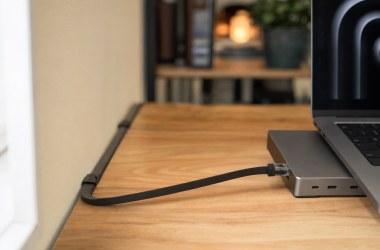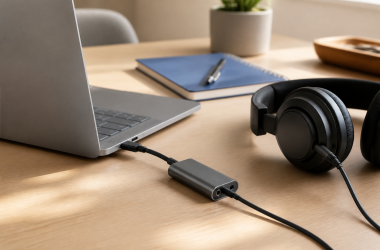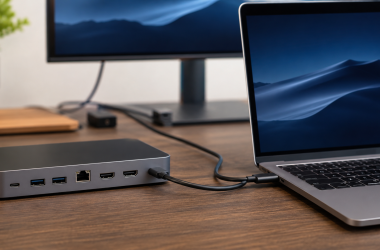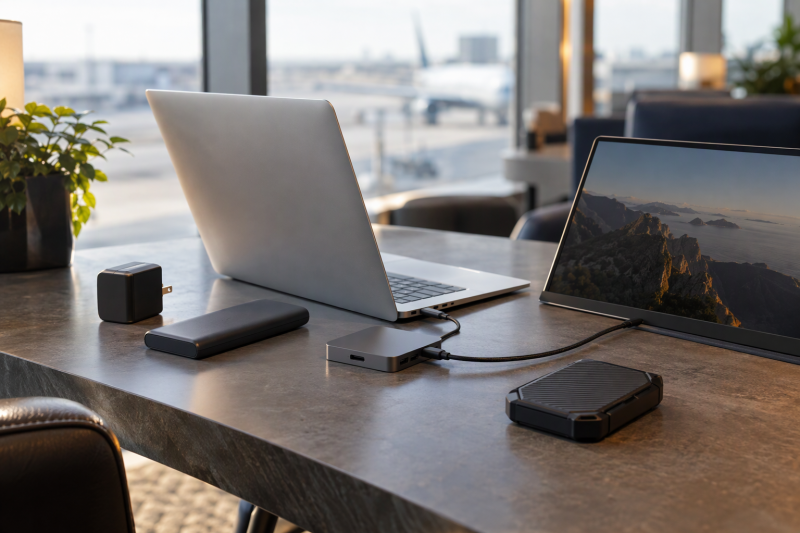
A travel item belongs in a laptop bag when it solves one charging, connection or file-carrying problem.
Choose one item for the power or connection problem you have, then check the laptop input, the cable and the destination equipment before packing.Travel Tech for Laptop Owners Compared
| Image | Product | Details | Check Price |
|---|---|---|---|
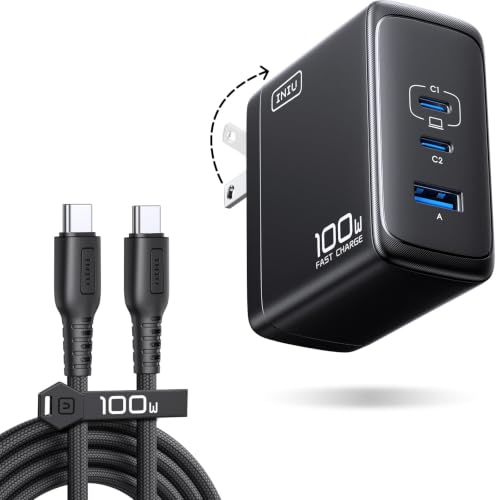 | INIU 100W USB-C Laptop Charger | Best fit: One charger with a cable for a laptop and small devices Key figure: 100W on one port; 70W + 30W for two devices Ports: 3 ports Weight: About 9.9 oz Figures from: Amazon listing | Check Price on Amazon |
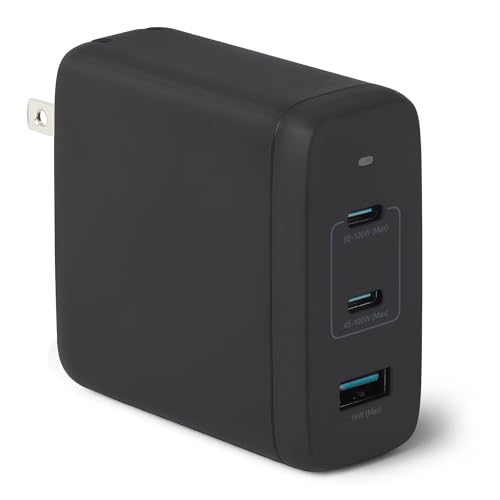 | Amazon Basics 120W Nano GaN Wall Charger | Best fit: Higher-output charger that shares power Key figure: Up to 100W on one port; 60W + 60W for two Ports: 2 USB-C, 1 USB-A Weight: About 8.2 oz Figures from: Amazon listing | Check Price on Amazon |
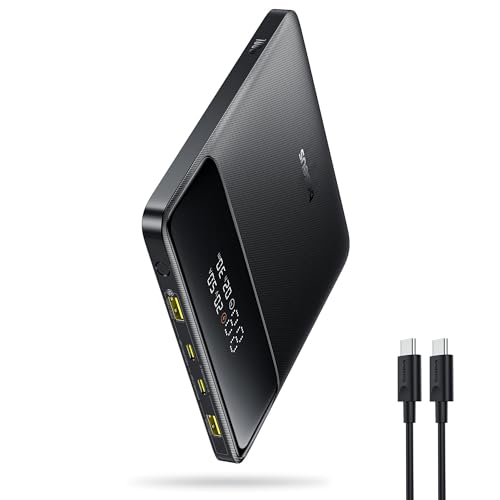 | Baseus Blade HD 100W 20,000mAh Power Bank | Best fit: Thin battery for time between outlets Key figure: 20,000mAh; 100W maximum Ports: 2 USB-C, 2 USB-A Weight: 445g Figures from: Baseus page | Check Price on Amazon |
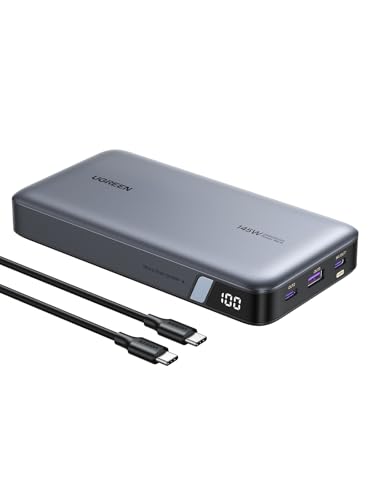 | UGREEN Nexode 25,000mAh 145W Power Bank | Best fit: Higher-output battery for a laptop Key figure: 25,000mAh; up to 140W from USB-C1 Ports: 3 USB-C Weight: 1.26 lb Figures from: Amazon listing | Check Price on Amazon |
 | Dell Pro 4-in-1 USB-C Travel Hub DA225 | Best fit: Display plus 10Gbps data ports Key figure: HDMI 2.0b 4K at 60Hz; 10Gbps data only Ports: 2 USB-C, 1 USB-A, 1 HDMI Weight: 1.66 oz Figures from: Dell page | Check Price on Amazon |
 | Lenovo USB-C 5-in-1 Travel Hub | Best fit: Display plus pass-through charging Key figure: Up to 90W pass-through; 4K 60Hz HDMI Ports: 2 USB-C, 2 USB-A, 1 HDMI Weight: 0.11 lb Figures from: Amazon listing | Check Price on Amazon |
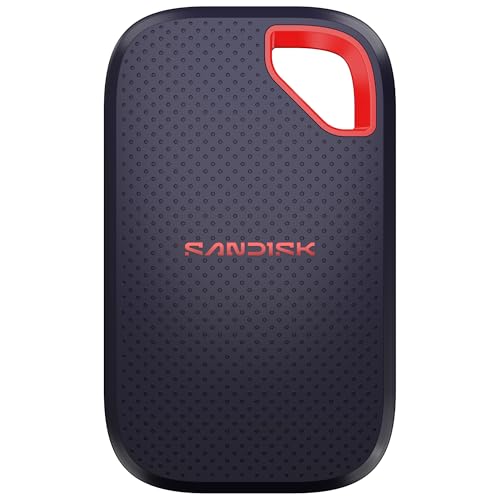 | SanDisk Extreme Portable SSD 1TB | Best fit: Rugged storage for files Key figure: Up to 2000MB/s; IP65 Ports: USB-C 3.2 Gen 2 Weight: 0.1 lb Figures from: Amazon listing | Check Price on Amazon |
1. INIU 100W USB-C Laptop Charger — Best Charger With Cable Included
The INIU is the wall-power pick for a laptop owner who wants one charger for a laptop, a phone and an accessory. INIU’s Amazon listing states a 100W maximum on one port, a 70W plus 30W split with two devices, and a 45W plus 30W plus 22.5W split with three.
INIU’s listing also states a foldable plug and an included 1.5m 100W USB-C cable. It promises a free replacement for quality issues within 3 years. Check your laptop’s USB-C charging requirement and the cable rating before treating a split output as a replacement for the original adapter.
Our Take Choose the INIU when one charger should cover a USB-C laptop plus smaller devices and INIU’s listed splits fit the load. It fits less well when a laptop needs more than the 100W single-port maximum INIU states.
- INIU states 100W on a single port, and that ceiling is the figure to compare with a USB-C laptop’s charging requirement.
- INIU’s listing gives a 70W plus 30W split when two devices share the charger.
- INIU’s listing states a foldable plug and an included 1.5m 100W USB-C cable.
- INIU’s listing promises a free replacement for quality issues within 3 years.
- With three devices attached, INIU’s listed 45W plus 30W plus 22.5W split falls below its 100W single-port figure.
- INIU’s listing does not state which port carries each share of the split.
2. Amazon Basics 120W Nano GaN Wall Charger — Best Higher-Output Travel Charger
Amazon’s listing for its Amazon Basics charger states 120W GaN with two USB-C ports and one USB-A port. It states that one USB-C port outputs up to 100W, that C1 plus C2 gives 60W plus 60W, that one USB-C plus the USB-A port gives 100W plus 12W, and that all three ports give 60W plus 45W plus 12W.
The listing gives 2.7 by 2.7 by 1.3 inches, a foldable plug and a 100 to 240V input range. It also states the charger is sold without a cable, so bring one rated for your laptop’s power and a plug adapter for the destination outlet.
Amazon’s listing gives four output combinations, so compare each one with a laptop that shares power with other devices.Our Take Pick the Amazon Basics unit when two USB-C devices should each get 60W, or when a laptop at 100W plus a phone at 12W is the usual load. Add a capable USB-C cable, because Amazon’s listing says none is included.
- Amazon’s listing states 60W plus 60W across the two USB-C ports, an even split for two devices.
- Amazon’s listing states 100W plus 12W for one USB-C port and the USB-A port, a pairing for a laptop and one smaller device.
- Amazon’s listing states a foldable plug and a 100 to 240V input range for the Amazon Basics charger.
- Amazon’s listing states the 100W maximum applies to one USB-C port, and the split changes when both USB-C ports are in use.
- Amazon’s listing states the charger is sold without a charging cable, so you supply a cable rated for your laptop’s power.
3. Baseus Blade HD 100W 20,000mAh Power Bank — Best Thin Battery Backup
The Baseus Blade HD is for runtime between outlets rather than outlet charging. Baseus’s product page lists 20,000mAh capacity, 100W maximum output, two USB-C and two USB-A output ports, and a 1.5-hour recharge time for the Blade HD 100W. Amazon’s listing adds a power display, a 100W USB-C cable in the box and a 24-month warranty.
Baseus lists the Blade HD at 5.27 by 5.27 by 0.7 inches and 445g. A 20,000mAh rating is battery capacity, and the laptop’s battery size, the cable and the workload change how many charges you get. Baseus’s page calls the Blade series Flight Safe, and Baseus’s Amazon listing calls this model FAA-compliant and TSA-approved.
Baseus makes the flight statements, not an airline, so check your airline’s power bank rules before packing it.Our Take Choose the Blade HD when a laptop can accept the 100W Baseus lists and a 0.7-inch body suits your bag. Choose the UGREEN below when 25,000mAh is the goal.
- Baseus lists 20,000mAh capacity for the Blade HD 100W, a battery figure to weigh against the laptop’s battery size.
- Baseus lists two USB-C and two USB-A output ports on the Blade HD.
- Baseus lists a 100W maximum output, the figure to check against a laptop’s USB-C input.
- Baseus lists the Blade HD at 0.7 inches thick and 445g, a body size to compare with the space in your bag.
- Amazon’s listing for the Blade HD states a power display and a 24-month warranty.
- Baseus’s page says 100W charging needs a device that supports it and only one device on a PD USB-C port.
- Baseus’s page says the Blade does not support Surface Go laptop charging.
4. UGREEN Nexode 25,000mAh 145W Power Bank — Best Higher-Power Reserve
UGREEN’s Amazon listing states 25,000mAh capacity, 145W total output and three USB-C ports, with up to 140W from USB-C1 and a display for remaining battery. It also says the bank can fully recharge laptops up to 1.3 times. The listing details give 6.3 by 3.18 by 1.05 inches and 1.26 pounds.
UGREEN states a recharge of about two hours with a 65W Power Delivery charger, which it says is not included. It tells buyers to use its included 5A USB-C cable or another certified 5A cable. The listing names three USB-C ports and no HDMI, Ethernet or USB-A port. UGREEN’s listing makes no statement about air travel, so check your airline’s power bank rules, including capacity limits, before flying with it.
Our Take Take the UGREEN when the laptop can use the 140W USB-C1 output UGREEN lists and the larger capacity outweighs a heavier bag. Pair it with a hub if the trip also needs a display or peripheral connection.
- UGREEN’s listing states up to 140W from USB-C1, the higher-power output to match against the laptop’s input.
- UGREEN’s listing states 145W total output across its three USB-C ports.
- UGREEN’s listing states 25,000mAh, the larger capacity next to the 20,000mAh Baseus lists for the Blade HD.
- UGREEN’s listing states the 65W charger for its two-hour recharge is not included.
- At 1.26 pounds in UGREEN’s listing details, the Nexode weighs more than the 445g Baseus lists for the Blade HD.
- UGREEN’s listing says full performance needs a 5A USB-C cable.
5. Dell Pro 4-in-1 USB-C Travel Hub DA225 — Best Hub for 10Gbps Data Ports
The Dell DA225 is for a traveler who needs connections rather than battery reserve. Dell’s product page lists two USB-C 3.2 Gen 2 ports and one USB-A 3.2 Gen 2 port, all 10Gbps and data only, plus one HDMI 2.0b port at 3840 by 2160 and 60Hz. It also lists a 10.63-inch cable, 1.66 ounces and 2.24 by 2.36 by 0.6 inches.
Amazon’s listing adds that Dell built in smart power management. The listing details give a 1-year limited warranty. The hub connects through USB-C, so the laptop’s USB-C display support, the monitor and the cable decide the display result.
Our Take Choose the DA225 when a travel desk needs one 4K 60Hz HDMI connection plus three 10Gbps data ports in a 1.66-ounce hub. Dell lists no charging output on it, so keep the laptop’s own charger.
- Dell lists HDMI 2.0b at 3840 by 2160 and 60Hz for one display connection.
- Dell lists two USB-C and one USB-A port at 10Gbps for data connections.
- Dell lists the DA225 at 1.66 ounces with a 10.63-inch cable.
- Dell marks its USB-C and USB-A ports data only and lists no charging output, so the laptop keeps its own charger.
- Dell lists one HDMI port, the one display output Dell lists for the DA225.
6. Lenovo USB-C 5-in-1 Travel Hub — Best Pass-Through Charging Hub
Lenovo’s Amazon listing is the one to read when pass-through laptop power is part of the plan. It states up to 90W power pass-through charging, 4K 60Hz HDMI output, two USB-C ports and two USB-A ports, with plug-and-play use and no drivers.
The listing details give 2.56 by 2.56 by 0.45 inches, 0.11 pounds and a 1-year manufacturer warranty. Lenovo’s listing describes pass-through charging, so a separate charger has to supply the power. The listing names no USB data speed for its ports, so check Lenovo’s support page before buying for fast drives.
Our Take Pick Lenovo’s hub when the laptop’s charger should keep powering the laptop through the hub and one 4K 60Hz display is the goal. The laptop has to support display output over USB-C.
- Lenovo’s listing states up to 90W power pass-through charging, and that figure is the one to compare with the laptop’s own charger.
- Lenovo’s listing states 4K 60Hz HDMI output, and the laptop has to support display output over USB-C.
- Lenovo’s listing states two USB-C and two USB-A ports, four USB ports in total.
- Lenovo’s listing does not state a data speed for its USB ports, so fast drives need a check of Lenovo’s support page first.
- Lenovo’s listing describes pass-through charging, so the hub needs a separate charger plugged in.
7. SanDisk Extreme Portable SSD 1TB — Best Rugged Fast Travel SSD
The SanDisk Extreme covers the file-carrying and backup part of a travel kit rather than charging or port expansion. SanDisk’s Amazon listing for this 1TB model states up to 2000MB/s transfer speeds, USB-C 3.2 Gen 2, IP65 water and dust resistance, up to 3m drop protection and 256-bit AES encryption with password protection.
The listing details give a 5-year limited manufacturer warranty, 3.35 by 2.0 by 0.39 inches and 0.1 pounds. An up-to speed is a ceiling, and the laptop’s USB port, the cable, the other drive and the file sizes change the speed you get. Keep a second copy of important files, because the IP65 and drop figures are SanDisk’s listing claims.
Our Take Choose the SanDisk Extreme when the trip needs a 1TB drive with the 2000MB/s ceiling, USB-C connection and ruggedness SanDisk states. Pair it with the charger or hub that solves the power and connection problems.
- SanDisk’s listing states up to 2000MB/s transfers over USB-C 3.2 Gen 2, a ceiling that depends on the laptop’s USB port.
- SanDisk’s listing states IP65 water and dust resistance and up to 3m drop protection, and both figures are SanDisk’s listing claims.
- SanDisk’s listing states 256-bit AES encryption with password protection.
- SanDisk’s listing details give a 5-year limited manufacturer warranty.
- SanDisk’s listing states the 2000MB/s figure as up to, and the laptop’s USB port, cable and drives set the speed you get.
- SanDisk’s listing describes storage only, with no charging or HDMI output.
Buying Guide
1. Separate wall charging from battery runtime
A wall charger needs an outlet, while a power bank carries stored energy. INIU’s and Amazon’s listings give power splits that apply once the charger is plugged in, and neither describes stored energy. See the 100-watt charger guide for more wall chargers.
Baseus lists 20,000mAh and UGREEN’s listing states 25,000mAh, with Baseus listing a 100W maximum and UGREEN stating up to 140W from USB-C1. Match the bank to the laptop’s USB-C input and bring the cable each maker names.
2. Read multi-port output as a shared budget
A charger’s headline wattage is a single-port figure. INIU’s listing states 100W on one port, 70W plus 30W for two devices and 45W plus 30W plus 22.5W for three. Amazon’s listing for Amazon Basics states 60W plus 60W for two USB-C devices and 60W plus 45W plus 12W for three.
A laptop that needs close to 100W should charge alone or with a phone. Amazon’s listing states 100W plus 12W for one USB-C port and the USB-A port, while INIU’s listing gives no such pairing.
3. Choose a hub from its listed port limits
Dell and Lenovo solve different hub problems. Dell’s page lists three data-only 10Gbps ports and HDMI 2.0b at 3840 by 2160 and 60Hz. Lenovo’s listing states 90W pass-through, 4K 60Hz HDMI, two USB-C ports and two USB-A ports.
Use Dell when its listed 10Gbps ports are the priority, and Lenovo when stated pass-through charging is. A USB-C host must support the data and display functions, so check the laptop’s ports first and compare more models in the USB-C hub guide.
4. Treat a portable SSD as a separate travel tool
SanDisk’s listing states 1TB and up to 2000MB/s, and both figures describe files, not power. The drive needs a USB-C host port that supports its USB 3.2 Gen 2 connection before that ceiling applies.
Do not make one drive the only copy of important work. SanDisk’s IP65 and 3m drop statements are listing claims, not a backup plan. The portable SSD guide compares capacity and interface choices.
5. Build the kit around the laptop input and your airline’s rules
The laptop’s USB-C charging requirement is the first limit. A charger or bank helps when the laptop accepts USB-C power at the level the maker states, and UGREEN’s 140W USB-C1 figure depends on the cable and the computer. A plug adapter changes the plug shape and not the wattage.
Check your airline’s power bank rules before packing. Baseus calls the Blade series Flight Safe, UGREEN’s listing makes no air-travel statement, and neither the Baseus statement nor UGREEN’s silence replaces your airline’s rules on capacity and carry-on handling. Use the laptop power bank guide for the power side of that choice.
FAQ
Can a 100W charger charge a laptop and phone at the same time?
It can when the listed split fits both devices. INIU’s listing states 70W plus 30W for two devices, and Amazon’s listing for Amazon Basics states 60W plus 60W for two USB-C devices. Each 100W figure is a single-port ceiling.
Check the laptop’s USB-C input requirement and the cable rating. A lower shared allocation may charge the laptop more slowly than its original adapter does.
Which is better for a long day away from outlets, a charger or a power bank?
A power bank, because it carries stored energy and a wall charger needs an outlet. Baseus lists 20,000mAh for the Blade HD and UGREEN’s listing states 25,000mAh for the Nexode. Baseus lists a 100W maximum, and UGREEN’s listing states up to 140W from USB-C1.
Capacity does not predict one runtime for every laptop, because battery size, workload and cable change the result. Check your airline’s power bank rules before flying with either one.
Can a travel hub charge the laptop?
Lenovo’s Amazon listing states up to 90W power pass-through charging, and pass-through needs a separate charger plugged into the hub. Dell’s page marks the DA225’s USB-C and USB-A ports data only.
A pass-through figure is a ceiling, and each laptop sets how much power it accepts.
Will either hub run a 4K monitor at 60Hz?
Dell’s page lists HDMI 2.0b at 3840 by 2160 and 60Hz, and Lenovo’s listing states 4K 60Hz HDMI output. Both figures are the hub maker’s own display ratings for its HDMI connection.
The host laptop must provide compatible USB-C display output, and the monitor and cable must support the mode. Treat the laptop, hub, cable and display as one connection chain.
Is the SanDisk Extreme a replacement for a laptop backup plan?
No. SanDisk’s listing states 1TB, USB-C 3.2 Gen 2, ruggedness figures and encryption, and a single carried drive should not hold the only version of important work.
SanDisk’s up-to 2000MB/s figure depends on the laptop, cable, source and destination, so it is not a fixed result for every job.
Bottom Line
Take INIU’s 100W charger when its listed splits fit the laptop and small devices. Take Baseus’s Blade HD (20,000mAh, per Baseus) or UGREEN’s Nexode (25,000mAh, per UGREEN’s listing) when stored power between outlets is the need. Take Dell’s DA225 (10Gbps data ports, per Dell) or Lenovo’s 5-in-1 (90W pass-through, per its Amazon listing) when connections are the need. Take SanDisk’s Extreme (up to 2000MB/s, per its listing) when portable files are missing from the kit.