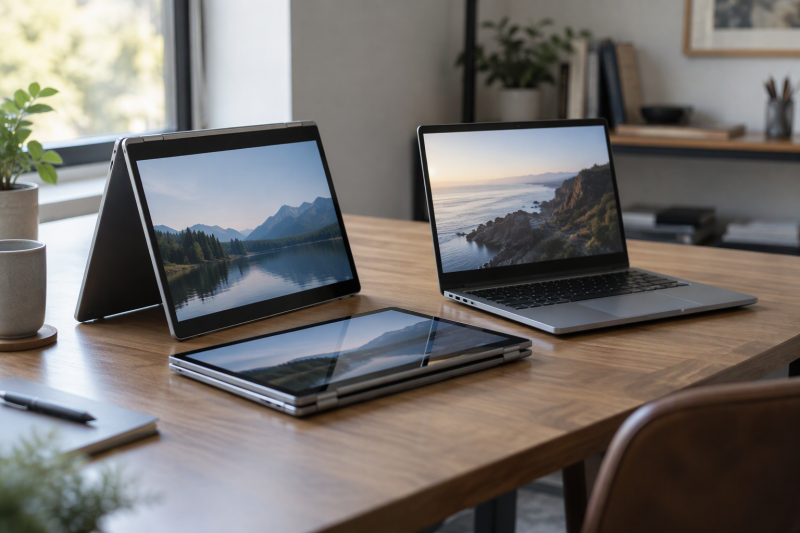
A touchscreen does not make a Chromebook a 2-in-1. A 2-in-1 has a hinge that folds the screen back into tent, stand or tablet position, or a screen that detaches from the keyboard. A touch-only Chromebook has a touch panel and no such mode in its listing. Which one fits depends on whether the screen will ever fold, whether a stylus is planned, and which ports a desk setup needs.
Three of the five Chromebooks below fold back: two Acer Spin 314 configurations and Lenovo’s Chromebook Plus 2-in-1. The Acer Chromebook Plus 514 and Acer Chromebook 315 have touchscreens and no fold-back mode in their listings. Maker-by-maker comparisons are on the Acer Chromebooks page and the Chromebook Plus page, and Chromebooks that detach have their own page.
Touchscreen and 2-in-1 Chromebooks Compared
| Image | Product | Details | Check Price |
|---|---|---|---|
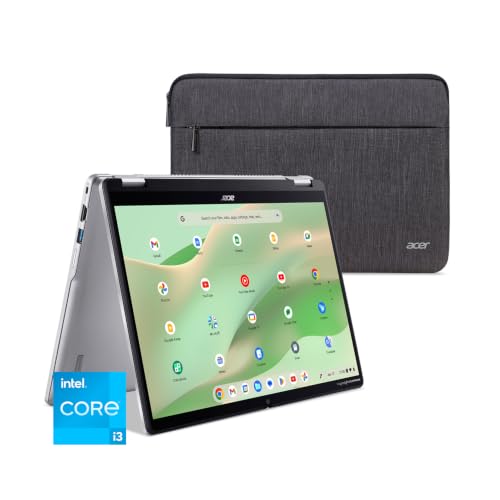 | Acer Chromebook Spin 314 Core i3-N305 | Best fit: 14-inch convertible with 8GB of memory Form and touch: 360-degree hinge, touchscreen, USI stylus support Screen and processor: 14-inch WUXGA IPS, Core i3-N305 Memory and storage: 8GB LPDDR5, 128GB eMMC Ports: 1 USB-C 5Gbps with DisplayPort, 2 USB-A, HDMI 1.4 | Check Price on Amazon |
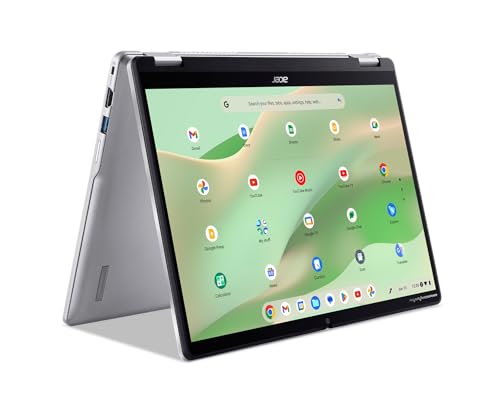 | Acer Chromebook Spin 314 N200 | Best fit: 14-inch convertible with 4GB of memory Form and touch: 360-degree hinge, touchscreen, USI stylus support Screen and processor: 14-inch WUXGA IPS, Intel N200 Memory and storage: 4GB LPDDR5, 64GB eMMC Ports: 1 USB-C 5Gbps with DisplayPort, 2 USB-A, HDMI 1.4 | Check Price on Amazon |
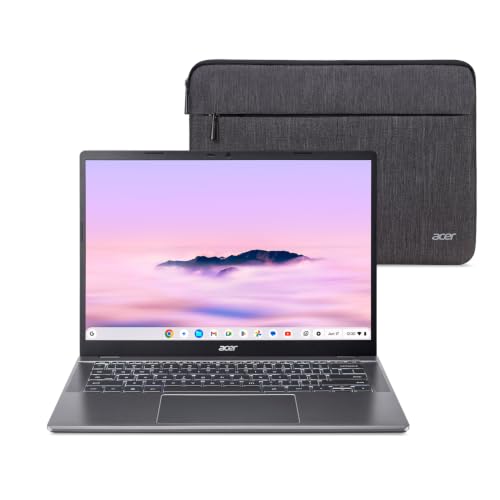 | Acer Chromebook Plus 514 | Best fit: Touch with two 10Gbps USB-C ports Form and touch: Touchscreen, no fold-back mode stated Screen and processor: 14-inch WUXGA IPS 300 nits, Core i3-1315U Memory and storage: 8GB LPDDR5, 256GB PCIe Gen4 SSD Ports: 2 USB-C 10Gbps with DisplayPort, 2 USB-A, HDMI 1.4 | Check Price on Amazon |
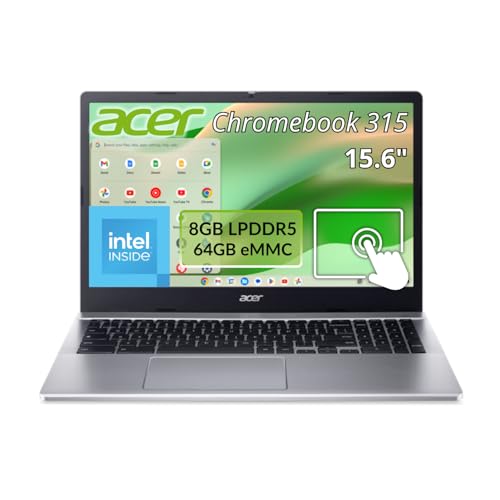 | Acer Chromebook 315 Touch | Best fit: 15.6-inch touchscreen Form and touch: Touchscreen, no fold-back mode stated Screen and processor: 15.6-inch Full HD IPS, Intel N100 Memory and storage: 8GB memory, 64GB flash Ports: USB-C named in title, no port detail | Check Price on Amazon |
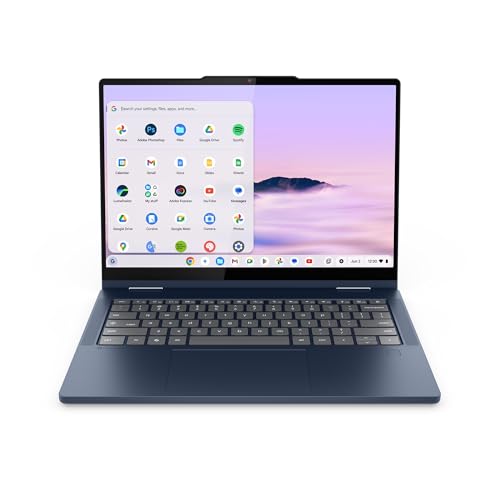 | Lenovo Chromebook Plus 2-in-1 | Best fit: Fold-back screen with 256GB of storage Form and touch: Laptop, tent and tablet modes, touchscreen Screen and processor: 14-inch WUXGA IPS, Intel N355 Memory and storage: 8GB RAM, 256GB UFS Ports: 2 USB-C, 2 USB-A, HDMI, no speeds stated | Check Price on Amazon |
1. Acer Chromebook Spin 314 Core i3-N305 — Best for a 14-inch Convertible With 8GB of Memory
The Amazon listing for this Spin 314 (model CP314-2HN-30V1) states an Intel Core i3-N305, 8GB of LPDDR5 memory and 128GB of eMMC storage behind a 14-inch 1920 x 1200 IPS touchscreen. The display is described as matte, with antimicrobial Corning Gorilla Glass and USI stylus support, and the bullets describe a 360-degree hinge for laptop, tent, stand and tablet use. Acer’s page for the same model lists the same processor, memory, flash storage and touchscreen, plus a weight of 3.46 pounds and up to 10 hours of battery on WUXGA panels.
The listing names one USB-C port with USB 3.2 Gen 1 at up to 5Gbps, DisplayPort over USB-C, charging and DC-in, two USB-A ports and HDMI 1.4. Amazon.com sells the New offer. The listing gives a protective sleeve as the included accessory and does not say that a stylus ships with the laptop.
The Core i3 Spin 314 listing states a 360-degree hinge, 8GB of memory and one USB-C port that carries DisplayPort.Our Take Choose this Spin 314 when the screen will move between typing, reading and tablet use and 8GB of memory with 128GB of storage fits the work. It is the better-equipped of the two Spin 314 listings.
- Acer’s page and the Amazon listing both state a Core i3-N305, 8GB of memory and 128GB of flash storage.
- The listing describes a 360-degree hinge with laptop, tent, stand and tablet modes, a fit for a screen that moves between typing, reading and tablet use.
- The listing names DisplayPort over USB-C, charging and 5Gbps data on its USB-C port.
- The listing states USI stylus support and a privacy shutter on the FHD camera.
- The Amazon listing names a single USB-C port for DisplayPort, charging and DC-in, plus two USB-A ports and HDMI 1.4.
- The listing states USI stylus support but does not say that a stylus is included.
2. Acer Chromebook Spin 314 N200 — Best for a Convertible With 4GB of Memory and 64GB of Storage
The listing for this Spin 314 (title code CP314-2HN-P3AR) states the same 14-inch 1920 x 1200 IPS touchscreen, Corning Gorilla Glass, USI stylus support, 360-degree modes and Wi-Fi 6E as the Core i3 model, with a lower setup of an Intel N200, 4GB of LPDDR5 and 64GB of eMMC. The camera is HD at 1280 x 720 with 720p video, against the FHD camera at 1080p in the Core i3 listing.
The port bullet gives the same layout as the Core i3 listing, with one USB-C port at USB 3.2 Gen 1 and up to 5Gbps, DisplayPort over USB-C, charging and DC-in, plus two USB-A ports and HDMI 1.4. Acer’s page for the Core i3 model does not cover this configuration, so the N200 figures come from the Amazon listing alone. Emma’s Market (Made in USA) sells the New offer, not Amazon.com.
Our Take Choose the N200 when the fold-back screen is the goal and light browser and classroom work is the use. Its listing states half the memory and half the storage of the Core i3 Spin 314.
- The N200 listing describes the same 360-degree hinge, touchscreen and USI stylus support as the Core i3 Spin 314 listing.
- The port bullet matches the Core i3 listing with one USB-C port for DisplayPort and 5Gbps data, two USB-A ports and HDMI 1.4.
- The listing states Wi-Fi 6E and a privacy shutter on the camera.
- The listing states 4GB of memory and 64GB of eMMC, half the Core i3 Spin 314 figures.
- The listing names an HD 720p camera, where the Core i3 Spin 314 listing names FHD 1080p.
- Emma’s Market (Made in USA) sells the New offer, not Amazon.com.
3. Acer Chromebook Plus 514 — Best for Touch With Two 10Gbps USB-C Ports
The listing for the Chromebook Plus 514 (model CB514-5HT-33RD) states an Intel Core i3-1315U, 8GB of LPDDR5 and a 256GB PCIe Gen4 SSD with a 14-inch 1920 x 1200 IPS touchscreen at 300 nits and an anti-glare matte finish. Acer’s page for the model lists the same processor, memory, 256GB NVMe SSD and touchscreen, plus a backlit keyboard, Wi-Fi 7 and a weight of 3.11 pounds, the lowest of the five.
The listing names two USB-C ports at up to 10Gbps with DisplayPort over USB-C and USB charging up to 65W, two USB-A ports and HDMI 1.4 with HDCP support. It states up to 17 hours of battery and adds that actual battery life may be lower. The listing describes touch input but no fold-back hinge or tablet mode. Amazon.com sells the New offer.
The 514 listing describes two 10Gbps USB-C ports, a 256GB SSD and a touchscreen and no fold-back mode.Our Take Choose the Chromebook Plus 514 when touch is for tapping and scrolling at the keyboard and the desk needs two USB-C ports with video output. Choose a Spin 314 or the Lenovo instead if the screen has to fold back.
- The listing names two USB-C ports at up to 10Gbps, with DisplayPort over USB-C and charging up to 65W.
- The listing and Acer’s page state a 256GB PCIe SSD.
- Acer’s page lists a weight of 3.11 pounds, lower than the other four Chromebooks.
- The listing states a 300-nit anti-glare touchscreen, Wi-Fi 7 and an FHD camera with a privacy shutter.
- The listing and Acer’s page describe no fold-back hinge or tablet mode on this Chromebook.
- Acer’s page lists no fingerprint reader for this model.
4. Acer Chromebook 315 Touch — Best for a 15.6-inch Touchscreen
The Chromebook 315 (model CB315-5HT-C66N) is the screen-size pick. Its listing states a 15.6-inch 1920 x 1080 IPS touchscreen with a ComfyView matte finish, an Intel N100 in the title, 8GB of memory and 64GB of flash storage. The bullets state a 12-hour battery run time and 802.11ax Wi-Fi, and the weight field reads 3.7 pounds, the highest of the five.
USB-C appears in the listing title, but no bullet gives a port count, a USB speed or video support, and the figures for this model come from the Amazon listing alone. HotDeal Express sells the New offer, not Amazon.com. The listing describes touch input but no fold-back mode.
Our Take Choose the 315 when screen size comes before weight and fold-back use. Confirm that its USB-C port carries video before buying it for a monitor setup.
- The listing states a 15.6-inch Full HD IPS touchscreen, the largest screen of the five.
- The listing names a ComfyView matte finish and a 12-hour battery run time.
- The title names an Intel N100, and the listing gives 8GB of memory and 64GB of flash storage.
- The listing for this Acer Chromebook gives no port count, USB speed or video support.
- The listing’s weight field reads 3.7 pounds, the highest weight of the five.
- HotDeal Express sells the New offer, not Amazon.com.
5. Lenovo Chromebook Plus 2-in-1 — Best for a Fold-Back Screen With 256GB of Storage
The Lenovo listing (model 83LN0006US) states a 14-inch WUXGA IPS touchscreen, and its title names an Intel N355, 8GB of RAM and 256GB of UFS storage. The bullets describe a 2-in-1 design that flips between laptop, tent and tablet modes, with a body that is 0.69 inches thick and 3.3 pounds. They also list a fingerprint reader and a physical shutter on the FHD webcam. The bullets name the processor as an Intel Core, while the title names the N355.
The listing names two USB-C ports, two USB-A ports and HDMI, and states no USB speed, charging wattage or video support for those ports. The figures for the Lenovo come from the Amazon listing alone. RockyStone Electronics sells the New offer, not Amazon.com.
Our Take Choose this Lenovo for a fold-back Chromebook with 256GB of storage and a fingerprint reader. If the USB-C ports will drive a monitor, ask the seller about video output first, or use the HDMI port.
- The listing describes laptop, tent and tablet modes on a 14-inch WUXGA touchscreen.
- The listing title names 8GB of RAM and 256GB of UFS storage.
- The listing names two USB-C ports, two USB-A ports and HDMI.
- The bullets list a fingerprint reader and a physical shutter on the FHD webcam.
- The Lenovo listing gives no USB speed, charging or display-output detail for its USB-C ports.
- The listing bullets say an Intel Core processor while its title names an Intel N355.
- RockyStone Electronics sells the New offer, not Amazon.com.
Buying Guide
Decide whether the screen must fold back
Three listings state fold-back use: both Spin 314 listings (a 360-degree hinge with laptop, tent, stand and tablet modes) and the Lenovo (laptop, tent and tablet modes). The Spin 314 bullets name presenting, sharing a screen and working in limited space such as a plane or train as uses. Tent and tablet positions fit those jobs.
The Plus 514 and Chromebook 315 have touchscreens and no fold-back mode in their listings. Pick them when touch is for tapping and scrolling while typing. A touchscreen alone does not show that a screen folds back. A Chromebook that detaches from its keyboard is a different design, covered on the detachable Chromebooks page.
Check which listings state stylus support
Both Spin 314 listings state that the touch display supports a USI stylus. Neither says a stylus is included. The Core i3 listing names a protective sleeve as its included accessory, and the N200 listing names none.
The Plus 514, Chromebook 315 and Lenovo listings do not mention a stylus. A buyer who wants a pen should plan to buy a USI stylus separately and confirm compatibility before ordering.
Match screen size and weight to where it travels
Four listings use 14-inch 1920 x 1200 panels: both Spin 314 listings, the Plus 514 and the Lenovo. The Chromebook 315 has the 15.6-inch 1920 x 1080 screen. Stated weights run from 3.11 pounds for the 514 to 3.7 pounds for the 315, with the Lenovo at 3.3 pounds and both Spin 314 listings at 3.46 pounds.
The battery figures come from different sources. Acer’s page lists up to 10 hours for the Core i3 Spin 314, the 514 listing states up to 17 hours with a note that actual life may be lower, and the 315 listing states 12 hours. The N200 Spin 314 and the Lenovo state no battery figure in their listings.
Check the USB-C video plan before buying a monitor
Three listings state DisplayPort over USB-C: both Spin 314 listings, each with one 5Gbps USB-C port, and the Plus 514 with two 10Gbps ports. All three also list HDMI 1.4. The Lenovo listing names an HDMI port and states no video support for its USB-C ports.
The Chromebook 315 names USB-C in its title and lists no HDMI port or video detail. The USB-C port guide explains why connector shape does not settle monitor support.
Check the seller and the offer condition
Amazon.com sells the New offers for the Core i3 Spin 314 and the Plus 514. The N200 Spin 314, the 315 and the Lenovo have New offers from marketplace sellers: Emma’s Market (Made in USA), HotDeal Express and RockyStone Electronics.
The product pages for the N200 Spin 314, the Plus 514 and the 315 also carry a Used offer next to the New one. Check that the offer in the cart says New and read the seller name before paying, because offers and sellers change.
FAQ
Is a touchscreen Chromebook always a 2-in-1?
No. The Plus 514 and Chromebook 315 listings state touchscreens and describe no fold-back mode. Touch input and a fold-back hinge are separate features.
The Spin 314 listings and the Lenovo listing state laptop, tent and tablet modes. Choose one of those when tent, stand or tablet position will be part of the routine.
Do the Spin 314 Chromebooks include a stylus?
The listings do not say so. Both state that the display supports USI stylus input. The Core i3 listing names a protective sleeve as an included accessory, and the N200 listing names none.
Buyers who want a pen should buy a USI stylus separately. The Plus 514, 315 and Lenovo listings do not mention stylus support at all.
Which touchscreen Chromebook lists the most storage?
The Plus 514 lists a 256GB PCIe Gen4 SSD and the Lenovo lists 256GB of UFS storage, a tie at the top. The Core i3 Spin 314 lists 128GB of eMMC, and the N200 Spin 314 and the 315 list 64GB.
The storage types differ as well as the sizes: SSD, UFS, eMMC and flash. Compare each listing’s own type and capacity.
Which Chromebooks state a USB-C video output?
The Plus 514 states two USB-C ports with DisplayPort over USB-C and up to 10Gbps. Both Spin 314 listings state one USB-C port with DisplayPort, charging and up to 5Gbps.
The Lenovo and the 315 name USB-C without video detail. The Lenovo lists HDMI, and the 315 lists neither HDMI nor a USB-C video mode.
Do any of these Chromebooks detach from the keyboard?
None of the five listings describes a detachable screen. The Spin 314 listings state a 360-degree hinge, and the Lenovo listing states that the screen flips between laptop, tent and tablet modes.
Chromebooks that detach from their keyboards are compared on the detachable Chromebooks page.
Bottom Line
The Acer Chromebook Spin 314 Core i3-N305 is the pick for a fold-back screen with 8GB of memory and DisplayPort over USB-C. The Lenovo Chromebook Plus 2-in-1 is the fold-back pick with 256GB of storage and a fingerprint reader, and the Acer Chromebook Plus 514 is the touch pick with two 10Gbps USB-C ports and the lowest weight. The Acer Chromebook 315 Touch has the largest screen, and the N200 Spin 314 is the fold-back design at 4GB and 64GB.