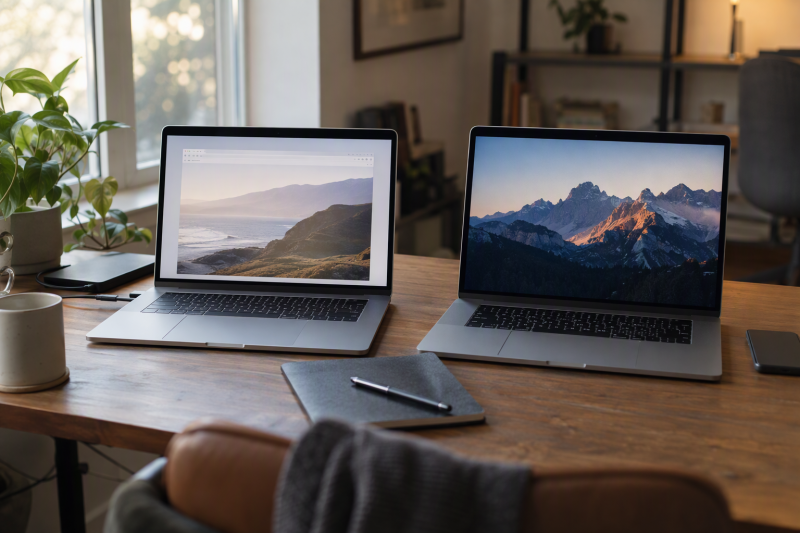
This guide puts four Chromebooks next to two Windows laptops, each with the operating system its Amazon listing or maker states. Start with the programs and devices you have to use, because that answer comes before screen size or processor.
Chromebook and Windows Laptop Picks Compared
| Image | Product | Details | Check Price |
|---|---|---|---|
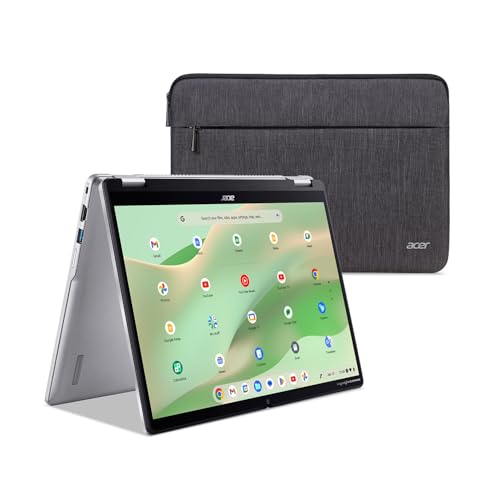 | Acer Chromebook Spin 314 | Best fit: 14-inch ChromeOS convertible Operating system: ChromeOS Screen: 14-inch WUXGA matte touchscreen, USI stylus support Processor: Intel Core i3-N305 Storage: 128GB eMMC | Check Price on Amazon |
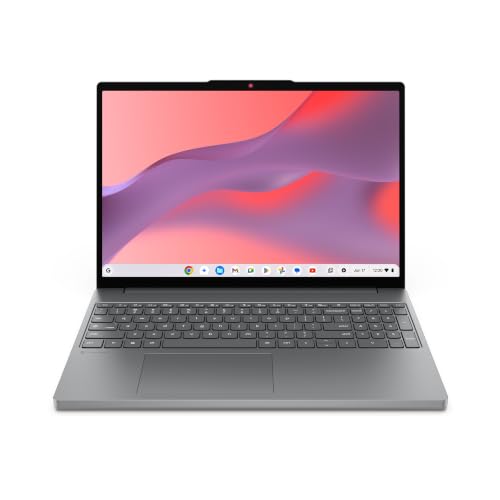 | Lenovo Chromebook m 15 | Best fit: 15.3-inch ChromeOS laptop Operating system: ChromeOS Screen: 15.3-inch WUXGA IPS Processor: MediaTek Kompanio 540 Storage: 128GB UFS, title only | Check Price on Amazon |
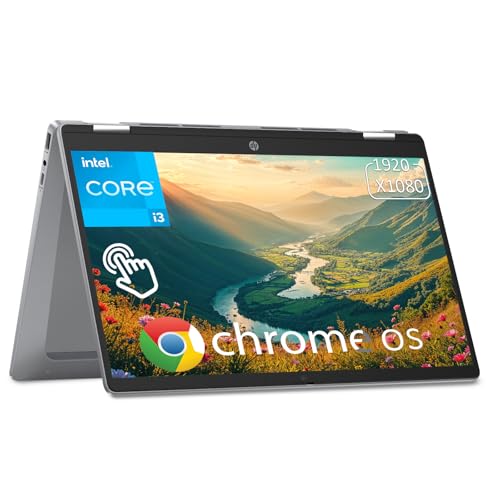 | HP Chromebook Plus x360 | Best fit: 14-inch ChromeOS 2-in-1 Operating system: ChromeOS Screen: 14-inch FHD IPS touchscreen, 360-degree hinge Processor: Intel Core i3-N305 Storage: 256GB UFS | Check Price on Amazon |
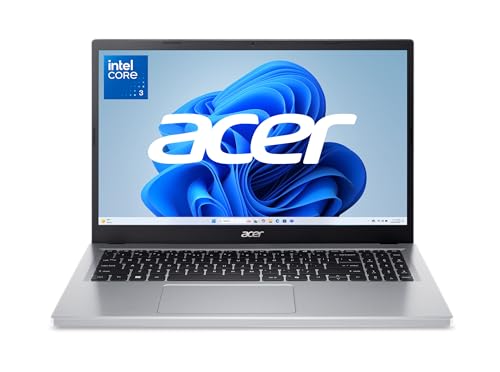 | Acer Aspire Go 15 | Best fit: Windows 11 in S mode, 15.6-inch screen Operating system: Windows 11 Home in S mode Screen: 15.6-inch FHD IPS Processor: Intel Core 3 N355 Storage: 128GB UFS | Check Price on Amazon |
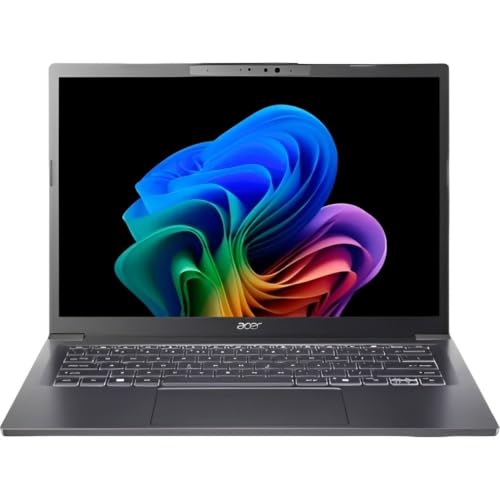 | Acer Aspire 14 AI | Best fit: Windows Copilot+ PC, 14-inch touchscreen Operating system: Windows 11 per Microsoft, listed as a Copilot+ PC Screen: 14-inch WUXGA touchscreen Processor: Core Ultra 5 226V with Intel Arc 130V Storage: 1TB Gen 4 SSD, title only | Check Price on Amazon |
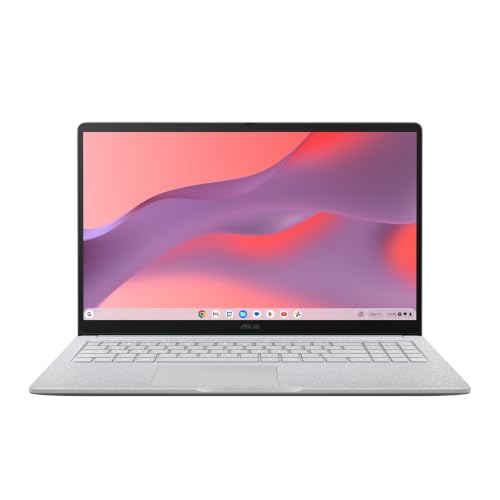 | ASUS Chromebook CM15 | Best fit: 15.6-inch ChromeOS laptop Operating system: ChromeOS Screen: 15.6-inch FHD Processor: MediaTek Kompanio 540 Storage: 128GB, title only | Check Price on Amazon |
1. Acer Chromebook Spin 314 — 14-Inch ChromeOS Convertible
The Acer Chromebook Spin 314 listing, model CP314-2HN-30V1, describes a 14-inch WUXGA matte IPS touchscreen at 1920 by 1200 with Corning Gorilla Glass, and a 360-degree hinge for convertible use. The processor is an Intel Core i3-N305 at up to 3.8GHz, with 8GB of LPDDR5 on-board memory and 128GB of eMMC storage. The bullets state that the display supports a USI stylus, and they list Wi-Fi 6E, Bluetooth 5.2, a 1080p camera with a privacy shutter and a protective sleeve in the box.
The listing names one USB-C port, rated USB 3.2 Gen 1 at up to 5Gbps with DisplayPort and charging, plus two USB-A ports and HDMI 1.4. It does not name Thunderbolt or USB4, and Amazon.com is the New seller.
Our Take Pick the Spin 314 for a ChromeOS convertible with a matte touchscreen and stylus support. Look elsewhere when you need more than one stated USB-C port.
- The Acer listing states a 360-degree hinge with a 14-inch matte WUXGA touchscreen, and the display supports a USI stylus.
- The Acer listing names an Intel Core i3-N305 at up to 3.8GHz, 8GB of LPDDR5 memory and 128GB of eMMC storage.
- A protective sleeve comes in the Acer box, and the listing also states Wi-Fi 6E and a 1080p camera with a privacy shutter.
- The Acer listing names one USB-C port, rated at USB 3.2 Gen 1 speed of up to 5Gbps.
- At 128GB of eMMC storage, the Spin 314 listing offers less than the 256GB of UFS in the HP listing.
2. Lenovo Chromebook m 15 — 15.3-Inch ChromeOS Laptop
The Lenovo Chromebook m 15 listing describes a 15.3-inch 16:10 display with 400 nits of brightness, a full-sized keyboard and a larger touchpad. The title names a MediaTek Kompanio 540, WUXGA resolution, 8GB of RAM and 128GB of UFS storage. The bullets add ChromeOS security, Wi-Fi 6E, a weight of 3.44 pounds, military-standard durability, MaxxAudio sound and a webcam with a physical privacy shutter.
The 8GB and 128GB sizes appear only in the title, so they may be a seller configuration. The bullets say the laptop has plenty of ports but do not list them, and the listing does not name Thunderbolt or USB4. It does not state a touchscreen or a model number. Amazon.com is the New seller.
The listing pairs a 15.3-inch 16:10 display at 400 nits with a weight of 3.44 pounds.Our Take Consider the Lenovo m 15 for a large ChromeOS screen without a stated touchscreen. Confirm the memory and storage sizes and the port list before ordering.
- The Lenovo listing states a 15.3-inch 16:10 display at 400 nits, with a larger touchpad and a full-sized keyboard.
- The Lenovo listing gives a weight of 3.44 pounds and states military-standard durability.
- Wi-Fi 6E and a webcam with a physical privacy shutter are stated in the Lenovo listing.
- The Lenovo listing gives the 8GB memory and 128GB storage sizes only in its title.
- The Lenovo bullets say the laptop has plenty of ports without listing them.
3. HP Chromebook Plus x360 — 14-Inch ChromeOS 2-in-1
The HP Chromebook Plus x360 listing describes a 14-inch FHD IPS touchscreen with a 360-degree hinge that moves between laptop, yoga, flip and tablet modes. The bullets name an Intel Core i3-N305 with eight cores at up to 3.8GHz, 256GB of UFS storage, LPDDR5 memory, a backlit keyboard, Wi-Fi 6 and Bluetooth 5.3. Ports are one USB-A, two USB-C and a headphone and microphone jack. The screen is 1920 by 1080 at 250 nits, and the listing states a 10-hour battery.
The 8GB memory size appears only in the title, so it may be a seller configuration. The bullets give the memory type without a size. The listing does not name Thunderbolt or USB4 for its USB-C ports, and ShopAmerica (SN Recorded) is the seller of the New offer.
Our Take Choose the HP for ChromeOS on a 14-inch screen that folds into tablet mode. Confirm the memory size before ordering. If a program you need runs only on Windows, look at the two Windows laptops instead.
- The HP Chromebook Plus x360 listing states a 360-degree hinge with laptop, yoga, flip and tablet modes.
- The HP listing names an Intel Core i3-N305 with eight cores at up to 3.8GHz and 256GB of UFS storage.
- A backlit keyboard, Wi-Fi 6 and Bluetooth 5.3 are stated in the HP listing.
- The HP listing gives the 8GB memory size only in its title, and the bullets name the memory type without a size.
- The HP listing does not name Thunderbolt or USB4 for its USB-C ports.
4. Acer Aspire Go 15 — Windows 11 Home in S Mode With a 15.6-Inch Screen
The Aspire Go 15 listing states Windows 11 Home in S mode, a 15.6-inch Full HD IPS display, an Intel Core 3 N355, 8GB of DDR5 memory and 128GB of UFS storage. The bullets and the title agree on those figures, and the model code is AG15-32P-352Z. Ports are two USB-C 3.2 Gen 2 at up to 10Gbps with DisplayPort and charging up to 45W, two USB 3.2 Gen 1, HDMI 2.1 and a Kensington lock slot. The listing adds Wi-Fi 6 and a 720p camera.
Microsoft says Windows 11 in S mode runs only apps from the Microsoft Store, and that installing an app from elsewhere means switching out of S mode, which cannot be reversed. The listing calls the laptop AI Ready and mentions Copilot in Windows with a Copilot key. It does not name Thunderbolt or USB4, and Amazon.com is the New seller.
The listing pairs Windows 11 Home in S mode with two USB-C ports stated at up to 10Gbps with DisplayPort.Our Take Pick the Aspire Go 15 for a 15.6-inch Windows 11 laptop when the programs you need come from the Microsoft Store. Microsoft says installing a program from anywhere else means a permanent switch out of S mode.
- The Acer listing states Windows 11 Home in S mode, 8GB of DDR5 and 128GB of UFS storage for model AG15-32P-352Z.
- Two USB-C ports at up to 10Gbps with DisplayPort and charging up to 45W are stated in the Acer listing.
- The Acer listing states HDMI 2.1 and a Kensington lock slot.
- Microsoft says Windows 11 in S mode runs only Microsoft Store apps until a permanent switch out of S mode.
- The listing states 128GB of storage, against the 1TB in the title of the Aspire 14 AI listing.
5. Acer Aspire 14 AI — Windows Copilot+ PC With a 14-Inch Touchscreen
The Aspire 14 AI listing calls the laptop a Copilot+ PC and does not name an operating system. Microsoft says Copilot+ PCs run Windows 11, which makes this a Windows laptop. The title names an Intel Core Ultra 5 226V with Intel Arc 130V graphics, an NPU rated up to 40 TOPS, 16GB of LPDDR5X, a 1TB Gen 4 SSD, Wi-Fi 6E and model A14-52MT-59DP. The bullets add a 14-inch WUXGA touch display at 1920 by 1200, a 1080p IR webcam, an aluminum chassis with a 180-degree hinge, and the Cocreator, Live Captions and Recall features.
The 16GB memory and 1TB SSD sizes appear only in the title, so they may be a seller configuration. The bullets state up to 22 hours of battery life, measured under specific video-playback test settings. The listing does not name Thunderbolt or USB4, and Amazon.com is the New seller.
Our Take Choose the Aspire 14 AI when you want a Windows 11 Copilot+ PC with a 14-inch touchscreen. Confirm the memory and SSD sizes, which only the title states.
- Microsoft says Copilot+ PCs run Windows 11, and the listing calls this model a Copilot+ PC.
- The Acer title names an Intel Core Ultra 5 226V with Intel Arc 130V graphics and an NPU rated up to 40 TOPS.
- The Acer bullets state a 14-inch WUXGA touch display and a 1080p IR webcam.
- The Acer listing gives the 16GB memory and 1TB SSD figures only in its title.
- The Acer bullets give up to 22 hours of battery life, measured under specific video-playback test settings.
6. ASUS Chromebook CM15 — 15.6-Inch ChromeOS Laptop
The ASUS Chromebook CM15 listing states ChromeOS with Google apps such as Gmail, Gemini, Docs, Photos and YouTube, on an ARM-based MediaTek Kompanio 540 with a 15.6-inch Full HD display. Ports are one USB 3.2 Gen 1 Type-A, two USB 3.2 Gen 1 Type-C that support display and power delivery, HDMI 1.4 and a 3.5mm combo jack. The bullets give a starting weight of 3.26 pounds, MIL-STD 810H testing and the Titan C2 security chip. The model code is CM1505CM4A-AS88.
ASUS’s CM15 page, which covers the CM1505 line, says the Kompanio 540 is paired with up to 8GB of LPDDR5x memory, lists Wi-Fi 6E and Bluetooth 5.4, and says popular apps are available on Google Play. The 8GB and 128GB figures for this model appear only in the Amazon title, so they may be a seller configuration. Neither source names Thunderbolt or USB4, and Amazon.com is the New seller.
The listing pairs ChromeOS with a 15.6-inch Full HD display and two USB-C ports that support display and power delivery.Our Take Select the CM15 for ChromeOS on a 15.6-inch Full HD screen with HDMI and two USB-C ports. Confirm the memory and storage sizes, which only the title states.
- ASUS says its Chromebooks run ChromeOS with built-in Google apps, and that popular apps are available on Google Play.
- The CM15 listing states two USB 3.2 Gen 1 Type-C ports that support display and power delivery, plus HDMI 1.4.
- The ASUS CM15 listing gives the model code CM1505CM4A-AS88.
- The ASUS listing gives the 8GB memory and 128GB storage figures only in its title.
Buying Guide
Start with the programs you have to run
Operating system comes first. Four listings state ChromeOS and two laptops are Windows laptops. The Aspire Go 15 states Windows 11 Home in S mode, and Microsoft says the Aspire 14 AI’s Copilot+ PC class runs Windows 11. Start with the Windows pair when a program or device utility you must use has no ChromeOS version.
Google and Microsoft each describe their side. Google says Chromebooks work with Microsoft Office through apps on the web, and that Docs and Sheets have an offline mode. Microsoft says Windows 11 in S mode runs only Microsoft Store apps. ASUS says a Chromebook gets no Google software updates after its Auto Update Expiration date, and none of the four Chromebook listings states that date.
Compare screen size and form factor
Screen sizes run from 14 to 15.6 inches. The Acer Chromebook Spin 314, HP Chromebook Plus x360 and Aspire 14 AI are the 14-inch touchscreens. The Lenovo m 15 is 15.3 inches, and the Aspire Go 15 and ASUS CM15 are 15.6 inches. The Lenovo m 15, Aspire Go 15 and ASUS CM15 listings do not state a touchscreen.
A convertible is a separate requirement from touch. The HP and the Spin 314 state a 360-degree hinge, while the Aspire 14 AI states a 180-degree lie-flat hinge. Only the Spin 314 listing states USI stylus support.
Read storage and memory by where the figure appears
Some figures come from the bullets. The Acer Spin 314 bullets state 8GB of LPDDR5 and 128GB of eMMC, the HP bullets state 256GB of UFS, and the Aspire Go 15 bullets state 8GB of DDR5 and 128GB of UFS.
A figure found only in a title may be a seller configuration. The same caution covers the Lenovo m 15’s 8GB and 128GB, the HP’s 8GB, the Aspire 14 AI’s 16GB and 1TB, and the ASUS CM15’s 8GB and 128GB.
Do not assume a high-speed port
None of the six listings names Thunderbolt or USB4. The Aspire Go 15 states USB-C ports at up to 10Gbps with DisplayPort, the Spin 314 states one USB-C port at up to 5Gbps, and the ASUS CM15 lists USB 3.2 Gen 1 USB-C ports. For a dock, fast drive or monitor plan, use the port wording for the laptop model you buy.
Match accessories to documented ports. After choosing the laptop, use the Thunderbolt 4 dock guide and the USB4 hubs and docks guide only for machines whose own documentation names a compatible standard.
Confirm the seller and condition at checkout
Amazon.com sells five of the six New offers. It is the New seller for the Spin 314, Lenovo m 15, Aspire Go 15, Aspire 14 AI and ASUS CM15. ShopAmerica (SN Recorded) sells the HP.
Reconfirm the model code, memory, storage and seller on the order page. The HP, Lenovo and ASUS memory figures come from titles, and the Lenovo listing gives no model number.
FAQ
Is a Chromebook a laptop?
Yes. Each Chromebook here is a laptop whose listing names ChromeOS: the Acer Chromebook Spin 314, Lenovo Chromebook m 15, HP Chromebook Plus x360 and ASUS Chromebook CM15.
The operating system separates them from the two Windows laptops. The Aspire Go 15 states Windows 11 Home in S mode, and Microsoft says the Aspire 14 AI’s Copilot+ PC class runs Windows 11.
Can a Chromebook run Windows programs?
None of the four Chromebook listings says it runs Windows programs, and Google’s switch page does not say so either. Google says Chromebooks work with Microsoft Office through apps on the web, and ASUS says Microsoft 365 and Google Play apps are available on the CM15.
Check each program you depend on before buying. Look for a web version or a ChromeOS version from the program’s maker. If neither exists, choose a Windows laptop.
Which pick has the most local storage?
The Aspire 14 AI title states a 1TB Gen 4 SSD, the largest figure among the six. It appears only in the title, so it may be a seller configuration.
The largest figure stated in a bullet is the HP’s 256GB of UFS. The Spin 314 bullets state 128GB of eMMC and the Aspire Go 15 bullets state 128GB of UFS.
Do any of these choices have Thunderbolt or USB4?
No listing here names Thunderbolt or USB4, and neither does the ASUS CM15 page. The Aspire Go 15 lists USB-C ports at up to 10Gbps with DisplayPort and charging up to 45W.
Check the laptop’s own port wording before buying a dock or fast drive. Use the manual or product page for the model you buy.
Is the Aspire 14 AI better than a Chromebook?
The Aspire 14 AI listing states a Copilot+ PC with a 14-inch touchscreen, and its title names 16GB of memory and a 1TB SSD. The specifications differ from the Chromebooks here, but the listings do not rank them.
Choose by the programs you run. Pick the Aspire 14 AI when you need Windows 11 programs and a Copilot+ PC, and pick a Chromebook when Google’s web and app support covers the programs you use.
Related Reading
For a ChromeOS-only selection, see our Chromebook Plus laptop comparison. For port-specific laptop shopping after the operating-system choice is settled, use the Thunderbolt laptop list and the Thunderbolt 4 dock guide.