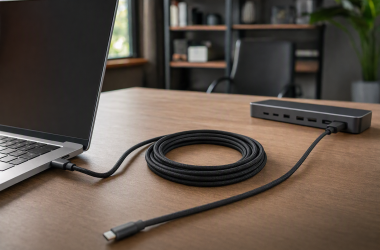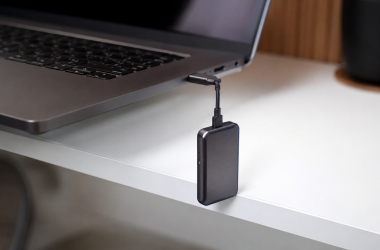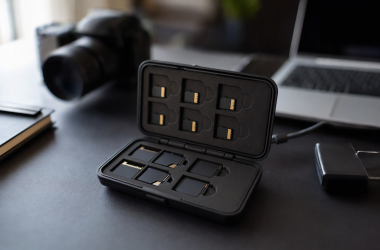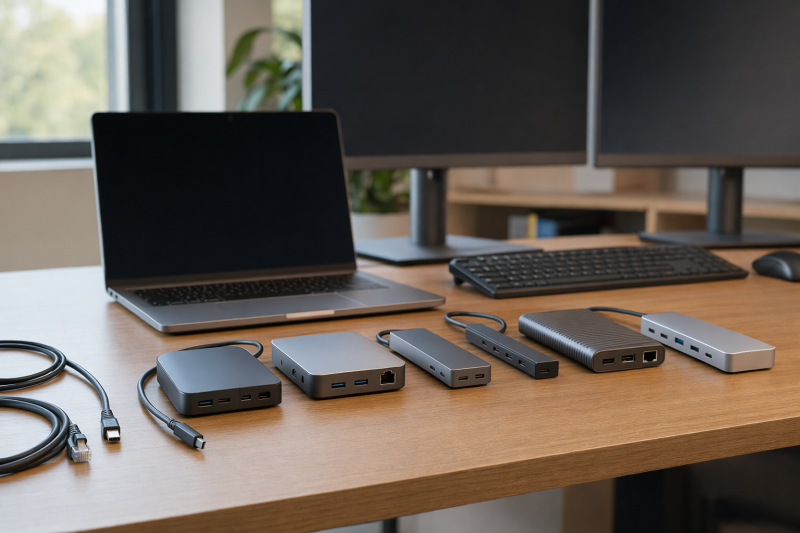
When downstream Thunderbolt expansion matches the desk and built-in display or card-reader ports are not required, UGREEN Revodok Max 208 is the best budget Thunderbolt 4 dock in this frozen slate. The rest cover different shapes of desk: Microsoft Surface Thunderbolt 4 Dock is the adapter-led choice, Plugable TBT-UDM targets a smaller native-display desk, Kensington SD5760T adds dual HDMI and card readers, and OWC Thunderbolt Go Dock can offset a separate dock power brick with its built-in supply.
Budget is a checkout comparison, not a permanent product label. What you compare is the total required system: dock, power supply, display adapters, cables, card reader, Ethernet or storage accessories, and any direct laptop charger that still has to stay connected. Do not assume a lower dock price means a lower completed desk. Each host must also provide an exact Thunderbolt 4-capable path. Our broad Thunderbolt 4 docking-station guide covers feature-rich alternatives when port density matters more than cost control.
Quick picks
- UGREEN Revodok Max 208: Best downstream-Thunderbolt value route.
- Microsoft Surface Thunderbolt 4 Dock: Best adapter-led branch.
- Plugable TBT-UDM: Best smaller native-display desk.
- Kensington SD5760T: Best dual-HDMI and card-reader package.
- OWC Thunderbolt Go Dock: Best built-in-power value calculation.
Compare budget Thunderbolt 4 docks
| Image | Product | Details | Check Price |
|---|---|---|---|
 | UGREEN Revodok Max 208 | Best for: Downstream-Thunderbolt value route Included role: Expansion rather than built-in display/card ports Added-cost check: Display adapters and card reader Host boundary: Exact Thunderbolt 4 path Buyer check: Completed desk total, ports, displays, and power | Check Price on Amazon |
 | Microsoft Surface Thunderbolt 4 Dock T8H-00001 | Best for: Adapter-led display desk Display role: HDMI and DisplayPort require adapters Added-cost check: Correct monitor adapters and cables Host boundary: Exact Thunderbolt 4-capable system Buyer check: Adapter mode, display topology, and power | Check Price on Amazon |
 | Plugable TBT-UDM | Best for: Smaller native-display desk Included role: Focused conventional-display route Added-cost check: Missing reader or peripheral functions Host boundary: Exact TB4 or documented USB4 path Buyer check: Ports, display matrix, and accepted power | Check Price on Amazon |
 | Kensington SD5760T K34110NA | Best for: Dual-HDMI and card-reader package Included role: Native HDMI plus media-reader functions Display boundary: Two sockets do not guarantee two displays Laptop power: Retained ceiling unknown Buyer check: Accessory savings and exact host topology | Check Price on Amazon |
 | OWC Thunderbolt Go Dock | Best for: Built-in-power clean desk or travel kit Included role: Integrated dock supply Added-cost check: Can offset a separate power brick Power boundary: Built-in supply is not accepted laptop draw Buyer check: Physical fit, ports, displays, and total system | Check Price on Amazon |
1. UGREEN Revodok Max 208 — best overall

UGREEN Revodok Max 208, exact frozen identity 25053, leads when the buyer already wants downstream Thunderbolt expansion. The manager gate separates it from docks with built-in conventional display and card-reader ports, and that narrower role can avoid paying for functions other devices on the desk already supply.
Accessory planning is the tradeoff. If the monitors need HDMI or DisplayPort, or the workflow needs media cards, add the required adapters or downstream hardware to the total. A dock body that appears simpler can stop being the value pick once those pieces are counted.
The gate does not repeat the exact UGREEN port list, USB PD ceiling, display matrix, or included cable details, so confirm the exact 25053 record and host support. Downstream Thunderbolt ports do not create additional native display capacity beyond the computer’s GPU and OS limits.
Our Take
Choose Revodok Max 208 when its downstream-Thunderbolt architecture matches devices you already own. Price the missing display and card connections before calling it the least-cost complete setup.
- Downstream-Thunderbolt expansion role
- Avoids paying for unused built-in display or card ports
- Exact frozen identity UGREEN 25053
- May require display adapters and a separate card reader
- Exact retained port and power details are unknown
2. Microsoft Surface Thunderbolt 4 Dock T8H-00001 — best adapter-led branch

Microsoft Surface Thunderbolt 4 Dock is the adapter-led choice. The frozen gate states that HDMI and DisplayPort connections require adapters, which suits a desk that already owns the right downstream video hardware or prefers to pick adapters per monitor.
Count those adapters before comparing value. Confirm connector type, active versus passive requirements, resolution, refresh, HDR needs, cable length, and monitor input. A physical downstream port and a compatible plug do not prove that the host GPU can run the requested displays.
The retained gate does not repeat the Surface dock’s complete port inventory, charging ceiling, display matrix, or device-specific functions. Verify exact model T8H-00001 and the host’s Thunderbolt 4 support rather than assuming every Surface or Windows PC has the same result.
Our Take
Choose Surface Thunderbolt 4 Dock when adapter-led displays suit the desk and the complete adapter total still makes sense. Skip it when native HDMI or DisplayPort is a requirement.
- Adapter-led Thunderbolt 4 role
- Lets the buyer choose monitor-specific adapters
- Exact frozen model T8H-00001
- HDMI and DisplayPort require adapters
- Adapter total can erase the apparent value
3. Plugable TBT-UDM — best smaller native-display desk

Plugable TBT-UDM is the smaller native-display desk option in the manager gate. It suits buyers who want conventional monitor connections without paying for a larger workstation-style dock or building the display path entirely from downstream adapters.
Smaller does not mean universal. The exact host GPU, Thunderbolt 4 or supported USB4 path, OS, native display count, cable, resolution, refresh, and monitor inputs still determine one- or two-screen behavior. Driverless or native-display wording, if present in the exact product record, would remain a software and topology statement rather than a performance guarantee.
The frozen gate does not repeat TBT-UDM’s complete port list, power ceiling, or display table. Verify those facts and count any missing reader, adapter, or peripheral before choosing it as the lower-cost finished desk.
Our Take
Choose TBT-UDM when a smaller native-display dock covers the exact host and monitor plan. Move to Kensington when dual HDMI and card readers remove extra purchases.
- Smaller native-display desk role
- Avoids making display adapters the default plan
- Focused alternative to a port-dense flagship dock
- Exact retained ports, power, and topology are unknown
- May omit accessories another workflow needs
4. Kensington SD5760T K34110NA — best dual-HDMI and reader package

Kensington SD5760T is the bundle-value branch because the gate retains dual HDMI and card-reader functions. It can be the lower-complexity purchase when the desk already uses HDMI monitors and the workflow would otherwise need a separate reader.
Two HDMI sockets do not guarantee two simultaneous displays. Verify the host GPU, DSC/MST or exact Mac path, OS, internal display, cable, resolution, refresh, and monitor inputs. The requested topology matters more than the number of holes in the dock.
The gate does not repeat Kensington’s laptop-power ceiling or full port inventory, so add any missing cable or charger to the comparison. This dock earns its position only when the built-in functions replace accessories you would actually buy.
Our Take
Choose SD5760T when native dual HDMI and card readers reduce the completed-desk parts list. Verify simultaneous-display support and accepted laptop power first.
- Native dual-HDMI role
- Built-in card-reader value
- Can replace separate display adapters and reader hardware
- Two HDMI sockets do not guarantee two displays
- Exact retained laptop-power ceiling is unknown
5. OWC Thunderbolt Go Dock — best built-in-power calculation
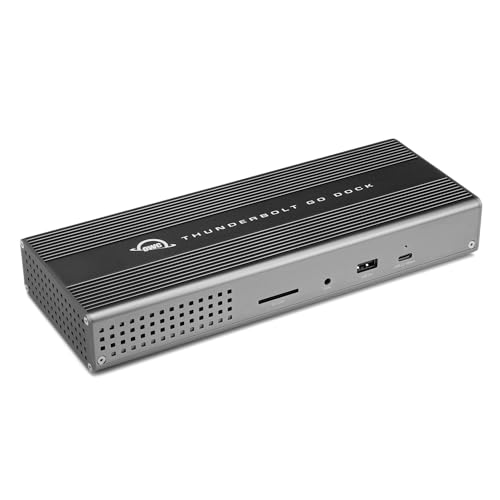
OWC Thunderbolt Go Dock is the built-in-supply branch. Its value case is not simply the dock price: the integrated power design can remove a separate dock brick from a travel bag or clean desk. Compare the total system and the space it occupies.
Built-in power is not the wattage a laptop accepts. The frozen gate does not repeat the exact host-power ceiling, port list, display matrix, physical dimensions, or weight. Verify each before treating the dock as either the power or portability winner.
OWC also cannot bypass host display limits. GPU, OS, Thunderbolt implementation, internal panel, cable, adapters, resolution, refresh, and monitor input still determine the setup. Buy it when the integrated supply replaces a real accessory, not because built-in automatically means inexpensive.
Our Take
Choose Thunderbolt Go Dock when its built-in supply lowers the complete packing or desk burden. Compare physical fit, accepted laptop power, ports, and display adapters with the other four.
- Built-in dock power supply
- Can remove a separate power brick
- Clean-desk and travel value role
- Built-in supply is not accepted laptop power
- Physical and port details need exact-model recheck
How to choose a budget Thunderbolt 4 dock
Compare the completed desk
List every part required: dock, power supply, host cable, display adapters, monitor cables, card reader, Ethernet adapter, storage connection, and direct laptop charger. The best value is the least expensive adequate complete route at checkout, not the dock with the smallest headline total.
Record the required accessory total beside each dock before comparing the finished setups.
Reject unused port density
UGREEN favors downstream Thunderbolt, Surface uses adapters, Plugable targets a smaller native-display desk, Kensington includes dual HDMI and readers, and OWC integrates power. Pick the architecture that covers the exact workflow with the fewest unused or separately purchased functions.
Verify the host and displays
Thunderbolt 4 requires an exact capable host and suitable cable. GPU resources, DSC/MST or Mac display rules, OS, internal screen, resolution, refresh, and monitor inputs control the display result. The USB4 versus Thunderbolt 4 guide helps identify the host link.
Keep value language temporary
Offer totals change. Recheck the exact products and required accessories at purchase time. Do not use stock, discount, seller, rating, or permanent-cheapest claims as evidence.
Frequently asked questions
Is the first dock always the least expensive?
No. It is first for its downstream-Thunderbolt value role. Compare all required adapters, readers, cables, and power parts at checkout.
Does Surface Thunderbolt 4 Dock have native HDMI?
The frozen gate says HDMI and DisplayPort require adapters.
Can built-in power replace the laptop charger?
Only if the dock’s offered power and the laptop’s accepted input meet the workload. Built-in supply design alone does not prove that.
Final recommendation
UGREEN Revodok Max 208 is the best overall budget route when downstream Thunderbolt fits the desk and missing display or card hardware is already covered. Take Surface for an adapter-led setup, Plugable for a smaller native-display desk, Kensington for dual HDMI and readers, or OWC when built-in power improves the complete-system value.