Lenovo sells the Legion 5i, Legion 5a, Pro 5i and Pro 7i next to the LOQ 15, and the five models here differ in GPU, screen and port list more than in name. Each has a dedicated GeForce RTX GPU, from the LOQ 15’s RTX 5050 up to the Pro 7i’s RTX 5080. Screens run from a 15.6-inch FHD IPS panel at 144Hz to 16-inch WQXGA OLED panels at 240Hz.
Port lists come from different places. Amazon’s bullets name the Pro 5i’s ports, Lenovo’s pages name them for the LOQ 15, Legion 5a and Pro 7i, and no port list was located for the Legion 5i.Legion and LOQ Models Compared
| Image | Product | Details | Check Price |
|---|---|---|---|
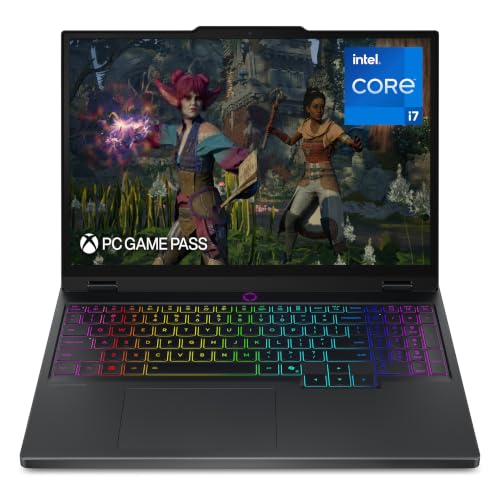 | Lenovo Legion 5i | Best fit: 15-inch OLED with RTX 5070 GPU: GeForce RTX 5070 Screen: 15-inch 2.5K WQXGA OLED, 165Hz Processor: Core i7-14700HX Ports: USB Type-C charging only; no port list located | Check Price on Amazon |
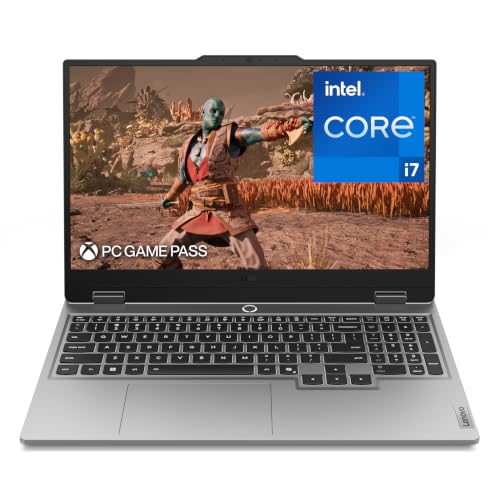 | Lenovo LOQ 15 | Best fit: RTX 5050 with listed ports GPU: GeForce RTX 5050 Screen: 15.6-inch FHD IPS, 144Hz, G-Sync Processor: Core i7-13650HX Ports: USB-C 100W, HDMI 2.1, 3 USB-A, RJ45 (Lenovo) | Check Price on Amazon |
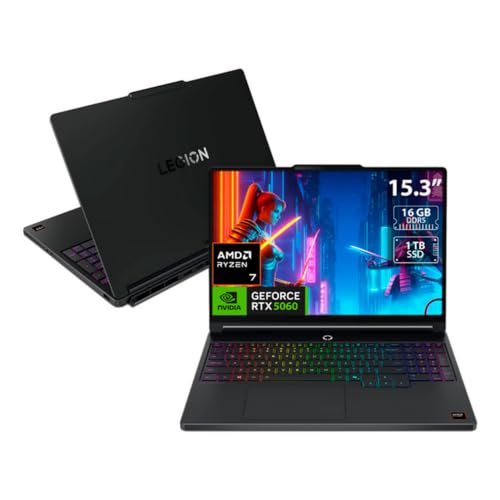 | Lenovo Legion 5a | Best fit: 15.3-inch AMD OLED GPU: GeForce RTX 5060, 8GB Screen: 15.3-inch 2560 x 1600 OLED, 165Hz Processor: Ryzen 7 250 Ports: 2 USB-C 40Gbps, HDMI 2.1, 3 USB-A, RJ45 (Lenovo) | Check Price on Amazon |
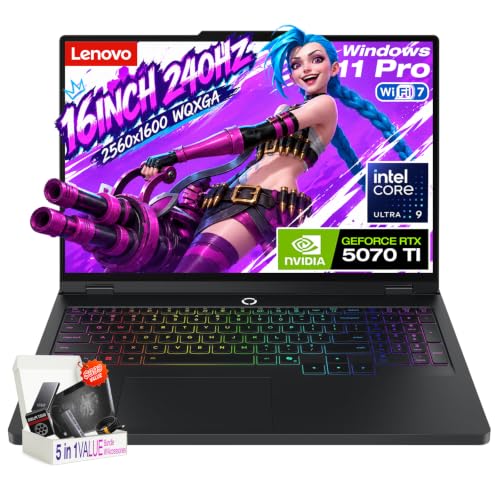 | Lenovo Legion Pro 5i | Best fit: RTX 5070 Ti with Thunderbolt 4 GPU: GeForce RTX 5070 Ti, 12GB Screen: 16-inch WQXGA OLED, 240Hz Processor: Core Ultra 9 275HX Ports: Thunderbolt 4, HDMI 2.1, USB-C DP 2.1, Ethernet | Check Price on Amazon |
 | Lenovo Legion Pro 7i | Best fit: RTX 5080 with Thunderbolt 4 GPU: GeForce RTX 5080, 16GB Screen: 16-inch WQXGA OLED, 240Hz Processor: Core Ultra 9 275HX Ports: Thunderbolt 4, HDMI 2.1, USB-C DP 2.1, USB-A, RJ45 (Lenovo) | Check Price on Amazon |
1. Lenovo Legion 5i — Best 15-Inch OLED With RTX 5070
Amazon lists the Legion 5i with an Intel Core i7-14700HX, GeForce RTX 5070 and a 15-inch 2.5K WQXGA PureSight OLED display at 165Hz. The bullets add Lenovo AI Engine+ tuning and 3 months of PC Game Pass. Cooling is Legion Coldfront: Hyper, with stealth fans, copper heat pipes and aluminum heat sinks.
Fast charging takes the battery from 0 to 70% in under 30 minutes via USB Type-C, according to Amazon. USB Type-C charging is the only port the listing names, so a dock, Ethernet cable or monitor cable needs a port list from another source before you buy. The title gives 16GB memory and a 1TB drive and Amazon’s size field repeats them, but no bullet does. Treat them as a possible seller configuration.
What stands out: The only 15-inch screen on the page, an OLED at 165Hz paired with RTX 5070.Our Take Choose the Legion 5i for a 15-inch OLED gaming laptop with RTX 5070. Confirm its ports, memory and storage before ordering.
- Amazon pairs a Core i7-14700HX and RTX 5070 with an OLED display at 165Hz, and the 15-inch 2.5K WQXGA panel is the only one that size on the page.
- Amazon describes Legion Coldfront: Hyper cooling and names stealth fans, copper heat pipes and aluminum heat sinks.
- Amazon states USB Type-C fast charging from 0 to 70% in under 30 minutes.
- Amazon’s listing names no port beyond USB Type-C charging, so a dock, Ethernet cable or monitor cable needs a port list from another source.
- Amazon’s title and size field give 16GB and 1TB while no bullet repeats them, so treat them as a possible seller configuration.
2. Lenovo LOQ 15 — Best RTX 5050 Option With Listed Ports
Amazon lists the LOQ 15 with an Intel Core i7-13650HX, GeForce RTX 5050 and a 15.6-inch FHD IPS display at 144Hz with G-Sync. Lenovo’s LOQ 15IRX10 page, whose model codes start with the same 83JE as this listing’s 83JE000XUS, lists the same processor, an RTX 5050 with 8GB GDDR7, and a 15.6-inch FHD IPS panel at 144Hz with 100% sRGB and 300 nits.
Lenovo’s page names a USB-C port with DisplayPort 1.4, 100W power delivery and 10Gbps data, three USB-A ports at 5Gbps, HDMI 2.1 and RJ45 Ethernet. Amazon’s bullets add Hyperchamber cooling with turbo fans and copper heat pipes, a white-backlit full-layout keyboard, an aluminum cover, and Rapid Charge Pro charging to 70% in under 30 minutes. The title gives 16GB memory and a 1TB drive, but no bullet does and Lenovo’s page lists up to 32GB and up to 2TB. Treat them as a possible seller configuration.
Our Take Choose the LOQ 15 when RTX 5050 and an FHD 144Hz screen meet your game requirements and you want HDMI 2.1 and Ethernet on a named port list. Pick a Legion model for an OLED screen, an RTX 5060 or higher, or Thunderbolt 4.
- Amazon lists a Core i7-13650HX and RTX 5050 with a 15.6-inch FHD IPS display at 144Hz.
- Amazon names NVIDIA G-Sync on the display and a white-backlit full-layout keyboard for the LOQ 15.
- Amazon describes Hyperchamber cooling with turbo fans and copper heat pipes.
- Lenovo’s page names a USB-C port with 100W power delivery, three USB-A ports, HDMI 2.1 and RJ45 Ethernet.
- Lenovo’s page names a USB-C port at 10Gbps and does not name Thunderbolt or USB4.
- Amazon lists an FHD 144Hz IPS panel, below the 240Hz WQXGA screens on the Pro models.
- Amazon’s title gives 16GB and 1TB, but no bullet does, so they may be a seller configuration.
3. Lenovo Legion 5a — Best 15.3-Inch AMD Option
Amazon lists the Legion 5a with an AMD Ryzen 7 250, a 15.3-inch WQXGA OLED at 2560 x 1600 and 165Hz, RTX 5060 with 8GB graphics memory, 16GB memory, a 1TB SSD and Windows 11 Home. The bullets state each of these, so the memory and storage are not title-only. Lenovo’s Legion 5a Gen 11 page, whose model codes start with the same 83Q7 as this listing’s 83Q70003US, lists the Ryzen 7 250, an RTX 5060 with 8GB GDDR7, and the same 15.3-inch OLED with 500 nits and 100% DCI-P3.
Lenovo’s page names two USB-C ports rated 40Gbps with 65 to 100W power delivery and DisplayPort 1.4, three USB-A ports at 5Gbps, HDMI 2.1 and RJ45 Ethernet. It describes Legion Coldfront: Hyper cooling and an aluminum lid. Neither source names Thunderbolt or USB4 for the USB-C ports.
Amazon’s bullets state the Ryzen 7 250, RTX 5060, 16GB and 1TB, and Lenovo’s page names two USB-C ports, HDMI 2.1 and RJ45 Ethernet.Our Take Choose the Legion 5a for the page’s only AMD processor, a 15.3-inch OLED at 165Hz and RTX 5060. Its two 40Gbps USB-C ports are named by Lenovo, but Thunderbolt 4 is not.
- Amazon states a Ryzen 7 250, RTX 5060 with 8GB, 16GB memory and a 1TB SSD in its feature bullets, so the memory and storage are not title-only.
- Amazon lists a 15.3-inch 2560 x 1600 OLED display at 165Hz.
- Lenovo’s page names two USB-C ports, three USB-A ports, HDMI 2.1 and RJ45 Ethernet.
- Lenovo’s page rates the USB-C ports at 40Gbps and does not name Thunderbolt 4 or USB4.
- Amazon states RTX 5060 with 8GB, less graphics memory than the 12GB RTX 5070 Ti and 16GB RTX 5080 models here.
4. Lenovo Legion Pro 5i — Best RTX 5070 Ti Option
Amazon lists the Legion Pro 5i with an Intel Core Ultra 9 275HX, RTX 5070 Ti with 12GB GDDR7 at 140W, 32GB DDR5-5600 memory and a 1TB PCIe 4.0 SSD. The 16-inch WQXGA OLED panel runs at 240Hz with 500 nits typical and 1100 nits HDR peak brightness, 100% DCI-P3, G-Sync and Dolby Vision. It is the only RTX 5070 Ti on this page.
Amazon’s bullets name Thunderbolt 4, HDMI 2.1 (up to 8K at 60Hz on an external display), USB-C with DisplayPort 2.1 and 65 to 100W power delivery, Gigabit Ethernet and Wi-Fi 7. They also list an 80Wh battery, a 300W adapter, a 5MP camera with privacy shutter, a 24-zone RGB keyboard and about 5.34 pounds. Fn+Q switches between Quiet, Balance, Performance and Extreme modes.
Our Take Pick the Pro 5i for a wired desk setup with RTX 5070 Ti and a 240Hz OLED screen. Check any dock, cable and monitor combination before ordering.
- Amazon lists RTX 5070 Ti with 12GB GDDR7, Core Ultra 9 275HX, 32GB DDR5-5600 and a 1TB PCIe 4.0 SSD.
- Amazon lists Thunderbolt 4, HDMI 2.1, USB-C with DisplayPort 2.1, Gigabit Ethernet and Wi-Fi 7.
- Amazon specifies a 16-inch WQXGA OLED panel at 240Hz with 500 nits typical and 1100 nits HDR peak brightness.
- Amazon names an 80Wh battery, a 300W adapter and a 5MP camera with privacy shutter.
- Amazon lists a 16-inch screen and about 5.34 pounds, a larger screen than the 15-inch Legion 5i.
- Amazon lists USB-C power delivery as a range of 65 to 100W, not a single wattage.
5. Lenovo Legion Pro 7i — Best RTX 5080 Option
Amazon lists the Legion Pro 7i Gen 10 with an Intel Core Ultra 9 275HX, RTX 5080 with 16GB GDDR7 at 175W, 32GB DDR5-6400 as two 16GB modules and a 1TB PCIe Gen5 SSD. The 16-inch WQXGA OLED is listed at 240Hz, 500 nits, HDR 1000 True Black and 100% DCI-P3. Lenovo’s Legion Pro 7i Gen 10 page lists the same processor, memory, storage and display, and an RTX 5080 Laptop GPU with 16GB GDDR7 among its graphics options.
Lenovo’s page names Thunderbolt 4, HDMI 2.1, a USB-C port with DisplayPort 2.1, USB-A ports and RJ45 Ethernet, which Amazon’s bullets leave out. The bullets add a 5MP camera with privacy shutter, a 400W adapter and a per-key RGB keyboard.
Our Take Choose the Pro 7i when RTX 5080 with 16GB graphics memory and a 240Hz OLED panel decide it. Lenovo names Thunderbolt 4 and HDMI 2.1 for the port list.
- Amazon and Lenovo list the Core Ultra 9 275HX, RTX 5080 with 16GB GDDR7, 32GB memory and a 1TB SSD.
- Amazon lists the RTX 5080 at 175W, and its 16GB is the most graphics memory on this page.
- Amazon lists a 16-inch WQXGA OLED panel at 240Hz with 500 nits, HDR 1000 True Black and 100% DCI-P3.
- Lenovo’s page names Thunderbolt 4, HDMI 2.1, USB-C with DisplayPort 2.1, USB-A and RJ45 Ethernet.
- Amazon’s title lists 16GB and 32GB RAM together, while its bullets and Lenovo’s page give 32GB.
- Amazon names a 400W adapter for the Pro 7i, against a 300W adapter for the Pro 5i.
Buying Guide
1. Compare the GPU first, then the screen it drives
Amazon names RTX 5050 for the LOQ 15, RTX 5060 with 8GB for the Legion 5a, RTX 5070 for the Legion 5i, RTX 5070 Ti with 12GB at 140W for the Pro 5i and RTX 5080 with 16GB at 175W for the Pro 7i. The listings give GPU names and power figures, not frame rates, and a GPU name does not tell you the settings a game will reach. Start with the game’s published requirements.
Then check the screen. The Pro 5i and Pro 7i are the two models with 240Hz WQXGA OLED panels, the Legion 5i and 5a list 165Hz OLED panels, and the LOQ 15 lists an FHD IPS panel at 144Hz. For more gaming laptops with Thunderbolt, see the gaming laptops with Thunderbolt guide.
2. Read screen size, resolution and refresh rate together
The 15-inch Legion 5i lists a 2.5K WQXGA OLED at 165Hz, the 15.3-inch Legion 5a lists 2560 x 1600 OLED at 165Hz and the 15.6-inch LOQ 15 lists FHD IPS at 144Hz. A diagonal size does not give the panel type, resolution or refresh rate, so read all three.
At 16 inches, both Pro models list WQXGA OLED at 240Hz, 500 nits and 100% DCI-P3. Both name HDR True Black 1000 wording, and the Pro 5i adds 1100 nits HDR peak brightness. Compare each figure against the same figure on the other model.
3. Read the port list from the source that names it
Only the Pro 5i and Pro 7i name Thunderbolt 4, the Pro 5i in Amazon’s bullets and the Pro 7i on Lenovo’s page. Lenovo’s pages name HDMI 2.1 and RJ45 Ethernet for the LOQ 15, Legion 5a and Pro 7i. The Legion 5a lists two USB-C ports at 40Gbps and the LOQ 15 lists one USB-C port at 10Gbps with 100W power delivery. Amazon names only USB Type-C charging for the Legion 5i.
If a monitor, Ethernet cable or dock is part of the purchase, make the port list a requirement and use the source that names it. For docks, see the Lenovo Legion dock guide, and for AMD models with USB4, see the AMD USB4 gaming laptop guide.
4. Check memory and storage against the bullets
The Legion 5a, Pro 5i and Pro 7i state memory and storage in their bullets: 16GB and 1TB for the 5a, 32GB DDR5-5600 and a 1TB PCIe 4.0 SSD for the Pro 5i and 32GB DDR5-6400 and a 1TB PCIe Gen5 SSD for the Pro 7i.
The Legion 5i and LOQ 15 give 16GB and 1TB in the title and not in the bullets, and Lenovo’s LOQ page lists up to 32GB and up to 2TB. Treat those figures as a possible seller configuration and read the item title before ordering. For lower-cost models, see the budget gaming laptops guide.
5. Read cooling and charging claims as feature lists
Amazon describes Legion Coldfront: Hyper cooling for the Legion 5i, with stealth fans, copper heat pipes and aluminum heat sinks, and Hyperchamber cooling for the LOQ 15, with turbo fans and copper heat pipes. For the Pro 5i it lists dual fans, copper heat pipes and rear exhaust. None of these gives a temperature, noise level or frame rate.
The Legion 5i and LOQ 15 each list charging to 70% in under 30 minutes, the Legion 5i via USB Type-C and the LOQ 15 as Rapid Charge Pro. The Pro 5i lists 65 to 100W USB-C power delivery with a 300W adapter, and the Pro 7i lists a 400W adapter. The charging mechanisms are separate, so match a charger or dock to the documentation for the model you choose.
FAQ
Which models here are sold by Amazon.com?
Amazon.com is the seller on the New offers for the Legion 5i and LOQ 15. The Legion 5a, Pro 5i and Pro 7i are New offers from third-party sellers, MichaelElectronics2, Nexuswave Tech and ProPrime.
Seller and stock can change, so check the seller and the item title at checkout. A different seller’s title can give different memory, storage or ports for a similarly named model.
Which models name their ports, and where?
Amazon’s bullets name the Pro 5i’s Thunderbolt 4, HDMI 2.1, USB-C with DisplayPort 2.1 and 65 to 100W power delivery, Gigabit Ethernet and Wi-Fi 7. Lenovo’s pages name ports for the LOQ 15, Legion 5a and Pro 7i.
The Pro 7i is the other model with Thunderbolt 4, and Lenovo’s page also names HDMI 2.1, USB-A and RJ45 Ethernet for it. For the Legion 5i, Amazon names only USB Type-C charging.
Is the LOQ 15 a Legion 5i with a different name?
No. The LOQ 15 lists a Core i7-13650HX, RTX 5050 and a 15.6-inch FHD IPS panel at 144Hz with G-Sync. The Legion 5i lists a Core i7-14700HX, RTX 5070 and a 15-inch 2.5K WQXGA OLED at 165Hz.
Lenovo’s page names three USB-A ports, HDMI 2.1 and RJ45 Ethernet for the LOQ 15, while Amazon names no port for the Legion 5i beyond USB Type-C charging. Compare the specs, not the name.
Are 16GB and 1TB confirmed on every Legion 5i and LOQ 15?
No. The Legion 5i and LOQ 15 titles give 16GB and 1TB and their bullets do not, so this page treats them as possible seller configurations. Lenovo’s LOQ page lists up to 32GB and up to 2TB.
The Legion 5a repeats 16GB and 1TB in its bullets. The Pro 5i and Pro 7i bullets state 32GB and 1TB.
Which models have a 240Hz OLED screen?
The Legion Pro 5i and Pro 7i are the two models with 16-inch WQXGA OLED panels at 240Hz. The Pro 5i adds 1100 nits HDR peak brightness, and the Pro 7i lists HDR 1000 True Black.
The Legion 5i and 5a list 165Hz OLED panels, and the LOQ 15 lists FHD IPS at 144Hz. Screen type, resolution and refresh rate are separate checks.
Bottom Line
The Pro 5i is the pick for a wired desk with Thunderbolt 4, RTX 5070 Ti and a 240Hz OLED. The Pro 7i is the RTX 5080 pick, with Thunderbolt 4 on Lenovo’s page. The Legion 5a is the AMD pick with a 15.3-inch OLED and RTX 5060. The Legion 5i pairs a 15-inch OLED with RTX 5070. The LOQ 15 is the RTX 5050 pick, with HDMI 2.1 and Ethernet on Lenovo’s page. Confirm memory, storage and ports for the model you choose before ordering.