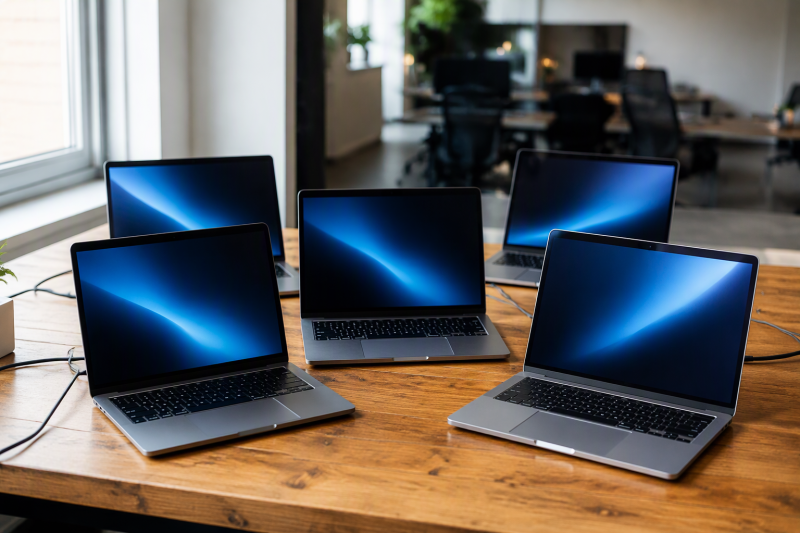
Five laptops here each list an RTX 4050, and they differ in screen, processor, memory and ports. The Acer Nitro V 15 has a 165Hz screen, the MSI Thin 15 a Core i7, the Lenovo LOQ Essential a 100% sRGB screen, the HP Victus 15 a stated 6GB of GPU memory, and the ASUS TUF Gaming A16 a 16-inch display. Lenovo’s Amazon listing describes its RTX 4050 as built on NVIDIA’s Ada Lovelace architecture.
Every figure comes from the Amazon listing for that model. An RTX 4050 name does not set performance in a particular game, a cooling result, or the ports on another configuration. For a different graphics tier, see the RTX 4060 laptop comparison, RTX 5060 laptop comparison, and the gaming laptop guide.
RTX 4050 Laptops Compared: Acer, ASUS, HP, MSI and Lenovo
| Image | Product | Details | Check Price |
|---|---|---|---|
 | Acer Nitro V 15 ANV15-52-586Z | Best fit: Only 165Hz screen Screen: 15.6-inch Full HD IPS, 165Hz Processor: Core i5-13420H Listed connections: Thunderbolt 4, Wi-Fi 6, Killer Ethernet Memory and storage: 8GB DDR5, 512GB PCIe Gen 4 SSD | Check Price on Amazon |
 | MSI Thin 15 B13VE-2678US | Best fit: Listed Core i7-13620H Screen: 15.6-inch Full HD, 144Hz Processor: Core i7-13620H Listed connections: No ports named in listing Memory and storage: 16GB DDR4, 512GB NVMe SSD | Check Price on Amazon |
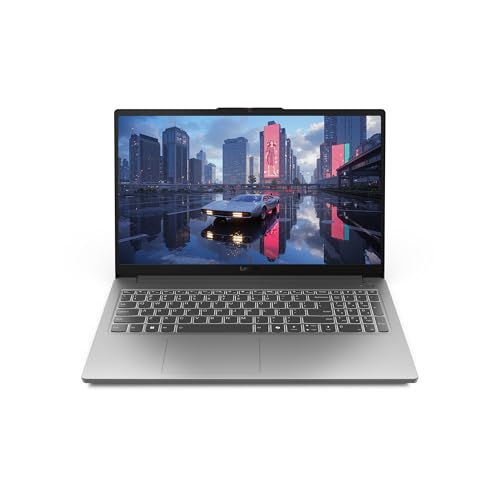 | Lenovo LOQ Essential i5-12450HX | Best fit: Only stated 100% sRGB screen Screen: 15.6-inch Full HD IPS, 144Hz Processor: Core i5-12450HX Listed connections: No ports named in listing Memory and storage: 8GB, 512GB SSD | Check Price on Amazon |
 | HP Victus 15 15-fa1082wm | Best fit: Only stated 6GB GPU memory Screen: 15.6-inch Full HD IPS anti-glare, 144Hz Processor: Core i5-13420H Listed connections: No ports named in listing Memory and storage: 16GB DDR4, 512GB PCIe Gen 4 NVMe SSD | Check Price on Amazon |
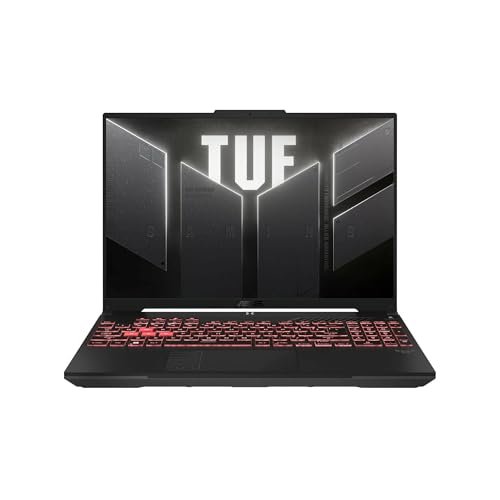 | ASUS TUF Gaming A16 | Best fit: Only 16-inch screen Screen: 16-inch Full HD+, 144Hz Processor: Ryzen 7 7445HS Listed connections: No ports named in listing Memory and storage: 16GB DDR5, 512GB SSD | Check Price on Amazon |
1. Acer Nitro V 15 ANV15-52-586Z — Best 165Hz RTX 4050 Pick
Acer lists the Nitro V 15 ANV15-52-586Z with an RTX 4050 Laptop GPU, a Core i5-13420H, 8GB DDR5 memory, and a 512GB PCIe Gen 4 SSD. Its 15.6-inch Full HD IPS display runs at 165Hz, the highest listed refresh rate in this comparison. The MSI Thin 15, Lenovo LOQ Essential, and HP Victus 15 each list 15.6-inch 144Hz displays, while the ASUS TUF Gaming A16 lists a 16-inch 144Hz screen.
Acer also names two DDR5 slots with a 32GB maximum, Wi-Fi 6, Killer Ethernet E2600, and a Thunderbolt 4 port for charging, data transfer, and video display. The 8GB installed-memory figure is lower than the 16GB listed for the MSI, HP, and ASUS configurations. Choose the Nitro V 15 when a 165Hz panel and a named Thunderbolt 4 port decide the purchase, and confirm that 8GB of memory suits your use.
Our Take Choose the Nitro V 15 for the only listed 165Hz display, with RTX 4050, Thunderbolt 4, Ethernet, and two DDR5 slots.
- Acer lists an RTX 4050 Laptop GPU, a Core i5-13420H, and a 15.6-inch Full HD IPS display at 165Hz, the highest refresh rate in this comparison.
- Acer names a Thunderbolt 4 port that it describes for charging, data transfer, and video display.
- Acer’s listing names two DDR5 slots with a 32GB maximum, along with Wi-Fi 6 and Killer Ethernet E2600.
- Acer’s 8GB of DDR5 memory is below the 16GB listed for the MSI, HP, and ASUS laptops, so the memory size needs checking against your use.
2. MSI Thin 15 B13VE-2678US — Best Core i7 RTX 4050 Pick
MSI lists the Thin 15 B13VE-2678US with a Core i7-13620H and RTX 4050, 16GB DDR4 memory, and a 512GB NVMe SSD. It has a 15.6-inch Full HD screen at 144Hz. The Core i7 sets this MSI apart from the Core i5 in the Acer Nitro V 15 and HP Victus 15, the Ryzen 7 7445HS in the ASUS TUF Gaming A16, and the Core i5-12450HX in the Lenovo LOQ Essential. Its 144Hz refresh rate is below the 165Hz Acer lists for the Nitro V 15.
MSI’s listing describes a Cooler Boost thermal design and names Wi-Fi 6E. It does not name a port list, so the listing does not establish Thunderbolt, USB4, HDMI, or Ethernet connectivity. The installed memory is DDR4 rather than the DDR5 named for the Acer Nitro V 15 and ASUS TUF Gaming A16. Consider the Thin 15 when the Core i7-13620H, 16GB of memory, and 144Hz screen suit the job, but verify connections separately.
The MSI Thin 15 combines a listed Core i7-13620H, RTX 4050, 16GB DDR4 memory, and a 15.6-inch 144Hz Full HD screen.Our Take Consider the MSI Thin 15 for its Core i7-13620H, 16GB memory, and 15.6-inch 144Hz screen, while checking the port list before buying accessories.
- MSI lists a Core i7-13620H with RTX 4050 graphics, 16GB DDR4, and a 512GB NVMe SSD, a processor none of the other four laptops list.
- The Thin 15 B13VE-2678US has a 15.6-inch Full HD screen at 144Hz according to MSI’s listing.
- MSI’s listing names Wi-Fi 6E and describes a Cooler Boost thermal design.
- MSI’s listing names no ports, so it does not establish Thunderbolt, USB4, HDMI, or Ethernet connectivity.
- MSI lists DDR4 memory, a different type from the DDR5 that Acer and ASUS list.
- MSI’s 144Hz display is below the 165Hz Acer lists for the Nitro V 15.
3. Lenovo LOQ Essential i5-12450HX — Best 100% sRGB Screen
Lenovo lists the LOQ Essential with a 15.6-inch Full HD IPS display at 144Hz and 100% sRGB, alongside an RTX 4050, an Intel Core i5-12450HX, 8GB memory, and a 512GB SSD. Lenovo is the only listing of the five that states a color-gamut percentage. The Acer, MSI, HP, and ASUS listings give none. Lenovo’s 8GB of memory is below the 16GB listed for the MSI, HP, and ASUS laptops.
Lenovo describes the system as the LOQ Essential and names a full-sized keyboard with 1.3mm travel, a 100mm fan, and 0.15mm blades. It does not state a port list or memory type, so this page adds no USB-C, HDMI, Ethernet, or DDR terms. Choose it when the 100% sRGB panel and 144Hz refresh rate are the screen details you need, then check the ports and memory type before ordering.
Lenovo lists the only 100% sRGB screen on this page, a 15.6-inch Full HD IPS display at 144Hz with RTX 4050 graphics.Our Take Choose the LOQ Essential for the stated 100% sRGB, 15.6-inch Full HD IPS screen at 144Hz, then verify the unspecified port and memory details.
- The LOQ Essential pairs an RTX 4050 with a Core i5-12450HX and a 15.6-inch Full HD IPS display at 144Hz, according to Lenovo.
- Lenovo lists 100% sRGB for the LOQ Essential screen, a color-gamut figure the other four listings do not give.
- Lenovo’s description includes a full-sized keyboard with 1.3mm travel, plus a 100mm fan with 0.15mm blades.
- Lenovo’s 8GB of memory is below the 16GB listed for the MSI, HP, and ASUS laptops.
- Lenovo does not state a port list or a memory type, so both need checking before ordering.
4. HP Victus 15 15-fa1082wm — Best Stated 6GB GPU Memory Pick
HP lists the Victus 15-fa1082wm with a Core i5-13420H, RTX 4050 with 6GB GDDR6, 16GB DDR4, and a 512GB PCIe Gen 4 NVMe SSD. Its 15.6-inch Full HD IPS micro-edge anti-glare display runs at 144Hz. The 16GB figure matches the MSI Thin 15 and the ASUS TUF Gaming A16, and is higher than the 8GB listed for the Acer Nitro V 15 and Lenovo LOQ Essential.
HP is the only listing of the five that states the GPU’s own memory, 6GB of GDDR6. The listing does not name a port list. It calls the 15.6-inch screen IPS and anti-glare without giving a color-gamut figure, and its 144Hz refresh rate is below the 165Hz Acer lists for the Nitro V 15. Pick the Victus when the 6GB of GPU memory, 16GB of RAM, and Core i5-13420H fit the planned use, and do not assume a connection standard that HP does not name.
HP lists 16GB DDR4, RTX 4050 graphics with 6GB GDDR6, and a 15.6-inch Full HD IPS anti-glare display at 144Hz.Our Take Pick the Victus 15 for the stated 6GB of GPU memory and 16GB of RAM, if a listed port standard is not required.
- HP is the only listing here that states the RTX 4050’s own 6GB of GDDR6 memory.
- The Victus pairs a Core i5-13420H with the RTX 4050 in HP’s listing.
- For the 15-fa1082wm, HP lists 16GB DDR4 memory and a 512GB PCIe Gen 4 NVMe SSD.
- HP describes the display as 15.6-inch Full HD IPS, micro-edge and anti-glare, at 144Hz.
- HP’s 16GB of memory is higher than the 8GB listed for the Acer and Lenovo laptops.
- HP’s Victus listing names no ports, so it does not establish Thunderbolt, USB4, HDMI, or Ethernet support.
- HP’s 144Hz screen is below the 165Hz Acer lists for the Nitro V 15.
5. ASUS TUF Gaming A16 — Best 16-Inch RTX 4050 Pick
The ASUS TUF Gaming A16 is the only laptop here with a 16-inch Full HD+ screen, listed at 144Hz. ASUS pairs it with a Ryzen 7 7445HS, RTX 4050 graphics, 16GB DDR5 memory, and a 512GB SSD. The larger screen separates it from the four 15.6-inch listings. Its 144Hz feature line matches the MSI, Lenovo, and HP configurations rather than the Acer Nitro V 15’s 165Hz panel, though the ASUS title says 145Hz.
ASUS lists a backlit keyboard and Windows 11, and its short feature list repeats the Ryzen 7 processor, 16-inch display, and RTX 4050 graphics. It does not name ports, an Ethernet jack, a color-gamut figure, or a storage interface. Consider this configuration when the 16-inch screen, Ryzen 7 processor, and 16GB of DDR5 memory are the differences you need, and verify the missing connection details before buying.
Our Take Choose the TUF Gaming A16 for the only 16-inch screen, a Ryzen 7 7445HS, RTX 4050 graphics, and 16GB DDR5 memory.
- The TUF Gaming A16 has a Ryzen 7 7445HS, RTX 4050 graphics, 16GB DDR5 memory, and a 512GB SSD, as ASUS lists it.
- ASUS’s 16-inch Full HD+ display at 144Hz is the only 16-inch screen in this comparison.
- ASUS lists a backlit keyboard and Windows 11 for the TUF Gaming A16.
- ASUS names no ports, Ethernet jack, color-gamut figure, or storage interface, so the connection details need checking before buying.
- ASUS’s 144Hz feature line and 145Hz title are both below the 165Hz Acer lists for the Nitro V 15.
Buying Guide
1. Confirm that the listing says RTX 4050
Every laptop here names an RTX 4050, but the surrounding model details are different. Acer identifies an RTX 4050 Laptop GPU in the Nitro V 15, MSI pairs it with a Core i7-13620H in the Thin 15, Lenovo names it for the LOQ Essential, HP lists 6GB of GDDR6 for the Victus 15, and ASUS lists it with a Ryzen 7 7445HS in the TUF Gaming A16.
The useful identifiers are ANV15-52-586Z, B13VE-2678US, i5-12450HX, 15-fa1082wm, and TUF Gaming A16. Match the GPU phrase, processor, screen, and memory beside that identifier. A similar model name can come with a different panel, processor, storage size, or port set, and the shared RTX 4050 label does not change that.
2. Weigh screen size and refresh rate together
The ASUS TUF Gaming A16 is the only 16-inch option, while the other four listings name 15.6-inch screens. The Acer Nitro V 15 lists the highest refresh rate at 165Hz. The MSI Thin 15, Lenovo LOQ Essential, HP Victus 15, and ASUS TUF Gaming A16 each list 144Hz, so refresh rate alone does not separate those four. The ASUS listing gives 144Hz in its feature line and 145Hz in its title.
The Lenovo LOQ Essential is the only listing that states 100% sRGB, and the HP Victus 15 calls its panel IPS and anti-glare. The Acer calls its screen Full HD IPS, and ASUS calls its larger screen Full HD+. Panel size, refresh rate, panel label, and color coverage describe different aspects of a display, so compare size, refresh rate, panel label, and color language together rather than choosing on one figure alone.
3. Treat memory labels as configuration facts
The MSI Thin 15, HP Victus 15, and ASUS TUF Gaming A16 list 16GB of memory. The Acer Nitro V 15 and Lenovo LOQ Essential list 8GB. Acer says the Nitro has two DDR5 slots with a 32GB maximum, but the Lenovo listing does not name a memory type or slots, so that claim should not be transferred to it.
Memory type differs across the listed configurations. Acer and ASUS list DDR5, MSI and HP list DDR4, and Lenovo leaves the type unspecified. Compare memory only between the products named here. If memory capacity decides the purchase, check the stated configuration on the offer before ordering.
4. Do not treat an unstated port as a port promise
The Acer Nitro V 15 is the only listing here that names Thunderbolt 4, describing it for charging, data transfer, and video display. It also names Wi-Fi 6 and Killer Ethernet E2600. The Thunderbolt, Wi-Fi, and Ethernet details are concrete reasons to inspect the Acer configuration when a dock or wired connection is involved.
The MSI, Lenovo, HP, and ASUS listings do not name complete port lists. Their silence does not prove that a connection is absent, but it cannot prove compatibility with a dock, monitor, charger, or Ethernet cable. When accessories control the buying decision, use the seller’s model page to verify ports before ordering.
5. Compare storage and processor descriptions after the screen
All five listings state a 512GB SSD. Acer and HP specify PCIe Gen 4 storage, MSI identifies an NVMe SSD, and the Lenovo and ASUS listings say only SSD. Storage is a configuration detail, not an RTX 4050 property.
The processors include Intel Core i5-13420H, Intel Core i7-13620H, Intel Core i5-12450HX, and AMD Ryzen 7 7445HS. The graphics label is RTX 4050 across all five, but the processor differs on every one. Use the full processor line along with screen, memory, and port details to tell the laptops apart.
FAQ
Which RTX 4050 laptop here has the highest listed refresh rate?
The Acer Nitro V 15 lists a 15.6-inch Full HD IPS display at 165Hz, the highest refresh rate in this comparison. Acer pairs that screen with a Core i5-13420H, RTX 4050 Laptop GPU, 8GB DDR5 memory, and a 512GB PCIe Gen 4 SSD.
The MSI Thin 15, Lenovo LOQ Essential, HP Victus 15, and ASUS TUF Gaming A16 list 144Hz screens. A higher refresh rate does not settle panel size, color coverage, memory, or ports, so compare those separately.
Which pick has a 16-inch display?
The ASUS TUF Gaming A16 is the only laptop here that lists a 16-inch Full HD+ display at 144Hz. The listing also names a Ryzen 7 7445HS, RTX 4050 graphics, 16GB DDR5 memory, and a 512GB SSD.
All four other listings are 15.6-inch models. Choose it for the 16-inch screen only after checking that its 144Hz panel and unnamed connection details fit the rest of your setup.
Which laptop lists Thunderbolt 4?
The Acer Nitro V 15 is the one that names Thunderbolt 4, and Acer says that port handles charging, data transfer, and video display. Acer also names Wi-Fi 6 and Killer Ethernet E2600.
The MSI, Lenovo, HP, and ASUS listings name no complete port list. Do not treat them as equivalent to the Acer for a dock or monitor decision without checking the seller’s model page.
Which models list 16GB of memory?
The MSI Thin 15, HP Victus 15, and ASUS TUF Gaming A16 each list 16GB of memory. MSI and HP list DDR4, while ASUS lists DDR5. The Acer Nitro V 15 and Lenovo LOQ Essential list 8GB.
Memory capacity is only one part of the stated configuration. The MSI lists a Core i7-13620H, HP lists a Core i5-13420H, and ASUS lists a Ryzen 7 7445HS, so each 16GB option needs a processor, screen, and connection comparison.
Which RTX 4050 pick states 100% sRGB?
The Lenovo LOQ Essential lists a 15.6-inch Full HD IPS screen at 144Hz with 100% sRGB. Its listed configuration includes an RTX 4050, an Intel Core i5-12450HX, 8GB memory, and a 512GB SSD.
The other listings use different screen descriptions. HP calls its panel IPS and anti-glare, Acer calls its panel Full HD IPS at 165Hz, ASUS lists Full HD+ at 144Hz, and MSI lists Full HD at 144Hz. Only Lenovo provides a 100% sRGB figure.
Bottom Line
Choose the Acer Nitro V 15 for the 165Hz screen and named Thunderbolt 4 port, the MSI Thin 15 for the listed Core i7-13620H and 16GB memory, and the Lenovo LOQ Essential for the stated 100% sRGB screen. The HP Victus 15 is the only one that states 6GB of GPU memory, and the ASUS TUF Gaming A16 is the only 16-inch configuration. Match the model number, screen, memory, and connection details to the offer before buying.