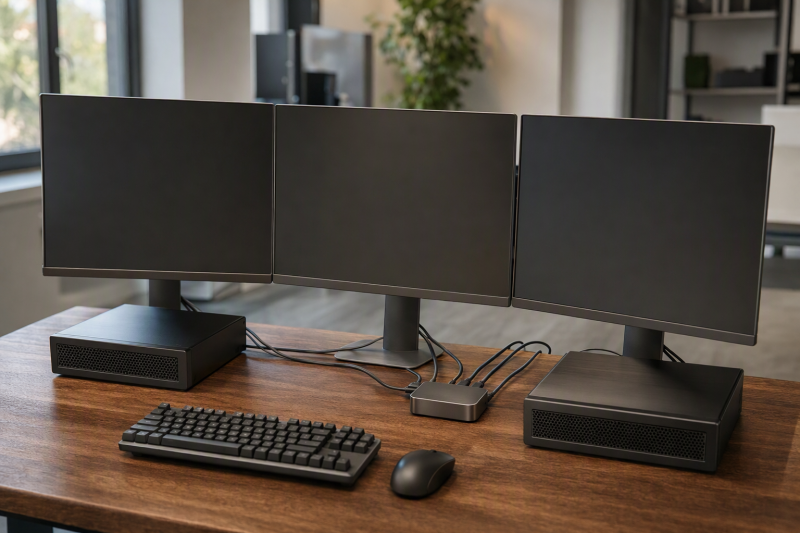
A KVM switch for three monitors lets two or three computers share three displays, one keyboard and one mouse. Five of the six models below need each computer to send three separate video signals to the switch, so the video outputs on your computers decide which one fits.
The six cover all-DisplayPort, all-HDMI and mixed inputs, one model for three computers and one dock built around a USB-C laptop. Every figure comes from the Amazon listing for that model. If two monitors are enough, see the best USB-C KVM switches and the dual-monitor KVM guide.
Count the video outputs on every computer first, then pick the switch whose inputs match them.Three-Monitor KVM Switches Compared
| Image | Product | Details | Check Price |
|---|---|---|---|
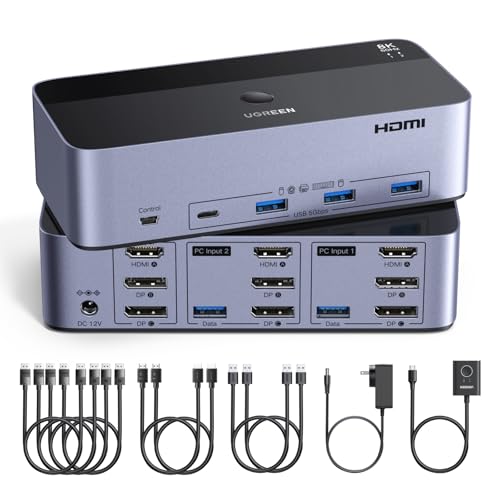 | UGREEN AK704 | Best fit: Highest stated 4K refresh rate Computers: 2 (Windows, Linux) Video: 8K 60Hz; 4K 240Hz Connections: Per computer: 2 DP, 1 HDMI, 1 USB Buyer check: No EDID emulation or hotkey switching | Check Price on Amazon |
 | CMSTEDCD Triple-Display DisplayPort KVM | Best fit: All-DisplayPort setup Computers: 2 (Windows, Linux) Video: 8K 60Hz; 4K 120Hz Connections: Per computer: 3 DP Buyer check: 8K needs source, monitor and cable at 8K | Check Price on Amazon |
 | VPFET SW232 | Best fit: Mixed ports with 24-month support Computers: 2 (Windows, Linux) Video: 8K 60Hz; 4K 120Hz Connections: Per computer: 2 DP, 1 HDMI Buyer check: No DP-to-HDMI or DP-to-DVI adapter cables | Check Price on Amazon |
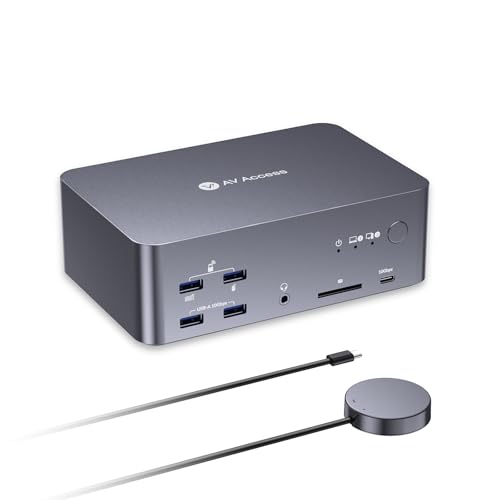 | AV Access iDock B23 | Best fit: One USB-C laptop plus a desktop Computers: 2 (1 laptop, 1 desktop) Video: Desktop: 8K 60Hz or 4K 165Hz; laptop: 4K 60Hz Connections: Laptop: 1 USB-C cable, up to 100W PD Buyer check: MacBooks mirror only | Check Price on Amazon |
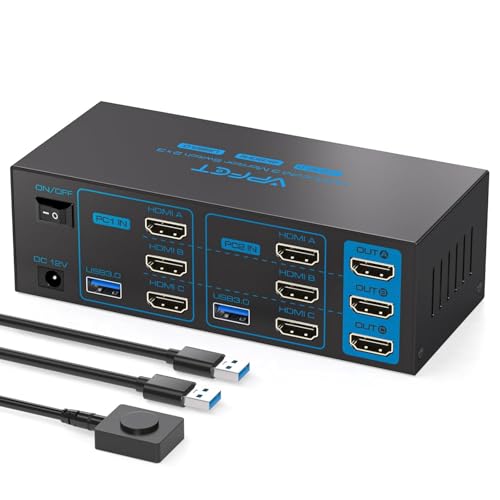 | TIGKTING Triple-HDMI KVM | Best fit: All-HDMI setup Computers: 2 (Windows, Mac OS, Linux) Video: 4K 60Hz Connections: Per computer: 3 HDMI, 1 USB 3.0 Buyer check: No hotkey switching | Check Price on Amazon |
 | DXchip KVM303DH | Best fit: Three computers Computers: 3 (Windows, Mac OS, Chrome OS) Video: DP: 8K 30Hz or 4K 144Hz; HDMI: 8K 60Hz or 4K 120Hz Connections: Per computer: 2 DP, 1 HDMI, 1 USB Buyer check: Cables within 1.5 m for maximum resolution | Check Price on Amazon |
1. UGREEN AK704 — Highest Stated 4K Refresh Rate
UGREEN states that the AK704 lets two computers share three monitors and four USB 3.0 ports. Each computer connects with two DisplayPort cables, one HDMI cable and one USB cable, and UGREEN includes four DisplayPort cables, two HDMI cables, two USB-A cables, a power adapter and a desktop controller.
UGREEN lists two DisplayPort 1.4 ports and one HDMI 2.1 port, each up to 8K at 60Hz, with 4K at 240Hz also stated. For 8K, UGREEN says both computers and all monitors must support 8K at 60Hz and the cables must be within 2 meters at 28AWG. UGREEN lists Windows and Linux and offers Mirror and Extend modes.
UGREEN says both computers must support triple-monitor output, and that a signal converter or docking station in the path may cause compatibility issues. UGREEN also states that the AK704 does not support EDID emulation or hotkey switching.
Our Take Choose the UGREEN AK704 when both computers run Windows or Linux, each has two DisplayPort outputs and one HDMI output, and a high-refresh monitor is the goal.
- UGREEN states 4K at 240Hz, the highest refresh rate stated among the six, along with 8K at 60Hz on its two DisplayPort 1.4 ports and one HDMI 2.1 port.
- UGREEN includes four DisplayPort cables, two HDMI cables and two USB-A cables, a full set for two computers.
- UGREEN lists Windows and Linux as supported systems and offers both Mirror and Extend display modes.
- A buyer who expects EDID emulation or hotkey switching will find neither on the AK704, according to UGREEN.
- Connecting through a signal converter or docking station may cause compatibility issues, UGREEN warns.
2. CMSTEDCD Triple-Display DisplayPort KVM — Best All-DisplayPort Setup
CMSTEDCD states that its DisplayPort KVM lets two computers share three monitors and four USB 3.0 ports, with Extend and copy modes. The listing says the computer needs three DisplayPort ports, so every video connection is DisplayPort.
CMSTEDCD lists DisplayPort 1.4 at up to 8K at 60Hz or 4K at 120Hz, and says 8K needs the source, monitor and DisplayPort cable all to support 8K. The USB ports are rated up to 5Gbps. A button on the panel or a wired controller switches between the computers, and a 12V adapter powers the unit. CMSTEDCD lists Windows, XP and Linux.
CMSTEDCD’s bullet offers a no-charge replacement within 12 months, while Amazon’s warranty field for this model reads 2 Year Manufacturer.
CMSTEDCD says the computer needs three DisplayPort ports for the three monitors.Our Take Choose the CMSTEDCD when both computers and all three monitors use DisplayPort and 4K at 120Hz is enough.
- CMSTEDCD lists DisplayPort 1.4 at up to 8K at 60Hz or 4K at 120Hz, and every video connection is DisplayPort.
- CMSTEDCD lists four USB 3.0 ports rated up to 5Gbps.
- CMSTEDCD lists a panel button and a wired controller as two ways to switch between the computers.
- For 8K output, CMSTEDCD says the source, the monitor and the DisplayPort cable must all support 8K.
- The CMSTEDCD listing gives two different terms, 12 months in its bullet and 2 Year Manufacturer in Amazon’s warranty field.
3. VPFET SW232 — Mixed Ports With 24-Month Support
VPFET states that the SW232 lets two PCs or laptops share three monitors and one set of keyboard, mouse, microphone and headphones. Each computer needs two DisplayPort ports and one HDMI port, connected with two DisplayPort cables and one HDMI cable.
VPFET lists HDMI 2.1 and DisplayPort 1.4 with 8K at 60Hz and 4K at 120Hz, and says the cables and monitors must support those modes. The four USB 3.0 ports are rated up to 5Gbps. VPFET says high-power USB devices need a separate power supply, and a 12V 1A adapter comes with the unit. A panel button or a wired controller switches between the computers. VPFET lists Windows, XP and Linux.
VPFET offers technical support and replacement within 24 months, and Amazon’s warranty field for this model reads 2 Year Manufacturer.
Our Take Choose the VPFET SW232 when both computers have two DisplayPort outputs and one HDMI output built in and a 24-month support term is a plus.
- VPFET lists both HDMI 2.1 and DisplayPort 1.4, with 8K at 60Hz and 4K at 120Hz.
- Within 24 months of purchase, VPFET offers technical support and replacement.
- VPFET lists a panel button and a wired controller as two ways to switch between the two computers.
- On the SW232, adapter cables from DisplayPort to HDMI or from DisplayPort to DVI are not supported, VPFET states.
- A high-power USB device on the SW232 needs a separate power supply, VPFET says.
4. AV Access iDock B23 — Best for One USB-C Laptop and a Desktop
AV Access states that the iDock B23 connects one USB-C laptop and one desktop PC to share up to three displays, a keyboard, a mouse, a network connection, audio and USB devices. The laptop uses one full-featured USB-C cable for video, data and up to 100W Power Delivery.
AV Access lists up to 8K at 60Hz or 4K at 165Hz for the desktop and up to 4K at 60Hz for the laptop. The AV Access listing does not name the desktop’s video connectors. Ports include two USB-A 3.2 and one USB-C 3.2 at 10Gbps, three more USB-A ports at 5Gbps, an SDXC card reader, a 3.5mm headset jack and 1Gb Ethernet that stays active on both computers. Amazon’s warranty field reads 1-year and 30-day return.
Our Take Choose the iDock B23 when a Windows laptop with USB-C video output and a desktop PC share one desk, and the laptop should connect with a single cable.
- AV Access states that the laptop connects with one USB-C cable carrying video, data and up to 100W Power Delivery.
- AV Access lists three 10Gbps USB ports and three 5Gbps USB-A ports, plus an SDXC reader and 1Gb Ethernet.
- AV Access states that the Ethernet connection stays active on both computers.
- A MacBook gets mirrored displays only through the iDock B23, AV Access states.
- On the laptop path AV Access states up to 4K at 60Hz, below the 4K at 165Hz it states for the desktop path.
5. TIGKTING Triple-HDMI KVM — Best All-HDMI Setup
TIGKTING states that its KVM lets two computers share three HDMI monitors and four USB 3.0 ports, in extend or duplicate mode. Each computer needs three HDMI cables to the switch, and TIGKTING says that with one HDMI cable connected only one monitor receives video.
TIGKTING lists resolutions up to 4K at 60Hz and says the source, monitor and HDMI cable all must support 4K at 60Hz. Each USB 3.0 port is rated up to 5Gbps, and each computer connects to the switch with a single USB 3.0 cable. A panel button or a desktop controller switches between the computers, an LED shows the active one, and TIGKTING says hotkey switching is not supported. TIGKTING lists Windows, Vista, XP, Mac OS, Linux and Unix, and says a 12V DC adapter must be connected.
TIGKTING says each computer needs three HDMI cables, and that one HDMI cable feeds only one monitor.Our Take Choose the TIGKTING when both computers have three HDMI outputs, the monitors take HDMI, and 4K at 60Hz is enough.
- TIGKTING lists four USB 3.0 ports, each rated up to 5Gbps.
- TIGKTING lists Mac OS among its supported systems, alongside Windows, Linux and Unix.
- TIGKTING includes an LED that shows which computer is active.
- TIGKTING states 4K at 60Hz, lower than the 4K at 120Hz or higher that each of the other five states for at least one video path.
- Hotkey switching is not supported on the TIGKTING, and its 12V adapter must be connected, according to TIGKTING.
6. DXchip KVM303DH — Best for Three Computers
DXchip states that the KVM303DH lets three computers share three monitors, two DisplayPort and one HDMI, plus four USB 3.0 ports. Each computer needs two DisplayPort ports, one HDMI port and one USB cable, so the switch takes nine video cables and three USB cables from the computers.
DXchip lists DisplayPort 1.4 at up to 8K at 30Hz or 4K at 144Hz, and HDMI 2.1 at up to 8K at 60Hz or 4K at 120Hz. For the maximum resolution, DXchip says sources, monitors and cables must support it and the cable length must be within 1.5 meters. The USB ports are rated up to 5Gbps. DXchip lists laptops, desktops, PS4, Raspberry Pi and DVR as compatible, with Windows, Mac OS and Chrome OS named. A 12V power port feeds high-power USB devices. DXchip’s bullet gives 12 months of after-sales service, and Amazon’s warranty field reads 1 Year Warranty.
DXchip tells buyers to connect each computer to three monitors directly first, to confirm that it supports multi-screen output.
Our Take Choose the DXchip KVM303DH when three computers, each with two DisplayPort outputs and one HDMI output, need the same three monitors.
- DXchip states that three computers share three monitors, where the other five switches connect two computers.
- DXchip lists Windows, Mac OS and Chrome OS among its supported systems.
- DXchip lists a 12V power port for high-power USB devices.
Buying Guide
1. Count the video outputs on each computer
Five of the six switches need three video connections from every computer. UGREEN, VPFET and DXchip each list two DisplayPort and one HDMI, CMSTEDCD lists three DisplayPort, and TIGKTING lists three HDMI. UGREEN says an extra monitor will not activate when a computer supports fewer displays.
Only the AV Access iDock B23 takes a laptop on one cable. AV Access states that the laptop connects through a USB-C port with video output. The other five listings describe video inputs and do not describe a USB-C laptop connection.
A laptop on the other five needs its own three outputs. UGREEN warns that a signal converter or docking station may cause compatibility issues. None of the other four listings says a dock supplies the connections. The KVM versus docking station guide explains the difference.
2. Match the connectors and skip the adapters
Match the switch to the ports your computers already have. DisplayPort-only, HDMI-only and mixed models each fit a different computer, so the first step is to read the connectors on the back of each machine.
Adapters are a risk. VPFET states that the SW232 does not support DisplayPort to HDMI or DisplayPort to DVI adapter cables. UGREEN says a signal converter may cause compatibility issues. CMSTEDCD, TIGKTING and DXchip do not address adapters.
3. Check the resolution and the cable limits
Five listings state a condition for top resolution. UGREEN says 8K needs cables within 2 meters at 28AWG, and DXchip says the cable length must be within 1.5 meters. CMSTEDCD and TIGKTING say the source, monitor and cable must all support the mode, and VPFET says the cables and monitors must.
Refresh rates differ by video path. UGREEN states 4K at 240Hz, AV Access states 4K at 165Hz for its desktop path, and DXchip states 4K at 144Hz on DisplayPort. The HDMI 2.1 KVM guide covers high-refresh desks in more depth.
4. Pick by operating system
The listings name different systems. UGREEN lists Windows and Linux, CMSTEDCD and VPFET list Windows, XP and Linux, and TIGKTING lists Windows, Vista, XP, Mac OS, Linux and Unix. DXchip names Windows, Mac OS and Chrome OS.
For a MacBook, read the AV Access note. AV Access states that MacBooks support mirrored displays only through the iDock B23, and that Windows laptops show extended displays through MST. The other five listings do not describe MacBook behavior.
5. Check USB speed, power and switching
USB speed varies. CMSTEDCD, VPFET, TIGKTING and DXchip rate their four USB 3.0 ports up to 5Gbps. AV Access lists three 10Gbps ports, and UGREEN lists four USB 3.0 ports without a speed.
Switching and EDID support differ. UGREEN states that it does not support EDID emulation, and UGREEN and TIGKTING state that hotkey switching is not supported. The other listings are silent on both. Every model lists a button or a wired controller for switching, and UGREEN and TIGKTING say the power adapter must be connected.
FAQ
Can a laptop drive three monitors through these KVM switches?
Yes, with the AV Access iDock B23 or with a laptop that has three video outputs of its own. AV Access states that its laptop connects through one USB-C cable with video output, and that Windows laptops show extended displays through MST.
For the other five, the laptop must supply the connections listed for each computer. UGREEN warns that a docking station may cause compatibility issues, and no other listing says a dock works.
How many cables does each computer need?
Five of the six need three video cables per computer, plus a USB cable where the listing names one. UGREEN and DXchip list two DisplayPort cables, one HDMI cable and one USB cable, and VPFET lists two DisplayPort cables and one HDMI cable. CMSTEDCD lists three DisplayPort ports, and TIGKTING lists three HDMI cables and one USB 3.0 cable. The iDock B23 laptop uses one USB-C cable.
Two computers on a UGREEN or TIGKTING switch send eight cables to it, and DXchip’s three computers send twelve. The monitors add three more cables from the switch.
Why do my monitors mirror instead of extend?
The listings name two causes: the display mode and a computer that cannot drive three screens. TIGKTING says Windows+P selects Copy or Extend mode, and UGREEN says an extra monitor will not activate if a computer supports only one or two displays.
On a MacBook, AV Access states that the iDock B23 supports mirrored displays only. No setting is stated to change that.
Can I use an adapter if a computer has the wrong ports?
Check the listing before buying. VPFET states that the SW232 does not support DisplayPort to HDMI or DisplayPort to DVI adapter cables, and UGREEN says a signal converter may cause compatibility issues.
CMSTEDCD, TIGKTING and DXchip do not address adapters. DXchip suggests connecting each computer to three monitors directly first to confirm multi-screen output.
Can all three monitors run at 8K?
UGREEN states that each of its three output ports supports up to 8K at 60Hz, and DXchip states 8K at 30Hz on DisplayPort and 8K at 60Hz on HDMI. CMSTEDCD and VPFET state 8K at 60Hz without a per-port breakdown.
UGREEN, CMSTEDCD, VPFET, DXchip and TIGKTING each add that the computer or source, the monitor and the cable must support the mode. TIGKTING states 4K at 60Hz as its limit.
Bottom Line
Choose UGREEN AK704 for the highest stated 4K refresh rate, CMSTEDCD for an all-DisplayPort desk, VPFET SW232 for mixed ports with 24-month support, AV Access iDock B23 for one USB-C laptop plus a desktop, TIGKTING for an all-HDMI desk, and DXchip KVM303DH for three computers.