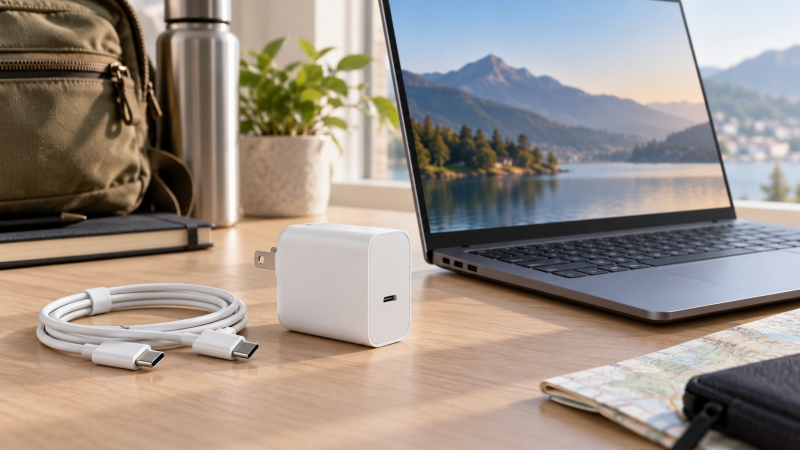
An ASUS laptop that charges over USB-C needs a charger that matches its model code and its required power. None of the six chargers below is made by ASUS. All are third-party chargers from OYNASUN, LAP POW, Dexpt, Ryaobwu, HAPIGD and TUXIFPKU, and each Amazon listing states a USB-C connector and names ASUS Zenbook, Vivobook, Chromebook, ExpertBook or ROG models.
Five list 65W output. TUXIFPKU lists 100W output and names 65W as one of its compatible power levels. Match your laptop’s model code and charging requirement against each listing’s model list before ordering.
Find the laptop’s full model code first. Then pick the listing whose model list names it and whose output matches the laptop’s charging requirement.| Image | Product | Details | Check Price |
|---|---|---|---|
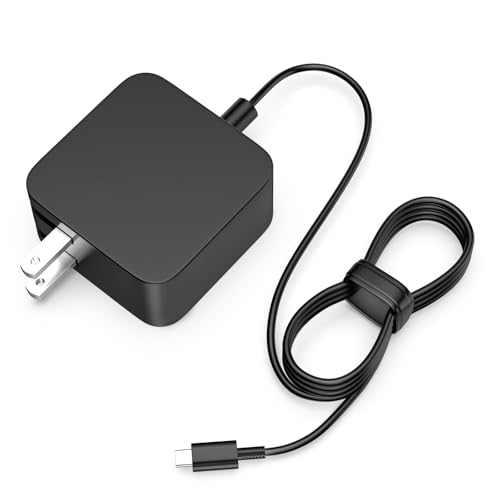 | OYNASUN 65W USB-C Charger | Best fit: Zenbook, Chromebook, ExpertBook and Vivobook model codes Output: 65W, 20V 3.25A Connector: USB-C ASUS models named: Zenbook, Chromebook, ExpertBook, Vivobook Maker: OYNASUN, third-party | Check Price on Amazon |
 | LAP POW 65W USB-C Adapter | Best fit: A stated 5.9-foot power cord Output: 65W, up to 20V 3.25A Connector: USB-C ASUS models named: Chromebook Flip, Transformer, Zenbook, ExpertBook, Vivobook Maker: LAP POW, third-party | Check Price on Amazon |
 | Dexpt 65W USB-C Charger | Best fit: ASUS 65W and 45W laptops with USB-C power Output: 65W, 20V 3.25A Connector: USB-C ASUS models named: Zenbook, Chromebook Flip, ExpertBook, Vivobook, ROG Ally Maker: Dexpt, third-party | Check Price on Amazon |
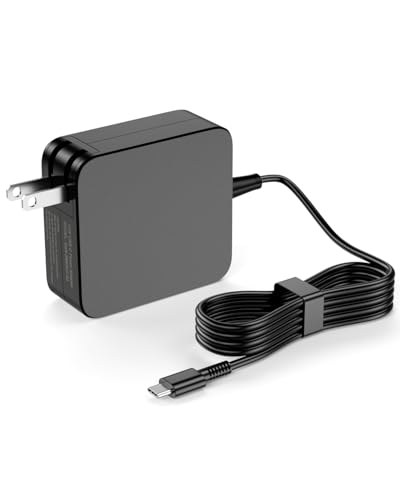 | Ryaobwu 65W USB-C Charger | Best fit: Zenbook Duo 14 and Zenbook Flip model codes Output: 65W and 45W, up to 20V 3.25A Connector: USB-C ASUS models named: Zenbook Duo, Zenbook Flip, Zenbook 3, Chromebook Flip Maker: Ryaobwu, third-party | Check Price on Amazon |
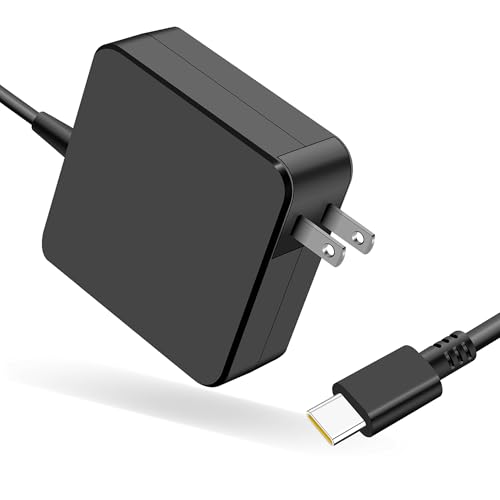 | HAPIGD 65W USB-C Charger | Best fit: Zenbook 3 and Zenbook Flip model codes Output: Up to 20V 3.25A, 65W maximum Connector: USB-C ASUS models named: Zenbook 3, Zenbook S, Zenbook Flip, Chromebook Flip Maker: HAPIGD, third-party | Check Price on Amazon |
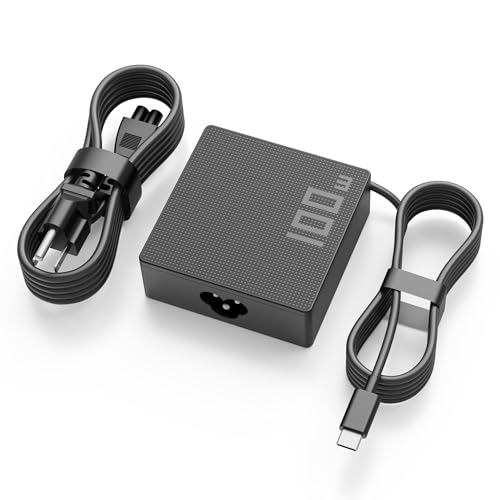 | TUXIFPKU 100W and 65W USB-C Charger | Best fit: ROG models, or a laptop that accepts 100W Output: 100W, 20V 5A, 65W compatible Connector: USB-C ASUS models named: ROG, Zephyrus, Zenbook, Vivobook Maker: TUXIFPKU, third-party | Check Price on Amazon |
1. OYNASUN 65W USB-C Charger — Names Zenbook, Chromebook, ExpertBook and Vivobook Models
OYNASUN lists 65W USB-C output at 20V and 3.25A, with 45W and 33W compatibility. Its bullets name ASUS Zenbook 14, Zenbook 13, Zenbook S13, Chromebook, ExpertBook and Vivobook models, with codes such as UX392FN and UX3402.
OYNASUN lists a 100 to 240V input range and a foldable plug. It also lists a detachable design and says its cord passed 10,000-plus swing tests. Amazon’s product fields give no dimensions or weight. OYNASUN is a third-party brand, so compare your laptop’s model code with its list before ordering.
Our Take Choose OYNASUN when your ASUS laptop’s model code appears in its Zenbook, Chromebook, ExpertBook or Vivobook lists and the laptop takes 65W over USB-C.
- OYNASUN lists 65W USB-C output at 20V and 3.25A, the profile to compare with your laptop’s charging requirement.
- OYNASUN lists 45W and 33W compatibility in addition to its main output.
- OYNASUN names Zenbook, Chromebook, ExpertBook and Vivobook models, and its list is the one to check your laptop’s code against.
- OYNASUN lists a foldable plug and a 100 to 240V input range on its Amazon listing.
- Amazon’s product fields for OYNASUN give no dimensions or weight.
- OYNASUN is a third-party brand, not an ASUS adapter, and its model list is that brand’s own statement of fit.
2. LAP POW 65W USB-C Adapter — Lists a 5.9-Foot Power Cord
LAP POW lists 65W USB-C output as a 5 to 20V range up to 3.25A, with 33W and 45W compatibility. Its model list names ASUS Chromebook Flip, Transformer, Zenbook, ExpertBook B9 and Vivobook S435 models.
LAP POW states a 5.9-foot power cord and a foldable plug, with a 110 to 240V input range. Amazon’s product fields give no dimensions or weight. LAP POW is a third-party brand, and its listing asks buyers who are unsure of their laptop’s compatibility to use the Q and A section or contact the seller.
Our Take Pick LAP POW when your ASUS model code is on its list and you want a cord with a stated length of 5.9 feet.
- LAP POW lists 65W maximum output and adds 33W and 45W compatibility.
- LAP POW states a 5.9-foot power cord, the only cord length that any of the six lists, and a foldable plug.
- LAP POW names Chromebook Flip, Transformer, Zenbook, ExpertBook B9 and Vivobook S435 models.
- LAP POW lists a 110 to 240V input range.
- Amazon’s product fields for LAP POW give no dimensions or weight.
- LAP POW asks buyers unsure of compatibility to use the Q and A section or contact the seller.
3. Dexpt 65W USB-C Charger — For ASUS 65W and 45W USB-C Laptops
Dexpt states 65W maximum output at 20V and 3.25A and says it fits ASUS 65W and 45W laptops with a USB-C power connector. Its bullets name Zenbook, Chromebook Flip, ExpertBook, Vivobook and ROG Ally models, with codes such as UX3402, C213 and RC71L.
Dexpt lists a 100 to 240V input range and a one-year manufacturer warranty. Its package line lists one USB-C replacement charger and does not mention an AC power cord. Amazon’s dimension fields list 2.6 by 2.1 by 0.1 inches, while its size field lists 5.42 by 4.62 by 1.81 inches, and the two fields disagree.
Dexpt is a third-party brand.Our Take Consider Dexpt when your laptop is an ASUS 65W or 45W model with a USB-C power connector and its code appears on the Dexpt list.
- Dexpt states 65W maximum output at 20V and 3.25A.
- Dexpt says it fits ASUS 65W and 45W laptops with a USB-C power connector.
- Dexpt names Zenbook, Chromebook Flip, ExpertBook, Vivobook and ROG Ally models.
- Dexpt lists a one-year manufacturer warranty.
- Dexpt’s package line lists one USB-C replacement charger and does not mention an AC power cord.
- Amazon’s dimension and size fields for Dexpt give different measurements.
4. Ryaobwu 65W USB-C Charger — Names Zenbook Duo 14 and Zenbook Flip Models
Ryaobwu lists 65W and 45W USB-C output, with profiles up to 20V at 3.25A. Its bullets name ASUS Zenbook Duo 14, Zenbook Flip, Zenbook 13, Zenbook 14, Zenbook 3 Deluxe, Zenbook S13 and many Chromebook Flip models, and its title also names ROG Ally.
Ryaobwu lists a 100 to 240V input range, and its package line lists the charger and one AC power cord. Amazon’s product fields give no dimensions or weight. Ryaobwu is a third-party brand, and Amazon’s manufacturer field names the same company as TUXIFPKU, DongGuan Simer Electronics.
Our Take Choose Ryaobwu when a Zenbook Duo 14 or Zenbook Flip model code appears on its list.
- Ryaobwu lists 65W and 45W USB-C output profiles.
- Ryaobwu names Zenbook Duo 14 and Zenbook Flip models.
- Ryaobwu lists a 100 to 240V input range.
- Ryaobwu’s package line lists an AC power cord.
- Amazon’s product fields for Ryaobwu give no dimensions or weight.
- Ryaobwu is a third-party brand, not an ASUS adapter, and its model list is that brand’s own statement of fit.
5. HAPIGD 65W USB-C Charger — Names Zenbook 3 and Zenbook Flip Models
HAPIGD lists USB-C output profiles from 5V at 3A up to 20V at 3.25A, and says its maximum power can be compatible with 65W. Its bullets name Zenbook 3, Zenbook 13, Zenbook 14, Zenbook S, Zenbook Flip and Chromebook Flip models.
Amazon lists a weight of 0.5 pounds and no dimensions. HAPIGD’s bullets also name Lenovo ThinkPad and HP laptops, so ASUS is one of three brands in its compatibility text. HAPIGD is a third-party brand.Our Take Pick HAPIGD when your laptop’s code appears in its Zenbook or Chromebook Flip lists and its listed output profiles fit the laptop.
- HAPIGD lists USB-C output profiles up to 20V at 3.25A.
- HAPIGD says its maximum power can be compatible with 65W.
- HAPIGD names Zenbook 3, Zenbook S, Zenbook Flip and Chromebook Flip models.
- HAPIGD’s Amazon fields list a weight of 0.5 pounds.
- HAPIGD’s bullets also name Lenovo ThinkPad and HP laptops, so its model list covers more than ASUS.
- Amazon’s product fields for HAPIGD give no dimensions.
6. TUXIFPKU 100W and 65W USB-C Charger — Lists 100W Output and 65W Compatibility
TUXIFPKU lists a 100W USB-C output at 20V and 5A and says it is also compatible with 29W, 30W, 45W, 65W, 90W and 95W. Its ASUS lists name ROG Ally, ROG Flow, ROG Strix, Zephyrus, Zenbook and Vivobook models, and its bullets name no ASUS Chromebook.
Among the six, only TUXIFPKU states 100W as its output. Its package line lists one AC adapter and one AC power cable, and its size field lists 2.95 by 2.95 by 1.1 inches. TUXIFPKU is a third-party brand.Our Take Choose TUXIFPKU when your ASUS ROG, Zenbook or Vivobook code is on its list and the laptop accepts USB-C charging at one of its stated power levels.
- TUXIFPKU lists 100W USB-C output at 20V and 5A.
- TUXIFPKU states compatibility with 45W and 65W USB-C power levels.
- TUXIFPKU names ROG, Zephyrus, Zenbook and Vivobook models.
- TUXIFPKU’s package line lists an AC adapter and an AC power cable.
- TUXIFPKU states 65W as one of several compatible power levels, not as its main output.
- TUXIFPKU’s bullets name no ASUS Chromebook model.
Buying Guide
1. Match the exact ASUS model first
A USB-C connector alone does not show that a charger fits. All six listings name ASUS model codes, and across them the families include Zenbook, Vivobook, Chromebook, ExpertBook and ROG. Find your laptop’s full model code, then look for it in the listing’s model list.
Match the required power beside the model code. Dexpt lists 65W output and 45W compatibility, while TUXIFPKU states 100W output with 65W compatibility. Use a listing only when both your model code and your laptop’s power level appear in it.
2. Compare output profiles, not only the headline wattage
Five of the six listings state 20V at 3.25A. OYNASUN, LAP POW, Dexpt, Ryaobwu and HAPIGD all list that profile. Check that the profile your laptop needs is written out, not only a broad USB-C label.
TUXIFPKU states 20V at 5A for 100W and also lists lower compatible power levels. The 100W figure is the charger’s maximum, so confirm your laptop on TUXIFPKU’s model list. For chargers rated at 100W, see our 100W USB-C charger guide.
3. Choose cable and plug details for where it will be used
LAP POW states a 5.9-foot power cord. Ryaobwu and TUXIFPKU state that an AC power cord is included, and Dexpt’s package line does not mention one. Check the package line if the charger has to reach a wall outlet.
LAP POW and OYNASUN list a foldable plug. LAP POW says its foldable plug saves space in a bag. Choose by plug only after the model code and the output profile match.
4. Do not infer support from another ASUS family
Zenbook, Vivobook, Chromebook and ROG are separate questions. A Zenbook entry does not cover a similarly named Vivobook, and each list names specific codes. Use the code printed on your laptop.
Prefer the exact code over the family name. If your laptop’s code is absent from a list, choose a charger whose list names it. A listing that also names Lenovo or HP laptops, as HAPIGD does, gives no extra ASUS coverage.
5. Know what a third-party charger is
None of these six is an ASUS adapter. OYNASUN, LAP POW, Dexpt, Ryaobwu, HAPIGD and TUXIFPKU are third-party brands, and no listing’s brand field names ASUS. Each listing’s model list is that brand’s own statement about which laptops it fits.
For a laptop that is not an ASUS, see our USB-C charger guide. Compare wattage against the laptop’s charging requirement there as well.
FAQ
Can any USB-C charger replace an ASUS laptop adapter?
No. A listing should name your exact ASUS model code and state an output profile that matches what the laptop requires. A USB-C plug alone does not show compatibility.
Compare the laptop’s required input with the listing’s wattage and voltage. The model code match is the deciding step for a third-party charger.
Which listings state 65W output?
OYNASUN, LAP POW, Dexpt and Ryaobwu list 65W output, and HAPIGD says its maximum power can be compatible with 65W. TUXIFPKU lists 100W output and names 65W as a compatible level.
None of the six is made by ASUS. Check each listing’s model list against your laptop’s code.
Is a 100W charger suitable for a 65W ASUS laptop?
TUXIFPKU states compatibility with 65W USB-C power levels, but the laptop’s own charging specification decides. Check your model code in TUXIFPKU’s list.
A higher headline wattage is not a selection rule by itself. Connector, output profile and model code all have to match.
Which option lists the longest cable?
LAP POW states a 5.9-foot power cord. None of the other five lists a cable length.
A longer cable gives you more room to place the charger. Confirm the model code and output profile first.
Do these listings cover ASUS Chromebooks?
Five of the six name ASUS Chromebook or Chromebook Flip models: OYNASUN, LAP POW, Dexpt, Ryaobwu and HAPIGD. TUXIFPKU’s bullets name none.
Check your exact Chromebook code, because one model in a list does not extend to every ASUS Chromebook.
Bottom Line
Use your laptop’s model code and USB-C charging requirement to choose. OYNASUN 65W names Zenbook, Chromebook, ExpertBook and Vivobook models, Dexpt 65W states 65W and 45W ASUS compatibility, and TUXIFPKU 100W adds 100W output with 65W compatibility. All six are third-party chargers.