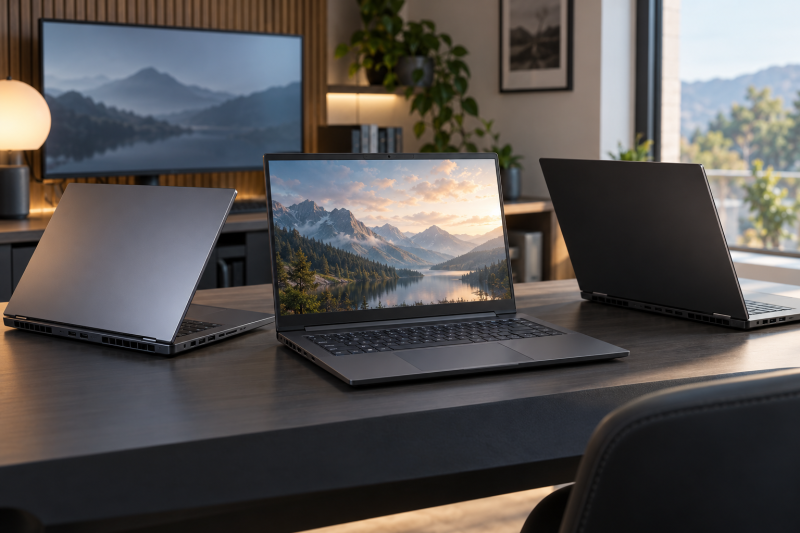
Six 16-inch gaming laptops, each with a dedicated NVIDIA GPU stated on its Amazon listing. The listed GPUs run from an RTX 5050 with a 165Hz screen to an RTX 5090 with a 240Hz OLED, and the memory, storage and ports differ just as much. The comparison below sorts them by GPU, refresh rate and panel, because a shared 16-inch label does not tell you the display or the connections.
For a port-first decision, see the gaming laptop guide, USB4 laptop guide, and Thunderbolt 4 docking station guide. The Thunderbolt 5 gaming laptop guide covers laptops chosen by that connection.
16-Inch Gaming Laptops Compared
| Image | Product | Details | Check Price |
|---|---|---|---|
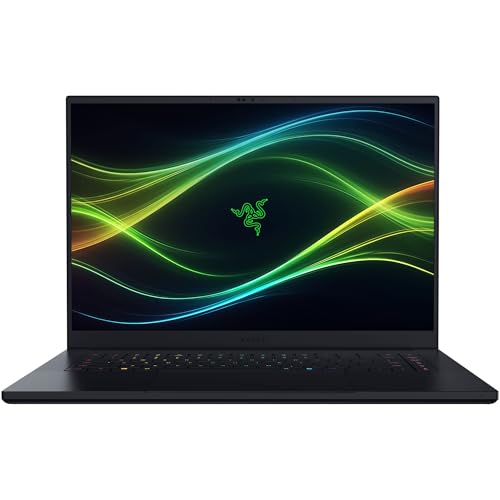 | Razer Blade 16 | Best fit: RTX 5070 Ti, 240Hz OLED Screen: 16-inch 2560 x 1600 OLED 240Hz Processor: Core Ultra 9 386H Listed connections: Thunderbolt 5, HDMI 2.1 Memory and storage: 32GB LPDDR5X, 1TB SSD | Check Price on Amazon |
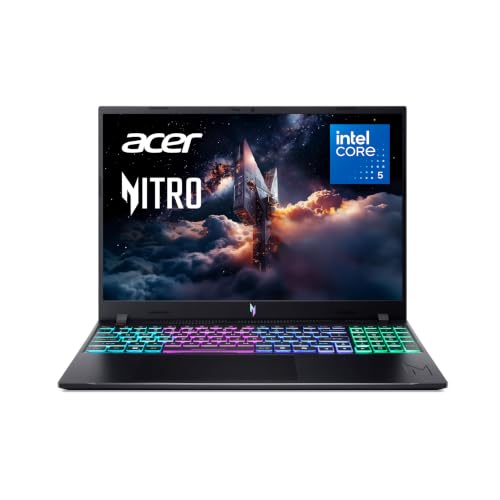 | Acer Nitro V 16 | Best fit: RTX 5050, Thunderbolt 4 Screen: 16-inch WUXGA IPS 165Hz Processor: Core 5 210H Listed connections: Thunderbolt 4, HDMI 2.1, Ethernet Memory and storage: 8GB DDR5, 512GB SSD | Check Price on Amazon |
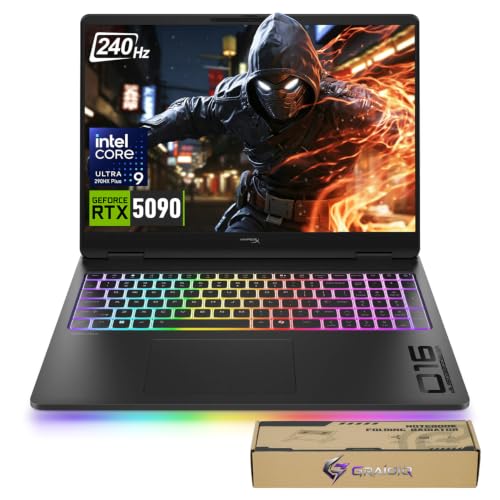 | HP HyperX Omen MAX 16 | Best fit: RTX 5090, 240Hz OLED Screen: 16-inch 2.5K OLED 240Hz Processor: Core Ultra 9 290HX Plus Listed connections: Two Thunderbolt 4, HDMI 2.1, Ethernet Memory and storage: Not stated; title shows 128+8 | Check Price on Amazon |
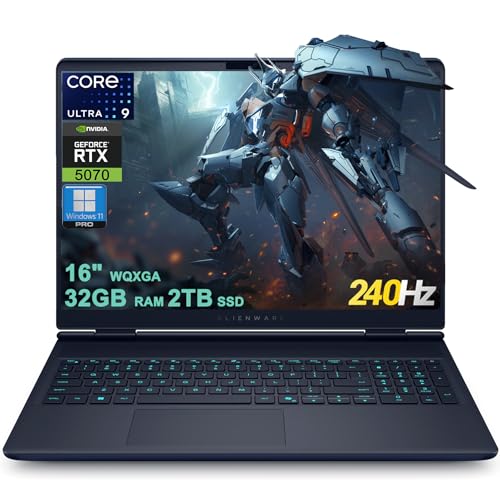 | Dell Alienware 16X Aurora | Best fit: RTX 5070, 240Hz WQXGA Screen: 16-inch WQXGA 240Hz Processor: Core Ultra 9 275HX Listed connections: One Thunderbolt 4, HDMI 2.1, Ethernet Memory and storage: 32GB RAM, 2TB SSD (third-party seller) | Check Price on Amazon |
 | ASUS ROG Strix G16 | Best fit: RTX 5070, 165Hz Screen: 16-inch FHD+ 165Hz Processor: Ryzen 9 9955HX Listed connections: No port named Memory and storage: 16GB DDR5-5600, 1TB SSD | Check Price on Amazon |
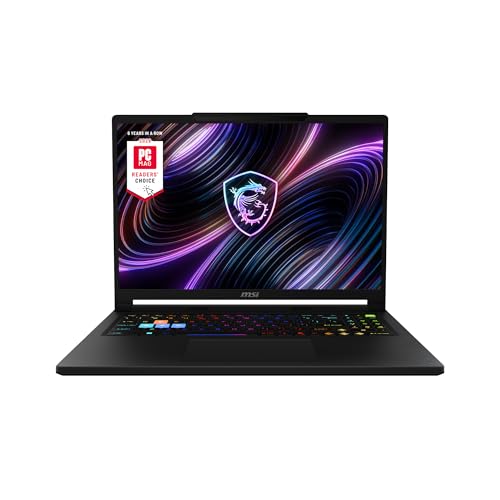 | MSI Raider A16 HX | Best fit: RTX 5080, QHD+ Screen: 16-inch QHD+ 240Hz (optional) Processor: Ryzen 9 8940HX Listed connections: Type C named, no protocol stated Memory and storage: 32GB DDR5, 2TB SSD | Check Price on Amazon |
1. Razer Blade 16 — Best RTX 5070 Ti OLED Pick
Amazon’s Razer Blade 16 listing states a 16-inch 2560 x 1600 OLED display at 240Hz with a 0.2ms response time, 100% DCI-P3 and DisplayHDR TrueBlack 1000. It pairs a Core Ultra 9 386H with an RTX 5070 Ti (12GB GDDR7, up to 140W TGP), 32GB of LPDDR5X memory and a 1TB PCIe 4.0 SSD. Razer describes the memory as non-upgradeable and names two M.2 NVMe slots for storage up to 8TB in total.
The listing names Thunderbolt 5 and HDMI 2.1 among its ports, and no other laptop on this page names Thunderbolt 5. It suits a buyer who wants an OLED panel at 240Hz and Thunderbolt 5 in one 16-inch laptop and can live with 32GB of memory that cannot be upgraded.
Our Take Choose the Blade 16 for a 240Hz OLED panel, an RTX 5070 Ti and Thunderbolt 5 in a 16-inch laptop.
- A buyer who wants an OLED panel gets one here, because Amazon’s listing states a 16-inch 2560 x 1600 OLED at 240Hz with 100% DCI-P3.
- Razer lists a Core Ultra 9 386H and an RTX 5070 Ti with 12GB GDDR7.
- Razer names Thunderbolt 5 and HDMI 2.1 among the ports.
- Razer describes the 32GB of LPDDR5X memory as non-upgradeable, so the memory cannot be increased later.
- Razer lists a 1TB SSD, less than the 2TB the Dell and MSI list.
2. Acer Nitro V 16 — Best RTX 5050 Pick With Thunderbolt 4
The Acer Nitro V 16 (ANV16-I31-54PT) is the RTX 5050 laptop on this page. Amazon’s listing states a 16-inch WUXGA 1920 x 1200 IPS display at 165Hz, a Core 5 210H, 8GB of DDR5 memory and a 512GB Gen 4 SSD. The 8GB and 512GB are less than the Razer, Dell, ASUS and MSI list.
Acer’s port list names one USB-C port as Thunderbolt 4 with DisplayPort and charging up to 100W, plus one USB 3.2 Gen 2 port, two USB 3.2 Gen 1 ports, HDMI 2.1 and RJ-45 Ethernet. It fits a buyer who wants the lowest GPU tier here with a named Thunderbolt 4 port and wired Ethernet, and accepts the smaller memory and storage.
Our Take Pick the Nitro V 16 for an RTX 5050, a 165Hz WUXGA screen, Thunderbolt 4 and Ethernet.
- Amazon’s listing states a 16-inch WUXGA IPS display at 165Hz and an RTX 5050 Laptop GPU.
- Acer lists Thunderbolt 4 with DisplayPort and charging up to 100W on one USB-C port.
- Acer lists HDMI 2.1 and RJ-45 Ethernet in the port list.
- Amazon’s model field reads ANV16-I31-54PT, matching the title, so a buyer can check the model number against the page they order from.
- Acer lists 8GB of DDR5 and a 512GB SSD, less than the Razer, Dell, ASUS and MSI list.
3. HP HyperX Omen MAX 16 — Best RTX 5090 OLED Pick
Amazon’s listing for the HP HyperX Omen MAX 16 (TPN-I143) states an RTX 5090 Laptop GPU with a Core Ultra 9 290HX Plus and a 16-inch 2.5K OLED display at 240Hz. The screen text adds a 0.2ms response time, 500 nits of SDR brightness, up to 1100 nits of HDR brightness and 100% DCI-P3. No other laptop on this page lists an RTX 5090.
HP’s port text names two Thunderbolt 4 USB-C ports with 40Gbps signaling, USB Power Delivery 3.1, DisplayPort 2.1, two USB-A 10Gbps ports, HDMI 2.1 and RJ-45 Ethernet. The title ends its spec list with “128+8” and does not say what that counts, so this page gives no memory or storage size for the HP. Amazon showed Crabapple Tech Store, a third-party seller, on the New offer when this guide was written.
Our Take Choose the Omen MAX 16 for an RTX 5090, a 240Hz OLED panel, two Thunderbolt 4 ports and Ethernet, after asking the seller what memory and storage ship.
- HP lists an RTX 5090 Laptop GPU with a Core Ultra 9 290HX Plus.
- Amazon’s listing states a 16-inch 2.5K OLED at 240Hz with 100% DCI-P3.
- HP lists two Thunderbolt 4 USB-C ports, HDMI 2.1 and RJ-45 Ethernet.
- HP’s port text names USB Power Delivery 3.1 and DisplayPort 2.1, two details a buyer planning around a dock or monitor can check.
- The title’s “128+8” is not explained, so the memory and storage sizes are unknown.
- Amazon showed Crabapple Tech Store, a third-party seller, on the New offer when this guide was written.
4. Dell Alienware 16X Aurora — Best RTX 5070 WQXGA Pick
Amazon’s Dell Alienware 16X Aurora listing states a 16-inch WQXGA 2560 x 1600 screen at 240Hz with 100% DCI-P3 and G-SYNC. It lists a Core Ultra 9 275HX, an RTX 5070 with 8GB of GDDR7, 32GB of RAM and a 2TB SSD. Next to the ASUS RTX 5070 listing, which states 165Hz, the Dell is the RTX 5070 laptop with the faster screen.
The ports line names one Thunderbolt 4 port, one USB-C 3.2 port, two USB-A 3.2 ports, HDMI 2.1 and RJ45 Ethernet. Amazon showed J-Tech Digital, a third-party seller, on the New offer when this guide was written. The model field holds Amazon’s own product code instead of a Dell part number, so confirm that the 32GB and 2TB figures match what ships.
Our Take Choose the Alienware 16X Aurora for an RTX 5070, a 240Hz WQXGA screen, 2TB of storage, Thunderbolt 4 and Ethernet, after confirming the configuration with the seller.
- Amazon’s listing states a 16-inch WQXGA 240Hz screen with 100% DCI-P3 and G-SYNC.
- The J-Tech Digital listing states a Core Ultra 9 275HX, an RTX 5070 with 8GB GDDR7, 32GB of RAM and a 2TB SSD.
- Dell’s ports line names one Thunderbolt 4 port, HDMI 2.1 and RJ45 Ethernet.
- Amazon’s model field holds its own product code, not a Dell part number, so the buyer should confirm the configuration with the seller.
- Amazon showed J-Tech Digital, a third-party seller, on the New offer when this guide was written.
5. ASUS ROG Strix G16 — Best RTX 5070 165Hz Pick
The ASUS ROG Strix G16 (G614FP-OS94) listing states a Ryzen 9 9955HX, an RTX 5070 Laptop GPU, 16GB of DDR5-5600 memory, a 1TB PCIe Gen 4 SSD and a 16-inch 16:10 FHD+ display at 165Hz with a 3ms response time.
Amazon’s title, feature bullets and product details name no port. A missing port line does not show the laptop lacks Thunderbolt or USB4, but this page cannot credit it with either.
It fits a buyer who picks on processor, GPU, storage and a 165Hz screen, and who will check ASUS’s own specification page for the G614FP-OS94 before planning around a dock or monitor.Our Take Consider the ROG Strix G16 for an RTX 5070, a Ryzen 9 9955HX and a 165Hz FHD+ screen when the ports are not the deciding factor.
- Amazon’s listing shows G614FP-OS94 in both the title and the model field, so a buyer can match the model number to the page they order from.
- ASUS lists a Ryzen 9 9955HX, an RTX 5070 Laptop GPU, 16GB of DDR5-5600 and a 1TB PCIe Gen 4 SSD.
- Amazon’s listing states a 16-inch FHD+ display at 165Hz with a 3ms response time.
- Amazon’s listing for the ASUS names no port in any field, so a buyer must check ASUS’s specification page before planning around a dock or monitor.
6. MSI Raider A16 HX — Best RTX 5080 QHD+ Pick
The MSI Raider A16 HX title states a 16-inch QHD+ display at 240Hz, a Ryzen 9 8940HX, an RTX 5080, 32GB of DDR5 memory and a 2TB NVMe SSD, and the feature text adds 16GB of GDDR7 and 100% DCI-P3. The same feature text labels the 240Hz display optional, so confirm that the unit you order has it.
The title says “Type C” and no other field names a port type, speed, display output or charging, so this page does not credit the MSI with Thunderbolt or USB4. It fits a buyer who picks on the RTX 5080, the memory and the 2TB of storage and who will confirm the USB-C details with MSI.
Our Take Pick the Raider A16 HX for an RTX 5080, 32GB of DDR5 and 2TB of storage, after confirming the 240Hz display and the USB-C details.
- MSI lists an RTX 5080 with 16GB GDDR7, a Ryzen 9 8940HX, 32GB of DDR5 and a 2TB NVMe SSD.
- Amazon’s listing states a 16-inch QHD+ display with 100% DCI-P3.
- Amazon’s model and part fields both read RAIDERA16HXB8023, a number a buyer can match against the page they order from.
- MSI’s feature text labels the 240Hz display optional.
- MSI’s title says only “Type C” and names no protocol, speed or display support, so the buyer must confirm the USB-C details with MSI.
Buying Guide
1. Start with GPU and screen together
The six listings cover an RTX 5050, two RTX 5070 laptops, an RTX 5070 Ti, an RTX 5080 and an RTX 5090. The Acer pairs the RTX 5050 with a 165Hz screen, the Dell and ASUS both state an RTX 5070, the Razer states the RTX 5070 Ti, the MSI the RTX 5080 and the HP the RTX 5090.
The screen changes along with the GPU, from WUXGA at 165Hz to WQXGA, QHD+ and OLED at 240Hz. Read the GPU, resolution and refresh rate together instead of assuming a higher GPU name fixes the panel. None of the listings gives a benchmark, so this page makes no frame-rate comparison.
2. Compare the display wording rather than only refresh rate
The Razer Blade 16 and HP Omen MAX 16 both state 240Hz OLED screens, the Razer at 2560 x 1600 and the HP as 2.5K, and each listing states 100% DCI-P3. The Dell states a WQXGA 240Hz screen with G-SYNC, and the MSI states QHD+ at 240Hz with an optional label.
The two 165Hz laptops differ as well, with a WUXGA IPS panel on the Acer and an FHD+ panel on the ASUS. Compare resolution, panel type and color gamut separately from refresh rate. HP’s listing rates the panel at up to 1100 nits of HDR brightness, and Razer’s listing names DisplayHDR TrueBlack 1000.
3. Use a port claim only when the listing states it
Only the Razer names Thunderbolt 5. The Acer, HP and Dell name Thunderbolt 4, with one port on the Acer and Dell and two on the HP. HP also names DisplayPort 2.1 and USB Power Delivery 3.1, and Acer names DisplayPort and charging up to 100W on its Thunderbolt port.
The ASUS listing names no port, and the MSI title says only “Type C”. Confirm the port on the maker’s page before buying for a dock, monitor or charger. A missing port line is a gap in the listing, not proof the laptop lacks the port.
4. Keep memory and storage tied to the individual offer
Stated memory and storage run from the Acer’s 8GB and 512GB to the Dell’s and MSI’s 32GB and 2TB. The Razer states 32GB and 1TB, and the ASUS states 16GB and 1TB.
The HP title ends in “128+8” without saying what it counts, so this page gives no HP figure. The Dell’s figures come from a third-party seller’s listing that holds no Dell part number. Ask the seller what memory and storage ships before ordering either one.
5. Use the model field to avoid lookalike configurations
RZ09-05817EN3-R3U1, ANV16-I31-54PT, TPN-I143, G614FP-OS94 and RAIDERA16HXB8023 are the model fields on five of the six listings. The Dell’s model field holds Amazon’s own product code instead.
A 16-inch product name often covers several GPU, panel, storage and port variations. Match the model number on the page you order from to the one named here, and treat a listing that gives no model number with extra care.
FAQ
Which 16-inch gaming laptops here list 240Hz displays?
The Razer Blade 16, HP HyperX Omen MAX 16, Dell Alienware 16X Aurora and MSI Raider A16 HX list 240Hz displays. The MSI’s feature text calls its 240Hz display optional.
The panels differ. The Razer and HP state OLED, the Dell states WQXGA with G-SYNC, and the MSI states QHD+ with 100% DCI-P3. A 240Hz label alone does not make the displays interchangeable.
Which listing states the highest GPU here?
The HP HyperX Omen MAX 16 states an RTX 5090 Laptop GPU, and no other laptop on this page lists one. HP pairs it with a Core Ultra 9 290HX Plus and a 16-inch 2.5K OLED at 240Hz.
HP also names two Thunderbolt 4 USB-C ports, HDMI 2.1 and RJ-45 Ethernet. The title’s “128+8” is not explained, so this page treats the memory and storage sizes as unknown.
Which laptops state Thunderbolt 4 and Ethernet?
The Acer Nitro V 16, HP HyperX Omen MAX 16 and Dell Alienware 16X Aurora each state Thunderbolt 4 and Ethernet. Acer adds charging up to 100W and DisplayPort, HP adds USB Power Delivery 3.1 and DisplayPort 2.1, and Dell adds HDMI 2.1.
The Razer names Thunderbolt 5 and HDMI 2.1 but names no Ethernet port. The GPU and screen differ across the three, so the ports are one decision input and not the only one.
Does the ASUS ROG Strix G16 listing name a port?
No. Amazon’s title, feature bullets and product details for the ROG Strix G16 name no port. They do state the G614FP-OS94 model, a Ryzen 9 9955HX, an RTX 5070, 16GB of DDR5-5600, a 1TB SSD and a 165Hz display with a 3ms response time.
The gap is in the listing and is not a claim that the laptop has no port. A buyer who needs a particular dock or monitor connection should check ASUS’s specification page for the model first.
Which laptops list 2TB of storage?
The Dell Alienware 16X Aurora and MSI Raider A16 HX each list 2TB SSDs. The Dell also lists 32GB of RAM, a WQXGA 240Hz screen, Thunderbolt 4, HDMI 2.1 and Ethernet, while the MSI lists an RTX 5080 and an optional 240Hz QHD+ screen.
The Razer lists 1TB but names two M.2 NVMe slots for storage up to 8TB in total, the ASUS lists 1TB and the Acer lists 512GB. The HP title’s “128+8” is not explained, so this page states no HP figure.
Bottom Line
Choose the Blade 16 for a 240Hz OLED and Thunderbolt 5, the Acer Nitro V 16 for an RTX 5050 with Thunderbolt 4 and Ethernet, or the HP Omen MAX 16 for the RTX 5090 OLED laptop. The Dell offers an RTX 5070 with a 240Hz WQXGA screen and 2TB of storage, the ASUS is the RTX 5070 laptop at 165Hz, and the MSI is the RTX 5080 laptop with an optional 240Hz display and unspecified USB-C details. Match any dock or monitor plan to the model number on the page you order from.