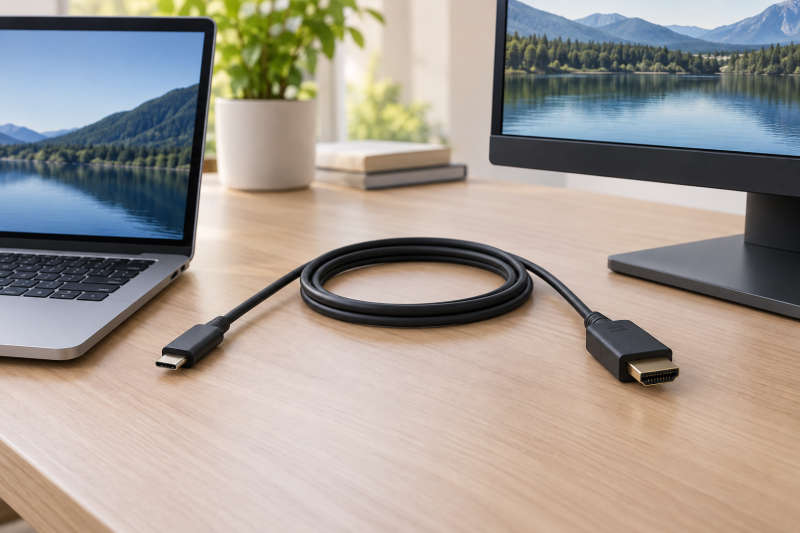
A USB-C-to-HDMI cable is the direct connection from a laptop’s video-capable USB-C port to a monitor, TV, or projector with HDMI. It is a cable, not a hub or dock. Four of the six listings state that it works one way, from the USB-C host to the HDMI display, and Acer and Highwings say it does not charge the laptop.
Start with the laptop port. The host must support DisplayPort Alt Mode or another USB-C video path, and the display must accept HDMI. The cable’s listed resolution is only one part of that connection.
Choose the physical direction and the laptop’s video-capable USB-C port before comparing 4K, 8K, cable length, or braiding.USB-C to HDMI Cables Compared
| Image | Product | Details | Check Price |
|---|---|---|---|
 | Acer OCB245 USB-C to HDMI Cable | Best fit: 6.6-foot 4K 60Hz cable Length: 6.6 ft Stated video: 4K 60Hz Connector path: USB-C host to HDMI display Buyer check: Host needs DisplayPort Alt Mode; no HDR | Check Price on Amazon |
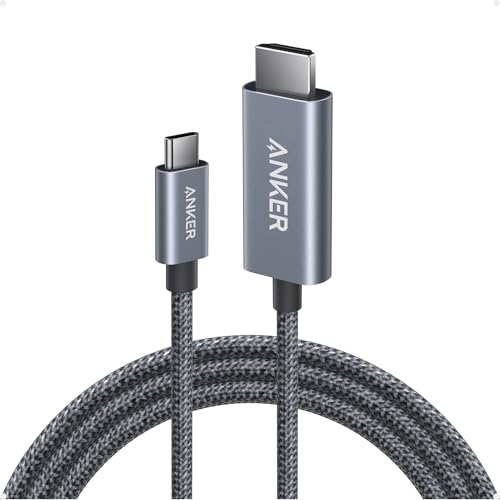 | Anker A87E0 USB-C to HDMI Cable | Best fit: 6-foot braided HDR cable Length: 6 ft Stated video: 4K 60Hz with HDR Connector path: USB-C to HDMI Buyer check: Video output is host-dependent | Check Price on Amazon |
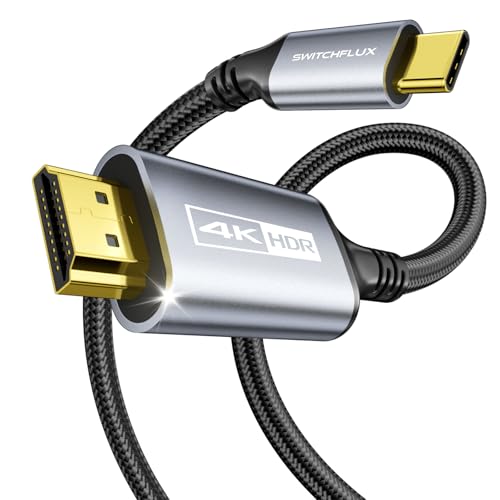 | SWITCHFLUX USB-C to HDMI Cable | Best fit: 6-foot cable with a 2-year warranty Length: 6 ft Stated video: 4K 60Hz; 2K 120Hz Connector path: USB-C source to HDMI monitor Buyer check: Host needs DisplayPort Alt Mode | Check Price on Amazon |
 | Warrky WARRKY-AV-CH13B3 USB-C to HDMI Cable | Best fit: 6-foot cable with a lifetime warranty Length: 6 ft Stated video: 4K 60Hz; 2K 144Hz Connector path: USB-C host to HDMI display Buyer check: Not HDMI source to USB-C display | Check Price on Amazon |
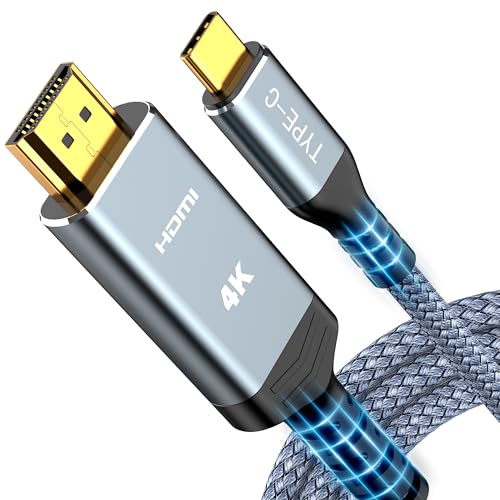 | Highwings USB-C to HDMI Cable | Best fit: 6-foot flat cable with a stated bend rating Length: 6 ft Stated video: 4K 60Hz; 2K 120Hz Connector path: USB-C host to HDMI display Buyer check: No charging through the cable | Check Price on Amazon |
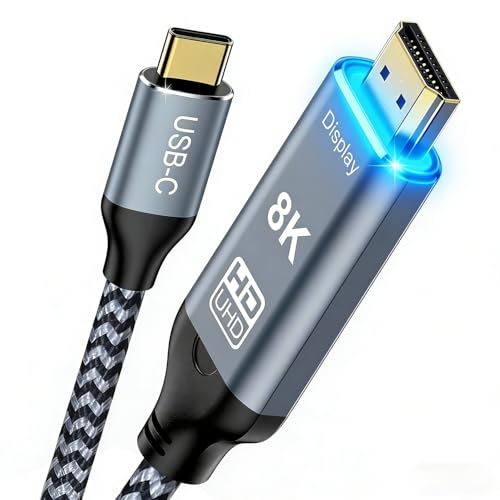 | Angusplay USB-C to HDMI 2.1 Cable | Best fit: 10-foot cable with 8K and 4K 144Hz stated Length: 10 ft Stated video: 8K 60Hz; 4K 144Hz Connector path: USB-C to HDMI Buyer check: Confirm the host and display support the mode | Check Price on Amazon |
1. Acer OCB245 USB-C to HDMI Cable — Best 6.6-Foot 4K 60Hz Cable
Acer’s OCB245 gives a little more reach than the six-foot cables. Acer’s listing describes a 6.6-foot USB-C-to-HDMI cable with 4K at 60Hz, 1440p at 60Hz, and 1080p at 120Hz. It says the USB-C port must support DisplayPort Alternate Mode and that the cord works one way, from USB-C host to HDMI display.
Acer’s listing is specific about limits. It says the cable does not support portable monitors, ultrawide monitors, docks, docking stations, or hubs, and does not support HDR. A conventional HDMI monitor, TV, or projector is the fit, once the host’s video output is confirmed.
Our Take Choose OCB245 for a conventional HDMI display when six feet is slightly too short and the laptop USB-C port supports DisplayPort Alt Mode.
- Acer lists 6.6 feet, 0.6 feet more than the six-foot cables, for a desk where six feet is slightly too short.
- Acer lists 4K at 60Hz plus 1440p at 60Hz and 1080p at 120Hz for a conventional HDMI monitor, TV, or projector.
- Acer states the one-way USB-C host to HDMI display direction, a direct fit for a laptop driving a display.
- Acer says the cable does not support portable monitors or ultrawide monitors, so a conventional HDMI display is the fit.
- Acer says the cable does not support HDR, a limit stated in its own listing.
- Acer says the USB-C port must support DisplayPort Alternate Mode, and the laptop’s video output needs confirming first.
2. Anker A87E0 USB-C to HDMI Cable — Best Six-Foot Braided HDR Cable
Anker lists the A87E0 as a six-foot USB-C-to-HDMI cable with 4K at 60Hz and HDR. The listing also names compatibility with Thunderbolt 3, 4, and 5, nylon braiding, advanced shielding, and 10,000 plug cycles, which Anker bases on its internal lab testing.
Anker’s listing does not mention DisplayPort Alt Mode or a one-way direction, so the laptop’s documentation is the place to confirm USB-C video output. Thunderbolt wording is not proof of video output on every USB-C port.
A six-foot cable suits a nearby display, but the host port and the HDMI display set the picture mode.Our Take Choose Anker A87E0 for a six-foot cable when 4K 60Hz with HDR is the stated cable-side target and the laptop supports USB-C video.
- Anker lists 4K at 60Hz with HDR as the stated cable-side target for the A87E0.
- Anker lists nylon braiding and advanced shielding on a six-foot cable that suits a nearby display.
- Anker lists compatibility with Thunderbolt 3, 4, and 5, though Thunderbolt wording is not proof of video output on every USB-C port.
- Anker lists six feet, shorter than Acer’s 6.6 feet and Angusplay’s 10 feet.
- Anker’s listing does not state a one-way direction or a DisplayPort Alt Mode requirement, so the laptop’s documentation is the place to confirm USB-C video output.
3. SWITCHFLUX USB-C to HDMI Cable — Best 6-Foot Cable with a 2-Year Warranty
SWITCHFLUX lists 4K at 60Hz, 2K at 120Hz, and a one-way USB-C source to HDMI monitor path. The listing says the USB-C device must support video transmission through DisplayPort Alt Mode. It describes a six-foot braided cable with an aluminum-alloy housing and a 2-year warranty.
The stated direction fits a laptop that is the source and a display that has HDMI. The cable does not carry an HDMI source into a USB-C-only display, which is a separate adapter category.
A USB-C-to-HDMI cable carries video from a USB-C source to an HDMI display, and it does not turn an HDMI output into a USB-C monitor connection.Our Take Choose SWITCHFLUX for a six-foot cable with a 2-year warranty when the laptop documentation confirms DisplayPort Alt Mode.
- SWITCHFLUX states the one-way USB-C source to HDMI monitor direction, which fits a laptop as the source and a display with HDMI.
- SWITCHFLUX lists 4K at 60Hz and 2K at 120Hz for its six-foot braided cable.
- SWITCHFLUX lists a 2-year warranty on a six-foot cable, the main reason to choose it.
- SWITCHFLUX says the cable only supports one-way signal transfer from a USB-C source to an HDMI monitor, so it cannot carry an HDMI source into a USB-C-only display.
- SWITCHFLUX lists nothing above 4K at 60Hz, while Angusplay lists 4K at 144Hz.
4. Warrky WARRKY-AV-CH13B3 USB-C to HDMI Cable — Best 6-Foot Cable with a Lifetime Warranty
Warrky’s WARRKY-AV-CH13B3 is a six-foot cable that lists 4K at 60Hz, HDR, 2K at 144Hz, and 1080p at 240Hz. Warrky describes a USB-C host to HDMI display connection for Type-C ports with video output (DP Alt Mode) and Thunderbolt 3 and 4, although its title says Thunderbolt 3/4/5 support. The Amazon listing gives a lifetime warranty for the cable, the longest term any of the six listings states.
The extra mode figures do not replace a check of the host. Confirm the USB-C video output and the screen’s HDMI input first, then choose the resolution and refresh rate in the laptop and display settings.
Our Take Choose Warrky for a six-foot cable with a lifetime warranty when the laptop is the USB-C host and the display has an HDMI input.
- Warrky lists 4K at 60Hz with HDR in a six-foot USB-C-to-HDMI cable.
- The Amazon listing for the Warrky cable gives a lifetime warranty, the longest term any of the six listings states.
- Warrky lists 2K at 144Hz and 1080p at 240Hz alongside its 4K mode, though the host and display decide which mode works.
- Warrky says the USB-C port needs video output (DP Alt Mode) or Thunderbolt 3 and 4, so the laptop’s port needs confirming first.
- Warrky’s title says Thunderbolt 3/4/5 support, while its compatibility bullet names Thunderbolt 3 and 4.
- Warrky lists six feet, shorter than Angusplay’s 10 feet.
5. Highwings USB-C to HDMI Cable — Best 6-Foot Flat Cable with a Stated Bend Rating
Highwings lists a six-foot USB-C-to-HDMI cable with 4K at 60Hz and 2K at 120Hz. It says the connection runs from a USB-C host to an HDMI display, that the USB-C port must support DisplayPort Alternate Mode, and that the cable does not support charging. Its listing also claims the nylon, flat cable survives more than 25,000 bends.
The cable carries video and audio to the display and does not carry power back to the laptop. A laptop that needs wall power during a presentation needs its own charger.
Our Take Choose Highwings for a six-foot flat cable with a stated 25,000-bend rating when the laptop has its own power and its USB-C port supports video output.
- Highwings lists 4K at 60Hz and 2K at 120Hz for six feet.
- Highwings states the USB-C host to HDMI display direction, the path a laptop uses to drive a display.
- Highwings says the flat nylon cable survives more than 25,000 bends, a claim from its listing and not a test result.
- Highwings says the cable does not support charging, so the laptop needs its own power.
- Highwings says the USB-C port must support DisplayPort Alternate Mode, so the laptop needs video output from its USB-C port.
6. Angusplay USB-C to HDMI 2.1 Cable — Best 10-Foot 8K and 4K 144Hz Option
Angusplay’s title lists a 10-foot cable with 8K at 60Hz, 4K at 144Hz, 48Gbps, HDR10, and HDMI 2.1. Its bullets frame the extra length for a standing desk, a couch, and a long conference table, a different job from the six-foot cables, and no other listing here gives 10 feet, 8K at 60Hz, or 4K at 144Hz. The bullets do not mention DisplayPort Alt Mode or a one-way direction.
The listed modes describe the cable, not what a laptop and display will reach. Confirm the USB-C video output, the display’s HDMI input, the operating-system settings, and the exact resolution or refresh mode before buying for 8K or 4K 144Hz.
Ten feet solves a room-layout problem, but it cannot add a video mode the host or display lacks.Our Take Choose Angusplay when a verified USB-C video host and HDMI display need a long run and its stated 8K or 4K 144Hz mode matches both endpoints.
- Angusplay frames its 10-foot length for a standing desk, a conference table, and a couch, a different job from the six-foot cables.
- Angusplay’s title lists 8K at 60Hz and 4K at 144Hz alongside 48Gbps and HDMI 2.1, figures that describe the cable and not what a laptop and display will reach.
- Angusplay is the only one of the six listings that gives 10 feet, 8K at 60Hz, or 4K at 144Hz.
- Angusplay’s ten-foot length is more cable than a laptop beside its monitor needs.
- Angusplay’s listing does not state a DisplayPort Alt Mode requirement or a one-way direction, so the USB-C video output needs confirming.
Buying Guide
1. Confirm the direction before buying
Every cable here has a USB-C end and an HDMI end. Acer, SWITCHFLUX, Warrky, and Highwings state that the signal runs one way, from USB-C host to HDMI display. Anker and Angusplay do not state a direction in their listings, so treat them the same way.
Do not reverse that path. An HDMI source feeding a USB-C display is a different conversion problem that none of these listings covers. The USB-C-to-HDMI 2.1 adapter guide covers adapters, which are a different product from these cables.
2. Establish whether the USB-C port carries video
A USB-C connector can provide power or data without display output. Acer, SWITCHFLUX, Warrky, and Highwings each say the USB-C port needs DisplayPort Alt Mode, a video output, or Thunderbolt. Anker and Angusplay do not say so, but the laptop needs a video-capable port. Check the laptop manual or port specification before expecting a picture.
A cable cannot add a missing video function. Use the site’s DisplayPort Alt Mode check to evaluate the host side, then check the screen’s HDMI input and the desired display mode.
3. Treat 4K, 8K, and refresh figures as cable-side ceilings
Five of the six cables list 4K at 60Hz as their top mode, while Angusplay lists 8K at 60Hz and 4K at 144Hz. Warrky also lists 2K at 144Hz, and SWITCHFLUX and Highwings list 2K at 120Hz. The figures help choose a cable once the laptop and screen documentation support the same mode.
A higher title number cannot upgrade the connected display. A 4K 60Hz monitor stays a 4K 60Hz monitor, and a host can set a lower limit. Check resolution, refresh, HDMI version, graphics output, and system settings as one path.
4. Measure the distance before selecting six, 6.6, or 10 feet
The six-foot cables suit a laptop beside a display, Acer adds 0.6 feet, and Angusplay states 10 feet. Measure the path from the laptop’s actual USB-C video port to the HDMI input, including a relaxed bend and any movement from a laptop stand.
Extra length solves reach, not picture quality. Angusplay makes sense for a standing desk or long conference table, while a short desktop run is easier to keep tidy with Anker, Warrky, SWITCHFLUX, or Highwings. Avoid a cable stretched tightly across a walk path.
5. Keep charging separate unless the product states it
Acer and Highwings say their cables do not charge the laptop. The other four listings do not mention charging. A USB-C-to-HDMI cable sends a video signal to an HDMI display, and none of these listings describes it supplying laptop power.
Use the laptop’s own charger, or an adapter built for pass-through charging, if the laptop needs power at the same time. The USB-C-to-HDMI adapters with 100W charging guide covers that different buyer decision.
FAQ
Can a USB-C-to-HDMI cable work in both directions?
No. Acer, SWITCHFLUX, Warrky, and Highwings state a USB-C host to HDMI display direction, and Anker and Angusplay do not list a direction. None of them turns an HDMI output into a USB-C display connection.
An HDMI source feeding a USB-C display needs a different product made for that direction. Check the source, the display, and the product’s stated direction before purchasing.
Does every USB-C laptop port support HDMI output?
No. A USB-C port may be charge-only or data-only. Four of the six listings say the port needs DisplayPort Alt Mode, a video output, or Thunderbolt, and the other two need a video-capable port as well.
Look up the exact laptop model, not just the connector shape. Then confirm the HDMI display input and the intended resolution and refresh mode.
Is a 10-foot cable worse for 4K video?
Angusplay’s title lists 8K at 60Hz and 4K at 144Hz for its 10-foot cable, and its listing gives no figure that compares 10 feet with a shorter cable. The result depends on the laptop and the display as well.
Choose the length the room layout needs. A six-foot cable is tidier for a nearby monitor, while 10 feet suits a standing desk or a couch.
Can these cables charge my laptop too?
No. Acer and Highwings say their cables do not charge the laptop, and the other four listings do not mention charging. Treat all six as display cables, not USB-C charging hubs.
Use the laptop’s own charger, or choose an adapter built for pass-through charging if the laptop needs power while it drives the display. HDMI output does not carry power back to the host.
Should I buy an 8K cable for a 4K 60Hz monitor?
Usually not, unless the 10-foot reach or another listed feature is also useful. A 4K 60Hz monitor needs a 4K 60Hz path, which the Acer, Anker, SWITCHFLUX, Warrky, and Highwings listings each give.
Angusplay can make sense when its length and higher listed modes match a display you own or plan to buy. The laptop and display documentation decide whether the higher modes work.
Bottom Line
Choose Acer OCB245 for 6.6 feet at 4K 60Hz, Anker A87E0 for six feet at 4K 60Hz with HDR, Warrky for a lifetime warranty, and Angusplay for 10 feet with higher listed modes. With any of them, verify the USB-C video output and the HDMI display first.