Lenovo sells these five laptops for different jobs: the ThinkPad E16 Gen 3 and T14 Gen 6 for office work, the ThinkBook 16 for general business use, the Yoga Pro 9i for a 3.2K OLED touchscreen, and the Legion Pro 5i for gaming. Amazon lists Thunderbolt 4 on four of the five, and Lenovo’s specification sheets give the port count for the E16, T14, and Yoga. All five offers were New and in stock on 2026-10-31. Amazon’s listings for the E16 and T14 say the seller upgraded the memory and SSD, so those sizes describe the seller’s build.
Our Thunderbolt laptop guide places these Lenovo laptops against other brands. For a fixed desk, compare their ports with the Thunderbolt 4 dock guide.
Lenovo Laptops With Thunderbolt Compared
The table compares screen, Thunderbolt 4 ports, Ethernet, and memory and SSD for each laptop. The dock, cable, and monitors each need their own check beyond the Thunderbolt port.
| Image | Product | Details | Check Price |
|---|---|---|---|
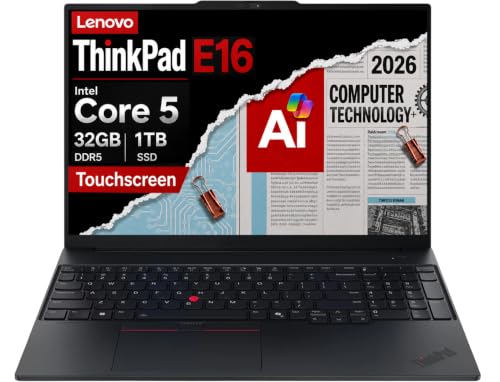 | Lenovo ThinkPad E16 Gen 3 | Best fit: 16-inch ThinkPad with numeric keypad Screen: 16-inch WUXGA IPS touchscreen (Amazon) Thunderbolt 4 ports: 1 (Lenovo) Ethernet: Yes (Amazon) Memory and SSD: 32GB, 2x 512GB (seller-upgraded) | Check Price on Amazon |
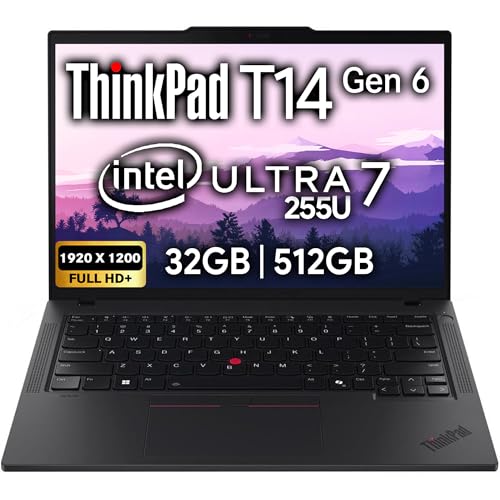 | Lenovo ThinkPad T14 Gen 6 | Best fit: 14-inch ThinkPad with two ports Screen: 14-inch FHD+ IPS anti-glare (Amazon) Thunderbolt 4 ports: 2 (Amazon, Lenovo) Ethernet: Yes (Amazon) Memory and SSD: 32GB, 512GB (seller-upgraded) | Check Price on Amazon |
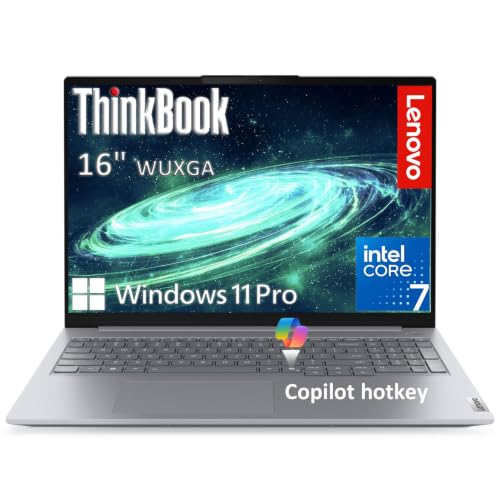 | Lenovo ThinkBook 16 Gen 9 | Best fit: Business laptop with SD card reader Screen: 16-inch WUXGA IPS, 400 nits (Amazon) Thunderbolt 4 ports: 1 (Amazon) Ethernet: Yes (Amazon) Memory and SSD: 16GB, 512GB (Amazon) | Check Price on Amazon |
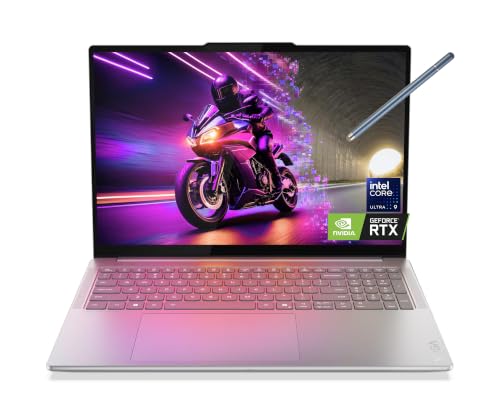 | Lenovo Yoga Pro 9i Aura Edition | Best fit: 3.2K OLED touchscreen Screen: 16-inch 3.2K Tandem OLED touch (Amazon) Thunderbolt 4 ports: 2 (Lenovo) Ethernet: No onboard Ethernet (Lenovo) Memory and SSD: 32GB, 1TB (Amazon) | Check Price on Amazon |
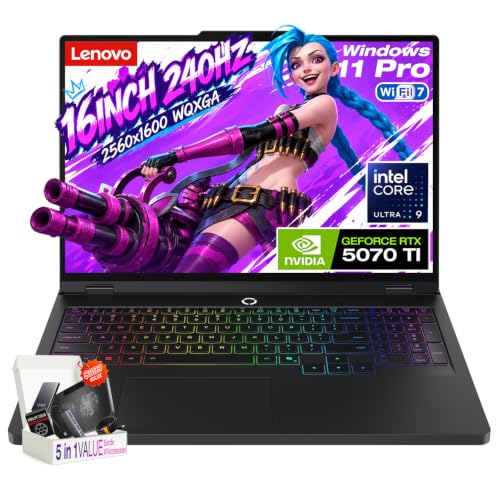 | Lenovo Legion Pro 5i | Best fit: RTX 5070 Ti gaming laptop Screen: 16-inch WQXGA 240Hz OLED (Amazon) Thunderbolt 4 ports: Thunderbolt 4, no count (Amazon) Ethernet: Yes (Amazon) Memory and SSD: 32GB, 2TB (Amazon) | Check Price on Amazon |
1. Lenovo ThinkPad E16 Gen 3 — Best 16-Inch ThinkPad With Ethernet and a Numeric Keypad
Amazon lists a 16-inch WUXGA (1920×1200) IPS touchscreen with 300-nit brightness and an anti-glare finish, a numeric keypad, a backlit keyboard, a fingerprint reader, Wi-Fi 6E, RJ-45 Ethernet, and HDMI 2.1. Lenovo’s specification sheet for the E16 Gen 3 lists one Thunderbolt 4 port, plus a USB-C port at 20Gbps with DisplayPort.
Amazon also says the laptop has 32GB of DDR5 memory and two 512GB SSDs, and its disclosure says the laptop was resealed to upgrade the memory and SSD. The seller, Issaquah Highlands Tech, gives a three-year warranty on those parts, and Lenovo gives one year on the rest.
Our Take Choose the E16 Gen 3 for a 16-inch ThinkPad with Ethernet and a numeric keypad. Confirm the seller’s upgrade and warranty terms before ordering.
- The E16 has a 16-inch WUXGA IPS touchscreen and a numeric keypad, according to Amazon.
- Amazon lists built-in RJ-45 Ethernet and HDMI 2.1 ports on the E16.
- Lenovo’s sheet for the E16 lists a Thunderbolt 4 port and a 20Gbps USB-C port with DisplayPort.
- The E16 Gen 3 has one Thunderbolt 4 port on Lenovo’s sheet, fewer than the two on the T14.
- Amazon’s disclosure says the seller resealed the E16 to upgrade the memory and SSD, and the three-year seller warranty covers those parts while Lenovo gives one year on the rest.
2. Lenovo ThinkPad T14 Gen 6 — Best 14-Inch ThinkPad With Two Thunderbolt 4 Ports
Amazon lists a 14-inch FHD+ (1920×1200) IPS anti-glare display without touch, two Thunderbolt 4 ports, two USB-A ports, HDMI, RJ-45 Ethernet, Wi-Fi 6E, a backlit keyboard, a fingerprint reader, and a 5MP webcam with a privacy shutter. Lenovo’s specification sheet for the T14 Gen 6 also lists 2x Thunderbolt 4, HDMI, and RJ-45 Ethernet.
Amazon says the laptop can drive up to three external monitors through HDMI and Thunderbolt 4, at a maximum of 4K and 60Hz. It lists 32GB of DDR5 memory and a 512GB SSD, labels them a memory and hard drive upgrade, and lists a one-year manufacturer warranty plus a one-year memory and hard drive limited warranty.Our Take Pick the T14 Gen 6 for a 14-inch ThinkPad with two Thunderbolt 4 ports and Ethernet. Move to the E16 Gen 3 for a 16-inch touchscreen and a numeric keypad.
- The T14 has two Thunderbolt 4 ports, HDMI, and RJ-45 Ethernet on Amazon’s list, and Lenovo’s sheet also lists 2x Thunderbolt 4.
- Its 14-inch display is anti-glare, and Amazon adds a 5MP webcam with a privacy shutter.
- A fingerprint reader and a backlit keyboard are on Amazon’s list for the T14.
- Amazon labels the T14’s 32GB of memory and 512GB SSD a memory and hard drive upgrade.
- The T14 has a 14-inch display without touch on Amazon, while the E16 Gen 3 listing has a 16-inch touchscreen.
3. Lenovo ThinkBook 16 Gen 9 — Best Business Lenovo With an SD Card Reader and Ethernet
Amazon lists a 16-inch WUXGA (1920×1200) IPS display at 400 nits with an anti-glare coating, an Intel Core 7 240H, Wi-Fi 7, a fingerprint reader, and a 1080p IR webcam with a privacy shutter. Its ports include one Thunderbolt 4 port with USB Power Delivery and DisplayPort 1.4, a second USB-C port at 10Gbps, two USB-A ports, HDMI 2.1, an SD card reader, and Gigabit Ethernet.
Amazon lists 16GB of DDR5 memory and a 512GB SSD. Amazon’s title says Gen 9, but its model field says ThinkBook 16 G8, so confirm the model name on the order page before buying.
Our Take Choose the ThinkBook 16 for a 16-inch business laptop with an SD card reader, Ethernet, and Wi-Fi 7. Pick the T14 Gen 6 when you need a second Thunderbolt 4 port.
- The ThinkBook has one Thunderbolt 4 port with USB Power Delivery and DisplayPort 1.4, according to Amazon.
- Its 16-inch display is a 400-nit anti-glare panel, and Amazon also lists an SD card reader and Gigabit Ethernet.
- Wi-Fi 7, a fingerprint reader, and a 1080p IR webcam are on Amazon’s list for the ThinkBook.
- The ThinkBook has one Thunderbolt 4 port on Amazon, while the T14 Gen 6 listing has two.
- Amazon’s title says Gen 9 and its model field says ThinkBook 16 G8, so the model name needs confirming on the order page.
4. Lenovo Yoga Pro 9i Aura Edition — Best Lenovo With a 3.2K OLED Touchscreen
Amazon lists a 16-inch 3.2K Tandem OLED touchscreen at 120Hz with 1000 nits peak brightness, an Intel Core Ultra 9 285H, an RTX 5060 with 8GB of GDDR7, 32GB of soldered LPDDR5X memory, a 1TB SSD, and Wi-Fi 7. The title also lists a stylus pen.
Amazon’s bullets do not list the ports. Lenovo’s specification sheet for the Yoga Pro 9 16IAH10 lists two Thunderbolt 4 ports with USB Power Delivery and DisplayPort 2.1, HDMI 2.1, an SD card reader, and no onboard Ethernet. Lenovo’s option list for that model includes the same processor, graphics, screen, memory, and SSD, but Amazon does not give the Lenovo model code, so confirm it on the order page.
Our Take Choose the Yoga Pro 9i for a 3.2K OLED touchscreen with an RTX 5060 and two Thunderbolt 4 ports. Look at a ThinkPad or the ThinkBook if you need built-in Ethernet.
- The Yoga has a 16-inch 3.2K Tandem OLED touchscreen and an RTX 5060 with 8GB of GDDR7, according to Amazon.
- Two Thunderbolt 4 ports with USB Power Delivery and DisplayPort 2.1 are on Lenovo’s sheet for the Yoga.
- Amazon lists 32GB of memory and a 1TB SSD for the Yoga.
- Lenovo’s sheet lists no onboard Ethernet for the Yoga Pro 9 16IAH10.
- The Yoga’s 32GB of memory is soldered on Amazon’s list, and Lenovo’s sheet says soldered memory is not upgradable.
5. Lenovo Legion Pro 5i — Best Lenovo With an RTX 5070 Ti and a 240Hz OLED
Amazon lists a 16-inch WQXGA (2560×1600) OLED at 240Hz with 500 nits typical brightness, an Intel Core Ultra 9 275HX, an RTX 5070 Ti with 12GB of GDDR7, 32GB of DDR5-5600 memory, and a 2TB SSD. Its ports include Thunderbolt 4, HDMI 2.1, a USB-C port with DisplayPort 2.1 and 65 to 100W Power Delivery, and Gigabit Ethernet.
Amazon also lists an 80Wh battery and a 300W adapter. Amazon does not say how many Thunderbolt 4 ports the laptop has, so check the count before buying a dock.
Our Take Choose the Legion Pro 5i for an RTX 5070 Ti and a 240Hz OLED. Pick a ThinkPad or the ThinkBook when the work is office software rather than games.
- The Legion has an RTX 5070 Ti with 12GB of GDDR7 and a 16-inch 240Hz OLED, according to Amazon.
- Thunderbolt 4, HDMI 2.1, and Gigabit Ethernet are all on Amazon’s list for the Legion.
- Amazon lists 32GB of DDR5 memory and a 2TB SSD for the Legion.
- Amazon lists Thunderbolt 4 for the Legion Pro 5i but gives no port count, so check the count before buying a dock.
Buying Guide
Start with the Lenovo line
ThinkPad, ThinkBook, Yoga, and Legion are different lines. The E16 and T14 are ThinkPads with Ethernet and HDMI, and the ThinkBook 16 is a business laptop with an SD card reader. The Yoga Pro 9i lists a 3.2K OLED touchscreen with an RTX 5060, and the Legion Pro 5i lists an RTX 5070 Ti with a 240Hz OLED.
Compare the ports next. The E16, T14, ThinkBook, and Legion listings on Amazon list Ethernet, while Lenovo’s sheet lists no onboard Ethernet for the Yoga. Decide which job describes your work, then check that the ports match it.
Check the Thunderbolt 4 port count
Amazon gives the port count for only two of these laptops. The T14 listing says two Thunderbolt 4 ports and the ThinkBook listing says one. The E16 and Legion listings say Thunderbolt 4 without a count, and the Yoga listing does not list ports.
Lenovo’s sheets fill in the E16 and Yoga counts. They list one Thunderbolt 4 port on the E16 Gen 3 and two on the Yoga Pro 9 16IAH10, and two on the T14 Gen 6. Amazon does not state the Legion Pro 5i count, so confirm it before you plan a dock.
Match the display to the work
The Yoga Pro 9i and Legion Pro 5i list OLED screens. Amazon’s listing for the Yoga states a 16-inch 3.2K Tandem OLED touchscreen at 120Hz, and its listing for the Legion states a 16-inch WQXGA OLED at 240Hz. The E16, T14, and ThinkBook list IPS anti-glare panels.
Screen size and touch differ across the five. The E16, ThinkBook, Yoga, and Legion list 16-inch panels, and the T14 lists a 14-inch panel without touch. Amazon lists touch on the E16 and Yoga.
Read the seller’s upgrade notes
The E16 and T14 listings describe seller upgrades. Amazon says the E16 was resealed to upgrade the memory and SSD, with a three-year seller warranty on those parts and a one-year Lenovo warranty on the rest. For the T14, Amazon lists a one-year manufacturer warranty and a one-year memory and hard drive limited warranty.
Confirm who covers each part before ordering. The memory and SSD sizes on these two listings describe that seller’s build.
Plan the desk around the ports you use
Check Ethernet and HDMI before you plan a desk. Amazon lists RJ-45 or Gigabit Ethernet on the E16, T14, ThinkBook, and Legion, and HDMI on all four, with HDMI 2.1 on the E16, ThinkBook, and Legion. Lenovo’s sheet lists HDMI 2.1 and no onboard Ethernet on the Yoga.
External displays depend on the whole chain. Amazon says the E16 supports triple displays through Thunderbolt 4, USB-C, and HDMI 2.1, and the T14 supports up to three external monitors at up to 4K and 60Hz. A dock, cable, and monitor inputs each add their own limits.
FAQ
Which Lenovo laptop is best for office work?
Amazon lists Thunderbolt 4, HDMI, and Ethernet on the ThinkPad E16 Gen 3 and the ThinkPad T14 Gen 6. Choose the E16 for a 16-inch touchscreen and a numeric keypad, or the T14 for a 14-inch anti-glare display and two Thunderbolt 4 ports.
The ThinkBook 16 lists one Thunderbolt 4 port, an SD card reader, and Gigabit Ethernet. Count the ports you need before you choose.
Does the Yoga Pro 9i have Thunderbolt 4?
Yes. Lenovo’s specification sheet for the Yoga Pro 9 16IAH10 lists two Thunderbolt 4 ports, and Amazon’s bullets for the Yoga Pro 9i do not list ports.
Lenovo’s option list for that model includes the processor, graphics, screen, memory, and SSD that Amazon lists. Amazon does not give the Lenovo model code, so confirm it on the order page.
Which Lenovo laptop is best for gaming?
The Legion Pro 5i is the gaming laptop in this group. Amazon lists an RTX 5070 Ti with 12GB of GDDR7 and a 16-inch 240Hz OLED, along with Thunderbolt 4, HDMI 2.1, and Gigabit Ethernet.
Amazon’s Legion listing states an 80Wh battery and a 300W adapter, and does not give a Thunderbolt 4 port count. The Yoga Pro 9i lists an RTX 5060 with a 3.2K OLED touchscreen if you prefer a creator display.
Who covers the warranty on the E16 and T14?
For the E16, Amazon says the seller, Issaquah Highlands Tech, gives a three-year warranty on the upgraded memory and SSD, and Lenovo gives one year on the remaining components.
For the T14, Amazon lists a one-year manufacturer warranty and a one-year memory and hard drive limited warranty. Check the order page for who backs each one.
Can these Lenovo laptops run multiple monitors?
Amazon says the E16 supports triple displays through Thunderbolt 4, USB-C, and HDMI 2.1, and the T14 supports up to three external monitors through HDMI and Thunderbolt 4. Lenovo’s sheet for the Yoga lists up to four displays, the laptop screen plus three external monitors through HDMI and Thunderbolt.
The monitor count and resolution you get also depend on the dock, cable, and screens. Check each one before you buy a multi-screen setup.
Bottom Line
Choose ThinkPad E16 Gen 3 for a 16-inch ThinkPad with Ethernet and a numeric keypad, ThinkPad T14 Gen 6 for two Thunderbolt 4 ports in a 14-inch body, Yoga Pro 9i for the 3.2K OLED touchscreen, and Legion Pro 5i for gaming.
The configuration you order, not the Lenovo line name, is the buying decision.