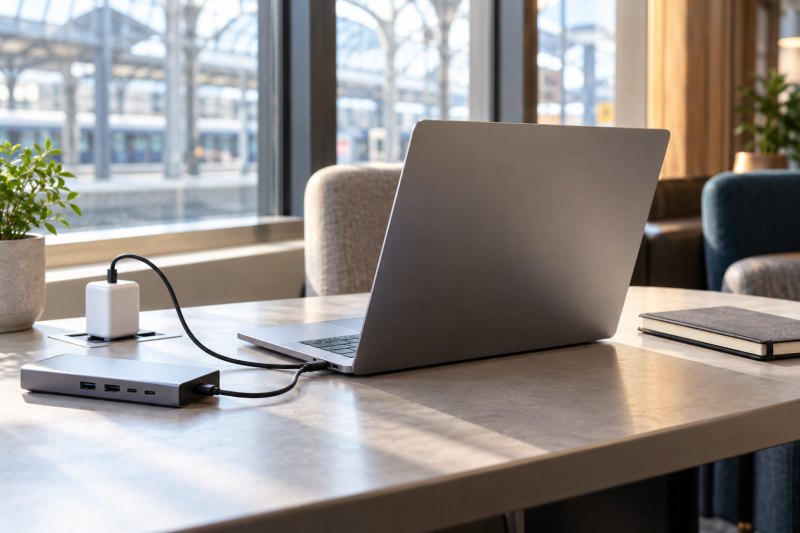
Battery claims only compare when their test conditions match. LG, Apple and Lenovo publish a video or web figure, Acer’s listing gives up to 10 hours with no condition, and HP’s listing gives no number at all. The five laptops below each pair a stated battery claim with Thunderbolt 4 or USB4 ports, so they suit a portable setup that reconnects to a dock.
Every figure below is credited to LG, Apple, Lenovo or an Amazon listing. None is a measured runtime, and coding, calls, screen brightness, external monitors and wireless use can all shorten it.
Battery-Life Laptops Compared
The table gives each laptop’s stated battery claim and who stated it. The conditions differ, so read it as a list of claims and not as a runtime ranking.
| Image | Product | Details | Check Price |
|---|---|---|---|
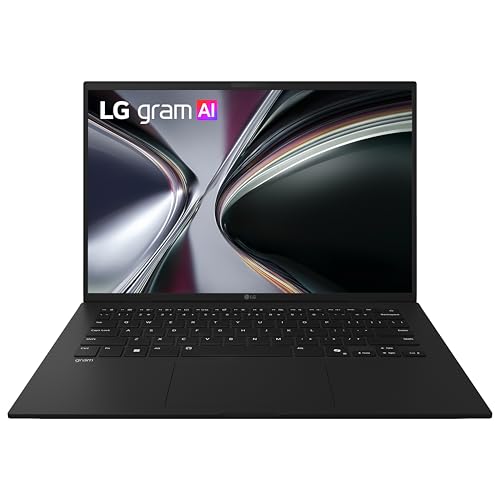 | LG gram 14 | Best fit: Longest rated video playback Screen: 14-inch (LG) Battery figure: Up to 36.5 hours video playback (LG) Ports: 2 Thunderbolt 4 (LG) Memory and SSD: 32GB, 1TB (Amazon) | Check Price on Amazon |
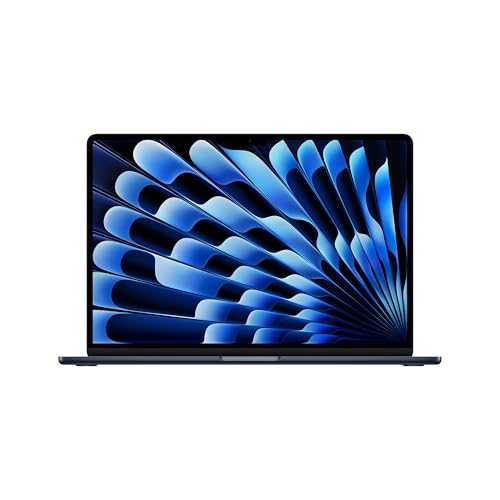 | Apple MacBook Air 15-inch with M5 | Best fit: 15-inch macOS battery choice Screen: 15.3-inch Liquid Retina (Apple) Battery figure: Up to 18 hours streaming, 15 hours web (Apple) Ports: 2 Thunderbolt 4 (Apple) Memory and SSD: 24GB, 512GB (Amazon) | Check Price on Amazon |
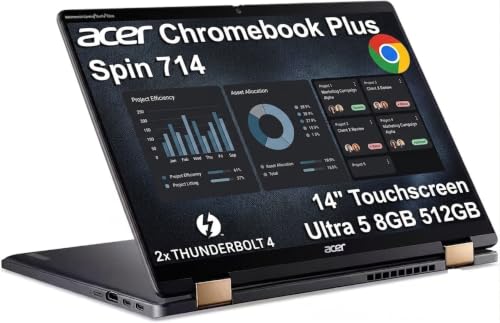 | Acer Chromebook Plus Spin 714 | Best fit: ChromeOS convertible Screen: 14-inch WUXGA IPS touch (Amazon) Battery figure: Up to 10 hours (Amazon) Ports: 2 Thunderbolt 4 (Amazon) Memory and SSD: 8GB, 512GB (Amazon) | Check Price on Amazon |
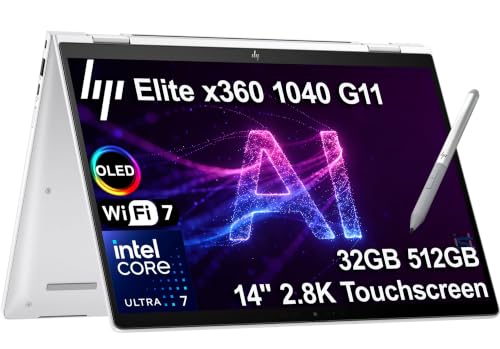 | HP Elite x360 1040 G11 | Best fit: Windows 11 Pro convertible Screen: 14-inch 2.8K OLED touch (Amazon) Battery figure: Long battery life, no hours (Amazon) Ports: 2 Thunderbolt 4 (Amazon) Memory and SSD: 32GB, 512GB (Amazon) | Check Price on Amazon |
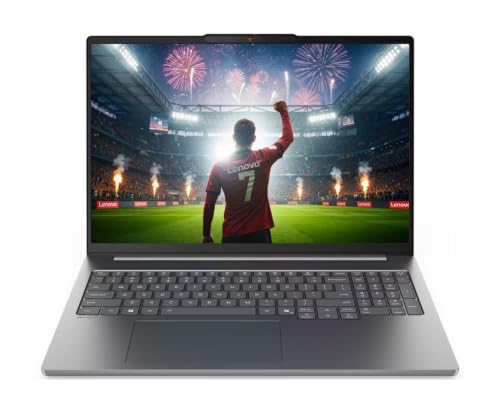 | Lenovo IdeaPad Pro 5 16 | Best fit: 84Wh USB4 creator laptop Screen: 16-inch 2.8K OLED (Amazon) Battery figure: 84Wh, up to 21 hours local video (Lenovo) Ports: 2 USB4 40Gbps (Lenovo) Memory and SSD: 16GB, 1TB (Amazon) | Check Price on Amazon |
1. LG gram 14 — Best for the Longest Listed Playback Figure
LG states up to 36.5 hours of video playback for the gram 14 model 14Z90U-G.AU87U1. LG’s test used Full HD (1080p) video with wireless off, 150 nits of screen brightness and earphones, which is a narrower load than a workday of browsing. LG’s page also lists a 72Wh battery, two USB-C ports with Thunderbolt 4, and 2.5 lb. The Amazon listing for this model adds an Intel Core Ultra 7 355, 32GB of memory and a 1TB SSD.
The gram 14 has a 14-inch screen, smaller than Apple’s 15.3 inches and Lenovo’s 16 inches. Compare LG’s test conditions with your own use, because a browser-heavy day, local development work or an external monitor is a different load from 1080p video with wireless off.
LG states up to 36.5 hours of video playback at 150 nits with wireless off, and lists a 72Wh battery and two Thunderbolt 4 ports.Our Take Choose the gram 14 when the longest maker-rated playback figure and a 2.5 lb weight are the deciding factors. Check LG’s test conditions against how you will use it.
- LG states up to 36.5 hours of video playback and publishes the test conditions to compare with your own use.
- LG lists a 72Wh battery and a 2.5 lb weight for the gram.
- The gram has two USB-C ports with Thunderbolt 4, according to LG.
- The Amazon listing for this model states 32GB of memory and a 1TB SSD.
- LG’s 36.5-hour figure is for 1080p video with wireless off, a narrower load than a workday of browsing.
- LG lists a 14-inch screen, smaller than the 15.3-inch and 16-inch screens on the Apple and Lenovo laptops.
2. Apple MacBook Air 15-inch with M5 — Best 15-Inch macOS Battery Choice
Apple states up to 18 hours of video streaming and up to 15 hours of wireless web for the MacBook Air 15-inch with M5, along with a 66.5Wh battery and two Thunderbolt 4 ports. Apple tested streaming with 1080p content in Safari on Wi-Fi and web use by browsing 25 websites on Wi-Fi, with brightness set eight clicks from the bottom and the keyboard backlight off. Apple’s tests used a 16GB, 512GB configuration, while the Amazon listing (model Z1LW000RD) is the 24GB, 512GB configuration.
Apple also lists a 15.3-inch Liquid Retina display, MagSafe 3 charging and support for up to two external displays. The MacBook Air runs macOS, so confirm that your software supports it before comparing ports with a Windows or ChromeOS laptop. Apple’s resolution limits for external displays are on its specification page.
Apple states up to 18 hours of video streaming and up to 15 hours of wireless web, tested on a 16GB configuration.Our Take Pick the MacBook Air when macOS and a 15.3-inch screen fit your work and Apple’s streaming and web conditions resemble your day.
- Apple states separate ratings for video streaming and wireless web and lists the test conditions for each.
- Apple’s specifications include a 66.5Wh battery, a 15.3-inch Liquid Retina display and MagSafe 3 charging.
- Apple lists two Thunderbolt 4 ports and support for up to two external displays, with resolution limits on its specification page.
- The Amazon listing for the MacBook Air states 24GB of memory and a 512GB SSD.
- Apple tested its ratings on a 16GB configuration, while the Amazon listing is the 24GB one.
- Apple’s ratings are for video streaming and web browsing on Wi-Fi and do not cover every workload.
- Apple lists macOS as the operating system, not Windows or ChromeOS, so confirm your software supports it.
3. Acer Chromebook Plus Spin 714 — Best ChromeOS Convertible With Two Thunderbolt 4 Ports
The Amazon listing for the Chromebook Plus Spin 714 states up to 10 hours of battery life and names no test condition. It lists a 14-inch WUXGA (1920×1200) IPS touchscreen, a 360-degree hinge, an Intel Core Ultra 5 115U, 8GB of memory, a 512GB SSD, two Thunderbolt 4 ports, HDMI 2.0, Wi-Fi 6E and a backlit keyboard. It also states ChromeOS updates through June 2034.
The listing’s disclosure says the seller resealed the new laptop to upgrade the SSD. It gives a three-year seller warranty on that SSD and a one-year Acer warranty on the other components. ChromeOS is the operating system here, so check your apps and tools against it before treating the Spin 714 as a Windows substitute.
Our Take Consider the Spin 714 when ChromeOS and a convertible touchscreen are requirements and the listing’s 10-hour figure, 8GB of memory and upgraded SSD suit the job.
- The Amazon listing states up to 10 hours of battery life for this Chromebook.
- The listing states two Thunderbolt 4 ports, HDMI 2.0 and Wi-Fi 6E.
- The listing states a 14-inch WUXGA touchscreen and a 360-degree hinge.
- The listing states ChromeOS updates through June 2034.
- The Acer listing gives 8GB of memory, less than the 16GB, 24GB and 32GB on the other laptops here.
- The Amazon listing names no test condition for its 10-hour figure.
- The listing says the seller resealed the laptop to upgrade the SSD, with a three-year seller warranty on that SSD.
4. HP Elite x360 1040 G11 — Best Windows 11 Pro Convertible With Two Thunderbolt 4 Ports
The Amazon listing for the HP Elite x360 1040 G11 states a 14-inch 2.8K (2880×1800) OLED touchscreen, a 360-degree hinge, an Intel Core Ultra 7 155H, 32GB DDR5, a 512GB SSD, two Thunderbolt 4 ports, HDMI 2.1, Wi-Fi 7 and Windows 11 Pro. Its title says long battery life, and a bullet says HP’s design adjusts power settings for battery life, but the listing gives no number of hours.
With no figure, the Elite x360 cannot be compared with the ratings above. The 2.8K OLED screen, convertible hinge, vPro processor and two Thunderbolt 4 ports are the listed details to weigh. The listing’s title also mentions a pen, and its feature bullets do not describe one, so confirm what ships in the box.
Our Take Pick the Elite x360 when a Windows 11 Pro convertible with two Thunderbolt 4 ports and 32GB of memory is the goal and a published battery number is not required.
- The Amazon listing states a 14-inch 2.8K OLED touchscreen and a 360-degree hinge.
- The listing states 32GB of DDR5 memory, a 512GB SSD and Windows 11 Pro.
- The listing states two Thunderbolt 4 ports and HDMI 2.1.
- The Amazon listing says long battery life but gives no number of hours, so it cannot be compared with the other ratings.
- The listing’s title mentions a pen and its feature bullets do not describe one, so confirm what ships in the box.
5. Lenovo IdeaPad Pro 5 16 — Best 84Wh USB4 Creator Laptop
Lenovo’s specification sheet for the IdeaPad Pro 5 16AKP10 lists an 84Wh battery and a maximum of 21 hours of local 1080p video playback at 150 nits. The sheet does not list the code 83JN0004CL, which is the model on the Amazon listing, so the 21 hours is Lenovo’s rating for the IdeaPad Pro 5 16AKP10 and is not confirmed for that code. The listing also states up to 3 hours of battery life from a 15-minute charge, which Lenovo’s sheet calls Rapid Charge Express.
The Amazon listing states a 16-inch 2.8K 120Hz OLED display, a Ryzen AI 7 350, RTX 5050 graphics, 16GB of memory and a 1TB SSD. Lenovo lists two USB-C ports at USB4 40Gbps with Power Delivery and DisplayPort 2.1, plus HDMI 2.1 and an SD card reader. Lenovo lists a starting weight of 3.95 lb for models with discrete graphics. The listing does not say which operating system ships, and Lenovo’s sheet lists Windows 11 Pro, Windows 11 Home and no preload as options.
Our Take Choose the IdeaPad Pro 5 when a 16-inch OLED, discrete graphics, HDMI, an SD card reader and an 84Wh battery fit the job and Lenovo’s 21-hour video figure is the one you want to compare.
- Lenovo lists an 84Wh battery and up to 21 hours of local 1080p video playback at 150 nits.
- The Amazon listing states up to 3 hours of battery life from a 15-minute charge, which Lenovo’s sheet calls Rapid Charge Express.
- Lenovo lists two USB4 40Gbps ports with Power Delivery and DisplayPort 2.1, plus HDMI 2.1 and an SD card reader.
- The listing states a 16-inch 2.8K 120Hz OLED display, a Ryzen AI 7 350 and RTX 5050 graphics.
- Lenovo’s sheet does not list the 83JN0004CL code, so the 21-hour rating is not confirmed for this exact model.
- Lenovo lists a starting weight of 3.95 lb for discrete-graphics models, against LG’s 2.5 lb.
- The listing does not say which operating system ships.
Buying Guide
1. Compare battery claims only when their conditions match
LG’s 36.5 hours and Lenovo’s 21 hours are local video playback at 150 nits, Apple’s 18 and 15 hours are video streaming and wireless web on Wi-Fi, and Acer’s listing says up to 10 hours with no condition. The HP listing gives no number. A watt-hour figure such as LG’s 72Wh, Apple’s 66.5Wh or Lenovo’s 84Wh describes capacity, not hours.
Use the stated conditions to decide which figure resembles your day. Screen brightness, wireless use, software and peripherals change battery use, and LG, Apple and Lenovo each say actual results vary.
Screen size and weight differ as well. LG lists a 14-inch screen and 2.5 lb, Apple lists a 15.3-inch screen and 3.3 lb, and Lenovo lists a 16-inch screen and a starting weight of 3.95 lb. Read a rating alongside the laptop that produced it.
2. Choose the operating system and screen before the battery headline
The MacBook Air runs macOS, the Acer runs ChromeOS, and LG and HP state Windows 11. The IdeaPad listing does not name an operating system. If your applications, device support or management tools need one system, that decision comes before any battery figure.
Screen size changes the carry too. The gram, Acer and HP have 14-inch screens, Apple has 15.3 inches and the IdeaPad has 16 inches. Pick the smallest screen that is comfortable when undocked, then compare its stated rating.
None of the makers compares power use across macOS, ChromeOS and Windows, so treat the three as compatibility choices first. Choose the platform the work requires, then read the battery statement for that model.
3. Check ports for the desk you return to
The gram, MacBook Air, Acer and HP state Thunderbolt 4, and Lenovo lists two USB4 40Gbps ports with Power Delivery and DisplayPort 2.1. A port label does not settle dock results. The laptop, dock, cable, monitors and operating system all work together.
The Thunderbolt 4 docking-station guide and USB4 hubs and docks guide help identify categories. Use the dock manual for the actual charging and display modes.
4. Keep memory and storage claims tied to the exact configuration
LG and HP list 32GB of memory, Apple’s listing 24GB, Lenovo’s listing 16GB and Acer’s listing 8GB. Storage is 512GB on the Acer, HP and Apple listings and 1TB on the gram and IdeaPad. Apple tested a 16GB configuration and says battery life varies by configuration.
Check the model, processor, memory, storage and return terms together. Do not carry a rating from one seller’s title to a different configuration with the same model name.
5. Make the travel kit part of the battery decision
LG states 2.5 lb for the gram 14, Apple lists 3.3 lb for the MacBook Air 15-inch, and Lenovo lists a starting weight of 3.95 lb for the IdeaPad with discrete graphics. The IdeaPad also lists HDMI and an SD card reader, which may replace a separate adapter for some buyers.
Think about the charger, dock, cables and external devices you carry. A laptop battery rating covers the laptop alone, and the whole bag may change which laptop fits better.
Match the rating to the situation that repeats most. A traveller who watches downloaded video between meetings is closest to LG’s up to 36.5 hours of video playback or Lenovo’s up to 21 hours. A MacBook buyer can compare Apple’s streaming and web figures separately. A browser-heavy day with an external display matches none of the stated conditions, the HP listing has no number, and Acer’s up to 10 hours has no stated condition.
FAQ
Which laptop has the longest battery life here?
LG states the longest figure of the five, which is up to 36.5 hours of video playback at 1080p and 150 nits with wireless off and earphones. Lenovo’s sheet lists up to 21 hours of local video at 150 nits for the IdeaPad Pro 5 16AKP10. Neither is a result for office work, coding, gaming or a connected monitor.
Apple states up to 18 hours of video streaming and up to 15 hours of wireless web for the MacBook Air 15-inch. Compare each rating only with the condition closest to your use.
Is an 84Wh battery better than an 18-hour rating?
They describe different things. The IdeaPad’s 84Wh is a capacity, while Apple’s 18 hours is a duration for video streaming on a 66.5Wh battery. Lenovo lists the 84Wh beside its own 21-hour local video figure, and capacity alone does not show how much power a system uses.
Use capacity to compare hardware and a duration only with its stated test. Neither is a claim about every task.
Does Thunderbolt 4 reduce battery life?
The port label does not tell you battery use, and none of the makers here states a test with a Thunderbolt device attached. A dock, monitor, external drive or charging state can change the overall setup.
Choose Thunderbolt 4 or USB4 for the connection you need at a desk, then check the accessory’s documentation. The port is not a battery benchmark.
Can I use an external monitor and keep the stated battery rating?
Do not assume that. LG, Lenovo and Apple tie their ratings to video playback, streaming or web use, Acer and HP give no test condition, and none names an external monitor. Apple lists support for up to two external displays, but its battery tests do not mention one.
If portable runtime is critical, compare the battery claim with your own screen, brightness, wireless and accessory use. The stated conditions say more than a headline duration.
Which option is best for travel?
LG states 2.5 lb for the gram 14, against 3.3 lb for the MacBook Air 15-inch on Apple’s page and a starting 3.95 lb for the IdeaPad with discrete graphics. The Acer and HP are convertible touchscreens, and the IdeaPad adds HDMI and an SD card reader that may replace an adapter for some buyers.
Think about the full bag, not the chassis alone. The charger, dock, cables and devices needed at the destination may change the better choice.
Bottom Line
Choose LG gram 14 for LG’s up to 36.5 hours of video playback, MacBook Air 15 for Apple’s streaming and web ratings on macOS, or IdeaPad Pro 5 16 for an 84Wh battery, Lenovo’s 21-hour video figure and dual USB4 ports. Read the rating condition, operating system, screen and dock plan before buying.
The best comparison is the documented condition closest to your routine, not the largest number from an unrelated test.
Confirm the exact configuration, charger and accessories before ordering.