A mobile workstation needs more than a fast USB-C-shaped connector. The useful starting point is an exact listing that calls out both the workstation identity and Thunderbolt, followed by manufacturer documentation for the matching family. That keeps a seller-added memory or storage upgrade from being mistaken for a standard configuration.
These six choices span a Thunderbolt 5 ThinkPad P1, several Thunderbolt 4 P-series machines, and Dell and HP workstation families. They are starting points for portable professional work and desk expansion, not a promise that one port produces the same result with every dock, display, or application.
Choose the workstation family and the exact listing first; then match the Thunderbolt connection, dock, and peripherals to the work you actually do.Mobile Workstation Laptops With Thunderbolt Compared
| Image | Product | Details | Check Price |
|---|---|---|---|
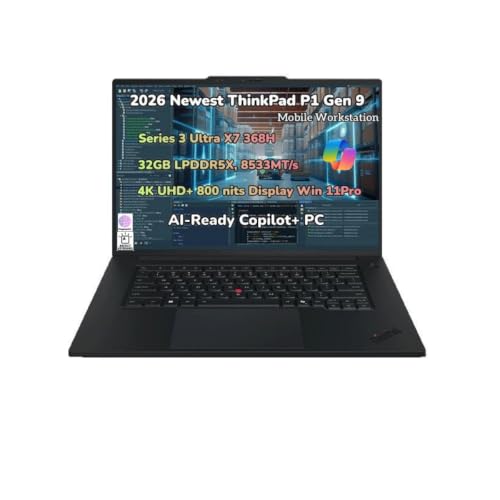 | Lenovo ThinkPad P1 Gen 9 | Best fit: Current high-end portable workstation Thunderbolt: 2x Thunderbolt 5 + 1x Thunderbolt 4 Maker workstation fact: AI-Ready Workstation Listing boundary: 32GB/1TB are seller configuration | Check Price on Amazon |
 | Lenovo ThinkPad P16s Gen 4 | Best fit: 16-inch workstation with dock path Thunderbolt: 2x Thunderbolt 4 Maker workstation fact: AI-Ready Workstations Listing boundary: 64GB/2TB are seller configuration | Check Price on Amazon |
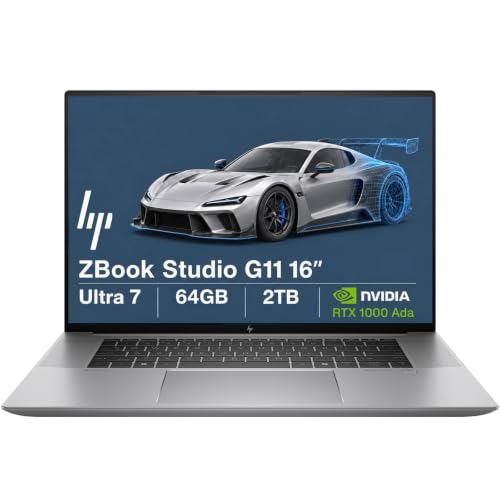 | HP ZBook Studio G11 | Best fit: Listed RTX 1000 Ada configuration Thunderbolt: 2x Thunderbolt 4 in exact listing Maker workstation fact: ZBook Studio G11 Workstation Laptop Listing boundary: RTX, RAM and SSD are seller configuration | Check Price on Amazon |
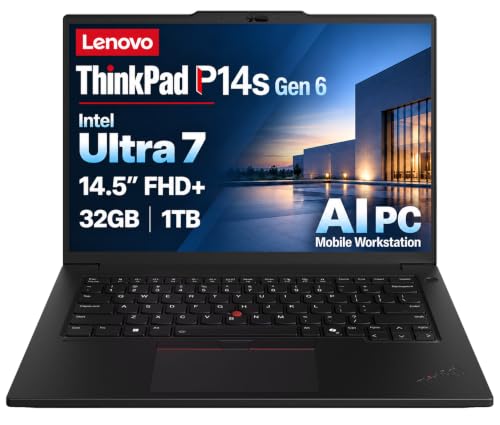 | Lenovo ThinkPad P14s Gen 6 | Best fit: Compact P-series workstation Thunderbolt: 2x Thunderbolt 4 Maker workstation fact: AI-Ready Workstation Listing boundary: 32GB/1TB are seller configuration | Check Price on Amazon |
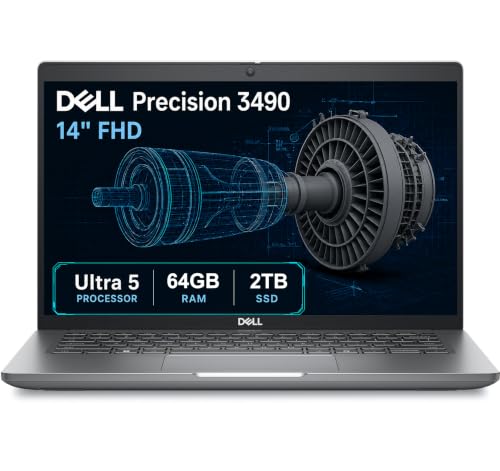 | Dell Precision 3490 | Best fit: Compact Dell Precision buyer Thunderbolt: 2x Thunderbolt 4 in exact listing Maker workstation fact: Precision 3490 Workstation Listing boundary: 64GB/2TB are reseller upgrade | Check Price on Amazon |
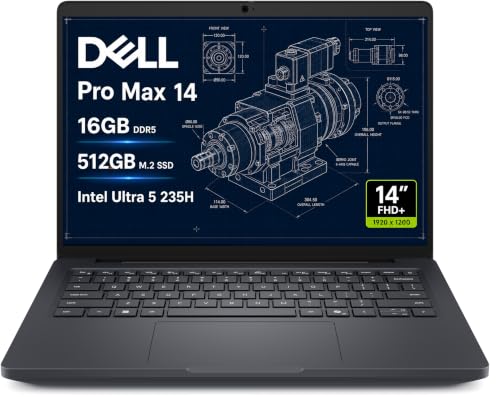 | Dell Pro Max 14 MC14250 | Best fit: Dell Pro Max 14 route Thunderbolt: Thunderbolt 4 in exact listing Maker workstation fact: Pro Max 14 matching family Listing boundary: 16GB/512GB are listing configuration | Check Price on Amazon |
1. Lenovo ThinkPad P1 Gen 9 — Best Overall Thunderbolt Workstation
The ThinkPad P1 Gen 9 is the clearest high-end choice here when the port layout is as important as the workstation label. The exact listing calls it a mobile workstation with Thunderbolt 5. Lenovo’s P1 Gen 9 sheet identifies the family as an AI-Ready Workstation and lists two Thunderbolt 5 ports plus one Thunderbolt 4 port. The port mix is a concrete connection advantage for someone comparing high-speed storage, a dock, or external displays.
The same listing names a Series 3 Ultra X7 368H, 32GB memory, and a 1TB SSD. Those are details of the offer, not a specification for every P1 Gen 9. Lenovo also states that the family supports up to four independent displays, including the native panel and three external screens through Thunderbolt 5, Thunderbolt 4, and HDMI. The specific dock, cable, display mode, and software workload each need their own compatibility check.
Our Take Pick the P1 Gen 9 when the port mix and a maker-described mobile workstation count for more than the Amazon configuration. It is the best first stop for a portable system that will also connect to demanding desk peripherals.
- Lenovo lists two Thunderbolt 5 ports plus one Thunderbolt 4 port for high-speed accessories.
- The maker identifies the P1 Gen 9 as an AI-Ready Workstation rather than a generic laptop.
- Lenovo states up to three external displays alongside the built-in display for this family.
- The exact listing explicitly combines the mobile-workstation label with Thunderbolt 5.
- The listing’s 32GB memory and 1TB SSD are offer-specific rather than universal P1 specifications.
- Port speed alone does not establish application, dock, cable, or display compatibility.
2. Lenovo ThinkPad P16s Gen 4 — Best 16-Inch Workstation Desk Route
The ThinkPad P16s Gen 4 is the practical 16-inch option for a buyer who wants a larger built-in workspace and a defined dock path. Its exact listing says Mobile Workstation and Thunderbolt 4. Lenovo’s P16s Gen 4 Intel specifications call the line AI-Ready Workstations, list two Thunderbolt 4 ports, and say that various docking solutions are supported through Thunderbolt or USB-C.
Lenovo also says the P16s Gen 4 supports its native display plus three external monitors through Thunderbolt 4 and HDMI. That is useful laptop-side information, but it does not choose a dock or specify every screen mode. The exact listing’s 64GB memory and 2TB SSD are seller configuration details. Keep those separate from Lenovo’s family-level port, docking, and display statements when comparing it with the P1.
The P16s combines two listed Thunderbolt 4 ports with Lenovo’s explicit docking language and a native-plus-three-external-display family statement.Our Take Choose the P16s Gen 4 when a 16-inch P-series machine suits both travel and a desk, and you want Lenovo’s published docking and display boundaries. Choose the P1 when Thunderbolt 5 is the feature that changes the purchase.
- Lenovo lists two Thunderbolt 4 ports and support for docking through Thunderbolt or USB-C.
- The maker states three external monitors plus the native panel for the P16s family.
- The exact listing makes the 16-inch workstation identity and Thunderbolt 4 easy to verify.
- The 64GB memory and 2TB SSD were added by the seller, so verify that exact configuration.
- A published display ceiling does not prescribe a particular dock, monitor resolution, or refresh rate.
- A 16-inch chassis may be less convenient to carry than a compact P14s or Precision 3490.
3. HP ZBook Studio G11 — Best Listed Discrete-GPU Route
The HP ZBook Studio G11 is the choice to inspect when the exact listing’s discrete-graphics configuration is part of the appeal. The listing calls it an HP ZBook G11 Mobile Workstation, names RTX 1000 Ada, and says it has two Thunderbolt 4 ports. HP’s matching page identifies the ZBook Studio G11 as a workstation laptop, which establishes the family but does not turn the seller’s component bundle into a universal HP specification.
The listing and HP’s page cover different things. The listed RTX 1000 Ada, 64GB memory, 2TB SSD, panel, and Windows edition belong to this reseller configuration. The seller also describes a resealed memory and storage upgrade. Treat those as details to verify in the exact purchase. The listing states the two Thunderbolt 4 ports, and HP’s page states the ZBook Studio identity.
The ZBook Studio G11 is a workstation-family choice with two Thunderbolt 4 ports stated by the exact listing; its GPU and storage details are listing-specific.Our Take Pick this ZBook when the exact RTX 1000 Ada configuration is the reason to buy and the seller’s upgrade terms are acceptable. Pick a Lenovo P-series model when you want more manufacturer-published detail about dock and external-display support.
- The exact listing clearly says Mobile Workstation and two Thunderbolt 4 ports.
- HP identifies the matching ZBook Studio G11 family as a workstation laptop.
- The listed RTX 1000 Ada gives a specific configuration point for buyers comparing the offer.
- RTX, memory, storage, panel, and operating-system details belong to this reseller configuration.
- The exact listing, not HP’s family page, is the source for the Thunderbolt port count.
4. Lenovo ThinkPad P14s Gen 6 — Best Compact P-Series Choice
The ThinkPad P14s Gen 6 puts Lenovo’s P-series workstation positioning into a smaller package. Its exact listing calls it a Mobile Workstation AI PC, names two Thunderbolt 4 ports, and identifies a Core Ultra 7 255H processor. Lenovo’s P14s Gen 6 Intel documentation covers that family, calls it an AI-Ready Workstation, and lists two Thunderbolt 4 ports with Power Delivery and DisplayPort.
Lenovo also describes Thunderbolt or USB-C docking and supports its native panel plus three external monitors through Thunderbolt 4 and HDMI. That can make the P14s easier to evaluate for a compact desk, but it is a family statement. The 32GB memory and 1TB SSD in this listing are seller configuration details, so do not carry them into a comparison of every P14s Gen 6.
Our Take Choose the P14s Gen 6 when a smaller P-series chassis and a documented Thunderbolt dock path solve the work-and-travel balance. Choose the P16s when a larger native display is more valuable than the smaller form factor.
- Lenovo documents two Thunderbolt 4 ports with Power Delivery and DisplayPort.
- The maker calls the matching Intel family an AI-Ready Workstation.
- Lenovo states support for Thunderbolt or USB-C docking on the P14s Gen 6.
- Its display statement covers three external monitors plus the native panel.
- The 32GB and 1TB configuration is specific to the exact Amazon offer.
- Two Thunderbolt 4 ports do not guarantee a particular dock’s monitor layout.
5. Dell Precision 3490 — Best Compact Dell Precision Choice
The Dell Precision 3490 is a compact Dell workstation route when the exact listing is the deciding configuration. It identifies the machine as a Dell Precision 3490 Mobile Workstation with two Thunderbolt 4 ports. Dell’s matching page is for the Precision 3490 Workstation family.
The listing also says 64GB DDR5, a 2TB SSD, and a Core Ultra 5 135H, but it discloses that the computer was resealed to upgrade memory and storage. Those capacities are therefore seller-specific. The listing describes support for up to three external monitors through HDMI and Thunderbolt, but that too belongs to the seller listing; confirm the dock’s own conditions before planning a multi-display workspace.
Our Take Pick the Precision 3490 when the exact Dell reseller bundle and a compact workstation are the right purchase. Prefer the P14s if manufacturer-documented docking and display details are more important than this listing’s upgraded capacities.
- The exact listing calls it a Precision 3490 Mobile Workstation with two Thunderbolt 4 ports.
- Dell’s matching product page confirms the Precision 3490 Workstation family identity.
- The seller listing describes a compact 14-inch configuration for portable professional work.
- The 64GB and 2TB capacities were reseller upgrades rather than standard family specifications.
- The listing’s monitor statement requires a dock and display compatibility check.
- The exact listing, not Dell’s family page, is the source for the Thunderbolt port count.
6. Dell Pro Max 14 MC14250 — Best Dell Pro Max Alternative
The Dell Pro Max 14 MC14250 is an alternative for a buyer who cares more about the exact listing than a broad family comparison. It calls the machine a Business Mobile Workstation and names Thunderbolt 4, while Dell’s matching product page covers the Pro Max 14 MC14250 family. The listing states the Thunderbolt port, and Dell’s page states the product family.
The listing’s processor wording, 16GB memory, 512GB SSD, panel details, and Windows edition are configuration details of this offer. It also says the product is Dell Factory Outlet New grade with a seller warranty. Read those terms as part of the purchase decision, not as characteristics shared by every Pro Max 14. The listing says Thunderbolt 4 can connect displays and peripherals, but does not supply a universal workstation performance result.
Our Take Choose this one if the Dell Pro Max 14 family and the exact outlet configuration fit your buying constraints. Choose a Lenovo P-series model when a more detailed maker-published port and docking sheet is the more useful comparison tool.
- The listing explicitly calls it a Business Mobile Workstation with Thunderbolt 4.
- Dell’s matching product page identifies the Pro Max 14 MC14250 family.
- The 14-inch form factor can suit a workstation that travels frequently.
- Memory, storage, display, and operating-system details are limited to the listed configuration.
- The Dell Factory Outlet condition and seller warranty deserve a purchase-specific review.
Buying Guide
1. Start with the workstation identity, not the port label
Thunderbolt is useful for a high-speed connection, but it does not turn an ordinary laptop into a mobile workstation. The exact listing should state both the workstation identity and Thunderbolt. Every choice here does that: the P1, P16s, and P14s listings use mobile-workstation language, while the Dell Precision, Dell Pro Max, and HP ZBook listings do the same.
Then check the maker’s corresponding family page. Lenovo explicitly calls its P-series systems AI-Ready Workstations, HP names the ZBook Studio G11 a workstation laptop, and Dell’s matching pages use the Precision or Pro Max family. A model-name match is the boundary that keeps a nearby consumer laptop or a reseller title from standing in for a documented workstation family.
2. Choose Thunderbolt 4 or 5 from the peripherals you own
The ThinkPad P1 Gen 9 is distinct because Lenovo lists two Thunderbolt 5 ports and one Thunderbolt 4 port. The other choices are Thunderbolt 4 paths. That does not make Thunderbolt 5 mandatory for every workstation buyer; it means the P1 is the product to compare when newer high-speed desk storage, displays, or docks are part of a defined setup.
For an existing Thunderbolt 4 dock, the P16s and P14s offer two documented ports and Lenovo’s stated docking support. The Thunderbolt 4 docking-station guide and USB4 hubs and docks guide can narrow accessory types, but the dock manual decides the host, cable, and display modes.
3. Keep reseller configuration details in their lane
Several listings state 32GB or 64GB memory and 1TB or 2TB storage. The P16s, P14s, HP ZBook, and Precision listings disclose seller configurations or upgrades. Treat RAM and SSD figures as facts about that exact offer, not as a reason to assume every model with the same family name ships that way.
Keep this in mind when comparing listings. A seller can combine a valid base model with a different capacity, operating system, or panel option. The Thunderbolt laptop list is useful for category context, but the maker sheet and the checkout configuration settle the actual machine. Match the model code, processor, and seller configuration before buying.
4. Plan the dock and displays as a separate system
Lenovo’s P1, P16s, and P14s documentation includes a display or docking statement. It describes what the laptop supports, not a finished desk setup. A dock cannot override the host’s graphics and connection limits. Its own outputs, power delivery, operating-system support, cable, monitor resolution, and refresh target all count.
Start with the specific monitors and the dock’s published host modes. The dual-monitor dock guide and how to identify a Thunderbolt port guide help define that conversation. Confirm the whole chain together rather than counting physical sockets on a dock.
5. Let the actual workload choose the chassis
The family label is a useful buying filter, but it does not prove that any listed machine reaches a particular CAD, rendering, AI, or engineering result. Application requirements, certified software lists, GPU needs, memory capacity, and storage needs must be checked separately. The P1’s port mix, the P16s’s larger display, and the P14s’s compact chassis answer different portability questions.
The HP ZBook and Dell alternatives may be right when their exact listed GPU, storage, warranty, or condition fit the purchase. But those details do not travel across every configuration. Buy the exact configuration for the workload, then use Thunderbolt for the desk expansion it actually supports.
FAQ
Does Thunderbolt make any laptop a mobile workstation?
No. A Thunderbolt port is a connection feature, not a workstation classification. Each machine here has an exact listing that states both a workstation identity and Thunderbolt, and a matching manufacturer family page.
That distinction protects a buyer from treating a fast port as proof of professional application performance. Check the workstation family, processor, graphics, memory, and software requirements separately before deciding whether a model suits the work.
Is Thunderbolt 5 necessary for a workstation dock?
No. The P16s and P14s have two Thunderbolt 4 ports and Lenovo’s stated docking support. A Thunderbolt 4 dock can be the appropriate choice when its documented host and display modes fit the planned workstation.
The P1 Gen 9 is the choice here for a newer port mix, with two Thunderbolt 5 ports plus one Thunderbolt 4 port. Choose the connection level from the accessories and displays you need, rather than treating the newer label as an automatic workflow result.
Can I trust the RAM and SSD in an Amazon workstation listing?
You can treat those figures as details of the exact offer, but not as a specification for every system in that family. The P16s, P14s, ZBook, and Precision listings include seller-added or seller-described configurations, so their capacity belongs to that transaction.
Read the title, configuration notes, warranty, and return terms together. A reseller upgrade can be useful, but it needs to be verified as the exact purchase, especially when comparing it with a manufacturer sheet that describes the base family.
Can these laptops run several external displays through a dock?
Lenovo documents a native-plus-three-external-display capability for the P1, P16s, and P14s families discussed here. That establishes the laptop-side ceiling for those matched families, but it does not establish every dock, monitor, resolution, or refresh combination.
For the Dell and HP alternatives, use the exact listing’s port wording and confirm the intended dock path separately. The laptop, dock, cable, monitor, and operating system form one compatibility chain.
Which choice is most portable?
The P14s, Precision 3490, and Pro Max 14 are the compact 14-inch-class routes in this list; the P16s is the 16-inch option. Portability also depends on the specific configured weight, charger, and peripherals, none of which should be guessed from a family name.
Start with the size that fits the travel routine, then compare the precise configuration. A smaller chassis is only the better workstation if it fits the required applications and desk connections.
Bottom Line
The ThinkPad P1 Gen 9 is the strongest overall choice when its maker-documented mix of two Thunderbolt 5 ports and one Thunderbolt 4 port is the deciding feature. Choose the P16s Gen 4 for a larger P-series desk route, the P14s Gen 6 for compact Lenovo workstation positioning, or the Dell and HP choices when their exact seller configurations make sense after a careful boundary check.