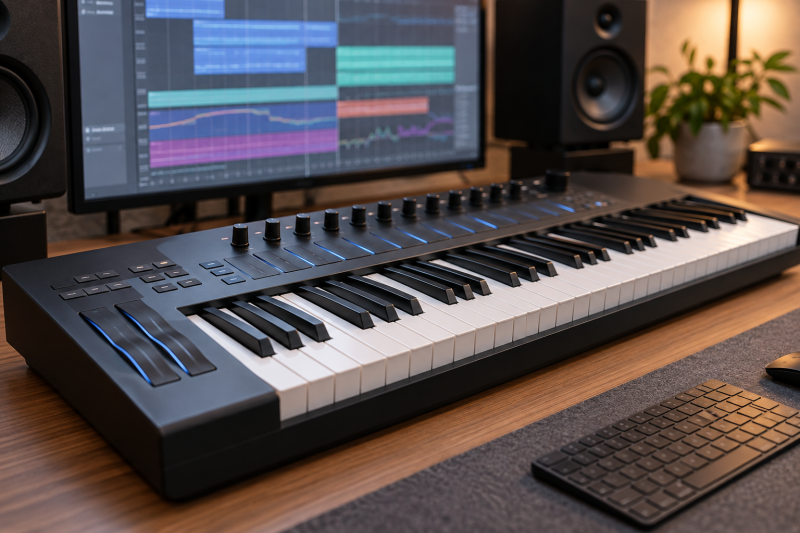
MPE controllers send independent expression for individual notes, so a player can add pressure, pitch movement, tilt, or other gestures inside a chord. The best choice depends on key layout, the gestures you actually use, and whether the controller must fit a compact desk, a DAW workflow, or a performance rig.
Choose the controller by its per-note gesture method and playing layout before comparing key count, ports, and bundled software.Best MPE-Compatible MIDI Controllers Compared
| Image | Product | Details | Check Price |
|---|---|---|---|
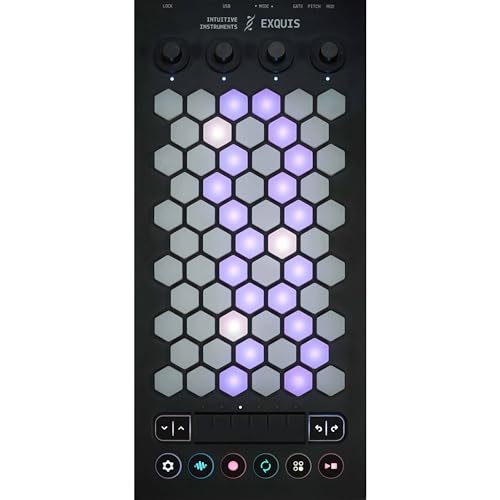 | Intuitive Instruments Exquis | Best fit: Hex-key MPE controller Keys: 61 hexagonal keys Expression: Independent velocity and pressure; 6-zone slider | Check Price on Amazon |
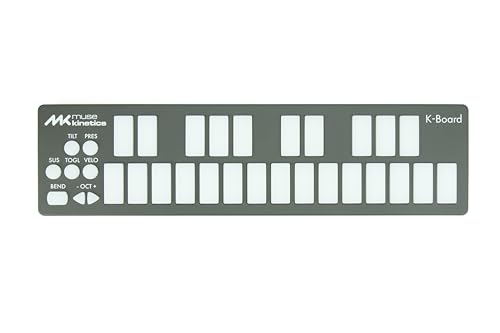 | Muse Kinetics K-Board-C | Best fit: Compact 25-key MPE keyboard Keys: 25 backlit keys Expression: Velocity, pressure, and tilt; USB-C | Check Price on Amazon |
 | Expressive E Osmose CE 61 | Best fit: 61-key MPE performance bundle Keys: 61 expressive keys Expression: Seven gestural controls; MPE arpeggiator | Check Price on Amazon |
 | Expressive E Osmose CE 49 | Best fit: 49-key expressive controller Keys: 49 expressive keys Expression: Tap, press, bend, vibrato, and Press Glide | Check Price on Amazon |
 | Korg Keystage 61 | Best fit: 61-key polyphonic-aftertouch controller Keys: 61 semi-weighted keys Expression: Polyphonic aftertouch; MPE; MIDI 2.0 | Check Price on Amazon |
 | Korg Keystage 49 | Best fit: 49-key MPE controller Keys: 49 semi-weighted keys Expression: Polyphonic aftertouch; MPE; MIDI 2.0 | Check Price on Amazon |
1. Intuitive Instruments Exquis — Best Hex-Key MPE Controller
Exquis is the pick for a player who wants to leave the conventional piano-key layout behind. It uses 61 hexagonal backlit keys, and its listing specifies MPE independent velocity and pressure, MIDI I/O, CV, gate, modulation outputs, and either six zones or one continuous slider for expressive control.
Decision point: 61 hexagonal keys, independent velocity and pressure, MIDI I/O, and CV outputs fit a nontraditional expressive setup. Our TakeBuy Exquis when a hexagonal layout and per-note velocity and pressure are central to your composition method. Choose a piano-style controller when conventional fingering is more important than its alternate layout.
For a compact music-production computer, see our creator laptop guide.
- 61 hexagonal backlit keys give the buyer a distinct note-layout approach for MPE performance and composition.
- Independent velocity and pressure provide the listing’s stated per-note MPE expression methods.
- MIDI I/O plus CV, gate, and modulation outputs support computer and compatible hardware-synth workflows.
- Six zones or one continuous slider offer two stated approaches to controller-wide expressive control.
- The listing includes four endless encoders and ten buttons for direct controls beside the performance-key layout.
- The hexagonal key arrangement requires a different technique than conventional piano-key controller playing.
- The listing establishes velocity and pressure but does not describe the broader gesture set of Osmose CE.
2. Muse Kinetics K-Board-C — Best Compact 25-Key MPE Keyboard
Muse Kinetics K-Board-C is the pick for a small desk or a travel rig. It has 25 MPE-compatible backlit keys and USB-C. Its keys are listed as sensitive to velocity, pressure, and tilt, and its editor supports Windows and macOS for configuration.
Buy K-Board-C when a 25-key USB-C MPE controller fits a small desk or travel rig. Choose a larger controller when two-handed range or conventional piano key spacing is more important to you.
- Twenty-five MPE-compatible keys keep the controller compact for limited desk or travel production space.
- Velocity, pressure, and tilt give each key three stated expressive gesture dimensions.
- USB-C provides the listed connection for a modern computer-based controller workflow.
- LED backlighting makes individual keys more visible in a dim studio or performance environment.
- The editor supports Windows and macOS for configuration across common desktop production systems.
- Twenty-five keys limit two-handed range compared with 49-key and 61-key MPE controller choices.
- The listing does not establish DIN MIDI, CV, pedal, or audio-interface connections for hardware-heavy rigs.
3. Expressive E Osmose CE 61 — Best 61-Key MPE Performance Bundle
This Osmose CE bundle pairs a 61-key expressive controller with a sustain pedal, keyboard stand, bench, and dust cover. The listing specifies an expressive keybed, more than 900 presets, seven gestural controls, an MPE arpeggiator, and Press Glide.
Decision point: 61 expressive keys, seven gestural controls, 900-plus presets, and included stand accessories fit a furnished MPE performance setup. Our TakeBuy the Osmose CE 61 bundle when a 61-key performance controller and the included pedal, stand, bench, and cover fit the intended studio. Choose the 49-key standalone model when a smaller controller without bundled furniture is the better fit.
- Sixty-one expressive keys support a broader two-handed performance range than compact 25-key controllers.
- Seven gestural controls and Press Glide provide named MPE performance tools on the listed controller.
- More than 900 presets establish a substantial included sound ecosystem for the expressive keybed.
- An MPE arpeggiator helps keep expressive notes independent during patterned performance work.
- The bundle includes a sustain pedal, stand, bench, and dust cover for an equipped studio setup.
- The bundled stand and bench increase the physical footprint compared with a standalone controller purchase.
- Buyers who already own furniture may pay for accessories they do not need with this bundle.
4. Expressive E Osmose CE 49 — Best 49-Key Expressive Controller
Expressive E specifies a 49-key expressive keybed with per-note tap, press, bend, vibrato, shake, strum, and release shaping for Osmose CE 49. The listing also states MPE, traditional MIDI, and DAW-controller use with USB-C, MIDI In, MIDI Out/Thru, and two assignable pedal inputs.
Buy Osmose CE 49 when individual-note gestures are more important than a full 61-key range. It is the better fit for a desk or stage rig that needs expressive control without the bundle furniture.
- Forty-nine expressive keys keep detailed MPE performance controls in a smaller format than 61-key controllers.
- Tap, press, bend, vibrato, shake, strum, and release shaping create a broad named gesture set.
- USB-C, DIN MIDI In, and MIDI Out/Thru support computer, hardware, and hybrid music setups.
- Two assignable pedal inputs support additional performance controls in a keyboard-centered MPE rig.
- Expressive E states that Ctrl-E provides 900-plus presets and eight pre-mapped macros for hands-on sound shaping.
- Forty-nine keys provide less two-handed range than 61-key Exquis, Osmose, and Keystage alternatives.
- The standalone controller does not include the pedal, stand, bench, and cover supplied with the 61-key bundle.
5. Korg Keystage 61 — Best 61-Key Polyphonic-Aftertouch Controller
Korg Keystage 61 combines 61 semi-weighted keys, polyphonic and channel aftertouch, and MPE compatibility. The listing also specifies MIDI 2.0 Property Exchange, dedicated OLED screens, a built-in audio interface with direct stereo output, and Ableton Live integration.
Decision point: 61 semi-weighted keys, polyphonic aftertouch, MPE support, MIDI 2.0, and an audio interface fit a conventional keyboard-centered studio rig. Our TakeBuy Keystage 61 when a conventional 61-key semi-weighted keyboard with polyphonic aftertouch and MPE support fits your DAW or live setup. Choose Osmose when the named per-note gesture vocabulary is the priority.
For studio connection planning, see our audio interface guide.
- Sixty-one semi-weighted keys support a conventional two-handed keyboard range for production and performance.
- Polyphonic and channel aftertouch plus MPE compatibility provide multiple stated expression approaches.
- MIDI 2.0 Property Exchange supports the listing’s stated integration and controller-control capabilities.
- Dedicated OLED screens provide direct visual feedback for assigned parameters during a live or studio session.
- A built-in audio interface with direct stereo output adds an audio connection feature to the controller.
- The conventional keybed does not list the tap, shake, strum, and release gestures offered by Osmose.
- Its 61-key layout needs more desk or stage space than the compact 25-key K-Board-C.
6. Korg Keystage 49 — Best 49-Key Polyphonic-Aftertouch Controller
Korg Keystage 49 provides the same listed MPE compatibility, polyphonic and channel aftertouch, MIDI 2.0 Property Exchange, OLED screens, audio interface, and Ableton Live integration in a 49-key semi-weighted format. It suits a buyer who wants that conventional controller workflow with less width than Keystage 61.
Buy Keystage 49 when MPE compatibility and polyphonic aftertouch are priorities but a 61-key body is too wide. Choose Keystage 61 when the added two-handed range outweighs its larger footprint.
- Forty-nine semi-weighted keys reduce width while retaining the listing’s MPE and aftertouch feature set.
- Polyphonic and channel aftertouch support expressive playing through a familiar piano-key arrangement.
- MIDI 2.0 Property Exchange provides the stated integration foundation for modern controller workflows.
- Dedicated OLED displays give visual feedback for parameters during production and live performance sessions.
- Ableton Live integration and included software expand the listed DAW and sound-design workflow.
- Forty-nine keys provide less two-handed range than Keystage 61 for larger piano-style arrangements.
- The listing does not describe Osmose-style tap, shake, strum, or release-shaping gestures.
Buying Guide: Choosing an MPE-Compatible MIDI Controller
Choose the expression method before the key count
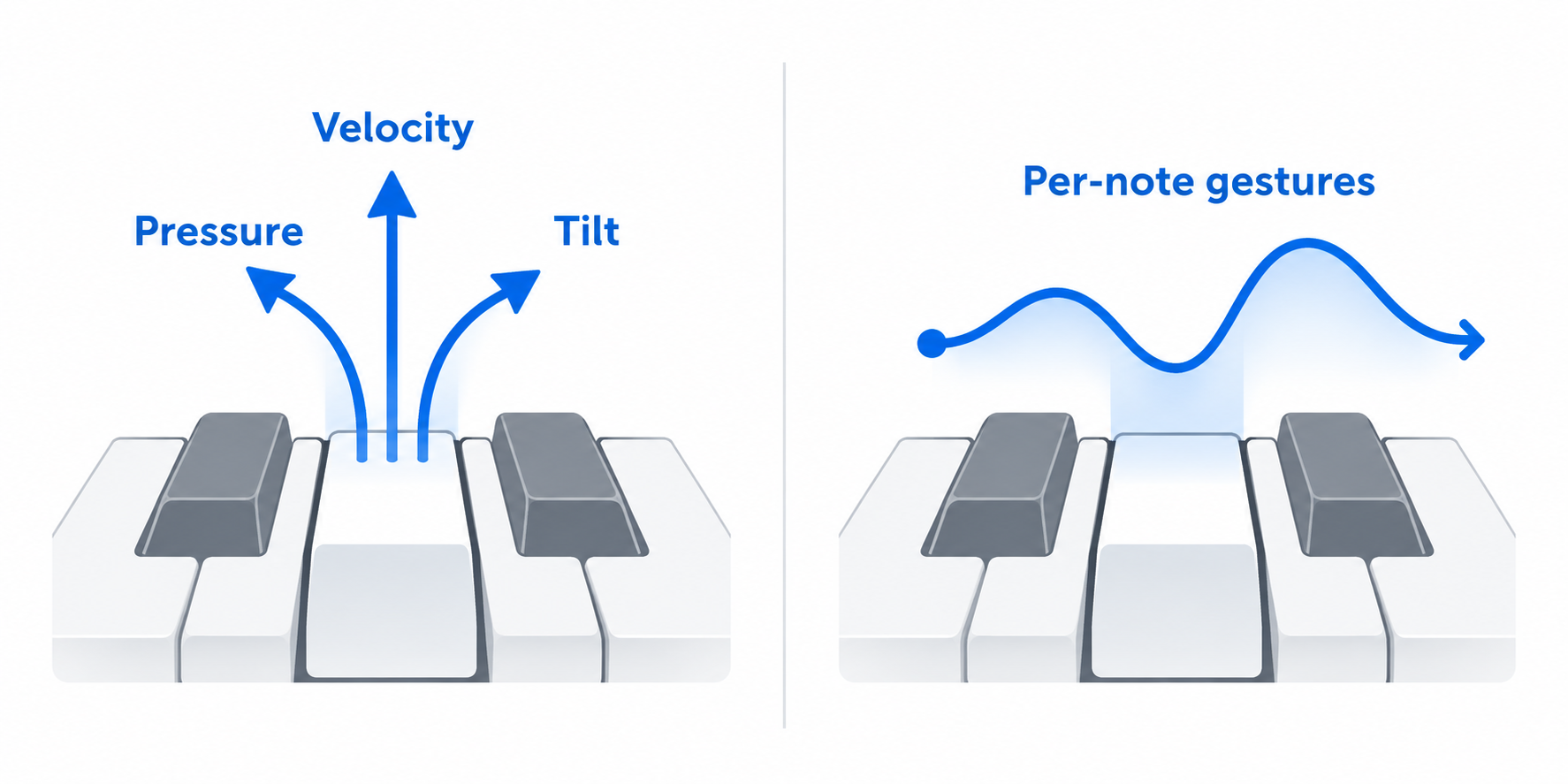
MPE support alone is not a list of the gestures a controller offers. Velocity, pressure, and tilt on Muse Kinetics K-Board-C suit a compact key workflow, while Osmose specifies tap, press, bend, vibrato, shake, strum, and release shaping.
Choose the gesture vocabulary that matches the instrument and performance technique. Independent velocity and pressure on Intuitive Instruments Exquis are meaningful only when its hexagonal layout also fits your way of playing.
Match the key layout to the desk and music
Twenty-five keys reduce the footprint but limit two-handed range. The 25-key K-Board-C fits compact production, while 61 keys on Exquis, Osmose 61, and Keystage 61 suit broader keyboard parts.
Conventional piano keys and hexagonal keys make different demands on technique. A 49-key controller such as Osmose CE 49 or Keystage 49 can be a compromise when both desk width and performance range limit the choice.
Check hardware and computer connections
Connection needs set a USB-only controller apart from a hybrid rig. Osmose CE 49 lists USB-C, DIN MIDI In, MIDI Out/Thru, and two pedal inputs for use with compatible software and external hardware instruments.
Exquis lists MIDI I/O plus CV, gate, and modulation outputs, which may suit a CV-capable hardware workflow. Confirm the actual synth, interface, and pedal connections before buying on expression specifications alone.
Decide whether aftertouch is enough
Polyphonic aftertouch and MPE can coexist, but they are not the same control system. Korg Keystage offers polyphonic and channel aftertouch plus MPE compatibility, which makes it useful for a conventional keyboard approach to expression.
Osmose names a broader set of gestures, so it fits a buyer who specifically wants those controls. Compare sound-engine and plugin support before assuming one controller’s gestures work with every instrument.
Account for bundled software and furniture
A controller can come with more than the keyboard. Osmose CE 61 bundles a sustain pedal, stand, bench, and dust cover, while the CE 49 listing focuses on the controller, Ctrl-E software, and connections.
Keystage lists Ableton Live integration and a software bundle, which can be useful for that workflow. Do not pay for accessories or software merely because they appear in the box when your existing rig already covers them.
Frequently Asked Questions
What is MPE in a MIDI controller?
MPE allows expression to be controlled independently for individual notes. With MPE, a chord can contain different pressure or pitch-style gestures, depending on the controller and compatible instrument.
Read each controller’s gesture list, not just the MPE label. K-Board-C lists velocity, pressure, and tilt, while Osmose lists a wider named set of per-note gestures.
Is a 25-key MPE controller enough?
It can be enough for compact production, melodic parts, or travel. K-Board-C has 25 MPE keys, USB-C, and a desktop editor for Windows and macOS.
Choose 49 or 61 keys when two-handed voicings or a familiar larger keyboard range are part of the intended performance.
Do MPE controllers work with hardware synths?
They can when the controller and synth have compatible MPE and physical connections. Osmose CE 49 lists DIN MIDI In and Out/Thru, while Exquis lists MIDI I/O and CV-related outputs.
Confirm the hardware synth’s MPE support and its input requirements before building a rig around controller features alone.
Which MPE controller has the most conventional keybed?
Korg Keystage uses a listed semi-weighted keyboard with polyphonic and channel aftertouch plus MPE compatibility. It is the familiar-keyboard option in this group.
Choose Osmose for its named gestural keybed or Exquis for its hexagonal layout when those approaches take priority over conventional piano-key feel.
Should I choose the 49-key or 61-key Keystage?
Choose Keystage 49 when 49 semi-weighted keys fit the desk and repertoire. Its MPE, aftertouch, MIDI 2.0, audio-interface, and Ableton features match the listed Keystage 61 feature set.
Choose Keystage 61 when the additional two-handed range outweighs the larger physical footprint.
Bottom Line
Intuitive Instruments Exquis is the distinctive pick for a 61-key hexagonal MPE layout. Choose Expressive E Osmose CE 49 for its detailed named gestures, or Korg Keystage 61 for a conventional 61-key semi-weighted MPE keyboard.