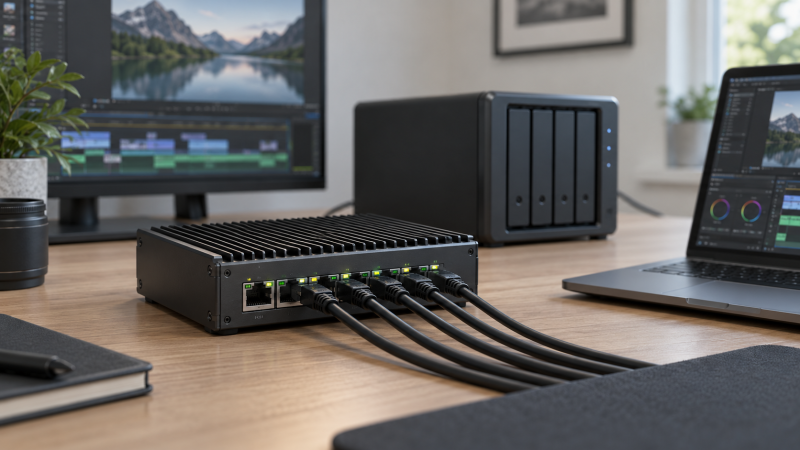
A managed 2.5GbE switch can make a fast but flat editing network controllable. VLANs can separate workstations, guests, storage, and production devices. QoS can prioritize selected traffic, and link aggregation can combine supported connections. 10GbE uplinks can keep several 2.5GbE editors from crowding a single slower path to shared storage.
The seven switches below range from quiet eight-port desktop units to a 24-port rack model and PoE-equipped options for access points or cameras. Port count alone does not decide the best fit. Match management depth, number of 10GbE uplinks, PoE budget, fan noise, installation format, and ecosystem requirements to the network you plan to run.
A 2.5GbE switch cannot make a 1GbE NAS, router, adapter, or cable path run at 2.5GbE. End-to-end speed is constrained by the slowest active link, and simultaneous editors may need a 10GbE storage uplink.- Best overall compact managed switch: TP-Link Omada ES210X-M2 combines eight 2.5GbE ports, two 10GbE SFP+ uplinks, fanless operation, VLANs, and optional Omada management.
- Best for powered studio devices: SODOLA 8-Port PoE supplies eight 2.5GbE PoE ports with a 120W total budget and a 10GbE SFP+ uplink.
- Best for an expanding rack network: SODOLA 24-Port provides 24 multi-gig copper ports and two 10GbE SFP+ ports in a 1U format.
Managed 2.5GbE Switch Comparison
| Image | Product | Details | Check Price |
|---|---|---|---|
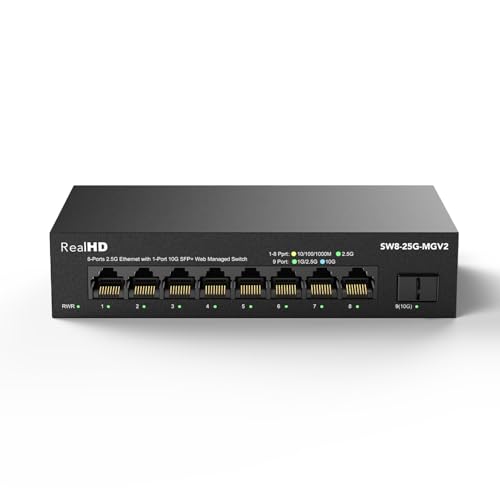 | Real HD 8-Port 2.5Gb Web Managed Switch | 2.5GbE ports: 8 RJ45 10GbE uplinks: 1 SFP+ Management: VLAN, QoS, multicast, MAC controls PoE: No Cooling: Fanless | Check Price on Amazon |
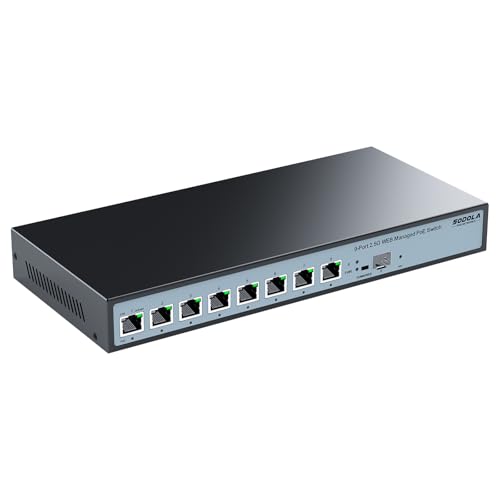 | SODOLA 8-Port 2.5GbE PoE Switch | 2.5GbE ports: 8 PoE RJ45 10GbE uplinks: 1 SFP+ PoE budget: 120W total; up to 90W on port 1 Management: VLAN, QoS, LAG, RSTP Cooling: Fanless | Check Price on Amazon |
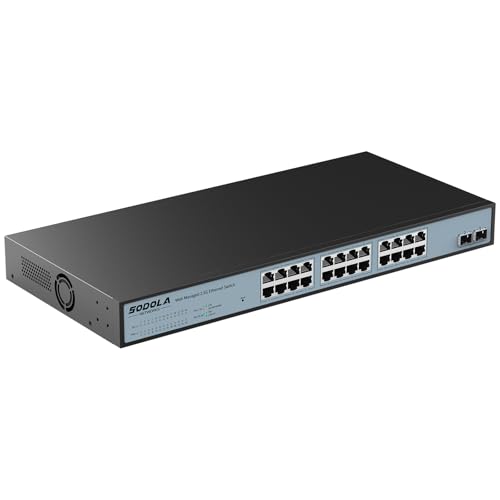 | SODOLA 24-Port 2.5GbE Managed Switch | 2.5GbE ports: 24 RJ45 10GbE uplinks: 2 SFP+ Management: VLAN, QoS, LAG, RSTP Format: 1U rack, fanless Capacity note: Listing conflicts: 120 vs 160 Gbps | Check Price on Amazon |
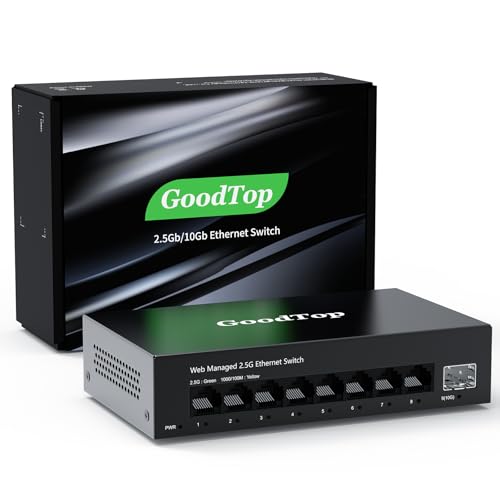 | GoodTop 9-Port 2.5Gb Managed Switch | 2.5GbE ports: 8 RJ45 10GbE uplinks: 1 SFP+ Management: VLAN, QoS, LAG, Spanning Tree Power: Approx. 12W; 2.2W idle Cooling: Fanless | Check Price on Amazon |
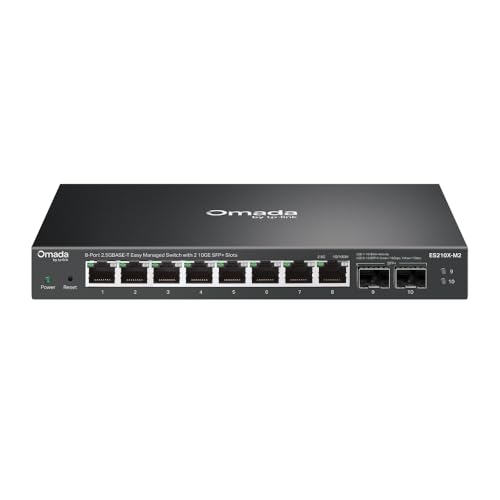 | TP-Link Omada ES210X-M2 | 2.5GbE ports: 8 RJ45 10GbE uplinks: 2 SFP+ Management: VLAN, IGMP Snooping, Omada SDN PoE: Not stated Cooling: Fanless | Check Price on Amazon |
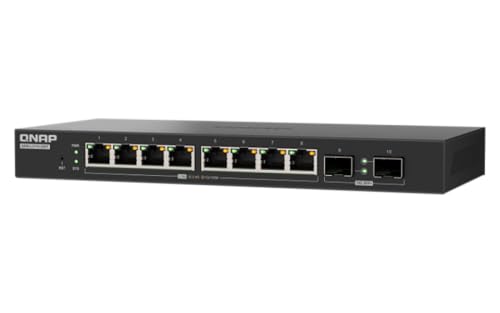 | QNAP QSW-L2110-2S8T-US | 2.5GbE ports: 8 RJ45 10GbE uplinks: 2 SFP+ Management: Lite-managed Layer 2; VLAN and QoS Energy feature: IEEE 802.3az EEE Cooling: Fanless | Check Price on Amazon |
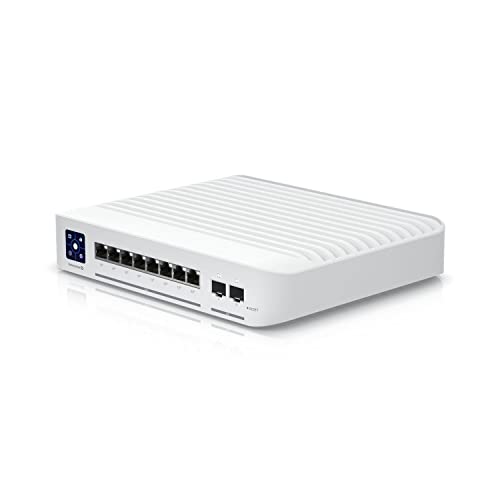 | Ubiquiti USW-Enterprise-8-PoE | 2.5GbE ports: 8 PoE+ RJ45 10GbE uplinks: 2 SFP+ Management: Layer 3 and UniFi Controller PoE budget: Not stated Cooling: Not stated | Check Price on Amazon |
1. Real HD 8-Port Web Managed Switch — Best Basic Fanless Value
The Real HD model covers the essential small-studio layout with eight 2.5GbE RJ45 ports and one 10GbE SFP+ port. The port mix gives several editing workstations or adapters a multi-gig edge connection and leaves a faster path for a NAS, server, or upstream switch. The listing states 60G bandwidth, although it does not explain whether that figure is switching capacity or another metric.
Its web interface supports device and port status, VLAN, QoS, multicast, security controls, and MAC address-table functions. It does not include VPN functionality, which is normal for a switch. Management does not make it a router or security gateway. Verify that the named controls match the VLAN and link behavior your network design requires.
A fanless metal enclosure keeps the unit quiet near an editing desk. The operating range is listed as -20 to 50 degrees C, and the housing includes a stated 4KV lightning-protection design. The vendor recommends Cat 6 or higher pure-copper cabling for 2.5GbE and notes that every relevant adapter and network link must support the desired speed.
[accentbox]Choose this switch for a quiet eight-port desk network that needs basic web management and one 10GbE uplink, not advanced routing or PoE.[/accentbox]- Eight 2.5GbE copper ports
- One 10GbE SFP+ uplink
- Fanless metal housing
- No PoE
- No VPN function
- Management depth is not fully specified
2. SODOLA 8-Port 2.5GbE PoE Switch — Best Value PoE Pick
SODOLA specifies eight 2.5GbE PoE ports, one 10GbE SFP+ port, and a 120W total power budget. Port 1 supports the listed 802.3af, 802.3at, and higher-power PoE modes up to 90W, while ports 2 through 8 support up to 30W under the stated 802.3at specification. The uneven power split can suit a studio with a high-demand access point plus several conventional powered devices.
The web interface lists VLAN, QoS, multicast, MAC controls, Rapid Spanning Tree, and link aggregation. Initial access requires setting an IPv4 address before logging in. The setup step is manageable for an experienced operator, but plan it before the switch replaces an existing network path, especially if the configuration computer normally relies on DHCP.
The fanless metal housing supports desktop or wall mounting, so it adds no fan noise to a voice or edit room. The listing includes a one-year warranty and lifetime technical support. It does not give the aggregate PoE allocation rules beyond the 120W budget, so total the expected continuous draw of every powered device and leave capacity for startup peaks.
[accentbox]The SODOLA PoE switch is the value choice when a small editing network needs both 2.5GbE data and PoE. Confirm each device’s standard and wattage rather than dividing 120W evenly across eight ports.[/accentbox]- 120W PoE budget
- Up to 90W stated on port 1
- Link aggregation and RSTP
- Only one 10GbE SFP+ port
- Initial IPv4 setup required
3. SODOLA 24-Port 2.5GbE Switch — Best High-Port-Count Pick
The larger SODOLA is the only option here built for a dense wired network. It has 24 ports supporting 100, 1,000, and 2,500 Mbps, plus two 10GbE SFP+ uplinks. A growing post-production room can connect workstations, ingest stations, storage paths, access points, control systems, and other endpoints without immediately adding another edge switch.
Management includes VLAN, QoS, multicast, MAC functions, Rapid Spanning Tree, and link aggregation through a web interface. Like the eight-port SODOLA, it requires an IPv4 address to be set before initial login. Dual 10GbE SFP+ ports give you options for separate storage and core uplinks or supported aggregated paths, subject to the exact network design.
The listing contains a capacity conflict. One heading says 160 Gbps bandwidth, while its sentence says 120 Gbps switching capacity. Do not use either number for a purchasing calculation until the seller confirms the current hardware specification. The 1U fanless metal chassis is rack-mountable and uses bilateral cooling, so it is quieter than a fan-cooled access switch but too large for a two-seat desk.
[accentbox]Buy for the 24-port density and dual 10GbE uplinks, not the unresolved 120/160 Gbps claim. Confirm that specification if aggregate switching capacity is critical.[/accentbox]- 24 2.5GbE RJ45 ports
- Two 10GbE SFP+ uplinks
- Fanless 1U rack design
- Conflicting 120/160 Gbps capacity claims
- No PoE stated
- Too large for many desk networks
4. GoodTop 9-Port 2.5Gb Managed Switch — Best Compact Configuration Control
GoodTop provides eight adaptive 2.5GbE RJ45 ports and one multi-rate 10GbE SFP+ slot. The SFP+ slot is described as compatible with copper modules, optical modules, DAC, and AOC connections across several rates, but it does not support GPON or XGS-PON modules. The slot is therefore an uplink or device port, not a direct substitute for a passive optical-network terminal.
The web controls include VLAN, QoS, link aggregation, Spanning Tree, MAC address functions, and a DHCP client. Initial login requires an IPv4 configuration. Settings must be applied and then saved again in the separate Save Configuration area to survive a reboot. Add the two-step apply-and-save process to the network administrator’s change checklist.
The Realtek RTL8373N-based unit is listed around 12W under operation and about 2.2W at idle, with a working range of 0 to 40 degrees C. It is fanless and can sit on a desk or mount with two screws using bottom holes. The listing warns that it may become warm under full load, so its vents need open space.
[accentbox]GoodTop is appealing for compact installations, but remember to apply and separately save every configuration change before rebooting.[/accentbox]- Broad SFP+ module and cable support
- Compact fanless metal design
- Link aggregation and Spanning Tree
- Configuration requires separate save action
- No GPON or XGS-PON module support
- No PoE
5. TP-Link Omada ES210X-M2 — Best Overall Compact Managed Switch
TP-Link specifies that the Omada ES210X-M2 pairs eight 2.5GbE RJ45 ports and two 10GbE SFP+ slots in a compact case. Two uplinks provide more options than the single-SFP+ desktop switches, including separate paths toward shared storage and a core network. The switch is positioned for NAS devices, Wi-Fi 6 or 7 access points, and multi-gig client systems.
According to the manufacturer, its easy-managed feature set includes VLAN support, IGMP Snooping, and automatic loop prevention. It can also join the TP-Link Omada SDN platform for centralized cloud-based management through a web interface or mobile app. The Omada option is useful for administrators already using Omada, while buyers who want a fully standalone workflow should confirm which functions remain available without a controller.
TP-Link documents a fanless metal enclosure with shielded ports designed for silent desktop or home-office operation. No PoE is stated, so access points connected to it need another power source or an injector. The supplied information also does not list link aggregation, RSTP, or a switching-capacity figure. Do not assume those features from the managed label alone.
[accentbox]The combination of dual 10GbE SFP+ uplinks, eight multi-gig ports, quiet operation, and optional centralized management make the ES210X-M2 the strongest all-around compact choice.[/accentbox]- Two 10GbE SFP+ uplinks
- Omada web and app management
- Fanless shielded metal design
- No PoE stated
- Some advanced controls are not listed
6. QNAP QSW-L2110-2S8T-US — Best Lite-Managed NAS Companion
QNAP’s QSW-L2110-2S8T-US pairs eight 2.5GbE RJ45 ports with two 10GbE SFP+ ports, the same layout as the Omada ES210X-M2. That layout suits several editing clients and a faster NAS or core link. It is specifically positioned for content creators, small businesses, Wi-Fi 6 or 7 access points, and QNAP NAS connections.
The Lite-Managed Layer 2 web interface supports VLAN, QoS, and basic traffic management. The word “Lite-managed” sets the scope. The switch is aimed at essential segmentation and traffic control rather than a deep enterprise feature set. If link aggregation, Spanning Tree variants, detailed access controls, or advanced monitoring are mandatory, confirm them individually instead of inferring them.
A compact fanless desktop chassis keeps the QNAP silent near a workstation. IEEE 802.3az Energy Efficient Ethernet adjusts power use in response to network activity. No PoE function is listed, and no rack hardware is stated. The QNAP fits best beside a NAS or desk cluster where the dual SFP+ backbone counts for more than powered edge ports.
[accentbox]Choose QNAP for a simple Layer 2 web interface and dual 10GbE backbone, especially beside a QNAP NAS. Do not mistake Lite-Managed for unrestricted enterprise management.[/accentbox]- Two 10GbE SFP+ ports
- Fanless compact chassis
- VLAN, QoS, and 802.3az support
- Lite-managed feature scope
- No PoE stated
7. Ubiquiti USW-Enterprise-8-PoE — Best UniFi and Layer 3 Pick
The Ubiquiti model combines eight 2.5GbE PoE+ RJ45 ports and two 10GbE SFP+ ports, so it covers both powered endpoints and redundant or separated high-speed uplinks. It is a strong topology for a studio with multi-gig access points, IP cameras, phones, and edit stations, although the supplied data does not state the total PoE budget.
Layer 3 features include VLANs, routing, and traffic management. The routing features give more design options than basic smart switches, particularly when segmentation and inter-VLAN behavior need to live on the switch. The product integrates with the UniFi Controller for centralized management, monitoring, and network expansion, so it makes the most sense inside or alongside an existing UniFi environment.
The missing total PoE capacity is a meaningful purchasing gap. Eight PoE+ ports do not mean that every port can necessarily deliver its maximum at the same time. Add the continuous and peak draw of all powered devices, then confirm the switch budget. The supplied data also does not state fan behavior or acoustic output, so a noise-sensitive edit suite should verify those details before placing it on the desk.
[accentbox]The Ubiquiti is the feature leader for UniFi management, Layer 3 controls, dual 10GbE uplinks, and eight PoE+ ports, but its total power budget and noise need confirmation.[/accentbox]- PoE+ on all eight 2.5GbE ports
- Two 10GbE SFP+ uplinks
- Layer 3 and UniFi integration
- Total PoE budget not stated
- Noise-sensitive rooms should verify fan behavior first
- Best value depends on using UniFi
Buying Guide: Choosing a Managed 2.5GbE Switch
Count client ports and growth capacity
Start with every wired endpoint: editors, NAS connections, servers, access points, ingest systems, and the router or core uplink. An eight-port switch does not leave eight workstation ports after infrastructure connections are assigned. A design with eight 2.5GbE ports plus dedicated SFP+ uplinks preserves more copper ports for clients than one that uses RJ45 for upstream connections.
Leave room for likely additions rather than filling every port on day one. The SODOLA 24-port model is sensible when a patch panel already serves many locations. Otherwise it adds rack space and unused capacity. For a small desk cluster, eight edge ports and two uplinks usually give a cleaner growth path without another switch immediately.
Size the uplink for simultaneous editors
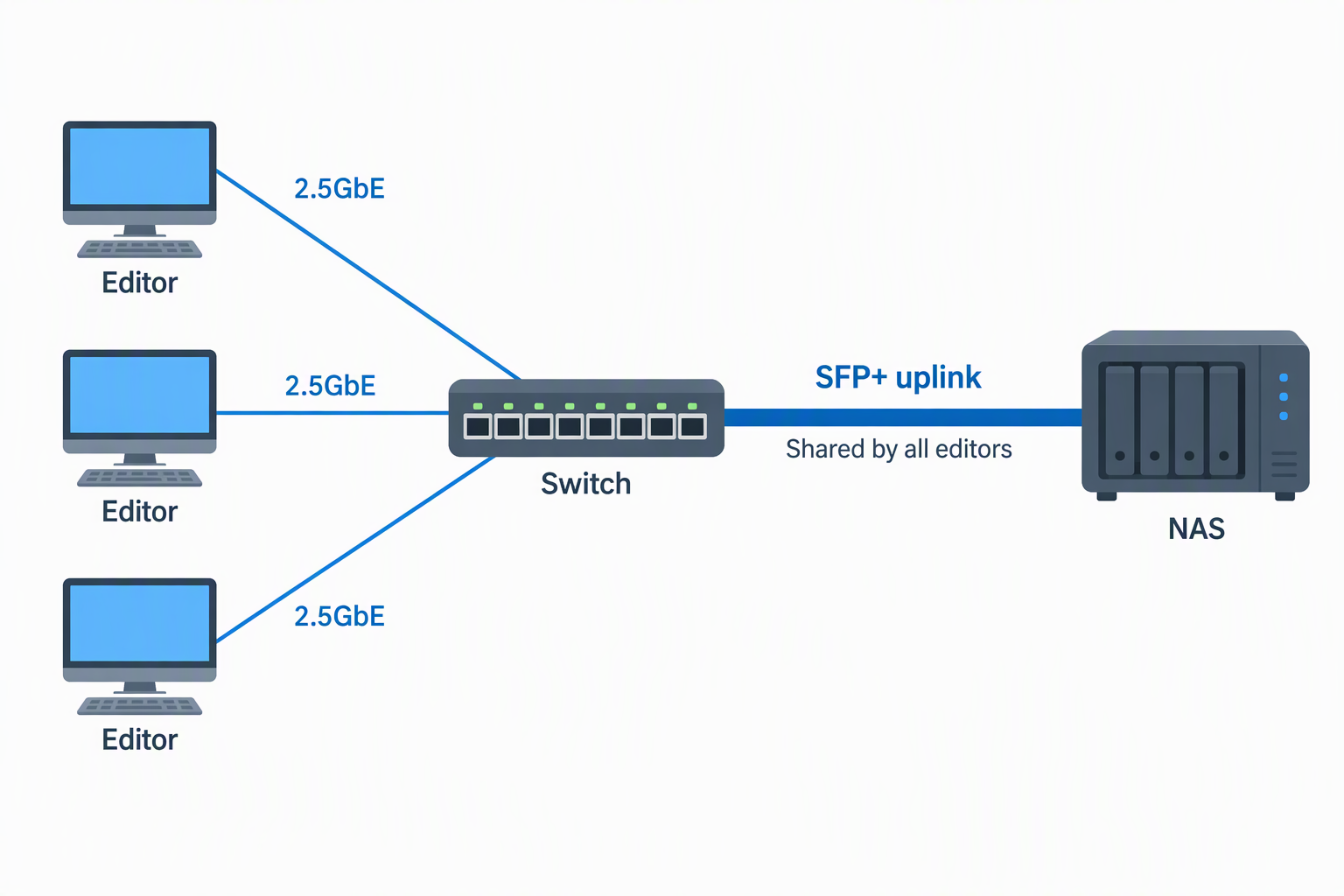
One 2.5GbE workstation cannot exceed its own link, but several clients can collectively overwhelm a 2.5GbE or 1GbE NAS path. A 10GbE SFP+ uplink gives multiple editors more shared headroom when storage and the rest of the path can sustain it. Real HD, SODOLA PoE, and GoodTop provide one. The larger SODOLA, Omada, QNAP, and Ubiquiti provide two.
Dual SFP+ ports do not automatically double bandwidth. They can serve different devices, provide separate upstream paths, or participate in supported aggregation. Confirm the switch and peer configuration before planning a combined link. Storage media, NAS CPU, protocol overhead, and workstation adapters can still limit actual transfer rates below the nominal port speed.
Choose the right management depth
Basic web management commonly covers VLAN, QoS, port status, and multicast controls. Those controls may be enough to separate production, guest, and infrastructure traffic. GoodTop and the SODOLA products also list link aggregation and Spanning Tree or RSTP, while Omada emphasizes IGMP Snooping and loop prevention.
QNAP explicitly calls its interface Lite-Managed Layer 2, and Ubiquiti lists Layer 3 routing and UniFi control. Do not use “managed” as a single feature category. Write down the exact VLAN tagging, aggregation, loop prevention, routing, monitoring, and authentication behavior needed, then verify each item before purchase.
Calculate PoE by budget and per-port limits
PoE can power access points, cameras, phones, and other compatible devices through the network cable. The eight-port SODOLA provides a stated 120W total budget, with up to 90W on port 1 and up to 30W on ports 2 through 8 under its listed standards. The budget does not allow every port to draw its individual maximum simultaneously.
Ubiquiti lists PoE+ on all eight ports but does not provide a total budget in the supplied data. Add every device’s expected draw, reserve margin for startup and upgrades, and confirm both the per-port standard and total available watts. Non-PoE edit workstations and NAS devices do not benefit from paying for a large power budget unless powered network endpoints share the switch.
Plan VLANs before connecting production storage
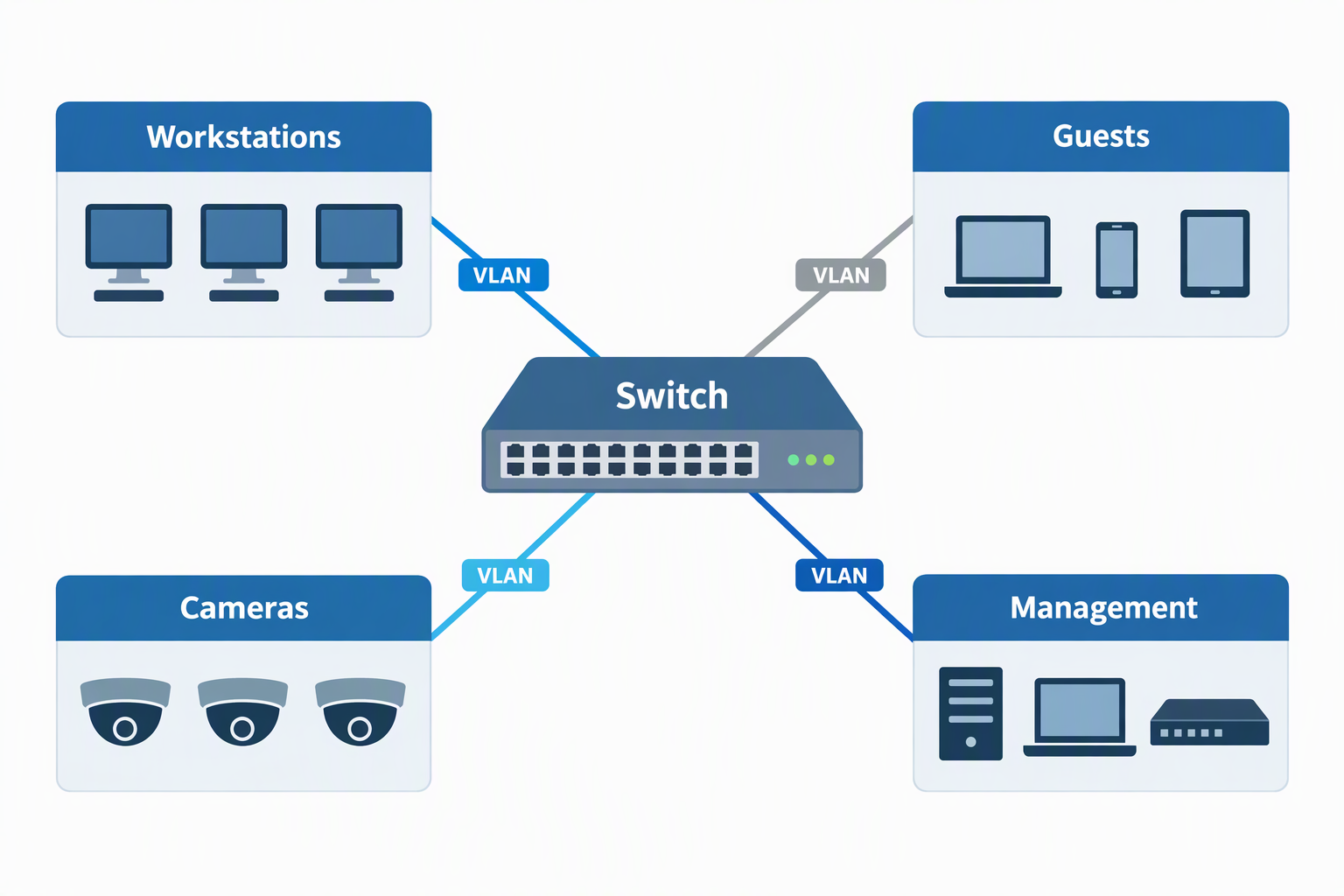
VLANs can separate trusted workstations, guests, cameras, management interfaces, and other device groups. They require coordinated tagging and routing across the switch, router, access points, and sometimes endpoints. A VLAN checkbox alone does not create a secure production network. Define VLAN IDs, tagged trunks, untagged access ports, and routing policy before migration.
Keep the management interface reachable from an intentional administrator network, not every port by accident. Both SODOLA models and GoodTop call out initial IPv4 setup. Record the switch address and save the configuration after changes. On GoodTop, saving means using Apply and Save Configuration as separate steps.
Account for noise, cooling, and placement
Fan noise is a problem in editing and recording rooms. Real HD, both SODOLA units, GoodTop, Omada, and QNAP explicitly list fanless operation. The 24-port SODOLA still needs rack airflow around its bilateral cooling path, and GoodTop warns that its case may become warm at full load.
Ubiquiti’s supplied record does not state its cooling or noise behavior. Verify acoustics before placing any unknown switch beside microphones or the listening position. Fanless does not mean ventilation-free. Maintain clearance around vents, avoid stacking hot hardware, and stay within the stated operating-temperature range where one is available.
Select cables and SFP+ media deliberately
For 2.5GbE copper runs, the Real HD listing recommends Cat 6 or higher pure-copper cable. Existing cabling may work depending on length and condition, but every path should be tested rather than assumed. A link that negotiates at 1GbE points to a problem with a device, adapter, cable, termination, or configuration.
SFP+ ports require appropriate modules or cables. GoodTop explicitly supports RJ45 copper modules, optical modules, DAC, and AOC but excludes GPON and XGS-PON. For short rack links, a supported DAC connection can be simpler than separate optics; longer paths may favor fiber. Confirm compatibility on both ends before ordering media.
Frequently Asked Questions
Is 2.5GbE fast enough for video editing from a NAS?
It can be appropriate for compressed media and many single-editor tasks, but suitability depends on codec bitrate, stream count, proxies, storage performance, and overhead. A nominal 2.5Gbps link is shared by the traffic on that port and does not guarantee a fixed application rate.
Multiple editors place more pressure on the NAS uplink than on any one client link. A 10GbE connection from switch to capable storage gives the group more aggregate room. Test the actual project media and timeline rather than relying only on port labels.
Do I need two 10GbE SFP+ ports?
Not always. One uplink can connect a NAS or core switch. Two provide options for separate storage and upstream paths, supported aggregation, or later expansion. They are especially useful when several 2.5GbE clients transfer simultaneously.
Dual ports are not mandatory for a two-computer desk with one storage target. Choose them when the network diagram gives both ports a job. Omada, QNAP, Ubiquiti, and the 24-port SODOLA include two in this group.
Can a managed switch replace my router?
Usually not. A managed Layer 2 switch can provide VLANs and traffic controls but still needs a router or firewall for internet access and inter-network policy. The Real HD listing specifically states that it has no VPN functionality.
The Ubiquiti lists Layer 3 routing features, but the routing features do not automatically replace internet gateway, firewall, NAT, DHCP, or VPN services. Define each required function and assign it to the right network device.
Is PoE useful in an editing network?
PoE is useful when the same switch serves wireless access points, cameras, phones, or control devices. It reduces separate power adapters and can centralize backup power. The SODOLA supplies a stated 120W budget, while Ubiquiti offers PoE+ on eight ports.
Editing workstations and most NAS units still use their own power supplies. If there are no powered endpoints, a non-PoE switch may be quieter, simpler, or less expensive. Size the PoE budget to the actual powered devices, not to an abstract feature.
What happens when a 1GbE device joins the switch?
Multi-rate ports generally negotiate to the supported common speed. The slower device can communicate, but its own connection remains 1GbE or lower. It does not force every other independent port to the same rate.
The path for a particular transfer is only as fast as its slowest relevant segment. A 2.5GbE workstation copying to a 1GbE NAS will still be constrained by that NAS link, regardless of the switch’s backplane or SFP+ ports.
Related Network and Workstation Guides
- Wi-Fi 7 PCIe cards for desktop workstations
- Ethernet adapters for laptops
- Thunderbolt docks for workstation desks
- USB-C hubs for desktop connectivity
- Desktop rack stands for small audio interfaces
- Rack shelves for non-rack studio gear
- Audio cable testers for studio patch cables
- DisplayPort cables for editing monitors
Bottom Line
The TP-Link Omada ES210X-M2 is the best-balanced compact choice, with eight 2.5GbE ports, two 10GbE uplinks, fanless operation, and optional centralized management. Choose the SODOLA 8-Port PoE when powered endpoints and a defined 120W budget are the priority, or the SODOLA 24-Port when rack density drives the design.