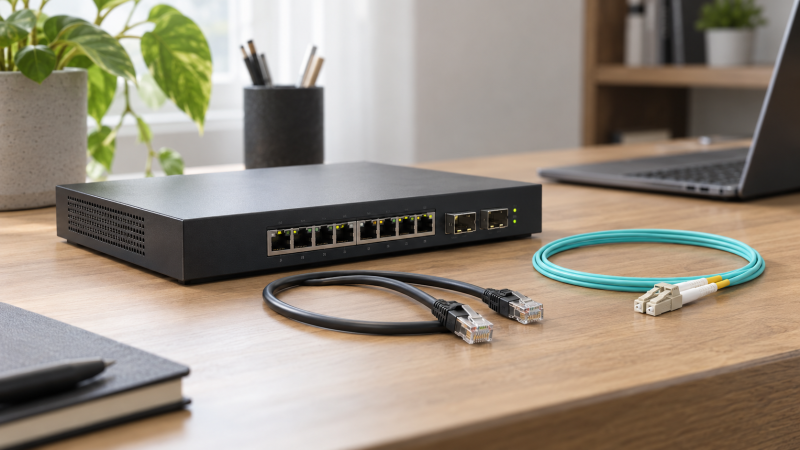
A small 10GbE desk network gets complicated at the slot, not the cable. An SFP+ port can take a copper RJ45 transceiver or an optical module, but the right answer depends on the equipment at both ends, the cable already in the room, and how much heat the switch can tolerate.
This guide compares six Amazon US SFP+ modules with active New offers. Start by identifying the exact switch and NIC ports, then decide whether an existing copper run or a short multimode fiber link is the cleaner fit.
The module must match both the connector path and the equipment’s compatibility rules as specified by the manufacturer.SFP+ Modules Compared
| Image | Product | Details | Check Price |
|---|---|---|---|
 | 10Gtek 10G-SFP-T | Best fit: Straightforward copper run Connector: RJ45 Link: 10GBase-T Listed reach: Up to 30m on Cat6a/Cat7 | Check Price on Amazon |
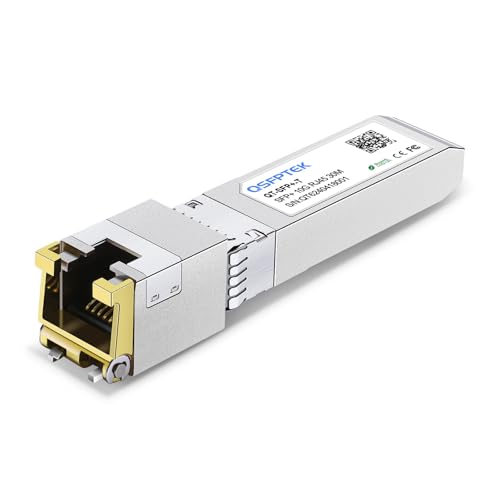 | QSFPTEK 10G RJ45 module | Best fit: Ubiquiti-oriented copper option Connector: RJ45 Link: 10GBase-T Listed reach: Up to 30m | Check Price on Amazon |
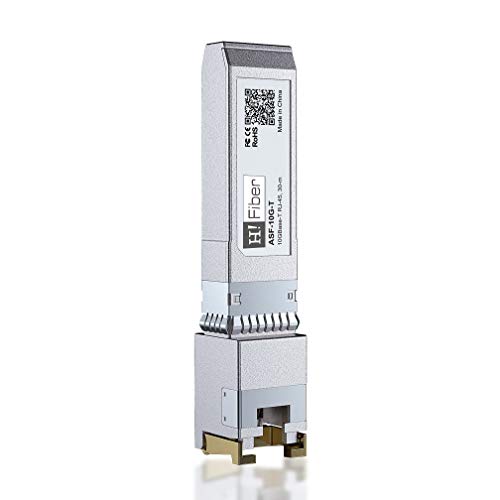 | H!Fiber 10GBase-T module | Best fit: Multi-rate copper link Connector: RJ45 Link: 1G to 10G listed Listed reach: Up to 30m at 10G | Check Price on Amazon |
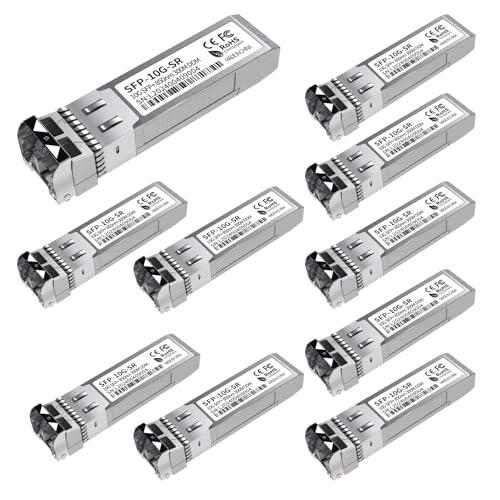 | GESD 10GBase-SR LC 10-pack | Best fit: Several short fiber links Connector: Duplex LC Link: 10GBase-SR Listed reach: Up to 400m on MMF | Check Price on Amazon |
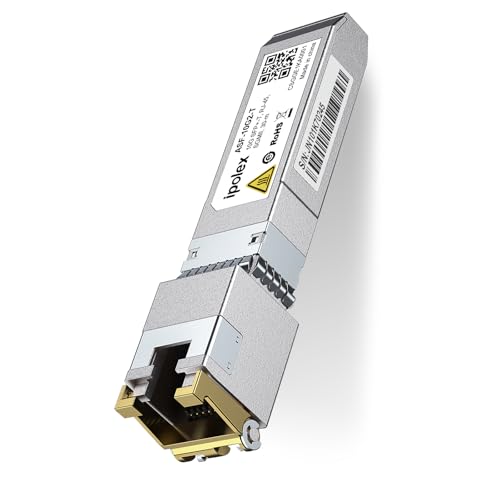 | ipolex 10G-SFP-T | Best fit: Auto-negotiating copper link Connector: RJ45 Link: 1G to 10G listed Listed reach: Up to 30m | Check Price on Amazon |
 | 10Gtek 10GBase-SR LC 2-pack | Best fit: Two-end fiber connection Connector: Duplex LC Link: 10GBase-SR Listed reach: Up to 300m on MMF | Check Price on Amazon |
1. 10Gtek 10G-SFP-T — Straightforward Copper Run
10Gtek lists a 10GBase-T RJ45 SFP+ transceiver for Cat6a or Cat7 cable, with a stated reach of up to 30 meters. It is the module to inspect when a desk already has short copper Ethernet installed and the switch has an empty SFP+ slot.
The listing also warns that the module can get hot. The warning does not predict how the module will behave in your switch, but ventilation and a short cable path you know works become more important than treating an SFP+ cage as a universal RJ45 socket.
Our Take Buy this module if a short copper run is easier than pulling fiber. Confirm the exact switch and NIC compatibility before purchase, especially because the listing names several exceptions.
- Lists RJ45 10GBase-T and up to 30m reach.
- Fits an existing short Cat6a or Cat7 run.
- Listing warns the module may get hot.
- Compatibility exclusions are stated.
2. QSFPTEK 10G RJ45 Module — Ubiquiti-Oriented Copper Option
QSFPTEK lists a 10G SFP+ to RJ45 module with 10GBase-T support, Cat6a or Cat7 cable, and a stated 30-meter maximum. Its listing calls out Ubiquiti, Netgear, and Supermicro examples, which makes it a useful candidate when those names are already in the desk network.
Brand examples are not a guarantee for every firmware, port mode, or switch revision. Use the model list to narrow the investigation, then compare your exact hardware and software version before deciding this is a drop-in replacement.
Our Take Buy the QSFPTEK if your desk is built around the supported brand families in its listing. Treat the named examples as a compatibility lead, not proof for an unlisted switch.
- Lists 10GBase-T, RJ45, and up to 30m.
- Names several common network hardware families.
- Exact compatibility still needs checking.
- Copper modules can add heat at the switch.
3. H!Fiber 10GBase-T Module — Multi-Rate Copper Link
H!Fiber lists an RJ45 SFP+ transceiver with 10G, 5G, 2.5G, and 1G rates on the copper side. Those rates are useful where a workstation, router, or NAS does not yet run at 10GbE but may share the same physical path later.
The listing gives 30 meters for 10G over Cat6a, Cat7, or Cat8 and a longer stated reach for lower rates over Cat5e or better. Cable category is only one part of the link, so keep the switch port and peer NIC in the decision rather than planning from reach alone.
Our Take Buy the H!Fiber if rate flexibility is more important than a fixed 10G-only link. It can simplify staged upgrades, provided both endpoints negotiate the rate you intend to use.
- Lists 1G through 10G copper rates.
- Names reach guidance for different cable types.
- Negotiation depends on both endpoints.
- Compatibility still varies by switch platform.
4. GESD 10GBase-SR LC 10-pack — Several Short Fiber Links
GESD lists a 10GBase-SR multimode LC module using 850nm optics, with a stated reach up to 400 meters. Fiber modules are a different project from copper transceivers. Each route needs compatible duplex LC fiber, one module at each end, and clean connections.
A ten-pack makes more sense when a small rack, desk island, and editing storage all need short optical links. For only one device pair, the pack size can be more hardware than the job calls for.
Our Take Buy the GESD pack if several short multimode fiber links are planned together. Do not buy it to solve an existing RJ45 cable run. It needs an LC fiber path at both ends.
- Lists 10GBase-SR and duplex LC.
- Ten modules suit several paired links.
- Requires multimode duplex LC fiber.
- Ten-pack is excessive for one link.
5. ipolex 10G-SFP-T — Auto-Negotiating Copper Link
ipolex lists an RJ45 SFP+ module with 1G, 2.5G, 5G, and 10GBase-T auto-negotiation and a stated 30-meter limit over Cat6a or Cat7. The module is another practical option where one side of the network is still at a lower multi-gig speed.
Its listing explicitly says compatibility can depend on factors including platform and software version. Take the warning seriously. An SFP+ transceiver is not interchangeable merely because its connector fits.
Our Take Buy the ipolex if you plan a staged copper upgrade. It is useful when the peer device runs below 10G, but you still need to verify the exact switch before relying on auto-negotiation.
- Lists multi-rate copper auto-negotiation.
- Stated fit for short Cat6a or Cat7 runs.
- Compatibility is explicitly platform-dependent.
- Does not replace a fiber module.
6. 10Gtek 10GBase-SR LC 2-pack — Two-End Fiber Connection
10Gtek lists a two-pack of 10GBase-SR LC transceivers for multimode fiber, with 850nm optics and a stated 300-meter reach. A pair is the natural quantity for one switch-to-NIC or switch-to-switch optical connection because both ends need a module.
The listing names OM1 through OM4 multimode cable compatibility. The named range does not tell you whether your installed cable is within it or whether its terminations are clean, so check the actual link path before making the module the first purchase.
Our Take Buy the pair for one planned fiber connection, but only after confirming both endpoints have SFP+ cages and the run is duplex multimode LC fiber.
- Two modules cover both ends of one link.
- Lists 10GBase-SR and multimode LC support.
- Requires a compatible fiber route.
- Listed reach is not a guarantee for an installed cable.
Buying Guide
Decide between copper and fiber before choosing a brand
RJ45 copper modules make sense when a short Cat6a or Cat7 run is already in place and both endpoints are expected to use 10GBase-T. They are convenient, but their heat and compatibility needs can count for more in a compact desk switch than in a larger rack.
Multimode LC fiber modules make sense when you are building a separate optical path. Fiber avoids converting an existing copper cable, but it requires the right duplex cable, a module at each end, and the discipline to identify both optical connectors before buying.
Check the exact switch, NIC, and software version
SFP+ compatibility is equipment-specific. A listing may name a switch family, yet that does not establish the behavior of every port, firmware release, or vendor-coded configuration. Read the switch vendor documentation and compare its exact model before settling on a module.
Auto-negotiation is a link decision, not a label. A multi-rate copper module can advertise 1G through 10G support, but the peer NIC, cable, and SFP+ port must all agree. Plan the speed you need now and the speed you can verify later.
Treat cable reach and heat as design limits
Listed reach is a maximum condition, not a room measurement. A 30-meter copper reach, as rated by manufacturers, assumes the stated cable category and a healthy link. A 300- or 400-meter fiber figure, according to manufacturer specifications, assumes compatible multimode fiber. Shorter, known paths are easier to diagnose.
Copper transceivers can run warm. Leave airflow around the switch and do not assume a fanless desktop box has the same thermal margin as a rack switch. If heat or distance is a concern, compare a fiber path before adding more copper modules.
Frequently Asked Questions
Can I put an RJ45 module in every SFP+ port?
Not automatically. The connector fitting is only the first requirement. Your switch must support that module and have enough thermal margin for it, while the far-end NIC or switch must support the intended copper speed.
For one short desktop run, an RJ45 module can be practical. For several links or a longer route, compare fiber rather than treating multiple copper transceivers as the default answer.
Do I need two SFP+ modules for fiber?
Yes, for a normal point-to-point link, each SFP+ endpoint needs its own compatible optical transceiver. You also need a duplex LC multimode fiber cable when using the SR modules in this guide.
Both ends need a module, so a two-pack can be more useful than a single module. Confirm the installed cable type and both endpoint cages before buying the pair.
Will a 10GBase-T SFP+ module work at lower speeds?
Some products here are rated by their manufacturers for 1G, 2.5G, 5G, and 10G support, but that does not make every switch port negotiate every rate. Check the module listing and the exact equipment documentation together.
If your current device only has 2.5GbE, a multi-rate module may help with a staged upgrade. Test the negotiated link speed after installation rather than inferring it from the module label.
Bottom Line
For one short RJ45 run, start with 10Gtek 10G-SFP-T after checking compatibility. For a flexible copper rate path, H!Fiber 10GBase-T is the better comparison. For one optical link, 10Gtek 10GBase-SR LC 2-pack covers the paired transceivers you need.