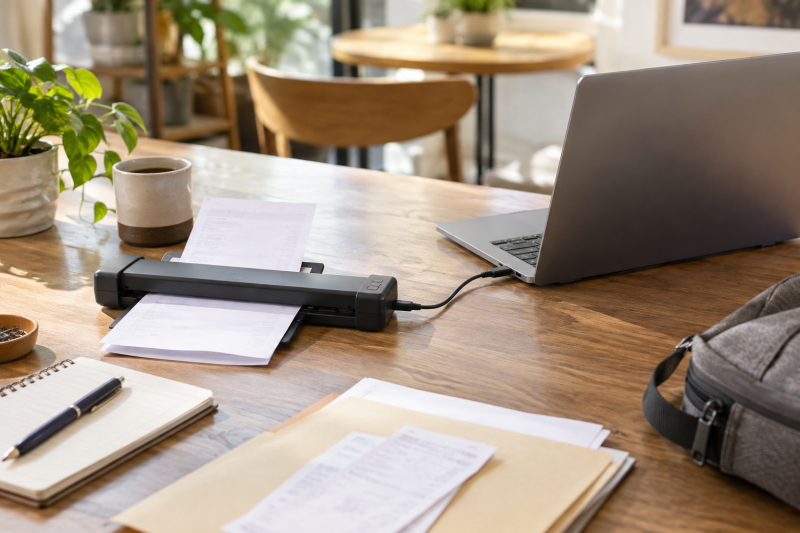
Freelance paperwork accumulates in bags, envelopes, and camera cases. A portable document scanner can turn receipts and forms into a laptop archive before they become a stack that needs an afternoon of manual entry.
The right scanner depends on what you feed it. A single-sheet USB model is different from a duplex feeder, and a handheld wand is a different tool again. These six picks cover compact document scanners with distinct approaches to mobile filing.
For a mobile archive, choose the feed style first and the software second.Portable Receipt Scanners Compared
| Image | Product | Details | Check Price |
|---|---|---|---|
 | HP HPPS100 | Best fit: Simple USB sheetfed pick Feed: One-sided sheetfed Power: USB Software: HP WorkScan | Check Price on Amazon |
 | Canon imageFORMULA R10 | Best fit: USB-powered duplex scanner Feed: Duplex document feeder Power: USB Software: See listing | Check Price on Amazon |
 | Hczrc Hczrc-01 | Best fit: Loose pages away from a desk Feed: Handheld Power: See listing Software: JPG/PDF, listed 16GB SD card | Check Price on Amazon |
 | Epson WorkForce ES-50 | Best fit: Established mobile document pick Feed: See listing Power: See listing Software: See listing | Check Price on Amazon |
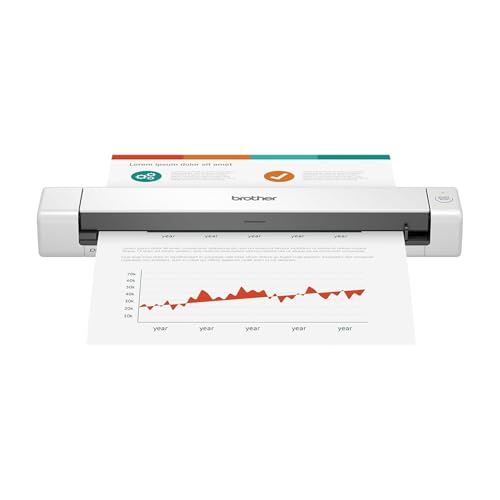 | Brother DS-640 | Best fit: Minimal document-only choice Feed: See listing Power: See listing Software: See listing | Check Price on Amazon |
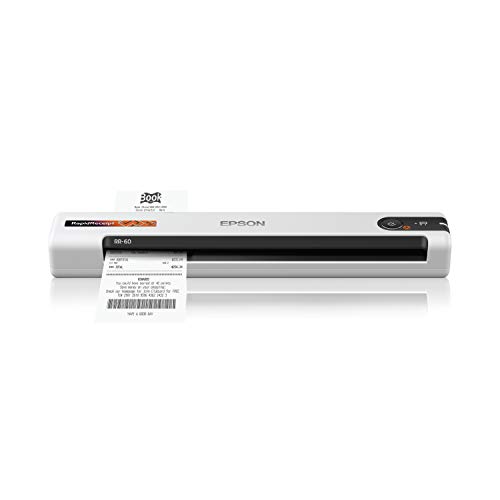 | Epson RapidReceipt RR-60 | Best fit: Receipt-oriented workflows Feed: See listing Power: See listing Software: See listing | Check Price on Amazon |
1. HP HPPS100 Small USB Document and Photo Scanner — Best Simple USB Sheetfed Pick
HP lists the HPPS100 as a portable one-sided sheetfed document and photo scanner with USB connectivity, PC and Mac support, and HP WorkScan software. The USB connection and software make it a basic fit for a freelancer who wants to feed receipts or forms into a laptop without building a full office station.
One-sided feeding is the decisive limitation. If your receipts are normally one-sided, it is not a problem. If you regularly scan two-sided forms, a duplex model reduces the handling work and the chance of missed pages.
Our Take Buy the HP if you want a straightforward USB scanner for simple document capture. It suits a single-sided filing routine better than a mixed stack of duplex paperwork or bound records.
- Lists USB connectivity and PC/Mac support.
- Sheetfed format suits loose receipts and forms.
- Listing identifies one-sided scanning.
- Not the best fit for bound pages.
2. Canon imageFORMULA R10 Portable Document Scanner — Best USB-Powered Duplex Scanner
Canon lists the imageFORMULA R10 as a USB-powered duplex portable scanner with a document feeder and easy setup. Duplex scanning is its clearest advantage for a laptop worker who scans forms, contracts, or receipts with information on both sides.
USB power makes packing easier than a scanner that needs a separate wall adapter, though the laptop or dock then has to supply a stable connection. Check the physical paper path and your document sizes before treating a compact feeder as a replacement for a larger office scanner.
Our Take Buy the R10 if two-sided documents are part of your weekly workflow. Its stated duplex feeder saves time on more than occasional single receipts.
- Lists duplex scanning and a document feeder.
- USB-powered design suits laptop travel.
- Feed path must suit the paper you scan.
- Requires a stable USB host connection.
3. Hczrc Hczrc-01 Handheld Portable Scanner — Best for Loose Pages Away from a Desk
Hczrc lists a handheld scanner for A4 documents, photos, receipts, books, and pictures, with JPG/PDF selection, up to 900 DPI, and a 16GB SD card. It has a different job from a sheetfed scanner, which is capturing a page that cannot easily go through a feeder.
Handheld scanning requires a steady, consistent pass across the page, so it is useful for a receipt taped into a notebook or a book page but less predictable than a feeder for a weekly pile of flat, loose paperwork.
Our Take Buy the Hczrc if awkward pages and travel situations are the job, not bulk filing. A sheetfed model is usually the more repeatable archive tool for loose receipts.
- Lists JPG/PDF selection and SD card storage.
- Can address pages that do not fit a feeder.
- A steady hand affects capture consistency.
- Less convenient for repeated bulk scans.
4. Epson WorkForce ES-50 Compact Mobile Document Scanner — Best Established Mobile Document Pick
Epson lists the WorkForce ES-50 as a compact and lightweight mobile document scanner. The appeal is portability, since it is made for moving between a laptop desk, client site, and travel bag without a larger desktop footprint.
The model is best for a person whose documents are mostly loose and flat. For duplex forms, long multipage sessions, or material that cannot be fed through a narrow path, compare the feeding method before assuming compactness is the entire requirement.
Our Take Buy the Epson ES-50 if you want a simple scanner from a known compact scanner class. It is strongest when the archive is mostly single sheets rather than complicated paperwork.
- Listing emphasizes compact, lightweight mobility.
- Fits a laptop-centered document workflow.
- Confirm feed support for your paper types.
- Not a substitute for a high-volume office scanner.
5. Brother DS-640 Compact Mobile Document Scanner — Best Minimal Document-Only Choice
Brother lists the DS-640 as a compact mobile document scanner. It suits someone who wants to keep receipts, client forms, and basic paperwork out of a physical folder without adding features they will not use.
The reason to buy a minimal scanner is portability and a repeatable habit, not feature count. Make sure the software path produces the file format and folder structure your expense process actually needs before selecting a simple hardware unit.
Our Take Buy the Brother DS-640 if compact size comes first for a plain laptop archive. Compare it with the ES-50 when you want a document-only tool and already know your software workflow.
- Compact mobile format suits laptop bags.
- Focused on ordinary document capture.
- Check software and file-output needs first.
- Not designed around bulky paper stacks.
6. Epson RapidReceipt RR-60 Compact Mobile Document Scanner — Best for Receipt-Oriented Workflows
Epson lists the RapidReceipt RR-60 as a compact mobile document scanner with receipt in the product name. It is the clearest match for a freelancer who wants a separate habit and device around expense paperwork, rather than a broad role in office scanning.
Receipt software and export options are as important as the scan itself. Verify whether the included workflow produces the file types and accounting handoff you use, and retain original receipts until your own recordkeeping requirements are met.
Our Take Buy the Epson RapidReceipt if receipts, rather than general forms, are the central job. Compare it with the Canon if you also need duplex capture for wider client paperwork.
- Product name explicitly targets receipt scanning.
- Compact format suits a travel filing kit.
- Verify exports against your accounting workflow.
- Does not replace a duplex feeder for forms.
Buying Guide
Choose the paper path before the resolution figure
Sheetfed scanning is the fastest route for loose receipts and forms. Feeders keep the page straight and reduce the repeated handling that makes a small filing job turn into a chore. The Canon imageFORMULA R10 is the relevant pick when both sides of a document need to be scanned.
Handheld scanning is for a different problem. It can capture a book, a thick page, or something fixed in place, but the result depends on how consistently you move the scanner. Choose a wand only when the material cannot go through the paper path of a compact feeder.
Plan where the files go after scanning
A scan is only useful once it has a predictable name and folder. Decide whether each item becomes a PDF, image, or expense attachment, then create a simple client, tax-year, or project naming pattern. A laptop archive stays usable when its organization does not depend on memory.
Software compatibility is a purchase requirement. Check that the scanner supports your operating system and the file format your accounting or cloud-storage process accepts. Our external drive guide can help if the archive also needs a dedicated backup destination, while our USB-C hub guide covers expansion when the laptop has few ports.
Keep a mobile kit truly mobile
USB power and small physical dimensions are helpful when the scanner travels with the laptop. Pack a known-good data cable and test whether the scanner works through the dock or adapter you use on location, rather than relying on a charging-only cable.
Receipts need gentle handling. Flatten curled paper, remove staples, and keep fragile thermal receipts away from heat and direct light after scanning. A compact laptop bag with a document sleeve protects both the device and the source papers during travel.
Frequently Asked Questions
Do I need a duplex scanner for receipts?
Usually not for ordinary single-sided receipts. Duplex scanning becomes useful for forms, contracts, and documents with information on both sides, because it removes an extra pass and helps keep a multipage archive complete.
If your work mixes receipts with client paperwork, a duplex feeder can justify the added capability. If you scan only one-sided slips, a simple single-sheet device may be lighter and easier to pack.
Can a handheld scanner replace a document feeder?
It can capture pages a feeder cannot accept, but a document feeder is more consistent for loose, flat paper. A handheld scanner introduces movement into every pass, which can make a stack of receipts slower to process.
Use a handheld model for books, fixed pages, or odd material. Use a feeder when you want a repeatable laptop archive built from ordinary receipts and forms.
Should I throw away receipts after scanning them?
The answer depends on your tax, accounting, client, and local recordkeeping requirements. A digital scan may be convenient without replacing the original document for every purpose. Keep originals until you know what your own process requires.
For a simple system, scan promptly, store the file in its final folder, and place the paper in a dated envelope until the retention decision is clear. The scanner makes capture easier. It does not decide the legal recordkeeping rule.
Bottom Line
The Canon imageFORMULA R10 is the best fit for a laptop worker who scans two-sided forms as well as receipts. Choose the Epson RapidReceipt RR-60 for a receipt-centered routine, or the HP HPPS100 for basic one-sided sheets. Start with the paper types you handle, then make sure the scan reaches a file system you will actually keep organized.