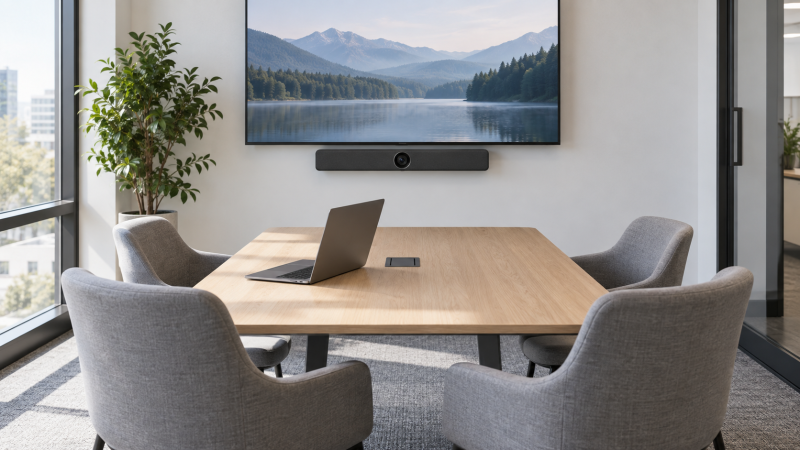
A laptop webcam can show one person well and still leave colleagues at the far end of a meeting table outside the frame. A video bar puts camera, microphones and speaker in one room-facing device near the display. The first buying decision is whether a laptop can use the bar directly over USB or whether the bar expects to run the meeting itself, not camera resolution.
These five products have active New offers on Amazon US and serve jobs in small rooms, from a simple setup where guests bring their own laptops to an Android room appliance with optional hardware for laptop BYOD. Their field-of-view, microphone and camera figures come from seller or maker specifications, not independent call-quality measurements. A 4K sensor does not mean every meeting platform transmits 4K.
Sketch the complete room path before buying: laptop → bar for camera and audio, plus laptop or bar → display for the local picture. A USB camera connection does not automatically carry the laptop screen to the TV.Small Meeting-Room Video Bars Compared
| Image | Product | Details | Check Price |
|---|---|---|---|
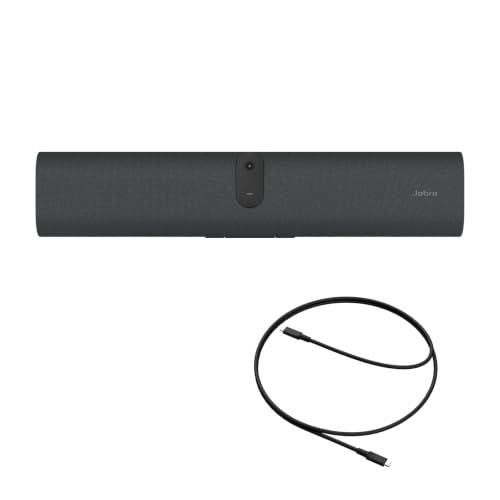 | Jabra PanaCast U30 | Best fit: Single-cable laptop BYOD Connection: USB-C stated Camera: 120° stated Microphones: Six stated Mount: Wall mount listed | Check Price on Amazon |
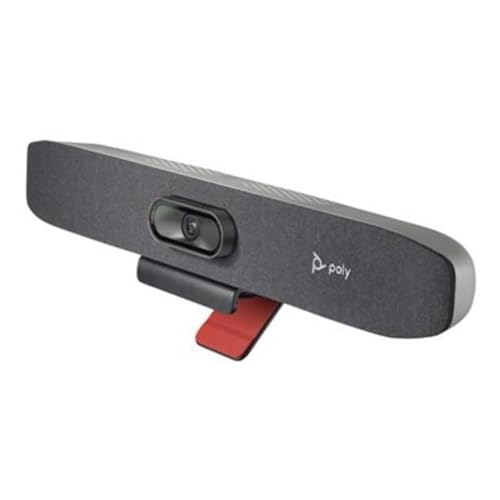 | Poly Studio R30 | Best fit: Managed small-room USB Connection: USB to PC/Mac stated Camera: 120°; 4K sensor stated Microphones: Three stated Speaker: Integrated | Check Price on Amazon |
 | RayBit TB5 | Best fit: Wide table with USB host Connection: USB to laptop stated Camera: 120°; 6× ePTZ stated Microphones: Four stated Extra mic: Optional | Check Price on Amazon |
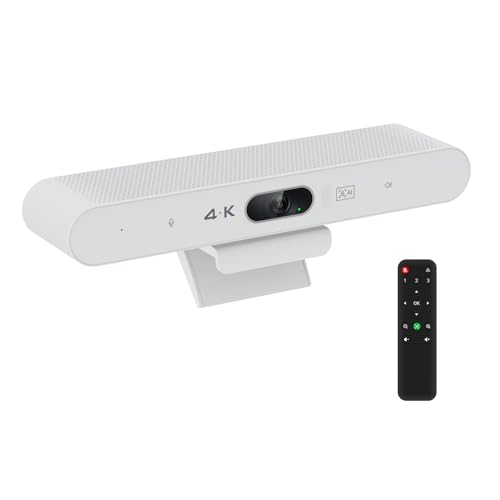 | TOALLIN Aione-Pro | Best fit: Compact room with narrow table Camera: 94°; 4K30 stated Microphones: Two stated Speaker: Integrated Zoom: 5× digital at ≤1080p | Check Price on Amazon |
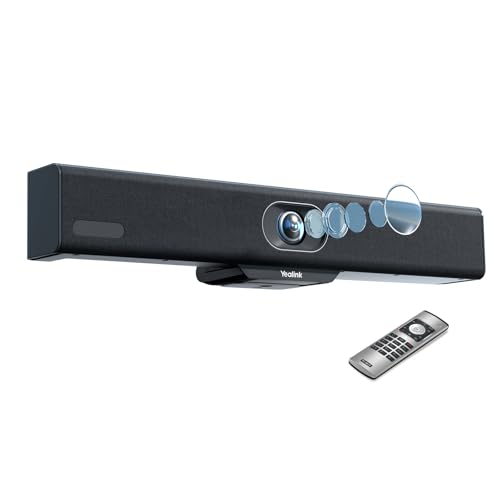 | Yealink MeetingBar A10 | Best fit: Native room with optional BYOD Operating path: Android room appliance Camera: 120° diagonal stated Microphones: Eight in maker spec Laptop BYOD: Optional path; verify | Check Price on Amazon |
1. Jabra PanaCast U30 — Best One-Cable BYOD
Jabra describes the PanaCast U30 as a USB-C bring-your-own-device bar for huddle and small rooms. The listing says one USB-C connection to the laptop makes the room camera, six microphones, speaker and display available to the call. Jabra’s own product information describes a 120° field of view and a setup intended for up to six people. The bar is the clear fit when different presenters bring their own laptops and want it to serve as the room’s camera and audio endpoint.
The listing mentions an onboarding screen before a laptop connects, so guests can see where to begin. A hinge and wall mount are described as included. VESA and tabletop accessories are sold separately. Check the exact laptop and monitor wiring, because “one cable” refers to the supported bar connection and does not make an unsupported laptop USB-C port behave the same way. A dedicated room display and power still need their own installation. Test microphone pickup from the farthest seat instead of inferring audio quality from the count of six microphones.
For a guest-laptop room, rehearse the login, display and meeting-app selection from an unfamiliar laptop, not just the administrator’s device.Our Take Jabra is the direct BYOD choice when a single USB-C handoff is the priority. Confirm laptop-port support and the display connection before promising that every guest can start with one plug.
- Single USB-C BYOD workflow listed.
- 120° camera and six microphones stated.
- Wall mount listed in the package.
- Table and VESA mounts are separate accessories.
- Laptop, display and power path still need a room test.
2. Poly Studio R30 — Best Managed USB Bar
Poly’s Studio R30 is a USB video bar for small rooms with camera, a three-microphone array and an integrated speaker. Its listing states a 120° field of view, a 4K camera and 5× digital zoom, with Poly DirectorAI framing and tracking. HP/Poly’s own small-room product page also positions the R30 as a USB bar for rooms that may use different meeting platforms through a connected computer.
The setup is not a screen-sharing shortcut. Poly says to supply power, connect the bar by USB to a PC or Mac and launch the meeting software. The laptop or room computer must still drive the meeting and feed the room display by an appropriate video path. Poly lists NoiseBlockAI and Acoustic Fence features. They may help with distracting sounds, but the listing does not establish that a noisy open office becomes quiet. Check placement relative to the table and any loud HVAC vent before treating processing labels as acoustic proof.
Our Take Pick R30 when the room already has a laptop or room PC and needs a compact, managed USB camera-and-audio endpoint. Its wide lens and framing features are most useful when seats reach the edge of the table.
- 120° small-room camera stated.
- Integrated three-mic array and speaker.
- USB host workflow for PC or Mac.
- Separate power and display planning needed.
- AI noise labels are not room-acoustic measurements.
3. RayBit TB5 — Best for Wide Table Coverage
RayBit’s TB5 listing describes a 120° camera, four-microphone audio system and a built-in speaker for small or medium meeting rooms. It also lists automatic framing, focus and speaker tracking, with 6× electronic PTZ. Those features make sense when people sit close to the display as well as toward the sides, or when one person frequently presents at the front of the room.
The seller describes a USB connection for PC and Mac and says an expansion microphone is optional. The optional accessory is useful if a longer table pushes talkers beyond the bar’s practical pickup area. The accessory is not established as included with this exact offer. “Zoom certified” appears in the Amazon title, but verify the current platform certification and firmware before treating a marketplace title as an IT deployment guarantee. For a laptop room, the first proof is that the host selects the TB5 as its camera, microphone and speaker in the meeting app.
Check the farthest seat on a real call, then decide whether any optional expansion microphone is needed. Do not buy one solely from a room-size label.Our Take Pick the TB5 for a wide frame when people sit near the display or spread along a short table. The optional mic path is an upgrade route, but this package should be evaluated on its built-in audio first.
- 120° field of view listed.
- Four-mic array and speaker included.
- Optional expansion-mic support described.
- Expansion microphone is not established as included.
- Platform certification needs current confirmation.
4. TOALLIN Aione-Pro — Best Compact USB Option
TOALLIN’s Aione-Pro listing combines a 4K-capable camera, two microphones and a speaker in one bar. It states a 94° field of view and up to 3840 × 2160 at 30 frames per second from the camera. That narrower view can suit a small table with seats mostly facing the screen, but it may crop people seated close to the bar or far off to the sides. Map the seat positions before deciding that “wide enough” applies to your room.
The seller lists automatic framing and modes that follow the speaker, controlled from a remote or a touch control on the device. It also says the 5× digital zoom works at 1080p and below, a condition easy to miss beside a 4K headline. A digital zoom is a crop of the picture, not an optical zoom. Check the exact laptop connection, supplied cable and power arrangement in the live offer before installing the bar behind a display. With only two listed microphones, treat room pickup as something to test rather than assuming it matches a larger array.
Our Take Aione-Pro fits a compact room where a 94° view is sufficient and camera, mic and speaker must come in one device. The headline 4K camera does not remove the need to check platform output and far-seat audio.
- Camera, two microphones and speaker combined.
- 4K30 camera mode stated.
- Remote or device control for framing modes.
- 94° view may miss edge seats.
- 5× digital zoom is limited to 1080p or below.
5. Yealink MeetingBar A10 — Best Native Room Option
The MeetingBar A10 differs from the straightforward USB bars above. It is an Android-based room appliance with integrated camera, microphones, speaker, network connections and its own meeting interface. Yealink’s official datasheet describes a 4K camera sensor, 120° diagonal field of view, eight microphones and a built-in 5 W speaker. The camera sensor figure is not the same as the video output for meetings, which the datasheet lists at 1080p30 or 720p30.
It can be attractive when the room should join a scheduled meeting without depending on a presenter’s laptop. But for a laptop meeting room, laptop BYOD is an optional path, not something to assume from a USB-C socket. Yealink lists a compatible sharing/BYOD accessory or full-featured USB-C cable as optional, and its support material describes device-mode requirements. Confirm the exact A10 firmware, accessory, platform and room wiring before buying it for laptop-hosted calls. If the plan is simply to plug any laptop into a bar with a camera and speaker, the Jabra, Poly or RayBit USB paths are more direct.
Our Take Buy the A10 for a small room that may move from calls on guest laptops to a native room endpoint. Choose it to run a managed room, not because it looks like a standard USB webcam bar.
- Native meeting-room operation described.
- Eight-mic array and speaker in maker specs.
- 120° diagonal camera coverage stated.
- Laptop BYOD may need optional hardware.
- 4K sensor does not mean 4K meeting output.
Buying Guide
Decide who runs the meeting
A USB BYOD bar supplies camera and audio to a connected laptop or room PC. The laptop runs Teams, Zoom, Meet or another supported meeting app, and the bar is selected as camera, microphone and speaker. Jabra U30, Poly R30 and RayBit TB5 are positioned around that path. Check the supplied USB cable and the laptop port before mounting the bar where a cable cannot reach.
A native room appliance runs a meeting environment on the bar itself. The Yealink A10 is a native room appliance and may support laptop BYOD through a compatible optional device or accessory. The operating model is not a small wiring detail, because it changes room licensing, admin setup and what a visitor can do with a personal laptop. Choose the operating model before comparing camera megapixels.
Measure seating and audio pickup
Place the camera where it will be installed and check the horizontal and diagonal field of view against the actual seating plan. A 120° claim may refer to a different measurement than another product’s 94° number. Use the maker’s field definition and a test frame rather than comparing angles without context. The first row is often the hardest to fit when a wide bar sits close to the table.
The number of microphones is not a score for audio quality. Pickup at the farthest seat, speaker volume, echo cancellation and room acoustics together decide how a call sounds. Test a person at the farthest chair speaking normally while another person listens remotely. A bare conference room with hard walls can produce echoes that no listed algorithm completely removes. If you need a separate tabletop audio device, compare a USB-C conference speakerphone before buying duplicate microphones.
Plan the display, mounts and cable run
A room video bar can provide camera and audio without automatically showing the laptop’s screen on the TV. Draw the laptop-to-display path separately, whether it is HDMI, a suitable USB-C video connection or a supported wireless-presentation system. For a flexible guest room, a wireless HDMI presentation kit may remove one long cable, but it does not replace the bar’s camera-and-audio USB connection.
Check mounting height, power outlet and cable routing before choosing a bar. A mount under the display frames faces differently from a bar on a table. Jabra’s listing includes a wall mount and sells other mounting styles separately. The Poly R30 needs both power and a USB host. Leave enough slack for service and verify that an open laptop lid does not block the room screen or the bar’s view.
Frequently Asked Questions
Does a video bar replace the meeting laptop?
It depends on the operating model. A USB BYOD bar does not replace the laptop. It acts as the camera, microphones and speaker the laptop uses for the room. Someone still signs into and starts the call on the laptop or a room PC. The connected computer also usually handles screen sharing and the local display path.
A native room bar such as the A10 can run supported room meetings itself, subject to platform setup and licensing. Laptop BYOD on that product is a separate compatibility check. Do not infer that any bar with USB-C can act as a universal laptop webcam without the documented mode and accessory.
Is a 4K camera enough for a sharp group call?
No, camera sensor resolution and transmitted meeting resolution differ. Software may send lower-resolution video based on the app, network, plan or room device. Yealink’s official A10 datasheet, for example, lists a 4K camera but 1080p30 or 720p30 video resolution. Framing, light on faces and the placement of the bar can affect what remote participants see more than a sensor label.
Check the call from a remote participant’s view. Look for clipped edge seats, faces too small after wide framing and exposure changes near windows. A simple lighting adjustment may improve a room more than changing to another bar labeled 4K.
Can one cable handle camera, audio and the room display?
Some systems are designed to use one cable for camera, audio and display, but the exact laptop, USB-C port and room display path decide whether it works as expected. Jabra markets the PanaCast U30 around a single USB-C BYOD connection. Other bars may need separate power, USB and display wiring. Do not transfer one product’s cable claim to another.
Map each connection before installation, including bar power, data between the bar and laptop, video from the laptop to the TV, and any network or control link. Then test with the guest laptop that is least like the room administrator’s. A USB-C webcam guide is a better fit if the room only ever seats one person.
Bottom Line
For a small room where laptops run the meeting, start with Jabra U30, Poly R30 or RayBit TB5 and verify the room’s USB and display path. TOALLIN is an alternative when a narrower 94° camera view covers the seats. Choose Yealink A10 when native room operation is part of the plan and you have confirmed its optional route for laptop BYOD. Test the farthest chair and a full live call before rolling the setup out.