An SDI camera or switcher feed cannot be plugged straight into an HDMI-only monitor. You need a converter, but the right box depends on the incoming SDI rate, the monitor format and whether the SDI feed must continue elsewhere. Buy a 3G-only converter for a 12G source and the monitor may show nothing. Buy the wrong direction and the connectors may fit while the signal path remains impossible.
The five converters below cover 12G monitoring, 12G monitoring with a LUT, basic HD conversion, HD loop-through with audio support and a bidirectional HD workflow. Each exact product had an active New Amazon US offer. Seller claims about latency and cable distance are not independent measurements. Check the complete camera-to-monitor signal chain before using any box in a critical show.
Trace the signal in writing first: SDI source → converter SDI input → converter HDMI output → monitor HDMI input. If the source outputs 4K60 over 12G-SDI, both converter and monitor must support that format.SDI-to-HDMI Converters Compared
| Image | Product | Details | Check Price |
|---|---|---|---|
 | Blackmagic Micro Converter SDI to HDMI 12G | Best fit: 12G monitor with LUT SDI input: Up to 12G stated HDMI output: HDMI 2.0 SDI loop: Yes Monitoring LUT: 33-point 3D | Check Price on Amazon |
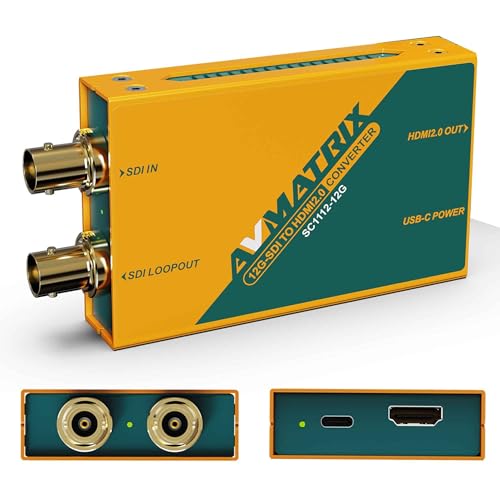 | AVMATRIX SC1112-12G | Best fit: 12G feed with SDI continuation SDI input: Up to 12G stated HDMI output: Up to 4K60 stated SDI loop: 12G loop-out Power: 5 V USB-C stated | Check Price on Amazon |
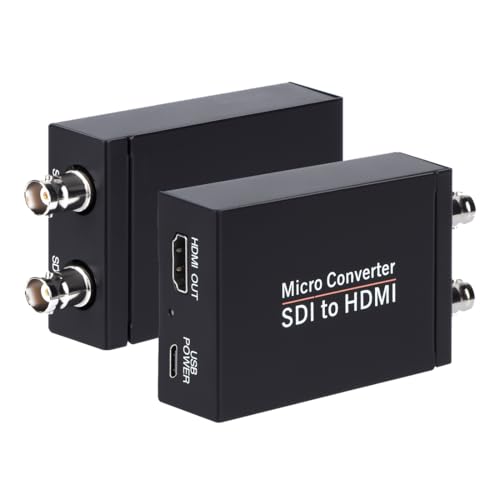 | Anber-Tech 3G | Best fit: HD monitoring with loop-out SDI input: SD, HD, 3G stated HDMI output: One SDI loop: Yes Power: Adapter listed | Check Price on Amazon |
 | SHUITING 3G Loop-Out | Best fit: Simple HD SDI feed SDI input: SD, HD, 3G stated HDMI output: Up to 1080p stated SDI loop: Listed Direction: SDI to HDMI only | Check Price on Amazon |
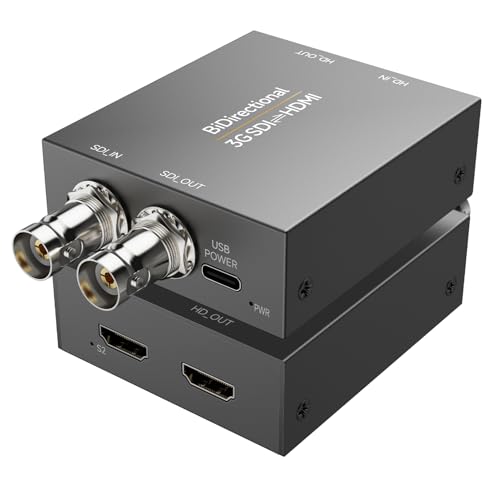 | Qonakism BiDirect 3G | Best fit: Two-way HD tasks SDI class: Up to 3G stated HDMI format: Up to 1080p stated Direction: Both directions listed 4K/12G: Not stated | Check Price on Amazon |
1. Blackmagic Micro Converter 12G — Best for LUT Monitoring
Blackmagic’s Micro Converter SDI to HDMI 12G is a directional monitoring box with one SDI input, one SDI loop output and one HDMI 2.0 output. Its official specification lists 270 Mb/s through 12G-SDI multi-rate detection, covering SD, HD, 2K, Ultra HD and 4K inputs. The range is useful when a studio switches between an HD program feed and a 12G camera output without replacing the converter.
The feature that sets it apart is a 33-point 3D LUT for monitor calibration or a viewing transform. Blackmagic says the LUT can also be placed on the SDI loop output. The loop option is useful only if the downstream SDI device is meant to receive the altered view. Keep a clean program feed separate when the workflow requires it. USB-C handles power, configuration and updates according to the official specification. Confirm whether the exact Amazon package includes a power adapter, since the product family has separate variants with and without a supply.
Choose this for an HDMI confidence display or calibrated viewing path, not as a substitute for checking what the recording or switcher actually receives.Our Take The Blackmagic is the strongest fit when LUT control is part of the monitoring decision. If the studio only needs a picture on an HDMI screen, the LUT and configuration step may be unnecessary.
- 12G-SDI through SD rate support in official specs.
- 33-point 3D LUT for monitoring.
- SDI loop output and HDMI 2.0 output.
- LUT routing needs deliberate configuration.
- Power-supply inclusion depends on exact package.
2. AVMATRIX SC1112-12G — Best for a 12G Loop
The SC1112-12G listing states a 12G-SDI input, 12G-SDI loop-out and HDMI 2.0 output. It describes automatic input detection and output support up to 4K at 60 frames per second, including a listed 4096 × 2160 format. This model suits a setup where an SDI feed must reach an HDMI monitor while the SDI path continues to another compatible device.
The stated 5 V power comes over USB-C, which is also described for firmware updates and version checks. A USB-C socket does not make the converter a USB video device. The video still enters through BNC SDI and leaves through HDMI or the SDI loop. The seller uses a zero-latency phrase, but no independent latency measurement accompanies the listing. For live directing, test the picture delay with the exact camera, switcher and display rather than relying on that marketing wording.
Our Take Choose AVMATRIX when a 12G source must feed an HDMI display and retain an SDI connection. It is a cleaner match than a 3G-only adapter for a 4K60 single-link SDI source.
- 12G input and loop-out stated.
- HDMI 2.0 output up to stated 4K60.
- USB-C power connection.
- Latency claim is not independently measured here.
- USB-C is not a video input on this box.
3. Anber-Tech 3G — Best for an HD Loop
Anber-Tech lists automatic detection of SD-SDI, HD-SDI and 3G-SDI input and one HDMI output plus an SDI loop output. Its format list includes 3G-SDI 1080p at 60, 59.94 and 50 Hz, with additional HD and SD formats. The converter suits an HD camera or switcher feed where a local HDMI screen is needed but the original SDI feed must also continue downstream.
The Amazon listing calls it an audio de-embedder and states support for eight channels of 48 kHz digital audio. Do not assume the term means a separate analog audio jack. Check the exact ports and the monitor’s audio handling. The package lists a power adapter. Seller cable-distance figures depend on SDI rate and cable quality, so a plan for a long cable run still needs compatible 75-ohm coax, sound BNC terminations and a test at the intended length. It is explicitly not an HDMI-to-SDI converter.
For an HD-only room, verify the camera’s actual output format before paying for 12G. A switcher may offer several SDI outputs at different rates.Our Take Anber-Tech is the HD pick when loop-through is needed. With a listed 3G ceiling, it is the wrong choice for a 6G or 12G feed, no matter how ordinary the HDMI monitor looks.
- Automatic SD, HD and 3G format detection listed.
- HDMI plus SDI loop outputs.
- Power adapter included in listing.
- No 6G or 12G support stated.
- Does not reverse HDMI into SDI.
4. SHUITING 3G Loop-Out — Best Simple HD Feed
SHUITING’s listing describes a converter that takes SDI input and gives HDMI output for SD-SDI, HD-SDI and 3G-SDI, with support up to 1920 × 1080 and an SDI loop output in the product title. It is for a creator who wants an HDMI monitor on a known HD feed and no LUT configuration or 4K requirement. The metal enclosure is listed, but no measured thermal performance or uptime data accompanies it.
The seller makes the direction boundary explicit. This box does not convert HDMI into SDI, does not support 4K, and does not accept analog RF, CVBS, AHD, TVI or CVI video merely because they may also use BNC connectors. A BNC plug identifies the connector, not the signal standard. If the camera outputs one of those analog formats, choose the correct decoder instead of diagnosing the HDMI monitor as broken.
Our Take SHUITING is a simple HD converter when the source format is certain. The seller’s explicit exclusions of non-SDI formats are useful for a studio with mixed broadcast and security camera gear.
- HD signal-family support stated.
- SDI loop-out listed.
- Clear exclusions for analog BNC formats.
- 1080p ceiling; no 4K.
- One-way SDI-to-HDMI conversion only.
5. Qonakism BiDirect 3G — Best for Two-Way HD Jobs
Qonakism’s BiDirect listing states both SDI-to-HDMI and HDMI-to-SDI conversion with a ceiling of 1080p at 3G-SDI class. That two-way capability is useful for a small studio that may show an SDI camera on an HDMI monitor today, then connect an HDMI source to an SDI distribution path tomorrow. It is not a way to turn a 3G box into a 12G or 4K60 box.
The seller describes adaptive input resolution, a metal housing, clock recovery and ESD protection. These features are listing claims, not independent measurements of reliability, latency or picture quality. Check the connector labels and selected mode for each use. Do not assume both conversions happen simultaneously merely because the device is called bidirectional. The format, frame rate and power arrangement must match both ends of the link. If you only ever need SDI input and HDMI output, a one-way converter may be easier to wire correctly.
Bidirectional means the box can serve either direction as specified; confirm the exact routing and power mode before using it in a live chain.Our Take Qonakism is a flexible HD option when the same studio needs both signal directions. Do not buy it solely for a 12G source or assume the two paths are concurrent without manufacturer confirmation.
- Both conversion directions listed.
- Up-to-1080p 3G-class use stated.
- Metal housing and ESD protection described.
- Not a 4K or 12G converter.
- Concurrent two-way routing is not established here.
Buying Guide
Start with the actual source signal
The SDI rate, resolution and frame rate must fit the converter. A 3G-SDI converter is an HD-class choice for supported formats such as 1080p60. A single-link 4K60 12G-SDI camera output calls for a compatible 12G input and a monitor that accepts the resulting HDMI format. Check the camera or video switcher output menu rather than deciding from the connector shape.
BNC is only a connector. SDI and several analog camera formats can use it, but they are not interchangeable. If an SDI converter shows a black screen, verify source standard and format before buying a different HDMI cable. Also check whether the converter requires a specific 3G-SDI level or an exact frame rate. A broad 1080p label may hide narrower support.
Decide whether the SDI feed continues
An SDI loop output lets the original SDI path feed another compatible device while HDMI goes to the local screen. Blackmagic, AVMATRIX, Anber-Tech and SHUITING list a loop output for the selected variants. A loop is not an HDMI splitter and may carry the incoming format unchanged. The next SDI device still needs to understand the format. Plan the chain with the actual cable lengths and the downstream device’s input ceiling.
If the feed must reach several monitors or a multiview wall, a single compact converter may be only one part of the design. Consider a studio SDI multiviewer or proper SDI distribution rather than assuming each loop can be chained without signal or power constraints. For one close display, a direct loop-capable converter may be enough.
Check color, audio and power separately
A monitoring LUT changes a viewing path, not necessarily the recorded signal. Blackmagic’s 33-point LUT is relevant when an HDMI display needs a controlled preview. Decide whether any LUT should also reach the SDI loop before enabling that option. For an ordinary confidence monitor, first verify the display’s accepted HDMI resolution and range. A converter cannot make an incompatible screen show every source mode.
Audio and power are separate checks. Embedded SDI audio may pass to HDMI, but a product title saying audio de-embedder does not prove that a particular analog jack exists. Inspect the port diagram if separate speakers are needed. Also check whether a USB-C power cable, wall adapter or power source is included with the exact offer. A converter that powers up in a desk test but drops out in a live setup may have a supply or cable problem rather than a video-format problem.
Frequently Asked Questions
Will a 3G-SDI converter display a 12G-SDI camera feed?
Not if the camera is outputting a 12G-SDI format beyond the converter’s stated input range. A 3G unit does not become 12G-capable because both ends use BNC. It may work if the camera or switcher can be set to a supported HD SDI output, but then the monitoring path is using that HD format.
Check the source’s current output setting and the monitor’s HDMI input support together. If the production needs a 4K60 SDI-to-HDMI path, use a converter with a matching 12G input and a supported HDMI output. AVMATRIX and the selected Blackmagic model fit that need here.
Is an SDI loop output the same as a second HDMI display?
No, a loop output is SDI, usually intended for another SDI-capable device. It can pass the signal to a switcher, recorder or a further converter while the local monitor receives HDMI. It cannot plug directly into an HDMI-only screen without another suitable conversion step.
The downstream SDI device must support the looped signal format and the cable path. Check the product’s behavior if a LUT, re-clocking or format conversion is applied to the loop. The Blackmagic unit, for example, explicitly offers an option to apply the LUT to the loop, which should be set deliberately.
Can the same converter reverse HDMI into SDI?
Yes, but only if the exact model lists HDMI-to-SDI conversion. Qonakism’s BiDirect product does, but the one-way AVMATRIX, Blackmagic, Anber-Tech and SHUITING selections in this guide are intended for SDI input to HDMI output. Similar-looking boxes often differ only in which direction their connectors work.
For a mixed studio, label each converter with its direction and input ceiling. If the goal is to put an HDMI laptop or camera into an SDI switcher, check HDMI-to-SDI support and power before wiring it. A normal USB-C dock or camera field monitor does not substitute for the required signal conversion.
Bottom Line
Buy for source format first, signal routing second. Blackmagic adds a 12G path with a controllable LUT. AVMATRIX gives a direct 12G monitoring loop. Anber-Tech and SHUITING handle specified HD SDI feeds, while Qonakism adds a two-way HD option. Write down the source’s actual SDI format, the monitor’s HDMI capability and the loop requirement before choosing any one of them.