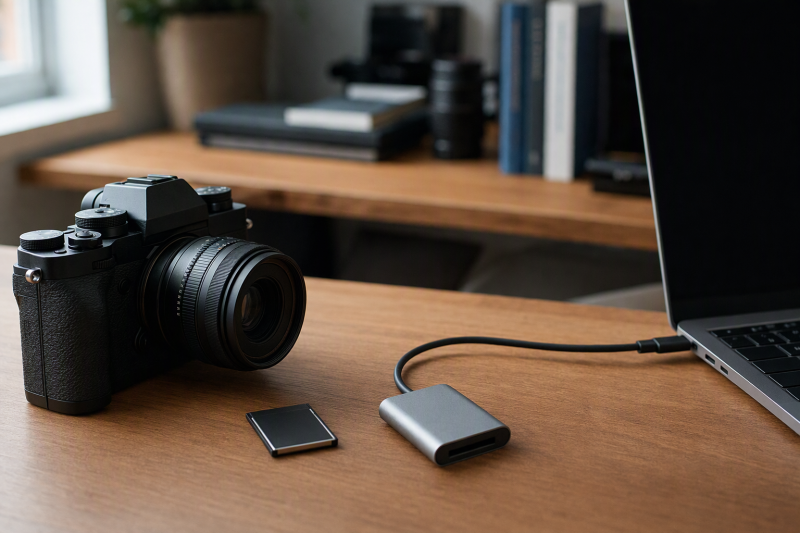
An older Nikon shoot can leave a drawer of XQD cards beside newer CFexpress Type B and SD media. The cards may look related, but a matching slot shape does not prove a reader supports every format. Buy for the exact XQD card you own, then decide whether the desk also needs SD, CFexpress, or a second host connector.
This six-reader selection covers XQD-only, mixed legacy-card, and XQD/CFexpress Type B/SD desk setups with USB-C host support. Card fit, transfer speeds, and every older XQD series were not independently tested for this guide. Check the card’s printed family and the reader’s exclusions before clearing a camera card.
First confirm your card is XQD, not legacy CompactFlash or CFexpress. Then match its series, especially any Sony N/S/H or USB-mark limitation, to a reader that lists it. A 10 Gbps USB number is not a card-level copy result.XQD Readers Compared
Card-format support and USB interface rates below are based on manufacturer or seller specifications, not independent transfer measurements.
| Image | Product | Details | Check Price |
|---|---|---|---|
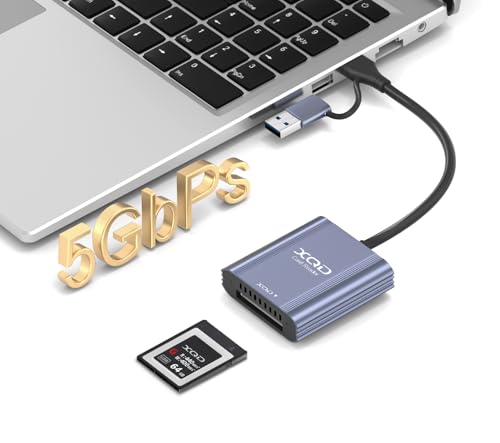 | Rytaki Pro XQD | Cards: XQD only Host: USB-C / USB-A Link: 5 Gbps stated Best fit: XQD-only desk | Check Price on Amazon |
 | Rocketek 8-in-1 | Cards: XQD, SD, microSD, CF, MS, xD Host: USB-C / USB-A Link: 10 Gbps stated Best fit: Mixed old-card archive | Check Price on Amazon |
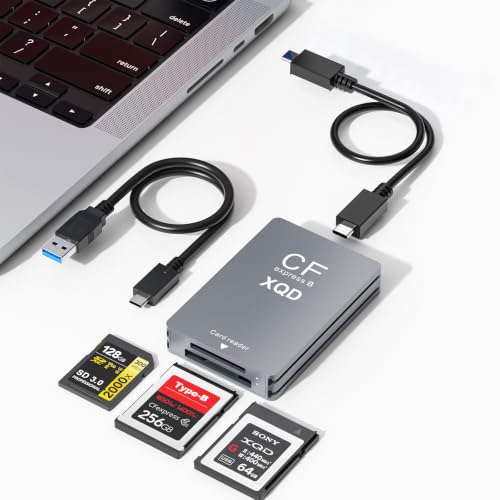 | Opluz 3-in-1 | Cards: XQD, CFexpress B, SD Host: USB-C / USB-A Link: 10 Gbps stated Best fit: Media transition | Check Price on Amazon |
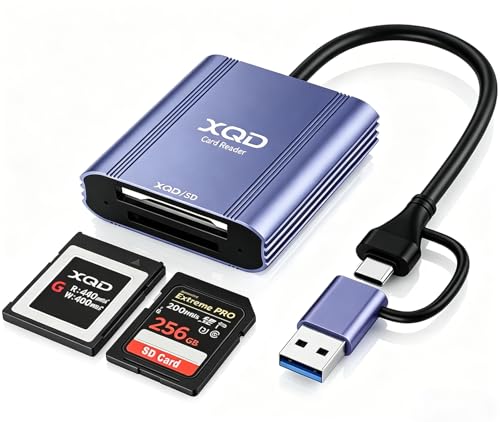 | Yeemie XQD/SD | Cards: XQD, SD Host: USB-C / USB-A Link: 5 Gbps stated Best fit: Dual-host field kit | Check Price on Amazon |
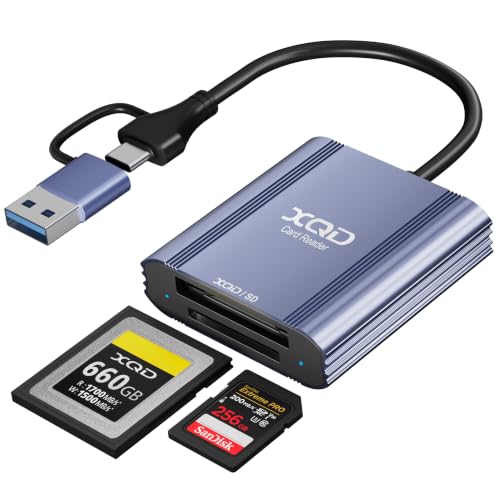 | Lymfora XQD/SD | Cards: XQD, SD Host: USB-C / USB-A Link: 5 Gbps stated Best fit: Compact spare | Check Price on Amazon |
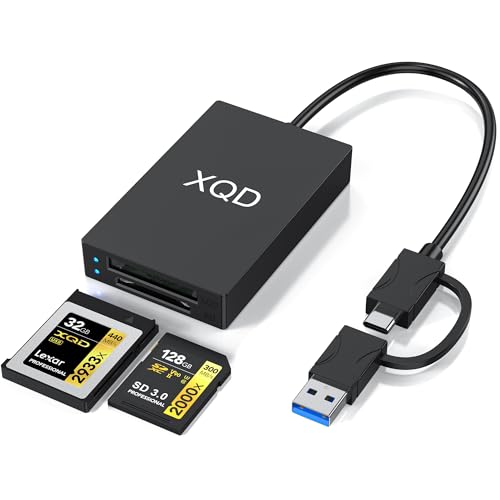 | Ulyuhoda XQD/SD | Cards: XQD, SD Host: USB-C / USB-A Link: 5 Gbps stated Best fit: Named series boundary | Check Price on Amazon |
1. Rytaki Pro XQD — Best XQD-Only Desk Reader
Rytaki Pro’s listing is unusually explicit about its XQD 2.0, Sony G/M and Lexar USB-mark card focus. It says the reader does not accept CFexpress Type B, CFexpress Type A or standard SD cards. The exclusions make it a poor choice for mixed camera media but a clearer match for a desk that repeatedly imports compatible XQD cards from an older Nikon body.
The attached USB-C and USB-A two-in-one cable supports a modern laptop and an older desktop without a separate adapter. The 5 Gbps USB 3.2 Gen 1 claim is a host-link ceiling, not a measured rate for a given card or destination drive. The seller describes an aluminum body and one-year warranty. Neither protects a shoot from an accidental erase. Check the specific card series rather than relying on the camera model alone.
Our Take Buy Rytaki if a narrow, explicitly XQD-only reader is an advantage. It will not take over a CFexpress or SD ingest job later.
- XQD 2.0 and supported series are stated.
- USB-C and USB-A cable.
- Clear CFexpress and SD exclusions.
- No CFexpress or SD support.
- 5 Gbps does not predict actual card speed.
2. Rocketek 8-in-1 — Best Mixed Old-Card Archive
Rocketek’s reader lists XQD, SD, microSD/TF, legacy CompactFlash, Memory Stick and xD slots. The range of slots is useful when old Nikon images are one part of a larger camera archive. The seller says up to six cards can be accessed at once, though the product calls itself “8-in-1” because it counts connection and media functions beyond six physical card slots. Plan folder names carefully if several volumes mount together.
The listing describes a 10 Gbps USB 3.2 Gen 2 connection and includes USB-C and USB-A cable options for the host. The interface is not a promise that an XQD card or old CF card copies at 10 Gbps. Its XQD compatibility list names Sony G/M and Lexar USB-mark 2933x/1400x cards, not all XQD generations. The CF slot is for old CompactFlash, not an asserted CFexpress Type B slot.
Our Take Buy Rocketek for a broad archive that holds several legacy formats. It adds handling complexity if you have only XQD cards.
- Six named legacy card slots.
- USB-C and USB-A host cables.
- Simultaneous access claimed.
- Does not establish CFexpress support.
- 10 Gbps is a host-link maximum.
- Many mounted cards require careful file handling.
3. Opluz 3-in-1 — Best XQD-to-CFexpress Transition
Opluz’s three-format offer gives one shared CFexpress Type B/XQD slot and a separate SD slot. The two-slot arrangement is the most relevant here for a Nikon kit that still holds XQD cards but has moved some shoots to CFexpress Type B. The listing names Sony G/M and Lexar USB-mark XQD support and explicitly excludes XQD N/S/H series. A shared slot means XQD and CFexpress cannot be inserted there at the same time.
The included USB-C-to-C and USB-A-to-C cables connect to two common host ports. Its 10 Gbps claim concerns the USB 3.2 Gen 2 interface. The older XQD card, SD card and destination storage have their own limits. The seller says the XQD/CFexpress slot and SD slot can be used together. Test the exact card pair and confirm separate volumes before copying important files.
Our Take Buy Opluz if XQD and CFexpress Type B are both in your bag. Read its XQD series exclusion before ordering.
- XQD, CFexpress Type B and SD explicitly listed.
- USB-C and USB-A host cables.
- XQD N/S/H series excluded.
- Shared XQD/CFexpress slot handles one card at a time.
4. Yeemie XQD/SD — Best Dual-Host Field Reader
Yeemie’s CL-XQD02-C has one XQD slot and one SD slot, with both USB-C and USB-A host connectors. The seller says Sony G/M and Lexar USB-mark 2933x/1400x XQD cards are supported, and both slots can be accessed simultaneously. The two slots fit a field kit that alternates an older Nikon XQD card with SD media on different computers, without adding unrelated memory-card slots.
The listing quotes 5 Gbps over USB 3.0, an interface ceiling rather than an offload speed measured in the field. It also mentions an aluminum shell and LED status indicator. An LED can show activity but cannot verify a complete photo copy. Check the exact host connector orientation and cable arrangement before packing the reader beside a tightly spaced laptop port.
Our Take Buy Yeemie for an XQD and SD field kit that moves between USB-C and USB-A computers. It does not claim CFexpress Type B support.
- XQD and SD slots.
- USB-C and USB-A host connectors.
- Supported Sony/Lexar series stated.
- No CFexpress claim.
- LED is not copy verification.
5. Lymfora XQD/SD — Best Compact Second Reader
Lymfora is another two-slot XQD-and-SD reader with USB-C and USB-A connectors. Its listing names Sony G/M and Lexar USB-mark XQD cards and says the two formats can be accessed together. As a spare carried with a camera bag, it avoids the extra old-card slots of Rocketek while retaining an SD path for a second camera. Do not assume the listing’s broad mobile-device language guarantees your particular phone’s file-manager behavior.
It lists a 5 Gbps USB 3.0 link, aluminum construction and an LED indicator. None of those details proves sustained XQD throughput or long-term durability. Keep a tested spare reader, or a tested way to import from the camera to a computer, if access to the XQD files is time-critical.
Our Take Buy Lymfora as a compact second reader for the common XQD and SD pairing. Yeemie’s role is similar, so choose by the exact connector layout and current availability.
- Two relevant card slots.
- USB-C and USB-A host choices.
- No CFexpress support established.
- 5 Gbps is not a measured copy rate.
6. Ulyuhoda XQD/SD — Best Explicit Old-Series Warning
Ulyuhoda lists XQD and SD slots with USB-C and USB-A host support. Its compatibility copy names Sony G/M and Lexar USB-mark cards while expressly saying it does not support XQD N, S or H series. The warning can save a poor purchase for someone inheriting a very old Nikon kit. A camera model name alone is insufficient, so read the card family printed on the media.
The seller describes simultaneous access, a status LED and a 12-month warranty, but gives no basis to treat the reader as a verified backup mechanism. Its 5 Gbps USB figure is not the card’s transfer rate. The main reason to choose it over other two-slot choices is the visible series boundary. If the card falls outside it, leave this reader off the shortlist rather than trying to force compatibility.
Our Take Buy Ulyuhoda if your card belongs to a named supported series. Its explicit N/S/H exclusion is the most useful part of the listing.
- Supported and excluded XQD families named.
- USB-C and USB-A hosts.
- Does not accept XQD N/S/H cards.
- No CFexpress claim.
Buying Guide: Read the Card, Not Just the Camera Name
Separate XQD from similarly shaped media
XQD and CFexpress Type B share dimensions and a connector, not automatic reader compatibility. The CompactFlash Association card-type page distinguishes their standards and notes that some camera makers enabled CFexpress support by firmware update. Nikon’s Z 6/Z 7 firmware announcement is one example of camera-side support changing. Neither fact turns a reader listing only one format into a reader for both formats.
Legacy CompactFlash is a third, separate format. Rocketek’s CF slot does not stand for CFexpress Type B, and Opluz’s CFexpress/XQD slot does not imply old Parallel ATA CompactFlash. Check the full label on the card and the reader’s supported-media list. If you process older DSLR CF cards as well, a separate verified reader or a model that covers several formats may be necessary.
Match the XQD family and the host plug
The USB mark and card series can determine whether a reader accepts your card. Several checked offers name Sony G/M and Lexar 2933x/1400x USB-mark XQD cards. Opluz and Ulyuhoda expressly exclude N/S/H. Do not assume that “for Nikon D850” covers every XQD card a D850 owner might own. Photograph the card label before shopping if the camera bag is elsewhere, then compare it with the exact listing or manufacturer documentation.
USB-C is a connector, while 5 or 10 Gbps is a link rating. A USB-C laptop port, cable, reader controller, XQD card and destination drive all affect actual speed. Our USB-C hub guide covers port planning, but a hub cannot fix a reader that does not support the card. When troubleshooting a failed import, first use a direct computer port and one known-good card.
Keep a verifiable import routine
Do not format the source XQD card after merely seeing thumbnails. Copy into a folder named for the card and shoot, compare file counts, and open representative RAW or video files. Make a second independent copy before the card returns to the camera. For a fixed ingest desk, our USB-C docking station guide may help with available ports, but it is not a backup or integrity check.
Simultaneous slots are useful only with clear source tracking. When SD and XQD are both mounted, confirm which volume belongs to which camera before dragging files. A faster interface cannot recover images from a corrupted card. If a card disconnects or reads inconsistently, stop repeated writes and choose a careful recovery path rather than repeatedly reformatting it.
Frequently Asked Questions
Will a CFexpress Type B-only reader read my XQD card?
Not necessarily. The shared physical shape is not a compatibility statement. XQD and CFexpress use different technology. A reader must explicitly list XQD support. Likewise, an XQD-only reader such as the checked Rytaki Pro offer explicitly excludes CFexpress Type B even though the cards can appear related.
Look for the exact XQD series on the reader’s compatibility list. Opluz is a checked example that names both XQD and CFexpress Type B, but it also excludes XQD N/S/H. Test a representative card before depending on the reader for an old archive or paid shoot.
Why does the XQD card’s USB mark matter?
Several checked readers name USB-mark Sony G/M and Lexar 2933x/1400x cards rather than every card sold under the XQD name. One checked listing said it supports only XQD cards that use the USB protocol. A broad XQD headline may leave out an exclusion of older series.
Read the printed card label and compare it with the specific product copy. If the card series is not established, ask the seller or use a manufacturer-supported reader rather than treating “works with Nikon” as enough. Do not make a compatibility decision from speed numbers alone.
Is a 10Gbps multi-card reader always faster for XQD import?
No. 10 Gbps describes a USB interface limit, while an older XQD card, reader implementation, cable or destination drive may operate well below it. Rocketek and Opluz specify 10 Gbps in their listings; the other selected readers are seller-rated at 5 Gbps. Complete card-to-drive paths were not independently benchmarked for this guide.
If speed is a priority, time a folder copy with the same camera card and destination drive. Include verification time. A broad multi-card reader may be a reasonable purchase for format coverage even if its 10 Gbps rating never shows up in an XQD transfer.
Bottom Line
Rytaki Pro XQD is the pick for the clearest single-format boundary. Opluz 3-in-1 is the pick if you are moving from XQD to CFexpress Type B. Rocketek 8-in-1 is the pick for a wider old-card archive. Whichever you buy should be a reader that names your exact XQD family and fits your computer’s port, and you should follow it with a verified import routine.