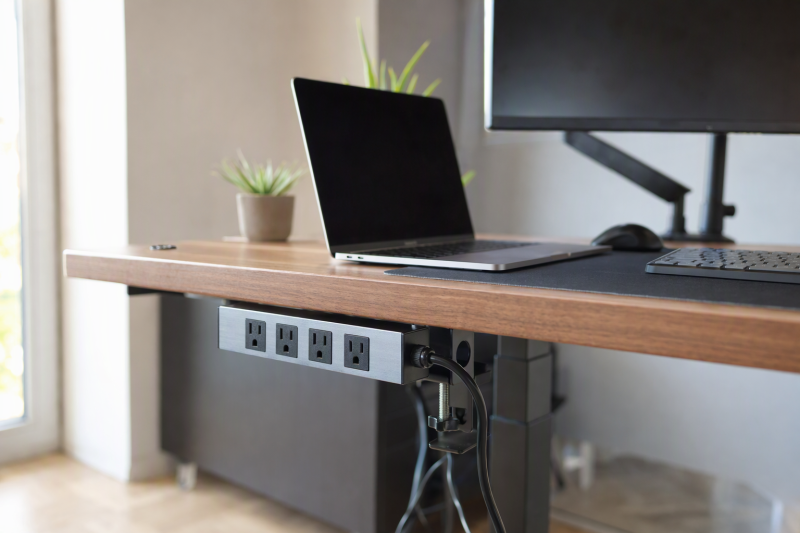
A standing desk moves, but the wall outlet does not. A clamp-on power strip can keep sockets within reach as the top rises and lowers, provided the desk edge fits the clamp and the cord has safe slack through the full travel. The choice depends on more than how many outlets a strip offers. USB-C output, shared power, overall AC rating, and clearance behind the desk all affect the choice.
This guide covers six exact Amazon US clamp-on strips with active New offers. They range from a 70W-listed USB-C model to wide multi-outlet arrangements. Listing-based comparisons do not establish measured electrical performance. Surge and safety claims are from sellers unless separately stated. For a fixed workstation that needs data ports as well as power, our USB-C docking guide covers the connection side, not AC distribution.
Before connecting devices, run an empty standing desk from lowest to highest position and check cord slack, clamp clearance, and whether the plug can remain fully seated.Clamp-On Power Strips Compared
| Image | Product | Details | Check Price |
|---|---|---|---|
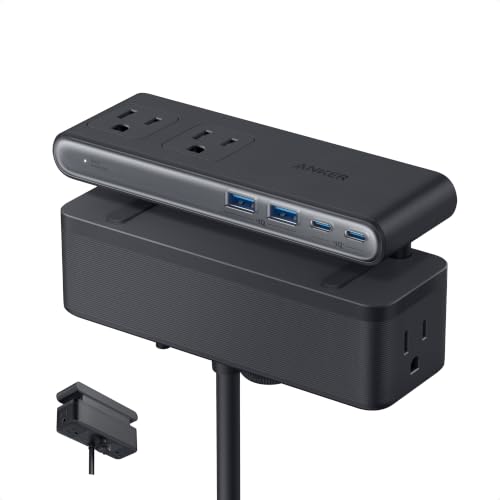 | Anker Nano clamp strip | Clamp claim: 0.6-1.8 in; flat edge AC / USB: 6 AC; 2 USB-C; 2 USB-A USB-C claim: Up to 70W on one port Best fit: Laptop-class USB-C | Check Price on Amazon |
 | Jgstkcity 40W-total | Clamp claim: Up to 1.96 in AC / USB: 5 AC; 4 USB-C; 2 USB-A USB-C claim: 20W per C max; 40W total USB Best fit: Many phone/tablet ports | Check Price on Amazon |
 | Four-AC desk clamp strip | Clamp claim: Up to 1.7 in AC / USB: 4 AC; 2 USB-C; 2 USB-A USB-C claim: 20W per C max listed Best fit: Compact outlet mix | Check Price on Amazon |
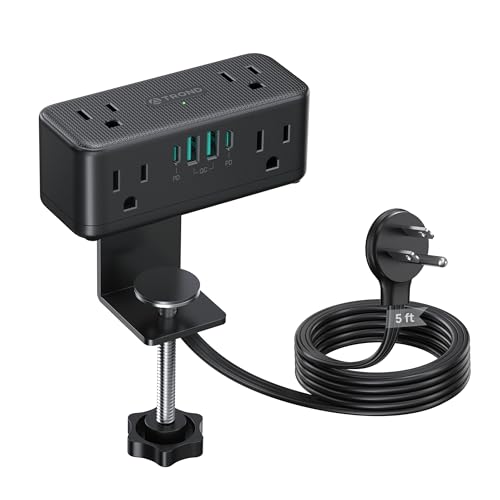 | TROND compact clamp strip | Clamp claim: Up to 2.16 in AC / USB: 6 AC; 2 USB-C; 2 USB-A USB-C claim: 20W single; 15W shared with 2-4 USB Best fit: Thicker desk edge | Check Price on Amazon |
 | CCCEI nine-outlet strip | Clamp claim: Up to 1.6 in AC / USB: 9 AC; 1 USB-C; 3 USB-A USB-C claim: 20W max single-port profile Best fit: Many AC adapters | Check Price on Amazon |
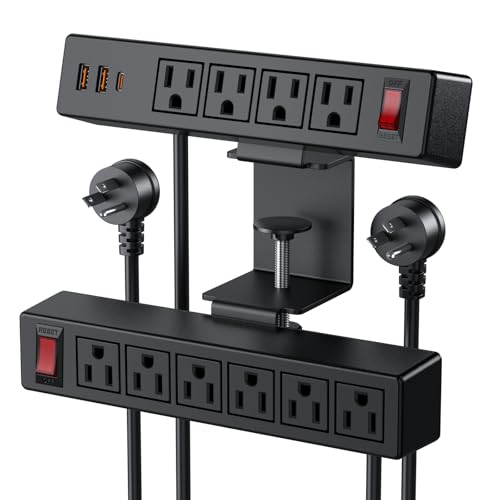 | VILONG dual-layer strip | Clamp claim: Up to 1.6 in AC / USB: 10 AC; 1 USB-C; 2 USB-A USB-C claim: 20W listed Best fit: Top and under-desk outlets | Check Price on Amazon |
1. Anker Nano Clamp Strip — Best Laptop-Class USB-C
Anker lists six AC outlets, two USB-C ports, and two USB-A ports split above and below the desktop. One USB-C port is advertised up to 70W, which may suit some laptops when its exact power profile and the cable match. The checked listing does not settle every simultaneous-use allocation, so read Anker’s current output chart before expecting 70W while several USB devices charge.
The clamp fits 0.6-1.8-inch flat desk edges, a constraint corroborated by Anker’s own product description. Curved edges, slopes over 45 degrees, and desks without a clampable lip are ruled out. The five-foot cord is shorter than the six-foot cords on several other picks. Measure the path at the desk’s highest position and leave strain relief rather than stretching the plug. Anker claims stable one-handed plugging and lists 1500-joule surge protection; actual performance in a particular setup is not established by those listing claims.
Our Take Anker is the first model to check when the laptop itself should receive USB-C power at the desk edge. Confirm the exact output profile and cord travel before treating the 70W headline as a guarantee for the whole workstation.
- 70W single-port USB-C claim is listed.
- Flat-edge clamp range is corroborated by Anker.
- Top and underside outlet zones are described.
- Five-foot cord may limit full desk travel.
- Not listed for curved or heavily sloped edges.
2. Jgstkcity 40W-Total Strip — Best Many Small-Device Ports
This Jgstkcity combines five AC outlets, four USB-C, and two USB-A ports. The manufacturer describes each USB-C as up to 20W, while the total USB output is 40W. That distinction means four plugged-in USB-C devices cannot each receive 20W at once. The strip is better suited to phones, tablets, and small accessories than to charging a work laptop from USB-C. The listing specifies a 6-foot wall cord.
Its clamp accepts desk edges up to a manufacturer-claimed 1.96 inches, and the seller specifies about 0.4-0.5 inch behind the desk so the clamp has room near a wall. Check a desk’s rear crossbar or cable tray before ordering. The seller advertises a 1200-joule surge rating and an ETL claim, neither independently validated here. Do not assume the total USB budget has anything to do with the AC outlet rating. The two limits are separate.
Four 20W-max USB-C ports share a 40W total USB budget. Port count does not multiply the charging power.Our Take Jgstkcity suits smaller devices that need many USB sockets. If a laptop needs high-wattage USB-C, use its rated charger through a suitable AC outlet or a verified higher-output strip.
- Four USB-C ports and total USB budget are stated.
- 1.96-inch clamp maximum and six-foot cord are listed.
- 40W shared total limits simultaneous USB charging.
- Needs space behind a rear desk edge.
3. Four-AC Desk Clamp Strip — Best Compact Outlet Mix
This strip lists four AC outlets, two 20W-max USB-C ports, and two USB-A ports, plus a 6-foot power cord. It is a simpler mix than the nine- or ten-outlet models. The clamp is said to fit a desktop up to 1.7 inches thick without drilling. The stated thickness does not establish fit on a round or heavily beveled edge. Inspect the actual contact faces before purchase.
The seller mentions 1875W overload protection, a number that appears alongside an AC safety claim but is not a tested performance result here. Its USB-C ports are 20W class. The checked bullets make broad laptop-charging statements that we would not generalize. Verify the exact USB output chart against your laptop. If you mainly need a phone and a couple of AC adapters, this arrangement may avoid a bulky ten-outlet strip, provided the desk travel leaves enough cable slack.
Our Take Choose the Four-AC strip for a modest mix of AC sockets and USB sockets meant for phones on an edge that needs no drilling. Treat the seller’s laptop and protection language as unverified until you check exact ratings.
- Four AC and four USB ports are listed.
- 1.7-inch clamp maximum and six-foot cord are stated.
- 20W USB-C is not general laptop power.
- Exact combined USB behavior needs confirmation.
4. TROND Compact Clamp Strip — Best Thicker-Edge Fit
TROND claims a clamp range up to 2.16 inches, the widest in this set, with six AC outlets and four USB ports. The strip may attach to a desk’s side, rear, or front, though the seller recommends side mounting over rear placement. That flexibility helps when a standing desk’s back edge is crowded with monitor-arm clamps. Check whether the 2.16-inch maximum still leaves sufficient flat clamp contact. Thickness alone is not enough.
Its USB-C is up to 20W when used alone, and the listing explicitly says USB is not suitable for laptop charging. With two to four USB devices attached, the stated total drops to 15W shared. AC output is listed at 125V/13A/1625W, with a five-foot cord. The seller also advertises a 900-joule surge rating. The electrical protection outcomes have not been independently verified for this guide. Keep loads within the exact unit and circuit ratings.
Our Take TROND is the candidate for a thicker desk edge if its five-foot cord reaches safely through the desk’s full lift. Its USB sockets are for small devices, not the laptop.
- 2.16-inch maximum is stated.
- Seller explains USB sharing and laptop limitation.
- Five-foot cord may be short for some standing desks.
- Only 15W shared across multiple USB devices.
5. CCCEI Nine-Outlet Strip — Best Many AC Adapters
CCCEI lists nine AC outlets, one USB-C, and three USB-A ports. The layout is built around AC outlets for several low- or moderate-power desk devices, and it is not permission to run nine appliances that draw a lot of power. The seller gives an overall 125V/12A/1500W output. A single USB-C port has a 20W-max profile when used alone, according to the listing. Count its many sockets separately from the one shared AC limit.
The clamp claims a 1.6-inch desk-edge maximum and a 6-foot flat-plug cord. One outlet is described as widely spaced for a larger adapter, which can help avoid covering a neighbor socket, but test the actual plug sizes. The listing names a 1200-joule surge claim and a switch. We did not validate protection behavior or finish safety of the clamp pads. A packed strip needs careful cord routing under a moving desk so heavy plugs cannot tug it loose.
Our Take CCCEI is the choice for many AC plugs when the total load is modest and the edge is within its 1.6-inch limit. Nine sockets do not expand the 12A/1500W ceiling.
- Nine AC positions are listed.
- Overall AC rating and clamp limit are stated.
- Many outlets can tempt an overloaded setup.
- Only one 20W-class USB-C port.
6. VILONG Dual-Layer Strip — Best Above-and-Below Outlet Layout
VILONG arranges ten AC outlets across a dual-layer clamp body, with one 20W-class USB-C and two other USB ports. The top and under-desk access could separate frequently unplugged devices from semi-permanent desk gear. The seller names two independent switches, a 6-foot cord, and a 1.6-inch maximum desk edge. Measure top clearance so a laptop stand or monitor arm does not cover the reachable sockets.
The entire strip is rated by its listing at 125V/12A/1500W. Ten AC openings do not create ten separate circuits. A 700-joule surge claim and fire-resistant shell language are not independently verified. With many adapters, the strip may have bulky plugs on both sides of the desk, so check knee room and the moving frame. The USB-C figure is not a universal laptop-charging claim.
Ten outlets still share the strip’s overall 12A/1500W listed limit.Our Take Choose VILONG for a deliberate above-and-below outlet arrangement, not for maximum simultaneous power. The desk-edge fit and cable route are the practical limits.
- Dual-layer access and two switches are listed.
- Ten AC sockets and six-foot cord are described.
- Overall 12A rating is easy to overlook.
- Under-desk plugs may crowd knees or frame parts.
Buying Guide
1. Fit the Clamp to the Actual Edge
Measure desktop thickness, edge profile, and clear contact area where the strip will sit. Anker specifies 0.6-1.8 inches and rejects curved or steeply sloped edges. TROND claims up to 2.16 inches, Jgstkcity 1.96, and the other models here 1.6 to 1.7. A range is not enough if the underside has an apron, frame, or cable tray in the clamp path.
Place the strip where plugs remain accessible at both desk heights and the body does not collide with monitor-arm clamps or chair arms. A side edge can free the back, but only if the desk’s leg and frame motion leave it clear. Clamp pads may still mark delicate finishes, so check desk-surface compatibility in both sets of instructions before tightening.
2. Test Cord Slack through Full Travel
A standing desk can travel much farther than a five- or six-foot cord permits from a distant wall. Measure the complete cable path at maximum height, including turns around the frame and strain relief. Unplug devices, run the desk slowly, and check that the plug stays fully seated and the cord is not pulled taut or pinched. Do not route it through a moving joint.
Keep the wall connection within the cord’s safe reach. A right-angle plug does not solve a cable that is too short. If the existing receptacle is poorly placed, seek an appropriate installation rather than hiding a chain of extension cords. Keep power and data leads separate from the desk’s lifting mechanisms and leave room for the desk to descend without crushing a loop.
3. Respect Shared Electrical Limits
Read the strip’s total AC amperage and wattage, not the outlet count. TROND lists 13A/1625W, CCCEI and VILONG list 12A/1500W. Your supplying circuit and the manufacturer’s instructions may impose other limits. Do not daisy-chain strips or treat surge-energy marketing as proof that connected electronics are immune to power events.
For USB-C, check single-port and combined-use power against each device. Anker advertises 70W on a port, Jgstkcity four 20W-max ports share 40W total, and TROND drops to 15W shared with multiple USB devices. A phone-sized 20W USB-C port cannot simply substitute for every laptop charger. Our USB-C desktop charging guide covers freestanding USB-focused alternatives.
FAQ
Can I charge a laptop through any clamp strip’s USB-C port?
No. The USB-C connector shape does not specify available power. Anker advertises 70W on a port, subject to its output profile and sharing rules. TROND explicitly says its USB ports are not suitable for laptop charging. Jgstkcity’s four USB-C ports share only 40W total.
Check the laptop maker’s required USB-C PD profile and a suitable cable. If the strip cannot supply it, use the laptop’s rated AC charger in a properly rated outlet rather than accepting slow or unreliable power.
Does a clamp-on strip need to be removed before raising the desk?
Not if it is correctly installed and the cord and plugs have safe clearance throughout travel. The clearance is something to test on the actual desk while unloaded, not something to infer from a standing-desk marketing label. A rear-mounted strip can catch a wall or monitor arm at the high position.
Keep one hand near the desk stop control during the first slow lift and lower. If a cable tightens, a plug pulls, or a clamp shifts, stop and change the routing or placement before normal use.
Do surge-protection numbers make one of these safe for any load?
No. Surge-energy claims and overload limits answer different questions. A joule figure is not permission to exceed the strip’s AC current rating, and surge-protection performance has not been independently verified for these exact products. A seller may also claim a certification that still needs exact-model verification.
Add the connected devices’ load within the strip and circuit limits, follow the manufacturer’s instructions, and keep the strip where damage or heat can be noticed. If required in a workplace, verify the exact model’s approval independently.
Bottom Line
Anker Nano is the pick for higher USB-C power on a flat compatible edge. TROND reaches a thicker claimed desk edge but its USB is for smaller devices. CCCEI and VILONG are built around AC outlet count, with shared overall limits. Whatever the choice, prove the clamp fit and safe cable travel before plugging in a full setup.