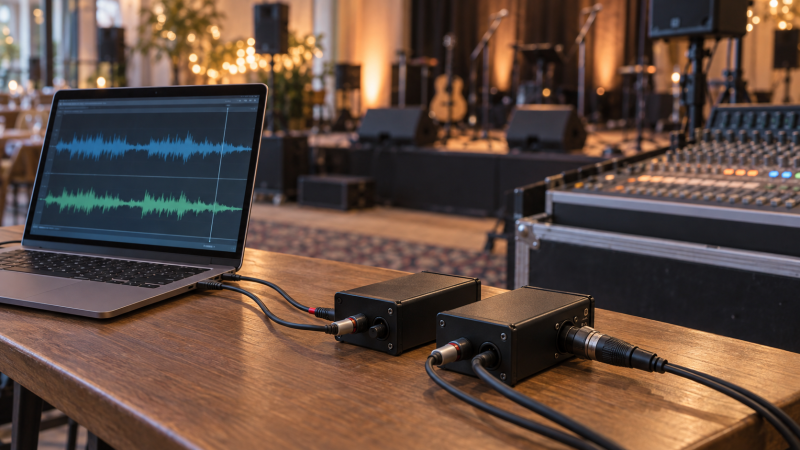
Taking music or video audio from a laptop to a venue mixer sounds like a cable job until a long run hums, the level clips or the left channel disappears. With a stereo direct box, the engineer gets a controlled handoff from consumer playback to balanced stage wiring. First decide whether the show needs two separate left/right channels or a summed mono feed. A box sold for “laptop audio” may provide both routes, but they are not interchangeable.
These five products were selected from Amazon US listings with active New offers; availability can change. They include compact passive laptop boxes, a model with a level control, a flexible multimedia DI, an active option that needs phantom power and a broader passive Duplex bundle. None was independently measured here. Confirm the laptop’s analog output, the venue’s mixer inputs and whether the console can provide 48V phantom power before choosing.
Tell the sound engineer whether you are sending stereo left/right or mono before connecting XLRs. Then start the laptop and console levels low.Stereo Laptop Direct Boxes Compared
| Image | Product | Details | Check Price |
|---|---|---|---|
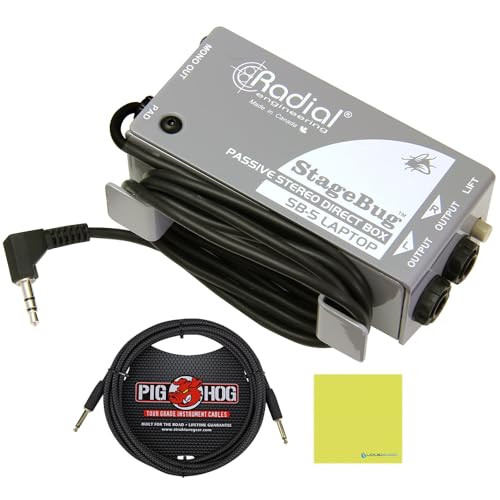 | Radial StageBug SB-5 | Channels: Stereo laptop source Input: Attached 3.5mm lead Output: Balanced stereo TRS; mono XLR listed Power: Passive Buyer fit: Compact laptop handoff | Check Price on Amazon |
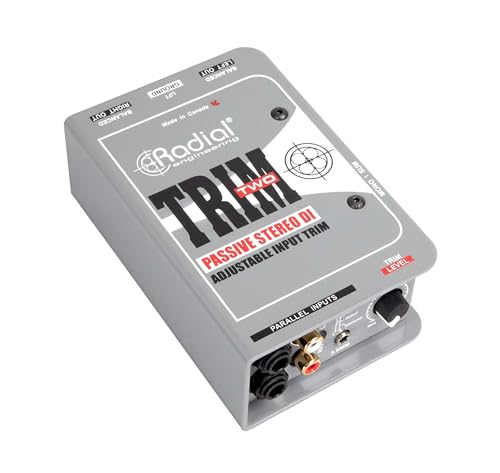 | Radial Trim-Two | Channels: Two / stereo Input: 3.5mm, RCA, quarter-inch Output: Two balanced XLR Power: Passive; local level trim Buyer fit: Playback level at stage | Check Price on Amazon |
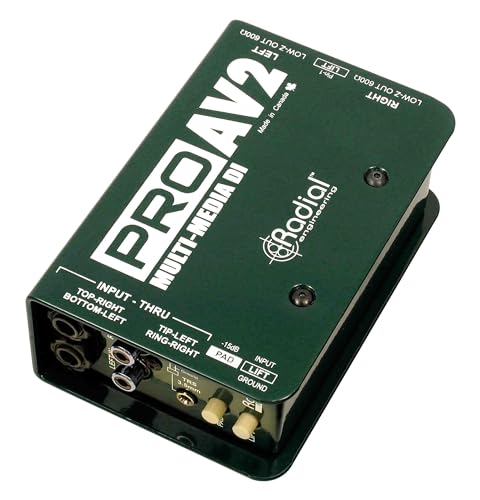 | Radial ProAV2 | Channels: Two / stereo Input: 3.5mm, RCA, quarter-inch Output: Two balanced XLR mic-level Power: Passive; pad/ground lift Buyer fit: Mixed AV source handoff | Check Price on Amazon |
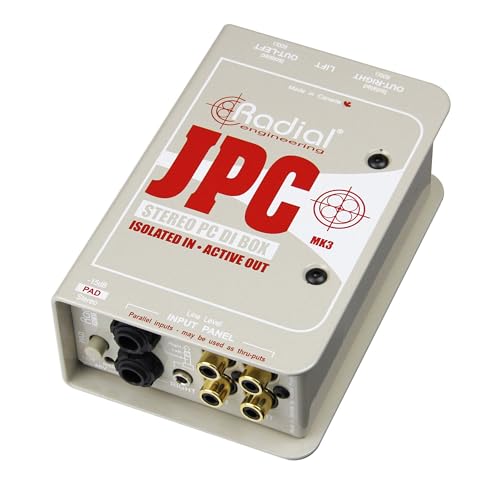 | Radial JPC | Channels: Two / stereo Input: Computer/consumer sources Output: Two balanced XLR mic-level Power: 48V phantom required Buyer fit: Active laptop path | Check Price on Amazon |
 | Radial JDI Duplex Mk4 bundle | Channels: Two / stereo Input: 3.5mm, RCA, quarter-inch, XLR Output: Two balanced XLR mic-level Power: Passive; four-cable offer Buyer fit: Broad source connector set | Check Price on Amazon |
1. Radial StageBug SB-5 — Best Compact Laptop Handoff
Radial designed the StageBug SB-5 as a compact passive stereo DI for laptops and similar consumer playback devices. With its attached 3.5mm stereo lead, you can skip one adapter on a laptop that still has an analog headphone socket. The manufacturer’s documentation also describes balanced stereo TRS outputs and a mono XLR path. Check which output your engineer expects rather than assuming the XLR socket carries the same stereo pair.
Compactness is the reason to buy it. A presenter can keep it in a small event kit and hand off a short analog cable at the stage edge. A laptop with USB-C audio only will still need a suitable DAC or adapter upstream. The StageBug is an analog DI, not a USB audio interface. Confirm that the laptop output carries left and right, then test the show file at the level it will play. A USB-C audio interface is a different way to obtain analog outputs, but it adds its own power and configuration needs.
The SB-5 is not a substitute for a broader input panel if the venue frequently receives RCA players, quarter-inch keyboard feeds and different laptops. For that role, the Radial ProAV2 has more input options. Do not rely on the product’s compact format to solve a bad source file or an incorrectly set console gain.
Our Take Pick SB-5 for a laptop with a confirmed analog stereo output and a simple event-kit workflow. Agree on stereo TRS versus mono XLR with the engineer before the room fills.
- Compact passive laptop-focused design.
- Attached 3.5mm input lead.
- Manufacturer documents stereo and mono handoff options.
- Not a native USB-C or USB audio solution.
- Fewer input connector options than larger AV DIs.
2. Radial Trim-Two — Best Onstage Level Control
The Trim-Two is a two-channel passive DI with a local level knob. Radial lists a 3.5mm stereo input, paired RCA and quarter-inch inputs, balanced XLR outputs, ground lift and a mono-sum switch. A level control is useful when a performer or presenter needs a reachable adjustment at the source end of a long cable run. Radial says that control takes the place of a conventional pad on this model.
It is useful for a laptop, tablet adapter or other consumer player connected near a keyboard station or video lectern. The local knob is a quick way for the operator to lower the incoming level without changing the console’s entire mix. It does not make the sound engineer’s gain staging optional: start from a sensible laptop volume, leave headroom and rehearse the loudest file. If the show includes live instruments too, compare its input routing with a separate guitar-recording interface rather than treating every audio connector as interchangeable.
The mono-sum switch is a venue decision. It can put both left and right content into a single-speaker system, but the engineer should know whether that is the desired mix. If the stage tech prefers a fixed-level DI and several source connector types, the Radial ProAV2 offers a different compromise. Both remain analog devices, so a laptop with no analog output needs an upstream converter.
Set the local trim during soundcheck, then leave enough adjustment range for the loudest playback cue.Our Take Choose Trim-Two when a stereo laptop or player needs an obvious stage-side level control. Its flexibility is useful only if someone is assigned to manage that knob during the show.
- Local input level control.
- 3.5mm, RCA and quarter-inch source options.
- Passive stereo path with mono-sum choice.
- Extra knob can be moved accidentally mid-show.
- Still needs an analog laptop output or adapter.
3. Radial ProAV2 — Best Mixed AV Connectors
Radial positions the ProAV2 as a passive stereo multimedia DI. The manufacturer lists 3.5mm stereo, quarter-inch and RCA inputs, transformer isolation, a pad and ground lift, with two balanced XLR mic-level outputs. That connector set is useful in a workbox that may receive a laptop one hour and a different AV playback device the next.
The two-XLR handoff preserves separate left and right mixer channels. Tell the engineer if the PA is mono or if playback will be panned. Do not silently collapse a stereo soundtrack at the DI. Radial’s documentation describes the ProAV2 as dual-channel rather than the mono ProAV1. Dual-channel output is the difference to check when a video includes sounds placed distinctly on left and right. For a laptop-only kit with a built-in lead, the StageBug SB-5 takes less desk space.
The pad helps with hotter sources, but the exact starting level depends on the playback device and mixer. Do not infer a measured noise or transparency result from manufacturer language. When a USB-C laptop needs a separate analog path, choose and test its adapter before the event. USB-C cable troubleshooting is useful for physical links, but does not verify the audio adapter’s own output.
Our Take Buy ProAV2 for an AV kit that must accept several analog consumer connector types and preserve stereo at the console. It is more box than a single-laptop presenter needs.
- Several common analog source connectors.
- Passive transformer-isolated stereo handoff.
- Pad and ground-lift options listed.
- Two mixer channels needed for true stereo.
- No native USB input.
4. Radial JPC — Best Active Computer Playback Route
The JPC is Radial’s two-channel active computer direct box. Its published FAQ says the active circuit requires 48V phantom power from the mixer and sends balanced mic-level outputs. It accepts computer or consumer playback sources and is aimed at the electrical-noise issues that can accompany them. The circuit description and its purpose are manufacturer design claims, not a measurement of how a particular laptop and venue will behave.
Power is the first preflight question. If the console cannot provide phantom power on the two relevant channels, this is not the convenient pick. Do not assume a powered speaker’s XLR input supplies phantom just because it accepts a microphone plug. Confirm at the exact mixer or stage box. Radial also notes that a high-output source may require the JPC’s pad setting. Start at a modest laptop level and listen for clipping during the loudest cue.
An active DI is not automatically “better” than a passive one for every laptop. You choose the route from connector fit, available phantom, source output and room wiring. For an event with no reliable phantom, a passive ProAV2 is a simpler fallback. If the laptop is part of a recording setup, an interface with balanced outputs may also change what handoff hardware is needed.
Check 48V phantom on the exact mixer channels before adding an active DI to the event checklist.Our Take Choose JPC only when its active design for computer playback fits a connection need and the console supplies verified phantom power. The passive boxes need no phantom power and are safer defaults for uncertain venues.
- Two-channel active computer-source path.
- Balanced mic-level outputs.
- Pad option for a hotter source.
- Requires 48V phantom power.
- Additional preflight step at unfamiliar venues.
5. Radial JDI Duplex Mk4 Bundle — Best Broad Passive Source Set
This exact Amazon offer is a JDI Duplex Mk4 with four bundled cables. Radial’s Duplex documentation describes a passive dual-channel DI with 3.5mm, RCA and quarter-inch inputs, a balanced line-level XLR input option, balanced XLR outputs, pad, ground lift and mono sum. That broader input panel suits a shared event workbox that alternates between consumer players and professional line-level sources.
Do not assume every connector can be active at the same time. Radial notes that selecting the line-level XLR input changes which other inputs are in circuit. Set the source path deliberately and label the output pair. The unit’s passive design needs no phantom power, but you still need the right adapters and cable routing. The four-cable bundle may help a particular kit, yet check the retail listing for exact cable types before counting on them at a show.
If the only recurring task is one laptop with one 3.5mm lead, the StageBug SB-5 is smaller. If the venue changes source hardware frequently, this Duplex offer’s connector range is more useful. An audio monitor controller is for speaker-pair switching at the listening desk, not a substitute for the balanced PA handoff.
Our Take Choose the JDI Duplex bundle for a crew that supports several analog source types, not for a minimal kit built around a laptop. Verify the included cable set against the current offer before relying on it.
- Passive two-channel handoff.
- Consumer and balanced-line source connectors described.
- Mono-sum and ground-lift controls listed.
- More connectivity than a simple laptop event needs.
- Bundle cable types need listing-level verification.
Buying Guide
1. Confirm the laptop’s actual audio output
A headphone socket is analog, and a USB-C port needs a suitable audio device. Some laptops can feed a 3.5mm stereo DI directly. Others need a USB-C DAC, audio interface or dedicated USB DI before an analog direct box can see a signal. Test that exact adapter and file at home, not at the venue doors.
Match stereo source wiring to the DI input. A three-conductor 3.5mm stereo plug carries left and right differently from a balanced mono TRS cable. Follow the product’s connection diagram. If a USB-C cable is involved upstream, check that cable for a reliable data connection separately from the audio route.
2. Reserve the right mixer channels and outputs
True stereo usually needs two mixer inputs. A passive DI such as ProAV2 provides separate balanced left and right XLR outputs. A mono-sum option can be useful for a mono PA, but decide that with the engineer because a stereo file may contain different information on each side.
Know the expected level at the console. Several DIs send mic-level balanced outputs, which belong at suitable mixer inputs with gain set accordingly. Do not assume they can feed powered speakers at the same level as a line output. Read the PA connection plan before buying cables or booking an adapter.
3. Choose passive or active power deliberately
Passive models avoid a phantom-power dependency. Skipping phantom helps at venues where the console configuration is unknown or where the DI is passed through a stage snake. Ground lift and pads can help with specific connection problems, but they still require a soundcheck.
The active JPC requires confirmed 48V phantom. Make the engineer show which channel supplies it, and test the full two-channel path. A design intended for noisy computer sources is not proof that your own system will be silent.
4. Rehearse the loudest playback cue
Test the actual file and maximum expected laptop level. A gentle intro is a poor clipping test if the later video has a loud sting. Set the laptop, DI pad or trim and mixer gain with enough headroom. If the presentation uses separate apps, test both rather than trusting one music player.
Keep a fallback path visible. Label the laptop adapter, the two XLRs and any mono output. Note which source should feed a second recording interface if the venue captures the event. The best DI is the one your crew can reconnect correctly under time pressure.
FAQ
Do I need a stereo DI for every laptop presentation?
No. If the venue only needs a mono spoken-word or video feed, a suitable mono path may be enough. If the playback contains stereo music, panned effects or different left/right content, use a two-channel route or decide explicitly how it will be summed.
Ask the sound engineer how many mixer channels are available and what the PA reproduces. An XLR jack on the box does not guarantee it carries both channels. Check the product’s output diagram, which is more reliable than a generic “stereo” label.
Can I plug a USB-C-only laptop straight into these direct boxes?
No. These selected analog DI boxes need an analog audio signal at their input. A USB-C-only laptop needs a compatible audio adapter or interface upstream, unless you choose a different product with a native USB audio input.
Test the adapter with the actual laptop and cable before the show. Some adapters provide an analog headphone socket, and others behave differently. A USB-C audio-interface guide helps compare a more permanent source route, but the venue still needs the correct output handoff.
Does a passive DI need phantom power?
No. The passive models in this selection do not need 48V phantom to operate. They still need suitable source and mixer wiring, and their output level must be matched at the console.
The Radial JPC is the exception here. Its manufacturer requires 48V phantom. Make that a line item on the soundcheck sheet rather than discovering a silent channel during playback.
Bottom Line
For a laptop with a working analog headphone socket, the StageBug SB-5 is a compact handoff. Trim-Two has a useful local knob, and ProAV2 accepts more analog AV sources. JPC belongs where phantom is confirmed, while the JDI Duplex bundle fits a crew handling a wider source mix.