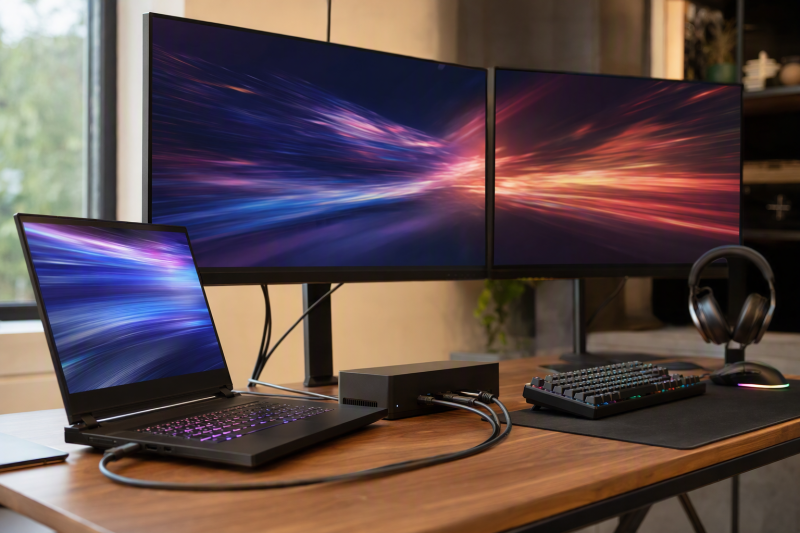
For a Lenovo Legion whose exact specification documents a compatible Thunderbolt 5 host path, the Anker Prime Thunderbolt 5 Dock A83B5 is the best dock in this frozen slate. It provides a native conventional-video choice and up-to-140W charging, but HDMI and DisplayPort cannot operate together. Each alternative answers one different need: Razer Thunderbolt 5 Dock Chroma adds an empty M.2 slot, CalDigit TS5 Plus leads on port density, Plugable TBT-UDT3 routes displays through downstream Thunderbolt, and UGREEN Revodok Max 213 is the Thunderbolt 4 alternative.
Keep the Lenovo power adapter connected under gaming or other sustained CPU/GPU load. A dock’s USB-C charging ceiling is not proof that it can replace a Legion’s proprietary charger. Legion is also a family, not a port specification: exact machine type, generation, CPU/GPU platform, USB-C/USB4/Thunderbolt mode, firmware, OS, native display resources, cable, adapter, and monitor determine compatibility. Our Thunderbolt 5 dock guide is useful only after that host check.
Quick picks
- Anker Prime A83B5: Best native conventional-output TB5 choice.
- Razer Thunderbolt 5 Dock Chroma: Best TB5 dock with an empty M.2 slot.
- CalDigit TS5 Plus: Best port-dense option with 10GbE.
- Plugable TBT-UDT3: Best downstream-Thunderbolt expansion path.
- UGREEN Revodok Max 213: Best Thunderbolt 4 alternative.
Compare Lenovo Legion docks
| Image | Product | Details | Check Price |
|---|---|---|---|
 | Anker Prime Thunderbolt 5 Dock A83B5 | Best for: Native conventional-output TB5 path Host path: Thunderbolt 5 on qualifying Legion Display route: HDMI 2.1 or DP 2.1; mutually exclusive Laptop power: Up to 140W Buyer check: Keep Lenovo charger connected for gaming | Check Price on Amazon |
 | Razer Thunderbolt 5 Dock Chroma | Best for: TB5 expansion with empty M.2 slot Host path: Thunderbolt 5 for full capability Expansion: Downstream TB5, UHS-II, USB, Ethernet, audio Laptop power: Up to 140W Buyer check: SSD separate; direct gaming power required | Check Price on Amazon |
 | CalDigit TS5 Plus | Best for: Port-dense TB5 Legion desk Host path: Thunderbolt 5 for full capability Expansion: 20 ports, 10GbE, dual UHS-II readers Laptop power: Up to 140W Buyer check: Keep proprietary power under CPU/GPU load | Check Price on Amazon |
 | Plugable TBT-UDT3 | Best for: Downstream Thunderbolt expansion Host path: Thunderbolt 5; retained evidence excludes TB3 Display route: Three downstream TB5; adapters required for HDMI/DP Laptop power: Up to 140W Buyer check: No native conventional display output | Check Price on Amazon |
 | UGREEN Revodok Max 213 | Best for: Thunderbolt 4 Legion alternative Host path: Thunderbolt 4 Display route: DisplayPort plus downstream TB4 Laptop power: Up to 90W Buyer check: Max 213 is not Max 2131; direct gaming power required | Check Price on Amazon |
1. Anker Prime Thunderbolt 5 Dock A83B5 — best overall

Anker A83B5 leads for a Legion that truly has the host path the dock requires. Anker documents Thunderbolt 5, 2.5GbE, audio, full-size and microSD UHS-I readers, downstream expansion, and host charging up to 140W.
Its conventional display route is flexible but easy to misread. The dock provides HDMI 2.1 or DisplayPort 2.1, and Anker states those two outputs are mutually exclusive. They are alternatives, not two simultaneous conventional outputs. Other display paths depend on the exact host, downstream Thunderbolt route, cable or adapter, DSC, OS, GPU, and monitor.
No Legion gaming result follows from the connector labels. This article does not infer VRR, HDR, HDCP, G-SYNC, FreeSync, frame rate, latency, color depth, or chroma. The 140W ceiling also remains negotiated USB Power Delivery. Keep the Lenovo charger connected for gaming load.
Our Take
Choose A83B5 when the exact Legion supports the intended TB5 path and one native HDMI-or-DisplayPort output suits the monitor. Treat it as expansion, not a proprietary-charger replacement.
- Thunderbolt 5 expansion
- Selectable HDMI 2.1 or DisplayPort 2.1 route
- 2.5GbE and up-to-140W host ceiling
- HDMI and DisplayPort are mutually exclusive
- Lenovo charger remains required under gaming load
2. Razer Thunderbolt 5 Dock Chroma — best with an M.2 slot

Razer’s Dock Chroma is the storage-expansion branch. Razer documents downstream Thunderbolt 5 ports, 10Gbps USB, Ethernet, UHS-II SD, audio, active cooling, and an M.2 2280 PCIe Gen4x4 slot. The slot ships empty, so the buyer supplies a compatible SSD.
The enclosure’s active cooling and internal slot do not prove SSD temperature, noise, sustained storage performance, or game-loading improvement. SSD fit, thermal setup, host PCIe resources, bridge behavior, cable, filesystem, and workload all remain part of the path.
Razer states host charging up to 140W, but that ceiling does not replace the Legion’s required adapter during gaming. The exact machine must also document the needed host mode. A USB4 or basic USB-C Legion cannot inherit Thunderbolt 5 bandwidth because the dock carries a TB5 label.
Our Take
Choose the Razer when a qualifying TB5 Legion needs downstream expansion and an empty M.2 slot. Buy the SSD separately and keep direct Lenovo power under load.
- Downstream Thunderbolt 5 expansion
- Empty M.2 2280 PCIe Gen4x4 slot
- UHS-II SD, USB, Ethernet, and audio
- SSD is not included
- 140W ceiling does not replace gaming power
3. CalDigit TS5 Plus — best port-dense choice
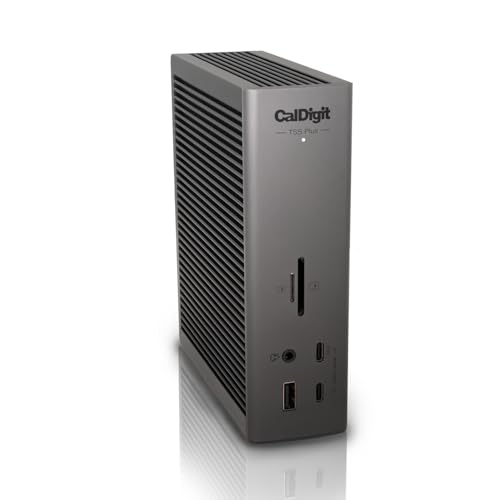
CalDigit TS5 Plus is the choice for a Legion desk with many peripherals. CalDigit documents 20 ports, ten 10Gbps USB ports, 10GbE, separate SD and microSD UHS-II readers, DisplayPort 2.1, Thunderbolt 5 expansion, and host charging up to 140W.
Full capability requires a qualifying TB5 host. Many Legion models provide USB4 rather than Thunderbolt, while others provide only basic USB-C, and the exact PSREF row controls. DisplayPort 2.1 on the dock also does not prove a particular refresh, DSC, VRR, or gaming mode from the laptop.
CalDigit tells buyers of demanding CPU/GPU laptops to keep proprietary charging connected where necessary, and that guidance is decisive here. Use the TS5 Plus for network, media, USB, and display expansion, with the Lenovo adapter supplying the gaming load.
Our Take
Choose TS5 Plus for a documented TB5 Legion when 10GbE and many USB/media ports matter. Do not buy it as a one-cable gaming-power promise.
- 20-port Thunderbolt 5 design
- 10GbE and dual UHS-II readers
- DisplayPort 2.1 route
- Full capability requires TB5
- Direct Lenovo charging remains necessary for gaming
4. Plugable TBT-UDT3 — best downstream-Thunderbolt path

Plugable TBT-UDT3 suits a Legion setup built around USB-C or Thunderbolt-input displays and high-speed downstream devices. Plugable documents three downstream Thunderbolt 5 ports, 2.5GbE, full-size SD and microSD UHS-II readers, and host charging up to 140W.
There is no native HDMI or DisplayPort. A conventional monitor needs a known-compatible USB-C or Thunderbolt video adapter, and the exact host matrix controls the result. Cable, adapter, DSC, GPU, OS, and monitor input stay attached to every resolution and refresh claim. Retained evidence excludes Thunderbolt 3.
Plugable describes the dock as driverless, which means it does not rely on DisplayLink for its native display route. Driverless does not prove gaming features or remove host limitations. Keep the Legion’s own charger connected during gaming, even if USB PD is also negotiated.
Our Take
Choose TBT-UDT3 for a qualifying TB5 Legion when three downstream branches match the desk. Budget for exact display adapters and retain proprietary power.
- Three downstream Thunderbolt 5 ports
- 2.5GbE and dual UHS-II readers
- Up-to-140W host charging ceiling
- No native HDMI or DisplayPort
- Display adapters and direct gaming power are separate
5. UGREEN Revodok Max 213 — best Thunderbolt 4 alternative

UGREEN Revodok Max 213 is the alternative for a Legion whose exact port qualifies for Thunderbolt 4 rather than TB5. UGREEN documents a conventional DisplayPort route, two downstream TB4 ports, 2.5GbE, USB, audio, separate SD and TF 4.0 readers, and an included power supply.
UGREEN rates host charging up to 90W. That may support ordinary desktop use on a qualifying laptop, but it sits well below the proprietary power path used by many gaming systems. Keep the Legion adapter connected when gaming or running other sustained CPU/GPU workloads.
Model identity matters here. This is Revodok Max 213, official SKU 25054 and listing B0DQWJNJ21. Do not transfer specifications from Revodok Max 2131, which is a separate Thunderbolt 5 product. The exact host and display chain still control output behavior.
Our Take
Choose Max 213 for a documented TB4 Legion that needs conventional DisplayPort and 2.5GbE. Keep model 213 separate from 2131 and keep direct gaming power attached.
- Thunderbolt 4 alternative
- Conventional DisplayPort and downstream TB4
- 2.5GbE, USB, media, and audio
- Up-to-90W ceiling is not gaming power
- Must not be confused with Max 2131
How to choose a Legion dock
Identify the exact host port
Use the machine type and Lenovo PSREF row, not the Legion family name. Record whether the port is basic USB-C, USB4, Thunderbolt 4, or Thunderbolt 5, along with CPU/GPU platform, native display resources, accepted USB-C power, firmware, and OS. A USB-C-shaped connector proves none of the higher modes by itself.
Keep the proprietary adapter connected for gaming
Anker, Razer, CalDigit, and Plugable publish ceilings up to 140W, while UGREEN publishes up to 90W. The dock and cable offer a negotiated mode, and the laptop accepts only a supported input. Gaming loads can exceed that path or trigger Lenovo power policy. Not one of these docks is promoted as a replacement for the required Legion adapter.
Trace the physical display route
Anker offers HDMI or DisplayPort, not both together. CalDigit and UGREEN provide DisplayPort. Plugable has no conventional output and needs downstream USB-C/TB displays or adapters, and Razer also depends on downstream routes. Then check host GPU, OS, DSC, cable, adapter, monitor input, resolution, and refresh. High-refresh monitor cables remain a separate decision.
Do not infer gaming features
HDMI 2.1, DisplayPort 2.1, Thunderbolt 5, and a high manufacturer display ceiling do not prove VRR, HDR, HDCP, G-SYNC, FreeSync, frame rate, latency, color depth, or chroma for the exact Legion path. Verify every requested feature across laptop GPU output, dock route, adapter, cable, and monitor.
Choose ports around the workload
Razer adds an empty M.2 slot, CalDigit leads for 10GbE and USB density, and Plugable leads for downstream Thunderbolt branches. UGREEN supplies the TB4 route, while Anker is the most direct conventional-output TB5 choice. These roles concern expansion, not gaming performance.
Frequently asked questions
Can a dock replace a Legion power adapter while gaming?
No universal replacement is supported. Keep the Lenovo adapter connected under gaming and other sustained CPU/GPU loads.
Does every Legion laptop support Thunderbolt?
No. Some provide USB4, some Thunderbolt, and some only basic USB-C. The exact PSREF row controls.
Does HDMI 2.1 guarantee VRR or a specific refresh rate?
No. GPU, host port, dock route, adapter, cable, monitor input, DSC, OS, and feature support all have to line up.
Final recommendation
Anker A83B5 is the best overall dock here for a Legion with a documented compatible TB5 path and a monitor suited to its mutually exclusive HDMI-or-DisplayPort choice. After that, one requirement picks each alternative: Razer for an empty M.2 slot, CalDigit for port density, Plugable for downstream Thunderbolt, UGREEN for a TB4 host. In every branch, preserve the exact machine-type display limits and keep the Lenovo adapter connected under gaming load.