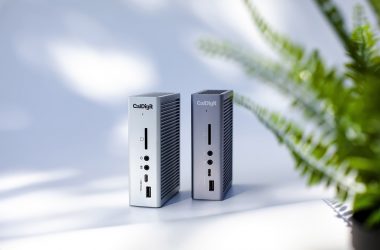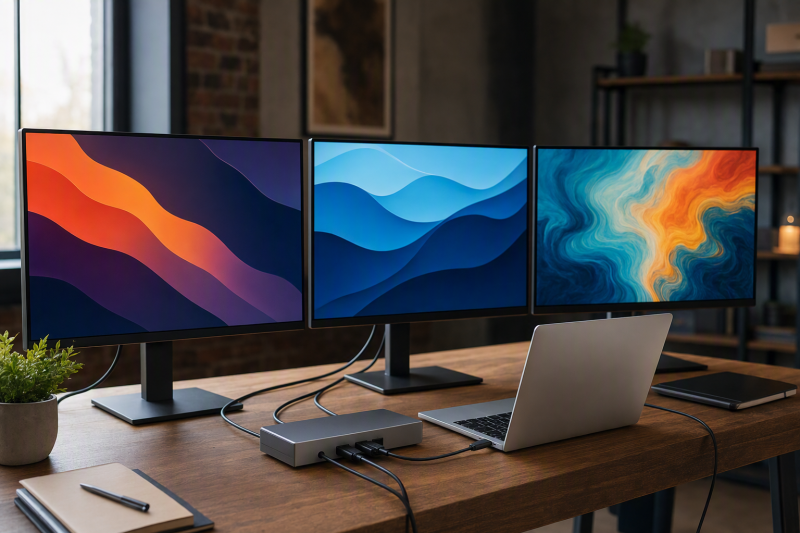
The Anker Prime DL7400 A83B3 is the best current choice for three external monitors on a supported MacBook Pro because Anker’s exact product page states that three monitors can run simultaneously and documents macOS 13.5+, a compatible DisplayLink driver, and Screen Recording permission. It does not provide a complete manufacturer-verified simultaneous resolution matrix, so do not treat an Amazon triple-4K headline as a promised layout.
Three sockets are not enough. The dock must expose three independent display paths, and a hybrid dock needs both its native DP Alt Mode route and its DisplayLink routes for the full three-screen layout. Manufacturer maxima remain ceilings governed by the exact MacBook Pro, macOS release, host port, software, cable, adapter, and monitors.
Three sockets versus three independent paths
| Product type | Path to three screens | What must be verified | Common mistake |
|---|---|---|---|
| All-DisplayLink design | Three virtual outputs supported by the dock’s DisplayLink hardware and mode | Product-level display count, macOS floor, current compatible driver, permission, connectors, and monitors | Counting every visible socket as an independently active output |
| High-count DisplayLink design | Three screens use part of a documented four-output ceiling | Active-output limit and the connector-specific mode table | Treating four DP plus four HDMI sockets as eight displays |
| Hybrid design | One native DP Alt Mode output plus two DisplayLink virtual outputs | The Mac host must supply DP Alt Mode while DisplayLink Manager supplies the other two paths | Calling all three outputs DisplayLink or assuming software can replace the native stream |
Quick picks
- Anker Prime DL7400 A83B3: Clearest current product-level claim for three simultaneous monitors.
- Targus DOCK570USZ: Four-display headroom for an enterprise desk.
- Plugable UD-6950PDZ: Hybrid triple-4K office path on a qualified host.
- StarTech 116N-USBC-DOCK: Hybrid routing for mixed-device IT fleets.
- Plugable UD-3900PDZ: Value layout with one native 4K 30Hz screen and two lower-resolution virtual screens.
| Image | Product | Details | Check Price |
|---|---|---|---|
 | Anker Prime DL7400 A83B3 | Display path: DisplayLink triple-display design through 1 DP 1.4 and 2 HDMI 2.1 outputs Maximum layout: Exact page states 3 external monitors simultaneously; triple 4K 60Hz is Amazon catalog scope only Mac / driver boundary: macOS 13.5+; compatible DisplayLink driver and Screen Recording permission required Charging: Up to 140W with PD 3.1 host and stated front-port condition Best fit: Current triple-display MacBook Pro desk with clear product-level Mac setup | Check Price on Amazon |
 | Targus DOCK570USZ | Display path: Dual DisplayLink DL-6910; up to 4 active outputs across 4 DP and 4 HDMI sockets Maximum layout: 4 x DP 4K 60Hz or conservative 4 x HDMI 4K 50Hz; single 5K supported Mac / driver boundary: Official Works With scope includes Mac; exact current DisplayLink driver version not frozen Charging: Up to 100W PD 2.0 on compatible USB-C hosts; no USB-A host charging Best fit: Three-monitor enterprise desk that may need fourth-display headroom | Check Price on Amazon |
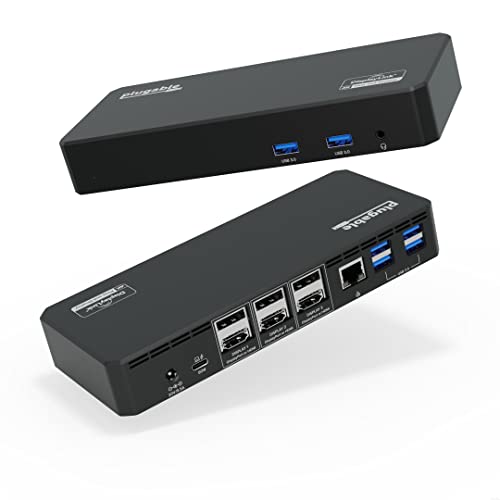 | Plugable UD-6950PDZ | Display path: Hybrid: 1 native DP Alt Mode group plus 2 DisplayLink DL-6950 groups Maximum layout: Up to 3 x 4K 60Hz; native group falls to 4K 30Hz on DP 1.2 Mac / driver boundary: macOS 11+; DP Alt Mode plus DisplayLink Manager and Screen Recording permission required for full layout Charging: Up to 100W negotiated USB PD Best fit: Hybrid triple-4K office topology on a qualified MacBook Pro host | Check Price on Amazon |
 | StarTech 116N-USBC-DOCK | Display path: Hybrid: 2 DisplayLink DL-6950 HDMI/DP choices plus 1 native DP Alt Mode HDMI Maximum layout: 2 x DisplayLink 4096 x 2160 60Hz plus 1 native 4096 x 2160 30Hz Mac / driver boundary: macOS listed; full layout needs DP Alt Mode plus DisplayLink; exact current driver version not frozen Charging: Up to 100W negotiated USB PD Best fit: Mixed-device IT standardization with explicit hybrid routing | Check Price on Amazon |
 | Plugable UD-3900PDZ | Display path: Hybrid: 1 native DP Alt Mode HDMI plus 2 DisplayLink DL-3900 HDMI outputs Maximum layout: 1 x 4K 30Hz native plus 2 x 1920 x 1200 60Hz DisplayLink Mac / driver boundary: macOS 11+; DP Alt Mode plus DisplayLink Manager and Screen Recording permission required for full layout Charging: Up to 100W negotiated USB PD Best fit: Value triple-display office setup with lower-resolution virtual screens | Check Price on Amazon |
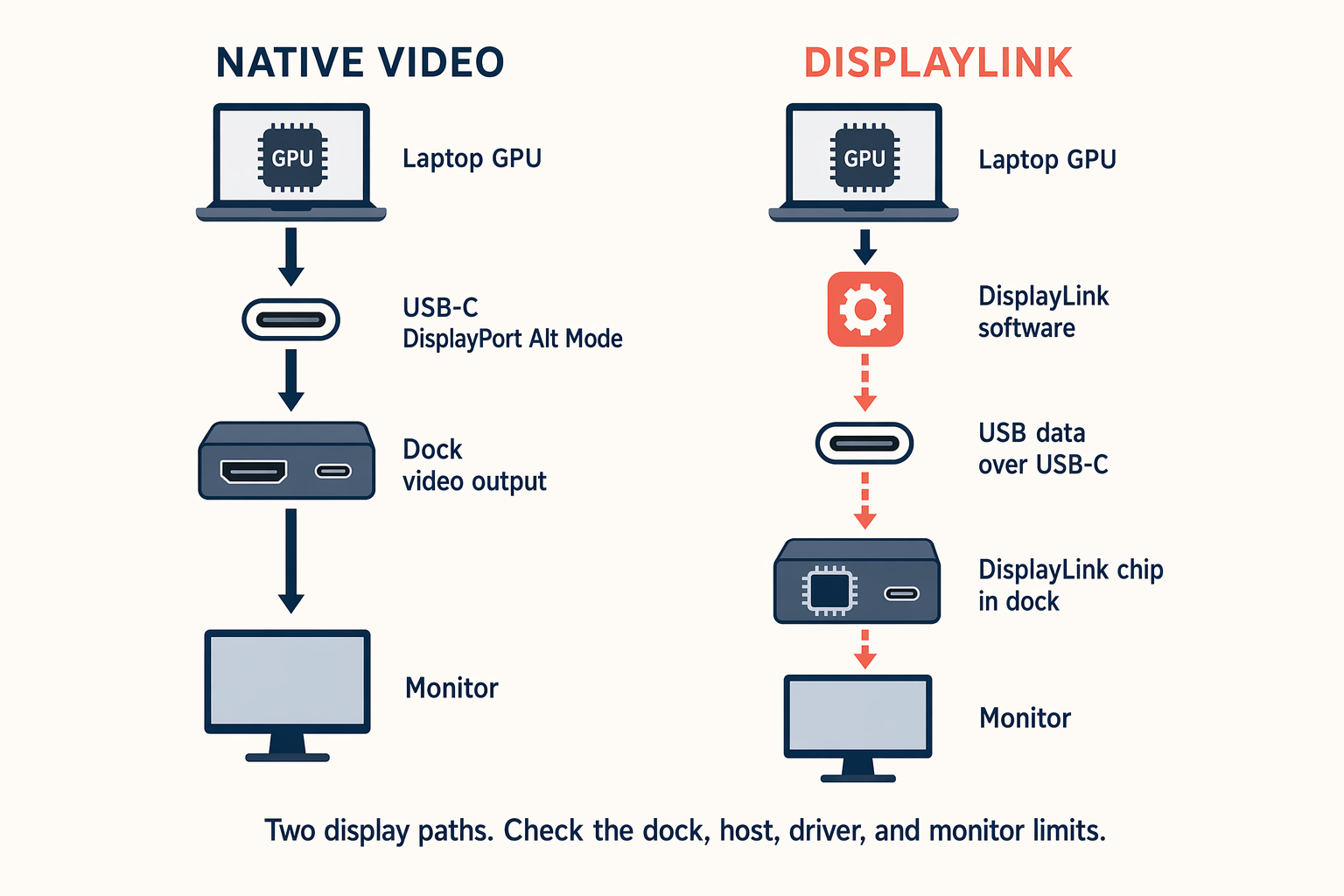
For the three-monitor MacBook Pro decision, follow each arrow separately. An all-DisplayLink dock must document three virtual paths. A hybrid model reaches three only when the native DP Alt Mode route and both DisplayLink routes work together. The presence of the same connector on two docks does not prove the same topology.
1. Anker Prime DL7400 A83B3 – Best overall triple-display choice
Buy the DL7400 when you want the strongest current manufacturer statement for three simultaneous external monitors on a Mac. Its display-facing connectors are one DisplayPort 1.4 and two HDMI 2.1 outputs. The front USB-C ports handle data and charging, not video.
Anker specifies macOS 13.5 or later, a compatible DisplayLink driver, and Screen Recording permission. Its captured product page does not provide a complete simultaneous resolution matrix, so the recommendation is for proven display count rather than an unqualified triple-4K mode. Anker’s up-to-140W charging condition requires a USB PD 3.1 laptop and no more than one device on the front USB-C ports.
Our Take
The DL7400 offers the clearest route to three screens in this slate. Confirm the resolution mix you need and the current Mac driver before purchase.
- Exact page states three simultaneous external monitors
- macOS setup boundary is documented
- One DisplayPort and two HDMI display outputs
- Complete simultaneous resolution matrix was not captured
- DisplayLink driver and permission are required
- 140W charging has a front-port condition
2. Targus DOCK570USZ – Best four-display enterprise headroom
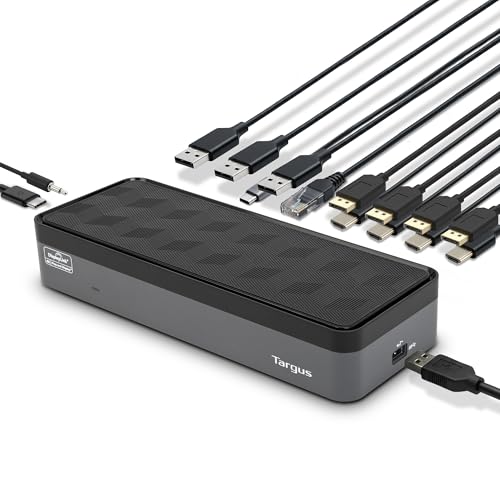
Choose the DOCK570USZ when three screens are required today and a fourth may be added later. Its dual DL-6910 design offers four DisplayPort and four HDMI sockets, with up to four active outputs. For one connector family, Targus lists four DisplayPort displays at 3840 x 2160 60Hz. Conflicting HDMI wording makes 3840 x 2160 50Hz the conservative four-HDMI ceiling.
Targus lists Mac in its official Works With scope and includes a USB-A adapter, but the authorized package does not establish an exact current DisplayLink driver version. A USB-A host can carry the display data but cannot receive USB-C host charging. Compatible USB-C hosts can receive up to 100W under PD 2.0 conditions.
Our Take
Targus is the headroom pick for a managed multi-screen desk. Treat its eight sockets as choices for up to four outputs, never as eight display paths.
- Up to four active DisplayLink outputs
- DisplayPort and HDMI connector choices
- USB-C and USB-A host options
- Eight sockets still support only four displays
- HDMI refresh documentation conflicts
- Exact current DisplayLink version is not frozen
3. Plugable UD-6950PDZ – Best hybrid triple-4K office topology

Buy the UD-6950PDZ only after mapping its three display groups. Group 1 is native DP Alt Mode. Groups 2 and 3 use DisplayLink DL-6950. Plugable lists up to three 4K 60Hz displays under stated host conditions, but the native group falls to 4K 30Hz on a DP 1.2 host. The full three-screen layout therefore needs both the native and virtual paths.
Plugable requires macOS 11 or later, manual DisplayLink installation, and Screen Recording permission. Without that software, only the native group works. Host charging is rated up to 100W under USB-PD negotiation. Plugable recommends office and web work; its DisplayLink groups lack HDCP and carry graphics, full-screen video, editing, and gaming limits.
Our Take
This is the best hybrid triple-4K office layout when the Mac’s native DP path qualifies. It is a poor match for protected video or graphics-first use.
- Three clearly separated display groups
- Up to triple 4K 60Hz on a qualifying host path
- Up to 100W negotiated USB PD
- Full layout needs native DP Alt Mode and DisplayLink
- DP 1.2 lowers the native group to 4K 30Hz
- Virtual groups lack HDCP
4. StarTech 116N-USBC-DOCK – Best mixed-device IT hybrid
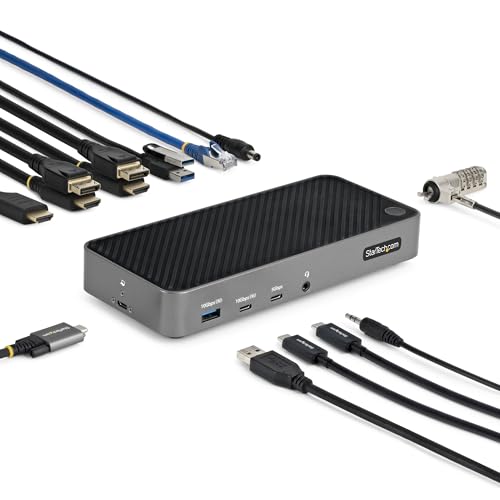
Choose the 116N-USBC-DOCK for an IT environment that supports Macs and other host types and can document port assignments. Two selectable HDMI or DisplayPort outputs use DisplayLink DL-6950, each rated up to 4096 x 2160 60Hz. The third HDMI output is a native DP Alt Mode route rated up to 4096 x 2160 30Hz.
All three screens require both paths at once: the MacBook Pro must expose DP Alt Mode for the native HDMI output, while compatible DisplayLink software drives the other two. StarTech lists macOS and several other operating systems, but no exact current DisplayLink package version is frozen. USB-C with DP Alt Mode and USB PD is required for full function; host charging is rated up to 100W under negotiation.
Our Take
StarTech fits a controlled mixed-device deployment with explicit port maps. Avoid it if the native host path cannot be confirmed before rollout.
- Choice of HDMI or DisplayPort for two virtual paths
- Broad official operating-system scope
- Clear native third-output route
- Third display depends on host DP Alt Mode
- Native path is limited to 4096 x 2160 30Hz
- Exact current DisplayLink package is not frozen
5. Plugable UD-3900PDZ – Best value hybrid triple-display choice
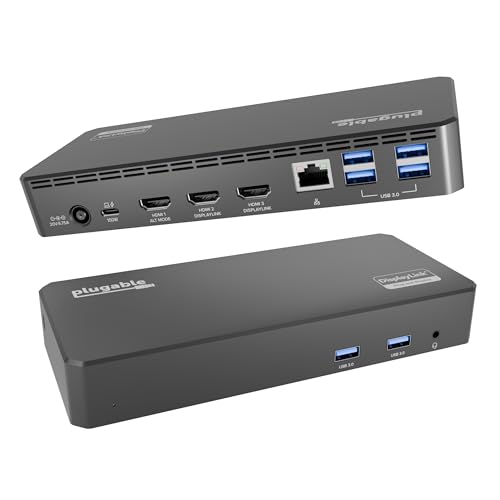
Pick the UD-3900PDZ when the monitor mix can accept one native screen at up to 3840 x 2160 30Hz and two virtual screens at up to 1920 x 1200 60Hz. HDMI 1 is the native DP Alt Mode route. HDMI 2 and HDMI 3 use DisplayLink DL-3900. It is a practical value topology, but not three equivalent 4K outputs.
Full operation needs a qualifying host DP Alt Mode path, macOS 11 or later, manual DisplayLink installation, and Screen Recording permission. A managed Mac may need administrator approval. The two DisplayLink outputs do not support HDCP. Plugable rates host charging up to 100W under USB-PD negotiation.
Our Take
This dock makes sense when screen count matters more than matching resolution across all three displays. Its topology is easy to understand once each HDMI port is labeled.
- Documented one-native plus two-virtual layout
- Two DisplayLink screens at up to 1920 x 1200 60Hz
- Up to 100W negotiated USB PD
- Not a triple-4K layout
- Full operation requires both DP Alt Mode and DisplayLink
- Virtual outputs do not support HDCP
Three-monitor topology and setup check
Begin with the exact MacBook Pro, macOS version, and USB-C or Thunderbolt port. This package does not establish one native-display allowance for every Pro chip, so verify the specific Apple model rather than copying a rule from another Mac.
Then identify the dock architecture. Anker and Targus document multi-output DisplayLink designs. Plugable’s two models and the StarTech dock are hybrid: their full three-screen layouts require a native DP Alt Mode path plus DisplayLink paths. Label the physical connectors before cabling the desk.
Install a compatible DisplayLink Manager release, grant Screen Recording permission, and quit and reopen it when requested. Managed machines may need administrator approval. Confirm each monitor’s input, resolution, refresh rate, cable, and adapter with our monitor selection guide.
Finally, check negotiated host charging and the dock’s protected-content and graphics limits. A three-screen office layout can be a good fit even when the same virtual path is unsuitable for HDCP playback, color-sensitive work, games, capture, or editing.
Three-monitor DisplayLink FAQ
Can three HDMI or DisplayPort sockets guarantee three extended screens?
No. The dock’s chipset and mode table determine how many independent outputs can be active. Targus has eight sockets but supports up to four active screens, while each hybrid dock needs one native path and two virtual paths for its complete layout.
Does DisplayLink Manager replace a missing native DP Alt Mode path?
No. On a hybrid dock, DisplayLink Manager drives only the virtual groups. The separate native output still requires DP Alt Mode from the host. Both conditions must pass for all three screens.
Will every MacBook Pro run the same layout?
No. MacBook Pro models do not all expose the same native display behavior. Match the exact Mac, macOS version, dock, driver, cables, and monitors to the manufacturer’s product-level rules.
Related reading
Our DisplayLink docking-station guide covers the broader Mac and Windows category. Readers who need only two screens can compare simpler routes in the dual-monitor docking guide.