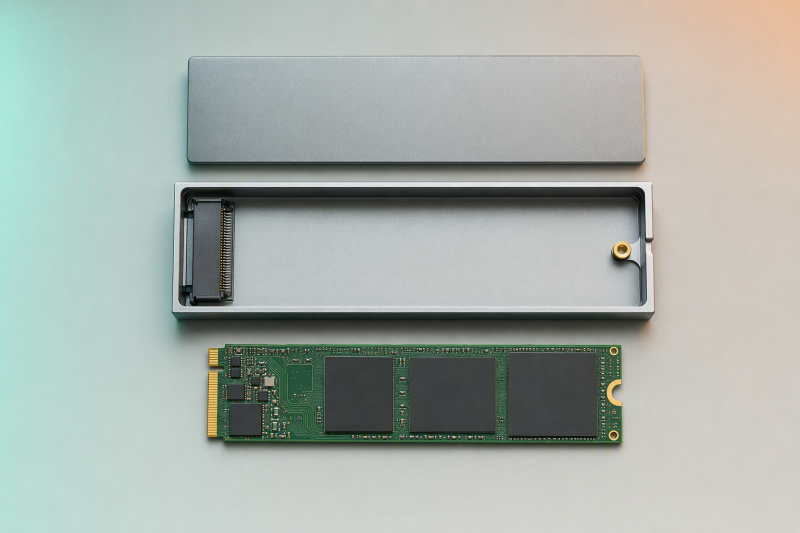
Electrical compatibility depends on the SSD’s exact interface and the protocol or protocols the enclosure states it supports. The M.2 label, the notch, and an easy fit into the socket do not establish it:
| SSD record | Enclosure record | Electrical result | Next action |
|---|---|---|---|
| SATA or AHCI | SATA supported | Potential match | Check keying and mechanical fit separately |
| SATA or AHCI | NVMe or PCIe only | Not compatible | Do not install it in that enclosure |
| PCIe or NVMe | NVMe or PCIe supported | Potential match | Check keying and mechanical fit separately |
| PCIe or NVMe | SATA only | Not compatible | Do not install it in that enclosure |
| SATA or NVMe known | Exact enclosure supports both protocols | Potential match | Confirm the listed key and board length, then run the mechanical check |
| Interface unknown | Any enclosure | Not proved | Find the exact SSD model and interface before proceeding |
Electrical compatibility is gate one. Mechanical fit is gate two. Both must pass before the drive-to-enclosure row is complete.
Key notches are clues, not a protocol verdict
M.2 keying is a mechanical arrangement of the connector, but one key position can allow more than one host interface. SATA-IO documents that Key B can support SATA or PCIe x1/x2 and Key M can support SATA or PCIe x1/x2/x4. A B+M board describes the two-notch mechanical arrangement.
That overlap is why the notch cannot identify a particular drive’s protocol by itself. Read the SSD label or the maker’s datasheet for that model. Look for the model number and an explicit interface such as SATA, AHCI, PCIe, or NVMe. Treat “M-key” as a shape, not as a synonym for “NVMe”.
NVM Express defines NVMe host communication across transports including PCIe and across form factors including M.2. That describes an interface relationship, not a promise that the board fits a given enclosure. “NVMe” does not settle board length, retention position, sidedness, component height, or lid clearance.
Crucial’s product information shows one maker’s keying pattern without making it universal. Its current M.2 SATA products use B+M keying, while its M.2 NVMe PCIe products use M keying. That pattern helps with the Crucial products it covers, and it does not carry over to every manufacturer.
Read both exact product records
Create one row for the SSD and one for the enclosure before opening the case.
| Field | SSD record | Enclosure record |
|---|---|---|
| Exact model | Model printed on the label or documented by the maker | Full enclosure model, including similar-looking suffixes |
| Electrical interface | SATA/AHCI or PCIe/NVMe | SATA, NVMe, or explicitly dual-protocol |
| Keying | B, M, or B+M as documented | Accepted key or keys |
| Board length | 2230, 2242, 2260, 2280, or 22110 | Accepted lengths and retention positions |
| Component layout | Single-sided, dual-sided, heat spreader, or other documented construction | Published clearance and installation limits |
The size code combines width and length. Dell’s size guide maps 2230 to 22 by 30 mm, 2242 to 22 by 42 mm, 2260 to 22 by 60 mm, 2280 to 22 by 80 mm, and 22110 to 22 by 110 mm. Matching the length is necessary, but length alone says nothing about SATA versus NVMe or whether components clear the enclosure.
Crucial notes that a 2280 board can have NAND on one or both sides, so two drives of the same 2280 length can need different clearance. If the enclosure’s own record does not cover clearance for a questionable component layout, leave the mechanical result as not proved.
Run a separate mechanical-fit check
A board entering the socket is not a completed fit. Check these fields without forcing the drive or lid.
| Mechanical field | Passing evidence | Stop condition |
|---|---|---|
| Board length | The enclosure lists that exact length | The required retention position is not present |
| Retention point | The enclosure’s supplied standoff, tray, or screw aligns with the board | Alignment would require bending the board or improvising a hole |
| Sidedness and component height | The exact enclosure record establishes sufficient clearance | Components touch, the board flexes, or clearance remains unpublished for a questionable fit |
| Installed heat spreader | The enclosure instructions explicitly allow it and the case closes normally | The spreader makes the board or lid flex |
| Thermal pad | Placement follows the exact enclosure instructions | Correct thickness or placement is unknown, or pads must be stacked to close the case |
| Final closure | The case closes in the stated assembly order without force | The lid needs pressure that bends the board or components |
Never trim the SSD, bend components, improvise a retention point, or stack thermal pads to force closure. None of these product records gives a universal thermal-pad thickness or a universal double-sided clearance.
Keep unresolved fields open
A provisional match is not a failed match, but it is not permission to force installation. Write down the unresolved field precisely:
| Open field | What is known | Required evidence before pass |
|---|---|---|
| Protocol | The board is M.2, but SATA/AHCI versus PCIe/NVMe is not stated | Exact SSD label or datasheet naming the interface |
| Length | The drive code is known, but the enclosure’s accepted positions are not | Exact enclosure record listing that length and retention point |
| Sidedness | The board is 2280, but components appear on both sides | Exact clearance support or an installation record that covers that layout |
| Thermal fit | A pad is included, but placement or thickness for the exact model is unclear | Instructions for that enclosure and its supplied parts |
| Closure | Electrical fields match, but the lid presses on the assembly | Normal closure without board, component, or lid flex |
Turn not proved into not compatible only when a documented field conflicts. A model that explicitly excludes SATA is an electrical failure for a SATA drive. Unpublished clearance for a questionable dual-sided layout is instead an unresolved mechanical result. Keeping those outcomes separate prevents both unsafe installation and an unsupported rejection.
Similar names can hide different controllers
Two StarTech enclosures provide a bounded comparison.
The SM2E1BMU31C is a dual-protocol model. StarTech lists support for PCIe NVMe M-key drives and SATA B+M-key drives. It accepts 2230, 2242, 2260, and 2280 lengths, but does not list 22110. Two thermal pads are included. Its quick-start guide supplies the tray, screw kit, and installation order for that model. Those assembly details are not instructions for any other enclosure.
The M2E1BMU31C is different. Its datasheet supports NVMe M-key drives in 2230, 2242, 2260, and 2280 lengths and explicitly excludes SATA/AHCI drives. A SATA board that looks mechanically plausible is still electrically incompatible with this model.
| Exact enclosure | SATA/AHCI | PCIe/NVMe | Listed lengths | Boundary |
|---|---|---|---|---|
| SM2E1BMU31C | B+M-key SATA supported | M-key NVMe supported | 2230, 2242, 2260, 2280 | Do not assume 22110 or universal component clearance |
| M2E1BMU31C | Explicitly not compatible | M-key NVMe supported | 2230, 2242, 2260, 2280 | Do not apply this model’s limits to another enclosure |
Neither model’s 10Gbps product label tells you the transfer result you will actually get with your SSD and computer. Performance diagnosis starts only after both compatibility gates pass. If that is the remaining problem, continue with the USB4 NVMe enclosure speed diagnosis.
For that one product’s fit decision, use the Satechi USB4 NVMe SSD Pro Enclosure review rather than transferring its findings to another enclosure. The USB4 NVMe enclosure guide is the right next step only when the SSD is confirmed as NVMe and the current enclosure fails a documented compatibility field. A SATA drive never belongs in an NVMe-only category.
Compatibility records behind the two gates
- SATA-IO M.2 card format document defines the allowed SATA and PCIe interface overlap for Key B and Key M.
- NVM Express specifications establish NVMe host communication across PCIe and the M.2 form factor without establishing fit.
- Dell NVMe SSD size guide maps the five listed M.2 size codes to dimensions.
- Crucial’s mSATA and M.2 overview supplies the bounded SATA/NVMe key examples and single-sided or dual-sided 2280 distinction.
- StarTech SM2E1BMU31C product record and its quick-start guide define the dual-protocol model and its own assembly parts.
- StarTech M2E1BMU31C datasheet defines the NVMe-only counterexample.
Complete the drive-to-enclosure row
| SSD identity | Electrical result | Mechanical result | Enclosure decision |
|---|---|---|---|
| Exact model and SATA/AHCI or PCIe/NVMe interface recorded | pass only when the exact enclosure supports that interface and key |
pass only when length, retention, sidedness, component clearance, thermal placement, and closure are established |
Compatible only when both separate results are pass; otherwise record not compatible or not proved |