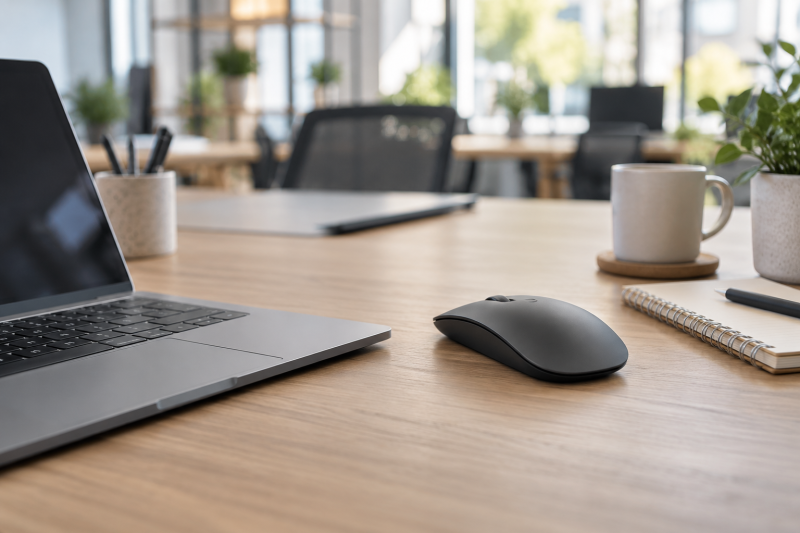
A quiet wireless mouse keeps a laptop setup usable around colleagues, classmates, or a sleeping partner without adding a loud click to every small task. Start with the connection method and click behavior, then check the size, rechargeable battery, receiver arrangement, and whether the scroll wheel is also described as quiet.
These six Amazon US mice use USB-C or USB-A receivers, Bluetooth, or both, and every listing describes quiet or silent clicking. A silent button does not make every moving part silent, so check the scroll-wheel note, hand size, and device-switching method before choosing. See our ergonomic mouse guide and USB-C hub guide for adjacent laptop setup choices.
Pick the wireless connection your laptop already supports, then treat quiet clicks as one part of a mouse that also has to fit your hand and work surface.Quiet Wireless Mice Compared
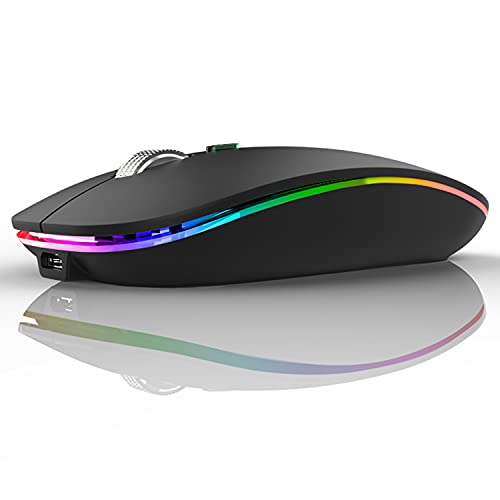

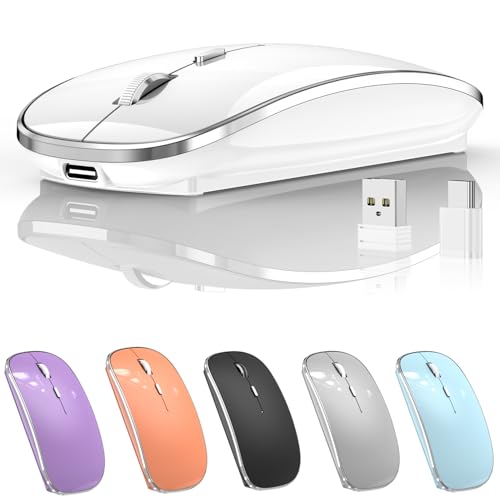

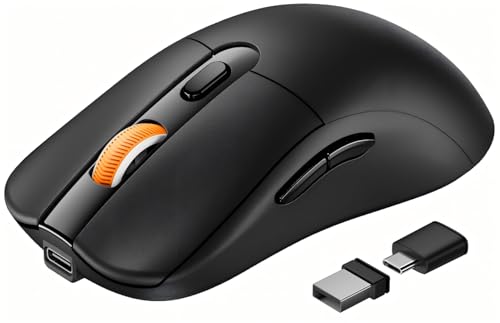
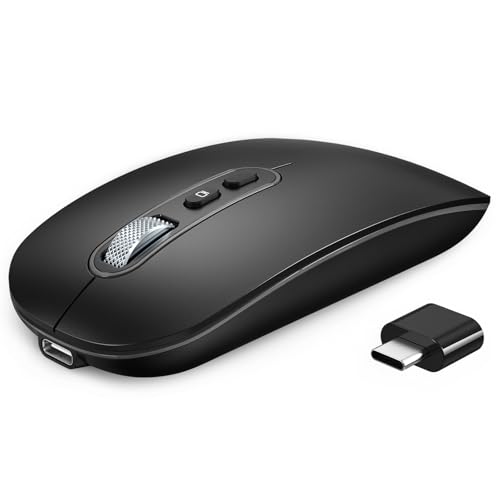
1. Uiosmuph G12 Wireless Mouse — Slim USB-C Adapter Setup
Uiosmuph suits a laptop bag and a desk that only needs one mouse with a receiver. Its listing gives a 4.4 by 2.2 by 0.79 inch body, a built-in rechargeable battery, quiet left and right buttons, and a USB-A receiver that can be used with the included USB-C adapter. The adapter suits a laptop with only USB-C ports, without adding a separate hub.
The listing says the mouse sleeps after eight minutes of inactivity and lets you switch off its LED light. The sleep timer and the LED switch limit light activity between tasks, but the random color lighting is no reason to choose it for a quiet shared desk. Pick it for the slim shape and receiver flexibility instead.
Our Take Buy the Uiosmuph if a slim rechargeable mouse and a USB-C adapter solve a simple setup for a travel laptop. It is a compact receiver mouse, not a pick for Bluetooth switching.
- A 4.4 by 2.2 by 0.79 inch body fits a laptop bag without taking much desk space.
- Quiet left and right buttons are listed, which addresses the most noticeable shared-space mouse noise.
- The USB-A receiver and included USB-C adapter support laptops with either common port arrangement.
- It uses a receiver-and-adapter arrangement rather than Bluetooth, so one laptop port stays occupied.
- The listing describes changing LED colors, an unnecessary feature for a visually calm shared workspace.
2. TECKNET Wireless Mouse — Bluetooth and USB-A Switching
TECKNET suits a laptop and a second device that need to share one pointer. The listing says it connects two devices through Bluetooth 3.0 or 5.0 and a USB-A connection, with a switch button to move between them. It also lists six DPI levels from 800 to 4800 and quiet operation for offices or libraries.
The rechargeable battery is listed as charging in 1.5 to two hours and supplying three months with two hours of daily use. The three-month figure is a brand usage claim, so treat it as an estimate rather than a promise for every workflow. The listing also says the body suits small to medium hands, so fit is a limit for larger hands.
Bluetooth and USB-A switching make TECKNET a good fit when one mouse needs to move between two devices.Our Take Buy the TECKNET if Bluetooth plus a USB-A receiver can serve two devices from one quiet mouse. It suits small to medium hands, not a large palm grip.
- Bluetooth 3.0, Bluetooth 5.0, and USB-A connection options make two-device use straightforward.
- Six stated DPI levels from 800 to 4800 give more cursor-speed choice than fixed-DPI travel mice.
- The listing identifies quiet operation for offices and libraries, matching the shared-space buyer job directly.
- The smaller body is explicitly aimed at small to medium hands, which limits larger-hand comfort.
- Side buttons are not compatible with macOS according to the listing, reducing shortcut value for Mac users.
3. Halpilt Silent Wireless Mouse — Dual USB Receivers
Halpilt suits a shared desk that moves between USB-C and USB-A laptops without Bluetooth pairing. Its listing gives a USB-C and USB-A dual receiver, a 450mAh rechargeable battery, 1000, 1200, and 1600 DPI settings, plus quiet clicks it says reduce noise by 90 percent.
The listing estimates 15 to 20 days of use from a two-hour charge, but actual runtime changes with use and sleep behavior. The practical benefit is that either receiver can match the laptop port already available, which suits a hot desk or a meeting room.
Our Take Buy the Halpilt if USB-C and USB-A receiver options count for more than Bluetooth switching. It is a simple plug-and-play quiet mouse for laptops with different ports.
- USB-C and USB-A nano receivers let one mouse work with modern laptops and older desktops.
- The listed 450mAh battery recharges in two hours, avoiding disposable batteries in a shared workspace.
- Three DPI settings from 1000 to 1600 keep the control scheme simple for general laptop work.
- No Bluetooth mode is listed, so every connected device needs an available USB receiver port.
- The 90-percent noise-reduction figure is a listing claim, not a comparison with every office mouse.
4. VssoPlor Type-C Wireless Mouse — Compact Receiver Pair
VssoPlor is a compact mouse for someone who wants a Type-C receiver and a USB receiver stored in the mouse. Its listing names a 300mAh rechargeable battery, three DPI settings from 1000 to 2400, quiet clicks, and a button for switching connected devices. The simple receiver setup can be useful beside a laptop and desktop.
The listing describes a contoured shape and says it supports several operating systems, but hand comfort is personal and should be tested if possible. Receiver storage is useful for travel, especially when a small adapter would otherwise be lost in a laptop bag.
Our Take Buy the VssoPlor if a compact receiver pair and a 300mAh rechargeable battery fit a portable laptop setup. It suits USB-C hardware without relying on Bluetooth.
- Type-C and USB receivers store in the mouse, reducing the chance of losing travel accessories.
- Three DPI settings from 1000 to 2400 provide a useful range without a complicated control layout.
- The built-in 300mAh rechargeable battery removes the need to carry or replace disposable batteries.
- Bluetooth is not listed, so connecting to a second device requires moving or changing receivers.
- The listed 4.7 by 2.5 by 2.4 inch dimensions describe a larger body than the slim Uiosmuph above.
5. ProtoArc EM15 USB-C Mouse — Three-Device Full-Size Mouse
ProtoArc suits a shared workspace where one mouse moves across more than one device. The listing says it connects up to three devices through Bluetooth, USB-A, and Type-C, weighs 68 grams, and measures 4.9 by 2.5 inches for medium to large hands. It also lists 1000, 1600, and 2400 DPI settings.
The quiet-click claim has a limit. ProtoArc says the middle scroll wheel is not quiet, so the mouse suits pointer clicks in a library or meeting but is not a promise that every motion is silent. The three-device selector is still an advantage for a desk with a laptop, a tablet, and a desktop.
Our Take Buy the ProtoArc if a full-size mouse needs to move between three devices and quiet button clicks are the priority. Remember the audible scroll wheel in a very silent shared room.
- Bluetooth, USB-A, and Type-C connections let one mouse switch among three separate work devices.
- A 4.9 by 2.5 inch body is explicitly designed for medium to large hands.
- At 68 grams, the listed weight stays relatively light despite the larger full-size shape.
- The middle scroll wheel is not quiet according to the listing, despite silent main clicks.
- Its full-size 4.9-inch body takes more bag space than the compact travel mice listed above.
6. RaceGT Rechargeable USB-C Mouse — Thin Bluetooth Travel Mouse
RaceGT is a thin travel mouse for someone who wants Bluetooth 5.1 or a USB-C receiver without carrying a thicker mouse. Its listing describes a 6.5-millimeter low-profile body, 500mAh battery, 30-day claimed runtime from a three-hour USB-C charge, and 1200 DPI optical sensor. It also names quiet clicks for offices and public spaces.
The listing says the mouse sleeps after 10 minutes of inactivity and maintains a 10-meter wireless connection. The sleep timer and the wireless range suit travel, but the ultra-slim body is a shape decision as much as a travel benefit. A person who uses a palm grip for long sessions may be better served by ProtoArc’s full-size body.
Our Take Buy the RaceGT if a 6.5-millimeter mouse with Bluetooth and USB-C receiver modes needs to fit a small laptop bag. It suits travel, not the largest hands.
- A 6.5-millimeter profile slides into a laptop bag with less bulk than conventional wireless mice.
- Bluetooth 5.1 and USB-C receiver modes support a modern laptop without needing a USB-A adapter.
- The listed 500mAh battery charges through USB-C and uses automatic sleep after ten inactive minutes.
- The thin travel shape may not give long-session palm-grip comfort for larger hands.
- It lists one 1200 DPI setting, offering less cursor-speed adjustment than TECKNET or ProtoArc.
Buying Guide
Match the connection to the laptop you already use
Bluetooth keeps a USB port open when the laptop supports it. TECKNET, ProtoArc, and RaceGT list Bluetooth modes, while Halpilt, Uiosmuph, and VssoPlor rely on listed receiver arrangements. Bluetooth is practical for a thin laptop, but a receiver can be faster to set up on a shared computer in a meeting room.
Receiver type counts for more than the mouse category label. Halpilt includes USB-C and USB-A receivers, while Uiosmuph uses a USB-A receiver with an adapter. Check which ports are free after charging, display adapters, and storage are connected, rather than assuming every wireless mouse fits every laptop cleanly.
Treat quiet clicks and quiet operation as separate claims
Quiet main buttons address the most obvious noise in a shared space. Every listing here describes quiet or silent clicking, which can reduce distraction during email, browsing, and editing work. Quiet clicking does not establish a uniform noise level, so avoid comparing sellers’ wording as if it were a common measurement.
Check the scroll wheel before calling a mouse fully quiet. ProtoArc specifically says its middle scroll wheel is not quiet, a useful detail when a library or shared office has little background sound. The other listings do not establish silent scrolling, so plan around the information actually stated.
Choose body size for the work session, not only the bag
A thin or small mouse helps on the move. Uiosmuph lists a 4.4-inch slim body and RaceGT lists a 6.5-millimeter profile, both useful when the mouse travels every day. Smaller bodies can still feel cramped through a long editing session, so portability is only one part of fit.
A full-size body can count for more at a fixed desk. ProtoArc lists a 4.9-inch body for medium to large hands, while TECKNET says its smaller shape suits small to medium hands. Match the size to the hours and grip you use most, not merely the lowest-profile product.
FAQ
Does a quiet mouse also have a quiet scroll wheel?
Not necessarily. Quiet or silent click claims usually describe the main left and right buttons, and ProtoArc explicitly says its middle scroll wheel is not quiet. Look for a specific scroll-wheel statement if scroll-wheel noise is a problem in the room where you work.
Treat quiet as a feature with limits rather than a universal sound guarantee. Noise can also come from the desk surface, cable movement, or a hard mouse pad. The listings support their own button descriptions, not a common measured noise level across all mouse actions.
Is Bluetooth better than a USB receiver for a shared laptop space?
Bluetooth is useful when a laptop has few ports and already supports Bluetooth, while a receiver can be simpler for a guest computer or desktop. TECKNET, ProtoArc, and RaceGT offer listed Bluetooth modes, whereas Halpilt focuses on USB-C and USB-A receivers.
Choose the option that does not create a new port conflict. A display adapter, charging cable, or storage drive can make a receiver inconvenient on a thin laptop. Conversely, a receiver can avoid pairing steps when several people use the same shared machine.
How important is DPI for ordinary laptop work?
DPI controls pointer sensitivity, and a few settings can help when moving from a small laptop display to a wide external monitor. TECKNET lists six levels up to 4800 DPI, while RaceGT lists one 1200 DPI sensor, so their adjustment range differs.
Use DPI as a control preference, not a quality ranking. A quiet mouse for a shared office can work well with one sensitivity setting if it feels natural on the desk. More levels help when you regularly change displays, work surfaces, or do detailed creative tasks.
Bottom Line
Choose TECKNET for Bluetooth and USB-A switching, Halpilt for USB-C and USB-A receivers, or ProtoArc for a larger body that connects to three devices and has an explicit scroll-wheel caveat. Pick the mouse whose connection method, body size, and quiet-operation details fit what the shared space needs.