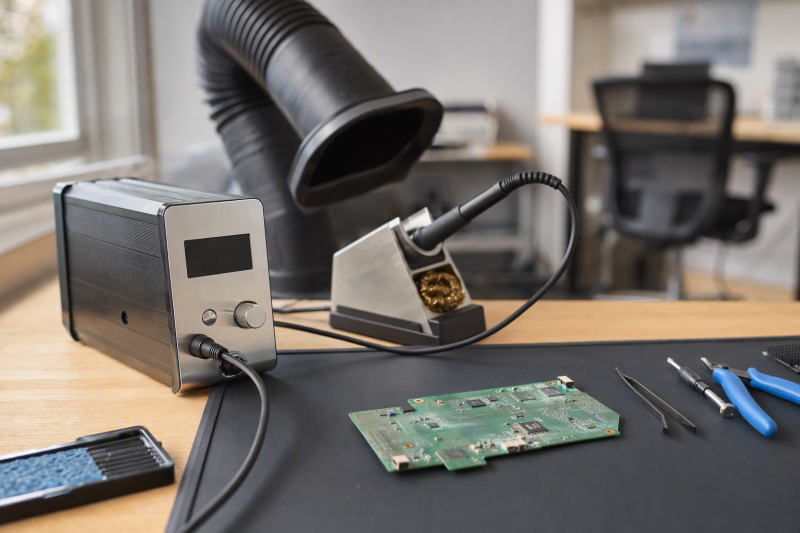
Replacing a connector or reworking a small accessory board calls for controlled heat, a usable tip, and a safe place to park the iron. A digital station adds a temperature setting and often a sleep mode, but the displayed number is not proof of the temperature at the joint. Tip shape, contact area, board copper, and technique still decide how heat moves.
This guide covers six complete digital soldering stations with active New Amazon US offers. They range from accessory-heavy starter kits to stations with documented tip families and a two-handle setup. Listings do not establish measured heat recovery, tip temperature, grounding, safety certification, or lifespan. Do not treat a high wattage claim as permission to use a higher temperature on a delicate laptop board. Check mains voltage and ventilation before comparing features.
Pick the tip and station for the actual joint, then use the lowest practical set temperature that makes a sound connection.Digital Soldering Stations Compared
| Image | Product | Details | Check Price |
|---|---|---|---|
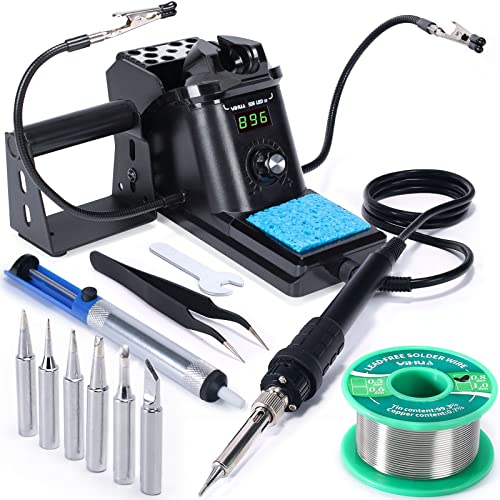 | YIHUA 926 III 60W | Iron: 60W listing model Control: Digital; sleep and calibration Voltage: 110-127V US claim Best fit: Compact starter repair kit | Check Price on Amazon |
 | WEP 926LED V3 | Peak claim: 130W max listing claim Control: Digital PID; 10-min sleep Voltage: 110-127V US claim Best fit: Integrated-holder kit | Check Price on Amazon |
 | Crtsweker 100W digital kit | Power: 100W listing claim Range: 180-480C claim Extras: Helping hands, five tips, pump Best fit: Accessory-heavy starter kit | Check Price on Amazon |
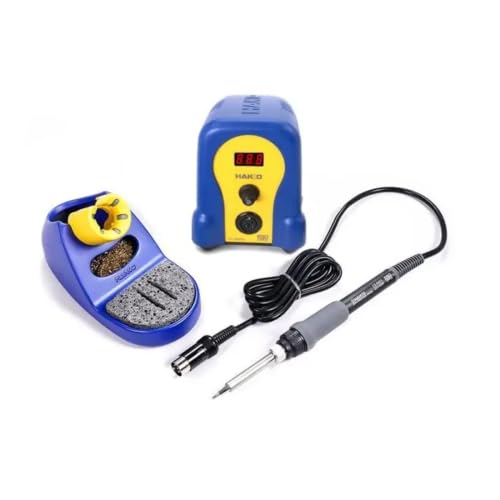 | Hakko FX-888DX | Station: 100W consumption; 65W iron official Range: 50-480C official Tip: T18-B standard official Best fit: Established tip ecosystem | Check Price on Amazon |
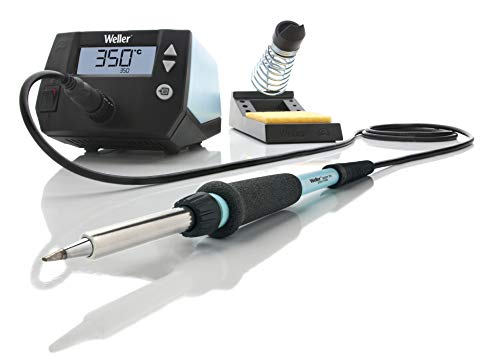 | Weller WE1010NA | Iron: 70W WEP70 official Station: 120V; 85W power official Tips: ET series official Best fit: Documented single-channel station | Check Price on Amazon |
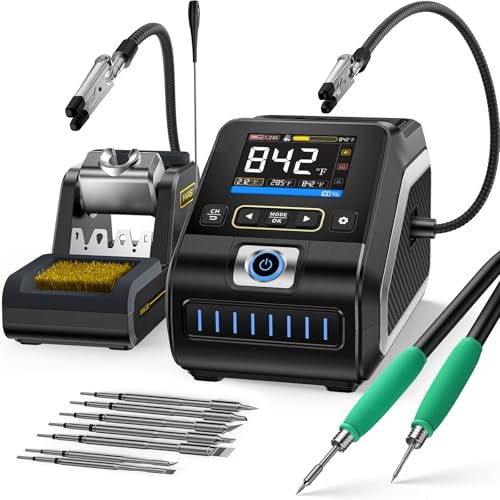 | FNIRSI DWS-200 | Power: 200W listing claim Control: Screen, presets, standby Handles: F210 and F245 listed Best fit: Two-handle precision and power | Check Price on Amazon |
1. YIHUA 926 III 60W — Best Compact Starter Kit
YIHUA’s 926 III combines a digital station and integrated iron holder with helping hands, six extra tips, tweezers, solder, pump, and cleaning sponge. The seller lists selectable sleep timing at five, ten, or thirty minutes and temperature calibration. The package is useful for a bench without existing tools, provided the included accessories fit the job. YIHUA describes the iron as a 60W model. The listing’s broad set range should not be read as a recommended setting for every solder alloy or component.
Its rear protective mesh and built-in holder can reduce the number of loose hot parts on a small bench. The seller claims PID temperature stabilization and UL conformity; the listing alone does not verify those properties. The listing specifies a 110-127V US power requirement, so do not connect it to a different mains supply. Included solder and tips are conveniences, not evidence that they are ideal for fine laptop pads. Check tip compatibility and choose an appropriate shape before using the kit.
Our Take Choose YIHUA if you are equipping an occasional repair bench from scratch. The complete setup is the appeal, and performance and safety claims need independent verification.
- Integrated rest, multiple tips, and basic tools.
- Sleep and calibration functions listed.
- 110-127V US-only claim.
- Temperature and UL claims unverified here.
2. WEP 926LED V3 — Best Integrated-Holder Kit
WEP lists a 926LED V3 station with a built-in iron rest, solder wire, five spare tips, tweezers, a pump, and a tip cleaner. The display is said to show real-time temperature, with a set range of 392-896°F and a ten-minute sleep mode. The title advertises 130W maximum power, but that figure does not establish tip temperature stability under load. No independent measurements of wattage, temperature, or recovery time are available in the checked evidence.
The integrated rest is useful when a laptop repair bench has limited horizontal space. The seller describes a PID controller and heat-resistant holder, both untested here. Its listing explicitly rates the product for 110-127V US power and warns against 220V. Confirm your wall voltage before use and keep the hot rest away from cables or the laptop chassis. The included accessories make setup convenient, but the right replacement tip family and availability are more important over years of repair.
Our Take Choose WEP if you want a compact kit that is ready to use, with one ten-minute sleep setting. Compare its tip supply and its US voltage requirement before focusing on the headline 130W.
- Built-in rest and spare tips included.
- Sleep and temperature display listed.
- US 110-127V rating only.
- Peak-watt claim says little about tip recovery.
3. Crtsweker 100W Digital Station Kit — Best Accessory-Heavy Bundle
Amazon product details identify Crtsweker as the brand, although the title omits it. The kit bundles a 100W-claimed station, helping hands, five spare tips, solder, pump, cleaner, tweezers, and hand tools. It lists a set range of 180-480°C and a sleep timer adjustable from zero to 600 seconds. A kit like this can cover several small bench tasks with one box, but the accessories should be evaluated individually. A clamp that holds a board and a tip that transfers heat well are not assured by their presence on the parts list.
The seller states a calibration function and quick heating without publishing independent temperature or grounding results in the checked bullets. It also says the sleep feature can prevent children from touching the iron. Do not rely on the sleep feature to keep children safe. A recently sleeping iron may still be hot enough to burn, and an on/off switch is not a substitute for supervision. Since the tip ecosystem and replacement handpiece details are less clear here, verify serviceability before choosing it for frequent laptop work.
Our Take Choose this kit only if you want many starting accessories and the exact iron and replacements are clear enough for your bench. Its ongoing tip and service path is the least documented of the six.
- Helping hands, tips, and cleaning tools listed.
- Adjustable sleep timer claim.
- Replacement-tip path unclear in checked data.
- Safety and accuracy claims unverified.
4. Hakko FX-888DX — Best Established Tip Family
Hakko’s FX-888DX is a digital station with a rotary temperature encoder. The Amazon listing is sparse, so the useful facts come from Hakko’s own specification: 100W station consumption, a 65W ceramic-heater iron, a 50-480°C set range, and a standard T18-B tip. Hakko gives ±1°C stability at idle for a restricted set-temperature range. The figure is not a claim about every joint under load. The T18 tip family offers a documented path to shapes matched to fine and broader contacts.
The manufacturer also states tip-to-ground resistance and potential figures and marks the product ESD-safe under its stated test basis. Those official figures do not verify the particular Amazon unit or its seller provenance. A documented station does not fix poor soldering technique. A suitable tip with enough contact area can be more important than raising the set point. Hakko’s own maintenance guidance recommends using the lowest practical temperature that yields a sound joint to limit tip oxidation.
Our Take Choose Hakko if you want a station with a documented tip family. Its official specifications are more useful than a thin marketplace listing, but they do not replace bench verification or training.
- Official range, iron power, and T18 tip stated.
- Rotary control and documented service ecosystem.
- Amazon bullets provide little configuration detail.
- Idle stability is not loaded-joint accuracy.
5. Weller WE1010NA — Best Documented Single-Channel Station
Weller’s own page identifies the WE1010NA as a 120V single-channel station with a 70W WEP70 iron, PH70 rest, and ET-series tips. It lists a 100-450°C temperature range, ESD-safe status, standby/auto-setback behavior, and password-protected settings. Weller distinguishes 85W station power from the 70W iron. Those numbers should not be collapsed into one ambiguous rating. Use the included rest to hold the hot iron off the bench when you reposition a board.
The Amazon bullets claim tighter temperature stability than Weller’s official data. The manufacturer specifies ±6°C stability and ±5°C accuracy; those figures take precedence over the conflicting seller claim but do not establish this unit’s measured performance. The 120V model is for the appropriate mains supply only. Weller documents ET-tip replacements, making future tip choice more predictable than a one-off accessory bundle. Confirm the current offer before you buy.
Weller’s official ±6°C stability figure supersedes the conflicting tighter Amazon bullet for this model.Our Take Choose Weller if you want a 120V station with a rest and ET tips documented by the maker. Check the current offer and exact voltage before you buy.
- Official voltage, range, tip family, and rest.
- Standby and ESD details documented.
- 120V model requires a matching mains supply.
- Marketplace stability claim conflicts with maker data.
6. FNIRSI DWS-200 — Best Two-Handle Range
FNIRSI’s listing describes a 200W-claimed station with a screen, stored presets, sleep when parked, and both F210 and F245 handles plus nine tips. The smaller handle is marketed for precision work, and the larger one for higher-power joints. That choice can be relevant on a mixed bench where a fine accessory connector and a larger ground connection need different tips. The listing states 100-240V input, unlike the US-only YIHUA and WEP claims.
The seller advertises one-second heating and three-second melting, but neither is a verified result at a particular tip and joint. High power is headroom for heat delivery, not an instruction to increase temperature on fragile pads. Check which exact handles and tips are included in this Amazon variant. The manufacturer offers several bundles under the DWS-200 name. The stand’s sleep behavior, calibration, and grounding were not tested here.
Our Take Choose FNIRSI if you want two handles and a wide input voltage range for a varied bench. Confirm the exact bundle, and do not let the 200W headline replace tip and temperature judgment.
- F210 and F245 handles listed.
- 100-240V input and presets claimed.
- Bundle variants need exact verification.
- Heat-up and temperature behavior untested.
Buying Guide: Match Heat Delivery to the Joint
Prioritize a usable tip and temperature control
Tip shape and contact area determine how effectively heat moves into a joint. A very fine point can struggle on a large ground pad even when the station’s set temperature is high. Conversely, an oversized tip can crowd neighboring components. Check the replacement-tip family for the exact handpiece and whether the shapes you need are available. Hakko documents T18-B as standard. Weller documents the ET family for its WEP70 iron.
Set a temperature appropriate to the solder, tip, board, and component, then use the lowest practical setting that makes a sound joint. Hakko’s maintenance advice supports this approach because excess heat accelerates tip oxidation. The digital display is a set point, not a guarantee of live joint temperature. Calibration, sleep, and recovery claims in seller bullets were not independently tested here. A practiced operator and clean, tinned tip remain essential.
Match station power and voltage to the workbench
Wattage can describe station consumption, iron power, or a seller’s maximum claim. Hakko publishes 100W station consumption and 65W for the iron. Weller publishes 85W station power and 70W for the iron. FNIRSI’s 200W and WEP’s 130W are seller claims for different designs. These figures alone do not rank heat recovery, temperature accuracy, or safety at a laptop connector.
Voltage is not negotiable. YIHUA and WEP state 110-127V US operation, Weller’s exact WE1010NA is 120V, and FNIRSI lists 100-240V input. Confirm the unit, plug, and local supply before use. Keep the hot rest stable and away from cables. For connection testing after repair, our USB-C hub guide covers port selection rather than thermal work.
Build a safe electronics repair station
A station needs ventilation or local fume control, a suitable iron rest, and attention to ESD-sensitive boards. A low price or included solder wire does not prove an adequate work environment. Follow the solder and flux safety data and keep food and drink away from the bench. Protect the device’s power sources and remove the laptop battery where service instructions require before heating a board. If you lack repair experience, practice on scrap electronics first.
Treat sleep mode as a way to reduce idle heat, not as a state that is safe to touch. A tip can stay hot after the display changes. Turn the station off when done and let it cool in its rest. Avoid holding heat on delicate pads for long. Stop if a connector or board begins to deform. For a mechanical repair companion, our USB-C electric screwdriver guide addresses bit and torque choices, not thermal work.
Frequently Asked Questions
Is more wattage always better for laptop repair?
No. A larger power figure can provide headroom, but tip choice, thermal recovery, and technique govern what reaches the joint. Sellers and manufacturers also use different wattage definitions. Hakko’s station and iron figures differ, as do Weller’s, so comparing a 200W title with a 70W iron number is misleading.
Use the correct tip and a controlled, task-appropriate setting rather than raising temperature to compensate for poor contact. The checked listings do not establish measured recovery for any of these units. A high-power station can still damage delicate pads if handled badly.
Does sleep mode make the iron safe to touch?
No. Sleep or auto-setback reduces idle heat, and the tip may remain hot enough to burn. Different stations use different timers or stand sensors. Never leave a heated iron loose on a mat or rely on an on-screen sleep icon as a safety guarantee.
Park it in the supplied rest, switch it off at the end of work, and allow it to cool. Keep children and pets away from the bench. The generic kit’s listing suggests sleep prevents accidental touch, and that assumption is not safe.
Which station is better for future tip replacement?
Look for a documented tip family and available replacements for the exact handpiece. Hakko officially identifies its standard T18-B tip. Weller identifies ET tips for the WEP70 iron. That documentation makes it easier to choose geometry later, even though the station’s performance was not tested here.
The bundled starter stations supply several tips up front, but verify their actual series and availability before assuming long-term support. A package with many accessories is not necessarily cheaper over time if the right tip or handpiece cannot be sourced.
Bottom Line
YIHUA is the compact all-in starter package, Hakko offers a documented T18 tip path, and Weller offers a well-specified 120V/ET-tip system. FNIRSI is a candidate for a mixed-size bench if its exact two-handle bundle fits. Buy for the joint, voltage, tips, and safe workflow, not the largest wattage label.