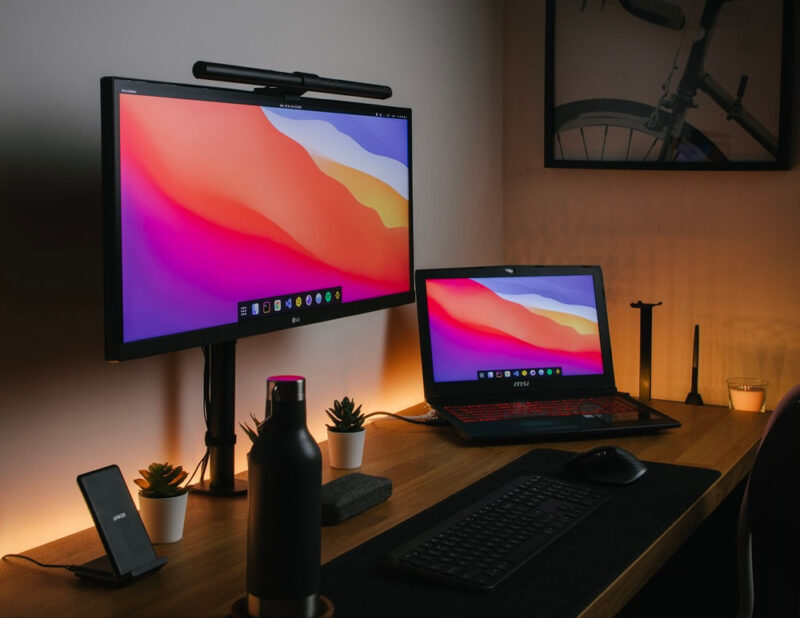
If you’re looking for the biggest productivity boost and you are on a tight budget, a USB-C monitor with Power Delivery (PD) is easily one of the smartest upgrades you can buy today. These displays used to be luxury items, found only in premium and high-end setups, but not anymore.
Affordable USB-C monitors now deliver the same streamlined, single-cable convenience that once required expensive docks and Thunderbolt accessories. The magic comes from USB-C Power Delivery. With just one cable, these monitors can send video, audio, and data while also charging your laptop.
Even budget models now offer 45W–65W PD, which is enough to power Chromebooks, ultrabooks, iPads, and many Windows laptops. Step up slightly in price, and you’ll find 75W–100W PD, more than enough for most MacBooks and pro-level notebooks.
Table of Contents
This means:
- No separate charger
- No extra dock
- No cable jungle on your desk.
Plug in a single cable and your laptop connects to all your essentials through the monitor’s built-in hub: external drives, webcams, keyboards, Ethernet, whatever you’ve got. For home offices, students, and hybrid workers, this one-cable workflow is a complete game-changer.
Thunderbolt users shouldn’t overlook USB-C monitors either. While Thunderbolt 4/5 gets plenty of hype, the truth is that most people don’t need Thunderbolt’s extra bandwidth.
Common mainstream resolutions like 1080p, 1440p, and 4K at 60 Hz run flawlessly over regular USB-C with DisplayPort Alt Mode. Thunderbolt monitors cost more because of licensing and certification, not because they dramatically improve everyday display quality.
In practice, a solid USB-C PD monitor gives Mac and PC users the same visual performance at a fraction of the price. Pair the lower cost with wider availability, competitive features like KVM switches and USB hubs, and you get unbeatable value.
Comparison of the Best Cheap USB-C Monitors With Power Delivery



Last update on 2026-09-03 at 18:57 UTC / Affiliate links / Images from Amazon Product Advertising API / DetailsProduct prices and availability are accurate as of the date/time indicated and are subject to change. Any price and availability information displayed on [relevant Amazon Site(s), as applicable] at the time of purchase will apply to the purchase of this product.)
1. Dell S2725QC Monitor – 4K@120Hz
The Dell 27 Plus 4K USB-C Monitor (S2725QC) is an impressive all-around display that brings premium features into a highly affordable 27-inch 4K package. What sets this model apart is its combination of crisp 4K resolution, high refresh rate, and USB-C Power Delivery, making it a compelling choice for productivity, creative work, and mixed-use setups where simplicity and performance matter.
With a native 3840×2160 resolution on an IPS panel, the S2725QC delivers clear and detailed visuals that make text, images, and video pop without demanding top-tier GPU power.
The panel supports up to 120 Hz, which is rare in this segment and adds a noticeably smoother feel to cursor movement, scrolling, and motion in supported content, benefits that extend beyond gaming to everyday interaction with your OS and apps.
Having said that, the 4ms GTG response time and AMD FreeSync Premium will have gamers excited, especially considering the price of the display.
Image Quality
The monitor features an IPS panel that produces vibrant colors and wide viewing angles, making it suitable for photo editing, software development, and media consumption. The contrast ratio (1500:1) and brightness (350 nits) keep visuals punchy and readable in most lighting conditions without being overly saturated.
While it doesn’t reach elite HDR brightness levels, the overall picture quality is more than adequate for work, content creation, and mixed-use scenarios.
Connectivity
A single USB-C port that supports DisplayPort 1.4 Alt Mode and up to 65 W Power Delivery means fewer adapters and a cleaner desk setup, especially with laptops like MacBooks, Surface devices, or USB-C-enabled notebooks.
In addition, the monitor offers:
- HDMI
- USB-A downstream ports
Our Take
The Dell S2725QC is a standout budget 4K monitor precisely because it doesn’t feel like one. Dell packs in a mix of high-resolution clarity, smooth motion handling, and a one-cable workflow that simplifies modern setups. The 65 W Power Delivery over USB-C is ideal for daily productivity work, light creative tasks, and home office environments where minimizing clutter is key.
PROS
- Sharp 4K resolution with smooth 120Hz refresh rate
- Built-in USB hub streamlines peripherals
- Adjustable stand (height, tilt, pivot, swivel)
- AMD FreeSync Premium support
- The 65W Power Delivery will charge most laptops
CONS
- Contrast and HDR performance are average
- Speakers are adequate but not powerful
2. Samsung M7 (M70F) – Smart Monitor For Work and Play
Samsung’s 32-inch Smart Monitor M70F is designed for users who want a single screen that can do it all: work, entertainment, streaming, and even light console gaming. What makes this monitor stand out is its hybrid nature: it behaves like a regular 4K display when your laptop is connected, but also works as a full smart TV when devices are unplugged. Add Samsung’s new Vision AI features, wireless connectivity options, and built-in apps, and the M70F becomes an extremely versatile all-in-one screen for modern homes and hybrid workspaces.
Where traditional monitors end at display output, the M70F pushes further. It runs Samsung’s Tizen OS, giving you immediate access to Netflix, YouTube, Prime Video, and cloud gaming platforms without turning on your laptop.
Image Quality
The M70F features a 4K UHD panel with a crisp and spacious 32-inch layout that enhances everything from spreadsheets to movies. Colors appear balanced and natural, while Samsung’s processing maintains clarity in bright scenes. Although the panel isn’t targeted at professional color-grading work, it offers more than enough visual accuracy for productivity, content consumption, and everyday use.
Its 32-inch VA panel is best suited for coding, editing documents, or working across browser tabs. Samsung’s Intelligent Mode optimizes brightness based on ambient lighting, providing a pleasant viewing experience throughout the day.
Connectivity
The built-in Tizen Smart Hub turns the monitor into a full entertainment display complete with apps, Wi-Fi, and remote control support. You can stream content without needing a PC or TV box. Samsung’s new Vision AI detects presence to save power, and can automatically adjust settings for comfort.
For productivity, USB-C with 65W Power Delivery allows single-cable operation with compatible laptops. Additionally, the monitor includes:
- HDMI
- USB-A ports
- AirPlay and Bluetooth for peripheral connectivity
This combination makes the M70F a true replacement for both a monitor and a living-room TV for your home office.
Our Take
The Samsung M70F is perfect for users who want a single device that handles work, study, entertainment, and smart streaming without needing a full PC setup at all times. Its balance of 4K clarity, laptop charging, smart apps, and wireless connectivity makes it ideal for dorm rooms, compact apartments, home offices, and hybrid workers on a budget.
PROS
- Three-in-one device: monitor + smart TV + wireless workspace
- 4K resolution on a large 32-inch panel
- USB-C with 65W Power Delivery for single-cable workflow
- AirPlay, Bluetooth, and Wi-Fi 5 provide a wireless workstation
- Remote control for switching sources conveniently
CONS
- Not ideal for professional color-critical work
- 60Hz refresh rate may not satisfy serious gamers
- Tizen OS interface may feel slower compared to TV flagships
3. LG 34WR55QK-B – Ultrawide
Ultrawide monitors have extended horizontal real estate, allowing you to keep multiple windows open side-by-side, eliminating the need for dual-monitor setups and optimizing the workstation for efficiency.
Whether you’re a programmer keeping code, documentation, and logs visible at once, a content creator managing timelines and tools, or a professional navigating dashboards and spreadsheets, an ultrawide offers a more continuous, immersive workflow.
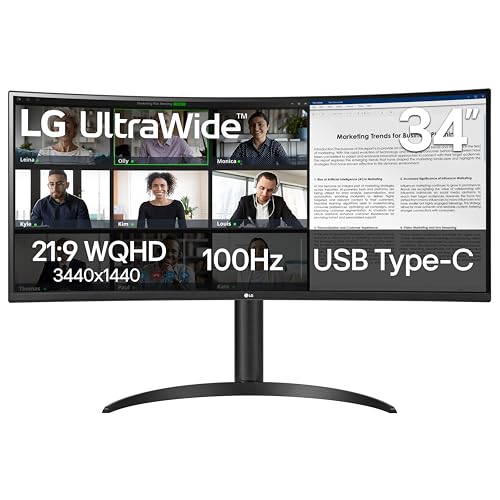
The LG 34WR55QK-B is LG’s approach to an accessible but capable ultrawide monitor, designed for users who want a spacious workspace without stepping into premium pricing territory.
Image Quality
With its 34-inch VA panel, 3440×1440 resolution, and a 100Hz refresh rate, the monitor strikes a strong balance between clarity, smoothness, and affordability, maintaining a sharp pixel density.
It has solid color performance, wide viewing angles, and a comfortable curved format, without unnecessary extras that inflate cost. The result is an ultrawide that feels dependable for long editing sessions, multitasking, and extended workdays.
While this isn’t a gaming-first panel, casual gaming benefits from its speed and color accuracy, creating an enjoyable experience for users who want a single monitor for both work and play.
Connectivity
LG equips the 34WR55QK-B with a practical selection of ports suited for modern workstations. The standout feature is USB-C with up to 65W Power Delivery, enabling a simple single-cable connection for charging a laptop, video, and data, a major convenience for MacBooks and ultrabooks, where desk clutter reduction is a priority.
Additional ports include:
- HDMI
- DisplayPort
- USB-A downstream ports
- Headphone out
Our Take
The LG 34WR55QK-B is an excellent choice for professionals and multitaskers who want the advantages of an ultrawide monitor without stepping into premium pricing. Its sharp VA panel, smooth 100Hz refresh rate, and 65W USB-C Power Delivery create a seamless, clutter-free workspace ideal for coding, editing, writing, or general productivity.
PROS
- Spacious ultrawide workspace ideal for multitasking
- USB-C with 65W PD for single-cable laptop connectivity
- Sharp 3440×1440 resolution
- Smooth 100Hz refresh rate
- Curved screen with Picture-by-Picture (PBP) ensures an immersive workstation
CONS
- Not suited for HDR-focused creative work
- Motion handling is good, but not esports-level
4. Dell 34 Plus USB-C Monitor S3425DW – Curved 120Hz Display
The Dell 34 Plus USB-C Monitor (S3425DW) is positioned as a flexible ultrawide designed for users who want a single display that handles everything: multitasking, office work, creative workflows, media consumption, and casual gaming.
This monitor appeals to anyone who appreciates the additional horizontal space that ultrawides offer. Whether you’re working across multiple windows, scrubbing through timelines, or editing large spreadsheets, the S3425DW creates an expansive workflow that immediately feels more natural than a dual-monitor setup.
Image Quality
It has a generous 34-inch 3440×1440 curved VA panel and the typical 65W USB-C Power Delivery that aims to deliver an immersive, clutter-free workspace at a price point that stays within reach of mainstream buyers.
The display provides deep contrast levels (3000:1) and vibrant color reproduction (99% sRGB and 95% DCI-P3), making it a strong performer for both productivity and entertainment. The curved design adds to immersion, drawing your eyes naturally toward the center of the screen and improving long-session comfort.
Another significant feature is its 120Hz refresh rate, which far exceeds expectations for a monitor in this category. Motion feels exceptionally smooth with scrolling, transitioning between apps, and even fast-paced gaming, showing noticeable clarity benefits. Paired with AMD FreeSync Premium, the monitor handles motion artifacts well, reducing tearing and maintaining consistent fluidity.
Connectivity
One of the S3425DW’s biggest strengths is its connectivity suite, especially for users aiming for a streamlined desk.
Key features include:
- USB-C with up to 65W Power Delivery (video + charging + data via a single cable)
- HDMI
- USB-A downstream ports
- A built-in USB hub with USB-A and USB-C ports
This makes it an ideal companion for MacBooks, Windows ultrabooks, or hybrid work setups where a clean desk and single-cable convenience are priorities.
Our Take
The Dell S3425DW positions itself as a true all-rounder. It’s fast enough for gaming, spacious enough for serious multitasking, and color-rich enough for creative workflows that don’t require absolute color perfection. It delivers impressive performance across the board and stands out as one of the strongest value-driven ultrawides in Dell’s current lineup.
PROS
- Immersive 34-inch curved ultrawide display
- Smooth 120Hz refresh rate
- USB-C with 65W Power Delivery for single-cable setups
- Ergonomic stand with height, tilt, and swivel
- AMD FreeSync Premium support
CONS
- VA viewing angles are narrower than IPS equivalents
- HDR performance is limited
- Built-in speakers are adequate but not impressive
5. LG 32U631A-B – Budget 1440p USB-C Monitor
The LG 32U631A-B positions itself as a budget-friendly 32-inch monitor designed for productivity and everyday creative work. Its features are set at an approachable price, giving users a spacious canvas for multitasking, sharper text clarity, and a noticeably more comfortable workflow. It’s a monitor that’s ideal for students, home offices, and professionals who want considerable real estate without breaking the bank.
That said, the 32U631A-B does make a few compromises to reach this accessible price point, the most notable being its 15W USB-C Power Delivery. While this is enough to power small devices or slow-charge a laptop, it won’t replace a full notebook charger.
Image Quality
The monitor features a 32-inch 2560×1440 IPS panel, which elevates clarity and detail. Text looks clean and sharp, making long work sessions more comfortable, and the screen size allows for multiple windows without feeling cramped.
The IPS technology ensures wide viewing angles, consistent brightness, and natural color reproduction, key advantages for users editing photos, reviewing graphics, or working with content where color accuracy matters.
But overall screen brightness is limited to 250 nits, which is par for the course and is fine for everyday productivity, coding, document work, and casual creative tasks.
Connectivity
The connectivity is also fairly limited on this display. You get:
- USB-C with 15W Power Delivery
- HDMI ports
- Headphone jack (sound only)
There are no USB-C or USB-A downstream ports. So, you have to rely on your laptop’s port selection for peripheral connectivity.
Our Take
The LG 32U631A-B is a strong option for buyers who want a USB-C monitor without moving into higher-priced professional territory. It offers excellent fundamentals: a vibrant IPS panel, wide viewing angles, and ample screen space for multitasking.
Essentially, that is all you get. Thus, the LG 32U631A-B is ideal for multi-workstation offices, remote workers, and students seeking value for its price.
PROS
- Large and sharp 32-inch IPS panel and wide viewing angles
- Excellent text clarity with a 1440p resolution
- Budget-friendly pricing
- The 100Hz refresh rate delivers smooth visuals
CONS
- The 15W Power Delivery is inadequate for laptop charging
- Stand offers limited ergonomic adjustments
6. SAMSUNG 24″ ViewFinity S6 (S60UD) – Daisy Chain and 90W Power Delivery
The Samsung ViewFinity S6 S60UD is an intriguing entry in Samsung’s productivity-focused ViewFinity lineup. While it has a compact 24-inch form factor, it brings several capabilities typically reserved for larger or more premium displays: QHD resolution, USB-C connectivity, HDR10 support, and even daisy-chain functionality for multi-monitor setups. This makes the S60UD a strong option for users who want a sharp, space-efficient display for work without compromising on connectivity or clarity.
Image Quality
The S60D features a 2560×1440 QHD IPS panel, offering noticeably sharper images than traditional 1080p monitors at this size. Text, UI elements, and fine details appear crisp, making long reading or editing sessions more comfortable.
Samsung includes HDR10 support, which adds subtle improvements to contrast and dynamic range when working with HDR media. While this isn’t a monitor built for high-end HDR workflows, the feature enhances movie-watching and gives image previews greater depth. For typical office use, the panel’s brightness and contrast are more than sufficient.
Connectivity
One of the S60UD’s strongest advantages is its modern, workflow-friendly connectivity.
Key features include:
- USB-C with up to 90W Power Delivery
- Daisy-chain support via DisplayPort MST
- HDMI
- USB-A downstream ports
- Ethernet
The 90W USB-C Power Delivery is especially impressive at this size class. It allows the S60UD to power full-size laptops, including many 15-inch and 16-inch models, through a single cable.
Daisy-chain functionality makes it even more attractive for dual-monitor setups, enabling two displays to run from a single laptop port.
Our Take
The Samsung ViewFinity S6 (S60UD) is proof that small monitors can still deliver big performance. With QHD sharpness, clean color reproduction, USB-C with high-wattage charging, and daisy-chain support, it’s tailor-made for productivity-focused users who want high-end functionality in a compact footprint.
PROS
- Sharp QHD resolution on a compact 24-inch screen
- USB-C with 90W Power Delivery
- Daisy-chain support for multi-monitor setups
- Built-in KVM makes it convenient for collaborative workflows
- Ethernet port provides network connectivity
- The 100Hz refresh rate delivers fluid movements
CONS
- HDR performance is basic
- Bezel size is a bit thick for multi-monitor setups
7. Philips 27E1N5900R – Lifelike Image Quality
The Philips 27E1N5900R is designed for users who want the clarity of 4K, the convenience of USB-C, and the simplicity of a clean, single-cable workspace.
Positioned firmly in the productivity segment, this monitor delivers a refined blend of sharp visuals, dependable color accuracy, and modern connectivity, making it an appealing choice for home offices, hybrid workers, and professionals who want a polished setup without stepping into premium pricing.
Image Quality
The 27-inch 4K UHD IPS panel on the 27E1N5900R delivers excellent sharpness and wide, comfortable viewing angles. Philips enhances this foundation with DisplayHDR 400 certification, ensuring improved contrast, deeper blacks, and more pronounced highlights compared to non-HDR screens. While it’s still a baseline HDR implementation, it’s among the best in this segment.
Color performance is another strong point. The monitor covers a broad NTSC and sRGB color gamut, providing vibrant yet accurate hues suitable for light creative work, presentations, and content previewing. For users dealing with graphics, digital art, or general design, this color reproduction delivers a reassuring level of precision.
Brightness also holds up well for office environments. With a peak brightness of approximately 400 nits, the display remains clear and readable in brightly lit rooms.
Connectivity
The Philips 27E1N5900R is built for streamlined workflows. It features USB-C with 65W Power Delivery, allowing users to connect a laptop and power it simultaneously through one cable.
Additional ports include:
- HDMI
- DisplayPort
- USB-A downstream ports
- Headphone out
Our Take
The Philips 27E1N5900R is an excellent choice for anyone seeking an IPS panel, with effective HDR400 implementation, wide color coverage, and a bright screen, making it a reliable companion for both work and media.
It is not built for high-end HDR editing or competitive gaming, but as a high-quality everyday 4K monitor with docking convenience, it excels.
PROS
- Vibrant 27-inch 4K IPS panel with DisplayHDR 400
- Wide color gamut coverage for accurate visuals
- 400-nit brightness suitable for well-lit rooms
- USB-C with 65W Power Delivery
- Good connectivity and integrated USB hub
CONS
- HDR400 provides only entry-level HDR performance
- At 60Hz, the refresh rate is modest considering rivals
Cheap USB-C Monitors With Power Delivery – Frequently Asked Questions (FAQs)
What is Power Delivery (PD) in a USB-C monitor?
Power Delivery allows a USB-C monitor to charge your laptop while sending video and data over the same cable. For most thin-and-light laptops, 65W–90W is ideal. Lower PD (like 15W–30W) will not fully charge a laptop, but can slow battery drain.
Can a USB-C monitor replace my docking station?
Yes, at least for most users. Many USB-C monitors include:
- USB-A ports for keyboard/mouse
- Ethernet ports (on some models)
- Downstream USB-C ports
- Headphone output
This allows a single USB-C cable to handle charging, display, peripherals, and data, effectively eliminating the need for a separate dock.
Do USB-C monitors work with MacBooks and Thunderbolt laptops?
Absolutely. USB-C monitors use DisplayPort Alt Mode, which is natively supported by all modern MacBooks and Thunderbolt PCs. Even if your laptop is Thunderbolt-only, it automatically falls back to USB-C display mode. You only need a Thunderbolt display if you require daisy-chaining multiple 4K monitors or extremely high-bandwidth workflows.
Is 65W Power Delivery enough for my laptop?
For most everyday laptops, MacBook Air, MacBook Pro 13-inch or MacBook Pro 14-inch (non-Max chips), Dell XPS, ThinkPads, 65W is sufficient.
You may need 90W–100W if you use:
- 15 to 16-inch performance laptops
- Gaming laptops
- Mobile workstations
What is the difference between IPS and VA panels? Which is better?
Both have strengths:
| Panel Type | Pros | Cons | Best For |
| IPS | Best color accuracy, wide viewing angles, sharp text | Lower contrast, blacks look more gray | Creative work, productivity, browsing |
| VA | Very high contrast, deeper blacks, better movie experience | Narrower viewing angles, color shifts off-axis | Entertainment, gaming, dark-room use |
For office and creative work, IPS is the preferred choice because it delivers consistent colors and better clarity.
For movies and gaming in dim lighting, VA panels provide richer contrast.
Do all USB-C monitors support charging?
No. Some monitors include USB-C for video only. Always look for the term “USB-C with Power Delivery” or “USB-C PD”. If the wattage is not explicitly listed, assume it does not provide power.
Can I connect two monitors through a USB-C daisy-chain?
Only if the monitor supports DisplayPort MST (Multi-Stream Transport). Many cheap USB-C monitors do not support daisy-chaining, so check the specifications carefully.